2020 Flexible Spending Account Open Enrollment - Town of ...
←
→
Page content transcription
If your browser does not render page correctly, please read the page content below

2020 Flexible Spending Account
Open Enrollment
Dear Team Gilbert,

                                         CY20 Open Enrollment is just around the corner! At the Town of Gilbert,
                                         we believe that our benefit offering makes a difference to you, your family,
                                         and the life you lead outside of work. Since benefits are a significant part
EAT WELL, LIVE WELL                      of your total compensation package, the Town of Gilbert is continually
Replacing unhealthy eating habits        looking for ways to ensure that our programs are valued and offer you and
with healthier ones can be difficult,
especially if unhealthy habits are all   your family resources and tools to help you stay healthy.
you’ve ever known. One key to
making lasting improvements to
your diet is to make changes in
                                         Open enrollment is from November 4th to November 18th. You only need
stages. Start with a small, simple       to complete the online enrollment form if you would like to use your FSA
change and stick to it for a week.
After one change has been                in 2020. Deadline for online enrollment is midnight November 18th CST .
mastered, add another.                   You must complete the online enrollment form if you want to have a FSA in
                                         2020 and access to any remaining money in your 2019 FSA, funds will not
SOME IDEAS TO GET YOU STARTED            automatically roll over , maximum amount is $2,700 for 2020.
•      Eat breakfast.
•      Replace one sugary drink          Regards,
       per day with a glass of
       water.
•      Eat one to two more fruits        Town of Gilbert Human Resources Benefits Team
       or vegetables each day.
•      Plan a healthy snack for
       each day of the week.
•      Switch to a low-fat version
       of one of your favorite
       foods.
•      Plan three meals and two
       snacks every day.
•      Plan as many home-cooked
       meals as you can.

DID YOU KNOW

Substituting chips and candy bars
with snack-sized portions of veggies
will cut down on the calories and
the cholesterol in your diet. Not
only are vegetables low in calories
and fat, but they are all cholesterol-
free.
Flexible Spending Accounts (FSAs) Overview
How FSAs Work                                               Claims
Flexible Spending Accounts (FSAs) allow you to set          Reimbursements may only be made for claims incurred
aside pre-tax dollars to pay for eligible out-of-pocket     during the period of coverage. Expenses are incurred
expenses for health care and dependent care. The town       when the health care or dependent care is provided, not
offers two types of FSAs:                                   when you are billed or pay for the care. A period of
                                                            coverage runs from January 1st of the plan year through
Health Care FSAs: These allow you to put aside payroll-     December 31st.
deducted pre-tax dollars for health care expenses not
covered by any medical, dental, or vision care plan.        Providing documentation is the only way to validate a
                                                            claim. You must request and retain itemized receipts for
These expenses are allowed for you and your qualified
                                                            all claims for which you request reimbursement. Below is
dependents.                                                 a table explaining what documentation is needed for the
Dependent Care FSAs: These allow you to put aside           type of expense.
payroll-deducted pre-tax dollars to cover child and/or       Type of Expense     Documentation Needed
elder care expenses for your eligible dependents. A
dependent care FSA may cover your qualifying                 If covered by       Insurance payer Explanation of Benefits;
                                                             insurance            or itemized statement
children up to the age of 13 or a spouse, dependent
adult or child over the age of 13 who is mentally or         If not covered by   Itemized Statement must include:
physically incapable of caring for him or herself and        insurance           1.    Provider name/address
                                                                                 2.    Patient name
spends at least 8 hours in your home daily.
                                                                                 3.    Date of Service
                                                                                 4.    Description of service
Annual FSA Enrollment                                                            5.    Dollar amount
The 2020 FSA Open Enrollment period is November              OTC Drugs &         Physician Rx and itemized merchant
4th, 2019 through November 18, 2019.                         Medicines           receipt
You must enroll each year, even if you wish to elect         OTC Medical         Itemized merchant receipt
the same annual contributions.                               Supplies / Items
Enrollments expire every year on December 31st of            Rx                  Pharmacy receipt; or printout from
the current plan (calendar) year and only carries over                           pharmacy
$500. Enrollments for the 2020 plan year must be
completed during the FSA Open Enrollment period or
                                                             Note: Do not submit cancelled checks, credit card
within 30 days of a qualifying life event.
                                                             receipts, balance forward or paid on account statements,
Eligibility                                                  or pretreatment estimates.
All regular employees working at least 60 hours per pay
period and with a designated Job Class Code of A,B and
F are eligible to participate.
Advantages of FSAs
Your FSA contributions are deducted from your bi-
weekly pay check on a pre-tax basis, before Federal
taxes, Social Security taxes (FICA), and State taxes have
been deducted. For example, if you earn $32,000 and
contribute $2,000 to your Health Care FSA, you will
only pay taxes on $30,000 resulting in savings.
Flexible Spending Accounts (FSAs) Overview
Pre-Enrollment Information                                  Carryover Feature
                                                            Our plan allows you to carry over remaining health care
Your 2020 FSA enrollment is effective January 1,            funds of up to $500. You have much less risk of losing
2020 through December 31, 2020.                             funds at year end and estimating expenses is less
Once you enroll, you cannot stop or change your             worrisome knowing you can carryover a small amount.
deductions during the plan year, unless you experience      Ex: If on December 31st you have a $500 balance, you
a qualifying life event . You can only be reimbursed for    can carryover the $500 amount into the next plan year.
eligible expenses incurred from the effective date of       This amount cannot exceed the 2019 annual FSA limit.
your enrollment through December 31st.
                                                            Qualifying Individuals
Different rules apply to Health Care FSAs and
                                                            Qualifying individuals under Health Care FSAs include
Dependent Care FSAs. The Health Care FSA can be
                                                            your legal spouse and your child(ren) age 26 and under.
used by you and qualifying individuals (see the
                                                            26-year-old children are only eligible to be considered
Qualifying Individuals section for more information) for
                                                            qualifying individuals up to the last day of the month in
eligible health, prescription, vision, or dental expenses
                                                            which they turn 26.
remaining after claims have been paid by any insurance
plan.                                                       A qualifying individual also includes your parent or other
Dependent Care FSAs are not Health Care FSAs for            individual as defined in IRS Code Section 105(b), such as
your dependents. Dependent Care FSAs are for                one who is physically or mentally unable to care for him
eligible expenses incurred for the care of qualifying       or herself and is claimed by you as a dependent on your
individuals; not a separate FSA for their health care       taxes.
expenses.
                                                            Other Eligible Adult Individuals (OEAIs) and their
Funds are not transferable between your Dependent           dependents are not qualifying individuals for FSAs
Care FSA and Health Care FSA. Also, you cannot
transfer funds between your accounts and your               Using the Health Care Card
spouse’s accounts.
                                                             Use of the Card is Not Paperless!
Estimate your expenses carefully. Do not contribute
more than you can reasonably expect to spend on              That’s Right! Use of the debit card is not paperless. In
eligible expenses for the year. The IRS requires that you    many cases, IRS regulations require you to submit back-
forfeit any funds left in your account after the             up documentation to substantiate certain transactions.
reimbursement deadlines have expired.
                                                             Following are some tips regarding use of the card.
Your contributions will lower your Social Security           How to Use the Card
Wage Base. FSA contributions will lower your Social          Co-Pays – The card works great for flat-dollar
Security taxes. Since your Social Security taxes will        prescription or office visit co-pays under your
be calculated after your FSA contributions are               employer plan. Keep your prescription pharmacy
subtracted, your Social Security benefits may be             receipts, and ask for an itemized receipt for office visit
slightly lowered.                                            co-pays (be sure it says office visit co-pay). You will be
Your Town benefits are not affected. FSA contributions       asked to submit documentation for percentage co- pay
lower your taxable income, but they do not lower the         and coinsurance amounts.
amount of salary used to calculate benefits, such as
your Retirement Plan, Long Term Disability Insurance,
or Group Life Insurance.                                     Mail- Order Prescriptions - Simply provide the card
                                                             number and expiration date to the pharmacy benefit
                                                             manager once, and you’re set! Keep your itemized
                                                             mail order statement.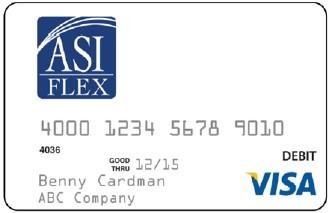
Using the Health Care Card cont.
Reasons the Card May Not Work
Insufficient Funds – If you attempt to use the card for If you have a qualifying life event and submit a Mid-Year
an amount that exceeds your available balance, the Enrollment Form within 30 days of that life event, your
coverage is effective the first day of the month following
card will decline. Know Your Balance! Use the ASIFlex your date of hire and ends December 31st of that
Mobile App or go online at asiflex.com to check your current plan year.
balance from anywhere, anytime!
FlexMinder
Deactivated – If you fall to provide documentation FlexMinder connects to your insurance accounts and
when requested, the card may be deactivated. Check will capture the Explanation of Benefit (EOB)
your account balance statement to see what statements for you. You can then direct FlexMinder,
transactions require back-up documentation. with the touch of a button, to prepare and submit
Transactions needing back-up documentation are health care FSA claims for you! Here’s how it works:
highlighted in yellow, pink or red on your account Just sign into your FSA account at asiflex.com and
balance statement. under participant Services, click on the FlexMinder
button
Invalid Merchant – The card is limited-use and Complete the request and click “OK”
accepted a health care providers that accept VISA®. It In approximately one to two business days,
is not valid at gas stations, restaurants, department FlexMinder will email you an invitation to sign up
stores, etc. Follow the instructions to set up your FlexMinder
account
Merchant Problem – The merchant may encounter FlexMinder finds reimbursable expenses and
problems with their own terminal or may be using a provides a list of EOBs to you
merchant code that is something other than health With just a click, you can select the EOBs you wish to
care. For example, some teaching hospitals use an submit to your FSA for reimbursement
educational merchant code which would cause the FlexMinder does all the paperwork for you and
card to decline. submits the claim to ASIFlex
You then receive reimbursement within one to three
Never Activated – If you did not activated the card
when received, it will decline. business days
Throughout the year, FlexMinder will monitor your FSA
account balance and continue to capture EOBs for you.
Flexible Spending Accounts (FSAs) You can sign into your FlexMinder account to submit
Overview EOBs as often or as infrequently as you wish! The best
part is that there is no paperwork for you to deal with!
Enrollment
If you are a current employee and enroll during the FSA Some things to remember:
Open Enrollment period, your plan is effective starting FlexMinder is offered as an optional service.
January 1, 2020 and ending December 31, 2020. It is consumer-driven; you choose when to have
FlexMinder submit EOBs to your FSA.
If you are a newly-hired employee, your coverage is
If you change insurance plans, be sure to update your
effective the first day of the month following your date
of hire, and ends December 31st of the current plan FlexMinder account to include the new plan.
year. If you change your insurance plan login credentials,
be sure to update your FlexMinder account.Health Care FSAs Plan Overview
How to Use the Card Cont.
Insurance Pays First – Do not use the card at the
Over-the-Counter (OTC) Health Care Products – point of service for expenses that may be covered by
You can purchase many OTC products using the insurance. Wait until you receive the insurance plan
card provided the merchant maintains an inventory EOB and you can use the card to pay the balance at
system to identify FSA-eligible products. Keep the that time, provided it is within the same plan year.
merchant itemized receipt. Otherwise, snap or scan a picture of the EOB and
If You Have Insurance – Ask your provider to submit submit a claim via mobile app or online.
to insurance first. Do not use the card at time of
service. After receiving the insurance plan Read Your Messages – You are responsible for
Explanation of Benefits (EOB) or an itemized bill managing your account and reading and responding
from the provider, you can use your card to pay the to messages sent to you and posted in your secure
balance provided you do this within the plan year. message center. Be sure to create your online
Keep a copy of the EOB or provider itemized account at asiflex.com.
statement of service as you will be asked to provide
this information. What to Do if You Receive a Request for
Documentation
If You Do not Have Insurance – Present your
1. Respond as soon as possible. Create your
card for payment and ask the provider for an
account and sign in at asiflex.com or via the
itemized statement of service as you will be
mobile app and read the secure message.
asked to submit this information. This itemized
2. Just follow the instructions and provide the
statement must include the provider
insurance plan EOB or an itemized statement of
name/address, patient name, date of service,
service. (Do not provide the credit card receipt.)
description of the service/product, and the
3. Submit online, via mobile app, toll-free fax or
dollar amount owed.
mail as soon as possible.
Your Responsibility When Using the Card Payment Options
Keep Documentation – Always ask for and keep
copies of all itemized statements of service (not the
credit card receipt) each time you use the card.
Health care providers do not automatically provide
this, so it is your responsibility to ask for it. IRS
regulations require you to provide this information If you do not like using the card, you have several ways to
for many expenses including hospital, lab, physician, submit claims. The choose is yours and you do not have to
dental and vision expenses. Use an envelope or file choose just one method!
to store your itemized statements and EOBs. ASIFlex
will notify you if this documentation is needed. If you ASIFlex Mobile App
do not provide the required information, the IRS Download the free app
requires that the card be deactivated and you may Snap a picture of your documentation and submit
have to pay the outstanding amount back to the claims via the app
plan. Check your account balance 24/7
You Must Comply with IRS Regulations – Use of ASIFlex Online – asiflex.com
the card is regulated by the IRS. You must use the Scan your documentation and sign in to submit
card only for qualifying expenses, and you must claims online
submit back-up documentation when requested View your account balance statement 24/7
to do so. Read your messages, manage preferencesHealth Care FSAs Plan Overview
Eligible Health Care Expenses
Payment Options Cont. IRS code 213(d) defines eligible Health Care FSA
Toll-Free Fax expenses as costs incurred to diagnose, treat, or
Download a claim form fromasiflex.com prevent a specific medical condition, or for purposes
Follow the instructions to complete and fax with of affecting any function or structure of the body.
your documentation
This also includes prescription drugs and some over-the-
Keep a copy of the claim and your fax
counter items. However, medical expenses for vitamins,
confirmation page for your records nutritional supplements, or cosmetic purposes are not
UPSP Mail eligible without approved documentation of medical
Download a claim form from asiflex.com
necessity. You cannot be reimbursed for expenses paid in
Follow the instructions to complete and mail advance, except for orthodontics. Pre-payment of
with your documentation orthodontics must occur in the same plan year that you
Keep a copy for your records request reimbursement.
Create Your Online Account OTC Meds & Drugs Requiring
If you have not done so, be sure to set up Prescriptions: Examples
your online account! Just go to asiflex.com
and click on the “Online Access/Account
Detail” Tab, then click “Participant/Account
Detail”, then “Create an Account” and follow
the instructions.
You can submit claims, check your account
balance, view your account balance
statement, and change your settings for direct
deposit, email or text alerts right from your
account!
You are responsible for managing your
account and reading and responding to
messages sent to you.
Get the ASIFlex Mobile App
Once you create your online account, download the
ASIFlex Mobile App. It’s free and available online at
asiflex.com, or through Google Plan or the app Store.
You can check account balance statement right from
your phone or mobile device 24/7! You can also
submit claims right from the doctor’s office or from
the pharmacy! It’s fast! It’s easy! OTC Supplies and Equipment
Medically-necessary OTC supplies and equipment are
Max Health Care Contribution eligible expenses and do not require a prescription,
For the 2020 Health Care FSA plan year, the maximum but may require a Letter of Medical Necessity, signed
annual contribution amount is $2,700 per employee, by your doctor.
minimum contribution is $100 per employee.Health Care FSAs Plan Overview For a full list of eligible expenses and other
useful links go to:
www.asiflex.com/UsefulLinks.aspx
Qualifying Life Events
Legal Marital Status: Change in your martial status,
including marriage, legal separation, annulment, divorce or
death of spouse.
Qualifying Individuals: Change in the number of your
qualifying individuals including the birth or adoption of a
child, gain or loss of custody, foster care, or death.
Employment Status: Changes that affect eligibility of
the employee or the employee’s spouse or qualifying
individual, such as commencement or termination of
employment, a change from full-time to part-time
employment, or loss or gain of coverage.
Judgments, Decrees, Court Orders or Change in Legal
Custody: Requirement by one of these legal documents
to either add or terminate coverage for your dependent.
Eligible Expenses: Examples Eligibility for Medicare or Medicaid: Becoming eligible or
This is an abbreviated list of eligible losing eligibility for Medicare or Medicaid.
expenses: Qualifying Life Event Changes
Copayments, co-insurances, and deductibles
If you experience a qualifying life event, the IRS allows
Bandages
you to change your Health Care FSA Annual Goal
Dental care
consistent with the qualifying life event.
Diabetic supplies and insulin
Eye exams and glasses IRS rules also require that contribution changes during the
Laser eye surgery plan year be made consistent with the qualifying life event.
Orthodontia (with copy of contract) The Flexible Spending Account Change Form must be
Over-the-counter (OTC) medications with a submitted with supporting documentation to the
prescription Employee Benefits Division within 31 days of the
Wigs for hair loss due to a disease qualifying life event. The period of coverage
Ineligible Expenses: Examples and deduction change will be reflected in the pay-
period following the approval.
This is an abbreviated list of ineligible expenses:
Cosmetic expenses How Dependent Care FSAs Work
Expenses reimbursed by other insurance
companies The Dependent Care FSA is generally used for work-
Insurance premiums related child care expenses, but you can also use DC FSA
Illegal or experimental treatments, operations, money to pay for work-related expenses for older tax
or drugs dependents who are not capable of self-care. Eligible
expenses include daycare, summer day camps (overnight
Late payment fees
camps are NOT eligible), babysitting, before and after
Teeth whitening or bleaching school care, nursery school and pre-kindergarten
Vitamins/nutritional supplements, unless expenses that are primarily for the protection and well-
prescribed by your physician to treat a specific being of the dependent.
medical condition You can set aside up to $5,000 per household, per
Weight reduction programs for general well- calendar year ($2,500 if married and filing separate
being income tax returns).Dependent Care FSAs Plan Overview
Qualifying Life Events
Max Contribution Amounts If you experience a qualifying life event, the IRS allows
you to change your Dependent Care FSA annual
Federal tax laws place limitations on the amount you can
contribution.
contribute to a Dependent Care FSA each plan year. You
may choose an annual contribution up to the maximum IRS rules also require that contribution changes during
family amount for which you qualify. the plan year be made consistent with the qualifying life
The contribution maximums are: event. This means that your annual contribution can be
$5,000 per year if you are married and filing jointly increased to add costs for a new dependent for the
or a single parent remainder of the calendar year. However, the annual
$2,500 per year if you are married and filing a contribution cannot be increased for both the cost of the
separate income tax return added dependent and to make-up costs incurred prior to
the life event.
It is your responsibility to ensure your annual
contributions do not exceed the maximum amount The Flexible Spending Account Change Form must be
allowed by the IRS. submitted with supporting documentation to Human
Resources within 30 days of the qualifying life event.
Eligible Dependent Care Expenses Qualifying life events:
Eligible expenses can only be incurred from your
effective date of coverage through December 31st, Qualified Life Events
2020. Any expenses not claimed will be forfeited.
Generally, you may change your benefit elections
Expenses must be incurred for the care of a only during the annual enrollment period. However,
qualifying individual and incurred for work you may change your benefit elections during the
related child care expenses. Expenses for year if you experience a qualified life event,
overnight stays or overnight camp are not
including:
eligible.
Marriage
Divorce or legal separation or termination of
Eligible Expenses: Examples domestic partnership.
This is an abbreviated list of eligible expenses. Birth of your child
Death of your spouse, domestic partner or
Home-based licensed day care
Licensed day care center (elder or child care) dependent child
Nursery school Adoption of or placement for adoption of your
child
Private babysitter in your home or theirs
Private preschool program Change in employment status of associate,
Providers of care for disabled dependents spouse or dependent child
Public or private summer day camps Qualification by the Plan Administrator of a child
Ineligible Expenses: Examples support order for medical coverage
Entitlement to Medicare or Medicaid*
This is an abbreviated list of ineligible expenses. *You must notify Human Resources within 30 days*
Babysitting for social events of the qualified life event. Depending on the type of
Late payment fees event, you must provide proof of the event. If you
Care provided by your child under age 19 or any other do not contact Human Resources within 30 days* of
person you claim as a dependent on your income tax the qualified event, you will have to wait until the
return next annual enrollment period to make changes.
Cost of food, clothing, and diapers
Cost of specialty or educational programs before or
after school
Expenses for overnight camps
Expenses for which a dependent care tax credit is taken
or expenses which are reimbursed under a Health Care
FSA
Expenses for education
Placement fees, fees for sports lessons, field trips or
clothing (This list is not all-inclusive)HEALTH CARE EXPENSE PLANNING WORKSHEET
This worksheet will help you determine the dollar amount you will spend for medical, dental, vision and hearing
expenses during the upcoming plan year. Don’t forget that expenses for any of your tax dependents are eligible
for your employer’s FSA program, even if they aren’t on your employer’s medical insurance programs. An
expense calculator is also available at www.asiflex.com, and a detailed list of eligible expenses is available on the
reverse side of this worksheet and at www.asiflex.com.
Annual Estimate
Medical Expenses not covered by Insurance
Deductibles, co-pays, coinsurance $
Physician visits/routine exams $
Prescription drugs $
Over-the-Counter health care products $
Diabetic supplies $
Annual physicals $
Chiropractic treatments $
Mileage Expenses $
Other: $
Subtotal Medical Expenses $
Dental Expenses not covered by Insurance
Checkups/cleanings $
Fillings $
Root canals $
Crowns/Bridges/Dentures $
Oral surgery $
Orthodontia $
Mileage Expenses $
Other: $
Subtotal Dental Expenses $
Vision/Hearing Expenses not covered by Insurance
Exams $
Eyeglasses $
Over-the-Counter reading glasses $
Prescription sunglasses $
Contact lenses & cleaning solutions $
Corrective eye surgery (LASIK, cataract, etc.) $
Hearing exams and hearing aids (and batteries) $
Mileage Expenses $
Subtotal Vision/Hearing $
Total Health Care Expenses $Eligible Expenses Ineligible Expenses
Acupuncture Burial expenses
Alcoholism treatment Cosmetic procedures (unless necessary to
Ambulance improve a deformity arising from congenital
Artificial teeth abnormality, personal injury from an accident
Birth control pills or trauma, or a disfiguring disease)
Braille books and magazines Dancing lessons
Breast pumps Diapers or diaper service
Chiropractors Ear piercing
Coinsurance amounts and deductibles Electrolysis (see cosmetic procedures)
Contact Lenses, solutions and cleaners Exercise equipment, unless prescribed for a
Crutches specific medical condition
Dental treatment* Face lifts (see cosmetic procedures)
Dermatologist visits* Fitness programs for general health
Eyeglasses (prescription); vision exams Funeral expenses
Guide dog or other animal aide Hair transplant (see cosmetic procedures)
Hearing devices and batteries Health club dues
Hospital services Holistic or natural remedies
Immunizations (including flu shots) Illegal operations and treatments
Infertility treatments Items paid or payable by insurance
Insulin Items you intend to claim as a credit for
Laboratory/diagnostic fees income tax purposes
Language training for child with dyslexia or Marriage counseling
disabled child Maternity clothes
Laser eye surgery Non-prescription sunglasses (sunclips)
Learning disability Nursing care for a normal, healthy baby
Massage therapy (medical necessity)* Nutritional supplements (general good
Mileage you incur to seek medical care (rate is health)
subject change and without notice from IRS) Overnight camp (Dependent Care)
Norplant insertion or removal Premiums for group health coverage
Nursing services (medically necessary) maintained through spouse’s employer or
Nutritionist’s expenses (medical necessity) individual insurance premiums
Occlusal guards to prevent teeth grinding Rogaine (see cosmetic procedures)
Orthodontia Safety glasses (unless prescription)
Over-the-counter drugs (require a prescription)* Swimming lessons
Over-the-counter health care items Tanning salons and equipment
Oxygen Teeth whitening or bleaching (even if as a
Pap smears result of a congenital defect)
Physical therapy Vision discount programs or warranty
Prescription drugs charges
Prosthesis Vitamins (over-the-counter)
Psychiatric care Warranties for eyeglasses and/or hearing aids
Psychologist Weight loss programs and drugs (unless a
Radial keratotomy medical necessity exists for a specific
Reading glasses medical condition)
Smoking cessation programs
Sterilization
TMJ related treatments
Transplants
Travel expenses related to medical care only
Wheelchair
Wigs (medical reasons only)
X-ray fees
* Items are eligible for reimbursement through a Health Care FSA if they are treating a current or imminent medical condition. Some items may require
additional documentation such as a letter of medical necessity or a prescription (for over-the-counter medications) from your medical provider. Please visit
www.asiflex.com for a comprehensive list of eligible expenses. Worksheet082013How to Enroll Dependent Care Flexible Spending Account –
If you wish to participate in this account,
First Time Enrolling in FSA: check the box. You may then enter the
Go to https://enroll.asiflex.com amount of your per pay period or annual
Enter your employer code: GILBERT and click election and hit “Calculate”. Once you are
“Continue”. satisfied with your election, click “Continue”
Enter your employee ID and click “continue”. to go to the next page. If you do not wish to
Enter the first three letters of your last name and participate in the DCFSA, simply click
then the initial of your first name.* “Decline” and “Continue” to go to the next
Click “Continue”. page.
*You may be prompted to enter your full first name, Reimbursement – To have your
last name of ID for verification purposes reimbursements deposited to a bank account,
Re-Enrolling in FSA: complete the bank routing number, account
Go to asiflex.com and click on the “Account number and type of account. You may also
Detail” tab. sign up for text alerts by providing your mobile
Once you are on the Main Menu, click on the phone number and wireless carrier
green “Open Enrollment” button under the information. To sign up for email alerts, enter
“Participant Services” section of the webpage. and confirm your email address. Click
See Making Elections (below) “Continue”.
Debit Card – Choose Yes or No to indicate if
Making Elections: you wish to receive a debit card. Click
Health Care Flexible Spending Account – If you “Continue”. If you are a current debit card
wish to participate in this account, check the holder, you must choose yes if you would like
box. You may then enter either the amount of your card to be funded for the new plan year.
your per pay period or annual election and hit Final Review – Review and confirm your
“Calculate”. Once you are satisfied with your elections. Click “Confirm” to complete your
election, click “Continue” to go to the next enrollment, or click “Go Back” to change your
page. If you do not wish to participate in the enrollment.
HCFSA, simply click “Decline” and “Continue” to Your Elections Have Been Recorded – The
go to the next page. final screen will display your confirmation
number and election. Print or save for your
records.
How to Enroll Important Dates Questions?
ASI FLEX 2019 CALL
November 4th Call ASIFlex at
Website 2020 FSA Open Enrollment Begins
www.asiflex.com (800) 659-3035
www.asiflex.comdebitcards November 18th or
2020 FSA Open Enrollment Ends Human Resources
Email
asi@asiflex.com December 31 480.503.6859
2019 FSA Plan Year Ends
Phone Monday—Thursday
1.800.659.3035 2020 7:00 a.m.—6:00 p.m.
Address January 1 Fax: 480.503.6712
PO Box 6044 Columbia, MO 2020 FSA Plan Year Begins
65205 December 31
2020 FSA Plan Year Endshttps://sp.gilbertaz.gov/hr/Shared%20Documents/Town%20of%20Gilbert%202019%20Benefit%20Guide.pdf[10/30/2019 3:09:19 PM]
You can also read


