PTE Academic Tutorial - September 2011 Version 7
←
→
Page content transcription
If your browser does not render page correctly, please read the page content below

PTE Academic
Tutorial

September 2011
Version 7

                                                                                                                                          1

© Pearson Education Ltd 2011. No part of this publication may be reproduced without the prior permission of Pearson Education Ltd 2011.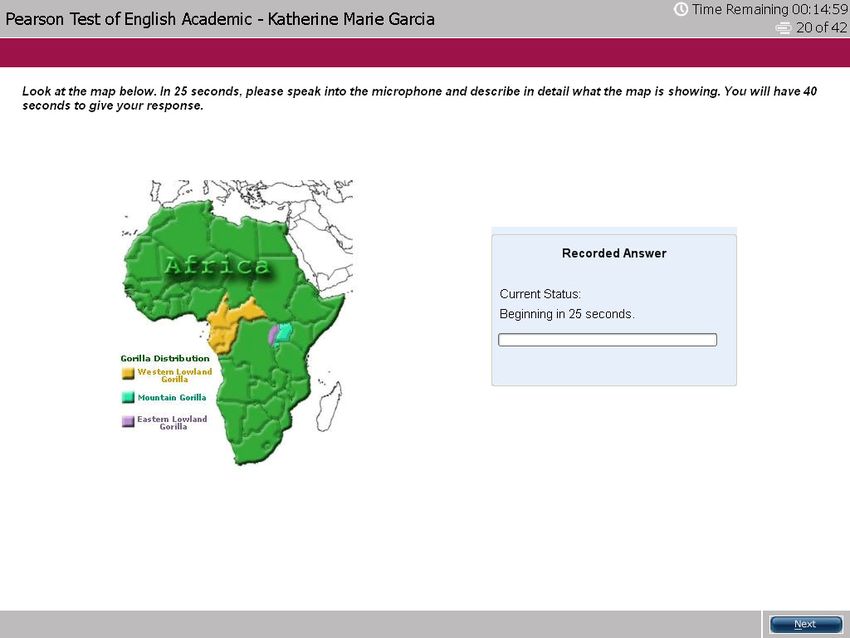
Important Test Tips

Do

Use correct punctuation for writing tasks: full stops, capital letters, commas, etc

Answer the question. If the question asks you to write or speak about sport, write or speak about ‘sport’
NOT ‘science’

Keep strictly within the word limit given for writing tasks

Respond quickly and keep speaking during speaking tasks. The microphone will close after 3 seconds of
silence and stop recording

Don’t

Write ENTIRELY in capital letters. Only use capitals when needed: at the beginning of sentences,
names, etc

Click Next before you have completed the task and are ready to move on

                                                                                                            2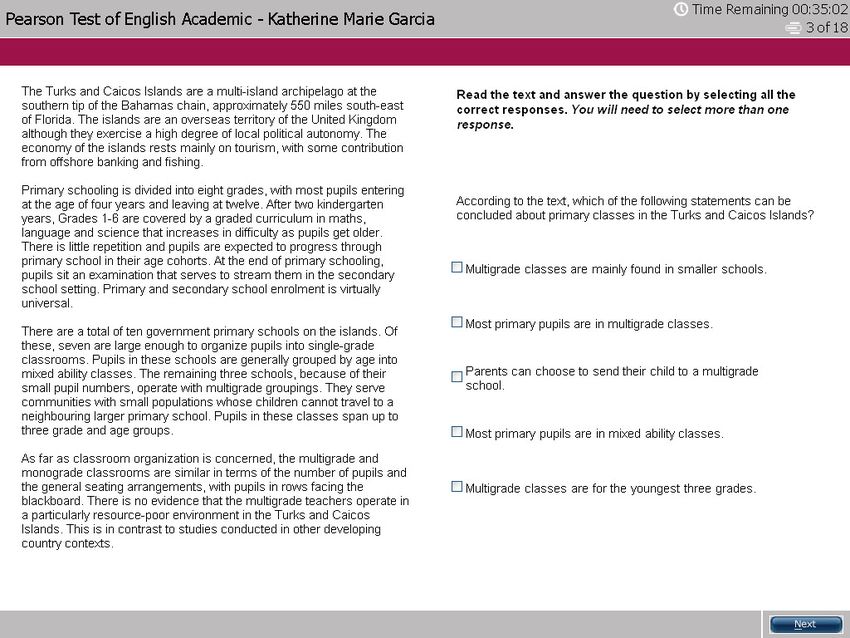
Contents
Section                Skills                    Item Type                                  Page
Overview                                         Test Overview                              1
                                                 Item Overview                              2-4
                                                 Test Introduction                          5-6

Speaking and Writing                             Part 1 Overview                            7
                       Speaking                  Personal introduction                      8
                       Speaking    & Reading     Read aloud                                 9
                       Speaking    & Listening   Repeat sentence                            10
                       Speaking                  Describe image                             11
                       Speaking    & Listening   Re-tell lecture                            12
                       Speaking    & Listening   Answer short question                      13
                       Writing                   Summarize written text                     14
                       Writing                   Write essay                                15

Reading                                          Part 2 Overview                            16
                       Reading                   Multiple-choice, choose single answer      17
                       Reading                   Multiple-choice, choose multiple answers   18
                       Reading                   Re-order paragraphs                        19
                       Reading                   Fill in the blanks                         20
                       Reading & Writing         Fill in the blanks                         21
                                                 Optional Break                             22

Listening                                        Part 3 Overview                            23
                       Listening   & Writing     Summarize spoken text                      24
                       Listening                 Multiple-choice, choose multiple answers   25
                       Listening   & Writing     Fill in the blanks                         26
                       Listening   & Reading     Highlight correct summary                  27
                       Listening                 Multiple-choice, choose single answer      28
                       Listening                 Select missing word                        29
                       Listening   & Reading     Highlight incorrect words                  30
                                                                                                   3
                       Listening   & Writing     Write from dictation                       31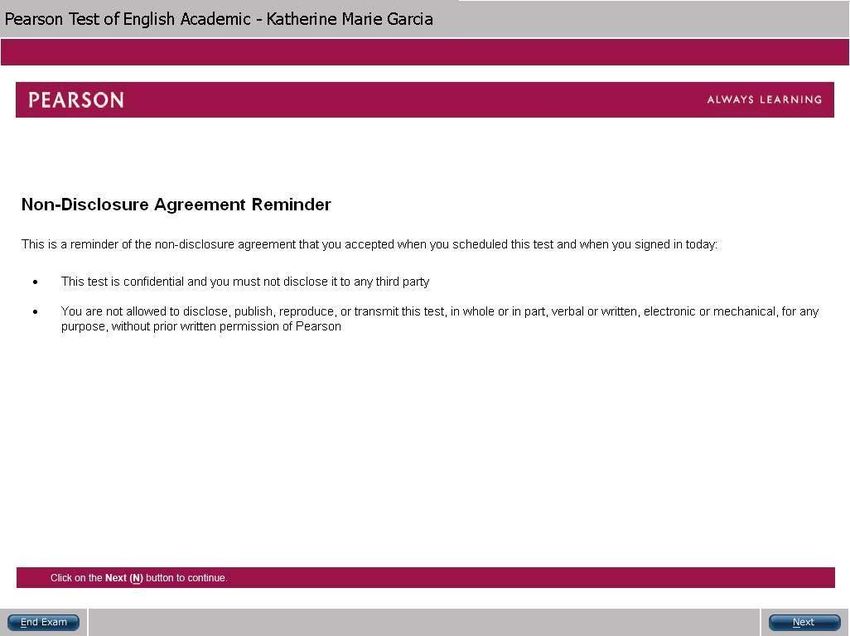
PTE Academic: Glossary
   Recording status box                           Audio status box

                               Current status
                             Volume control bar
                                Progress bar

   Response box

  Cut, Copy, Paste buttons
        Word Count

           Timer
        Next button

                                                                     1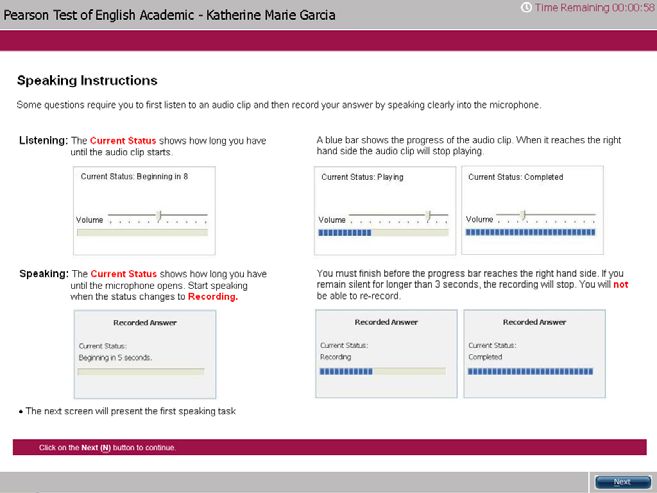
PTE Academic: Test
Overview
PTE Academic is designed to test your
English reading, writing, listening and
speaking skills.

The test takes approximately three
hours to complete. This includes an
un-timed introduction to the test and one
optional scheduled break of up to 10
minutes.

There are three timed parts:
     Speaking and writing
     Reading
     Listening

Each part may contain a number of
sections. Each section is individually
timed.

                                            1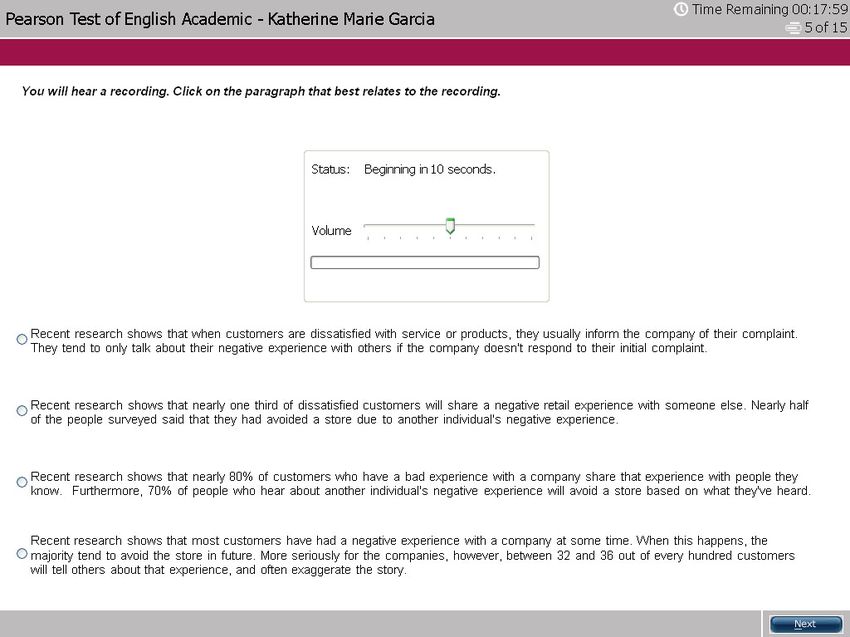
PTE Academic: Speaking and Writing Item Overview

Item           Task                                         Skills assessed        Prompt length          Time to answer

                                                                                                          varies by item,
               A text appears on screen. Read the text
Read aloud                                                  reading and speaking   text up to 60 words    depending on the
               aloud
                                                                                                          length of text
Repeat         After listening to a recording of a          listening and                                 15 seconds
sentence                                                                           3-9 seconds
               sentence, repeat the sentence                speaking
Describe       An image appears on screen. Describe                                                       40 seconds
image                                                       speaking               N/A
               the image in detail
Re-tell        After listening to or watching a lecture,    listening and                                 40 seconds
lecture                                                                            up to 90 seconds
               re-tell the lecture in your own words        speaking

Answer short   After listening to a question, answer with   listening and
                                                                                   3-9 seconds            10 seconds
question       a single word or a few words                 speaking

Summarize      After reading a text, write a one-
                                                            reading and writing    text up to 300 words   10 minutes
written text   sentence summary of the passage

               Write a 200–300 word essay on a given
Write essay                                                 writing                2-3 sentences          20 minutes
               topic

                                                                                                                             2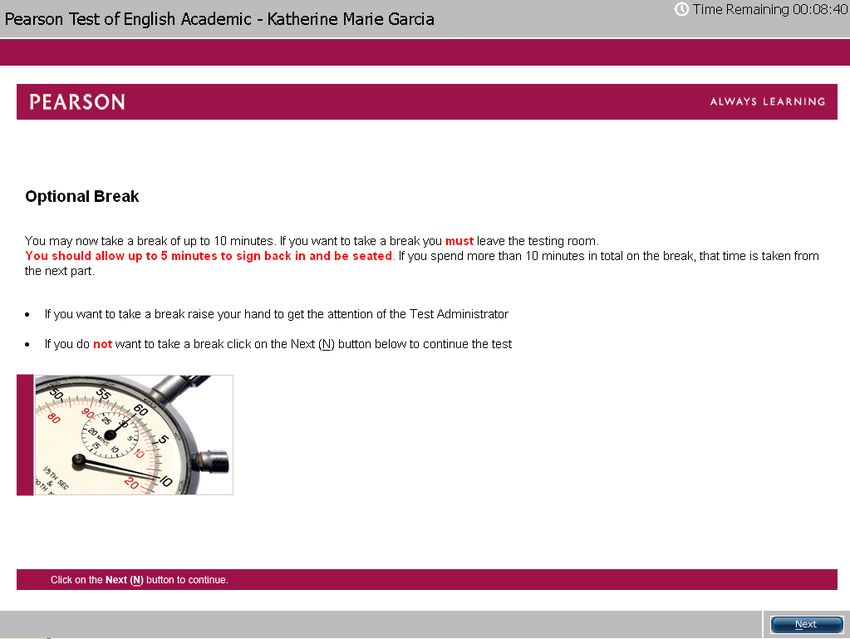
PTE Academic: Reading Item Overview
Item                   Task                                                                  Skills assessed       Prompt length

Multiple-choice,
                       After reading a text, answer a multiple-choice question on the                              text up to 110
choose single                                                                                reading
                       content or tone of the text by selecting one response                                       words
answer

Multiple-choice,
                       After reading a text, answer a multiple-choice question on the                              text up to 300
choose multiple                                                                              reading
                       content or tone of the text by selecting more than one response                             words
answers

Re-order               Several text boxes appear on screen in a random order. Put the                              text up to 150
                                                                                             reading
paragraphs             text boxes in the correct order                                                             words

Reading: Fill in the   A text appears on screen with several gaps. Drag words from the                             text up to 80
                                                                                             reading
blanks                 box below to fill the gaps                                                                  words

Reading and
                       A text appears on screen with several gaps. Fill in each gap from a                         text up to 300
Writing: Fill in the                                                                         reading and writing
                       drop-down list of response options                                                          words
blanks

                                                                                                                                    3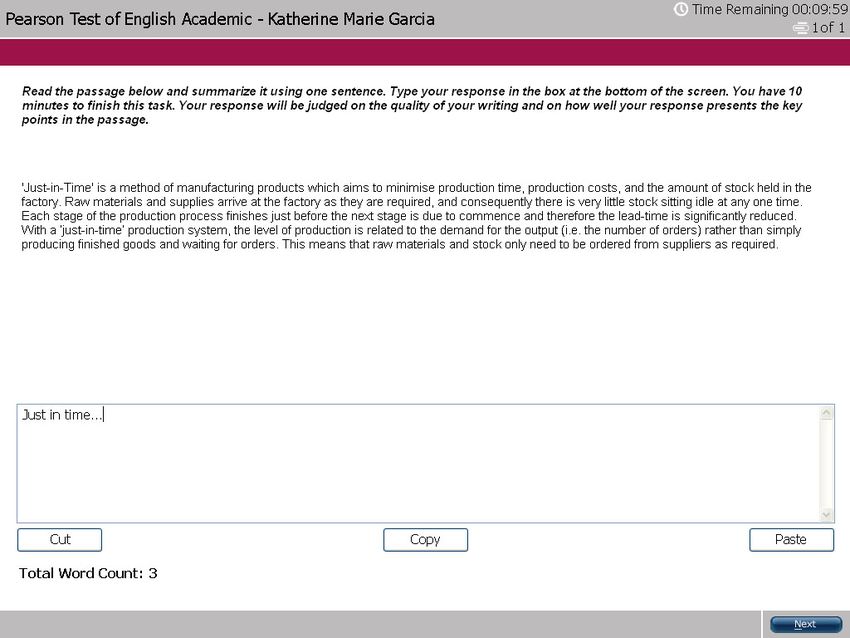
PTE Academic: Listening Item Overview

Item                 Task                                                                   Skills assessed         Prompt length

Summarize
                     After listening to a recording, write a 50-70 word summary             listening and writing   60-90 seconds
spoken text

Multiple choice,     After listening to a recording, answer a multiple-choice question on
choose multiple      the content or tone of the recording by selecting more than one        listening               40-90 seconds
answers              response

                     A transcript of a recording appears on screen with several gaps.
Fill in the blanks                                                                          listening and writing   30-60 seconds
                     After listening to the recording, type the missing word in each gap

Highlight correct    After listening to a recording, select the paragraph that best         listening and
                                                                                                                    30-90 seconds
summary              summarizes the recording                                               reading

Multiple choice,
                     After listening to a recording, answer a multiple-choice question on
choose single                                                                               listening               30-60 seconds
                     the content or tone of the recording by selecting one response
answer

Select missing       After listening to a recording, select the missing word that
                                                                                            listening               20-70 seconds
word                 completes the recording from a list of options

                     The transcript of a recording appears on screen. While listening to
Highlight                                                                                   listening and
                     the recording, identify the words in the transcript that differ from                           15-50 seconds
incorrect words                                                                             reading
                     what is said

Write from
                     After listening to a recording of a sentence, type the sentence        listening and writing   3-5 seconds
dictation

                                                                                                                                    4
PTE Academic: Test
Introduction
There is an untimed Test Introduction
at the start of the test.

NDA Reminder

You are reminded of the non-disclosure
agreement you signed as part of the
terms and conditions of the test.

                                         5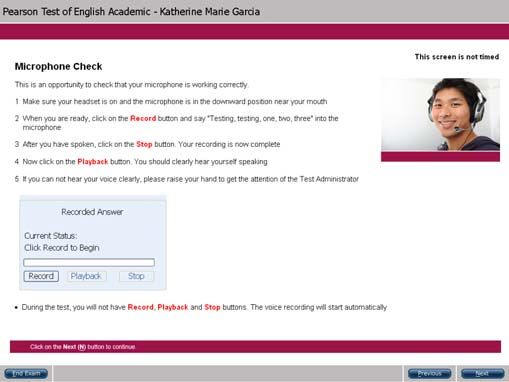
Equipment Check

You have an opportunity to check you have the
correct keyboard and that the headset and
microphone are working.

Test Information

You receive further information about what to
expect during the test in the Test Introduction.

                                                   6
Part 1: Overview In Part 1 you are tested mainly on your Speaking and Writing skills. You are reminded of what to and what not to do in the test. Pay close attention to this or you will lose score points or score zero in some cases. Speaking section 1 contains the Personal introduction. Speaking section 2 contains a number of item types where you first listen to an audio, then respond into the microphone. Listening: The Current Status counts down until the audio clip begins to play. When the progress bar reaches the right hand side the audio clip stops playing. Speaking: The Current Status counts down until the microphone opens. Start speaking when the status changes to Recording. Some item types have a short tone to indicate the end of the preparation time. You must finish before the progress bar reaches the right hand side. If you remain silent for longer than 3 seconds, the recording will stop. You will not be able to re-record. Writing sections 3-6 contain a number of individually- timed items. You are required to write two summaries and one essay OR three summaries and one essay OR two 7 summaries and two essays.
Speaking: Personal
introduction

This is an opportunity to give your
selected institutions some
information about yourself. This
item is not scored.

The recording status box displays a
countdown until the microphone opens.
You have 25 seconds to prepare.
After the tone, start speaking
immediately. Do not start speaking
before the microphone opens because
your voice will not be recorded.

You should speak clearly. There is no
need to rush.

You have 30 seconds to record your
response. Finish speaking before the
progress bar reaches the end. The word
“Recording” changes to “Completed’’.

You are only able to record your
answer once.

Your response will be sent together
with your score report to the            8
institutions selected by you.
Speaking & Reading: Read aloud

For this item type you need to read
a written text aloud.

The recording status box displays a
countdown until the microphone opens.
You have 30-40 seconds to prepare,
depending on the length of the
passage. You hear a short tone. After
the tone, start speaking immediately.
Do not start speaking before the
microphone opens because your voice
will not be recorded.

You should speak clearly. There is no
need to rush.

Finish speaking before the progress bar
reaches the end. The word “Recording”
changes to “Completed”.

You are only able to record your
response once.

                                          9
Speaking & Listening: Repeat sentence
For this item type you need to
repeat the sentence you hear.
The audio begins to plays automatically.
When the audio finishes, the microphone
opens and the recording status box
shows “Recording”. Speak into the
microphone immediately (there is no
short tone) and repeat exactly what you
heard.
You should speak clearly. There is no
need to rush.
Finish speaking before the progress bar
reaches the end. The word “Recording”
changes to “Completed”.
You are not able to replay the audio. You
are only able to record your response
once.
10Speaking: Describe image
For this item type you need to
describe an image.
The recording status box displays a
countdown until the microphone opens.
You have 25 seconds to study the
image and prepare your response.
You hear a short tone. After the tone,
start speaking immediately. Do not
start speaking before the microphone
opens because your voice will not be
recorded.
You should speak clearly. There is no
need to rush.
Finish speaking before the progress bar
reaches the end. The word “Recording”
changes to “Completed’’.
You are only able to record your
response once.
11Speaking & Listening: Re-tell lecture For this item type you need to re-tell what you heard. The audio begins to play automatically. You may also see an image related to the audio. After the audio finishes, you have 10 seconds to prepare. The recording status box displays a countdown until the microphone opens. You hear a short tone. After the tone, start speaking immediately. Do not start speaking before the microphone opens because your voice will not be recorded. You should speak clearly. There is no need to rush. Finish speaking before the progress bar reaches the end. The word “Recording” changes to “Completed’’. You are only able to record your response once. Note: While the audio is playing, you can take notes on the erasable noteboard 12 provided.
Speaking & Listening: Answer short question

For this item type you need to reply
to the question in one or a few
words.

The audio begins to play automatically.
You may also see an image.

When the audio finishes, the microphone
opens and the recording status box
shows “Recording”. Speak into the
microphone immediately (there is no
short tone) and answer the question
with one or a few words.

You should speak clearly. There is no
need to rush.

Finish speaking before the progress bar
reaches the end. The word “Recording”
changes to “Completed”.

You are not able to replay the audio. You
are only able to record your response
once.

                                              13
Writing: Summarize written text
For this item type you need to write
a summary of the text in one
sentence.
You have 10 minutes to write your
summary. Make sure to include the
main points of the reading passage in a
full, single sentence of no more than
75 words.
The Word Count at the bottom of the
screen counts the number of words you
write. There are also cut, copy and paste
buttons which you may use while
constructing your summary.
Cut: Select text from your answer that
you wish to remove and left-click “Cut”.
Copy: Select text from your answer that
you wish to copy and left-click “Copy”.
Paste: Place the cursor where you wish
to paste the cut/copied text and left-click
“Paste”.
14Writing: Write essay
For this item type you need to
write a 200-300 word
argumentative essay in response to
a prompt.
You have 20 minutes to write your
essay.
The Word Count at the bottom of the
screen counts the number of words you
write. Make sure to write a minimum
of 200 words, but no more than 300
words.
There are also cut, copy and paste
buttons which you may choose to use
while constructing your response.
Cut: Select text from your answer that
you wish to remove and left-click “Cut”.
Copy: Select text from your answer
that you wish to copy and left-click
“Copy”.
Paste: Place the cursor where you wish
to paste the cut/copied text and left-
click “Paste”.
15Part 2: Overview
In Part 2 you are tested mainly on
your reading skills.
Part 2 contains a single timed section.
Read the instructions to each question
carefully and answer as directed.
16Reading: Multiple-choice, choose single answer
For this item type you need to read
the passage and answer the
multiple-choice question.
There are several possible response
options but only one is correct.
To select an option click on it using the
left button on your mouse. If you change
your mind, left-click on the option again
to deselect it, or left-click on a different
option.
The option you select is highlighted in
yellow.
17Reading: Multiple-choice, choose multiple answers
For this item type you need to read
the passage and answer the
multiple-choice question. There is
more than one correct response.
You need to select all the response
options that you think are correct from
the list of possible options.
To select an option click on it using the
left button on your mouse. If you change
your mind, left-click on the option again
to deselect it.
The options you select are highlighted in
yellow.
18Reading: Re-order paragraphs
For this item type you need to
restore the original order of the text
by selecting text boxes and dragging
them across the screen.
There are two ways you can move the
text:
1. Left-click on a box to select it (it will
be outlined in blue), hold the left mouse
button down and drag it to the desired
location.
2. Left-click on a box to select it, and
then left-click on the left and right arrow
buttons to move it across. On the right
panel, you can also use the up and down
arrow buttons to re-order the boxes.
To deselect a box, left-click elsewhere on
the screen.
19Reading: Fill in the blanks
For this item type you need to drag
and drop words across the screen
to correctly fill in the gaps in the
text.
There is a passage with some missing
words. You have a list of words in the
blue box that you can use to fill the
gaps in the text. There are more
words than gaps so you will not use
all the words provided.
Left-click on a word to select it; keep
the left mouse button held down and
drag the word to the gap where you
want to place it. You can also drag
words between gaps. To remove a word
from a gap, drag it back to the blue
box.
20Reading & Writing: Fill in the blanks
For this item type you need select
the most appropriate words from a
drop-down list to restore the text.
There is a passage with some missing
words. Beside each gap, there is a
button with a drop-down list. Left-click
on this button to reveal the drop-down
list of options for that gap. Select the
option you think best fills the gap.
To change your mind, left-click on a
different option.
21Optional Break
After Part 2 you have the option to
take a break. The total time
available is 10 minutes, but you
should allow up to 5 minutes to sign
back in and be seated.
If you want to take a break, you must
leave the
testing room.
If you spend more than 10 minutes in
total on the break, that time is taken
from the next part of the test.
If you want to take a break, raise your
hand to signal the Test Administrator.
When you return to your seat,
remember to put your headset on ready
for Part 3.
22Part 3: Overview
In Part 3 you are tested mainly on
your listening skills.
This part consists of questions that are
based on audio or video clips which
begin to play automatically. You hear
each audio or video clip only once so
listen carefully. You are allowed to take
notes.
For each question you have the
opportunity to adjust the volume. While
the audio clip is playing, move the
control bar to the right to increase the
volume or to the left to decrease the
volume.
23Listening & Writing: Summarize spoken text For this item type you hear an audio recording and need to write a 50-70 word summary on what you heard. You have 10 minutes to write your summary. The audio begins to play automatically. You are only able to listen to the audio recording once. The Word Count at the bottom of the screen counts the number of words you write. Make sure to write a minimum of 50 words, but no more than 70 words. There are also cut, copy and paste buttons which you may choose to use while constructing your summary. Cut: Select text from your answer that you wish to remove and left-click “Cut”. Copy: Select text from your answer that you wish to copy and left-click “Copy”. Paste: Place the cursor where you wish to paste the cut/copied text and left-click 24 “Paste”.
Listening: Multiple-choice, choose multiple answers

For this item type you need to listen
to the recording and answer the
multiple-choice question. There is
more than one correct response.

The audio begins to play automatically.
You are only able to listen to the audio
recording once.

You need to select all the response
options that you think are correct from
the list of possible options.

To select an option click on it using the
left button on your mouse. If you change
your mind, left-click on the option again
to deselect it.

The options you select are highlighted in
yellow.

                                                      25
Listening & Writing: Fill in the blanks
For this item type you are presented
with a transcript of the audio
recording, however some words are
missing. Restore the transcript by
typing in the missing words.
The audio plays automatically. You are
only able to listen to the audio recording
once.
Left-click on each gap and type in the
missing word. You can also use the Tab
button on the keyboard to move between
gaps.
Note: While the audio is playing, you can
take notes on the erasable noteboard
provided and then fill in the gaps.
26Listening & Reading: Highlight correct summary
For this item type you need to select
the summary that best matches the
recording.
The audio begins to play automatically.
You are only able to listen to the audio
recording once.
There are several possible response
options but only one is correct.
To select an option click on it using the
left button on your mouse. If you change
your mind, left-click on the option again
to deselect it, or left-click on a different
option.
The option you select is highlighted in
yellow.
Note: It may be difficult to read and
listen at the same time. It is
recommended that you listen first, make
notes on the erasable noteboard and
then read the summaries.
27Listening: Multiple-choice, choose single answer
For this item type you need to
listen to the recording and answer
the multiple-choice question.
The audio begins to play automatically.
You are only able to listen to the audio
recording once.
There are several possible response
options but only one is correct.
To select an option click on it using the
left button on your mouse. If you
change your mind, left-click on the
option again to deselect it, or left-click
on a different option.
The option you select is highlighted in
yellow.
28Listening: Select missing word
For this item type the last word or
group of words in the recording has
been replaced by a beep. Select the
most appropriate option to complete
the recording.
The audio begins to play automatically.
You are only able to listen to the audio
recording once.
There are several possible response
options but only one is correct.
To select an option click on it using the
left button on your mouse. If you change
your mind, left-click on the option again
to deselect it, or left-click on a different
option.
The option you select is highlighted in
yellow.
29Listening & Reading: Highlight incorrect words
For this item type you are presented
with a transcript of the audio
recording, however the transcript
contains some errors. While
listening and reading, you need to
select the words in the text that
differ from what the speaker says.
The audio begins to plays automatically.
You are only able to listen to the audio
recording once.
To select a word click on it using the left
button on your mouse. If you change
your mind, left-click on the word again
to deselect it.
The words you select are highlighted in
yellow.
30Listening & Writing: Write from dictation
For this item type you hear a short
sentence. Type the sentence into the
response box at the bottom of the
screen.
The audio begins to play automatically.
You are only able to listen to the audio
recording once.
Note: While the audio is playing, you can
take notes on the erasable noteboard
provided.
Remember to check your spelling.
31Acknowledgements
The copyright in this document is owned by Edexcel. In the case of 3rd party material, every
effort has been made to contact copyright holders to obtain their permission for the use of
material.
"Using SPSS for Windows and Macintosh Analyzing and Understanding Data",
Samuel Green and Neil Salkind, International Edition, 5th Edition, Sep 2007
"Gorilla Distribution" © TigerHomes.Org
"Left on the Shelf: Dealing with Product Recall", AON Risk Bulleting, Issue 124 Jan 18th 2007
"The Green Heart of Sumatra", Michael Sullivan, Morning Edition © 2007 NPR , August 8 2006
“Come rain or shine – Weather risk” © The Economist Newspaper LTD, London 10.02. 2007
“Education for All and Multigrade Teaching” ed. Angela W. Little. The Independent, 2007
“Lean Production”, Copyright © 2000 S-Cool Limited
“Sydney Turns Off Lights for 'Earth Hour'”, Phil Mercer, By permission VOA, 01.04. 2007
“The Northwest Passage”, PBS Nova: WGBH Science Unit Podcast © 1996-2007 WGBH Educational Foundation, January 22
2007
3233
34
You can also read


