Operation Instruction nEnglish translation of German original - GBC Solino
←
→
Page content transcription
If your browser does not render page correctly, please read the page content below

Kaco blueplanet 50.0TL3

                                                                                                       S, Basic, M, L, XL, XL-FR

Operation Instruction
nEnglish translation of German original
   Authorised electrician
   Important safety instructions

These instructions form part of the product and must be carefully read, observed and stored in a place which is freely accessible at all
times.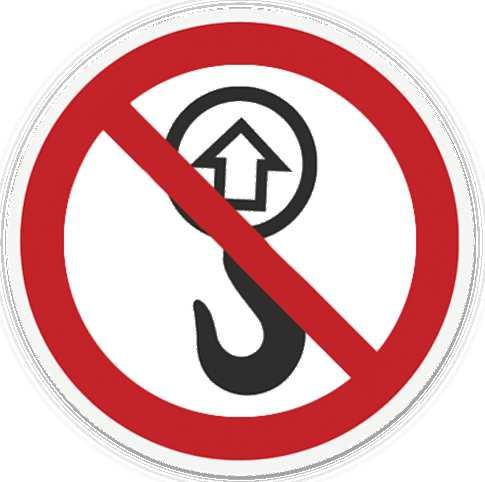
Legal provisions
EN

     The information contained in this document is the property of KACO new energy GmbH. Publication, in whole or in part,
     requires the written permission of KACO new energy GmbH.

     KACO warranty
     For current warranty conditions contact your system integrator. http://www.kaco-newenergy.com

     Definitions on product designations
     In these operating instructions, the product "Photovoltaic feed-in inverter" is referred to as "device" for ease of reading.

     Trademarks
     All trademarks are recognised, even if not explicitly identified as such. A lack of identification does not mean that a
     product or designation/logo is free of trademarks.

     Page 2                                                                                                     Kaco blueplanet 50.0TL3
Manual
EN
Photovoltaic feed-in inverter
Contents
1 General information........................................................ 4 9 Configuration and operation .......................................... 35
1.1 About this document................................................. 4 9.1 Initial start-up ........................................................... 35
1.2 More information...................................................... 4 9.2 Controls..................................................................... 35
1.3 Layout of Instructions................................................ 5 9.3 User interface ........................................................... 37
1.4 Identification ............................................................. 6 9.4 Menu structure ......................................................... 38
1.5 Warnings on the device............................................. 6 9.5 Monitoring the device .............................................. 54
1.6 Target group .............................................................. 6 9.6 Performing a firmware update ................................. 56
2 Safety.............................................................................. 7 9.7 Access via Modbus.................................................... 57
2.1 Proper use ................................................................. 7 10 Specifications ................................................................. 58
2.2 Protection features.................................................... 8 10.1 Reactive power control............................................. 58
3 Description of the device................................................. 9 10.2 Active power regulation............................................ 62
3.1 Mode of operation .................................................... 9 10.3 FRT ............................................................................ 68
3.2 Device diagram.......................................................... 9 10.4 Other grid-supporting functions that are effective in
the case of active power........................................... 71
3.3 System layout .......................................................... 11
10.5 Advanced islanding detection................................... 73
4 Technical data ............................................................... 12
11 Maintenance and troubleshooting ................................. 75
4.1 Electrical data .......................................................... 12
11.1 Visual inspection ....................................................... 75
4.2 General Data............................................................ 13
11.2 Cleaning .................................................................... 75
4.3 Environmental data ................................................. 14
11.3 Replacing the fan ...................................................... 76
5 Transportation and Delivery.......................................... 15 11.4 Replacing the string fuses ......................................... 77
5.1 Scope of delivery ..................................................... 15 11.5 Shutting down for maintenance / troubleshooting .......
5.2 Transporting the device........................................... 15 77
5.3 Installation tool ....................................................... 15 11.6 Overvoltage protection............................................. 78
11.7 Disconnecting connections ....................................... 78
6 Assembly and preparation ............................................ 16
11.8 Faults......................................................................... 79
6.1 Choosing the installation location ........................... 16
11.9 Fault messages.......................................................... 81
6.2 Unpacking the device .............................................. 17
11.10 Troubleshooting........................................................ 81
6.3 Fastening the mount ............................................... 18
6.4 Installing and securing the device ........................... 19 12 Decommissioning and dismantling ................................. 87
12.1 Switching off the device............................................ 87
7 Installation.................................................................... 21
12.2 Uninstalling the device.............................................. 88
7.1 General information ................................................ 21
12.3 Disassembling the device.......................................... 88
7.2 Opening the device.................................................. 21
12.4 Packaging the device................................................. 88
7.3 Surveying the connection area................................ 21
12.5 Storing the device ..................................................... 88
7.4 Making the electrical connection ............................ 22
7.5 Connecting the device to the power grid ................ 23 13 Disposal ......................................................................... 89
7.6 Connect PV generator to device.............................. 25 14 Service and warranty...................................................... 90
7.7 Inserting the overvoltage protection ...................... 29
15 Appendix........................................................................ 91
7.8 Creating equipotential bonding............................... 29
15.1 EU Declaration of Conformity ................................... 91
7.9 Connecting the interfaces ....................................... 29
7.10 Sealing the connection area .................................... 33
8 Commissioning.............................................................. 34
8.1 Requirements .......................................................... 34
8.2 Preconditions relating to standards ........................ 34
iii1 General information
EN
1.1 About this document
WARNING
Improper handling of the device can be hazardous!
› You must read and understand the operating instructions in order to install and use the device safely!
Other applicable documents
During installation, observe all assembly and installation instructions for components and other parts of the system.
These instructions also apply to the equipment, related components and other parts of the system.
Some of the documents which are required to register your system and have it approved are included with the operating
instructions.
Storing the documents
These instructions and other documents must be stored near the system and be available at all times.
The current version of the operating Instructions can be downloaded from www.kaco-newenergy.com.
English translation of German original
This document has been produced in several languages. The German-language version is the original version. All other
language versions are translations of the original version.
This document is valid for the following types of device from firmware version V5.63 onwards
Type designation KACO blueplanet 50.0 TL3 M1 WM OD IIGS [ 1001722; 1001751 ]
[KACO art. no.] KACO blueplanet 50.0 TL3 M1 WM OD IIGM [ 1001336; 1001582;
1001612; 1001613;
1001851 ; ]
KACO blueplanet 50.0 TL3 M1 WM OD HUGM [ 1001780 ]
KACO blueplanet 50.0 TL3 M1 WM OD IIGB [ 1001450; 1001653;
1001730; 1001832;
1001840; 1001850 ]
KACO blueplanet 50.0 TL3 M1 WM OD IIGX [ 1001430; 1001672;
1001852 ]
KACO blueplanet 50.0 TL3 M1 WM OD FRGX [ 1001555; 1001581;
1001611 ]
KACO blueplanet 50.0 TL3 M1 WM OD HUGX [1001781 ]
1.2 More information
Links to more detailed information can be found at www.kaco-newenergy.com
Document title Document type
Technical data sheet Product flyer
Remote access via web interface Application note - operation
Grid and system protection
Application note
Powador-protect operating instructions
Modbus protocol
Application note
RS485 protocol reactive power control
Excel files for software version with application note “Mod-
SunSpec Information Model Reference
bus protocol” under https://kaco-newenergy.com/down-
SunSpec Information Model Reference KACO
loads/
Software package ZIP/KUF files for current software
Page 4 Kaco blueplanet 50.0TL3Document title Document type
EN
EU Declaration of Conformity
Country-specific certificates Certificates
Certification for specific subassembly
1.3 Layout of Instructions
1.3.1 Symbols used
General hazard Fire and risk of explosion
Electrical voltage Risk of burns
Earthing - ground conductor
1.3.2 Safety warnings symbols guide
DANGER
High risk
Failure to observe this warning will lead directly to serious bodily injury or death.
WARNING
Potential risk
Failure to observe this warning may lead to serious bodily injury or death.
CAUTION
Low-risk hazard
Failure to observe this warning will lead to minor or moderate bodily injury.
CAUTION
Risk of damage to property
Failure to observe this warning will lead to property damage.
1.3.3 Additional information symbols
NOTE
Useful information and notes
Information that is important for a specific topic or objective, but that is not safety-relevant.
1.3.4 Symbols for instructions
↻ Prerequisite for use
1 Carry out the next step
2 Additional action sequence
ð Interim result of the action
» End result
Kaco blueplanet 50.0TL3 Page 51.4 Identification
EN
You will find the name plate with the following data for service and other require- KACO blueplanet 50.0 TL3 M1 WM OD IIGX
Part number 1001430
Serial number 50.0TL01654321 Year Q1 / 16
KACO new energy
ments specific to installation on the right side panel of the product: Carl-Zeiss-Straße 1
74172 Neckarsulm
Made in Germany
Vmax PV / lsc PV (max) / Inom PV 1100 V / 150 A / 90 A
Product name
Input V-MPP at Pnom / V- range 580 V - 900 V
220 V
Nominal voltage 230 V
240 V
Part no. Output
Voltage range continuous operation 3 x 176 V - 276 V (P-N)
Current (maximum continous) 3 x 75,8 A
Frequency range 42 Hz - 68 Hz
Serial number Output
Snom at 220 V Unom
Snom at 230 V Unom
50 000 VA
50 000 VA
Power Snom at 240 V Unom 50 000 VA
Date of manufacture Reactive power
Environ- Temperature range
cos phi 0-100% Snom 1-0,3 ind/cap
- 20°C ... + 60°C
ment Protection class / Ingress protection I / IP65
Technical data ARC fault circuit protection
Interface protection according to country
specific requirements, details see manual
No galvanic separation
Disposal information
Certification marking, CE marking.
Fig. 1: Name plate
1.5 Warnings on the device
A warning sticker is affixed to the device. Read the warnings carefully.
Do not remove the sticker. If the sticker is missing or is illegible, please contact a
KACO representative or distributor.
Article number: 3009476
Fig. 2: Warning sticker
1.6 Target group
All activities described in the document may only be carried out by specially trained personnel with the following qualific-
ations:
Knowledge about how an inverter functions and operates
Training in the handling of hazards and risks during the installation and operation of electrical devices and systems.
Education concerning the installation and start-up of electrical devices and systems.
Knowledge of applicable standards and directives.
Knowledge and adherence to this document with all safety notices.
Page 6 Kaco blueplanet 50.0TL32 Safety
EN
Before using the product for the first time, please read through the safety instructions carefully.
DANGER
Lethal voltages are still present in the connections and cables of the device even after the device has
been switched off and disconnected!
Severe injuries or death may occur if the cables and/or terminals/busbars in the device are touched.
› The device must be mounted in a fixed position before being connected electrically.
› Comply with all safety regulations and current technical connection specifications of the responsible
power supply company.
› The device is only permitted to be opened or serviced by a qualified electrician.
› Switch off the grid voltage by turning off the external circuit breakers.
› Check that all AC and DC cables are completely free of current using a clip-on ammeter.
› Do not touch the cables and/or terminals/busbars when switching the device on and off.
› Keep the device closed when in operation.
The electrician is responsible for observing all existing standards and regulations. The following applies:
Keep unauthorised persons away from the device and/or system.
In particular, making sure that the locally applicable version of the standard 1 "Requirements for special installations or
locations – solar photovoltaic (PV) power supply systems" is observed.
Ensure operational safety by providing proper grounding, conductor dimensioning and appropriate protection against
short circuiting.
Observe all safety instructions on the product and in these operating instructions.
Switch off all voltage sources and secure them against being inadvertently switched back on before performing visual
inspections and maintenance.
When taking measurements on the live device:
– Do not touch the electrical connections
– Remove all jewellery from wrists and fingers
– Ensure that the testing equipment is in safe operating condition.
Modifications to the surroundings of the device must comply with the applicable national and local standards.
When working on the PV generator, in addition to disconnecting this from the grid it is also necessary to switch off the
DC voltage using the DC isolator switch on the device.
S, M version: When working on the PV generator, it is also necessary to switch off the DC voltage with the external DC
isolator switch (e.g. at the combiner box) or to use the DC isolator switch to disconnecting the PV generator from the
grid.
2.1 Proper use
The device is a transformerless PV inverter which converts the direct current of the PV generator into grid-compatible
three-phase alternating current and then feeds the three-phase alternating current into the public power grid.
The device is built using state-of-the-art technology and in accordance with the recognized safety rules. Nevertheless, im-
proper use may cause lethal hazards for the operator or third parties, or may result in damage to the product and other
property.
1
Country Standard
EU Harmonised document - HD 60364-7-712 (European im-
plementation of the IEC standard)
USA PV section of NEC 690 and sections in article 100, 690.4,
690.6 and 705.10
Tab. 1: Examples of standards specific to business premises
Kaco blueplanet 50.0TL3 Page 7The device is intended for indoor and outdoor applications and may only be used in countries for which it has been ap-
proved or for which it has been released by KACO new energy and the grid operator.
EN
Operate the device only with a permanent connection to the public power grid. The country and grid type selection must
be commensurate with the respective location and grid type.
The requirements of the grid operator must be met for grid connection to take place. The permission of the relevant au-
thorities may also be required in order to secure authorisation to connection to the grid.
The enclosed documentation is an integral part of the product. The documentation must be read, observed and stored in
a place which is freely accessible at all times.
The name plate must be permanently attached to the product.
Any other or additional use of the device shall be regarded as improper.
This includes:
Use of a distribution system that is not described (grid type)
Use of sources other than PV-strings.
Mobile use
Use in rooms where there is a risk of explosion
Use in direct sunlight, rain or a storm or other harsh environmental conditions
Outdoor use in environmental conditions that exceed the limits stated in the technical specifications >Environmental
data.
Operation outside the specification intended by the manufacturer
Overvoltage on the DC connection of over 1100 V 1,500 V
Modifying the device
Standalone mode
2.2 Protection features
The following monitoring and protection functions are built-in:
RCMU (Residual Current Monitoring Unit)
Overvoltage conductor / varistor to protect the power semiconductors from high-energy transients on the grid and
generator sides.
Device temperature monitoring system
EMC filter to protect the inverter from high-frequency grid interference
Grid-side varistors grounded to earth to protect the product against burst and surge pulses
Anti-islanding detection according to the current standards.
Isolation detection / residual current monitoring and disconnection function to detect isolation faults
NOTE
If the device is connected, the overvoltage conductors / varistors contained in the device have an impact
on the electrical system insulation resistance test as per HD 60364-6 / IEC 60364-6 Low-voltage installa-
tions- Part 6: Verification.
IEC 60364-6 6.4.3.3 describes two options for this case. The first option is to disconnect devices with an
overvoltage conductor or, if this is not practicable, then the test voltage can be reduced to 250V.
Page 8 Kaco blueplanet 50.0TL33 Description of the device
EN
3.1 Mode of operation
The device converts the DC voltage generated by the PV-modules into AC voltage and feeds this into the power grid. The
starting procedure begins when there is sufficient sunlight and a specific minimum voltage is present in the device. The
feed-in process begins once the PV generator has passed the insulation test and the grid parameters are within the re-
quirements imposed by the grid operator for a specific monitoring time. If, as it gets dark, the voltage drops below the
minimum voltage value, feed-in mode ends and the device switches off.
3.2 Device diagram
2
2
3
3
4
4
1 1
9 5 9
5
8
8
7
7
6 6
Fig. 3: Device diagram - S, M version Fig. 4: Device diagram - XL version
Key
1 Housing 6 Interfaces / cable feed-through
2 Housing door 7 Communication - USB port / cable feed-through
3 Status indicator with display and operator panel 8 AC connection / cable feed-through
4 Mount with fan 9 DC isolator switch (XL version only)
5 DC connection / cable feed-through v DC connection
plug
3.2.1 Mechanische Komponenten
DC isolator switch (not present in S version)
The DC isolator switch is located on the housing door. of the device. The DC isolator switch is used to disconnect the in-
verter from the PV generator in order to carry out service.
Disconnecting the device from the PV generator ON
F Switch the DC isolator switches from 1 (ON) to 0 (OFF).
OFF
Connecting the device to the PV generator
F Switch the DC isolator switches from 0 (OFF) to 1 (ON). Fig. 5: DC isolator switch
3.2.2 Electrical functions
A potential-free relay contact is integrated into the device. Use this contact for one of the following functions:
Kaco blueplanet 50.0TL3 Page 9Potential-free relay
EN
The potential-free relay contact closes as soon as there is a fault during operation. You use this function, for example, to
signal a fault visually or acoustically.
Priwatt
The energy that is provided by the PV system can be put to use directly by the appliances that are connected in your
home.
The potential-free contact can switch larger appliances (e.g. air conditioning units) on and off with the Priwatt function
activated. This requires an external power supply and an external load relay.
When the function is active, either the remaining runtime (in hours and minutes) or the shutdown threshold (in kW) is
displayed on the start screen depending on the operating mode selected. The “priwatt” function is not active in the unit’s
delivery state. The option can be configured in the Settings menu.
3.2.3 Interfaces
You can configure the interfaces and the web server in the Settings menu. The device has the following interfaces for
communication and remote monitoring.
Ethernet interface
Monitoring can occur directly on the unit using the integrated Ethernet interface. A local web server is installed in the unit
for this purpose. This can also be used to request measured values remotely.
For monitoring a system comprising several inverters, we recommend you use an external data logging and monitoring
system.
RS485 interface
Use this monitoring option if you cannot check the functioning of the system on-site on a regular basis, e.g. if your place
of residence is located a great distance from the system. To connect the RS485 interface, contact your authorised electri-
cian.
For monitoring your PV system using the RS485 interface, KACO new energy GmbH offers monitoring devices.
USB interface
The USB connection of the device is a type A socket. It is located on the communication circuit board. The USB connection
is specified to draw 500 mA of current.
Use the USB interface to read out stored operating data, load software updates or device configurations using a FAT32-
formatted USB stick.
„Inverter Off“ Eingang / DRM0 for Australia
In addition to the safety functions, the internal interface switches can also be actuated via the "Inverter Off" input.
The Powador-protect or a protective device from another manufacturer can be used for this purpose.
If a Powador-protect is used as the central interface protection, the fail-safe disconnection of suitable KACO inverters
from the public grid can be carried out by the internal interface switches instead of separate interface switches. This re-
quires the inverters in the photovoltaic system to be connected to the Powador-protect.
Information on installation and use can be found in this manual, in the Powador protect manual and in the instructions
for use of the Powador protect on the KACO web site.
On the "Inverter Off" input, instead of the Powador-protect an interface protection device from another supplier an also
be connected to actuate the internal interface switches.
Digital inputs
You can extend the unit with additional digital inputs by means of an extension module (available from KACO customer
service). This can be used to connect a ripple control receiver or a protective shutdown system.
Page 10 Kaco blueplanet 50.0TL33.3 System layout
EN
PV generator PV generator
Inverter with Inverter with
DC isolator switch* &) DC isolator switch* &)
circuit-breaker circuit-breaker
Line protection Line protection
Load
Reference Feed-in meter
counter KWh KWh
Selective Selective
main switch main switch
Grid monitoring point
Fig. 6: Circuit diagram of a system with two inverters
Key Definition / information on the connection
PV generator The PV generator converts the radiant energy of sunlight
into electrical energy.
Inverter with circuit-breaker The PV generator is connected to the device's DC connec-
tion.
DC isolator switch 2 Use the DC isolator switch to disconnect the device from
the PV generator.
Line protection The circuit breaker is an overcurrent protection device.
Feed-in meter The feed-in meter is to be specified and installed by the
power supply company. Some power supply companies also
allow the installation of your own calibrated meters.
Selective main switch The selective main switch is to be specified by the power
supply company.
Reference counter The reference counter is to be specified and installed by the
power supply company. This measures the amount of en-
ergy drawn.
2
Device version S: An external DC isolator switch is required outside the devices.
Kaco blueplanet 50.0TL3 Page 114 Technical data
EN
4.1 Electrical data
KACO KACO KACO KACO KACO KACO KACO KACO
blue- blue- blue- blue- blue- blue- blue- blue-
planet planet planet planet planet planet planet planet
50.0 TL3 50.0 TL3 50.0 TL3 50.0 TL3 50.0 TL3 50.0 TL3 50.0 TL3 50.0 TL3
M1 WM M1 WM M1 WM M1 WM M1 WM M1 WM M1 WM M1 WM
OD IIGS OD IIGB OD OPGB OD IIGM OD OD HUGX OD IIGX OD FRGX
HUGM
DC Input levels Input levels (DC)
Recommended generator power
50 - 70 kW
range
610 V [@240/415V];
610 V [@240/415V];
580 V [@230/400V]; 580-880
MPPrange@Pnom 580 V [@230/400V];
560 V V
560 V [@220/380V]-900 V
[@220/380V]-900 V
610 V [@240/415V];
Working range 580 V [@230/400V];
560 V [@220/380V]-1050 V
Rated voltage 600 V
Starting voltage 670 V
Open circuit voltage 1100 V 1,100 V 1100 V
Max. input current--- FEHLENDER
90 A 90A 90 A
LINK ---
Number of strings 1 10
Number of MPP controls 1
Max. short-circuit current (ISC
190 A
max.)
Input source feedback current 0A
Polarity safeguard no
DC overvoltage protection no type 1/2
String fuse no
no yes
no retrofitted
KACO blue- KACO blue- KACO blue- KACO blue- KACO blue- KACO blue- KACO blue-
planet 50.0 planet 50.0 planet 50.0 planet 50.0 planet 50.0 planet 50.0 planet 50.0
TL3 M1 TL3 M1 TL3 M1 TL3 M1 TL3 M1 TL3 M1 TL3 M1
WM OD WM OD WM OD WM OD WM OD WM OD WM OD
IIGS IIGB IIGM HUGM HUGX IIGX FRGX
AC Output levels Output levels (AC)
50.0 kVA [@220V]; 49.9 kVA [@220V]; 50.0 kVA [@220V];
Nominal power 50.0 kVA [@230V]; 49.9 kVA [@230V]; 50.0 kVA [@230V];
50.0 kVA [@240V] 49.9 kVA [@240V] 50.0 kVA [@240V]
240 / 415 V [3/N/PE];
Rated voltage 230 / 400 V [3/N/PE];
220 / 380 V [3/N/PE]
Voltage range: continuous opera- 176 V - 276 V [Ph-N];
tion 305 V - 480 V [Ph-Ph]
3x 69.6 A [@415V];
Rated current 3x 72.2 A [@400V];
3x 76.0 A [@380V]
Page 12 Kaco blueplanet 50.0TL3KACO blue- KACO blue- KACO blue- KACO blue- KACO blue- KACO blue- KACO blue-
planet 50.0 planet 50.0 planet 50.0 planet 50.0 planet 50.0 planet 50.0 planet 50.0
EN
TL3 M1 TL3 M1 TL3 M1 TL3 M1 TL3 M1 TL3 M1 TL3 M1
WM OD WM OD WM OD WM OD WM OD WM OD WM OD
IIGS IIGB IIGM HUGM HUGX IIGX FRGX
Max. continuous current 3 x 76.5 A
Contribution to peak short-circuit
136.11 A
current ip
Initial short-circuit alternating
current (Ik" first single period ef- 77.93 A
fective value)
Short circuit current continuous
96.7 A 96,7 A 96.7 A
[ms] (max output fault current)
Inrush current 1.21 A [RMS (20ms)] 1.21 A [RMS (20 ms)] 1.21 A [RMS (20ms)]
Rated frequency 50/60 Hz
Frequency range 42 - 68 Hz
Reactive power 0-100 % Snom
cos phi 1 - 0.3 ind/cap
Number of feed-in phases 3
Distortion factor (THD) < 1,6 %
Max. voltage range (up to 100 s) 520V [Ph-Ph]
AC overvoltage protection no Base
4.2 General Data
KACO blue- KACO blue- KACO blue- KACO blue- KACO blue- KACO blue- KACO blue-
planet 50.0 planet 50.0 planet 50.0 planet 50.0 planet 50.0 planet 50.0 planet 50.0
TL3 M1 TL3 M1 TL3 M1 TL3 M1 TL3 M1 TL3 M1 TL3 M1
WM OD WM OD WM OD WM OD WM OD WM OD WM OD
IIGS IIGB IIGM HUGM HUGX IIGX FRGX
General electrical data
Max. efficiency 98.5 %
European efficiency 98.1 %
Self consumption: Standby 2.5 W
Feed-in from 120 W
Transformer unit no
Protection class / over voltage
I / III
category
Grid monitoring Country-specific
Distribution system TN-C-System, TN-C-S-System, TN-S-System, TT-System
KACO blue- KACO blue- KACO blue- KACO blue- KACO blue- KACO blue- KACO blue-
planet 50.0 planet 50.0 planet 50.0 planet 50.0 planet 50.0 planet 50.0 planet 50.0
TL3 M1 TL3 M1 TL3 M1 TL3 M1 TL3 M1 TL3 M1 TL3 M1
WM OD WM OD WM OD WM OD WM OD WM OD WM OD
IIGS IIGB IIGM HUGM HUGX IIGX FRGX
General Data
Display Graphical display 240 x 128 pixels + LEDs
Controls 4-way button + 2 buttons
Menu languages DE; EN; FR; IT; ES; PL; NL; PT; CZ; HU; SL; TR; RO
2 x Ethernet, USB, RS485, 4 optional digital inputs/outputs, error relay (30V potential
Interfaces
free contact); 4-DI
Communication TCP/IP, Modbus TCP, Sunspec
Kaco blueplanet 50.0TL3 Page 13KACO blue- KACO blue- KACO blue- KACO blue- KACO blue- KACO blue- KACO blue-
planet 50.0 planet 50.0 planet 50.0 planet 50.0 planet 50.0 planet 50.0 planet 50.0
EN
TL3 M1 TL3 M1 TL3 M1 TL3 M1 TL3 M1 TL3 M1 TL3 M1
WM OD WM OD WM OD WM OD WM OD WM OD WM OD
IIGS IIGB IIGM HUGM HUGX IIGX FRGX
Potential-free relay yes
DC isolator switch no yes
AC isolator switch no
Cooling temp. controlled fan
Number of fans 2
Noise emission 61 db(A)
Housing material Alu
HxWxD 760 mm x 500 mm x 425 mm
Weight 70 kg 71 kg 73 kg
Certifications Overview: see homepage / download area
4.3 Environmental data
KACO blue- KACO blue- KACO blue- KACO blue- KACO blue- KACO blue- KACO blue-
planet 50.0 planet 50.0 planet 50.0 planet 50.0 planet 50.0 planet 50.0 planet 50.0
TL3 M1 TL3 M1 TL3 M1 TL3 M1 TL3 M1 TL3 M1 TL3 M1
WM OD WM OD WM OD WM OD WM OD WM OD WM OD
IIGS IIGB IIGM HUGM HUGX IIGX FRGX
Installation height 3000m (derating from 2000m)
Installation distance from coast >2000 m >2000 m OD+ >500 m*)
Ambient temperature -20 °C to +60 °C*
Power derating from 50 °C +50 °C
Protection rating (KACO installa-
IP65
tion location)
Humidity range (non-condensing)
100%
[%]
*)
For installation in aggressive environmental conditions (e.g. possibility of corrosion), you must contact the KACO Sales
team (pv-projects@kaco-newenergy.de).
Page 14 Kaco blueplanet 50.0TL35 Transportation and Delivery
EN
Every product leaves our factory in perfect electrical and mechanical condition. Special packaging ensures that the
devices are transported safely. The shipping company is responsible for any transport damage that occurs.
5.1 Scope of delivery
Inverter
Mount
Installation kit
1 insulating tube (for interface cables)
1 set of DC plug connectors (only for the XL device version)
Documentation (DE, EN, quick start guide in other languages)
Check the equipment included
1. Inspect the device thoroughly.
2. Immediately notify the shipping company in case of the following:
– Damage to the packaging that indicates that the device may have been damaged.
– Obvious damage to the device.
3. Send a damage report to the shipping company immediately.
4. The damage report must be received by the shipping company in writing within six days following receipt of the
device. We will be glad to help you if necessary.
5.2 Transporting the device
CAUTION
Hazard due to impact; risk of breakage to the device!
› Pack the device securely for transport.
› Transport the device using the intended carrying handles of the packaging box.
› Do not expose the device to any shocks.
For safe transportation of the product, use the hand recesses in the carton.
Packaging Folding cardboard box
Height x Width x Depth 818x591x537 mm
Total weight (XL variant) 81 kg
Variants Basic and M: 79 kg
S-Variants 78 kg
Fig. 7: Transporting the device
5.3 Installation tool
The codes given in the table below are used in all usage instructions for assembly/installation/maintenance and disas-
sembly for the tools and tightening torques being used.
Code (s) Shape of the
connector Nm
W External hexagon Tightening torque
A Internal hexagon Spanner size or number
T Torx Outer contour
S Slot
Fig. 8: Form pattern
Tab. 2: Key and description of tool codes
Kaco blueplanet 50.0TL3 Page 156 Assembly and preparation
EN
6.1 Choosing the installation location
DANGER
Risk of fatal injury due to fire or explosions!
Fire caused by flammable or explosive materials in the vicinity of the device can lead to serious injuries.
› Do not mount the inverter in potentially explosive atmospheres or in the vicinity of highly flammable
materials.
CAUTION
Property damage due to gases that have an abrasive effect on surfaces when they come into contact
with ambient humidity caused by weather conditions.
The device housing can be seriously damaged due to gases in combination with air humidity resulting from
weather conditions (e.g. ammonia, sulphur).
› If the device is exposed to gases, the installation must be carried out at observable locations.
› Perform regular visual inspections.
› Immediately remove any moisture from the housing.
› Ensure adequate ventilation at the installation location.
› Immediately remove dirt, especially on vents.
› Failure to observe these warnings may lead to device damage which is not covered by the manufac-
turer warranty.
NOTE
Access by maintenance personnel for service
Any additional costs arising from unfavourable structural or mounting conditions shall be billed to the cus-
tomer.
Installation space
As dry as possible, climate-controlled, the waste heat must be dissipated away from the device.
Unobstructed air circulation.
Close to the ground, accessible from the front and sides without requiring additional resources.
Protected on all sides against direct weather exposure and sunlight (thermal heating) in outdoor areas. Implementa-
tion where necessary via constructional measures, e.g. wind breaks.
For easy operation during installation, ensure that the display is slightly below eye level.
Installation surface
Must have adequate load-bearing capacity
Must be accessible for installation and maintenance
Must be made out of heat-resistant material (up to 90 °C )
Must be flame resistant
Minimum clearances to be observed during installation: [See figure 14] [} Page 18]
Page 16 Kaco blueplanet 50.0TL3EN
5 Remove the top side section and base from the device.
EN

      » If the unit is in the correct installation position: Proceed with the installation of the mount.

     6.3            Fastening the mount
                              CAUTION
                       Hazard when using unsuitable fixing materials!
                       If unsuitable fixing materials are used, the device could fall and persons in front of the device may be seri-
                       ously injured.
                           › Use only fixing materials that are suitable for the mounting base. The fastening materials supplied are
                             only suitable for masonry and concrete.
                           › Only install the device in an upright position.

                                            111 mm
                                                                                                       8
                                      1
                     B            7

                                                                                                  400 mm
                                                                                         250 mm
                                                                                             **
           A                                                                    600 mm                                      1
                                                                              1150 mm
                                                          2

                                            6                                                              **
                                                          3
                D                                         4
                                                  5
                                        A

                       C

     Fig. 13: Minimum clearances for wall mounting                        Fig. 14: Wall mounting
     Key
     1         Mount                                                      5          Screw for securing purposes (1x)
     2         Fixings for mounting [S12 – Ø 12mm/ 90mm]                  6          Bracket to prevent device displacement
     3         Lock washer                                                7          Marking as installation aid
     4         Screws for mounting (5x) [SW 13 / Fastening the            8          Seating recess
               mount [See section 6.3} Page 18]]
     A         Minimum clearance: 120 mm (without device370   C                      Minimum clearance: 500 mm
               mm )
               recommended distance400 mm (without device 550
               mm *)
     B         Minimum clearance: 300 mm                                  D          Recommended clearance: 550 mm

      ↻ Cardboard packaging with mount and mounting kit removed from the packaging and opened.
         1 Mark the mounting position on the wall surface according to the position of the mount by drawing a line.
         2 Mark the positions of the drill holes using the slot in the mount.
           NOTE: The minimum clearances between two devices, or the device and the ceiling or floor have already been
           taken into account in the diagram.
         3 Fix the mount to the wall using suitable mounting fixtures from the mounting kit.
           NOTE: Make sure that the mount is oriented correctly.
      » Proceed with the installation of the device.

     Page 18                                                                                                            Kaco blueplanet 50.0TL3
6.4 Installing and securing the device
EN
CAUTION
Risk of injury from improper lifting and transport.
If the device is lifted improperly, it can tilt and result in a fall.
› Always lift the device vertically using the openings provided.
› Use a climbing aid for the chosen installation height.
› Wear protective gloves and safety shoes when lifting and lowering the device.
› Do not attach the unit to the web of the upper side of the housing.
NOTE
Power reduction due to heat accumulation!
If the recommended minimum clearances are not observed, the device may go into power regulation
mode due to insufficient ventilation and the resulting heat build-up.
› Observe minimum clearances and provide for sufficient heat dissipation.
› All objects on the device housing must be removed during operation.
› Ensure that no foreign bodies prevent heat dissipation following device installation.
3
4
2
4
NO
1 5
Fig. 15: Lift the device using the opening Fig. 16: Insertion aid in mount
Key
1 Opening 4 Marking for insertion into mount
2 Centre of gravity 5 Outer contour of the mount
3 Warning sign (attachment prohibited)
Lifting and installing the device
↻ The mount has been installed.
1 Lift the device using the side recesses. Observe the device's centre of gravity!
NOTE: Do not lift the device by the lid or cover!
2 Suspend the device in the mount using the recess on the rear of the device. ( [See figure 14] [} Page 18]).
NOTE: Keep in mind that the lower marking on the housing must protrude over the upper outer contour of the
mount. Ensure that the upper marking is flush with the upper edge of the outer contour when lowering the device.
The outer contour of the mount must be flush with the outer contour of the housing.
3 Insert the screw provided into the lug of the mount and secure the device to prevent it from being lifted off [ T30 /
2 Nm]. ( [See figure 13] [} Page 18]).
Kaco blueplanet 50.0TL3 Page 19NOTE: Alternatively: At this point, the screw described above can be replaced by a special screw as anti-theft pro-
tection.
EN
» Device is installed. Proceed with the electrical installation.
CAUTION
Property damage as a result of condensation
During pre-assembly of the devices, moisture can penetrate into the interior via the DC plug connectors
and the dust-protected threaded connections. The resulting condensate can cause damage to the device
during installation and start-up.
ü Keep the device closed during pre-assembly and do not open the connection area until you perform in-
stallation.
› Seal off any plug-in connections and screw fittings using sealing covers.
› Prior to installation, check the inner area for condensation and if necessary, allow it to dry sufficiently
before installation.
› Immediately remove any moisture from the housing.
Page 20 Kaco blueplanet 50.0TL37 Installation
EN
7.1 General information
DANGER
Lethal voltages are still present in the connections and cables of the device even after the device has
been switched off and disconnected!
Severe injuries or death may occur if the cables and/or terminals/busbars in the device are touched.
› The device must be mounted in a fixed position before being connected electrically.
› Comply with all safety regulations and current technical connection specifications of the responsible
power supply company.
› The device is only permitted to be opened or serviced by a qualified electrician.
› Switch off the grid voltage by turning off the external circuit breakers.
› Check that all AC and DC cables are completely free of current using a clip-on ammeter.
› Do not touch the cables and/or terminals/busbars when switching the device on and off.
› Keep the device closed when in operation.
↻ NOTE: S version: The device is shut down externally at the combiner box. 1
1 Switch the DC isolator switch from 1 (ON) to 0 (OFF).
2 Press in the safety catch (1) from behind.
3 Attach the hanging lock (2) to the safety catch.
2
DANGER! A measurement in a live state may be required for tests. Only appro-
priately qualified electricians authorised by the mains supply network oper-
ator are permitted to open and maintain the device.
DANGER! Observe all safety regulations against harmless contact with live ma-
terials. Fig. 17: Lock DC circuit breakers to
prevent reconnection.
7.2 Opening the device
Close
Close
↻ Mount the device to the wall.
↻ Wipe off any moisture on the housing door frame to nullify any potential liability
this could cause.
Open
Open
1 Open the housing door by unlocking the upper and lower lock with the double-
bit key provided.
2 Open the housing door carefully.
Fig. 18: Open the door lock
» Proceed with the installation of the device.
7.3 Surveying the connection area
The connection for the AC supply is located inside the housing. The DC input source is connected either inside or outside
the housing depending on the device version (S, Basic, M or XL).
Kaco blueplanet 50.0TL3 Page 211
EN
3
1
5 5
PV+ PV-
4
2
Fig. 19: Connection area: blueplanet 50.0 TL3 Basic + M Fig. 20: Connection area: blueplanet 50.0 TL3 XL
Key
1 DC isolator switch (not present in S version) 4 Cable fitting (M63) for AC connection
2 Cable fitting for DC connection (M version) 5 Earthing bolt
3 Connector for DC connection (XL version)
7.4 Making the electrical connection
NOTE
Select conductor cross-section, safety type and safety value in accordance with the following basic condi-
tions:
Country-specific installation standards; power rating of the device; cable length; type of cable installation;
local temperature
7.4.1 Requirement for supply lines and fuse
DC-side KACO blueplanet KACO blueplanet KACO blueplanet KACO blueplanet KACO blueplanet
50.0 TL3 - S 50.0 TL3 - M 50.0 TL3 - B 50.0 TL3 - X 50.0 TL3 – FR - X
Max. conductor cross- 95 mm² (max. 120 95 mm² (max. 120 95 mm² (max. 120 - -
section mm²) mm²) mm²)
Min. cable cross-sec- in accordance with local installation standards
tion
Length of insulation Depending on the cable lug 15 mm
to be stripped off
Tightening torque 15 - 22 - -
Recommended cable Solar cable
type
Fuse size (electrical - 1100V gPV max. 20A
data)
Fuse size (mechanical mm 14 x 51 mm
data)
Combiner box External with DC isolator switch preferable Integrated DC isolator switch
Cable diameter for 15 - 21 (M32) mm 1.8 - 2.75 (2mm² - 6mm²) mm
cable fitting
Fitting for DC connec- M32 SW15
tion
Torque for cable fit- 4 Nm 1.8 Nm
ting
AC-side
Max. conductor cross-section 95 mm²
Max. cable cross-section (without wire sleeves) 95 mm² (AL or CU)
Page 22 Kaco blueplanet 50.0TL3AC-side
EN
Min. cable cross-section in accordance with local installation standards
Length of insulation to be stripped off 25 mm
Tightening torque 10 Nm
Connection type screw terminal
Ground conductor connection M8
Fuse protection for installation provided by customer min. 100 A / max.125 A
Fitting for AC connection M63
Cable diameter for cable fitting 32 - 42 mm
Torque for cable fitting 20 Nm
Interfaces
Cable diameter for cable fitting 11 - 17 (M25) 5 - 9.5 (M16) mm
RS485 connection type Connector
RS485 terminal cable cross-section 0.25 - 1.5 mm²
Ethernet connection type RJ45
Torque for cable fitting 4 (M25) 1.5 (M16) Nm
Overvoltage protection Type [KACO article no.]
Overvoltage of DC plugs (integrated in XL version) VAL-MS-T1/T2 1000DC-PV-ST - 2801162 [3010608] -
SPD I + II
VAL-MS 1000DC-PV-ST – 2800624 [ ] - SPD II
Overvoltage protection for AC plug (option) 7P.10.8.275.0012 [3010610] – SPD I + II
7.P.20.8.275.0020 [ ] – SPD II
Overvoltage protection for AC plug + base for a 5-core connec- F-MS-T1/T2 50 ST – 2800191 – SPD I + II (Phoenix Con-
tion (option) tact) [3013681]
F-MS 12 – 2817987 – SPD II - (Phoenix Contact)
[3013682]
7.5 Connecting the device to the power grid
7.5.1 Prepare the grid connection
TN-S-System, TN-C-S-System, TT-System
↻ Connection cable with 5 strands is provided on the device.
2
↻ Nominal grid voltage matches the VAC nom name plate details.
1 3
1 Unfasten the cable fitting for the AC connection [ W_68].
2 Remove the outer cladding of the AC cables.
3 Push an M8 cable lug onto the PE line. 4
4 Remove the cover of the AC filter using the 4 screws[ T_15].
Fig. 21: 5-core connection
5 Unscrew the screws on the contact bridge and remove the contact bridge[
_T20]. 1 Cover
6 Insert the AC cables through the cable fitting into the connection area. 2 Screws for contact bridge
7 Strip the AC lines [approx. 25 mm]. 3 Contact bridge
4 Earthing bolt
» Make the grid connection.
Kaco blueplanet 50.0TL3 Page 231 3 2 1 4
EN
1
3 PV+ PV-
PV+ PV-
4
4
Fig. 22: Connection terminals - basic Fig. 23: Connection terminals - M ver- Fig. 24: Connection terminals S version
version sion
Key
1 AC connection terminal 4 DC connection with protection against contact
2 Base AC overvoltage protection 5 Base DC overvoltage protection
3 DC isolator switch
TN-C system
↻ Connection cable with 4 wires is provided on the device.
↻ Nominal grid voltage matches the VAC nom name plate details.
1 Unfasten the cable fitting for the AC connection [ W_68].
2 Remove the outer cladding of the AC cables.
3 Insert the AC cables through the cable fitting into the connection area. AC side
DC-side
4 Strip the AC lines [approx. 25 mm].
Fig. 25: Terminals
» Make the grid connection.
2
1
3
6
5
4
Fig. 26: blueplanet 50.0TL3 XL-Version
Key
1 AC connection terminal 4 DC connection
2 Base AC overvoltage protection 5 DC overvoltage conductor (SPD), type 1+2
3 DC isolator switch 6 DC fuse holder
7.5.2 Make the grid connection
5 core connection for TN-S system, TN-C-S system, TT-System
↻ Grid connection is prepared.
1 Loosen nut and lock washer at the marked grounding point.
2 Lay the grounding cable onto the grounding point. Secure using the corresponding nut and lock washer [ W_13/
10 Nm].
3 Connect wires in accordance with the labels on the screw terminal [ T_45 / 10 Nm].
4 Check secure fit of all connected cables.
Page 24 Kaco blueplanet 50.0TL35 Tighten the cable fittings [ W_68 / 20 Nm].
EN
6 Secure cover using the 4 screws [ _T15 / 2.3 Nm].
» The device is connected to the power grid.
» NOTE: If there is a 5-core connection, an inserted contact bridge may trigger any RCD that is present. The instruc-
tions given above must therefore be carefully followed.
4-core connection, TN-C system
↻ Grid connection is prepared.
1 Connect lines in accordance with the labels on the name plate on the screw ter-
minal [ T_45/ 10 Nm].
2 Check secure fit of all connected cables.
3 Tighten the cable fittings [ W_66 / 13 Nm].
» The device is connected to the power grid.
Fig. 27: 4-pole connection
NOTE
An AC-side disconnection unit must be provided during the final installation stage. This disconnecter mech-
anism must be installed so that it can be accessed at any time without obstruction.
NOTE
If a residual current circuit breaker is necessary due to the installation specification, a type A residual cur-
rent circuit breaker must be used.
If the type A is used, the insulation threshold must be set to greater than/equal to (≥) 200kOhm in the
“Parameters” menu Menu [See section 9.4.1} Page 38].
For questions regarding the appropriate type, please contact the installer or our KACO new energy cus-
tomer service.
NOTE
When the line resistance is high, i.e. long cables on the grid side, the voltage at the grid terminals of the
device will increase in feed-in mode. If the voltage exceeds the country-specific grid overvoltage limit
value, the device switches off.
› Ensure that the cable cross-sections are sufficiently large or that the cable lengths are sufficiently
short.
7.6 Connect PV generator to device
7.6.1 Configuring the DC plug connector
a
b
3
d
4
1 2
c
5
6 7
Fig. 29: Slide insert into sleeve
Fig. 28: Insert wires Fig. 30: Check fastening
Key
1 Wire for DC connection 5 Cable fitting
2 Spring 6 Contact plug
Kaco blueplanet 50.0TL3 Page 253 Insert 7 Coupling
EN
4 Sleeve
↻ Connection area opened.
↻ NOTE: Before proceeding with the isolation ensure that you do not cut any individual wires.
1 Insert isolated wires with twisted ends carefully up to the connection.
NOTE: Wire ends must be visible in the spring.
2 Close the spring so that the spring latches.
3 Slide insert into sleeve.
4 Secure and tighten the cover on the cable fitting [ W_15/ 1.8 Nm]
5 Join insert with contact plug.
6 Check latch by lightly pulling on the coupling.
» Make the electrical connections.
NOTE
The permissible bending radius of at least 4x the cable diameter should be observed during installation.
Excessive bending force may negatively impact the protection rating.
› All mechanical loads must be absorbed in front of the plug connection.
› Rigid adaptations are not permitted on DC plug connectors.
7.6.2 Inserting the DC string fuse
CAUTION
Damage to PV generator in case of faulty design of string fuses!
If the string fuses are too large, the PV generator can be damaged by excessive current.
› Select suitable string fuses depending on possible short-circuit currents and the cable cross-sections
used. Refer to this when using the string fuses.
Model Recommended fuses Quantity
KACO blueplanet 50.0 TL3 M1 WM OD IIGX PV- Fuse 14 x 51 mm1100V gPV max. 20A 10
↻ Suitable string fuse has been selected. 2
↻ NOTE: DC fuses can be ordered from our customer service team. Use PV fuses
only.
1 Open the individual DC fuse holders one after another.
2 Insert DC fuse of the same type into the fuse holder.
1
3 Ensure the DC fuse holder is completely closed after fitting.
Fig. 31: Insert DC fuse
» Fuse holders are fitted with fuses. Proceed with testing the earth leakage.
1 Fuse holder
2 DC fuse
Page 26 Kaco blueplanet 50.0TL37.6.3 Checking the PV generator for a ground fault
EN
DANGER
Risk of fatal injury due to electric shock!
Severe injury or death will result if the live connections are touched. When there is sunlight present on the
PV generator, there is DC voltage on the open ends of the DC cables.
› Only touch the PV generator cables on the insulation. Do not touch the exposed ends of the cables.
› Avoid short circuits.
› Do not connect any strings with a ground fault to the device.
NOTE
The threshold value from which the insulation monitor reports an error can be set in the “Parameters”
menu.
Ensure that there is no ground fault
1 Measure the DC voltage between the protective earth (PE) and the positive cable of the PV generator.
2 Measure the DC voltage between the protective earth (PE) and the negative cable of the PV generator.
ð If stable voltages can be measured, there is a ground fault in the DC generator or its wiring. The ratio between
the measured voltages gives an indication as to the location of this fault.
3 Rectify any faults before taking further measurements.
4 Measure the electrical resistance between the protective earth (PE) and the positive cable of the PV generator.
5 Measure the electrical resistance between the protective earth (PE) and the negative cable of the PV generator.
ð In addition, ensure that the PV generator has a total insulation resistance of more than 2.0 MOhm, since the
device will not feed in if the insulation resistance is too low.
6 Rectify any faults before connecting the DC generator.
7.6.4 Designing the PV generator
CAUTION
Damage to components due to faulty configuration
In the expected temperature range of the PV generator, the values for the no-load-voltage and the short
circuit current must never exceed the values for Udcmax and Iscmax in accordance with the technical data.
› Observe limit values in accordance with the technical data.
NOTE
Type and configuration of the PV modules.
Connected PV modules must be dimensioned for the DC system voltage in accordance with IEC 61730 Class
A, but at least for the value of the AC grid voltage
NOTE
Sizing of the PV generator
The device is designed with a reserve of DC short-circuit current withstand capability. This allows oversizing
of the connected PV generator. The absolute limit for the PV generator is the value of the maximum short
circuit current (lsc max) and maximum open circuit voltage (Uoc max).
Kaco blueplanet 50.0TL3 Page 277.6.5 Connecting the PV generator
EN
DANGER
Risk of fatal injury due to electric shock!
Severe injury or death will result if the live connections are touched. When there is sunlight present on the
PV generator, there is DC voltage on the open ends of the DC cables.
› Only touch the PV generator cables on the insulation. Do not touch the exposed ends of the cables.
› Avoid short circuits.
› Do not connect any strings with a ground fault to the device.
CAUTION
Damage to the PV generator in case of faulty configuration of the DC connector.
A faulty configuration of the DC connector (polarity +/-) causes equipment damage in the DC connection if
it is connected permanently.
› Please check polarity (+/-) of the DC connector before connecting the DC generator.
› Before using the solar modules, check the vendor’s calculated voltage values against those actually
measured. The DC voltage of the PV system must not exceed the maximum no-load voltage at any
time.
Connecting the PV generator
↻ PV generator is dimensioned according to the performance characteristics of
the unit.
PV + PV-
1 Loosen the cable fittings [ W_36(M32 )].
Ø 9 mm 20 mm
20 mm
2 Remove the outer cladding of the DC cables.
3 Pass the DC cables through the cable fittings into the connection compartment
[Ø 15 - 21 (M32) mm ]. Fig. 32: Connection to Basic + M
version
4 Strip the insulation from the DC cables.
5 Fit DC lines with an ring cable lug [max. width b 20 mm].
6 Remove the protection against contact from the PV+ and PV- terminal. PV + PV-
7 Screw the cable ends of the PV generator onto the DC connection according to
the polarity of the battery [ T_TX35 / 15 - 22 ]. Ø 9 mm 20 mm
20 mm
8 Check secure fit of all connected cables.
9 Remove the protection against contact from the PV+ and PV- terminal.
Fig. 33: Connection to S version
10 Tighten the cable fittings [ W_36 / 4 Nm].
» The device is connected to the PV generator.
Connecting the PV generator
↻ PV generator is dimensioned according to the performance characteristics of DC+
the unit.
1 Remove protective cap from the DC connection plugs required.
NOTE: For each plug connector pair, the power output can be connected in re-
lation to the string fuse size used. DC-
2 Connect the PV generator to the DC plug connectors on the underside of the
unit according to the polarity of the PV generator.
NOTE: Meet the requirements of protection class IP65 by closing the unused Fig. 34: Connection to XL version
plug connectors with protective caps.
» The device is connected to the PV generator.
Page 28 Kaco blueplanet 50.0TL3EN
7.7 Inserting the overvoltage protection
NOTE
The M and XL versions of the unit series blueplanet 50.0 TL3 allow you to upgrade the AC and DC lightning
and overvoltage protection in a straightforward and cost-efficient manner.
In this respect, please refer to the documentation “blueplanet 50.0 TL3 Application note – Installing surge
protection device” on our website.
7.8 Creating equipotential bonding
NOTE
Depending on the local installation specifications, it may be necessary to earth the device with a second
ground connection. To this end, the threaded bolt on the underside of the device can be used.
↻ The device has been installed on the mount. 1
1 Strip the insulation from the equipotential bonding cable.
2 Furnish the stripped cable with an M8 ring cable lug.
3 Lay the cable for equipotential bonding onto the grounding point and attach
with an additional M8 nut and lock washer [ W_17/ 10 Nm].
4 Check that the connected cable is fitted securely. Fig. 35: Additional grounding point
» The housing is included in the equipotential bonding. 1 Earthing bolt
7.9 Connecting the interfaces
7.9.1 Overview
DANGER
Risk of fatal injury due to electric shock!
Severe injury or death may result from improper use of the interface connections and failure to observe
protection class III.
› The SELV circuits (SELV: safety extra low voltage) can only be connected to other SELV circuits with pro-
tection class III.
CAUTION
Damage to the device from electrostatic discharge
Components inside the device can be damaged beyond repair by static discharge.
› Note the ESD protective measures.
› Earth yourself before touching a component by touching a grounded object.
NOTE
Due to the installation position of the communication circuit board, this must be specially safeguarded
against moisture and exposure to dust.
› Make sure that no moisture or dust impacts on the circuit board during installation. Moisture and dust
particles must be removed immediately. In doing so, disassembly of the circuit board may be neces-
sary.
All interfaces are located on the communication circuit board on the inside of the housing door.
Kaco blueplanet 50.0TL3 Page 29EN
Ethernet INV
1 ERR USB Optional Optional RS485 DIP Optional OFF
A B GND A B GND HL HL
2 3 4 5 6 7
Fig. 36: Communication circuit board: Connection and assignment of the interfaces
1 Communication circuit board 5 RS485 – Connection for data loggers
2 ERR – Connection for fault signal relay 6 DIP switch – Activate terminator
3 USB – Connection for update 7 INV OFF – Connection for remote controls
4 Ethernet – Connection for communication
7.9.2 Insert and lay the cables
Insert the interface cables
1 Unfasten and remove the cover on the cable fitting [W_29/W_20].
2 Remove the sealing insert.
3 Pass the connection cable through the cover of the cable fitting and the sealing
insert.
4 Insert the sealing insert into the cable fitting.
1
5 Feed the connection cables into the connection area. 2
» Proceed with the connection.
Fig. 37: Insert the Ethernet cable
1 Cable fitting for pass the Eth-
ernet cable
2 Cable fitting for pass the sig-
nal cable
↻ Housing doors open.
↻ Lay the signal line as per the illustration above.
1 Fix the encased signal cable to the threaded stud bolts.
1
2 Lay all the interface cables so that they are not under tension and the housing 2
door has a full range of motion. 3
3 Secure the cable pass for feeding through the Ethernet cable [ W_20 / 4
Nm].
4 Secure the cable pass for feeding through the signal cable [ W_20 / 1.5 Nm].
Fig. 38: Lay the cables for interfaces
» Proceed with the connection of the cables. 1 Signal cable
2 Threaded stud bolts
3 Cable ties
7.9.3 Ethernet connection
NOTE
The connection plug of an RJ45 cable is larger than the opening of an M25 cable fitting when it is installed.
For this reason, remove the sealing insert before installation and thread the Ethernet cable outside of the
cable fitting through the sealing insert.
Page 30 Kaco blueplanet 50.0TL3You can also read


