All attendees are muted 2. Please only ask questions related - Maryland.gov
←
→
Page content transcription
If your browser does not render page correctly, please read the page content below
1. All attendees are muted
                                                        2. Please only ask questions related
                                                           to this training
                                                        3. Please use the Webex Q&A
                                                           feature (NOT Chat) to ask
                                                           questions
                                                        4. The presentation will be available
                                                           on the DBM website-ABC corner
                                                        5. Please be patient as we get
                                                           through all Open Enrollment
                                                           information & questions
    © Copyright 2019 State of Maryland. The information contained herein is subject to change without notice.
1
State Employee & Retiree Health &
         Welfare Benefits Program

                                            Plan Year 2020

Agency Benefit
 Coordinator

Open Enrollment
   Training

 2                © Copyright 2019 State of Maryland. The information contained herein is subject to change without notice.
Agenda
    ▪ EGWP Update
    ▪ SPS Benefits Transition Update
    ▪ Open Enrollment
    ▪ Contractual
    ▪ SPS Benefits Training
    ▪ ACA
    ▪ Wellness
    ▪ Vendor Highlights
    ▪ EBD Updates/Reminders

                      © Copyright 2019 State of Maryland. The information contained herein is subject to change without notice.
3
Employer Group Waiver Plan
             (EGWP)

          © Copyright 2019 State of Maryland. The information contained herein is subject to change without notice.
4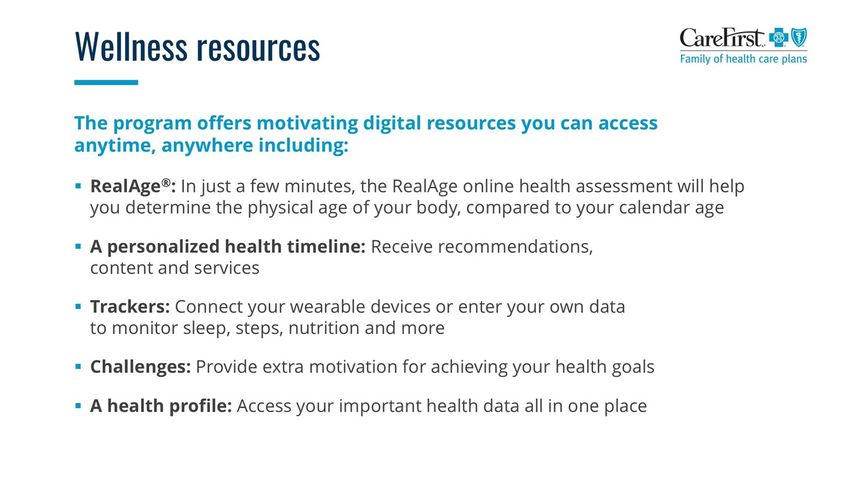
Employer Group Waiver Plan
              “EGWP”
Commonly referred to as, “EGWP”, pronounced, “egg
whip” is a Medicare Part D prescription drug plan
option that is offered to Medicare eligible retirees.

It is composed of a Medicare Part D program and
includes a wrap around that fills the gaps generally
associated with Medicare Part D plans.

5             © Copyright 2019 State of Maryland. The information contained herein is subject to change without notice.
EGWP Update
    ▪ Fitch v State of Maryland court case
       ▪ Injunction granted in federal court
       ▪ No change to current EGWP – EGWP continues until
         court case resolves
       ▪ May take several years to resolve
       ▪ Employees should base decision to retire on the usual
         determinations
    ▪ Updates on DBM Health Benefits website as they become
      available --- dbm.maryland.gov/benefits
    ▪ DBM will be mailing a letter to Medicare eligible retirees and
      employees by 9/1/2019
                     © Copyright 2019 State of Maryland. The information contained herein is subject to change without notice.
6
SPS Benefits Transition
           Update

7       © Copyright 2019 State of Maryland. The information contained herein is subject to change without notice.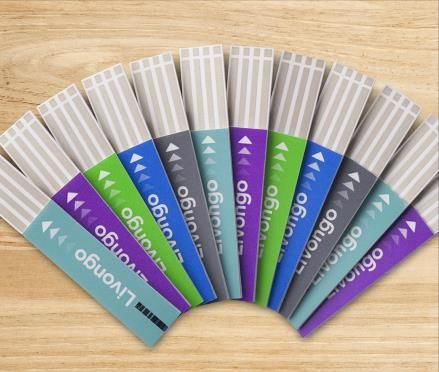
SPS Benefits
    ▪ FIRST WEB OPEN ENROLLMENT FALL 2019
    ▪ BAS remains the billing system for satellites, COBRA,
      special retirees, and contractuals
    ▪ Retirees went live May 1, 2019
    ▪ All employees and retirees will use web enrollment
    ▪ Employees and retirees must have an email address in
      SPS to receive notifications
    ▪ Retirees without internet access can complete a paper
      enrollment form and submit to EBD

                   © Copyright 2019 State of Maryland. The information contained herein is subject to change without notice.
8
Open Enrollment

9    © Copyright 2019 State of Maryland. The information contained herein is subject to change without notice.
Open Enrollment
     ▪   October 15, 2019 to November 14, 2019
     ▪   30 days only! No extensions! No correction period!
     ▪   EBD will not accept any employee paper enrollment forms
     ▪   ABC’s can complete the Open Enrollment event for the employee; an
         Enrollment Form MUST be attached to the event
     ▪   Contractual OE packets will not be mailed to the employee directly, they
         will be included with the active employees distribution
     ▪   Postcard mailing September 5, 2019
     ▪   Packets mailed/delivered on or around September 26, 2019
     ▪   No summary statements for employees or contractuals
     ▪ Web enrollment instructions included in packets
     ▪ Dependent Verification Audit (DVA) Process Changes

                           © Copyright 2019 State of Maryland. The information contained herein is subject to change without notice.
10
Open Enrollment
▪ SPS Open Enrollment looks different than the New Hire, Job
Change and Life Event enrollment events
▪ The screen allows the employee/retiree to view all current
elections at a glance and then decide which if any they want to
change
▪ Dependents already in the system are clearly visible; this will
help reduce setting up duplicate dependents
▪ Employees will receive a Quick Reference Guide in their OE
packets
▪ The Quick Reference Guide will also be posted to the SPS
website
(https://dbm.maryland.gov/sps/Pages/Benefits_HelpCe
nter.aspx)
© Copyright 2019 State of Maryland. The information contained herein is subject to change without notice.
11Open Enrollment User-Interface
Employees/Retirees will
click either MANAGE or
ENROLL to:
• View more details
• Add/Remove
Dependents
• Change Plans
• Change Coverage
Amount
After completing elections, select REVIEW AND SIGN to attach new dependent
documentation and submit elections or SAVE FOR LATER to submit later
© Copyright 2019 State of Maryland. The information contained herein is subject to change without notice.
12Open Enrollment Dependent User-Interface
This screen will appear for each
Coverage Type and the
employee/retiree can make dependent
elections
Can ADD new Dependents
Mary Smith
Joey Smith
Susie Jones Step-Child 04/07/2005
Can add or remove any current dependent from coverage
© Copyright 2019 State of Maryland. The information contained herein is subject to change without notice.
13Open Enrollment – Agency Readiness Checklist
1. Make sure all employees know how to log into SPS Benefits
▪ Website URL, W#, etc.
2. Review the Email from Leslie Buchman on July 29th with Subject: SPS Communication
For Password Resets-Prep for Open Enrollment (CPBI & Benefits only Agencies and Retirees)
▪ The email reviews which passwords will be reset and when
3. Ensure all employees have at least one email address to receive the OE notifications
Work or Personal
4. Have a plan for how to communicate to employees with no email and/or internet
access
5. Follow up frequently
6. Be sure employees know they will have to upload the appropriate documentation
for newly enrolled dependents AT THE TIME OF ENROLLMENT
▪ Will be discussed in more detail on Dependent Verification Audit (DVA)
Process Changes slide
© Copyright 2019 State of Maryland. The information contained herein is subject to change without notice.
14Open Enrollment – Agency Readiness Checklist
(cont.)
7. Review expired contracts for Contractual employee eligibility for Open Enrollment
▪ Will be discussed in more detail on the Contractual Employee Contracts slide
8. Review open employee benefit events and work with employees to complete/close
events
▪ Will be discussed in more detail on the Open Enrollment – Close Open Benefit
Events slide
© Copyright 2019 State of Maryland. The information contained herein is subject to change without notice.
15Dependent Verification Audit (DVA) Process
Changes
▪ If an employee adds a qualifying dependent during Open Enrollment they MUST
provide the required supporting documentation when completing the Open Enrollment
Benefit Event in the SPS Benefit system
▪ If the required dependent(s) documentation is not uploaded by 11/14/19 the newly
added dependent(s) will be removed from Open Enrollment coverage
▪ They will not have coverage effective 1/1/20
▪ Please reference page 39 of your 2020 Benefit Guide to determine what official
documentation is required for each dependent
▪ When adding a new dependent in the SPS Open Enrollment event, the employee
will see a page telling them the required documentation for each dependent type
▪ The documentation MUST be attached to the Open Enrollment event at the time
of completion and submission
▪ DO NOT upload into the SPS DVA folder under Maintain Worker Documents
▪ Employees are able to take pictures of the required documentation and upload legible
screenshots to the Open Enrollment event
© Copyright 2019 State of Maryland. The information contained herein is subject to change without notice.
16Open Enrollment – Close Open Benefit Events
▪ ABC’s must run their agency’s SPS Benefit Open Election Events –
Employees report prior to the start of Open Enrollment
▪ The report will list all employees with an open New Hire, Job Change or
Life Event; these events will cause the employee’s Open Enrollment
event to go “On Hold”
▪ The Open Enrollment event will remain “On Hold” until these earlier
events are completed/submitted/approved
▪ Employees will not be able to access the “On Hold” Open Enrollment
events
▪ EXAMPLE: An employee initiates a Birth/Adoption event prior to
10/15/19 and the event is still “open”; the Open Enrollment event will
go/be “On Hold” until the Birth/Adoption event is completed
© Copyright 2019 State of Maryland. The information contained herein is subject to change without notice.
17Open Enrollment Events Processing
▪ The SPS Open Enrollment Event will default to the current employee/retiree elections
and dependents except for FSA elections
▪ FSA elections MUST be elected each year
▪ The FSA Healthcare maximum is increasing to $2,700 for 2020
▪ The employee/retiree will have the ability to change or waive elections and
add/remove dependents
▪ If an employee/retiree has a Life Event between the 1st day of Open Enrollment and
1/1/20, SPS will re-open the Open Enrollment events after the employee completes Life
Event elections
▪ The employee needs to review, complete and submit the re-opened Open Enrollment
event to ensure they have the elections they desire for 2020
▪ ABC’s need to monitor these events and ensure employees are completing these
events
▪ Use the SPS Benefits Open Election Events – Employees and SPS Benefit Event Open
Enrollment Events – Employees reports
▪ No Correction period, no exceptions!
▪ No paper enrollment forms will be accepted by EBD from employees or contractuals
On the following slides we show SPS Open Enrollment events by Benefit Group
18 © Copyright 2019 State of Maryland. The information contained herein is subject to change without notice.Open Enrollment Event Processing - State/Regular
EMPLOYEE STATUS OE EVENT PROCESSING
State/Regular Benefit Group ▪ Employee Will Receive SPS OE Event
(FT & PT 50% FTE, Part-Time (No Subsidy),
on 10/15
SLEOLA)
Open
Enrollment
Event Leave Benefit Group
Processing (Military Administration Leave, Armed ▪ Employee Will Receive SPS OE Event
Services Leave 31 +, Sabbatical/MDOT on 10/15
Educational Leave)
19 © Copyright 2019 State of Maryland. The information contained herein is subject to change without notice.Open Enrollment Event Processing – Contractuals
EMPLOYEE STATUS OE EVENT PROCESSING
2020 ACA Flag + 1/1/20 Contract ▪ Employee Will Receive SPS OE Event on
(contract in Workday by 10/13/19) 10/15
No 2020 ACA Flag + 1/1/20 Contract ▪ Employee Will Receive SPS OE Event on
(contract in Workday by 10/13/19) 10/15
▪ Employee Will be Added to SPS OE and an
1/1/20 Contract
OE Event Will be Pushed to the EE
(contract entered in Workday after
Open ▪ Employee Will Have Until Midnight on 11/14
Enrollment 10/13/19 and on or before 10/31/19)
to Complete Online Enrollment
Event ▪ Employee Will be Added to SPS OE and an
Processing 1/1/20 Contract
Event Will be Pushed to the EE
(contract entered in Workday on or after
▪ Employee Will Have 14 Calendar Days to
11/1/19 and on or before 12/31/19)
Complete the SPS OE Event
▪ Employee Will be Added to SPS OE and an
1/1/20 Contract
Event Will be Pushed to the EE
(contract entered in Workday on or after
▪ Employee Will Have 14 Calendar Days to
1/1/20)
Complete the SPS OE Event
20 © Copyright 2019 State of Maryland. The information contained herein is subject to change without notice.Open Enrollment Event Processing – Retirees
EMPLOYEE/RETIREE STATUS OE EVENT PROCESSING
Current Retiree in Workday ▪ Retiree Will Receive SPS OE Event on
(with a Retiree Benefit Group) 10/15
▪ Employee Will Receive SPS OE Event on
10/15
▪ The employee does not have to
complete this event, but if they do not
Open and then decide not to retire on 1/1
Enrollment they will not have benefit elections as
Current Employee Retiring on 1/1/20 of 1/1
Event
Processing ▪ New Retiree Must Submit Paper Retiree
Enrollment Form to EBD for Processing
▪ The Elections Submitted on the Paper
Enrollment Form Will Supersede Anything
Elected in the Employee SPS OE Event
▪ Retiree Must Submit Paper Retiree
Deferred Retiree for 1/1/20 Enrollment Form to EBD for Processing
21 © Copyright 2019 State of Maryland. The information contained herein is subject to change without notice.Contractual
© Copyright 2019 State of Maryland. The information contained herein is subject to change without notice.
22Contractual Employee Contracts
▪ Contractual employees must have an OPEN CONTRACT that makes them eligible for Plan
year 2020 benefits in order to get an Open Enrollment event in SPS during the Open
Enrollment process starting on October 15th
– This means that employees with contracts that expire on December 31, 2019 or earlier that do not
have a January 1, 2020 contract in SPS will not get an Open Enrollment event during the Open
Enrollment period in October, 2019
▪ ABC’s should run the SPS Benefit Expiring Contract Report to identify Active Contractual
employees without an active contract past December 31, 2019
▪ Contracts that start on January 1, 2020 and are for 90 days or less will not meet the
eligibility rules for an Open Enrollment event, so please make sure Contract Start Dates and
Contract End Dates are accurate for the type and length of employment
– The only exception are employees identified as ACA Eligible for 2020 in the Measurement Period
Reporting. These employees need an Active contract on January 1, 2020 and it can be less than 90
days in duration
▪ Benefits Only Agencies should send the January 1, 2020 contracts in the Delta File
submission on September 19, 2019 to ensure timely processing into SPS without errors
▪ SPMS and CPBI Agencies should make sure any contracts expiring prior to January 1, 2020
are updated by September 19, 2019
23 © Copyright 2019 State of Maryland. The information contained herein is subject to change without notice.Sending a 2020 Contract in a Delta File
THIS INFORMATION APPLIES TO BENEFITS ONLY AGENCIES
▪ Benefits Only Agencies should send the January 1, 2020 contract renewals or
extensions in the Delta File submission on September 19, 2019 to ensure timely
processing into SPS without errors
– The last Delta file prior to Open Enrollment is October 3, 2019
▪ Benefits Only Agencies can send contract extensions or renewals PRIOR to the
Contract End Date of the existing contract
– The key to doing this is the 03-Data Change Event Effective Date; it must be
equal to or prior to the Delta File date
▪ ABC’s should share these slides with their IT to ensure future-dated contracts get
sent in the Delta file to SPS
24 © Copyright 2019 State of Maryland. The information contained herein is subject to change without notice.Sending a 2020 Contract in a Delta File
THIS INFORMATION ONLY APPLIES TO BENEFITS ONLY AGENCIES
▪ Benefits Only Agencies can send contract extensions or renewals PRIOR to the
Contract End Date of the existing contract
– The key to doing this is the 03-Data Change Event Effective Date; it must be
equal to or prior to the Delta File date
▪ Examples to extend or renew contracts in Delta files
Action Code = 03 Action Code = 03
Effective Date = 09/05/19 Effective Date = 09/05/19
Contract Data Change Flag = 1 Contract Data Change Flag = 1
Original Contract Number = 2019 Contract New Contract Number = 2020 Contract
Contract Start Date = 07/01/18 Contract Start Date = 01/01/20
Contract End Date = 06/30/20 Contract End Date = 06/30/20
Contract Extension Example Contract Renewal Example
(extending the Contract End Date of an (issuing a new Contract Number for an
existing contract) existing active employee)
25 © Copyright 2019 State of Maryland. The information contained herein is subject to change without notice.SPS Benefits Training 26 © Copyright 2019 State of Maryland. The information contained herein is subject to change without notice.
Benefits Certification Test for Current ABC’s

     ▪ ABC’s must pass ABC Certification Exam each year
     ▪ ABC’s must complete HIPPA Certification training each year
     ▪ Annual ABC Certification Exam scheduled for September 2019
        ▪ MUST pass to maintain ABC role for 2020
        ▪ MUST take the test even if it was taken in early 2019
        ▪ Content from this OE Webex will be included in the
           September exam
     ▪ If you cannot pass the test, you cannot be an ABC!

                      © Copyright 2019 State of Maryland. The information contained herein is subject to change without notice.
27
Benefits Training for New ABCs
▪ Step One: Intro to Benefits Fundamentals
and ABC Certification Exam
▪ Must complete to move forward
▪ Step Two: EBD HIPAA Certification (WBT)
▪ Must complete to move forward
▪ Step Three: Processing Benefits in
Workday (ILT)
▪ End Result: ABC Role in SPS
© Copyright 2019 State of Maryland. The information contained herein is subject to change without notice.
28Affordable Care Act
(ACA)
29 © Copyright 2019 State of Maryland. The information contained herein is subject to change without notice.ACA Play or Pay Mandate
▪ Play or Pay mandate under healthcare reform requires all
individuals to have health insurance and all employers with 50 or
more full-time employees to provide healthcare coverage that
provides minimum essential coverage that is affordable and
provides minimum values
▪ No Individual penalty for not having health coverage in 2019
▪ Employer penalties
▪ $2,320 for failure to offer coverage that meets value and
minimum essential coverage
▪ Accurate employee SPS data (Employee Type, FTE, Contract
Duration, etc.) helps ensure the State is offering the correct
coverage to employees
© Copyright 2019 State of Maryland. The information contained herein is subject to change without notice.
30CY2019 ACA Reporting Deadlines
▪ 1095-C Forms must be post-marked by January 31,
2020
▪ DBM EBD must submit file to printer by January 6,
2020
▪ Data collection continues…
© Copyright 2019 State of Maryland. The information contained herein is subject to change without notice.
31Special Limited Open Enrollment Period
▪ Open Enrollment for contractual employees who should be offered
subsidized coverage based on the Measurement Period as required
by ACA
▪ Measurement Period is October 15, 2018 to October 14, 2019
▪ This enrollment will occur during the regular Open Enrollment
timeframe from October 15th to November 14th
▪ The enrollment will occur via the web in SPS Benefits
▪ The enrollment will be dependent on you entering 2020 contract
data for the ACA employees into SPS Benefits by September 19th
▪ EBD will not accept paper enrollment forms for these employees
© Copyright 2019 State of Maryland. The information contained herein is subject to change without notice.
32Wellness
33
© Copyright 2019 State of Maryland. The information contained herein is subject to change without notice.Wellness Activities 2020
▪ Activities Reset January 1, 2019
▪ PCP election rolls over from year to year – do not have to
re-select unless changing to a different PCP
▪ Activities for $0 PCP Copay
▪ Select PCP – see above
▪ Complete HRA (Health Risk Assessment)
▪ Activity for $5 Off Specialist Copay
▪ Complete any age/gender preventive screenings due
REWARDS EARNED IN 2019 CONTINUE
THROUGH December 31, 2020!
© Copyright 2019 State of Maryland. The information contained herein is subject to change without notice.
34Vendor Highlights 35
36
37
38
39
Rewards

You can earn rewards for taking steps to get and stay healthy!

▪ Earn $0 copay visits with your PCP for selecting a primary care provider (PCP)
  and completing the RealAge test

▪ Earn a $5 copay reduction for specialist visits by completing one of the
  recommended screenings listed at carefirst.com/statemd-screenings

                                                                                   40
Transform Diabetes Care ▪ A personalized, connected approach to reduce complexity and improve outcomes ©2019 CVS Health and/or one of its affiliates. Confidential and proprietary. 41
Livongo:
A New Approach to Diabetes Management
      CELLULAR CONNECTED                                                                                     24 / 7 / 365 INSIGHTS &                                   FREE UNLIMITED
                                                      REAL-TIME DATA ANALYTICS
     BLOOD GLUCOSE METER                                                                                      REAL-TIME SUPPORT                                           SUPPLIES

  • Automatically uploads                             • Clinical data analytics                           • Personalized coaching                            • Strips and lancets
    BG data                                             drive behavior change                               and trends management                              shipped directly to
  • Provides personalized                             • Personalized rules                                • Live interventions                                 member
    insights                                            engine provides insights                            triggered by acute alerts                        • Automated reordering
  • First meter with remote                             and educational content                                                                                based on usage
    software upgrades                                 • Coaching delivered at
  • FDA-cleared with                                    the times that matter
                                                        most on multiple devices
    touchscreen

This slide contains references to brand-name prescription drugs that are trademarks or registered trademarks of pharmaceutical manufacturers not affiliated with CVS Caremark.

                                                                                                                                                                                        42
MinuteClinic diabetes
CONDITION MANAGEMENT
preventative monitoring visits
▪ Helping patients monitor their condition
and prevent complications
Clinician review of medical history Provides personalized, results-based
and lifestyle factors tips, education, and follow-up recommendations
Visit includes Results can be shared with patient’s
A1C test Comprehensive foot & eye exam physician through the patient EHR
Blood pressure check Cholesterol test
Body mass index (BMI) Microalbumin test (kidney function)
1,100+ 2,300+ 95% overall Up to 80%
MinuteClinic Providers patient savings over
locations in 33 (NPs/Pas) satisfaction higher costs of
states and D.C. nationwide care
Source: Press Ganey Satisfaction Survey Results, 2013.
Comparing Costs and Quality of Care at Retail Clinics with That of Other Medical Settings for 3 Common Illnesses," Annals of Internal Medicine, August 2009. Savings will vary based upon a variety of
factors including things such as plan design, demographics and programs implemented by the plan.
Image source: CVS Health Creative Resource Library, accessed 2019.
48371
43Care team connectivity provides insight to patient activity
CONDITION MANAGEMENT + BLOOD GLUCOSE CONTROL + CONDITION MANAGEMENT
outside of scheduled visits
Pharmacy Call Center
Outreach from retail stores Our call center pharmacists will
by fax communication notifies reach out to the prescriber if we
prescribers of any gap in their believe a medication or dosing
patient’s medication therapy and the change may be appropriate for
opportunity to take action the patient
MinuteClinic Connected Meter
Engages the primary care Members can share glucose readings
provider through: and health summary reports with
their physician and care team,
- Results within EHR
offering the ability
- Visit summary to closely monitor behavior
and outcomes
- Phone (for immediate
questions during visit)
Image source: CVS Health Creative Resource Library, accessed 2019.
48371
44EBD
Updates/Reminders
45 © Copyright 2019 State of Maryland. The information contained herein is subject to change without notice.Reminder
▪ Benefit Guides
▪ All new hires MUST have access to the
benefit guide (hard-copy or website URL)
▪ Most up-to-date version is always available
on EBD website for printing
▪ Read the benefit guide! A lot of changes to
policies and procedures have been made!
© Copyright 2019 State of Maryland. The information contained herein is subject to change without notice.
46Marketing Material
Order Form
▪ ABC can order yearly
supplies for other
carriers
▪ Supplies for health fairs
ordered by EBD
© Copyright 2019 State of Maryland. The information contained herein is subject to change without notice.
47Reminder
▪ Contacting EBD
▪ SPS Ticket System – receives all SPS Benefits
system issues
▪ Please refrain from emailing or calling EBD staff
directly regarding specific benefit issues
▪ Beginning October 16, 2019 EBD Will Host Daily OE
support calls for ABC’s
▪ Watch your email for meeting details and
invitation
© Copyright 2019 State of Maryland. The information contained herein is subject to change without notice.
48Questions?
© Copyright 2019 State of Maryland. The information contained herein is subject to change without notice.
49Thank You! 50 © Copyright 2019 State of Maryland. The information contained herein is subject to change without notice.
You can also read


