Facebook 101 Guide FOR EYE CARE PROFESSIONALS - Updated 2015 - Bausch + Lomb
←
→
Page content transcription
If your browser does not render page correctly, please read the page content below

Facebook 101 Guide
FOR EYE CARE PROFESSIONALS
Updated 2015

Dear Eye Care Professional:

Mark McKenna
Vice President & General Manager,   As committed as Bausch + Lomb is to meeting your professional needs
U.S. Vision Care
                                    with our new and innovative lens and lens care solutions, we are equally
1400 N. Goodman Street              committed to providing innovative and valuable resources for you and your
Rochester, NY 14609                 practice. In an effort to attract new patients, build loyalty, and increase
E mark.mckenna@bausch .com
                                    referrals to your patient base, we hope that this Facebook 101 Guide will
                                    help in those efforts. The guide was created with you and your practice goals
                                    in mind.

                                    Social media is an invaluable and affordable way to enhance your marketing
                                    mix. With 41% of U.S. consumers accessing health information using social
                                    media, Facebook can connect you with patients in new and interesting ways.
                                    This Facebook 101 Guide will cover why this social media tool is important
                                    to your practice, how to build a brand and advertise on Facebook, how
                                    Bausch + Lomb can support your practice and its Facebook page, as well as
                                    several frequently asked Facebook questions and answers.

                                    We at Bausch + Lomb appreciate your continued support and partnership.

                                    Please contact your Bausch + Lomb sales representative with any questions
                                    about this guide.

                                    Sincerely,

                                    Mark McKenna

                                    This is a guide only and intended solely to familiarize the reader with the use of Facebook.
                                    It is not intended to provide any legal advice. The responsibility for using Facebook, or any
                                    other form of promotion and advertising in a responsible and legal manner is that of the
                                    reader.
Whether your goal is to attract new patients, build
loyalty, increase referrals, or all of the above –
social media can be an invaluable part of your
marketing mix. This guide will help you get started
by setting up your own brand page on Facebook.

Table of Contents
1   WHY FACEBOOK? |                 PAGE 5
    • How consumers and ECPs use social media
    • Five reasons your practice should be using Facebook now
    • Incorporating social media into your practice marketing mix

2   BUILDING A BRAND PAGE ON FACEBOOK |                              PAGE 15
    • Setting up a page for your practice
    • What to post (and who can do it)
    • How to promote your page to patients

3   ADVERTISING ON FACEBOOK |                        PAGE 30
    • Overview and best practices
    • Setting up a campaign for your practice
    • Facebook Insights
    • Sponsored stories and promoted posts

4   HOW BAUSCH + LOMB CAN SUPPORT YOU |                               PAGE 39

5   FREQUENTLY ASKED QUESTIONS |                           PAGE 41
    • Facebook ads
    • Glossary
    • Patient privacy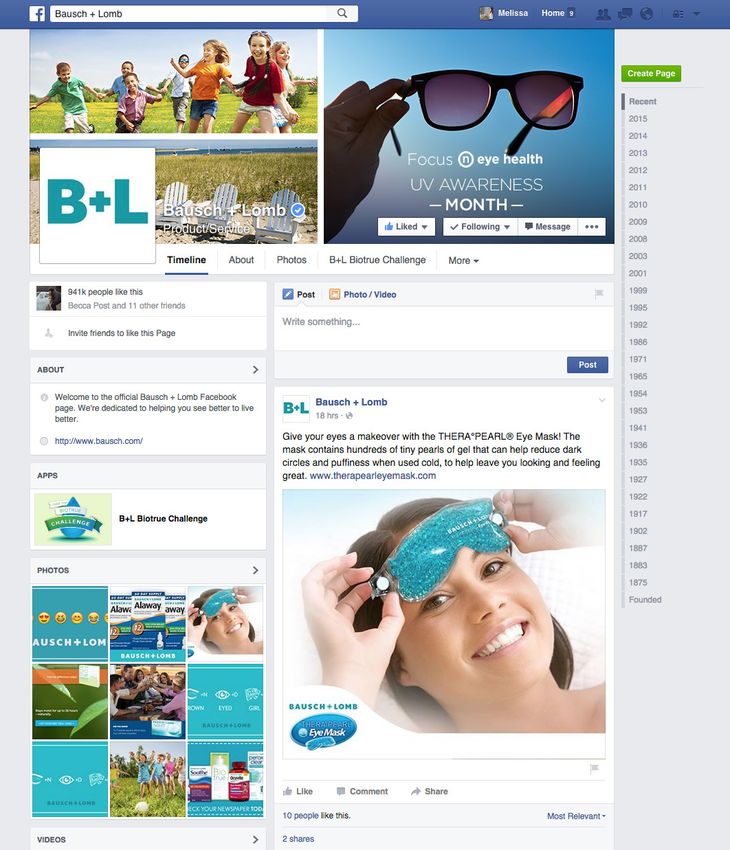
1         WHY

          FACEBOOK?

    This is a guide only and intended solely to familiarize the reader with the use of Facebook. It is not intended to provide any
    legal advice. The responsibility for using Facebook, or any other form of promotion and advertising in a responsible and legal
    manner is that of the reader.
WHY FACEBOOK?                                                                                                 1

Social media has radically transformed
almost every aspect of our culture in a                                                “Facebook is
very short amount of time                                                               the largest
                                                                                        social network
It has dramatically changed almost every aspect of our culture – how we consume         for a reason.
news and information, connect with friends and family, and learn about which
products and services we should buy – in a very short amount of time. Social
                                                                                        People use
networks and blogs now account for nearly a quarter of all time Americans               it to gain
spend online.
                                                                                        information...”
No site has been more influential in this shift than Facebook, which was launched by
a 20-year-old Harvard student in his dorm room in 2004. The original intent was
for Ivy League students to connect online, but today the reach is tremendously vast.
There are 1.4 billion Facebook users or approximately one in five people on Earth is
active on the site. Facebook is used by 72% of all online American adults and spend
an average of 40 minutes using the social network each day.

       Where consumers go, businesses follow. Many of the
       world’s biggest and most respected brands are using social
       media — and Facebook in particular — as a cost-effective
       way to engage consumers and drive word of mouth about
       their products and services.

*Nielsen, The Digital Consumer, February 2014

                                                                                               Facebook 101   6
WHY FACEBOOK?                                                                                                                 1

If Facebook were a country, it would be the most
populated country on Earth; narrowly beating
out China. Facebook, China, India, and then the                                                    60% of Facebook’s
United States.                                                                                     billion+ users log on
                                                                                                   every single day.

                                                        #1
                   #4                             Facebook
               United States                                            #2
                                                                #3
                                                                       China
                                                               India                                                #1
                                                                                                   #4            Facebook
                                                                                               United States

67% of its user base or 968 million people log on to Facebook every single day- that’s
almost 3x the total U.S. population.

So, are your patients using it? Are adults on Facebook? Absolutely. Without a doubt
- people of all ages are using Facebook to connect with others and find information.
Since 2011, the fastest growing age group on Facebook has been 55 and over- so it’s
definitely not just for teens anymore.

        Since 2011, the fastest growing age group on Facebook has
        been 55 and over.

Note: The content covered in this guide assumes you already have a personal
Facebook profile (which is very different from a brand page). If not, no worries – it’s free
and you can sign up in just a few minutes at Facebook.com. Having a personal profile is
the best way to get started and become familiar with how the site works.

Facebook, Investor Relations and Earnings Report, Q2 2014.

                                                                                                               Facebook 101   7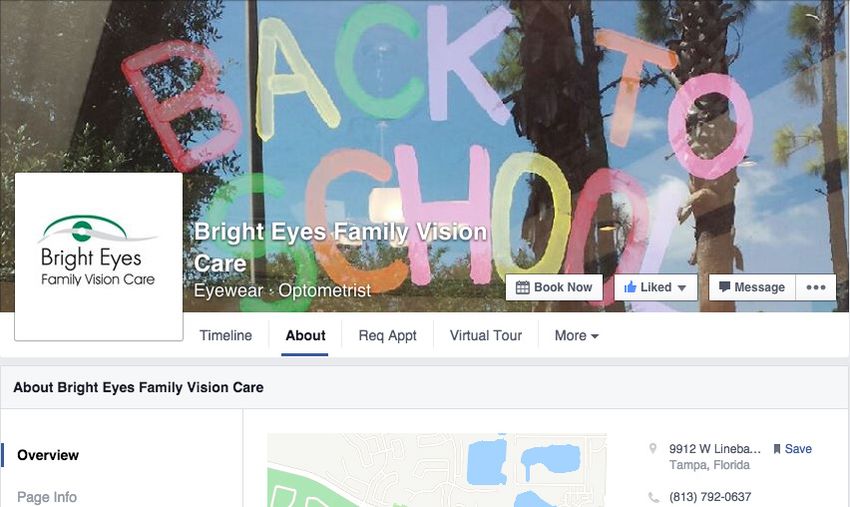
WHY FACEBOOK?                                                                                                    1

How ECPs Are Using Social Media
We know social media         status updates, and           services they provide. Not
is now a big part of our     “Liking” content posted by    surprisingly, Facebook
lives as consumers, but      others in their spare time.   appears to be the social     Facebook appears to
how are ECPs using it?                                     platform of choice, with     be the social platform
In our survey of U.S. eye    In the same survey, 42%       40% of ECPs using
care professionals (May                                    brand pages to promote       of choice, with
                             of ECPs responded
2011), 70% said that they
were actively using social
                             that they were actively
                             leveraging social media to
                                                           their practices.* Next in
                                                           line was Twitter, with 11%
                                                                                        40% of ECPs
media on a personal level    promote their businesses.     (which is roughly in line    using brand pages
to connect with friends      That means that they have     with the total percentage    to promote their
and family.* This includes   established a social media    of U.S. adults who have an   practices.
activities like tweeting,    presence specifically for     account).
sharing photos, posting      their practice and the

Dr. Nathan Bonilla of
Bright Eyes Family Vision
Care has been using
Facebook to market his
practice and connect with
patients for nine years,
and will be sharing some
personal anecdotes and
insights throughout the
guide. “Facebook is the
largest social network for
a reason. People use it      connected with people         unique way to connect
to gain information and      and businesses that they      with both current and
to do research and stay      care about. So, it is a       future patients.”

   “Facebook is a perfect place to start,” Dr. Bonilla explains,
   “because there’s no financial buy-in required and it really
   takes very little time in terms of overall management.”

                                                                                                  Facebook 101   8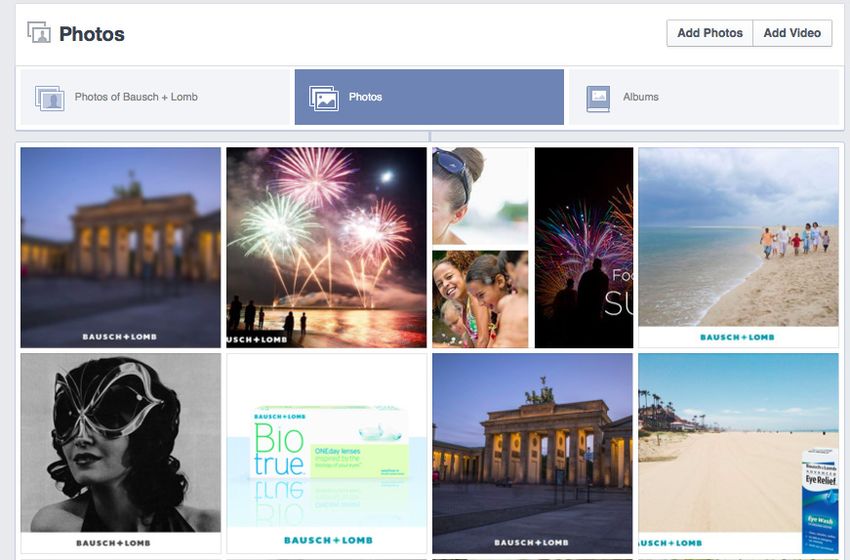
WHY FACEBOOK?                                                                                                                                 1

Out of the 42% of doc-                              Another 31% have estab-         Lack of time and resources
tors using Facebook to                              lished pages, update them       are common reasons for
market their business, 51%                          regularly, and get consistent   not doing a lot of things
said that they have created
pages but are still looking
for resources and support
to be more successful.*
                                                    engagement. Finally, 18%
                                                    said that they have set up
                                                    pages, but do not have the
                                                    time to dedicate to them.
                                                                                    – but that’s very different
                                                                                    from a lack of interest. It’s
                                                                                    worth noting that 60%
                                                                                    of ECPs said they plan
                                                                                                                    72%              of
                                                                                                                    ECPs told us that they
                                                                                    on increasing their usage       believe social media is
                                                                                    of social media in 2011.*       important to growing
                                                                                    Finally, 72% of ECPs said       their practice.
      Tools ECPs use to                                                             they believe social media is
      promote their practice*                                                       important to growing their
                                                                                    practice.*
           Facebook                                                    40%

                 Twitter                        11%

             LinkedIn                          9%

     Personal blog                      8%

              YouTube               5%

                  Other                 2%

        Foursquare                    1%

The takeaway here is simple.
Doctors understand that if social media
isn’t already a part of their marketing
mix, it really should be.

Here’s the good news:
Incorporating social media into your
practice marketing strategy is simple,
fun, and extremely cost effective.

*Bausch + Lomb ODWire.org Survey, May 2011.

                                                                                                                               Facebook 101   9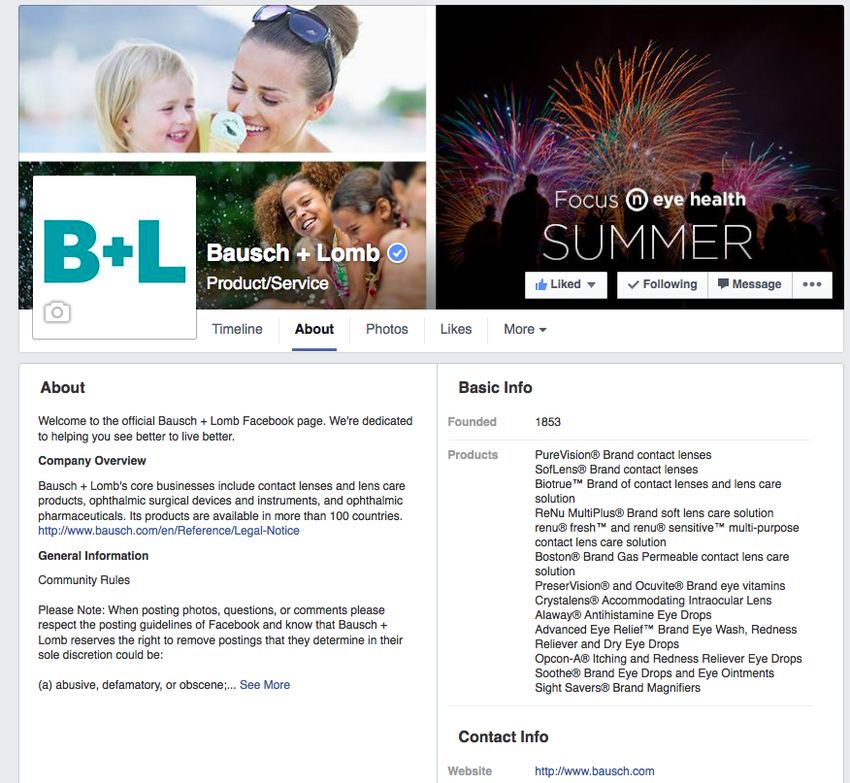
WHY FACEBOOK?                                                                                                                1

Here are five reasons why you
should be using Facebook now to
market your practice:

   1                                           4
Engage directly with patients – How         Learn more about your fans – Facebook
                                                                                                The #1
many times do you see your patients each    Insights provides you detailed information          reason fans will
year? Facebook provides a way to interact
more frequently – and stay top of mind
                                            about fan demographics – age, gender,               like your Facebook
                                            location, and what types of content or
– with the people who are most likely to    promotions they’re interested in.
                                                                                                page is for access
refer you to their friends and family.                                                          to upcoming
                                                                                                promotions ...

  2                                           5
                                            Drive more traffic to your website –
Promote your practice – The #1 reason       Social media links such as a Facebook
fans will like your Facebook page is for    page increase your optimization and
access to upcoming promotions and           make it easy for patients to find and
incentives. If you’re sponsoring a local    contact you.
sports team or offering free back-to-
school screenings, Facebook is a cost-
effective way to spread the word.

  3
                                                Remember this above all else: Facebook is about
Personalize your brand – Your website           relationships. When patients “like” your page, they are
may be designed as a static series              saying they want a relationship with you and your business.
of pages that don’t change much.
Facebook makes sharing updates, helpful
                                                Facebook makes it easier for you to deepen those relationships over
information, and multimedia (such as
                                                time. Strong relationships build loyalty, and loyal customers are the best
photos of your staff or pictures from a
                                                marketing tool in the world.
recent event) extremely easy, so fans can
learn more about your practice in a fun
and engaging way.

                                                                                                             Facebook 101    10
WHY FACEBOOK? 1
Before going any further, we need to
define social media and understand how it How likely
are people to share
will impact your business information about their
health on social media?
with Other Patients
Social media is a horizontal communication channel that 30%
facilitates word of mouth across various digital mediums, with Doctors
47%
enabling people to interact and share information.
with Hospitals
43%
with Health Insurance Co.
Let’s break that down a bit more: 38%
with Drug Company
Social media is a horizontal communication channel. In this case, “horizontal” means 32%
it touches every aspect of your business – how you communicate with patients and your
community, how potential new patients learn about you, how you connect with other
professionals in the field, learn about new products, etc.
Social media facilitates word of mouth across various digital mediums. It’s a digital
platform for sharing and conversation. This is especially important because consumers
are increasingly relying on their friends and social networks for referrals on everything
– what movie they should watch, product they should try, or article they should read.
Word of mouth is the number one influencer in purchase decisions, and social media is
the plumbing that makes all of this online conversation possible.
Social media enables people to interact with and share information. 72% of Internet
users say they looked online for health information within the past year and more than
40% of consumers say that information found via social media affects the way they
deal with their health. This can be scary for medical professionals, but it reflects the
reality of how much health information (good or bad) is available at our fingertips today.
When used correctly, it’s a channel to provide helpful information to your patients and
prospects.
Notice what is NOT included here in the definition: Facebook. Twitter. YouTube.
These are all terrific tools and platforms (and we’ll be covering one of them in great
detail), but social media is much broader than any one channel.
PewResearch Internet Project, 2012 – 2014.
Facebook 101 11WHY FACEBOOK? 1
Social media as part of the practice
marketing mix
Social media is not — and should not be — the only way you market your practice; so
where does it fit in?
Think of your “marketing mix” as the combination of all elements that you use to promote
your practice, from newspaper or yellow page ads to local event sponsorships. This
includes:
• Front office interactions
• Email or newsletter
• Website
• Advertising (print, online, or other)
• Public relations
• Community support
Let’s dive a little deeper here and take a look at a sample marketing strategy.
Eye Care Professional Marketing Strategy
Facebook 101 12WHY FACEBOOK? 1
Strategy
For this exercise, let’s say the main vision or objective for your practice is to “promote
excellence in eye care for middle-class adults and families.” There is probably a very
clear perception that you want your current and prospective patients to have of you
and your business. When people think about your practice, you may want them to think
about quality, professional eye care, affordable exams, trusted medical advice, and a
skilled staff that appreciates their patients.
With that in mind, the tactics you use to promote your practice should reflect and
reinforce those perceptions. For instance, you might do the following:
• Print ads in the local newspaper
• Monthly emails to patients
• Charity events
• Community sports sponsorships
So where does something like Facebook fit in, or what does it replace? Nothing, actually.
It’s additive, and should complement and amplify your current marketing efforts. For
example, if you have a monthly e-newsletter going out to your patients, including a link to
your Facebook page gives them another channel to connect with you and your practice.
If you sponsor a community Little League team, call out their big win in a status update
on your page to let even more people know how proud you are to support them. Taking
the extra step to share a behind-the-scenes moment or useful information
will go a long way towards retaining existing patients,
as well as acquiring new ones.
Facebook 101
101 13
13WHY FACEBOOK? 1
How Consumers Are Using Social Media
This is about much more than a popular website or fad – Americans
this is a fundamental shift in how consumers receive and
spend more
share information.
time on
Facebook
A few reasons why this matters to you: than any other
Consumers are spending more time on social media. Americans spend more time
website.
on Facebook than any other website, with a quarter of their online time spent on social
networks and blogs. 80% of people 18 – 44 reach for their smartphone within 15
minutes of waking up in the morning, and 62% reach for it first thing while continuing to
rely on connectedness and accessing Facebook throughout the day.
Consumers are visiting websites less. News and information now comes to them
through their social “newsfeeds.” Facebook and Twitter are much more than a series
of status updates about what your friends just had for breakfast – they’re dominant
channels for sharing news, multimedia, and other information. In fact, Facebook now
refers more website traffic than Google.
Consumers increasingly rely on their social graphs — the people they know online
— for health care recommendations. Word of mouth is the oldest form of knowledge
sharing – it just happens online now. When selecting new primary care physicians, for
example, more than half of all consumers relied on word-of-mouth recommendations
from friends and relatives.**
* IDC and Facebook, Always Connected Research Report,
2013.
** http://www.rwjf.org/pr/product.jsp?id=37551
Center for Studying Health System Change
Facebook 101 142 BUILDING A BRAND PAGE ON
FACEBOOK
This is a guide only and intended solely to familiarize the reader with the use of Facebook. It is not intended to provide any
legal advice. The responsibility for using Facebook, or any other form of promotion and advertising in a responsible and legal
manner is that of the reader.BUILDING A BRAND PAGE ON FACEBOOK 2
Creating a Facebook Account
Before you create a page for your business, you must have a personal Facebook
account. Don’t worry – setting one up is easy. All you need is an email address.
Choosing an email address
You can use an existing personal email address,
or create a separate address to use exclusively
for business-related Facebook purposes. If you
want to create a new email address to use just for
Facebook, several websites make it easy for you.
Gmail (gmail.com), Hotmail (hotmail.com), and
Yahoo! (yahoo.com) are all good options.
Set Up
1) Go to www.Facebook.com
2) On the home page, click the “Sign Up” button.
3) Enter basic information including your name,
email, password, gender, and birthday.
4) Facebook will ask you if you want to use the Friend Finder. This will find people you
know using the information and email address you provided. This is an optional step.
If you want to skip it, just push the “Skip this Step” button. Creating Your
Business Page
5) Fill out additional profile information if you wish (you can also skip this step).
Once you’ve completed
the steps, you will land on
6) Upload a profile picture by choosing an image already on your computer (you can
your personal Facebook
also skip this step).
profile. Now, you’re ready
to create your practice’s
Facebook page. Simply
push the “Create a Page”
button along the left hand
column.
Facebook 101 16BUILDING A BRAND PAGE ON FACEBOOK 2
Now that we have had a chance to look
at Facebook and how it applies to your
practice, let’s cover how you actually go
about setting up your Facebook presence.
The first thing to note is that you are setting up a completely different type of page than
your personal profile. Brands and businesses need to have a brand (or business) page
Businesses
on Facebook. One of the easiest mistakes to make when getting started is to confuse
personal profiles with brand pages. We’ll cover the difference between a personal profile
on Facebook
page and a business page, and why this distinction is so important. have fans, not
Personal profile pages friends.
• Take a look at the example above. If you think the “Add Friend” button looks a little
overly friendly for a business page, you would be right. Businesses on Facebook have
fans, not friends. The “Add Friend” button is a clear indicator that the page has been set
up as a personal profile, which is only designed for individuals.
Why does it matter?
A few reasons. First, it requires the doctor to approve
individual friend requests in a timely manner. Imagine the
perception that might arise if you do not approve a friend
request from a longtime patient within a day or two.
They might think you don’t like them very much.
Facebook 101 17BUILDING A BRAND PAGE ON FACEBOOK 2
Brand pages
• Brand pages are created for brands and businesses. Instead of having an “Add
Friend” button, they have a “Like” button – because brand pages acquire fans, not
friends. They cannot send or receive friend requests. If a patient decides they want to
“Like” your practice’s Facebook page, they’re automatically added to your group of
fans without requiring any additional action from you.
Discussions
that take place
on your brand
page will be
• Another important difference is the availability of focused on
analytics through Facebook Insights. While we’ll cover
these metrics in greater detail later, it’s important to note your practice
that they are very useful in determining what types of
content resonate with your fans. They also provide a
and services,
look at your audience’s demographics, which may help
you tailor content and promotions.
rather than
what you did
• Facebook Ads, which we also cover in this guide, is another
feature only accessible via brand pages. These ads appear last weekend.
on the right side of the Facebook screen, and can be heavily
targeted to very specific portions of your current and
potential audience.
• Last, one of the most important benefits of brand pages for eye care providers
is privacy. Brand pages allow you to keep your personal life separate from your
professional life. Discussions that take place on your brand page will be focused on
your practice and services, rather than what you did last weekend.
Facebook 101 18BUILDING A BRAND PAGE ON FACEBOOK 2
✔ Sign up for Facebook
Step 1
Creating a page
✔ Click on the “Pages” link
Creating a page for your practice ✔ Click on “Create a Page”
When you sign into Facebook, the “Pages” link will appear
on the left-hand side of the screen. While the link appears
to be grayed out, clicking on it will take you to the “Pages”
screen.
Once you are on the “Pages” screen, click on the “Create
a Page” button to begin setting up your page. From there,
select “Local Business or Place.”
When you select your category, you will prompted to enter basic information such as
your street address.
✔ Select “Local Business
or Place”
✔ Select your business
category “Health/
Medical/Pharmacy”
✔ Enter the name of your
practice and address
information
✔ Click on “Get Started”
Filling in this information will automatically generate a Google map of the area
immediately surrounding your practice. This gives current and prospective patients
✔ Upload your practice’s
profile image
quick and easy access to everything they need to schedule an appointment and find
your office.
Once you have entered your location information, you can start
building the rest of your page.
Facebook 101 19BUILDING A BRAND PAGE ON FACEBOOK 2
The Facebook Timeline
Your Facebook Timeline displays the entire “life story” of your practice along a timeline
that runs through the center of the page, allowing you to share events and milestones that
occurred before joining Facebook. In addition, the Timeline is generally a more visual and
complete display of your practice’s information.
Here’s a brief overview of some of Timeline’s most important features:
Cover Image
A large, wide image that acts as a masthead at the top of your timeline. You will still have
a profile picture, which is a smaller square displayed in front of the cover image. The
profile picture is what will appear on fan’s news feeds when they view your activity. Experts
recommend that your cover should showcase your brand in a visually engaging way, while
the profile photo should instantly convey your identity (ideally, your logo).
According to Facebook, cover images may not be “deceptive, misleading, infringe on
anyone else’s copyright,” or include the following information:
Cover photos are 851 pixels wide and 315 pixels tall. If you upload an image that’s
smaller than these dimensions, it will be stretched to this larger size. The image you
upload must be at least 399 pixels wide and 150 pixels tall.
About Section
The About Section sits along the top of your timeline, making it an ideal place to write an
informative summation of what your practice is all about. Consider using a direct URL
to your practice website. Pages have also seen success including a direct call to action,
reminding fans of important information like upcoming events, discounts, etc.
Targeting Posts
Highlight Posts Advanced Post Targeting
allows you to control which
Allows you to bring more attention to any particular post on your timeline by stretching it
across both sides of the timeline. Simply mouse over a post, and click the star icon in the of your Fans are able to
upper right hand corner to highlight it. view certain posts based
on the information they’ve
Pin Posts shared on Facebook.
These categories include:
To pin, mouse over a post, click the pencil icon in the upper right hand corner, and select
“pin to top” from the drop down menu. Your pinned post will move to the top of your • Gender
Page’s Timeline and will appear in the top-right corner of the post. Your pinned post will
stay at the top of your Timeline for 7 days. After that, it’ll return to the date it was posted on • Relationship Status
your Page’s Timeline.
• Educational Status
Milestones
• Interested In
Allows you to post major events that occurred in your practice’s lifetime, exact to the date.
This gives you a chance to tell a more complete story of your business. It’s suggested that • Age
you compliment your Milestones with images as well, to create a more visually engaging
experience for your fans. • Location
• Language
Facebook 101 20BUILDING A BRAND PAGE ON FACEBOOK 2
Step 2
Setting up tabs ✔ Populate the “About Tab”
with basic information
about your practice
There’s a tab for that
✔ Include a Facebook link
on your practice’s website
You can manage your tabs by clicking on More below your Page’s cover photo and
selecting Manage Tabs option. Simply click and drag a tab or app to move it and then
click Save.
The About Tab
The primary area you will need to populate at this stage is the Info tab. The About tab
typically displays basic information such as the founding date, location (which you’ve
Other important
already taken care of in the previous step), mission statement, and community guidelines.
information to
“Community guidelines” refers to the rules and conduct you expect your patients add on the About
to adhere to while interacting on your page. For example, most businesses will not tab includes:
allow profanity or spam on their Facebook pages. Clearly explaining how you expect • Web address
your community to behave will set expectations and help them to get the most out of • Contact information
engagements on your page.
• Hours of operation
• Products/Specialties
• Key members of
your staff
Facebook 101 21BUILDING A BRAND PAGE ON FACEBOOK 2
The Wall
While the About tab holds services you provide. practice and services.
most of your practice’s This is a great example of
vital information, the Anytime someone takes how social media makes
Wall is arguably the most an action on your wall, that word of mouth and peer
important part of your action has the chance to recommendations easy.
page. This is where your be communicated to their
status updates, links, photo friends via the News Feed.
uploads, videos, and
milestones will appear.
Since the average user has Since the
338 Facebook friends, any
This is also where your interaction your patients average user has
fans can post comments
338
have with your page is
and questions about your an opportunity for more
practice and the
Facebook
people to discover your
friends,
any interaction
your patients have
with your page
is an opportunity
for more people
to discover your
practice and
services.
Facebook 101 22BUILDING A BRAND PAGE ON FACEBOOK 2
The Photo Tab
Photos uploaded to your and engagement beyond for the holidays or
Facebook page will be your Wall. For example, changing seasons, you
displayed on the Photo posting a photo of your can share those pictures
tab. You can organize office building could help to your wall. Organize
your photos by creating patients find your practice them into a single “Office Photos can
individual albums for easier. Decorations” album
different events and for your current and also add an
occasions. Pictures can prospective patients to
help breathe life into
Photos can also add an
element of fun to your browse later. element of
your page and allow for
additional exploration
content. For instance, if
your office staff decorates
fun to your
content.
Of course, you don’t have to do all the posting
yourself. Your patients can join in the fun as well.
Asking your fans to share photos of their summer
eyewear, for example, might lead them to post
pictures of their own. Something as simple as,
“What kind of sunglasses are you wearing this
summer?” could turn into a fun photo contest.
Facebook 101 23BUILDING A BRAND PAGE ON FACEBOOK 2
Step 3
Find your voice
Find your voice
One of the most important components to your page is your “voice” – or the tone
and language you will use to interact on Facebook. Are you asking questions and
provoking thought, or just posting links without encouraging discussion? This is key to
the success and growth of your Facebook presence. Your content needs to be engaging
and interesting.
So, how do you make sure you are posting quality content?
Sometimes it’s as simple as asking yourself the following:
• Is this something helpful or informative that I would click on?
• Is this something I would share with my patients?
If you still aren’t sure, you can always look to the response from your audience.
• Are your patients “liking” or commenting on your posts?
•A
re they responding to questions and adding to the discussion?
Over time, you will be able to tell what types of content work best for
your patients.
Do Don’t
• Keep updates short and sweet - • S hare sensitive patient information,
no more than a few sentences! or even their names without consent
• Be personable •P
ost too frequently
• Be unique •U
se too much text
• Remain authentic •U
se canned responses
• Be accessible • Force conversation
• Use proper grammar & spelling •U
se complicated medical jargon
without an easy explanation
Facebook 101 24BUILDING A BRAND PAGE ON FACEBOOK 2
What to post
If you’re just getting started on Facebook, you may be asking yourself what
types of content you should post. Ask yourself:
What kind of information would my patients To review,
immediately find useful? here are some
things to keep in
mind when posting
A few examples: your content:
•A
ppointment openings - If you had two cancellations during a busy week, let your •K
eep it conversational
patients know about it. You could say something like, “We have two cancellations on and fun
Wednesday. Haven’t had your vision checked in awhile? Call today. We can see you •A
sk questions that
between 1 p.m. - 2 p.m.” encourage discussion
•P
romotions - Do you have any special updates, events or discounts to share with • S hare information
your patients? If so, this is a great way to get the word out. that is useful and
•E
ye health tips – Share seasonal or timely suggestions for helping patients keep interesting
their eyes healthy. You can make this more engaging by posing it as a question, for • S hare photos, and
example: “Anyone know how often you should change your contact lens case?” Just ask your fans to share
make sure you follow up with the right answer, of course! theirs as well
•P
hotos from around the office – Did one of your staff members just celebrate an
anniversary at the company? Share a photo to recognize and congratulate them.
•N
ew services or change in hours - This information is extremely useful for patients
looking to schedule an appointment. The same holds true if you are opening a new
location.
•C
ommunity involvement - Are you participating in a local charity event? Do you
sponsor a community Little League team? Talk about it on your page. “Our favorite
Little League team, the Red Devils, just won another big game and we’re so proud!”
As you can see, posting content to Facebook doesn’t have to be
difficult. You already know your audience; you’re just getting to
know them a little better in a different space. And you don’t have to
post everyday, all day. Aim to share a new post 3 – 5 times a week.
Bausch + Lomb can help with your social content. See ideas in
section 4, page 39.
Facebook 101 25BUILDING A BRAND PAGE ON FACEBOOK 2
Getting the word out
Note: Facebook
Now that you have your Facebook page up and running, how do you let your patients
know about it? Promoting your Facebook page lets your current and prospective
brand page settings
patients know they can interact with you before, after, and in-between appointments. will allow you to
create a custom
“In all of our ads we have ‘Connect with us on Facebook and Twitter’,” says Dr. Bonilla. URL for your brand
“We have some information hanging in the waiting area. We have a Facebook sticker on page, as long as it’s
the door and a link to Facebook on every blog post. We try to integrate all the different not already in use.
channels as effectively as we can.” This way you’ll have
a simple and easy to
Checklist remember address
for promotional
materials, such as
✔ ✔ ✔ Facebook.com/
Your front office Your website Advertisements GenericEyeCare.
One of the easiest and Facebook actually has If you plan on placing an
most natural points of icons you can put on ad in your local paper,
interaction is your front your page to drive traffic including your Facebook
desk. Encourage your staff from your website. If URL and a Facebook icon
to talk about it. Put up a prospective patients will let people know that
sign driving your existing are looking for more there’s an additional way
patients to your page. It’s information about your they can connect with
as simple as “Find us on practice and services, your practice. Of course,
Facebook!” they will probably check it you can also promote
out. This is another great your page with Facebook
✔ reason to consistently Ads!
post new and interesting
Emails and
newsletters
content. It could be that ✔
extra something that turns
If you have a monthly a potential patient into an
Local/community
e-newsletter or email blast existing patient. outreach
going out to your patients, Direct people you meet
include a call out to your at charity, sporting or
Facebook presence. Let
✔ other community events
them know that you just Business cards/ to your Facebook page.
started a page and invite Appointment cards Encourage them to
them to connect. Tell them Including your Facebook contact you through your
about the benefits of being URL, or even a Facebook Wall.
a fan of your practice. icon, on your printed
They get access to the materials could remind
latest news and discounts, patients to check out your
as well as information that page at a later date.
can help them and their
families stay healthy.
Facebook 101 26BUILDING A BRAND PAGE ON FACEBOOK 2
Who manages it?
This is a very common question among doctors. Who is going to
manage the Facebook page? How much time does it take to do it well?
The good news is that there are a few ways to maintain your Facebook page. You can
take it on as a personal project, posting status updates, content, and responses yourself,
or delegate the responsibilities to one or more trusted members of your staff. It’s a fun
54%
of ECPs told us that
way to boost office morale and increase involvement in the day-to-day business. they manage their
pages themselves,
while 31% said that
6% the responsibility had
9% ECP been delegated to
Other a single employee.
One of the employees Only 9% of ECPs
Several employees
54% said that they had
31% SeveralOne
employees
of the employees split the responsibility
among multiple
ECP
Other employees.*
Taking a look back at our responding to comments or interaction they’re
ECP survey, we asked on a consistent basis, looking for in a timely
socially savvy doctors you’re already headed in manner.
to tell us who manages the right direction.
their Facebook pages. Finding the right balance
54% of ECPs told us that Generally, an average of time and resources
they manage their pages of 30 minutes a day is will help streamline the
themselves, while 31% enough to keep your process. Dr. Bonilla
said that the responsibility page fresh and your found success through
had been delegated to responses timely. Think a gradual delegation of
a single employee. Only of it as something you do daily responsibilities. “In
9% of ECPs said that they in the morning, when you the beginning I did all of
had split the responsibility start your workday, and in it personally because I
among multiple the afternoon, right before was trying to figure out
employees. you close for the evening. how to do it. Now I’ve
Take 15 minutes at a time delegated Facebook to
Of course, there’s no right to post new content and staff members. Between
or wrong way to decide respond to any comments the staff and me, it’s about
who manages the page. or questions. Doing this two and a half hours a
As long as you’re posting will ensure that your week.”
engaging content and patients get the answers
*Bausch + Lomb ODWire.org Survey, May 2011.
Facebook 101 27BUILDING A BRAND PAGE ON FACEBOOK 2
Insights, analytics, and you
If you’ve never been an administrator on a Facebook page before, you might be a little
confused when we talk about Facebook Insights and the data available to you through
business pages. Basically, Insights is Facebook’s analytics tool. Through Insights you can
get important metrics around your content. This data can be analyzed to identify trends
within fan growth, demographics, and consumption of content.
The Insights tool contains six main tabs of data, graphs, charts, and a wealth of
information visible upon hovering over each of the visualizations:
• Overview: A snapshot of your Page performance in the past 7 days
• Likes: An in-depth view into the community (Fan) growth of your Page
• Reach: A breakdown of the number of unique users who are seeing your content
on Facebook
• Visits: A summary of direct visits to your timeline
• Posts: An in-depth analysis of how Facebook users are interacting with your
page content
• People: A breakdown of Facebook users who Like your page, see your page content,
and engage with your content
*Note: All data is displayed in the Pacific time zone and there may be up to a 24-hour
delay in displaying information.
Facebook 101 28BUILDING A BRAND PAGE ON FACEBOOK 2
Page Likes/Unlikes | From the “Likes” tab, focus on the top two graphs which displays your
Lifetime Page Likes, or how many Facebook users have become a fan of your page, as well as
a breakdown of how many Facebook users are “unlike-ing”
your page.
External Referrals | From the “Visits” tab, the last graph will display the number of times
people came to your Facebook page outside of Facebook. This will help you understand how
your patients or prospective patients may be finding you and what other marketing activity
is helping to promote your page. Here you will also be able to monitor office check-ins and
clicks on the various tabs and sections of your timeline.
Demographics | From the “People” tab, you will see an in-depth breakdown of the age,
gender, location, and language of those whom are fans of your page. These data points are
especially important as they will allow you to get a clear snapshot of where your Facebook
audience is located, the age range of your Facebook community, and how it grows and
changes over time.
Facebook 101 29BUILDING A BRAND PAGE ON FACEBOOK 2
Facebook experts recommend you assess your Insights data on a weekly basis
and perform a more in-depth analysis each quarter. Below, we’ll detail the five most
important metrics to monitor:
Post Reach | From the “Posts” tab, a list of all of the content you have shared on your page will
appear. The first column of data displays Reach, the number of unique people who have seen
your content on Facebook. The higher this number, the better as it will help to bring awareness
to your practice. By using the dropdown menu, you can also monitor your Organic versus
Paid reach which we will cover in great detail in the next section, as well as your Fan versus
Non-Fan reach.
Post Reach | Again using the “Posts” tab, the last column of data displayed contains your post
engagement metrics. Engaged Users are defined as the number of unique Facebook users
interacting with your content. Engagements are defined as the total (non-unique) interactions
on your post content which can range from:
• Like
• Share
• Comment
• Photo Click
• Video Play
• Link Click
• Other Click
By clicking on the post copy, a detailed breakdown of the engagements on your post will
appear. This will allow you to assess how interesting your Fans find your content. The best
page’s find a healthy balance between conversation (likes, comments, & shares) AND
conversion (link clicks).
Facebook 101 303 ADVERTISING ON
FACEBOOK
This is a guide only and intended solely to familiarize the reader with the use of Facebook. It is not intended to provide any
legal advice. The responsibility for using Facebook, or any other form of promotion and advertising in a responsible and legal
manner is that of the reader.BUILDING A BRAND
ADVERTISING ON FACEBOOK
PAGE ON FACEBOOK 2
3
Now that you’ve established your page, invited your patients, and know what kind of
content you want to post, how do you expand your audience and reach out to potential 1. News Feed Mobile + Tablet
new patients? Well, you’re in luck. Facebook has a very powerful ad platform that works
great for local businesses. 70% of people on Facebook are connected to a local business.
By combining organic content with paid advertising, you can:
• Find people near your business with accurate targeting
• Increase referrals with ads that bring new patients into your practice
• Drive sales and build loyalty by connecting regularly with customers
What is Facebook Advertising?
Facebook Advertising helps brands reach more people and achieve results by paying
for inventory across the site. Facebook provides a self-service platform that enables page
administrators to easily create and manage paid campaigns.
Facebook Ads appear across all devices- desktop, tablet, and mobile- and follow three
main formats: 2. News Feed Desktop
1. News Feed Mobile + Tablet
2. News Feed Desktop
3. Right Hand Column Desktop
Like Facebook content, Facebook Ads feature your business/Page name, a customized
message, your visual assets such as a photo or video, and an optional call-to-action to
encourage people to click a link, get an offer, or engage with your content.
3. Right Hand Column Desktop
This sounds like it could be complicated, but it’s surprisingly simple.
If your practice is based in San Diego, CA, you can target your Facebook Ads to only
appear to individuals in and around your area (by ZIP code or within a certain mile
radius of the city). If you enjoy working with families, you can target your ads to parents.
Remember, you can always re-target your ads later if there’s something new you would like
to test.
For more information visit
facebook.com/advertising
Facebook 101 32BUILDING A BRAND
ADVERTISING ON FACEBOOK
PAGE ON FACEBOOK 2
3
Why should I pay for Facebook Ads? CPC is cost per click.
That means that you are willing to
Because there is so much activity and content being generated on Facebook, it’s pay a certain amount every time
impossible for users to see every post from all of the Pages they like and every action from someone clicks your ad. Choose
all of their friends. On average, CPC advertising when your goal
businesses on Facebook whom is to have people take an action
only create organic content – in this case, clicking through to
reach roughly 5% of their total your website or your Facebook
fan base. Meaning if you have Page.
1,000 page likes roughly 50
people will see your content.
Facebook Ads will enable CPM is cost per
you to: thousand.
• Grow your online community
This is based on impressions.
by generating page “likes” You are basically paying for
eyes on your ad, rather than a
• Increase awareness by getting specific action. Choose CPM
your message and brand seen (cost per thousand impressions)
• Connect with patients and advertising when your goal is
your community by encouraging to increase brand, product or
engagement service awareness.
• Promote offers and specials
that you may be offering new or
existing patients
You don’t need a huge advertising budget to run successful
campaigns on Facebook.
Facebook Ads are created based on the type of results you want to see using a bidding
system. There are two main types of bids you can use: CPC and CPM.
So, what’s the difference and when would you use one over the other?
It’s important to know what you want to accomplish with your ads before you place them.
Your Facebook ad goals and objectives should always be consistent with your overall
strategy and marketing mix.
Now, let’s assume that you are ready to place an ad.
Where do you start?
There are three sections in the ad creation page – Design Your Ad, Targeting, and
Campaigns, Targeting, and Scheduling.
Facebook 101 33BUILDING A BRAND
ADVERTISING ON FACEBOOK
PAGE ON FACEBOOK 2
3
Promoted Posts
The fastest way to create an ad on Facebook is promote or “boost” your page content.
By boosting page content, you are essentially paying for more people to potentially
see your content within the News Feed. A wide range of factors go into whether or
not the audience will see a post. Most posts are only ever seen by a percentage of the
audience. This is measured as “reach.”
Facebook offers “promoted posts” to provide better reach for individual posts sent by
a Facebook page. Any kind of post that can be sent from a page can be turned into a
promoted post.
Options start for as little as $5 and increase based on how many people you wish to
reach. Depending on the audience you select your reach estimate and corresponding
budget will change as a result of selecting either:
• People who like your page and their friends
• People you choose through targeting
Users will see the post in their timelines and will appear with the word “Sponsored”.
By promoting this post, it will not only appear to a larger percentage of users who
“like” a page, but also to the friends of a larger percentage of people who interact with
the post itself (like, share, comment) than would happen organically.
Consider promoting posts that have the most likelihood to be relevant to your
audience, that contain strong calls to action, and that are most likely to be interacted
with. These are typically interesting posts that have pictures and/or offer value to the
community.
Facebook 101 34BUILDING A BRAND
ADVERTISING ON FACEBOOK
PAGE ON FACEBOOK 2
3
Design your ad
If you choose not to promote your page content and instead which to create special ads
that run on the Right Hand Column to either get Page Likes or drive Clicks to your
Website, you will be promoted to design your own ad.
Choose your images
Facebook will prompt you to add up to 6 images. You can upload new images, use
images from your library or search for free, professional images from Shutterstock.
By having multiple imagery, you will create a different ad in your ad set. After your
campaign starts, you can monitor how audiences respond to the different images.
Facebook recommends all image sizes be 1200 pixels by 628 pixels.
Imagery is a critical part of your ad. If you are looking to drive brand awareness, you
might consider using your practice’s logo or featuring a picture of you and your staff.
Just be sure to keep it visual and clean as opposed to additional text over a busy
background. When identifying imagery to use for promoted posts, keep in mind that
imagery can include no more than 20% text. You can ensure your images meet the
20% text rule by using Facebook’s Grid Tool at www.facebook.com/ads/tools/text_
overlay.
Customize your text and choose your placements
Next you will be prompted to customize your headline up to 25 characters and your
body copy up to 90 characters. This is like writing any other advertisement. Keep it
short, simple, and to the point.
You will see a preview of your ad and where it will appear to the right with the option to
turn off any of the three placements.
Facebook 101 35BUILDING A BRAND
ADVERTISING ON FACEBOOK
PAGE ON FACEBOOK 2
3
Top Targeting Options for Local Businesses
Facebook Ads’ targeting tool can be very powerful in spreading the
word about your practice to the right people. You can target using:
Location - This is an obvious choice for local businesses. You can get as specific as a
particular city. As you update any of your choices, the Estimated Reach box in the top-
Location
Good for reaching people
right automatically updates.
near your business
Demographics - Choose an age range and gender. You may even want to create
multiple ads to test different age/gender combinations. Age
Good for narrowing down
to your audience’s age
Interests - This can be very powerful if used correctly. As we discussed earlier, you can
group
target users by interests they have published on Facebook. If you type in job titles, this
box will allow you to target by job as well. If you can think of things that your customers
might like, your ad will be much more effective, although this will limit the overall reach Interests
(again, displayed at the top right). Good for using keywords
related to your business
Connections on Facebook - This can be helpful if you have a busy Facebook page.
You can use it to increase your “Like” count by targeting those who are not currently
connected to your page, or increase engagement by targeting people who already are
connected. Targeting friends of your connections can be an especially effective to add
more “Likes.”
Advanced Demographics - These provide a wide range of targeting options, including
birthdays, sexual preference, relationship status, education, language and workplace.
Facebook 101 36BUILDING A BRAND
ADVERTISING ON FACEBOOK
PAGE ON FACEBOOK 2
3
Campaigns, Pricing and Scheduling
The final step in getting your ad going is to set your bid and budget.
To do this, you’ll need to set:
Campaign Name - This will help you keep track of your campaigns.
Daily Budget - So you only spend what you want.
Schedule - Keep the campaign running forever, or set particular dates on which you
want it to run.
Bidding - You can choose to optimize your ads based on clicks (CPC) or
impressions (CPM)
Facebook 101 37BUILDING A BRAND
ADVERTISING ON FACEBOOK
PAGE ON FACEBOOK 2
3
Testing and Refining
Once your ad is up and running, you can go to your campaign’s page and monitor its
status. (Don’t be discouraged if the reporting seems a little slow, there is a slight delay.)
One key thing to keep in mind is the click-through-rate percentage (CTR %). This
will determine how much you have to pay per click. A good target is 0.1%, which will
probably be a challenge starting out, although this depends on your product and how
refined your targeting is.
• T here will also be a number for your Average CPM. For most U.S. targeting
options, you’ll need to keep this around $0.25+ to keep your ad running. You can
increase the number by raising your CTR or increasing your bid.
• T hroughout all this, you will not be paying the full amount you bid during setup.
Ad display is an auction, and Facebook will charge you a small amount more than
the next highest bidder. Having said that, if you are not being charged your full bid,
you can usually save money by lowering your maximum. Test how low you can go
without losing volume.
Now you know that Facebook Ads can be done easily, and on
almost any budget. Try running a few tests and see for yourself!
Facebook 101 384 HOW
BAUSCH + LOMB
CAN SUPPORT YOU
This is a guide only and intended solely to familiarize the reader with the use of Facebook. It is not intended to provide any
legal advice. The responsibility for using Facebook, or any other form of promotion and advertising in a responsible and legal
manner is that of the reader.HOW BAUSCH + LOMB CAN SUPPORT YOU 4
Bausch + Lomb, Facebook, and You
Bausch + Lomb has some great resources available to help you get started and stay
active on Facebook.
Status updates and content support
Bausch + Lomb provides updated content several times a year. You can share them to
your own page at any time. Categories range from general eye health to brand-specific
information. This will help you keep your Facebook wall fresh with frequent, relevant,
and interesting updates. http://www.bausch.com/ecp/for-your-practice/growing-your-
practice/social-media
Facebook Ad support
Bausch + Lomb offers brand-specific side ads for your practice. Customize ads with
your logo, target new patients in your area, and link them to your Facebook page or
website. Ads are currently available for Bausch + Lomb ULTRA®, Biotrue® ONEday,
Biotrue ONEday for Presbyopia, PureVision®2 Family of contact lenses, PureVision2
Multi-Focal For Presbyopia, and SofLens® daily disposable contact lenses.
No matter what your current level of participation is on Facebook, Bausch + Lomb
offers a way to make it easier for you to grow your practice through social media. Talk
with your representative to learn more.
Please note that any reference to Bausch + Lomb brands on your owned Facebook
pages need proper legal attribution. Example: Biotrue is a trademark of Bausch & Lomb
Incorporated or its affiliates.
Facebook 101 405 FREQUENTLY ASKED
QUESTIONS
This is a guide only and intended solely to familiarize the reader with the use of Facebook. It is not intended to provide any
legal advice. The responsibility for using Facebook, or any other form of promotion and advertising in a responsible and legal
manner is that of the reader.FREQUENTLY ASKED QUESTIONS 5
Facebook FAQ How do I protect my privacy? Will I start getting
friend requests from my patients?
Establishing your Facebook presence as a brand page,
rather than a personal profile, will protect your personal
Why do I need a Facebook page? privacy. Business pages do not receive or send friend
requests.
Facebook is a great way to build stronger relationships
with current patients, while adding new patients through
peer referral and Facebook Ads. It can also help you What should I talk about?
retain existing patients by giving them another means to Talk about things that are relevant to your patients and
connect with you. Furthermore, the content you share will your business. Eye health, new services, promotions,
help you build your practice brand and differentiate your and community involvement are great topics to discuss
practice from competitors. on your Facebook page. Ask questions, listen, and be
responsive – this is a two-way conversation.
Who should manage my Facebook page?
Some doctors like to handle this themselves, while others How can I get more fans?
would rather delegate the responsibility to interested The best place to start is your existing patients.
members of their staff. If you choose to delegate the Encourage your front office to talk about your page upon
management of your Facebook page, consider dividing patient checkout. You can also run low-cost giveaways
the responsibility among 1-3 staff members, depending and promotions on your Facebook page. Ask your
on the amount of content you want to share and given patients to share your Facebook URL with friends and
timing considerations for moderation of your page. family so they’ll have a chance to win too. If your budget
is a little higher, you may want to think about running
What do you do when you have multiple locations? Facebook Ads to attract new fans from your area.
You can include additional locations in the description
section of your About tab. How can I choose who sees my posts?
You can manage the privacy of your status updates,
How should I promote my Facebook page? photos and information using the inline audience selector.
This is a drop down menu located to the left of the “Post”
Promote your Facebook page through the same channels
button on anything you post. It allows you to create a list
you are already using to promote your practice. Put a
of who can and cannot see and share your posts. You can
sign in your front office that says, “Find us on Facebook!”
manage additional privacy settings by clicking on the
and encourage your staff to talk about it. Add a call out
downward arrow next to the “Home” button in the upper
to your Facebook page in your emails and e-newsletters.
right hand corner of any screen. Then, click “Privacy
Make sure you include a Facebook icon on your website.
Settings” in the drop down menu. From there, you can set
Even your printed materials can help drive traffic to your
a variety of advanced privacy settings.
Facebook page. Consider including your Facebook URL
and icon on business cards, appointment cards, and
advertisements. Letting people know you’re participating How are pages different from personal profiles?
in the social space doesn’t have to be difficult. It can even Profiles represent individuals and must be held under
be as simple as telling people you meet at charity and an individual name, while pages allow an organization,
community events to look you up on Facebook. business, celebrity, or band to maintain a professional
presence on Facebook. You may only create Facebook
pages to represent real organizations of which you are an
authorized representative.
Facebook 101 42You can also read


