Partner Induction Programme - Partnership at Specsavers
←
→
Page content transcription
If your browser does not render page correctly, please read the page content below
Partner         Partner
    Induction
    Programme
                &   Support
                     Period

START
Partner Induction Programme & PARTNER SUPPORT PERIOD

     Dear Specsavers Partners,

     Congratulations on your new business, and your new adventure!

     What lies ahead for you is the exciting opportunity to own and partner in a Specsavers business, leading
     and developing a team of green-blooded individuals to deliver the best services on the high street. It
     goes much further than this though; we have more than 2000 partnerships across the world today in
     Optics, Audiology and Domiciliary, which means you have a global network of experienced and
     passionate partners to learn from, and to share enterprising ideas and strategies with.

     As you know, our business is built on the strength of our partnership and throughout your
     partnership journey, we will seek your feedback, to better support your development in every way that
     we can. Over the first 3 months in your business you will have extra support from your RRM, who will
     guide and steer you on your journey to partnership – this is your Partner Support Period (PSP).

     Congratulations once again on your decision to join the global family that is Specsavers, we are very
     much looking forward to working with you over the coming years to take our Specsavers business to even
     greater heights.

                                                                                                                NEXT
Partner Induction Programme & PARTNER SUPPORT PERIOD
Purpose of the Partner Support Period (PSP) StorIQ
and How to Use this Guide If you are joining an established business the existing/
exiting partners should have the required login details to
As a new partner this guide has been designed to help you get the best access StorIQ. If you are joining a new business or your
from your first 3 months in a Specsavers business as a Partner. It will new partners have yet to engage with StorIQ, the
guide you on how to lead and manage your business on a day-to-day platform can be accessed as below:
basis, as well as prompt review conversations with your RRM.
Login for the first time
• Visit https://specsavers.storiq.net and click ‘Need a
The majority of the information you need will be located within this
new password?’.
document or on Partner Academy in iLearn, however elements of the
• You’ll be asked for your email address (see below)
programme will require you to login to StorIQ to complete certain
which will trigger an email with reset instructions.
sections. Login info for StorIQ is detailed just below.
• Enter the ‘dir.’ email address in the old format. For
example: dir.fulchester@st.uk.specsavers.com
• If your store opened after April 2018, use the new ‘dir.’
By the end of the PSP you will have email format.
• For example: dir.fulchester.uk@specsavers.com.
● Completed a cost review with your RRM and Business
Development Representative • For stores in Republic of Ireland, replace ‘uk’ with ‘ie’.
● Built a bespoke 12-month business plan suited to your business’
Contact Matt Irvine (matt.irvine@specsavers.com)
needs and objectives
if you have any questions.
● Demonstrated competence in Operational Excellence
NEXTPartner Induction Programme & PARTNER SUPPORT PERIOD
The Partnership
Before you continue using this Guide, as part of the Partnership it is essential we offer you the support and development you need to drive
your business performance. Depending in which region your business is located, will depend on who your RST point of contacts are, make a
note of their contact details below so you have them to hand in future.
Details on the roles and responsibilities of your RST follow on the next page.
Name Mobile Email
RRM
DRM
Retail Director
Print page NEXTPartner Induction Programme & PARTNER SUPPORT PERIOD
RRM
This role is pivotal to driving close and effective working relationships with Specsavers partners. RRMs will ensure that partners receive the support
they need to effectively manage, develop and grow their businesses. Support will be delivered through hands-on support and guidance and in
coordinating the support provided to partners from the wider Specsavers support office teams.
RRM Responsibilities
Growth and profitability Partner relationship and support Store colleagues and partner
development
● Responsible for the development and growth of ● Build an in-depth understanding of each of the
all optical, Audiology & Domicilary businesses businesses they support ● Ensure a people plan is delivered to a high
within their region standard in each store
● Build a supportive and meaningful business
● Support the partners with the formulation, relationship with the store partners to help them ● Support the store partners with their
creation and delivery of their store's annual to grow and develop their business personal development, acting as coach or
business plan mentor as appropriate
● Operate as the conduit for two-way communication
● Support the partners to deliver the best on the between partners and the support offices, taking ● Support the induction and development of
high street 'customer journey' ownership and resolving issues for partners partners within their region and seek to
● Support the partners to ‘own their town’ and be ● Work with other support office colleagues to continually improve the quality of
the dominant provider of eye and hearing care support the development of businesses in their recruited partners
region, partnering with other teams as required
● Help implement support office initiatives within ● Work with the regional chair’s in planning and Risk management
your store to benefit the business delivering effective regional meetings and events
● Be up-to-date with competitor activity and pass to drive business improvements. Ensure regional ● Ensure financial ‘turn-around
on any local competitor information which may communications are timely and effective practices' (TAPs) have a bespoke plan to
impact local Specsavers businesses ● Impartially facilitate two-way communications reduce debt and improve performance
● Identify new town opportunities for Specsavers between support offices and partners and between ● Ensure stores are brand-compliant
partners, attempting to resolve issues without the
● Develop a plan to ensure Specsavers have the need for further intervention. Escalate to DRMs if
appropriate physical capacity for the future board intervention may be required
● Ensure the practice support period programme is
implemented in all new stores and partners are
supported during all business transfer situations to
ensure a smooth transition into the business for
incoming partners NEXTPartner Induction Programme & PARTNER SUPPORT PERIOD
DRM
Accountable for driving sustainable growth of Specsavers eyecare, Audiology and domiciliary businesses within their division. They lead, develop and support a
team of RRMs.
DRM Responsibilities
Growth and profitability People leadership Securing long-term business success
● Create and deliver divisional plans ● Lead and inspire their team of RRMs to ● Work with professional recruitment and
● Ensure their division is continually growing provide effective support to all partners in business transfer teams to ensure a 'pipeline'
market share and achieving its annual targets their regions of future partners exists across the division
across the optical, Audiology and domiciliary ● Ensure the focus on delivery of the people ● Share best practice with other DRMs and
businesses plan throughout the division support office teams
● Ensure partners are supported to bring ● Continually improve the capability of RRMs ● Provide increased support for store
customer insights to life in their businesses through coaching and development businesses that require it
● Ensure brand compliance and protection of ● Use the partner Insight survey to ensure the
Specsavers for all support provided by RRMs is responsive to
partner needs
● Be the escalation point for partners when the
RRM is unable to resolve an issue
Retail Director Role
The DRMs are managed by three directors of retail: North, Central and South. The Retail Directors help progress regional and business performance, ensuring that
best practices are shared between all regions.
NEXTPartner Induction Programme & PARTNER SUPPORT PERIOD
You are now ready to start using this guide. Induction
We have broken this down into 9 key areas which are
shown opposite. There are a number of tables to be filled Legal & Security
in - please print these out to complete them (there is a
print button on each page.
Health & Safety
Clicking on the Home button will bring you back to this
page.
Products & Services
Finance
Customer
Systems
People
Contact Matt Irvine (matt.irvine@specsavers.com)
if you have any questions regarding this guide. Jargon BusterInduction Legal & Security Health & Safety Products & Services Finance Customer Systems People Jargon Buster
Induction Like any development journey, a large proportion of your success as partner will be influenced by
your commitment, passion and behaviour. The information below highlights Specsavers expectations
Getting the best from the PSP of our partners and provides suggestions on how to best approach the challenges ahead.
BE MOTIVATED Development relies on your willingness to learn and while it is often easiest when learning is also fun, a sense of purpose will
make great result attainable. Try to approach every activity with a positive attitude.
LEARN ACTIVELY Be prepared to make the most of every opportunity. Get into the habit of reviewing everything you do and exploring what you’ve
learnt from the experience. Ask questions and engage with our experts.
BUILD COMMUNICATION Establish a good network of contacts.
NETWORKS Not only will they be a great learning resource, but they will also support you as you establish yourself in Specsavers.
MONITOR YOUR Plan how you will review your progress, with whom and how often. Regular monitoring will help avoid potential problems and
PROGRESS plan for contingencies. Plan to make this happen.
BE PROACTIVE Be prepared to take control of situations and events. Influence rather than passively accept.
APPLY SELF-DISCIPLINE Development requires self-discipline. Decide what you want to do, plan how to do it and follow the plan. Make time for your
development.
DEEPEN SELF AWARENESS From the outset, prepare to be open-minded. Few people really know themselves as well as they might. Listen to the feedback
from others and be honest in your self-assessments. This will provide you will a balanced picture.
MANAGE TIME Development is all about setting and achieving goals. Your self-discipline with regards to managing your time will have a huge
impact on your success or failure during the PSP and beyond.
SELF-LED LEARNING Take control of your own learning, seek this as an opportunity to excel in your role, demonstrate your motivation to succeed while
using your own initiative.Induction Legal & Security Health & Safety Products & Services Finance Customer Systems People Jargon Buster Induction Your learning objectives Your learning objectives as a new partner within the first 3 months will be a combination of operational learnings and application of the commercial and leadership training you completed during Pathway. You can find comprehensive in-store training checklist by clicking on the image on the right. This will act as a useful tool to help you track your progress. This checklist details key elements that you need to understand and thrive in a Specsavers business. Please check off each learning item once you are fully confident that you have understood the subject. Beyond this, there are support tools bringing each of the points to life with activities and or direction on where to go next. Please ensure you complete this as a record of your learning and progress.
Induction    Legal & Security   Health & Safety   Products & Services        Finance                   Customer          Systems      People           Jargon Buster

Partner Support Period                                                   Meeting Type            Date              Time      Actions            Notes

                                                                         Pre-Start Phone Call
RRM Checkpoints                                                          (2 weeks before
                                                                         opening)

                                                                         Pre-Start Phone Call
                                                                         (1 week before
The first three months of becoming a partner at                          opening)

Specsavers is an exceptionally busy and rewarding                        Your First Trading
                                                                         Week (include
period – to make sure your time is spent productively,                   shopfit handover if
                                                                         appropriate)
your RRM will deliver an intensive period of support.
                                                                         Week 2 Phone Call
At the end of the first three months you will work with
                                                                         Week 3 Phone Call
your RRM to ensure you have; no unresolved start-up
                                                                         PSP Meeting One (4
or induction issues, completed a 3-month shopfitting                     Weeks After
                                                                         Opening)
snagging (if appropriate), completed a full post-
                                                                         Week 6 Phone Call
investment analysis and build a business plan
                                                                         PSP Meeting Two (8
matching the needs and ambitions of your business.                       Weeks After
                                                                         Opening)

Although you may already have a good relationship                        Week 10 Phone Call

with your RRM it is important to ensure that you set                     PSP Meeting Three
                                                                         (12 Weeks After
aside diarised time for their support as part of the                     Opening to include
                                                                         shopfit defects, post
PSP. Use the space opposite to complete this.                            investment analysis
                                                                         and Business Plan

     Print page
Induction Legal & Security Health & Safety Products & Services Finance Customer Systems People Jargon Buster
Partner roles and responsibilities FINANCE Directors responsible
Frequency Retail Optical Audiology
Partners should use the next few pages to help
Agree business plan and growth
assign roles in the store and document who is objectives
responsible for each area of the business – Your
RRM will complete this with you. Keep RRM informed of any
business issues for support when
required and when asked
Use Scorecards and the portal
reporting to track business
performance and identify
opportunities
Organise regular meetings to
analyse and drive business
performance
Review and discuss bottom line
accounts
Stock takes
Follow correct procedures
regarding cash handling and
banking
Focus on GP engagement to grow,
maintain professional and EOS
business
Reconciliation of orders, invoices
and accounts
Print pageInduction Legal & Security Health & Safety Products & Services Finance Customer Systems People Jargon Buster
OPERATIONS Frequency Retail Optical Audiology PEOPLE Frequency Retail Optical Audiology
Maintain high retail standards in Conduct one to ones and reviews
all areas including test rooms with team
and clinical space
Create TNA and PDPs for all
colleagues
Carry out local competitor
reviews
Discuss career path and
progressions with all colleagues
including management
Appointment availability trading
hours Ensure all colleagues are fully
trained to use systems
Manage self-employed colleague
PR and local marketing plan cover
Rota and annual leave
management for all colleagues
Display an 'eye and ear' poster in
every test room
Management of salary and bonus
for all team members
Print pageInduction Legal & Security Health & Safety Products & Services Finance Customer Systems People Jargon Buster
CUSTOMER Frequency Retail Optical Audiology COMPLIANCE Frequency Optical Retail Audiology
EXPERIENCE (clinical)
Monitor and improve Maze Maintain and calibrate
performance in line with equipment in line with clinical
business objectives requirements
Ensure we offer more than just Keep up to date with CET include
glasses by including Audiology, iLearn modules and defensive
Contact Lenses and Domicilary record keeping
into the journey
Offer online appointments Maintain IQIPS standards where
applicable
Identify training needs based on Keep up-to-date including
Maze feedback partner photograph
Engage with community projects Attend communication meetings
and Own Your Town and national seminar
Manage orders of products and Utilise the H&S hub & StorIQ
consumables
Print pageInduction Legal & Security Health & Safety Products & Services Finance Customer Systems People Jargon Buster
Legal & Security Operational Checklist
SELF RRM SELF RRM
Store compliance i.e. D/O Severance
Optom to check jobs NHS contracts
GDPR/Info Gov/Data Protection
Employee contracts
GOS forms
Locum checks
GOS claims
Right to work
DIPS
iQips,
Cash reconciliation/banking
Change of Director name @company's house
Check building alarm
CCTV/Music/TV Licence
NHS Audit
GOC checks
DBS
Insurance
Understanding JVA
PAT test
BTS
Right to practice CET review/up to date?
Disability/discrimination check/audit Annual compliance training
Print pageInduction Legal & Security Health & Safety Products & Services Finance Customer Systems People Jargon Buster
Legal & Security
Audiology Spoke Store Agreements What should not be stored in a colleague personal file
If you are also a partner of spoke stores it is recommended you check the ● Expired formal warnings
legal agreements between you and the spoke stores, you can do this by ● Personal criminal conviction history
contacting the legal team who old each agreement and will guide you ● Marginal notes on any document indicating management bias or
through the contracts. discrimination
● Any documents kept contrary to data protection principles
Contact: gg.legalresource@specsavers.com
Compliance
Medical records
As part of your first 100 days it is essential that you complete the iLearn
● Occupational health reports modules that help you understand compliance within Specsavers. These can be
● Reports from the employee's doctor found on iLearn under ‘Available training > Learning catalogue > Understanding
● Drug testing records our business > Compliance’
● Medical, dental and eyecare forms
● Any other medical records
You should also make regular use of the H&S Hub and StorIQ as these tool’s are
designed to make the management and recording of legal compliance
obligations as easy as possible.
Employee exits
Please complete the following modules
● Letters and documentation surrounding circumstances of exit
● Exit interview form • Health and Safety
● Record of documents given with final wage slip • Information security and governance training (2017)Induction Legal & Security Health & Safety Products & Services Finance Customer Systems People Jargon Buster
Health & Safety Operational Checklist
SELF RRM SELF RRM
H&S tour Fire drill
Risk assessment First Aid Kit
Ensure new starters have completed H&S training
Visitors log book and sign in
Review Accident reports (review trends)
Compliance diary / Shield yourself
Check fire extinguishers
Assign out lone worker devices
Annual e-learning
Dates of drops / solutions
PAT Tests
Wet weather sign
Rish assessment reviews
Suitable equipment
Check safety equipment
PPI
Review H&S board
COSHH
Disaster recovery procedures reviewed
Fire Alarm Execution of disaster recovery
Fire Wardens First aiders
Print pageInduction Legal & Security Health & Safety Products & Services Finance Customer Systems People Jargon Buster
Products & Services Operational Checklist
SELF RRM SELF RRM
Check availability L&D
Retail standards Windows
Merchandising, Merchandising & display
Frame styler Review returns %
EOS Faulty products
Own your town
Ordering frames
Marketing review
Lenses
Incentive review & planning
Contact lenses
Review cost of sales & product costs
Ordering clinical supplies e.g. drops
Webpage review
Accessories
Stock take
Inventory management
Additional services to grow business/opportunities
Voucher reconciliation
Spot checks - quality, lab end products, audit and hearing aids
Check competition
Lab inhouse services vs outsourced
Return products - faulty lens or report, CLs
Multi category offer available for customers – optics,
Gift vouchers corporate audiology, domiciary
New products launch - planning and service Frame stock count
Accessories To find out what accessories we offer at Specsavers, information can be found on Connect.
Print pageInduction Legal & Security Health & Safety Products & Services Finance Customer Systems People Jargon Buster
Finance Operational Checklist
SELF RRM SELF RRM
Cashing up NHS GOS vouchers
Banking Expenses
Petty cash Inventory management/frame costs
Sales & Revenue tracking and reconciliation Debt management
Average Transaction Value (ATV) Lab credits
Refunds Stock takes
Domiciliary (Signature capture) Business planning
Portcullis Fleet Cars
Payroll Scorecard and portal reporting
Bottomline reviews Commercial drivers in optics, audiology, domiciliary
Cost of sale Distributions
Dividends Weekly KPI Reviews
Consolidated accounts End of day
SLINS NHS Reconciliation
Invoices Sundry Debt
Print pageInduction Legal & Security Health & Safety Products & Services Finance Customer Systems People Jargon Buster
Finance Card payments and cash handling KEY LEARNINGS
In any business it is important to understand how payments
for services and goods are taken. To support you with this
development there is a banking and cash handling
procedure that can be accessed through Connect and
printed for future use.
There is also an eLearning module to complete on iLearn
which can be accessed through Available training > Learning
catalogue >
Please use the space provided to capture your learnings. It is
also important that you observe these processes in store
and when you feel comfortable carry them out yourself and
seek feedback from team members.
Print pageInduction Legal & Security Health & Safety Products & Services Finance Customer Systems People Jargon Buster
Finance Improvement area What actions could be Who is responsible?
took?
When will this be
done?
What is the measure
of success?
Based on your observations and
your evaluation on clinical
governance, please capture your
thoughts in the space provided:
Print pageInduction Legal & Security Health & Safety Products & Services Finance Customer Systems People Jargon Buster
Customer Operational Checklist
SELF RRM SELF RRM
Clinic management Qudini
Maze Scorecard
Complaints CSI
Refunds IST
Remakes Awareness measures
Retail standards Review & action plan
Retail schedule DOM ptr
Huddles Maze answers of DOM
Voice of the Customer
3 Way Handover
Mystery shopper reports and process
Queue lengths and waiting times
Review of CX service training linking to people review
Online availability
Own my own town - community engagement
Review schedule to ensure sufficient people to deliver service
levels
Overdue collection report
Lab wait times CX journey
Frame styler CCV
WIP The Specsavers Way
Print pageInduction Legal & Security Health & Safety Products & Services Finance Customer Systems People Jargon Buster
Customer Store environment Information Additional comments
Store team
As part of your introduction you will be
introduced to or begin to build your own
team and the logistics of the business.
Please use the space provided to capture Store logistics i.e. rotas
any information you believe is useful to
help you understand your store
throughout your development journey.
Working safely
Please also complete the Front of
House and Back of House Standards
review on StorIQ
Systems i.e. access codes
Any other areas
Print pageInduction Legal & Security Health & Safety Products & Services Finance Customer Systems People Jargon Buster
Customer How Do Is
In Specsavers there are many standard operating How to access the HDI site
procedures (HDIs), the aim of these are to help stores Whatever device or computer you use, you must enter your store email (store,
with the day to day running of the business. customer, IST, Mgr and so on) and password to enter the site
As part of your induction as a partner we recommend Store iPads
you familiarise yourself with these procedures and 1. Open the Safari browser (in your iPad's 'Productivity' folder)
review them in your own stores, ensuring that they are 2. Type specsavers.sharepoint.com into Safari's address bar
being implemented and followed through. 3. Type 'operating' into the search box and click the top link
Store clients
Access via Connect: Connect > Operations > How do I > Follow the link
Personal phone and tablets
Scan the QR code opposite or download the SharePoint app
from your app store and search for ‘operating’
Print pageInduction Legal & Security Health & Safety Products & Services Finance Customer Systems People Jargon Buster
Customer How Do Is Improvement area What actions could be
taken?
Who is responsible? When will this be done? What is the measure of
success?
Based on your observations and
evaluation, please capture your thoughts
in the space provided and discuss with
your RRM and fellow partner what
improvements could be made.
Print pageInduction Legal & Security Health & Safety Products & Services Finance Customer Systems People Jargon Buster
It is important to have a good understanding of the systems in store. Check you have login details
Systems Operational Checklist and can access systems
SELF RRM SELF RRM
Socrates Social media
Gold Vision Portcullis
Sycle Frame Styler
Acuitas Email & MicrosoF applicaNons
Audiopad Upgrades/downloads
Qudini
Starters/leavers access
Payroll - Sage
iWear
Service Now
Service Now
DOM - Re-sync & banking
Fujitsu - computers and printers
Connect
Remote access
Find my shiF
Mauve
LOP
Diary Management
Maze
Invoice - weekly reconciliaNon
Shield Yourself
SEP portal
eRisk
DOM do manually and Acuitas
Signature capture
NHS submission and reconciliaNon
Logics -Dom
Money Penny Hearcare submission
Ebis Inventory/replenishment
AudioPad NHS portal to order forms
Finance portal StorIQ
What's App Health & Safety Hub
Print pageInduction Legal & Security Health & Safety Products & Services Finance Customer Systems People Jargon Buster
Systems KEY LEARNINGS
If you haven’t already, please complete the ‘Introduction to
systems’ eLearning module on iLearn which can be found under
‘Available training > Learning catalogue > Understanding our
business > Running your business and make any notes opposite.
Print pageInduction Legal & Security Health & Safety Products & Services Finance Customer Systems People Jargon Buster
People Communication & networking Event Date Location Notes
Specsavers also provides a range of communication channels to
keep you informed of what is happening within the business.
These include the Partners letter, ProFile, Winning Team and the
Listening Post to name a few - take the time to review these
publications.
During your partnership, it is important that you attend all
meetings and start to build a network of people.
Meetings
Attend a regional partner meeting and communications meeting
which take place every quarter. Speak to your RRM and check
connect for up and coming events.
Print pageInduction Legal & Security Health & Safety Products & Services Finance Customer Systems People Jargon Buster
Jargon Buster
A
● Bandwidth - This refers to how much data ● CCG - Clinical commissioning group ● CRU - Customer registration unit
● A-board - A free-standing, double-sided
you can send through a network or internet ● CDP - Career development programme ● CT600 - The official tax return issued by
poster frame for use outside the store, if
connection. ● CET - Continuous education and training HMRC and used to submit the annual
local regulations permit.
● BCLA - British contact lens association ● C/F - Carried forward Corporation tax return.
● ABDO - Association of British dispensing
● BD - Business development (department) ● CL or C/L - Contact lens ● CTAX - Corporation tax
opticians
● BDM - Business development manager ● Class S PRSI - Contributions of class S PRSI ● Cx - Customer
● Accrual - When income is due, or a cost is
● Bif -Bifocal are paid by company directors who pay ● Cyl - Cylinder
incurred during an accounting period, but ● Bonus - A lump sum payment made to an their tax through the PAYE system but who D
has not been physically paid or received,
employee of a company over and above are not regarded as employees for social ● Database - This is a data structure used to
therefore an adjustment is made in the
their basic salary. Bonuses can help to insurance purposes. store organised information, a bit like a
accounts to reflect this cost or revenue.
reduce the Corporation tax charge. ● CM - Communications meeting library. A database contains items such as
● Alphatax - The Corporation tax software
● BOZR - Back optic zone radius ● Close company - A company with five or customer records, addresses, sales history
used by Specsavers for all UK and Republic
● Broadband - Electronic high speed data fewer participators (directors or relative and so on.
of Ireland companies.
transmission which means fast download shareholders). All Specsavers stores are ● DD - Direct debit
● AOP - Association of optometrists
times for websites. close companies. ● DDC - Drive down costs
● AOV - Average order value
● Browser - A web browser, often just called ● Close company surcharge - A surcharge of ● Deferred tax - An accounting adjustment
● Application - A computer program or
a ’browser’, for example Firefox, is an 20% is payable on the undistributed that records the recovery of temporary
group of programs designed for end-users
application used to access the internet. investment and rental income of a close differences (between accounting and
(the people who use a computer product).
● BSHAA - British Society of Hearing Aid company - refund only. taxable profit) and tax losses from previous
● AQP - Any qualified provider
Audiologists ● Cookie - Data sent to your computer that years.
● Audiologist - hearing aid dispenser. The
● BTC - Beat the competition records your actions on a particular website ● Depreciation - An accounting adjustment
term 'audiologist' is preferred during
C to make it easier to use when you return to that writes down the value of a fixed asset
discussions with customers
● Capital allowances - An annual deduction that site. (such as eye test equipment), as a fixed
B
given under Ireland and UK tax legislation ● Corporation tax - A levy on a company’s percentage of its original value and charged
● BACS - Banking automated clearing system
for fixed assets, which replaces profits. The tax is charged on both a to the accounts each accounting period.
● Backup - To make a copy of data for safety
depreciation as per the statutory accounts. company's income and chargeable gains. ● DI - Distribution and investments. The team
purposes. Backups can be either to disc or
In Ireland this is often referred to as 'wear ● CoS - Cost of sales responsible for approving all distributions
tape.
and tear' allowance. ● COSSH - Control of substances hazardous and investments for the store. This includes
● Balance sheet - A summary of the financial
● Cash bonus - A lump sum remuneration to health approval for shop fits and equipment
balances of a company (assets and
made to an employee of a company ● CPU - Central processing unit. The ’brain’ of purchases as well as cash bonus and
liabilities) at a secific date. It is a ‘snapshot
through payroll. This reduces the a computer which performs most tasks. dividend distributions.
of a company’s financial condition’.
company’s profits therefore assisting in the ● CRO - Companies Registration Office. The ● DIA - Diameter
reduction of Corporation tax. place where the annual statutory accounts ● DIPS - Document image processing system.
for stores in Ireland are sent.
● CRU - Customer registration unitInduction Legal & Security Health & Safety Products & Services Finance Customer Systems People Jargon Buster
Jargon Buster
E G
● eBis - An online system used for ● GOC - General optical council
● Dir loan - A director's loan that has been ● Income tax. Income tax is charged on
expenses and distribution requests. ● GOTY - Grandparent of the year
made to the company. The director can income arising in a tax year, in respect of
● EDDI - Electronic direct debit interface ● GP - General practitioner (a doctor)
either pay money into the store as a loan or all property, profits or gains. The tax year
(system used to control direct debits for ● GV - Group venture
as a distribution that has been processed as coincides with the calendar year (6 to 5
stores) ● GVP - Group venture practice
a 'loan back'. April).
● EFPOS - Electronic fund transfer at the H
● Distribution frequency - A one-off ● Infographic. An image that visualises
point of sale (Switch, credit card machine) ● H & S - Health and safety
distribution or one that you wish to be data or knowledge. An infographic should
● EHO - Environmental health office ● HA - Health authority
looked at monthly. show the same or more information than
● End-of-day - A process that all stores run ● Hardware - The physical devices that
● Distribution waiver - This is where one or equivalent text using less or similar
at the end of each day, which transfers make up a computer system: monitors,
more partners do not wish to claim their amounts of space (a picture with writing
data between the store and support keyboards, servers and so on.
share of the distribution. They will be on it is not automatically an infographic).
offices ● Hard drive - This is where all your files
waiving their right to a dividend at this ● Input VAT - The VAT incurred when a
● ENT - Ear, nose and throat. A specialised and folders are stored.
time. company registered for VAT buys goods
area of medicine. ● HJVP - The director of the Audiology
● Dividend - A distribution made to or services from another VAT-registered
● EOD - End of day business
shareholders of the company. A dividend supplier. This can generally be reclaimed
● EOS - Enhanced optical services. ● HMRC - Her Majesty's Revenue and
distribution is accounted for in the from HMRC, subject to certain
● EPOS - Electronic point of sale (a till) Customs, the organisation responsible for
company’s profits after Corporation tax for restrictions.
● EPOS number - Store number collecting all taxes in the UK (formerly the
that year has been calculated. ● Intrastat - A system designed for the
F Inland Revenue).
● DO - Dispensing optician collection of information and declaration
● FAQ - Frequently asked questions ● HPSS - Health and personal social
● DP - Data protection of the purchasing of goods between EU
● FBDO (CL) - Contact lens certificate of services
● DPA - Data protection act Countries. Since Specsavers stores in
the association of British dispensing ● HR - Human resources
● DPS - Double page spread (in magazine and Ireland purchase goods from the UK, they
opticians (contact lens fitter qualification) ● HSA - Health service agency
newspaper advertising) must submit Intrastat returns every
● FBDO - Fellowship diploma of the ● Hybrid tax rate - When there is a change
● Dual - Two companies in store structure month.
association of British dispensing opticians to the Corporation tax rate, the tax rate is
● DWT - Dividend withholding tax is charged ● IQIPS - Improving quality in physiological
● FCOptom - Fellow of the college of apportioned between the old and new
at 20% of the gross dividend. A return is services
optometrists rates; this is known as the 'hybrid tax
filed and DWT paid by the Distribution and ● IP - Intellectual property
● FHSA - Family Health Service Agency rate'. The actual tax rate therefore
investments team. ● IP address - The internet protocol
● Firewall - A computer firewall is used to depends on when the accounting year
address is four sets of numbers (up to 12
protect a networked server or client ends.
digits in all, separated by full stops) that
machine from damage or unauthorised I
represents the electronic ’postcode’ of
users. ● IEM - In-ear monitors
your computer.
● FODO - Federation of ophthalmic and ● IGSOC - Improving Quality in
● Irrecoverable VAT - VAT that has been
dispensing opticians Physiological Services
charged on the purchase of goods and
● IIP - Investors in people
services that you cannot reclaim from
HMRC.Induction Legal & Security Health & Safety Products & Services Finance Customer Systems People Jargon Buster
Jargon Buster
O P
● ISP - Internet service provider. The ● LOCSU - Local Optical Committee Support ● OA - Optical assistant ● P&L - Profit and loss account
company that provides you with access to Unit. LOCSU support local optical ● OC - Optical centre (of a lens) ● P11d - A personal expense that is paid by the
the internet (for example, TalkTalk). committees (LOCs) across England in ● ODP - Optometrist development programme company. This is subject to personal tax.
● IST - In-store trainer developing eye health services. They help ● OCCS - Optical consumer complaints service Companies have to submit this to HMRC in
● IT - Information technology opticians work with local commissioners ● OCS - Optical courier services July each year.
● ITE - In the ear (hearing aid) to make community eye services ● OJVP - The director of the optical store that ● PAC - Professional advancement committee
J accessible to patients and cost-effective 'hosts' the Audiology business ● Pay month - The month in which the bonus
● JPEG - Image files: pictures and for the NHS. ● OMGR - The store manager of an optical store will be received. For example: June = 28 June
photographs ● LOP - Lens order processing ● Onboarding - the mechanisms through which payroll.
● JV - Joint venture ● Loan back - Where the company declares new employees acquire the necessary ● PAYE - Pay as you earn. A system for
● JVP - Joint venture practice or JV partner the bonus in the accounts and the knowledge, skills, and behaviours to become collecting tax and national insurance through
K individual's personal tax will be paid an effective member of the store team. It payroll.
● KIS - Keep it simple through the payroll. The additional funds covers a range of aspects, from basic ● PBT - Profit before tax. The accounting profit
● KPI - Key performance indicator that would be received in the individual's administration - such as providing an IT login, in the statutory accounts before corporation
L salary are then retained in the store and to more complex aspects, such as helping tax has been applied.
● L&D - Learning and development this will create a loan that is owed to that them understand the Specsavers ethos and ● PCT - Primary care trust
(training) individual. approach to customers ● PD - Pupil or pupillary distance
● Labless - Stores that do not have on-site ● LTF - Light transmission factor ● Online - Connected to the internet. ● PDF - Portable document format. A file
laboratory facilities ● LVA - Low vision aid ● OO - Ophthalmic optician (that is, an format developed by Adobe.
● LAN - Local area network. One or more M optometrist) ● PDP - Personal development programme
computers connected together in a single ● M/F - Multifocal ● Optician - This term is preferred in ● PEARS - Primary eye care assessment and
geographical location: usually in one ● MAR - Multi-anti-reflection discussions with customers about people who referral service
building. ● Mauve - the online point-of-sale ordering will be providing clinical optical services. It ● PIR - Product inventory request. This is how
● LOC - Local optical committee system covers optometrists, dispensing opticians and replenishments are ordered electronically,
● LOCNET - The portal to your local optical ● MCOptom - Member of the college of contact lens opticians. See also 'audiologist' through SOCRATES' Inventory system.
committee's website optometrists ● Optom - Optometrist ● Pixel - ’picture element’: those tiny little dots
● MEC - Minor eye condition ● OTC - Over the counter which make up the images on computer
● Multimedia - The integration of multiple ● OTE - Over the ear (hearing aid) displays. The more pixels per square inch, the
forms of media. This includes text, ● Output VAT - The VAT charged when a VAT- clearer the picture will appear.
graphics, audio, video and so on. registered company sells taxable goods or ● Plato - A computer database
N services to either a VAT-registered or a non- ● PLU - Product look-up
● NCT - Non-contact tonometer VAT registered individual or company. This ● PM - Project manager (in the Project delivery
● NHS - National health service must be paid over to HMRC. department)
● NI - National insurance ● Polycarb - Polycarbonate
● NIC - National insurance contributions ● POS - Point-of-sale
● NQNF - 'No quibble, no fuss'. Specsavers ● PQE - Professional qualifying examination
customer promise.Induction Legal & Security Health & Safety Products & Services Finance Customer Systems People Jargon Buster
Jargon Buster
● SF loan - A loan to the company from ● STO - A sight (eye) test only appointment
● REM - Real ear measurements ● Straight line basis – The method of
● PR - Public relations Specsavers Finance, normally for a shop fit
● Resolution - Either how many pixels a applying capital allowances to a fixed asset.
● Pre-reg - Pre-registration or store opening.
monitor can display or how fine a printer can
● Prior year profit - Profits built up during the ● SIHL - Specsavers International Healthcare In Ireland the allowance applied is based on
print. the total cost of the asset, which is reduced
previous accounting period, for which the tax Limited. The Audiology equivalent of SOG.
● Retained profits - Profits built up in previous by equal amounts each year over its useful
liability has not yet been finalised. This links ● Single - One company in store structure
years, of which Corporation tax has already life.
in with the year-end planning process. ● SLA - Service level agreement
been paid. ● STSP - Store-to-store protocol
● Profit and loss account - An account ● Software - The programs and data that
● RIC - Receiver in canal (hearing aids) ● SV - Single vision or shared venture
compiled at the end of a financial period, make computers function.
● RIDDOR - Reporting of injuries, deaths, ● SVP - Shared venture practice or partner
summarising all income and expenses ● SKU - Stock keeping unit
dangerous occurrences regulations. ● SWOT - Strengths, weaknesses,
incurred, to show an overall profit or loss on ● SMART - refers to a set of objectives for a
● ROI - Republic of Ireland (a term sometimes opportunities and threats
trading activities during that period. task: specific, measurable, achievable,
used in the UK to refer to 'Ireland' in a bid to ● SWOTY - Spectacle wearer of the year
● PRSI - Pay related social insurance is paid by realistic, time-related.
prevent confusion with the UK country:
employers in Ireland on all income. The ● SMP - Statutory maternity pay T
Northern Ireland) ● Tax provision - The estimated amount of
current rate of PRSI payable by a director of a ● SOCRATES - Point of sale and customer
● ROS - Revenue online services. The electronic Corporation tax included in the financial
company is 4%. registration computer system.
mechanism used to submit Corporation tax statements. This figure is determined at the
● PSA - PAYE settlement agreement. An ● SOG - Specsavers Optical Group
returns for stores in Ireland. year-end planning stage; however the final
agreement with HMRC for the tax on personal ● SOG loan - A loan from Specsavers Optical
● RPM - Regional project manager (in the liability cannot be verified until the annual
benefts to be paid by the employer rather Group. These are usually funds that are lent
Business development department) Corporation tax return is submitted
than the employee. to the store when it opens and is interest-
● RRM - Regional relationship manager ● Taxable profit - This figure is produced by
● PTL - Profit through leadership magazine free for the first year.
● Rx - Prescription applying various tax adjustments to the
● Px - Patient (customer) ● SOGRA loan - After a year, if an SOG loan is
● Reducing balance - the method of applying profit before tax, in line with regulations
Q still outstanding it may be reassigned to
capital allowances to a fixed asset in the UK.
● Q & A - Question and answer become a SOGRA loan. This must be paid determined by the Revenue. The
S Corporation tax liability is calculated based
● QIO - Quality in optometry back every month and will have interest
● SBSA - Sound barrier star awards on this figure.
● Quad card - An A5 card that fits in an acrylic applied.
● Search engine - On the internet, these index ● TB -Trial balance
holder on a glasses display stand. ● Spam - Unsolicited emails that you may
billions of web pages and can help you find ● TDR -Test dispense record
R receive with subjects such as: 'Win an iPOD!',
the sites you want. (Google, Yahoo, Ask Jeeves ● Territory - ’Catchment area’
● RACI - Responsible, accountable, consulted, 'Reverse the aging process!' and so on.
and so on). Connect's search engine only ● Time out - This occurs when a requested
informed (action plan) ● SPD - Sales per dispense
searches within the intranet site. web page does not load within a specific
● RBDT - Retail brand development team ● Sph - Sphere
● SEO - Self-employed optician period of time.
● RCM - Regional communication meeting ● SPT - Sales per test
● SEE - Specsavers enhanced eyecare ● Titan - Titanium
● Recall - Database of all customers (part of ● SPx - Glasses (spectacles)
(Specsavers version of EOS)
Plato) ● SSP - Statutory sick pay ● TNA - Training needs analysis
● SEP - Self-employed professional ● Triple - Three companies in store structure
● SSUG - Store systems user group
● SF - Specsavers Finance ● TR - Test record
● ST - Sight test (part of a Specsavers eye
test) ● TS - Trading standardsInduction Legal & Security Health & Safety Products & Services Finance Customer Systems People Jargon Buster
Jargon Buster
U
● WHT - In Ireland, professional services
● Upload - Sending a file from your computer to
Withholding Tax (WHT) applies to payments
the internet or another computer.
made by certain public bodies for professional
● URL - Universal resource locator. The address
services provided to them, such as eye tests.
of a website
● USC - Universal social charge. This Ireland tax The rate of WHT is equal to the standard rate
replaced both the income levy and the health of income tax: 20%
● WOPEC - Wales Optometric Postgraduate
levy. USC is applied at a minimum rate of 2%
Education Centre (part of the Cardiff
if your gross annual income is over €10,036
University School of Optometry).
per year.
● WT - Winning team (store colleagues
V
magazine)
● V/A - Visual acuity
X
● V/F - Varifocals
● XBRL - extensible business reporting
● VAT - Value-added tax. VAT is an EU system
language, which is becoming the world
and is governed by EU law. Each country has
the ability to set VAT rates as they desire but standard for submitting accounts and
the main principles of VAT are similar corporation tax returns.
Y
throughout the EU.
● Y/E - Year end
● VDTM - Virtual dispensing toolbox measuring;
● YTD - Year-to-date
the software tool used for the Precision care
initiative.
0-9
● VDU - Visual display unit
8 graphic - Poster that fits in wall or cupboard-
● Virus - Small programs that can affect the
mounted frames. The frame dimensions are 1550 x
health of your computer.
510mm.
● VO - Video otoscopy.
W 38 graphic - Poster that fits in wall-mounted frames
● WAN - Wide area network. Several local area
networks (LANs) connected together: see
above.
● W/C - Week commencing
● WDU - Window display unit
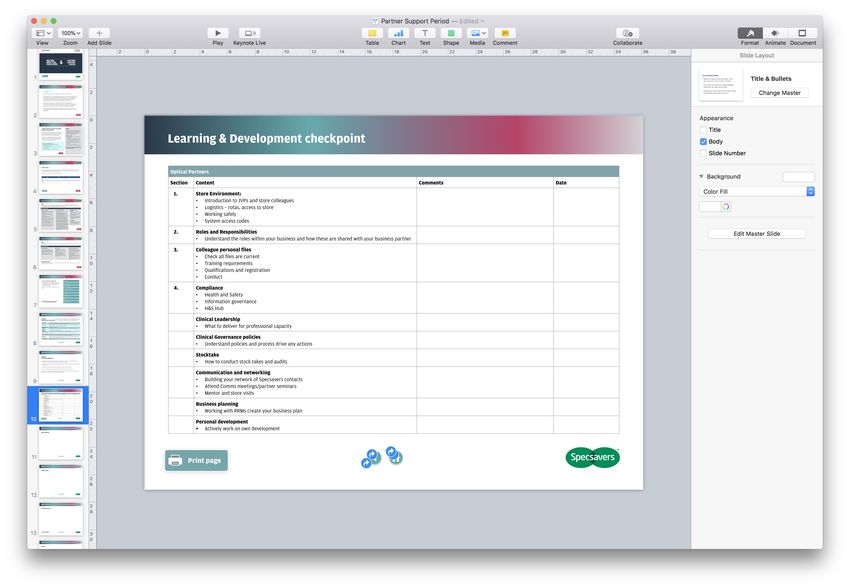
● W/E - Week endingLearning & Development checkpoint
Optical Partners
Section Content Comments Date
1. Store Environment:
• Introduction to JVPs and store colleagues
• Logistics – rotas, access to store
• Working safely
• System access codes
2. Roles and Responsibilities
• Understand the roles within your business and how these are shared with your business partner
3. Colleague personal files
• Check all files are current
• Training requirements
• Qualifications and registration
• Conduct
4. Compliance
• Health and Safety
• Information governance
• H&S Hub
Clinical Leadership
• What to deliver for professional capacity
Clinical Governance policies
• Understand policies and process drive any actions
Stocktake
• How to conduct stock takes and audits
Communication and networking
• Building your network of Specsavers contacts
• Attend Comms meetings/partner seminars
• Mentor and store visits
Business planning
• Working with RRMs create your business plan
Personal development
• Actively work on own development
Print pageYou can also read


