Home Learning Policy - Bannerman High School
←
→
Page content transcription
If your browser does not render page correctly, please read the page content below

Bannerman
High School

  Home
  Learning
  Policy
Bannerman High School

Home Learning Policy:

Our Home Learning Policy aims to outline the provision and supports in place for young people to
access whilst they are not attending school full time.

This document outlines the expectations for our young people during this time and provides
guidance on how all young people can access their learning from home.

From 11th August 2020 Bannerman will operate a mixed learning model combining both in-school
and at-home learning (online learning tasks, activities and homework). Our model for August 2020
ensures all of our young people attend school every day. Our home learning programme is hugely
important. It is part of every child’s school day and our expectation as a school is that all tasks
provided by teachers are completed.

For those pupils who do not have access to technology, paper copies and support will be provided
until the technology is provided. Young people in the Senior Phase (S4 –S6) should have a school
iPad by the end of September 2020. Young people in the BGE should have a school iPad by
December 2020.

Everyone, staff, pupils and families, has a part to play in Home Learning, to maximise success and
achievement. At Bannerman High School we have a team of highly committed staff who will go the
extra mile to ensure the best for your child. At this point, we ask you to join us in supporting your
child at home by ensuring they complete all work set. It is crucial we work together, so please
contact us should you or your child need any additional support. We don’t want any child to be left
behind on this journey.

All work completed will be part of the on-going continuous assessment of every young person S1-
S6. This evidence, along with classwork and teachers professional judgement, will contribute to
your child’s achievement and level of attainment. As young people are not in school for the whole
day, they must take responsibility and complete compulsory home learning. Homework will be set
and supported by their teachers to ensure they are not disadvantaged and they progress at an
appropriate pace for their age, stage and qualification levels. Online submissions as well as in
class learning will both be taken into consideration when assessing progress and assigning grades
and levels throughout the year.

                                           [Type here]                                             2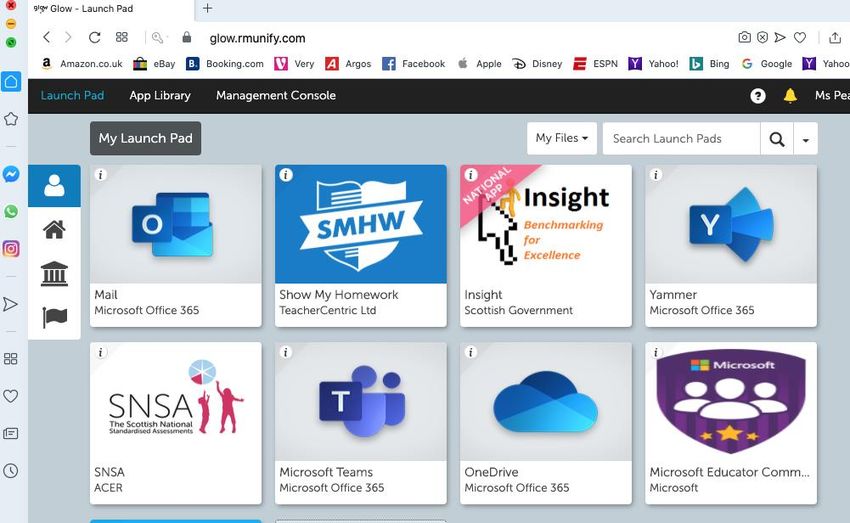
Bannerman High School
This Home Learning Policy will outline expectations and guidance for:
Young People
Parents/Carers
Teachers
By sharing this information, the hope is that we all understand the role each of us can play in every
child’s journey to success. By working together, we will be able to create a supportive team around
every child at Bannerman High School. This shared understanding and collaborative working will
enable us to create structure, consistency and maximise engagement in learning both at school
and at home.
This policy also provides details on the platforms that we will be using in order to provide our
Home Learning Programme.
The School Day
In order to ensure social distancing in classrooms and the wider school, we have had to restrict
the number of young people attending classes at any one time.
Our Model
S1-S3 BGE students will attend school every morning for 2 and half hours. They will be grouped in
classes of roughly 15 students.
S4-S6 Senior Phase students will attend school every afternoon for either 2.5hours or 3hours
20mins(2 days per week). They will be grouped in classes of roughly 15 students.
Timings of the School Day
S1-S3 BGE Block: 8.45am -11.15am.
S4-S6 SP Block: 12.40pm –4.00pm (Mon/Tues) 3.10pm (Wed/Thurs/Fri)
When not at school young people should be participating in their Home Learning Programme and
complete all tasks set.
Home learning will be in addition to homework.
[Type here] 3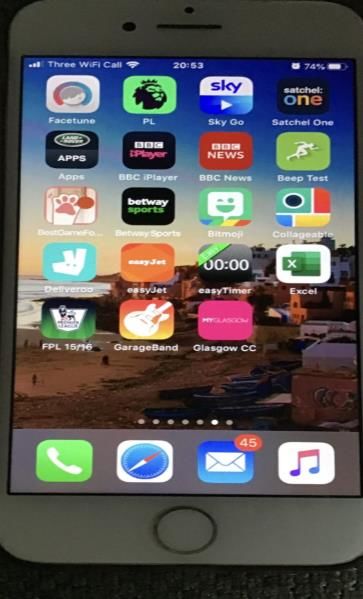
Bannerman High School

How Will Online Learning Be Shared?
In order to deliver online education we will be using three platforms:

   1.   Glow Launch Pad
   2.   Satchel:One
   3.   Microsoft Teams

For all 3 of these platforms the young person’s username and password is the same. It is the Glow
usernname and password they have been issued with at school. This can be reset if required.

Glow Launch Pad:

Any pupil can access their Glow Launch Pad by typing into their internet searchbar “sign in to glow”. Once
the have signed in using their glow username and password they will have access to their own individual
launchpad. This will show them an Satchel One tile, Microsoft Team tile and Outlook Email tile. This is
important as they can access all of their online learning through this method.

Satchel:One/ SMHW:

This is essentially an online homework diary. All pupils should already be logged on to Satchel:One. When
a homework or home learning task has been set, young people will be able to view their homework tasks,
see instructions for homework, completion set by their teachers and will be sent regular reminders and
notifications for deadlines. If a young person requires clarification of a task they can communicate with their
teacher in the comments section. Important announcements for pupils will also be shared on Satchel:One.
This will be used next sesion as Assemblies and Tutor time will not be possible.

Satchel:One can be accessed through Glow Launchpad or the Satchel:One app.

Parents and carers can log in to Satchel:One with a unique parent code. This will allow access to an
overview of your child’s asignments and help you to support and encourage them. If you need your pin
reset or re-issued please contact Ms Hart in the office.

Microsoft Teams:

Each pupil will be placed in a Microsoft Team for each of their classes. This is a virtual classroom which
gives them access to tasks, worksheets and resources shared by their teacher. In their Team they will have
an online notebook to record their work. This is private between the young person and their teacher and
keeps all their work together in one online space. In addition, it allows their teacher to mark work and
provide effective feedback and guidance for improvement on their notebook. An added feature is that each
teacher can communicate with the class as a whole or with individual young people regarding their work.
This can be accessed through Glow Launchpad or Microsoft Teams app.

Your child will be taught how to use all of these platforms in school.

                                                [Type here]                                                   4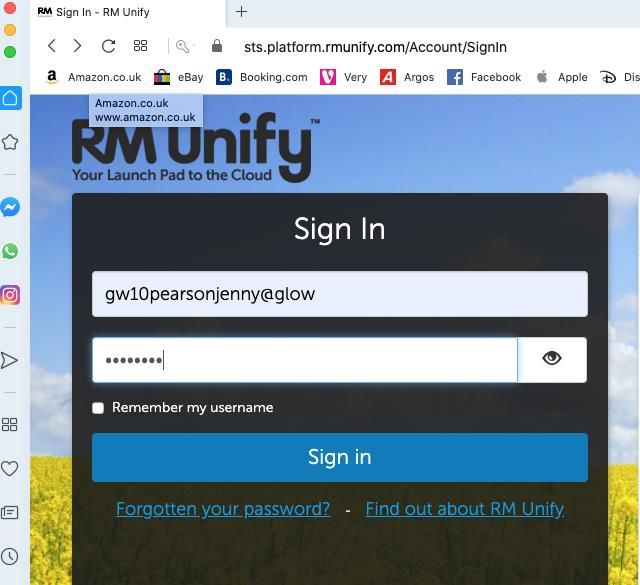
Bannerman High School
What We Expect From Our Pupils at Home:
Part of your school day will rely on you completing learning tasks at home set by your teachers.
For each subject you study in school the expectation per week will be as follows:
S1/2 1.5 hours per timetabled curricular area. English and Maths 2 hours
S3 2 hours per SQA National Subject
S4 3 hours per SQA National Subject
S5/6 4 hours Per SQA National/ Higher Subject
This home learning is part of your school experience. It is not optional.
Teachers will expect all home learning tasks to be completed and will contact home if they are not.
We will help you if you have barriers to completing work at home and you should always tell your
subject teacher or Pastoral Care teacher if you are having problems with home learning.
It is a good idea to establish a routine:
Set up a designated study space without distractions.
Ask someone at home to support you to make sure you can focus and get through work
within a reasonable time scale.
Use Satchel:One (SMHW) and create a personal planner to get organised.
Choose a regular time each day.
Several spaced-out sessions are best don’t leave everything to the last minute.
Seek help if there is anything you don’t understand, don’t know how to do or your
technology isn’t working.
[Type here] 5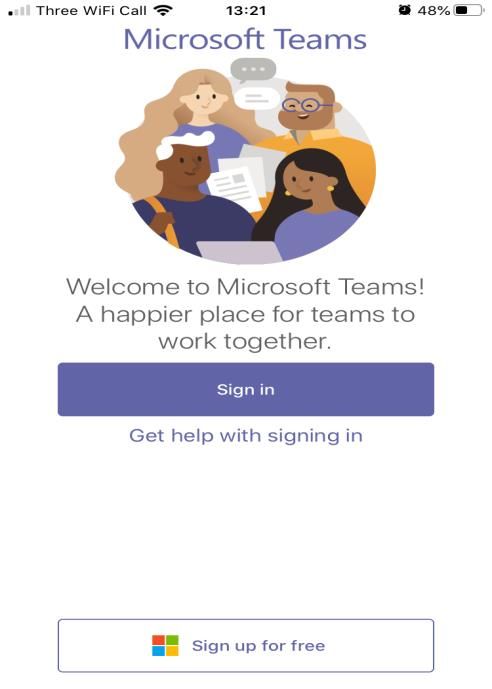
Bannerman High School
Families- What You Can Do to Support:
Families will play an important role in helping young people complete home learning tasks. Please
remember, you are not being asked to home school or teach your child but it is really important
that you monitor you child’s work to make sure they are keeping up to date with learning tasks at
home. Every task being set is important for their learning.
You can help in the following ways:
1. Download Sachel:One (SMHW) and have regular conversations about their homework and
learning.
2. Check your child is keeping up to date with their homework deadlines.
3. Look at their work, ask questions and encourage them to always produce their best.
4. Help by asking your child how they might do a task or find a solution to a problem, will be
of greater benefit than simply telling them what to do (or giving them the answer).
5. Help them find a good place to work at home. If your child is easily distracted, finding a
space that is quiet will be important. If they are distracted by phones or other gadgets, then
working out a plan to remove these while working would be a good idea.
6. Help your child devise a schedule for working. We know the challenges this will present for
many families, especially if there is no adult around during the day to supervise. The
expectations on the amount of homework should act as guide. It might suit your family to
complete home learning in the evening when adults are at home, rather than during the
day. Working out a home learning timetable and supporting your child to stick to it will be
one of the best things you can do to support.
7. Any concerns, please contact your child’s Pastoral Care Teacher or Year Head so support
can be provided. Never feel that your questions or concerns are not important. If they are
preventing your child from learning, then they are very important.
What if?
You don't know how to help your child with a piece of homework which is due in the next day?
encourage your child to contact friends
send a note or email to the class teacher with your child explaining the difficulty
don’t stay up till midnight worrying about it – we can sort it out together. Just let us know.
What if?
The homework is presenting problems but is due to be returned right away?
encourage your child to discuss it with friends
encourage him or her to ask the teacher about it
contact the subject teacher or Pastoral Care staff to seek help.
[Type here] 6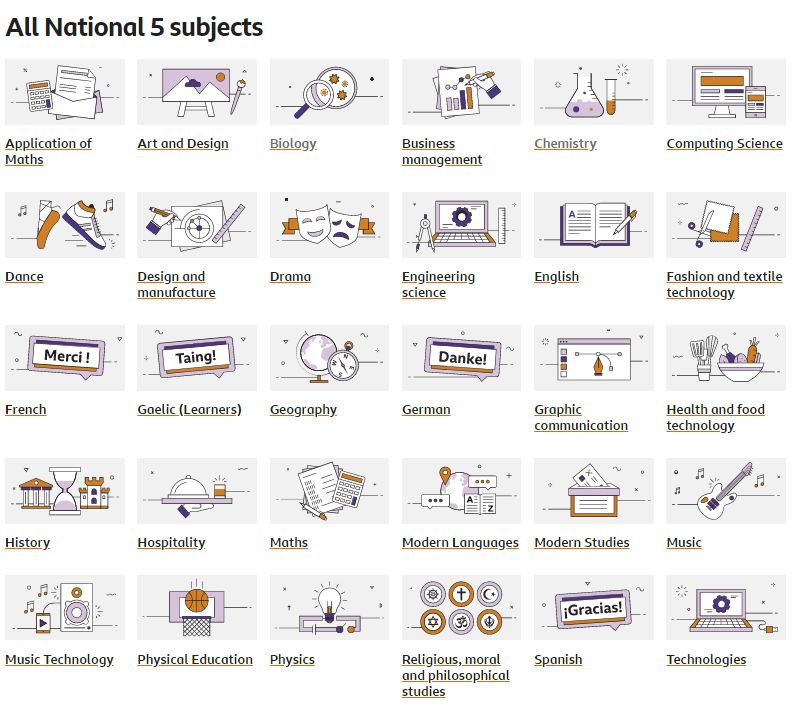
Bannerman High School
Information for Teachers:
Home Learning Content Guide per week (work to be completed at home):
S1/2 1.5 hours per timetabled curricular area. English and Maths 2 hours
S3 2 hours per SQA National Subject
S4 3 hours per SQA National Subject
S5/6 4 hours Per SQA National/ Higher Subject
Feedback (Marking schemes for self -marking tasks, marks, written, voice feedback)
Principal Teachers will lead departments on how this will be delivered to ensure consistency
across all classes within their subject.
If homework has not been handed in please alert your Principal Teacher so contact can be made
with home.
Methodology
The main platforms we will be using are outlined below:
Glow Launchpad
Satchel: One
Microsoft Teams
Glow Launchpad
Teachers can access Satchel: One, Microsoft Teams and school emails via the Glow Launchpad.
Teachers should regularly check their emails for submissions and homework enquiries from young
people, parents and carers.
Satchel: One
All homework, home learning assignments will be posted on Satchel: One with clear instructions of
how to complete the assignment. If a child fails to complete homework please notify your Principal
Teacher so that contact can be made with home.
[Type here] 7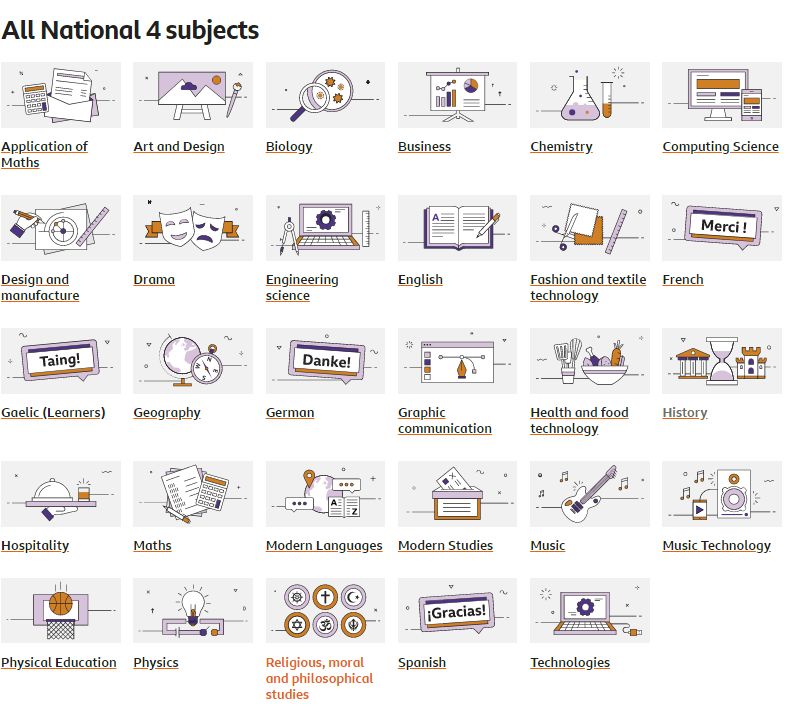
Bannerman High School
Microsoft Teams
Each class will have a Microsoft Team. Teachers should share all proformas, workbooks,
worksheets, videos, research, online texts and presentations on Microsoft Teams. Where classes
have multiple teachers all teachers should be co -owners of the team.
Where possible, pupils should be encouraged to use their class notebook in Microsoft Teams to
complete their homework.
When all pupils have iPads this will be the primary space we will be working from as their jotter
in school and at home.
Principal Teachers will lead discussions on how this can be utilised best for each subject area.
Additional Information
Check staff and department Teams daily
Check emails daily
See Bannerman Staff Team, Online CPD channel for support or speak with our in- house
Teams Peer Supporters
For other CLPL questions see Ms Pearson
[Type here] 8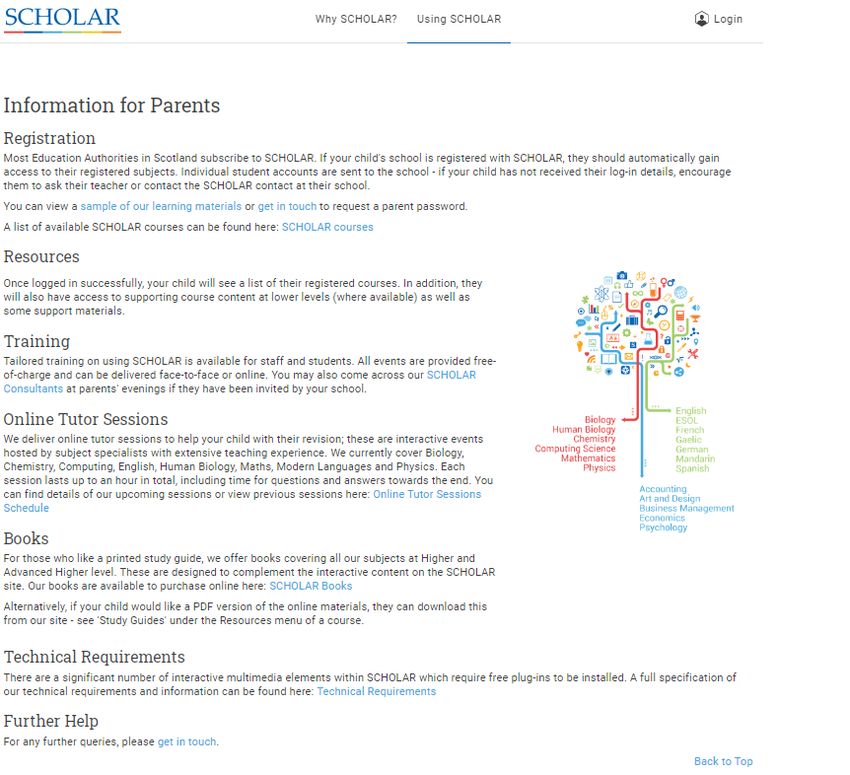
Bannerman High School
ICT Issues

Sachel:One (SMHW)

Ms Hart      gw17hartlinda@glow.ea.glasgow.sch.uk

Mrs Dickson    gw10dicksonlynn@@glow.ea.glasgow.sch.uk

Ms Pearson     gw10pearsonjenny@glow.ea.glasgow.sch.uk

Microsoft Teams:

Miss MacKenzie gw17mackenziecatriona@glow.ea.glasgow.sch.uk

Miss MacLeod gw16macleodgemma@glow.ea.glasgow.sch.uk

Miss Ali gw18aliaishah@glow.ea.glasgow.sch.uk

H McNish gw18mcnishhayley@glow.ea.glasgow.sch.uk

Mr Kelly gw15kellyross@glow.ea.glasgow.sch.uk

Mr McMenemy gw17mcmenemyelliot@glow.ea.glasgow.sch.uk

Mr Bristow gw18bristowbobby@glow.ea.glasgow.sch.uk

Glow:

S2:     gw13ohldagruth@glow.ea.glasgow.sch.uk

S3:       gw10pearsonjenny@glow.ea.glasgow.sch.uk

S4:       gw14mcconachieruth@glow.ea.glasgow.sch.uk

S5:        gw07colquhounstephen@glow.ea.glasgow.sch.uk

S1& S6: gw08kerrfiona8@glow.ea.glasgow.sch.uk

                                       [Type here]            9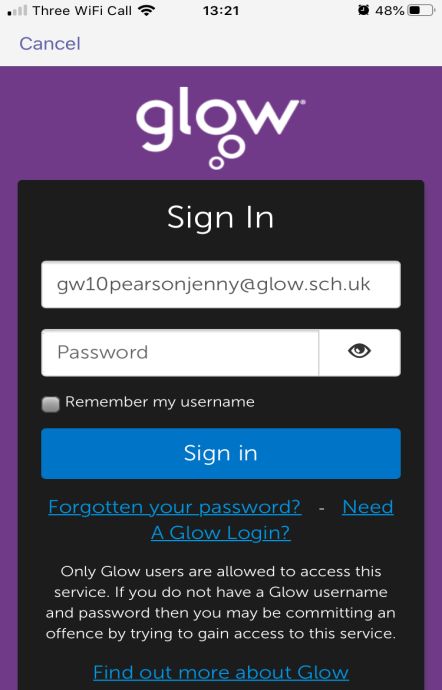
Bannerman High School
Pupil Support / Safeguarding

   If you are worried about anything at home, please contact your Pastoral Care Teacher or your
   Year Head:

Principal Teacher of Pastoral Care:
Burns:        gw10peopleslynn@glow.ea.glasgow.sch.uk
Livingstone : gw10pattisonnorman@glow.ea.glasgow.sch.uk
Mackintosh: gw10mortonlynsey@glow.ea.glasgow.sch.uk
              gw10reidgillian2@glow.ea.glasgow.sch.uk
Napier :      gw10gardinercolin@glow.ea.glasgow.sch.uk
Telford:      gw10heeneysheila@glow.ea.glasgow.sch.uk
Wallace:      gw08guileruth@glow.ea.glasgow.sch.uk

Head of Year:
S1 &6: gw08kerrfiona8@glow.ea.glasgow.sch.uk
S2:     gw13ohldagruth@glow.ea.glasgow.sch.uk
S3:     gw10pearsonjenny@glow.ea.glasgow.sch.uk
S4:     gw14mcconachieruth@glow.ea.glasgow.sch.uk
S5:     gw07colquhounstephen@glow.ea.glasgow.sch.uk

LCR:
Mr Statham:        gw10stathamrobert@glow.ea.glasgow.sch.uk

Child Protection Concerns:

DHT in charge of Child Protection:
Ms McConachie:            gw14mcconachieruth@glow.ea.glasgow.sch.uk
Head Teacher:             gw10blackseonaidh@glow.ea.glasgow.sch.uk

                                         [Type here]                                          10
Bannerman High School
Information for Parents and Carers
Homework will be issued to all young people via Satchel:One (SMHW)
Download Satchel:One (SMHW) and login using your unique parent code to see tasks
that have been assigned to your child. If you need this reissued please phone Ms Hart at
the Bannerman school office.
Family Assistance
• If you require additional help or assistance please see additional contacts sheet.
Additional Information
Bannerman Twitter feed
Satchel:One/ SMHW
Bannerman High School website
Check GLOW
[Type here] 11Bannerman High School
How to access Glow Launch Pad?
1. Type in
Glow
login to
your
internet
browser
bar
2. Click on
the first
option
“Glow-
Sign In-
RM Unify “
3.Type in glow
username and
password and press
the sign in button
[Type here] 12Bannerman High School
4.You are now in
your Glow
Launchpad. From
here you can
access your
emails, SMHW/
Satchel:One and
Teams. Click on
the tile and it will
take you straight
to what you want
access to.
5.If you have not added
the tiles already click
on the tile with “add” on
it and search for the
tiles you want to add.
[Type here] 13Bannerman High School
How to access Satchel:One via app on smart device
1. Download
Satchel:One
app (top right)
2. Select
Bannerman
High School
[Type here] 14Bannerman High School
3. Go to the very bottom of
the screen on your phone
and press the ‘Sign in with
RM Unify’ button.
4. Once you see the
below screen enter
your glow username 5.Once you press the sign in
and password. button that should be you
logged on to Satchel:One
(SMHW)
[Type here] 15Bannerman High School
How to access Microsoft Teams via app on smart device
1. Download
Microsoft
Teams
App
2. Press the
sign in
button
3.Login using your 4. You should now be
glow username and signed in to Microsoft
password Teams
[Type here] 16Bannerman High School
SUBJECT SPECIFIC RESOURCES - List of subjects and links to support
BGE – LEVEL 3 AND 4
https://www.bbc.co.uk/bitesize/levels/zvk2fg8
https://www.bbc.co.uk/bitesize/levels/zy4qn39
[Type here] 17Bannerman High School
NATIONAL 4 SUBJECT SPECIFIC RESOURCES
BBC BITESIZE https://www.bbc.co.uk/bitesize/levels/zp3d7ty
NATIONAL 5 SUBJECT SPECIFIC RESOURCES
BBC BITESIZE https://www.bbc.co.uk/bitesize/levels/z6gw2hv
[Type here] 18Bannerman High School
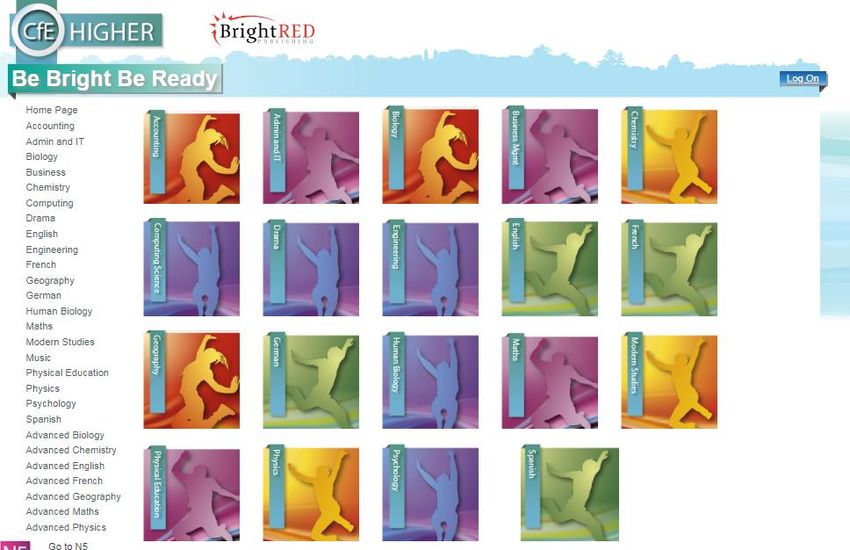
BRIGHT RED DIGITAL ZONE – Revision book website free to access Digital Zone (note you
need to register but once registered can access revision materials for all subjects.
National 5 resources https://www.brightredbooks.net/n5
Higher Resources
s
[Type here] 19Bannerman High School
[Type here] 20Bannerman High School
Further Online Revision Resources
MATHS
NATIONAL 4 - https://www.national5maths.co.uk/free-national-4-maths/
NATIONAL 5 - https://www.national5maths.co.uk/#tourstop
ENGLISH
Preferred revision website for English is Scholar
BIOLOGY
NATIONAL 4 - Nat 4 1 Cell division
https://youtu.be/5zoYDTsqViU
Nat 4 2 – DNA GENES AND CHROMOSOMES
https://youtu.be/obRVcBOr0zc
Nat 4 3 – THERAPEUTIC USE OF CELLS
https://youtu.be/IKxJpIlb0j4
Nat 4 4 - Properties of enzymes and their use in industry –
https://youtu.be/tM6jNttMaCw
Nat 4 5 Properties of micro-organisms and their uses in industry
https://youtu.be/9HOk8A-j4Es
NATIONAL 5 & HIGHER
Youtube channel - https://www.youtube.com/channel/UCsDviUaUZHs0zgUXbb3regQ
ORONSAY BIOLOGY(NATIONAL 5 AND HIGHER)
http://www.oronsay.org/Biology.htm
CHEMISTRY
Youtube channel – Nat 4/5 and Higher videos
https://www.youtube.com/channel/UCU32Og7N9VTUWL1qfJOPZxA/featured
TECHNICAL STUDIES
http://www.technologystudent.com/
https://www.bbc.com/education/subjects/zyfb87h
http://www.bannermanhigh.glasgow.sch.uk/
[Type here] 21Bannerman High School
Employability Team
Bannerman’s Employability Team are here to equip every young person from S1 - S6 with the skills
needed for the world of work. We are here to ensure a positive and sustained destination for all, be
that Further and Higher Education, Modern and Graduate Apprenticeships or employment. We also
organise college placements and Foundation Apprenticeships as part of the timetable in S4,5 &6.
Work Placements, industry tasters, CV writing, networking skills, interview skills, mock interviews and
more are all still available online. Young people should check Glow emails regularly to sign up for
these opportunities.
Any of the Employability team can be contacted by email to arrange an appointment to help with
individual needs for advice and support.
Mrs Mulholland - gw09mulhollandlesley@glow.sch.uk
Mrs Campbell - gw10campbellsusan@glow.sch.uk
Graeme Barrett - graeme.barrett@sds.co.uk
Claire Scott - claire.scott@sds.co.uk
Useful Links
https://www.wakelet.com/@Glasgowcitycouncil
Everything you need to know! A ‘one stop shop’ with links to career information, CV building, interview
skills, industry tasters, webinars, online Work Placements and all things employability.
https://www.ucas.com
Universities and Colleges admissions service. Also provide career help and advice.
Glasgow Colleges
https://www.cityofglasgowcollege.ac.uk
https://www.glasgowclyde.ac.uk
https://www.glasgowkelvin.ac.uk
Universities
https://www.gla.ac.uk
https://www.gcu.ac.uk
http://www.gsa.ac.uk
https://www.strath.ac.uk
https://www.rcs.ac.uk
Apprenticeships
https://www.glasgowguarantee.org
Create an account on here for instant access to a large number of permanent Glasgow vacancies and
Modern Apprenticeship opportunities.
https://www.apprenticeships.scot
Skill Development Scotland site with information on and help to apply for Foundation Apprenticeships,
Modern Apprenticeships and Graduate Apprenticeships, Scotland wide.
[Type here] 22Bannerman High School
Contacts
Young People
Organisation Main Contact Topic addressed
Samaritans Call free on 116 123 (Uk) Confidential support and
advice 24/7.
Email: jo@samaritans.org
Child Line Tel: 0800 1111 Get help and advice for a
wide range of issues and
www.childline.org.uk concerns, talk to a
counsellor on the phone.
Breathing Space Call free on 0800 83 85 87 Advice and support if you
need someone to talk to.
www.breathingspace.scot Their phone line is open
6pm -2am Mon – Thurs
6pm – 6am Fri - Mon
Beat Youthline: 0345634 7650 UKs leading charity
supporting Under 25’s with
www.b-eat.co.uk/ eating disorders, anorexia,
bulimia, EDNOS and any
other difficulties with food,
weight or shape.
Aye Mind www.ayemind.com Making a digital toolkit for
young people to boost their
ability to promote health
and wellbeing.
Young Scot Call 0808 801 0338 Range of information on a
varied of topics including
www.youngscot.org/ mental health
7 Cups of Tea www.7cupsoftea.com Online emotional health and
wellbeing service.
LGBT Youth Scotland Call us: 0131 555 3940 Text: Help for lesbian, gay,
07786 202 370 bisexual and transgender
young people.
https://www.lgbtyouth.org.uk/
Email :infor@lgbtyouth.org.uk
SAMH www.samh.org.uk/ Scottish Association for
Mental Health providing
information and support.
[Type here] 23Bannerman High School
See Me https://www.seemescotland.org/ Scotlands programme to
tackle mental health stigma
and discrimination.
TESS: text and email Text: 0780 047 2908 For girls and young women
support services affected by self- injury.
www.selfinjurysupport.org.uk
Children 1st https://www.children1st.org.uk/ Exists to prevent abuse and
neglect, to protect children
and keep them safe from
harm.
Parents and Carers
Organisation Main Contact Topics addressed
Samaritans Call free on 116 123 (Uk) Confidential support and advice 24/7.
Email: jo@samaritans.org
MIND https://www.mind.org.uk/ Provides advice and support for anyone
experiencing mental health difficulties.
Young Minds Parent helpline: 0808 802 5544 Free confidential online and telephone
support.
www.youngminds.org.uk
Parent Line Call: 08000 28 22 33 Scotland’s free helpline, email and web-
Scotland chat service, for anyone caring for or
Email: concerned about a child - open 9am-
parentslinescotland@children1st. 9pm Mon to Fri.
org.uk
GP Contact your GP at your local Speak to your GP if you are
Surgery worried about your or your child’s mental
health .
NHS Choices http://www.nhs.uk/conditions/stre Whether you're concerned about yourself
ss- anxiety- or a loved one, the helplines listed can
depression/pages/mental- health- offer expert advice
helplines.aspx
Social Care https://www.glasgow.gov.uk/articl Provide a variety of services which aim
Direct e/17272/Get- a-Social-Work- to:
Service
ensure the safety and protection of
Tel No: 0141 287 0555
vulnerable adults, young people and
[Type here] 24Bannerman High School
children
support individuals and families to
maintain
independence and to exercise choice
about the way they live their lives
Foodbanks
Glasgow NE https://glasgowne.foodbank.org.u
Foodbank k/
Calton 142 Helenvale Street Parkhead Bus Numbers 2, 61, 240, 255. Nearest
Parkhead Glasgow stop : Parkhead Cross
Parish Church G31 4NA
Bus Number 64 Bus stops outside the
church
Trinity Methodist 1104 Shettleston Road, Glasgow, Opens: Fri 14:00 - 16:00
Church, United Kingdom
G32 7PH
Shettleston
Blairtummock 45 Boyndie St, Easterhouse Opens: Thu 14:00 - 16:00
Community Hall Glasgow
G34 9JL
Sandyhills 28 Baillieston Road, Glasgow Opens: Thu 14:00 - 16:00
Parish Church G32 0QQ
SQA https://www.sqa.org.uk/sqa/7097 All information relating to SQA
2.html
THINK U www.thinkuknow.co.uk/profession The Online Child Protection
KNOW als/our-views/parents-helpsheets
Guide to keeping your child safe online
CEOPs
Action for Lisa Wilson Lisa is Bannerman’s Family support
Children practitioner. If you would like to discuss
Family Support Practitioner: any support please email.
Lisa.Wilson@actionforchildren.or
g.uk
[Type here] 25Bannerman High School
Staff
GP Contact your GP at your local Surgery Speak to your GP if you are
worried about your or your child’s
mental health .
NHS Choices http://www.nhs.uk/conditions/stress- Whether you're concerned about
anxiety- depression/pages/mental- yourself or a loved one, the
health-helplines.aspx helplines listed can offer expert
advice
E.I.S https://www.eis.org.uk/ Advice on a variety of issues
including:
Mr Gardiner
https://www.eis.org.uk/Health-
And-Safety/Coronavirus
NASUWT https://www.nasuwt.org.uk/ https://www.nasuwt.org.uk/article-
listing/statement-by-the-nasuwt-
Mr Reynolds on- covid-19-and-schools.html
SSTA https://ssta.org.uk https://ssta.org.uk/covid-19-ssta-
advice-to-members/
Mr Jones
[Type here] 26Bannerman High School
Pupil Support
Staff Member Overall Responsibility Email
Ms Black Head Teacher gw10blackseonaidh@glow.ea.glasgow.sch.uk
Ms Kerr DHT gw08kerrfiona8@glow.ea.glasgow.sch.uk
Head of Year for S1
& S6
Ms Ohldag DHT gw13ohldagruth@glow.ea.glasgow.sch.uk
Head of Year for S2
Ms Pearson DHT gw10pearsonjenny@glow.ea.glasgow.sch.uk
Head of Year for S3
Ms McConachie DHT gw14mcconachieruth@glow.ea.glasgow.sch.uk
Head of Year for S4
Mr Colquhoun DHT gw07colquhounstephen@glow.ea.glasgow.sch.uk
Head of Year for S5
PTPC gw10peopleslynn@glow.ea.glasgow.sch.uk
Ms Peoples Burns
Mr Pattison PTPC gw10pattisonnorman@glow.ea.glasgow.sch.uk
Livingstone
Mrs Morton PTPC gw10mortonlynsey@glow.ea.glasgow.sch.uk
Mackintosh
Miss Reid gw10reidgillian2@glow.ea.glasgow.sch.uk
Mr Gardiner PTPC gw10gardinercolin@glow.ea.glasgow.sch.uk
Napier
Ms Heeney PTPC gw10heeneysheila@glow.ea.glasgow.sch.uk
Telford
Mrs Guile PTPC gw08guileruth@glow.ea.glasgow.sch.uk
Wallace
Mr Statham PT in Charge of LCR gw10stathamrobert@glow.ea.glasgow.sch.uk
Ms Kerr DHT in charge of gw08kerrfiona8@glow.ea.glasgow.sch.uk
Additional Support
Needs
Action for Children Lisa.Wilson@actionforchildren.org.uk
Ms Lisa Wilson Bannerman Family
Support Practitioner
[Type here] 27Bannerman High School
Help Guides / Additional Information
The following are links to particular sites relating to home learning:
Glow- https://glowconnect.org.uk/about-glow/
Teams - https://glowconnect.org.uk/teams-in-glow/
Show My Homework/ Satchel:One - Parent and pupil guides can be
found on the school website with link direct to the site if you click on this
SMHW badge:
If you have not got your glow username and password please speak with
relevant Year Head, PTPC , Ms Hart, ICT Teacher, or Mrs Dickson and
they will re-set it for you.
Twitter - @BannermanHigh
Microsoft Teams https://www.microsoft.com/en-us/education/remote-
learning
Glow groups https://glowconnect.org.uk/contingency-planning/
Guide to Online Safety – Keep your child safe online:
www.thinkuknow.co.uk/professionals/our-views/parents-helpsheets/
[Type here] 28You can also read


