Integrating MBSE with
Digital Mission Engineering

Aerospace and Defense
←
→
Page content transcription
If your browser does not render page correctly, please read the page content below

Integrating MBSE with Digital Mission Engineering Aerospace and Defense

Digital Mission Engineering (DME) Accelerates Capability Delivery

                                                          Continuing mission-focused performance
                                                          assessment throughout the lifecycle using
                                                          a common mission model reduces rework
                                                          and improves stakeholder communication

Accomplishing mission-focused
performance assessment early in the
lifecycle reduces delivery time and cost

                                           ©2021 ANSYS, Inc.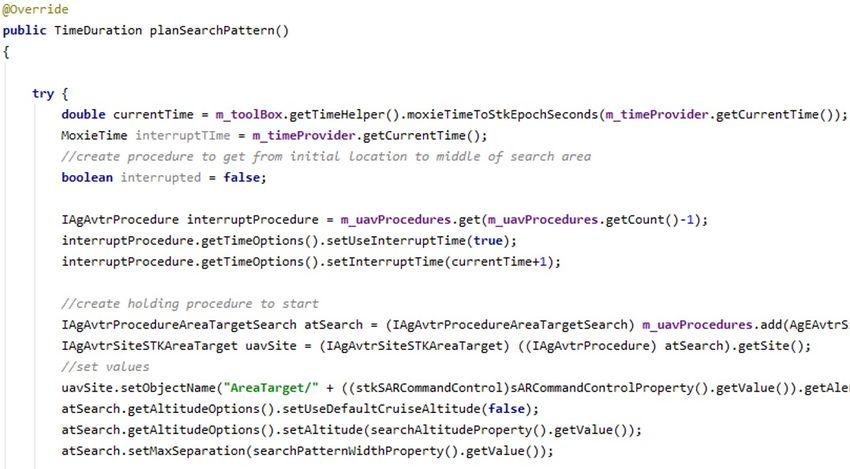
Connect SysML to Digital Mission Engineering

                                                                                                     Mission Simulation Tools
        SysML Authoring Tools
            (e.g., Cameo)                   Simulate the impact SysML-defined behaviors have on
                                                           mission performance
                           Behavior
4 pillars of SysML

                           Structure
                                                     Perform trade studies on system behaviors
                         Parametrics

                        Requirements
                                                          ModelCenter MBSE                           Human-in-the-loop simulations
                                            Run trade studies on the impact SysML-defined physical       Custom simulations
                                                  characteristics have on mission performance                Other tools
                     Architectural Models
                                                                                                          Analytical Models

                                                                   ©2021 ANSYS, Inc.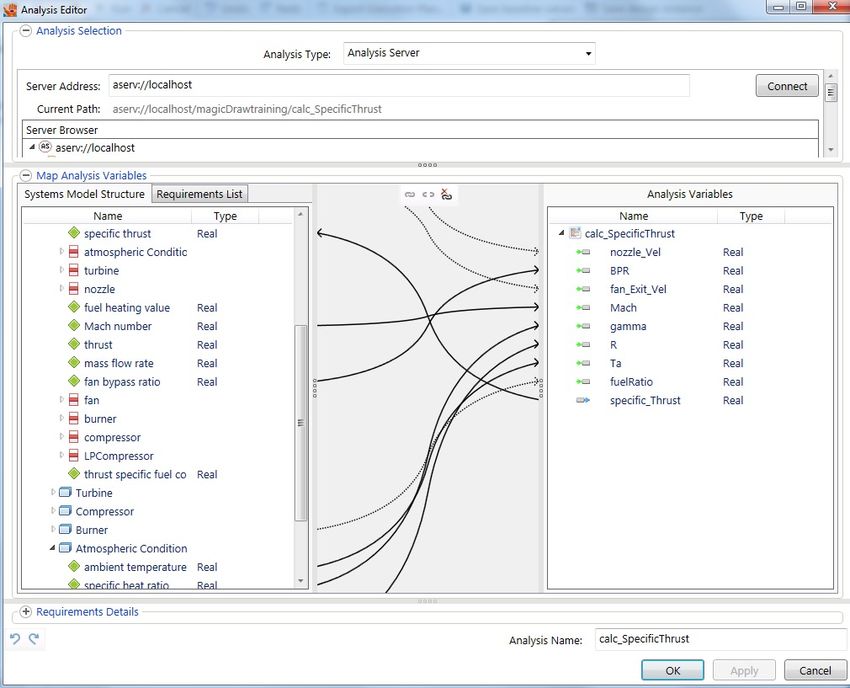
Simulate Behaviors with Moxie
System Engineer view of a                           Behind the scenes view of Moxie simulating the
state machine in a SysML                                       signalDetected transition
      authoring tool

                                                                    Moxie specifies the
   Searching for Target         Searching for Target
                                                                 simulation tool code that
                                                                       will assess the
                                                                 signalDetected condition,
                                           No
                                                                then coordinates execution
               signalDetected                                    of the simulation tool(s).
                                           Yes

                                                                 Moxie informs the SysML        Simulation tools such as STK
      Tracking Target             Tracking Target                 if the signalDetected         assess if the signalDetected
                                                                 condition was satisfied.        condition is satisfied using
                                                                                                 precise event-based timing

                                                       ©2021 ANSYS, Inc.
Run Trade Studies with ModelCenter MBSE

        MBSE Value Properties

                                                    Analytical Model Parameters

                                ©2021 ANSYS, Inc.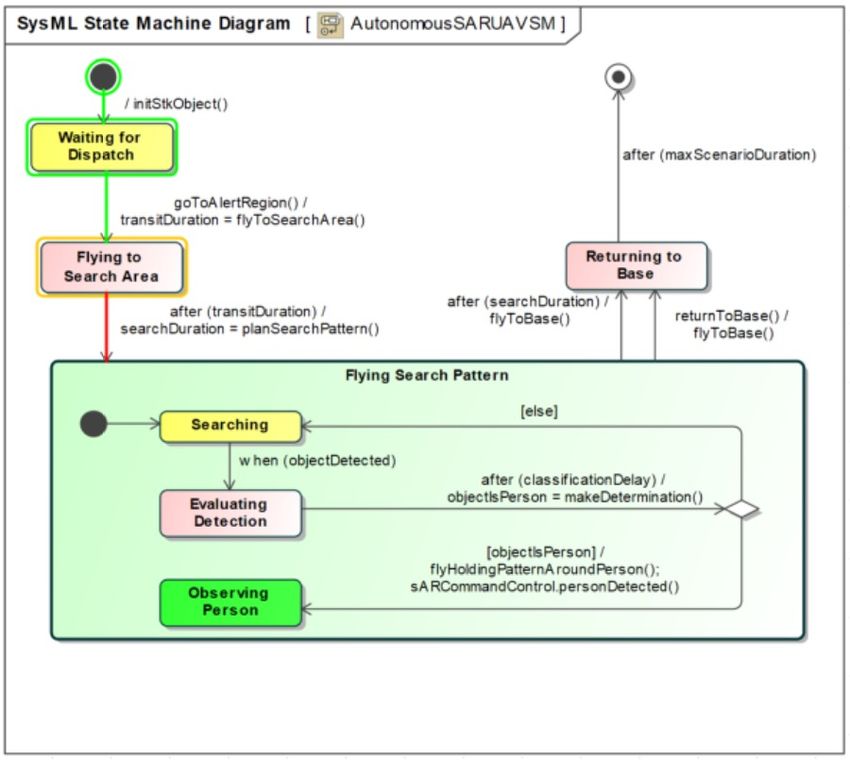
Example Use Case: Communications Satellite Design
        SysML Authoring Tools                                                                  Moxie facilitates simulation of the SysML-defined behavioral
            (e.g., Cameo)                                                                      characteristics of the satellite system relative to the Design
                                                                                               Reference Mission requirements modeled in STK and other
                         Behavior                                                              tools.
4 pillars of SysML

                         Structure                                                             For example, are the satellite’s data caching behaviors adequate
                                                                                               to handle communication degrade scenarios that evolve during
                                                                          Moxie
                        Parametrics                             Behavioral simulation          the course of a particular mission scenario?

                       Requirements
                                                      ModelCenter MBSE
                                                          Trade studies

                     ModelCenter facilitates trade studies on the SysML-defined
                     physical characteristics of the satellite system relative to Design
                     Reference Mission requirements modeled in STK and other tools.

                     For example, is the gain pattern provided by a particular antenna
                     design adequate to satisfy communication relay requirements in
                     particular mission scenarios?                                                               Design Reference Mission (DRM)
                                                                                                                  modeled in tools such as STK

                                                                                  ©2021 ANSYS, Inc.
Integrate Ansys MBSE Tools with Other Data, Tools, and Workflows
   • Multiple integration approaches exist to support any digital engineering environment
ModelCenter’s black box approach enables                                                        The Minerva SPDM tool provides a single
 integration of disparate tools into common                                                        ASoT for mission engineering data,
workflows (e.g., costing, meshes, PLM/PDM)                                                        optimizes simulation workflows, and
                                                                                               connects to the broader digital engineering
                                                                                                               ecosystem

                                       TETK automates import of data from external sources,
                                         allowing your STK-based MBSE/DME analysis to be
                                       enhanced with data generated by your broader Test &
                                         Evaluation environment (e.g., SIL, HIL, range data)

                                                           ©2021 ANSYS, Inc.
Additional Information

8
MBT&E Architecture
                                                           Fusion environment for SUT V&V

          SysML authoring                             Mission & physics            T&E tools              T&E data
                              SysML trade
              tools                                   simulation tools
                                 study,                                        Test planning, data      HIL, SIL, range,
           Architectural    optimization, and                                    ingestion, data       instrumentation,
                                                         Analytical
                               simulation                                         management,                 etc
              models         execution tools              models
                                                                                     analysis

                                                    Common mission model allowing synchronous
                                                    analysis of virtual (SysML) and physical systems

                                        Simulation Process and Data Management (SPDM)

  Optional
 enterprise
connectivity
                                                          Digital Backbone

                                                      PLM, ALM, ERP, etc

                                                       ©2021 ANSYS, Inc.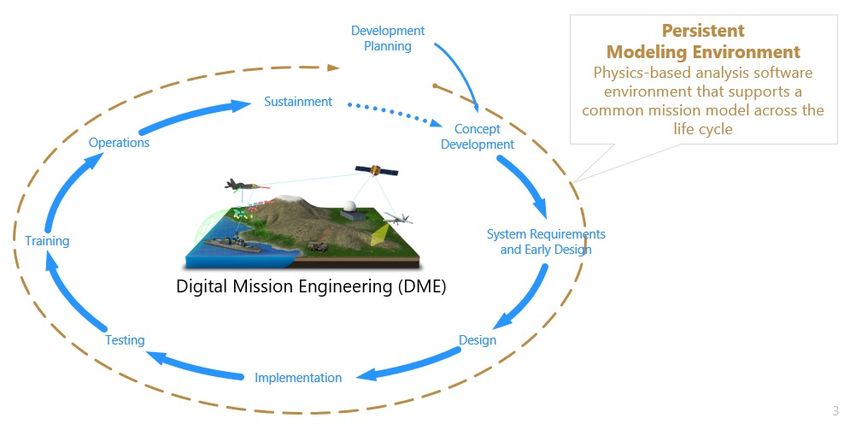
MBT&E Tools
                                                                                                             TETK offers the ability to
                                                                                 Flat files generated by    import data from external
                                                                                 custom delegate code          sources into the STK
                                                                                                             analysis environment so
                                                                                                              your full MBSE and T&E
SysML Authoring Tools                                 Mission Simulation Tools                             ecosystems can be analyzed
    (e.g., Cameo)                                                                                                 synchronously
                                                                                 TETK Data Importer
     Behavior

    Structure                                                                     Data ingestion and
                                                                                                                    Flat files generated by
                           Perform trade studies on                                                                     HIL, SIL, range,
                                                                                     analysis, spec
                               system behaviors                                                                      instrumentation, etc
   Parametrics                                                                     assessment, DRM
                                                                                 achievement analysis

  Requirements
                           ModelCenter MBSE                                                                  TETK offers unique data
                                                          Custom simulations                                    organization and
                                                              Other tools                                   visualization capabilities,
   Existing Interfaces                                                           Flat files generated by         allowing system
                                                                                    non-Ansys tools
                                                                                                            performance variations to
 Program-Centric Custom                                                                                      be assessed quickly and
   Interfaces (Optional)
                                                                                                                     intuitively

                                                         ©2021 ANSYS, Inc.
Tune Tour Digital Twin with Physical System Data
SysML
ModelCenter &
Common mission model
allowing detailed comparison of
virtual vs. physical performance
Data from SIL, HIL,
https://www.boeing.com/features/innovation-quarterly/may2017/feature-technical-model-based-engineering.page instrumentation,
range, etc
©2021 ANSYS, Inc.Steps to Integrate SysML Behaviors with STK via Moxie
Model your System
with SysML
Use your SysML modeling Autogenerate Moxie Code
tool (e.g., Cameo) to create Use Moxie’s Java code generator to
structures and behaviors export interfaces and/or classes Connect to STK
that model the system you representing the SysML blocks in Populate the Java method stubs with
want to simulate your system. Each interface or class STK Object Model code to specify which
includes stubs for properties and STK algorithms will execute on which
operations, along with a mapping to STK objects during your SysML state Simulate and Analyze
its corresponding SysML block. machine transitions. Your Object Model Use your SysML modeling tool’s
code can connect to an existing STK interface to start, pause, and debug
scenario or generate a new scenario. Moxie’s execution of your state
machines in the STK mission
environment. Analyze and validate
Iterate to increase the your system’s performance using
fidelity of your simulation STK’s capabilities synchronized with
state machine visuals and Moxie logs.
©2021 ANSYS, Inc.Key Value Points for Moxie
• Mature and validate system behaviors • Execute your SysML behavioral models
using your SysML architectures instead in a physics-based mission
of a physical system environment
• Reduce cost and development time by • Connect your authoritative source of
achieving system performance insights design truth (MBSE architectures) to
earlier in the life cycle Avoid your system’s targeted operational
Test more environment
expensive
completely • Explore system performance in new
rework and emerging mission scenarios
• Improve analysis speed and • Systems engineers can execute
Use your
accuracy, since Moxie coordinates Test more implemented Moxie workflows using
existing SysML tools (e.g., Cameo) that they’re
time across all objects in the efficiently
mission simulation using precise SysML tools already familiar with.
simulation tool timing • Your team can focus on system
• Inject custom code into your SysML modeling rather than creating physics
state machine transitions algorithms and numerical integration
to customize analysis fidelity based schemes to represent the mission
on your objectives environment
©2021 ANSYS, Inc.You can also read


