Karl Koscher - @supersat Eric Butler - @codebutler Writing, building, loading, and using code on SIM Cards.
←
→
Page content transcription
If your browser does not render page correctly, please read the page content below
Karl Koscher – @supersat
Eric Butler – @codebutler

Writing, building, loading, and using code on SIM Cards.
Toorcamp 2012!
Hacker camp on WA coast
Project: Run a GSM network.
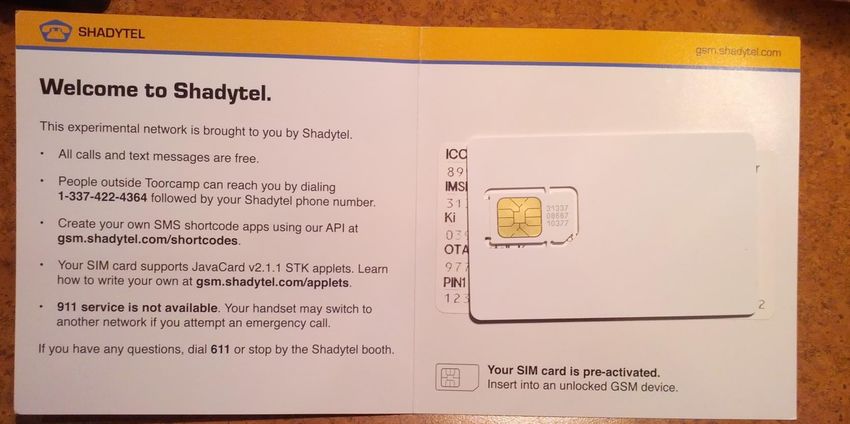
My task: Procure SIM Cards.
2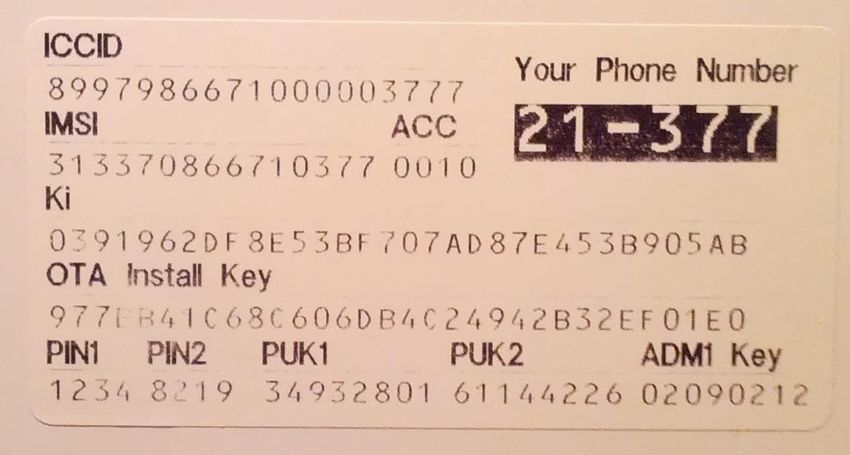
“Subscriber Identity Module”
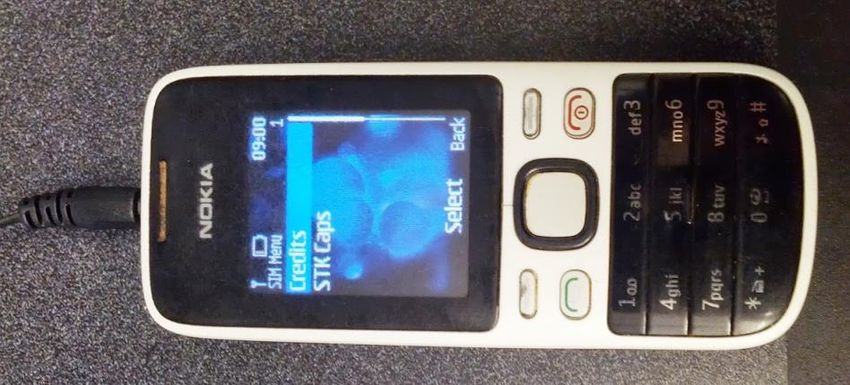
Contains an identity (IMSI)
and symmetric key (Ki).
“Secure” (key can’t be
extracted; can’t be cloned)
Used by GSM carriers and now
LTE (Verizon)
Can also run apps?!
3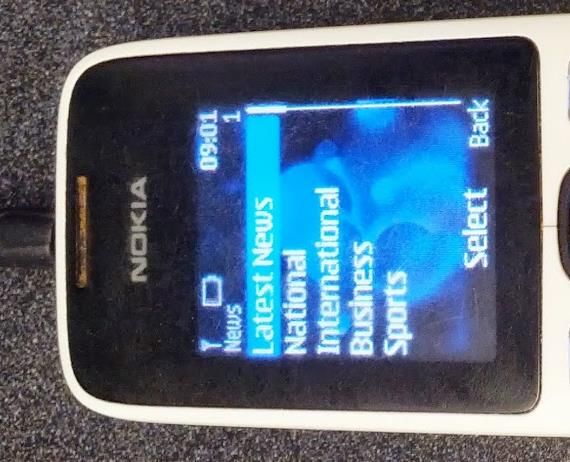
Long ago…
Applications live on your SIM card.
Phones are dumb hosts – UI and connectivity only.
Telcos own the SIMs, so they control the
applications.
Mostly obsolete today?
4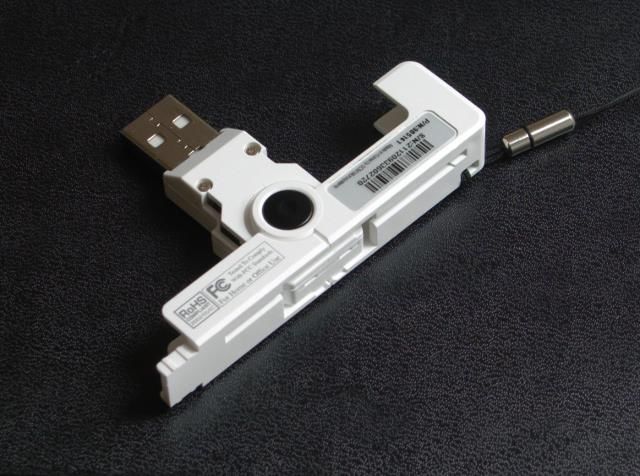
Still around decade later, mostly unchanged.

                                               5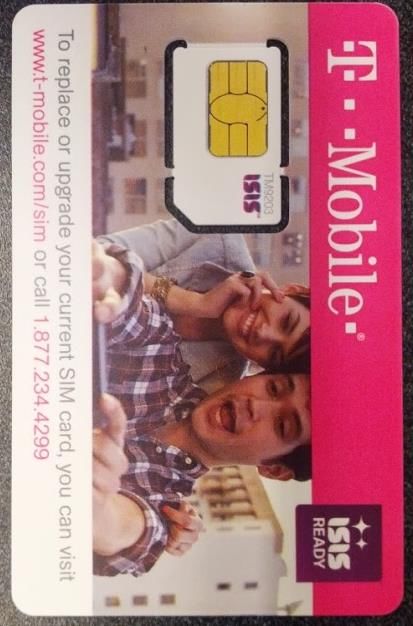
SIM Cards are mysterious little computers in
    your pocket that you don’t control.

                                               6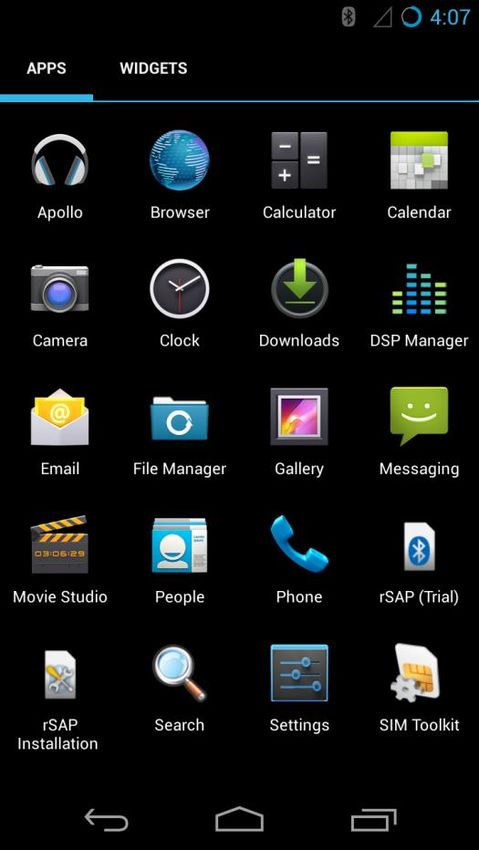
Needed SIMs for Toorcamp anyway, why not
get SIMs that supported apps?
This ended up taking many months.
Very little documentation about all this.
After lots of research, finally figured out how
to program the *#$!ing things.
Learn from our misery.
7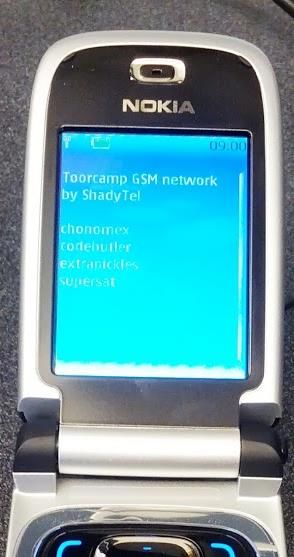
Chip Field                     Description
Generic Description            64K JavaCard 2.1.1 WIB1.3 USIM
Platform                       Atmel AT90SC25672RU
CPU Architecture               8-bit AVR
Technology                     0.15uM CMOS
ROM                            256KB ROM Program Memory
Non-volatile memory            72 KB EEPROM
RAM                            6 KB
Internal operating frequency   Between 20 & 30 MHz
Endurance                      Typically 500 000 write/erase cycles

                                                                      8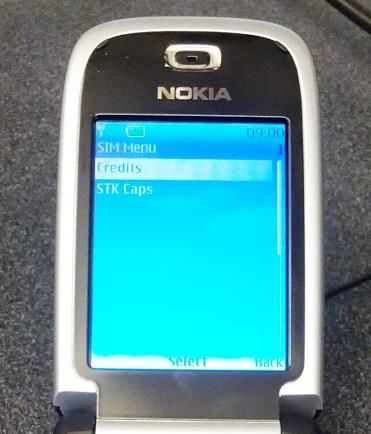
9

Runs on SIM card CPU, separate from phone.
Connected directly to baseband.
Can be silently remotely installed (by carrier).
Supported by most carrier SIMs.
Cards support multiple apps, selected by AIDs
Apps managed by a “master” card manager app
GSM “SIM” is actually just an applet on a UICC
(the physical card).
10 Rudimentary UI – display text, menus, play tones, read
input.
Works with most modern smartphones.
Dumbphones too.
Launch URLs.
Send SMSes, initiate calls, initiate and use data services.
Receive and act on events, such as call connected, call
disconnected, etc.
Interact with the rest of the SIM card.
Run arbitrary AT commands on the phone.
11 Not very common in US
But used widely in the developing world
Mobile banking, etc.
12 Smart Cards – Physical connection between SIM
and phone, same as any smart card.
Java Card – Java for Smart Cards. Easiest way to
write applets.
SIM Toolkit (STK) API – Interface between
applets and phone UI.
GlobalPlatform – Standard for loading and
managing applications on a card.
13 Designed for secure storage and computation
Communication is via packets called APDUs
Optional
Command Dependent
Class Instruction Param 1 Param 2 Data Length
MSB LSB Length Expected
14 It’s Java!
… not really.
No garbage collection.
No chars, no strings, no floats,
no multi-dimensional arrays.
ints are optional.
No standard API, no threads, etc.
Verification can be offloaded.
But there are Exceptions!
Instance and class variables are
saved in EEPROM, which has
limited write cycles.
15 There are specialized commercial IDEs for
this, but you can do without.
Download the Java Card Development Kit
from Oracle (it’s free).
If you’re using Eclipse, remove the JRE
system library and add the Java Card library
We also wrote tools to make things easier
16 App is loaded onto the card.
App registers itself with the SIM Toolkit API.
Phone informs STK of its capabilities.
STK informs the phone about registered apps.
Selection of an app will trigger an event to be
delivered to the app.
App can then send UI requests back to phone.
1718
19
public class CryptoChallenge extends Applet implements
    ToolkitConstants, ToolkitInterface {

   private byte hintsGiven;
   private byte mainMenuItem;

   private static byte[] menuItemText = new byte[] {
       'C', 'r','e', 'd', 'i', 't', 's' };
   private static byte[] needHints = new byte[] {
       'N', 'e', 'e', 'd', ' ', 's', 'o', 'm', 'e', ' ',
       'h', 'i', 'n', 't', 's', '?'};
   private static byte[] yes = new byte[] { 'Y', 'e', 's' };
   private static byte[] no = new byte[] { 'N', 'o' };
   private static byte[] hints = new byte[] {
                                      'H', 'i', 'n', 't', 's' };

                                                                   20
private CryptoChallenge() {
hintsGiven = 0;
ToolkitRegistry reg = ToolkitRegistry.getEntry();
mainMenuItem = reg.initMenuEntry(menuItemText, (short)0,
(short)menuItemText.length, PRO_CMD_SELECT_ITEM, false,
(byte)0, (short)0);
}
public static void install(byte[] bArray, short bOffset,
byte bLength) {
CryptoChallenge applet = new CryptoChallenge();
applet.register();
}
21public void processToolkit(byte event) throws ToolkitException {
EnvelopeHandler envHdlr = EnvelopeHandler.getTheHandler();
if (event == EVENT_MENU_SELECTION) {
byte selectedItemId = envHdlr.getItemIdentifier();
if (selectedItemId == mainMenuItem) {
ProactiveHandler proHdlr =
ProactiveHandler.getTheHandler();
if (hintsGiven == 0) {
proHdlr.initDisplayText((byte)0, DCS_8_BIT_DATA,
credits, (short)0, (short)(credits.length));
proHdlr.send();
hintsGiven = (byte)0x80;
return;
}
22proHdlr.init(PRO_CMD_SELECT_ITEM, (byte)0x00,
(byte)ToolkitConstants.DEV_ID_ME);
proHdlr.appendTLV((byte)TAG_ALPHA_IDENTIFIER, needHints,
(short)0x0000, (short)needHints.length);
proHdlr.appendTLV((byte)TAG_ITEM, (byte)1, yes, (short)0x0000,
(short)yes.length);
proHdlr.appendTLV((byte)TAG_ITEM, (byte)2, no, (short)0x0000,
(short)no.length);
proHdlr.send();
ProactiveResponseHandler rspHdlr =
ProactiveResponseHandler.getTheHandler();
byte selItemId = rspHdlr.getItemIdentifier();
if (selItemId == 2) { // No
proHdlr.initDisplayText((byte)0, DCS_8_BIT_DATA, credits,
(short)0, (short)(credits.length));
proHdlr.send();
} 23public void process(APDU apdu) throws ISOException {
// ignore the applet select command dispached to the process
if (selectingApplet())
return;
byte[] buffer = apdu.getBuffer();
if (buffer[ISO7816.OFFSET_CLA] != (byte)0x80)
ISOException.throwIt(ISO7816.SW_CLA_NOT_SUPPORTED);
if (buffer[ISO7816.OFFSET_INS] == 0x61) {
buffer[0] = hintsGiven;
apdu.setOutgoingAndSend((short)0, (short)1);
return;
}
ISOException.throwIt(ISO7816.SW_INS_NOT_SUPPORTED);
}
24 You must target Java 1.1 bytecode! 1.3 source
code compatibility is okay.
$ javac -cp javacard/lib/api21.jar \
-target 1.1 \
-source 1.3 \
HelloApplet.java
25 After you have your .class files, you need to
convert them to Java Card bytecode.
Use the converter tool in the SDK
Need to specify application ID (more on this in a
minute), API export directory, etc.
java -jar javacard/bin/converter.jar \
-exportpath javacard/api21_export_files \
-applet 0xde:0xfc:0x09:0x20:0x13:0x01 \
com.example.HelloCard.HelloApplet \
com.example.HelloCard 0xde:0xfc:0x09:0x20:0x13 1.0
26 We also have Makefiles for your convenience!
http://simhacks.github.io
Converter outputs a CAP file, which is a ZIP
archive of CAP components (JavaCard
bytecode).
27 Two types of readers:
PCSC (PC/Smartcard API)
Serial
Doesn’t really matter, but
PCSC will be more flexible.
All readers are the same, so
get a cheap one.
I like the SCR3500 because it
folds up ($8 on ebay).
28 Had an applet ready to go, couldn’t get it
loaded!
Tried using popular GPShell tool, no success.
SIM vendor had recommended software
Was no longer available anywhere.
They wanted $600 (and they don’t even own it…)
2930
A standard for loading and managing apps on
Java Cards.
Defines the card manager app.
Protocols and commands used.
Authentication and encryption.
Also deals with off-card responsibilities.
e.g. issuer needs to verify applet binaries.
31 All apps are loaded and authorized by the
Issuer Security Domain – in practice this
means that you can’t load apps onto a card
you didn’t issue yourself :(
… or maybe you can – see Karsten Nohl’s work!
On pure GlobalPlatform cards, the ISD is the
default app on pre-personalized cards
Accessing it on our SIM cards is a lot harder
32 Installing an app is a two-step process:
Load the binary (LOAD)
Instantiate the app (INSTALL)
Loading an app first requires authorization through the
INSTALL for LOAD command
The individual CAP components are concatenated
together and sent in blocks with LOAD
There are THREE AIDs involved:
Application AID – associated with the load file
Module AID – associated with the main class
Instance AID – used to select a particular instance
33 The only way to talk to the SIM’s ISD is through
the over-the-air update mechanism
i.e. SMS packets
We don’t have to actually send SMSes, but we
need to generate commands to the card with
SMS packets
34 CAT ENVELOPE (A0 C2)
SMS-PP Download (D1)
▪ Device Identities
▪ SMS-TPDU (GSM 03.40)
▪ Header
▪ User Data
Header
Command Packet
Header (Security parameters, app selection)
Uses a 3 byte TAR ID
Holy shit powerpoint supports this much nesting
This is the actual limit
APDU
35 In case you missed it, you can use this exact
mechanism to remotely send APDUs to a SIM
card(!!!)
Cell broadcast can also be used
Normally you need to authenticate to do this
Karsten Nohl: Many errors come back with crypto,
which can be used to brute-force the DES key
36 Python
Works on OSX, Linux, Windows
Load:
$ shadysim.py \
--pcsc \
-l CryptoChallenge.cap
37 Install:
$ shadysim.py \
--pcsc \
-i CryptoChallenge.cap \
--module-aid d07002ca4490cc01 \
--instance-aid d07002ca4490cc0101 \
--enable-sim-toolkit \
--max-menu-entries 1 \
--max-menu-entry-text 10 \
--nonvolatile-memory-required 0100 \
--volatile-memory-for-install 0100
38 List apps (not instances):
$ shadysim.py \
--pcsc \
-t
3940
Turn off phone
Take out SIM card (and often battery too).
Put SIM card into reader.
Load new code.
Take SIM card out of reader.
Place back into phone (and replace battery).
Wait for phone to boot.
See if code works.
41 Can we do any better?
42 SEEK: Open-source Android
SDK for smart cards.
Includes patches to Android
emulator for SIM access using
USB PCSC reader!
Avoid hassle of swapping SIM
between computer and
phone.
43 Most radio interfaces don’t provide
support for this.
Remote SIM Access Protocol may
provide solution.
Reverse-engineered protocol/auth scheme.
Need to write app that sends/receives
APDUs.
44 STK apps are pretty limited, but there is
potential for awesomeness
SIM card botnet?
Integrating Android apps with SIM applets
SSH private keys secured on your SIM?
Secure BitCoin transactions?
What else?
▪ Of course, we need carriers to get on board
Android app for OTA installs?
45 SWP: Single Wire Protocol
Direct connection between SIM card
and NFC controller.
SIM Card acts as “secure element”.
Used by ISIS (mobile payment system from
telcos/banks)
Attempt by carriers to regain control lost from
app stores.
46 Chip inside most android phones
today.
Typically part of the NFC controller
Same technology as SIM cards.
Used by Google Wallet.
More info at:
http://nelenkov.blogspot.com/2012/08/accessing-embedded-secure-element-in.html 47 We’ve made it easy to get started. Few hardware requirements (
Please contact us with any questions.
Karl Koscher – @supersat
Eric Butler – @codebutler
49You can also read


