MOBILE - ASSEMBLE THE RIGHT PIECES SOFTWARE SOLUTIONS FOR SALES SUPPORT
←
→
Page content transcription
If your browser does not render page correctly, please read the page content below
Mobile

Assemble the right pieces

     SOFTwAre SOLUTiONS
     FOr SALeS SUPPOrT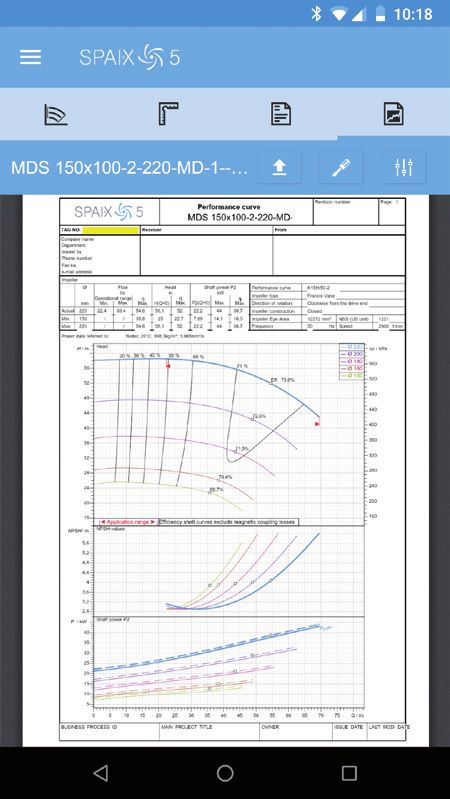
CONTENT

PUMP selection to go                                                                              3
MULTI-PLATFORM-DESIGN                                                                             3

Overview:
MANY WAYS LEAD TO THE RIGHT PUMP                                                                  5

SEARCH Result                                                                                     7

PROJECT MANAGEMENT                                                                              10

USER LOGIN                                                                                      11

VSX, VOGEL SOFTWARE and SPAIX are either registered trademarks or trademarks of VSX – VOGEL
SOFTWARE GmbH in Germany and/or other countries.
® iPhone and iPad are trademarks of Apple Inc., registered in the U.S. and other countries.
Android is a trademark of Google Inc.
If further trademarks are named in the text which are not explicitly listed here, this does not mean
that no third party rights exist.

PUMP SELECTION TO GO
With Spaix 5 Mobile, the multi-platform concept for the Spaix Sales Software range for the
pump industry is complemented. The mobile solution is especially suitable on the go, for
instance on business trips, at trade fairs or for situations in which a fast solution for a cer-
tain application case is needed. The selection is done quickly without a computer by using
a smartphone. The created projects are stored in a central database which enables editing
the project later on with the Web or Desktop version by different employees, optimizing
the sales process immensely.

Spaix 5 Mobile provides the essential functionality of the standard version and can be used
with iPhone and iPad as well as on mobile devices with Android systems. All platforms have
a consistent appearance due to the possibility to adjust the user interface of the app to the
Spaix 5 design.

Multi-Platform-Design

When it comes to data access and work on inquires and offers, the unique multi-platform
design offers the ideal solution for various situations. The web-based version for internet
and intranet services and the desktop based version for Windows operating systems are
supplemented by a version which has been optimized for the use on mobile devices. This
concept as a whole is unique on the market.

                                                                                                   3
Thanks to the intelligent database system, the data management is consequently easy
    and clear. The focus on the basic performance curve and pump data enables an effective
    work with a minimum amount of initial training, which leads to a short introduction process
    of the software.

    Spaix 5 Mobile contains the known curve calculation methods to adjust to the duty point,
    for example impeller trimming or VFD speed regulation. Moreover, the selection and sizing
    of the drive as well as further configuration possibilities are included in the software. Selec-
    tion results can be forwarded easily via the PDF export.

    The multilingual software with a convertible unit system allows a flexible and global use
    of the program.

                            AT A GLANCE:

                            + New intuitive operating concept
                            + One database for all platforms
                              (desktop, web and mobile version)
                            + Multilingual user interface
                            + Reversible unit system
                            + Compatibility with the common mobile platforms

    OVERVIEW: MANY WAYS LEAD TO THE RIGHT PUMP

    The user specific data stored in the database is linked to predefined selection parameters
    and calculation methods in order to select suitable pumps according to the user’s speci-
    fication. To select the right pump, the user can choose between various pump selection
    procedures:

    1. Hydraulic selection via duty point
    2. Direct product selection via series description
    3. Product search

4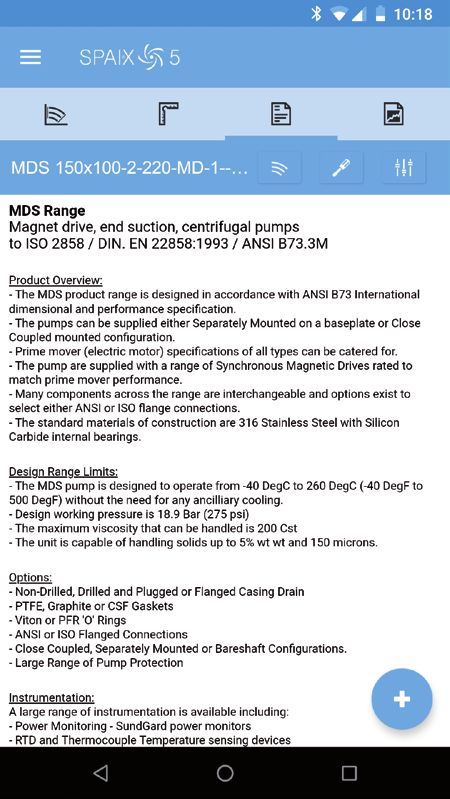
The hydraulic selection allows the sizing and configuration of pumps according to the ope-
rating conditions such as area of application, fluid, flow rate and head. A large number of
different fluids are included in the standard version of the database. It is also possible to add
fluid data.

The sizing is possible as single pump, as parallel circuit or series connection of several pumps
of the same pump type.

                                                                                                   5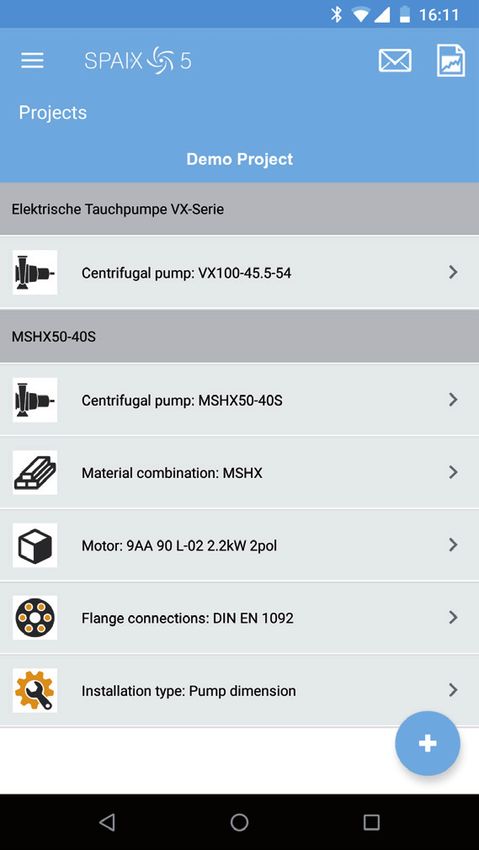
Furthermore, the program enables the direct pumps selection via the area of application,
    the series description as well as the pump type. If one is looking for a certain type of pump,
    the product search is the fastest option. Only a part of the product description as well as
    the item number are required for the product search.

6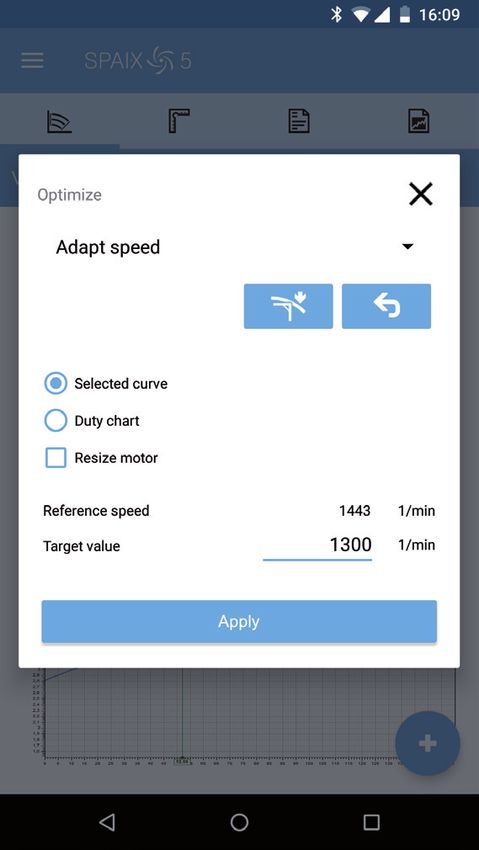
SEARCH RESULT

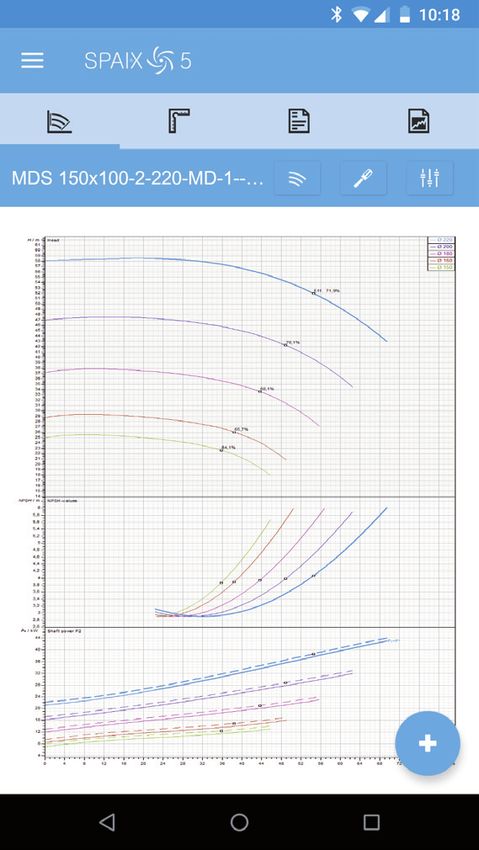
The matching pumps are shown in a table. The user can now look at the different pump
characteristics for each single pump. Different views are available for the performance
chart.

The pump curves are automatically calculated by the software to match the respective
operating conditions. The desired viscosity conversion method can be selected separately
for each duty chart in the database and can also be deactivated, if desired. The following
procedures for highly viscous Newtonian fluids are available in Spaix 5:

- Hydraulic Institute (ANSI/HI 9.6.7) of 2010
- Hydraulic Institute 14th Edition
- Procedure for side-canal pumps (SIHI publication “Basic Principles for the Design of
  Centrifugal Pump Installations“; 7th enlarged and revised edition, 2003) (additional module)

                                                                                                 7
The following options are available for the duty point adjustment:

    - impeller trimming, also with special specifications for multi-stage pumps
    - adjustment of speed and calculation of speed performance charts
    - optimization of the blade angle for propeller pumps
    - change of multiple speed curves

    All curve adjustments depending on the pump configuration, such as magnetic couplings,
    shaft seals, devaluation factors for multistage pump or for speed regulation are available in
    the mobile application as well.

8
By including external documents such as PFD files or images, it is possible to give the user
all kinds of additional information for the selection:

- Pump and motor curves
- Detailed product description
- Dimension (incl. drawing)
- Data sheets (additional information through external PDF documents)

                                                                                               9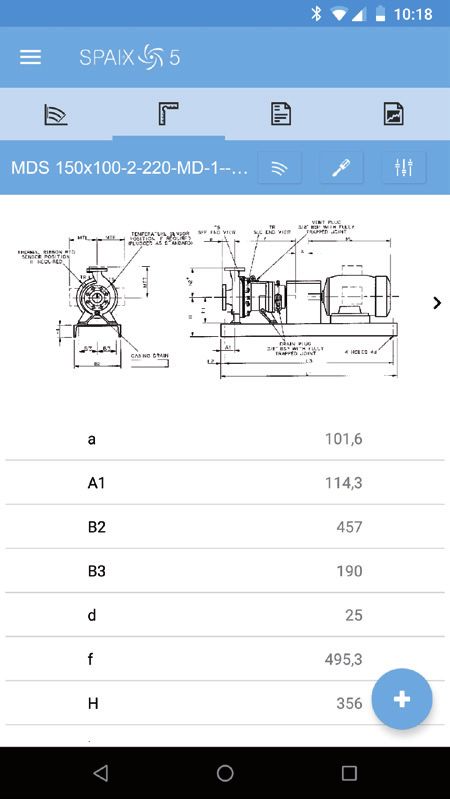
PROJECT MANAGEMENT

     After the selection, the result can be saved as project. Finished projects can be saved as PDF
     files. The results can be shared via E-Mail or WhatsApp using the App.

     Due to the central project database it is possible to edit the project in Spaix 5 Desktop or
     Spaix 5 Web.

     The project management gives an overview of all projects and enables the user to edit
     or delete them. The projects are viewed depending on the settings or the most current
     projects.

10
USER LOGIN
The user login can be configured server-sided in order to view different application scenarios,
depending on which user group should use the app in which way.
- Without login – all user groups can start right away without any entry restrictions
- Only with login – control over who is using the app
- With optional login – can be used to give different user groups different user rights.
End users can for example use the app as a guest, while sales employees have extended rights
by using the login. In this way it is possible to control the access to certain products and prices.
Due to the multi-platform concept it is possible to access Spaix 5 Web as well as Spaix 5
Mobile with the same login.
11Mobile
VSX - VOGEL SOFTWARE GmbH Tel: +49 (351) 89951-0
www.vsx.net Hofmühlenstraße 4 Fax: +49 (351) 89951-11
01187 Dresden | Germany E-Mail: info@vsx.netYou can also read


