Designing for Children Case Study: A Day In the Life of The Jos - CMSC 20370/30370 Winter 2020 Mar 2, 2020
←
→
Page content transcription
If your browser does not render page correctly, please read the page content below

CMSC 20370/30370 Winter 2020
     Designing for Children
 Case Study: A Day In the Life of
             The Jos
           Mar 2, 2020
Quiz Time (5-7 minutes).
Quiz on Day in the Life of the Jos

     Principles of Good Design
Administrivia
• GP4 video due on Monday for video
  screening
• Each group assigned to Monday will have
  their video screen and a few minutes for Q&A
• Please send us links to your videos ahead of
  the class session so we can load them all on
  one laptop
• GP4 reports: Please keep them succinct
  – Some reports are over 20 pages – not necessary
Today’s Agenda
• Designing for Children
• Case Study: A Day In the Life of the Jos
Case Study: A Day In the Life of the
                Jos
• Focus on tweens 11-13
• Wanted to help them learn digital literacy skills
• Developed a choose-your-own-adventure style
  game
• Evaluated a Jo Fool/Jo Cool Quiz
• Evaluated 3 visual designs
• Evaluated Medium fidelity prototype
• Evaluated fully functional game
• Derived implications for helping children learn
  digital literacy skills
Why is design for children inclusive?

•   “vulnerable population”
•   Developmental differences
•   Physical differences
•   Under care of parent or caregiver so
    limited agency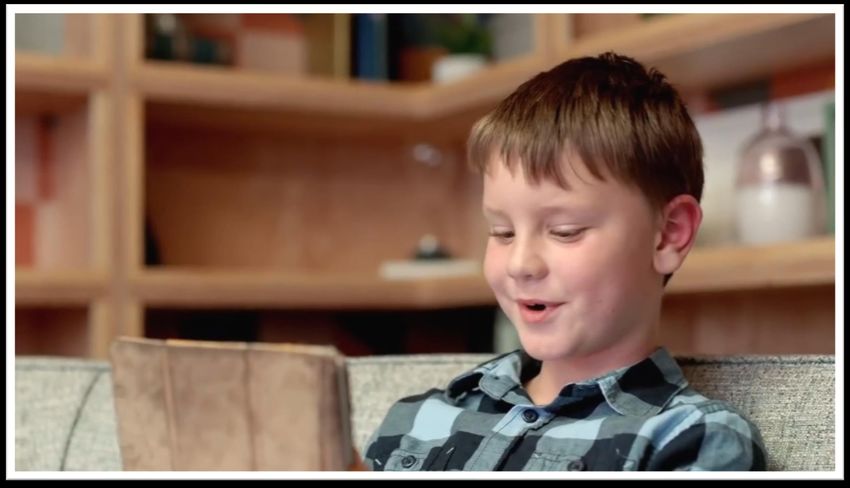
HCI and children
• Health
  – e.g. childhood obesity, mental health
• Special needs
  – e.g. autism, illness
• Entertainment
  – e.g. gaming, interactive experiences at museums
• Education
• Connectedness
  – e.g. online safety

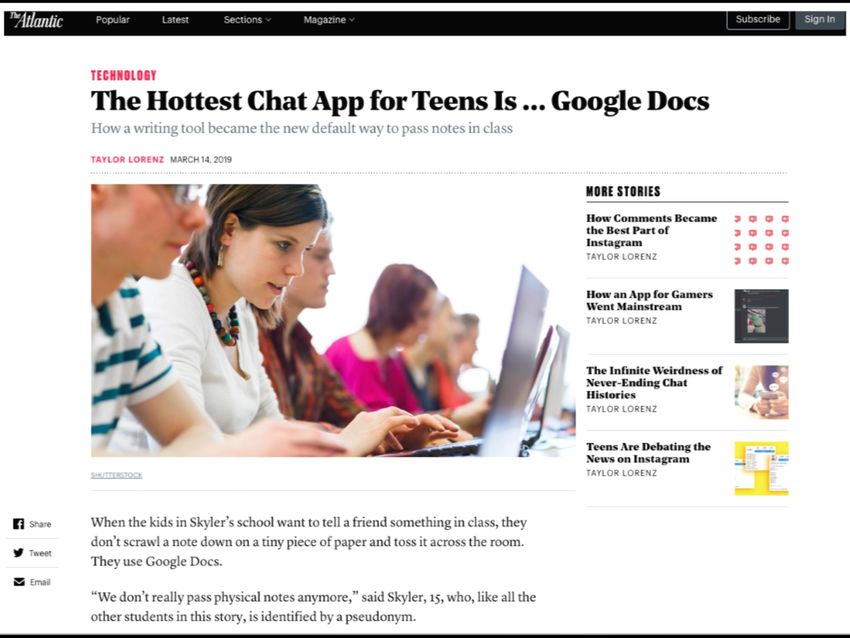
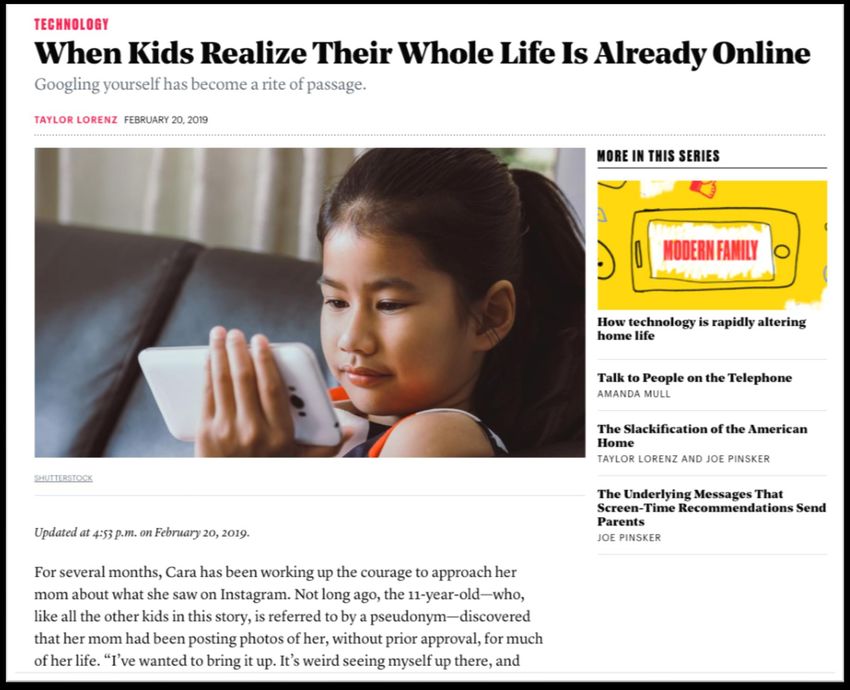
What are kids doing online these
             days?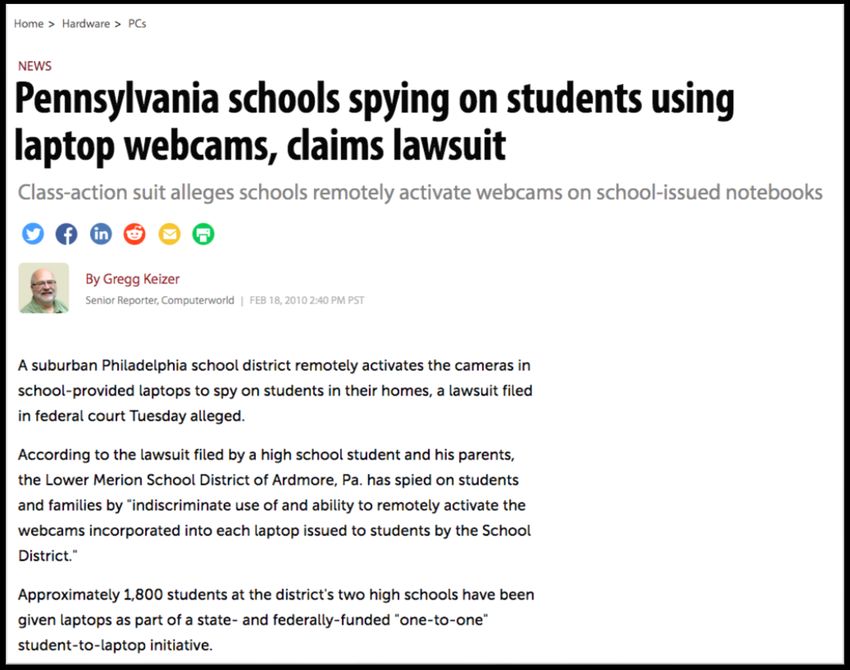
What happens when things go
               wrong?
1. Want to use educational tech and devices to improve
   learning outcomes but…tech can be misused…

                                                         9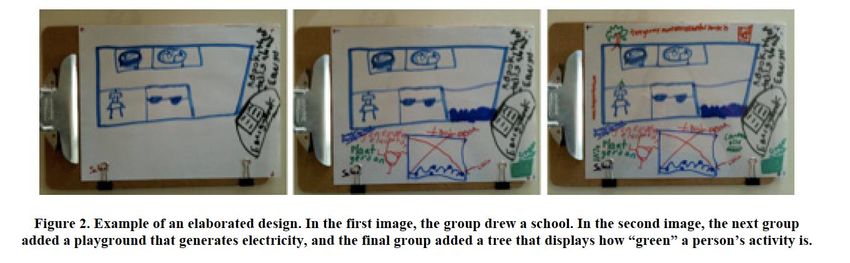
For example, Tess said searching for
information “backfired” in her first-grade
classroom when, during a lesson on
storytelling, someone searched for “climax”
and “other things came up.”
Heard of Facebook Messenger?
What About Facebook Messenger
Kids Targeted At Kids Under 13 Years
                Old?
Whose role is it to help kids stay safe
online?
1. Parents
2. Teachers
3. Kids
4. = Connecting Contexts
5. Example Topics:
1. Media Balance/Well Being
2. Privacy and Security
3. Digital Footprint and Identity
4. Relationships and Communication
5. Cyberbullying, Digital Drama, Hate Speech
6. News and Media Literacy
19Case Study: Digital Literacy topics
Designs for Choose-your-own-
      adventure game on digital literacy

Source: Sana Maqsood thesis
Final Day in the Life of the Jos (Jo or
Josie)Scenarios, Choices, Feedback
Reflection

Source: Sana Maqsood thesis
What do you think of the game
             design?
• +ves?
• -ves?
• Improvements?
  – Character personalization
  – What if you’re not on social media?
• Update: rolled out with partner
  MediaSmarts in 177 Canadian schools
Children as Designers
• Children can participate in the design process as
– 1) users
– 2) testers
– 3) informants,
– 4) design partners
• Druin, 2002 – University of Maryland, College Park
• Each role builds on the previous and reflects a
deeper level of engagement.
• Read more:
– https://pearl.umd.edu/2018/10/soups-2018-
workshop-report-designing-privacy-and-security-
tools-for-children-and-teenagers/Cooperative Inquiry • Fails, Guha, and Druin (2013) • http://www.cs.umd.edu/hcil/trs/2013-23/2013- 23.pdf • Similar to participatory design or co-design • Extends co-design to include children • Child designers seen as equal design partners not just tech testers • Actively involve children in design process from conception, design, to completion • Adults help children with sharing ideas and synthesizing feedback into design ideas
How do we use Cooperative Inquiry?

• Uses variety of ideation and elaboration
  techniques
  – to allow adults and children to maximize idea
    sharing
  – while minimizing differences in age,
    communication, and ability
• Works very well for 7-11, has been used
  for 13-17
• Needs to modified for older ages
Bags of Stuff (brainstorming) • Yip et al, 2013 • Design partners use art supplies (e.g., construction paper, pipe cleaners) and found objects (cardboard, popsicle sticks) to create low-tech prototypes of new technologies. • This is useful for brainstorming new ideas or solutions.
Big Paper
• Walsh, Foss, Yip, Druin, 2013
• Design partners use rolls of butcher-block
  paper or large, table-size sheets of paper
  to explore and iterate on design ideas.
• This is useful for brainstorming and
  combining ideas.
Mixing Ideas (brainstorming,
             iterating)
• Guha et al 2004
• Design partners come up with ideas on
  their own and work together to combine
  them to form one “big idea.”
• This technique works well with children
  ages 6 and under who might have
  difficulty ceding ownership over “their”
  ideas
Layered Elaboration (brainstorming,
iterating)
• Walsh et al 2010
• Design partners use sheets of transparency
paper to annotate prototypes or designs.
• Each round of ideas is documented on a
new sheet of paper; this helps preserve
ideas through iterations.Sticky Noting/Likes, Dislikes, Design
Ideas (evaluating)
• Kumar et al., 2017
• Design partners record what they like,
dislike, and would change about a
technology or other object of focus on
sticky notes.
• The notes are then clustered and analyzed.
• This technique is useful for evaluating or
critiquing existing products.How do we use these techniques with children? Another case study…
Children
      Children     Mental Models Of
                 Online Privacy & Security?

• Home and School Context: Child Perception
  – Activities
  – Awareness of online privacy and security
  – Technology rules?
  – Lessons?

                                               39
Children
Children Parents
Parents
• Home Context: Parent Role
– Regulating online activities
– Awareness of online privacy and security
– Explicit lessons?
40Children
Children Parents
Parents Teachers
Teachers
• School Context: Teachers Role
– Tech use in classroom
– Awareness of online privacy and security
– Explicitly teaching online privacy and security skills
41Children
Children Parents
Parents Teachers
Teachers
Interviews with 18 families Focus groups
Incl. 28 children age 5-11 25 educators
Informed byInformed by privacy
Contextual theories
Integrity and learning
(privacy) sciences frameworks
+ Bronfrenbrenner (learning sciences)Consent
Ask Q’s on online activities etc
Tell fictional friends about…
All interviews audio-taped
Compensation
Interviews transcribedQualitative Data Analysis
Activities on Play-Games
devices
Challenges faced Manage-
Codebook Passwords
Strategies to Parental-
address concerns ControlsQualitative Data Analysis
“Interviewer: Yeah. What are some of the
things that you're concerned about in that Smartphone Safety
Pandora's Box?
Mother: “Well, just unsupervised internet Password-Home
access. If it's his own he would have the
password to do downloading. I really don't
Social Media
want him in social media, which once you
have your own phone you'll end up with
social media accounts, I'm sure. Also, just Screen Time
the addiction that comes from constant
interaction with your phone. ”Qualitative Data Analysis
Smartphon Being Online
e Safety
. Privacy/Security
perceptions
. Group into
Categories
Final
Child strategies to themes
. address concerns
100s of codes Parent strategies to
address concerns
Parent RoleQualitative Data Analysis
Children Parents Teachers
Being Online Privacy/Security
Factors in Tech Use
Parent strategies to
address concerns Privacy/Security
Lessons
Parent Role
Tech Use In
Child strategies to Classroom
address concerns
Privacy/Security
LessonsQualitative Data Analysis
Children Parents Teachers
Being Online Privacy/Security
Factors in Tech Use
Parent strategies to
address concerns Privacy/Security
Lessons
Parent Role
Tech Use In
Child strategies to Classroom
address concerns
Privacy/Security
LessonsChildren
Children
Privacy And Security Lessons
49Children
Privacy/Security Lessons
• Online privacy and security mostly encountered via
passwords
• Learning poor online privacy and security habits
Kumar, P., Naik, S.M., Devkar, U.R., Chetty, M., Clegg, T., and Vitak, J. (2017) ‘No Telling Passcodes Out Because They’re Private’: 50
Understanding Children’s Mental Models of Privacy and Security Online. CSCW 2018 Online First.Children
Teachers
Tech Use In The Classroom
51Teachers
Tech Use In The Classroom
LanSchool
GoGuardian
Kumar, P., Chetty, M., Clegg, T., and Vitak, J. (2019) Privacy and Security Considerations For Digital Technology Use in Elementary 52
Schools. To appear CHI 2019.Teachers
Tech Use In The Classroom
LanSchool
GoGuardian
• Rarely consider online privacy and security
• Students monitored to stay on task/tracked
Kumar, P., Chetty, M., Clegg, T., and Vitak, J. (2019) Privacy and Security Considerations For Digital Technology Use in Elementary 53
Schools. To appear CHI 2019.DESIGN/PROTOTYPE
USER NEEDS IMPLEMENT
EVALUATE
Education/Awareness
CHI ‘19, IDC ‘18,
CSCW ‘17
Children and Online Safety3 Co-design sessions
Children
Co-Design 8 child partners aged 8-11
Circle time
Question of the day
Kumar, P., Vitak, J., Chetty, M., Clegg, T., Yang, J., McNally, B., and bonsignore, e. (2018) Co-Designing Online Privacy-Related 55
Games and Stories with Children. Interaction Design and Children Conference 2018.3 Co-design sessions
Children
Co-Design 8 child partners aged 8-11
Circle time
Question of the day
Break into groups
Existing Resources Mobile Games Choose Your Own
Adventure Stories
Kumar, P., Vitak, J., Chetty, M., Clegg, T., Yang, J., McNally, B., and bonsignore, e. (2018) Co-Designing Online Privacy-Related 56
Games and Stories with Children. Interaction Design and Children Conference 2018.3 Co-design sessions
Children
Co-Design 8 child partners aged 8-11
Circle time
Question of the day
Break into groups
Wrap up discussions
Field notes & pictures
Team debrief
Qualitative data analysis
Kumar, P., Vitak, J., Chetty, M., Clegg, T., Yang, J., McNally, B., and bonsignore, e. (2018) Co-Designing Online Privacy-Related 57
Games and Stories with Children. Interaction Design and Children Conference 2018.Privacy
“I hate it when they take a perfectly good
game and they try to make it educational. ”
- 11 year old child design partner
• Integrate privacy and security themes in resources
• Create realistic online privacy and security scenarios
58DESIGN/PROTOTYPE
USER NEEDS IMPLEMENT
EVALUATE
Education/Awareness
CHI ‘19, IDC ‘18,
CSCW ‘17
Children and Online SafetyCo-design
Cybernaut
Scenario-Based
Privacy/Security Conceptual Evaluation:
Second Chance
Themes & Q Zones 14 children aged 6-12
Q
Rewards & parents
Kumar, P., Chetty, M., Clegg, T., and Vitak, J. Designing Educational Resources to Help Children Learn About Online Privacy And 60
Security. Currently Under Review.Q’s on child’s online activities
Q’s on child’s online privacy &
security perceptions
Play Cybernaut
Q’s on Cybernaut
Parent Q’s on child activities &
online privacy and security
Interviews audio-taped,
transcribed & analyzedChildren
Co-Design
Involving parents and
teachers
Reflecting on paths not
taken
Privacy/Security experience
& developmental differencesLet’s Look At The Results
Co-design
                                               Privacy/Security Experience
                                               & Development Differences

   • Past online experience, reading/motor
     abilities/understanding of privacy and security
     differ
   • Float before you can swim

Kumar, P., Chetty, M., Clegg, T., and Vitak, J. Designing Educational Resources to Help Children Learn About Online Privacy And   64
Security. Currently Under Review.
Major takeaways from our case study
1. Use scenarios children can relate to
2. Learn about privacy and security earlier
– Float before swim
3. Going beyond do’s and don’t
4. Explain the “why” behind it
5. Encourage kids to self-reflect, think critically,
and build up toolbox of strategies for online
safety
65Summary • Need different techniques to work with children • Cooperative inquiry is useful for involving children in design processes • Many areas for designing for children • Keeping children safe online requires helping children to develop agency over online activities
Coming up…
• GP4 video due on Monday
• Talking about users in difficult situations…
Get in touch:
  Office hours: Fridays 2-4pm (Sign up in
  advance) or by appointment JCL 355
  Email: marshini@uchicago.edu
You can also read


