EMAIL BEST PRACTICE GUIDE - ESTOESHERBALIFE
←
→
Page content transcription
If your browser does not render page correctly, please read the page content below

Email Best Practice Guide

Version 2.0 | July 2021
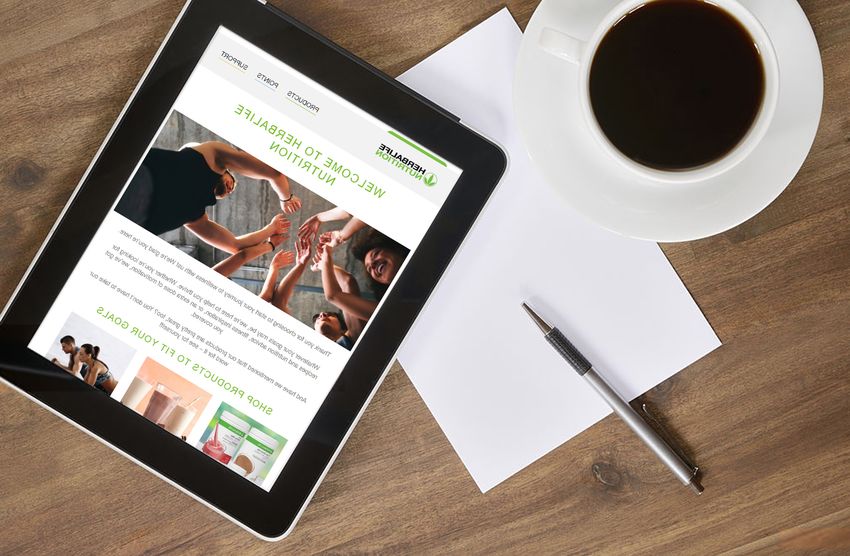
Guide Intent and Brand Review

Brand Review Submissions                             Why does this guide exist?
                                                     This is meant to be used as a guide and resource for creating efficient Salesforce emails in a manner that aligns with our brand guidelines.
For inquiries on submissions or process,
please access the Brand Review Guidelines,           Is this guide intended for worldwide application or direction?
located at http://herbalifecontent.hrbl.net/style-   Yes.
guide-and-guidelines-tools-directory/
                                                     Are there downloadable assets affiliated with this style guide?
                                                     No, but this guide should be used in alignment with our current brand style guide.

                                                     Are there other guides or libraries that I can access for additional brand assets?
                                                     Yes. Current style guides and asset libraries can be found on Herbalife Nutrition Content:
                                                     http://herbalifecontent.hrbl.net/style-guide-and-guidelines-tools-directory/

                                                     Who is the audience for this guide?
                                                     Internal Herbalife Nutrition Teams, specifically creative teams, digital marketing and communications teams and those that create and deploy emails directly
                                                     within Salesforce.

                                                     Does this guide have a duration or end date?
                                                     No, this guide is evergreen and will be updated and maintained as needed. Please look for versioning updates. .

                                                     Do I need to make changes to all existing material?
                                                     All newly created emails should follow the guidelines within this Email Best Practice guide. Any high visibility/high priority emails or journeys that are already
                                                     existing should be updated as needed.

                                                                                                                                                                             EMAIL BEST PRACTICE GUIDE
                                                                                                         Confidential Property of Herbalife International of America, Inc.   Version 2.0 | July 2021                      2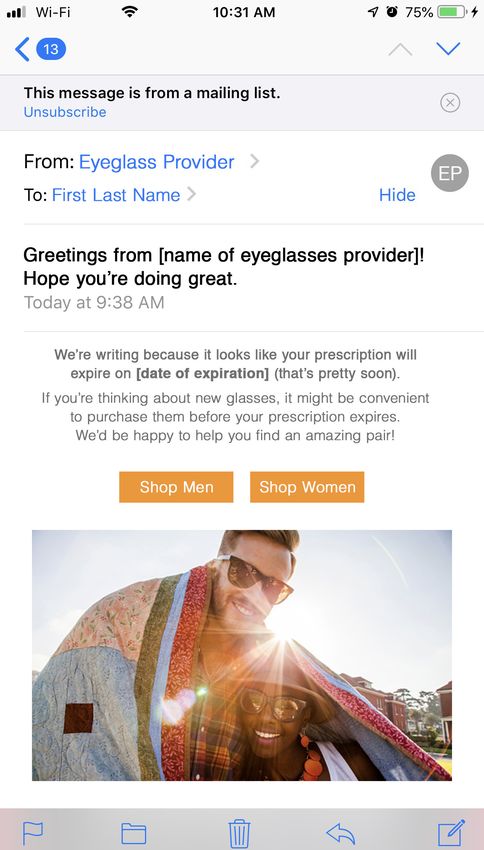
Table of Contents

General Education
Overview                                           9
Crafting Effective Email Marketing Campaigns      10
10 Tips for a Powerful Email Strategy             13
The 5 Most Critical Elements of Every Email       15
Subject Lines: The Most Important 50 Characters   16
Organizing Your Email                             18
Anatomy of an Email                               20
Images & Fonts                                    22
Colors                                            23

Getting Started
Step #1 - Our Email Platform                      25
Step #2 - Content Organization                    26
Step #3 - Images                                  27
Step #4 - Colors                                  28

Create New Email
Create New Email Using Branded Template           30
Create New Email Using Existing Email             32
Send Email                                        33

Design Elements (Content Blocks)
Email Layout Tips                                 36
Email Header & Footer Tips                        37
Email Layout & Content Blocks                     38
Header – Brandmark, Webview, No Menu              39
Header – Logo, Webview, Menu                      40
Body – 1 Col – Banners                            41
Body – 1 Col – Banner + Text                      42
Body – 1 Col – Intro                              43
Body – 1 Col – CTA                                44
Body – 1 Col – Video                              45

                                                                                                                           EMAIL BEST PRACTICE GUIDE
                                                       Confidential Property of Herbalife International of America, Inc.   Version 2.0 | July 2021     3
Table of Contents

Body – 1 Col – Intro with Image             46
Body – 2 Col – 50/50 – Icon Grid            47
Body – 2 Col – 50/50 – Side by Side         48
Body – 2 Col – 50/50 – Stacked              49
Body – 2 Col – 50/50 – Image Grid           50
Body – 2 Col – 30/70 – Sides                51
Body – 2 Col – 40/60 – Sides                52
Body – 2 Col – 40/60 – Image Grid           53
Body – 3 Col                                54
Body – 4 Col – Survey                       55
Footer – Social Media                       56
Footer – CAN-SPAM                           57

Image & Iconography Guidelines
Images Resources                            59
Preparing Images for Upload                 60
File Types                                  61
Email Image Tips                            62
Iconography                                 63
Product Images                              64
Internal Newsletter Intro Image             65

Using Animated GIFs in Email
How GIFs can improve your email             67
Balance your text and images                69
Why keeping GIF file sizes low is crucial   70
How to keep GIF size low                    71
Always test before sending!                 72
Remember                                    73

Corporate Standards
Quality and Legal Standards                 75

                                                                                                                     EMAIL BEST PRACTICE GUIDE
                                                 Confidential Property of Herbalife International of America, Inc.   Version 2.0 | July 2021     4
The HUB

The HUB is your primary source to find,
access and share style guides and final
approved marketing assets from around
the world.

The HUB currently has thousands of
assets and is constantly being updated
with new content from around the world.
Click here to access the HUB.

The HUB currently houses the
following types of assets:
· Marketing campaigns
· Social media
· Recipes
· Products
· Expert articles
· Product and Lifestyle Photography
· Approved executive and
  Distributor headshots
· Logos
· Videos
· Sponsored athletes
· Style guides                            See how the HUB works:
                                          Watch a quick walk-through video highlighting the features and functionality along with tips to
                                          help you find what you’re looking for.

                                          Support when you need it
                                          The HUB FAQ section: Get the information you need on the site, its assets and functionality.
                                          HUBSupport@Herbalife.com: A dedicated email for you to send questions and feedback.

                                                                                                                                                          EMAIL BEST PRACTICE GUIDE
                                                                                      Confidential Property of Herbalife International of America, Inc.   Version 2.0 | July 2021     5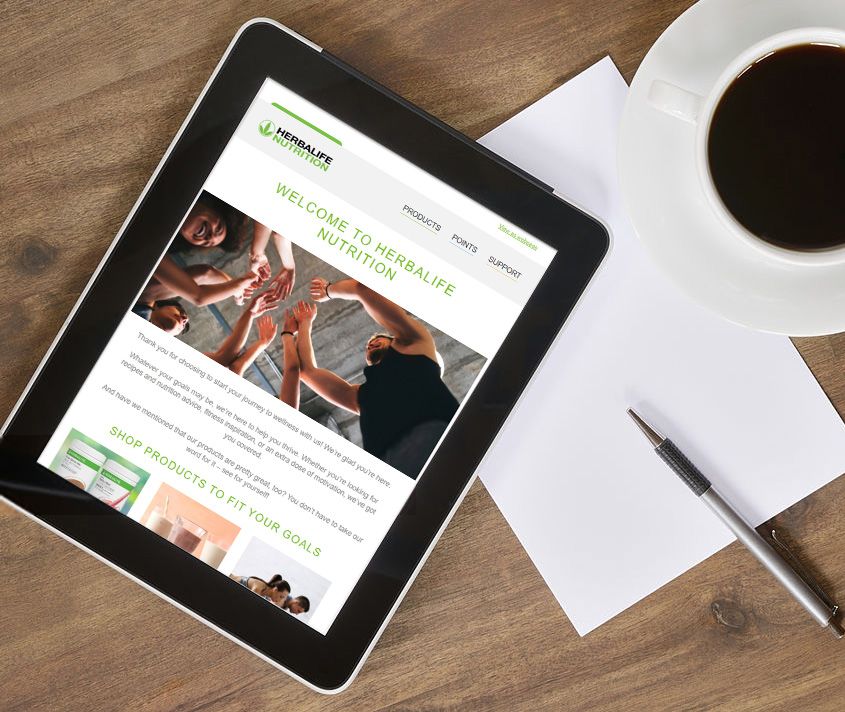
Global Style Guide Library

This guide and other asset libraries
can be accessed through the following
link on the HUB: Style Guides is located
on the top right hand corner of the site.

                                                                                                                EMAIL BEST PRACTICE GUIDE
                                            Confidential Property of Herbalife International of America, Inc.   Version 2.0 | July 2021     6
Global Style Guide Library

Each style guide has a quick link to a PDF
and downloadable working assets
affiliated with that guide.

PDF
A downloadable PDF guideline is available
for you to download and email to your
partners.

Related Assets
There are additional links that will take
you directly to a collection of related
assets to the style guide.

                                                                                                                 EMAIL BEST PRACTICE GUIDE
                                             Confidential Property of Herbalife International of America, Inc.   Version 2.0 | July 2021     7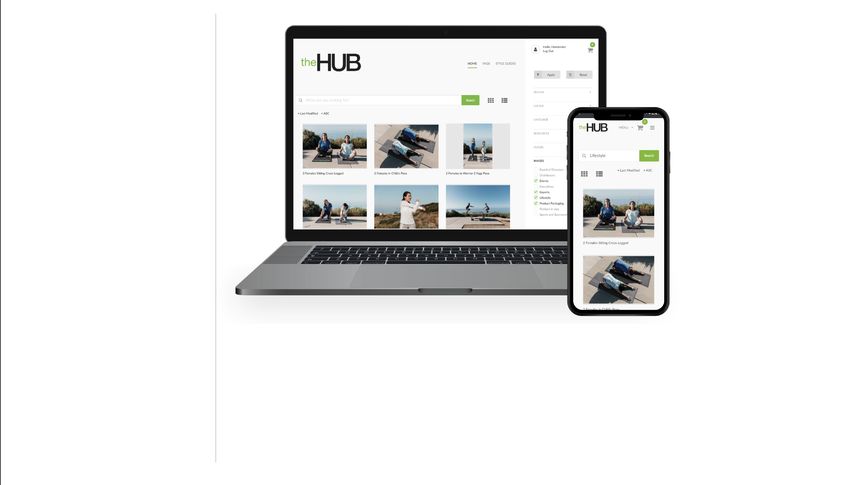
General Education

                                                                                        Email Best Practice Guide
                                                                                         EMAIL BEST PRACTICE GUIDE
                    Confidential Property of Herbalife International of America, Inc.
                                                                                        Version  1.0 || March
                                                                                         Version 1.0
                                                                                                 2.0    March
                                                                                                        July    2019
                                                                                                             2021
                                                                                                               2019    8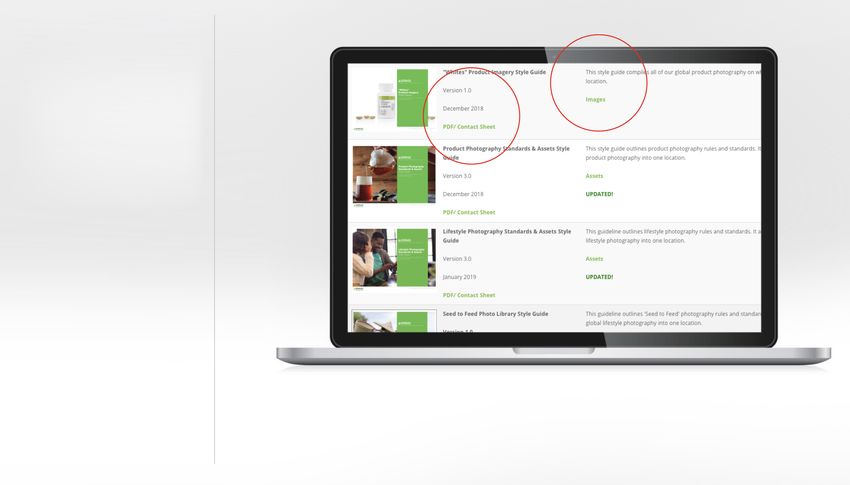
Overview

This Email Best Practice Guide and all          Optimizing Your Email Communications
of its contents, including, but not limited
to, all text, photographs, illustrations,       Email is a great communication tool to quickly and effectively deliver your message.
images, trademarks, service marks, and all      However, your emails can be that much more powerful when they have a consistent look and feel.
copyrightable material, is owned by Herbalife
International of America, Inc. (“Herbalife      Herbalife Nutrition has introduced branded email templates to achieve greater cohesiveness throughout. These templates
Nutrition”). The Guide contains confidential    can help you send emails that:
and proprietary information that is intended
for the exclusive use by Herbalife Nutrition      • Look more polished and professional
employees and authorized Herbalife Nutrition
                                                  • Are more clearly Herbalife Nutrition-branded
contractors and only for use as a reference
in the creation of materials to promote           • Connect more with your audience
Herbalife Nutrition products, services and        • Prompt direct action
business opportunity.
                                                Please use this guide as a high-level introduction to email marketing best practices.
                                                The information within has been provided to help optimize your emails and make your job easier.

                                                How You Benefit

                                                After reading this guide, you should:

                                                ✓ Recognize the elements of a professionally designed email

                                                ✓ Have a better understanding of email marketing best practices/dos and don’ts

                                                ✓ Know what email resources are available to you, and where to find them

                                                ✓ Know who to contact should you require any email marketing support

                                                ✓ Feel more confident with your email marketing efforts – both internal and external

                                                                                                                                                                EMAIL BEST PRACTICE GUIDE
                                                                                            Confidential Property of Herbalife International of America, Inc.   Version 2.0 | July 2021     9
Crafting Effective Email Marketing Campaigns

When executed well, email marketing
offers businesses an opportunity to send
beautifully crafted, targeted campaigns that
customers will actually open and respond to.
In a study conducted by Marketingsherpa, it        The average ROI for email
was reported that 72% of people prefer to
receive promotional content through email.
                                                    marketing campaigns is
Compare that with social media, where only         approximately 3,800%, or
17% of those surveyed said they would like
to receive promotions.
                                               $
                                                   38 GENERATED
> National Client Email Report
                                               for every dollar spent
> Marketingsherpa

                                                                                                                       of people prefer to receive
                                                                                                                       promotional content
                                                                                                                       through email

                                                                                                                                                     would like to receive promotions
                                                                                                                                                     through social media
                                                                                                                                                     Source: Salesforce

                                                                                                                                  EMAIL BEST PRACTICE GUIDE
                                                           Confidential Property of Herbalife International of America, Inc.      Version 2.0 | July 2021                               10
Crafting Effective Email Marketing Campaigns
How often should I send email to readers?
DB Marketing reports the email open rate is highest when companies send two emails per month. Of course, there may be times when a
one-off email message is appropriate, but businesses utilizing only the right emails for the right campaigns — rather than an avalanche of
messages, which is spam — will drastically increase their ROI. Once you’ve got eyeballs, your messaging must be relevant to the customer.
To remain competitive, businesses must tailor their email marketing campaigns to their leads/customers.
> DB Marketing
Utilize segmentation and targeting.
Businesses can target specific audiences with personalized message using segmentation. When businesses segment their leads or
customer base, they set themselves up to target each group with the right message at the right time, rather than just casting a wide net
made up of one single message. This is important, because customers respond better to information that is relevant to them. In a study
conducted by Direction Marketing Association, segmented and targeted emails generated more than half of all revenue from all email
marketing campaigns.
> Direction Marketing Association
There are two basic types of automated emails:
Commercial emails – designed to promote commercial products and services (such as ads, promotions, campaigns, etc.). Marketing email
must have the “Unsubscribe” link.
Transactional emails – are not promotional in nature, and might be triggered by interactions with our site (such as receipts, shipping
notices, password reminders, etc.). Transactional emails do not contain the “Unsubscribe” link.
To comply with the General Data Protection Regulation (GDPR), your transactional emails need to be limited in their purpose. Please always
review your emails with your local Legal team and GDPR points of contact.
EMAIL BEST PRACTICE GUIDE
Confidential Property of Herbalife International of America, Inc. Version 2.0 | July 2021 11Crafting Effective Email Marketing Campaigns
Make copy and content that resonates. From Los Angeles to Honolulu, only $239 each way.
The content of an email marketing campaign is what compels a lead or customer to act. Use actionable language, personalize where Hurry, sale ends soon! Book now.
possible, write in the second person, make the content relevant, and be brief. Visuals can be effective and snappy language can
catch customer attention, but before anything else, marketers must make their message clear. The top promotional email marketing
examples usually include some visual asset along with very brief copy touting whatever special offer is being shared.
A picture of an island paradise in Hawaii is all many readers will need to click through. While a click-through may not lead directly to a
conversion, the idea has been planted. Those readers might then sign up for “low fare alerts,” allowing the company to nurture them
along until they are someday ready to commit to a purchase. Until then, the company continues to send clear, visually attractive, brief,
and relevant emails.
Leverage the power of CTAs.
Calls to action (CTAs) are perhaps of the most important components in a marketing email. Including a call
to action button instead of a text link can increase conversion rates by as much as 28%. Conversion rates on
CTAs are primary indicators of a successful campaign. That said, a call to action is more than just a sentence
telling a prospective customer what they should do next. To make CTAs more effective, consider the text
itself. The text of the CTA should say exactly what you want the customer to do, but the language should also
indicate a low commitment level. Click Here is too generic. The customer is not going to “click here” just
because you put a fancy button with Christmas lights around it in your email. Instead, altering the button to
read Shop Now has been proven effective. It has also been shown to have higher conversion rates than one
that reads Buy Now. Buy Now is less effective because customers are not as willing to immediately commit
to a sale viewing an email. Learn More is also an easy, simple call to action example that has a proven
track record.
> Using CTA Buttons
Implement a nurture track.
A nurture track will automatically trigger timed follow-up emails based on a lead’s behavior and information.
Instead of a single blast, emails are personalized based on the customer’s stage in the buying process, which
is known as the customer lifecycle.
Source: Salesforce
EMAIL BEST PRACTICE GUIDE
Confidential Property of Herbalife International of America, Inc. Version 2.0 | July 2021 1210 Tips for a Powerful Email Strategy
Optimizing for mobile is extremely
important 2
For brands that do not optimize email
for mobile, the penalty is stiff. Offer an
elegant mobile experience from the get-go,
beginning with your initial welcome email.
3 Your data should always be relevant
Assess your current data to make sure you’re
sending targeted communications, not “batch
and blast” messages. Using simple data points
like gender and location can dramatically
improve the subscriber experience.
1 4 Personalize email
whenever Possible
Your subscribers will appreciate
your messages even more if they’re
personalized. Adding personalized product
recommendations into marketing emails 5 Email drives accessibility
across channels
Build an acquisition strategy can increase sales conversion rates The ability to easily archive and access
by 15-25%, and click-through rates messages at a later time influences consumer
If you’ve prioritized audience growth, begin by analyzing the places where customers are
by 25-35%. channel preferences. Email remains a powerful
already engaging with your brand. Then, determine how to enhance those experiences
and drive interactive engagement with new tools and techniques. channel for its ability to bridge the three-device
environment of smartphone, tablet, and PC.
EMAIL BEST PRACTICE GUIDE
Confidential Property of Herbalife International of America, Inc. Version 2.0 | July 2021 1310 Tips for a Powerful Email Strategy
6
Did they abandon before they
bought?
Get permission Tailor the frequency and number
of abandoned cart emails to the
Thanks to the good work of author and marketing guru Seth Godin, the email channel
purchase at hand, and that item’s
is permanently linked with the concept of “permission marketing”—namely, that
typical purchase window. Pay
brands need to first seek permission before sending customers email marketing
attention to your industry’s typical
messages. Equally important, the CAN SPAM Act that it is a U.S. law that sets the
sales cycle, and send abandoned
9
U.S. national standards—dictates that it must be easy for subscribers to opt out of
cart emails accordingly.
receiving emails, and those opt-out requests must be honored in a timely fashion.
Abandoned cart emails should
not be sent without permission or
opt-in by the customer.
7 Email drives deals
If you’re not making deals available via email,
Automate your post-purchase messages
A utomate a re-engagement campaign for a week, a month, and 90
you’re ignoring the largest direct audience for days post-purchase. Determine the point when subscribers typically
this content. According to The Audience Growth purchase from your brand again (or disengage), and start from there
Survey, 91% of survey respondents reported to further personalize the send dates.
being involved with email marketing on a regular
basis—because it’s a channel that drives results
for their businesses.
8
Sharing isn’t just for social networks
If your brand is emphasizing only that consumers share via
10
social networks, you’re reaching just the tip of the iceberg.
Private communications are extremely valuable to brands, as
a friend’s thoughtful personal endorsement will often realize a
better response than one broadcast to thousands.
Source: Salesforce
EMAIL BEST PRACTICE GUIDE
Confidential Property of Herbalife International of America, Inc. Version 2.0 | July 2021 14The 5 Most Critical Elements of Every Email
Your email must feature these 5 critical elements
1. Subject Line 4. Personalized Messages
The first words your audience sees when they open their inbox are Research shows that personalized email subject lines are
those that comprise the subject line. You need to hook the reader even more likely to be opened than standard subject lines.
with a phrase that compels them to open the email and find out But that’s just the start. Personalizing email leads to greater
more. At the same time, you must keep the subject line concise. engagement, higher click-through rates, and improved
The perfect email subject line is a unique mixture of creativity and insight into customer segmentation. Your customers want to
information that grabs the reader and incites them to read more. feel that you’re trying to establish a long-term relationship.
1 4 Personalization helps in reaching that goal.
> Subject Lines
> Personalized Email
2. Tight Copy
5 > Greater Engagement
Members of your audience likely receive hundreds of emails a day. 5. Mobile Optimization
The copy in your email must quickly communicate the message you
want to impart and intrigue them enough to react. Email marketing,
3 Every email you send out needs to be optimized for
in most cases, is not the place to spin long-winded stories or share mobile responsiveness. Data shows that people in
layered messages. It’s a place to hit hard and fast with the idea you’re growing numbers are accessing their email through their
mobile devices. And your customers are spending more
communicating. Your copy should drive an almost subconscious
reaction and response.
2 time on their phones and tablets, so they often go back
to review old emails after initially opening the message.
3. Appealing Visuals As your customers continue this trend toward mobile
responsiveness, it is paramount that all email sent out as
Working hand in hand with the copy is the need to draw readers part of a marketing campaign be optimized to reach the
in with striking email design. You need to grab their attention with greatest audience.
compelling visuals that communicate the key messages of your email
while still generating a call to action. Email design requires active use > Email through Mobile
of white space, an awareness of what visual cues impact readers,
and an understanding of how color theory can make a difference in Source: Salesforce
causing a reaction.
> Email Design
EMAIL BEST PRACTICE GUIDE
Confidential Property of Herbalife International of America, Inc. Version 2.0 | July 2021 15Subject Lines: The Most Important 50 Characters of Your Email
Understand the importance of your subject line. Have a goal in mind.
The content of your marketing email is, of course, important. But subject lines are part In general, the goal for each of your email subject lines should be to get people to open and read
of each and every email, and since they’re usually the first part that subscribers see, your emails, but you can (and should) get more specific if you want to accomplish that main goal.
they may be the most important.
For instance, you may choose to try to get people’s attention by being informative. Pique their
Your subject line has the ability to get people’s attention and give them a taste of curiosity, or shock or surprise them with some new information. Be clear about what
what’s included in your email. The wrong subject line could turn people off, bore them, you want your email subject lines to accomplish and how you’re going to do it. That should give you
or cause them to overlook your email altogether. But the right one can entice them to a better chance of actually accomplishing your goals as opposed to just hoping
keep reading; once you have their attention, you can share your actual message with for the best.
subscribers to get them to support your business. However, your subject line cannot be
even remotely deceptive. Deceptive subject lines violate CAN-SPAM. Keep it simple and short.
If your subject line is so long that readers can’t get through it without losing focus,
it doesn’t bode well.
Generally speaking, if you stick to 50 characters or less, subscribers should be able to quickly get
an idea of what they can get out of reading your email. Sometimes even shorter, snappier titles can
Marketing emails can be get a message across better. Your goal should be to use as few characters as necessary in order to
provide a message of value to your readers.
powerful, but they’re only
as powerful as the people Be specific.
who read them. That’s
Just because you have to be short doesn’t mean you have to be vague. Your subject line should
why you need great email include keywords that very clearly tell your audience what the email is about.
subject lines. You don’t have to give the whole thing away, but let readers know what they can get out of reading
your email, rather than just offering a general subject area.
Additionally, the more specific you are, the more likely you are to get your message in front of
the right people.
The newest product launches are here!
EMAIL BEST PRACTICE GUIDE
Confidential Property of Herbalife International of America, Inc. Version 2.0 | July 2021 16Subject Lines: The Most Important 50 Characters of Your Email
Personalize it. your brand through email, they’ll be more likely to take in your messages.
You can get even more specific by personalizing your email subject lines. If you collect first
names in your sign-up forms, you can address people by name in subject lines to really grab Want 80% OFF? (Obviously.)
their attention.
Make it urgent.
Personalization extends beyond using a subscriber’s name: Segment your email subscriber
list to make sure your readers only get the content that is most relevant to them. For Putting a specific timeframe on your email subject lines can also improve your open rates. While some
example, notate who signed up for your list when you were giving away a free item, subscribers may skip over or put off reading certain marketing emails right away, if you alert them in your
then make sure those subscribers are on a list to receive updates about other giveaway subject line that your message is time-sensitive, it could increase the likelihood that they’ll open your
promotions. Keep your lists specific so you know what certain subscribers are most likely to message before they forget about it or it gets pushed to the bottom of a long line of unread messages.
be interested in so you can increase the likelihood that they’ll want to actually open and read Consider adding phrases like “limited time offer,” “ending soon,” or “today only” to make sure readers
your emails. understand the importance of opening your emails now, rather than later. Don’t misuse this strategy, but if
something truly is time-sensitive, tell your subscribers in the subject line so they know to read the message
Name, take time to reward yourself!
right away. Subject should not be misleading or intended to trick the recipient into opening it. As with all
advertising materials, promotional emails must be true, accurate and not be misleading and to make sure
Catch their eye. they comply with applicable advertising laws.
Sometimes, even if your subject line is compelling, people may pass over it because they
have so much in their inbox — it all starts to blend together. But you can make your email Wow – You don’t want to miss this!
subject lines stand out visually through the use of emojis and other symbols.
It may seem like a small thing, but studies show that color can have a big impact on how Include a call to action.
people view emails and the feelings they get from reading them. And since a simple subject What do you want people to do upon reading your emails? More specifically, what do you want them to do
line doesn’t offer much opportunity for visual customization and media, those little emojis upon reading your subject lines — beyond opening the email?
have the ability to make a big difference.
Once you determine your goal, the easiest way to get subscribers to do what you want is simply to ask them.
Score Big! Your Black Friday deal is here! If you want them to open your email to see the details about your company’s latest promotion, you could say
something like, “Click to take advantage of our latest offer just for subscribers,” or, “See how easy it is to
Ask questions. save with our latest promotion.”
Email marketing should be an outlet for you to create relationships with customers and
potential customers. That means it should be a two-way conversation. Subject lines like these tell readers quickly and succinctly what the purpose of your email is before they even
open it. The people on your subscription list who are interested in your offer are probably going to want to
Ask a question in your email subject line and involve your subscribers in the conversation. read your emails after seeing those subject lines.
They could be more likely to care about what you have to say when they feel listened to.
Subject lines that include questions can quickly give the impression that the content of your Buy a Special Edition Shake, get a $50 Gift Card
email relates to them. And if they know they can benefit from maintaining a relationship with
Source: Salesforce
EMAIL BEST PRACTICE GUIDE
Confidential Property of Herbalife International of America, Inc. Version 2.0 | July 2021 17Organizing Your Email
Email Naming Convention Newsletters Name: Using a consistent naming convention
When creating your email, please follow the If you are creating a newsletter for only one keeps your files organized and easy to find
below naming convention based on your country and one language:
email type:
NewsletterName_YYMMDD
Campaigns TheScoop_ 190128
If you are creating an email for only one StepUp_ 190128
country and one language:
If you are creating a newsletter for only one
CampaignName_EmailDescription country and one language:
SAMCAM2018BRAcelera_Awareness
NewsletterName_CountryLanguage_YYMMDD
APAC2018TWHealthyBreakfast_PerfectShake
TheScoop_CAEN_191231
If you are creating an email for multiple FromOurCEO_ILAR_191231
countries and/or languages:
Announcements/Standalone Emails
CampaignName_CountryLanguage_
If you are creating an email for only one
EmailDescription
country and one language:
APAC2018PPP_TWZH_ProteinBenefits
GLOBAL2018Honors_MXES_ EmailDescription_YYMMDD
FridayAnnouncements DistributionCenterHolidayHours _181114
Journeys HappyBirthday_180910
Email##_CampaignName
If you are creating an email for multiple
Email01_EMEA2019ITPMWelcome countries and/or languages:
Email05_MX2018BusinessBuilder
EmailDescription_CountryLanguage_YYMMDD
PresidentsCall_BEFR_181114
LaunchAloeGel_USEN_180910
EMAIL BEST PRACTICE GUIDE
Confidential Property of Herbalife International of America, Inc. Version 2.0 | July 2021 18Organizing Your Email
Local Folder Structure Inside the Year folder, you will find the below
• Folders should always be in English sub-folder structure:
• You have the ability to create and move folders, emails and As an example:
assets. > 2021
• You will not have permission to delete folders, emails or > Announcements/Standalone Emails
assets. > Campaigns
• Use the Trash folder to place folders or mails you won’t > CampaignName
need. MTS Communications team will periodically purge > Newsletters
the content in this folder. > NewsletterName#
Your local folder will contain the following Inside your CampaignName folder, you can create
sub-folders: additional sub-folders if you wish to further organize its
• Localized Templates contents:
• Localized Content Blocks • CampaignName
• Year (For Emails and images) >US_EN
• Trash: Emails and images you wish to delete >US_SP
Note: Images and files for your email recipients to download >PR_SP
should not be saved in Content Builder, please continue to use • CampaignName
MediaBin for that purpose. >Emails
>Images
EMAIL BEST PRACTICE GUIDE
Confidential Property of Herbalife International of America, Inc. Version 2.0 | July 2021 19Anatomy of an Email
Text Link: Text that is clickable and
An email consists of different content blocks will either open another window or take
(sections) that each have a function. Within you online.
the content blocks you will find a headline,
supporting copy, image(s), and a link (button or Header: This identifies what company
text) to drive the reader online to learn more, the email is from, along with text links
purchase, etc. for more information.
A few terms to note are on the right as well as Intro: The main focus of the
the following: communication.
Character – you will encounter suggested
character counts for each section of copy. Banner: An image that stretches the
This count INCLUDES spaces. width of the email. This can appear
Column – emails are divided by invisible before or after the Intro.
vertical columns to help organize the content in This could also include a video.
a visually pleasing manner. See page 41 for more information.
Content – information as copy, image, video,
etc.
Additional Content: This can be filled
ontent block – this describes sections of the
C with various content blocks containing text,
emails containg content. images or iconography. The content can be
1, 2, 3 or 4 columns in width.
CTA: ‘Call to Action’ – This includes short
action phrases such as ‘Learn More’, ‘Shop
Now’, ‘Buy Now’, etc. Clicking the button will
drive you to whichever part of the online site
is relevant.
Social: Each icon is clickable and will take
you to each of the social media sites to gain
followers.
Footer: Includes legal content, address
and additional text links to learn more
about Privacy Policy.
EMAIL BEST PRACTICE GUIDE
Confidential Property of Herbalife International of America, Inc. Version 2.0 | July 2021 20Anatomy of an Email
The content blocks provided are labeled
according to the number of vertical columns
they contain.
The amount of content provided will
determine the amount of columns needed.
Reminder: the shorter the email, the less
need there will be to scroll through, especially
on mobile devices.
1 column (1 Col) 2 columns (2 Col)
3 columns (3 Col) 4 columns (4 Col)
EMAIL BEST PRACTICE GUIDE
Confidential Property of Herbalife International of America, Inc. Version 2.0 | July 2021 21Images & Fonts
Images
Keep the following 2 pages as quick reference Images can be .jpg, .png, or .gif. When animation is required, use .gif.
when building emails. When transparency is required, use .png / .gif.
“Scale to fit” should be used only if needed.
Fonts
When creating your email, use either Helvetica (the preferred font) or Arial (as a back-up font).
No other fonts should be used. Font sizes and line heights are:
Hero image headlines – 40px / 46px
H1 – 30px / 36px
H2 – 24px / 28px
H3 – 18px / 22px
Paragraphs / lists – 16px / 22px
CTA buttons – 16px / 16px
Webview / footer – 12px / 16px
On mobile, all font sizes are reduced to account for the smaller screen size.
For many content blocks, text alignment changes to center align on mobile.
Font color options allowed:
Grey White Charcoal Green for text Blue for Orange for
(#888888) (#ffffff) (#25282a) links or headlines headlines
headlines (#69b3e7) (#f1b434)
(#78be20)
Bold, italics, and underlines may be used to bring attention to specific text, but should only be used on paragraphs,
not on headlines or CTA links.
EMAIL BEST PRACTICE GUIDE
Confidential Property of Herbalife International of America, Inc. Version 2.0 | July 2021 22Colors
White Light Grey Grey Charcoal Green for text links
(#ffffff) (#f2f2f2) (#888888) (#25282a) or headlines
(#78be20)
Backgrounds
All content blocks either have a white (#ffffff), light grey (#f2f2f2), or charcoal (#25282a) background.
Fonts / Links
All fonts have either white (#ffffff), charcoal (#25282a), or grey (#888888) colors.
Text links are light green (#78be20).
Line Dividers
Line dividers are in 3 available colors, green (#78be20), blue (#69b3e7) and
orange (#f1b434) and should match the color of CTA button.
CTA Buttons
Green Blue Orange
(#78be20) (#69b3e7) (#f1b434)
EMAIL BEST PRACTICE GUIDE
Confidential Property of Herbalife International of America, Inc. Version 2.0 | July 2021 23Getting Started
EMAIL BEST PRACTICE GUIDE
Confidential Property of Herbalife International of America, Inc. Version 2.0 | July 2021 24Step #1 – Our Email Platform
The system we use to send email New User Account and Technical Support
communications is called the Salesforce For Salesforce Marketing Cloud related requests, please refer to the following:
Marketing Cloud (formerly known as
ExactTarget). The Salesforce Marketing • New User Account: Request for Access – Open a SNOW request
Cloud software powers multi-channel Path: Service Catalog > Access > More > Other Access
communications including on-demand email • Request for Training – Send email to GTS Communications
marketing and interactive marketing solutions.
• Request for New Template – Send email to GTS Communications
• General Inquiries – Send email to GTS Communications.
Technical Support:
For support when getting started or anytime after, please reference the information below:
• Request for Access – Open a SNOW request
Path: Service Catalog > Access > More > Other Access
• Request for Training – Send email to GTS Digital Marketing Campaigns
• Request for New Template – Send email to GTS Communications
EMAIL BEST PRACTICE GUIDE
Confidential Property of Herbalife International of America, Inc. Version 2.0 | July 2021 25Step #2 – Content Organization
A. Organize your information before choosing
your templates to help the process go more
smoothly. Consider:
• What is your email about?
• Do you have a few things to communicate?
• What is the priority?
• Do you have images?
• Are you following the 60/40 text/image
rule? 60% of your email campaign would
contain text and 40% would contain
images. Keep the rule can help to create
relevant content to be delivered to the
inbox.
B. Organize your information by content block
and priority of content.
Reminder: the shorter the email, the less
need there will be to scroll through, especially
on mobile devices.
EMAIL BEST PRACTICE GUIDE
Confidential Property of Herbalife International of America, Inc. Version 2.0 | July 2021 26Step #3 – Images
A library of approved lifestyle, product and Developing Graphic Images for Your Email Campaign
corporate photography has been created Once you have obtained access to the Herbalife Nutrition Salesforce Marketing Cloud and have done the required training,
as a resource for your emails. > Go to link you will find many pre-approved graphic images. These images are provided by our company for you to choose from and use
https://hub.hrbl.net/ for campaigns inside Content Builder.
When needed, you can also develop, upload, and use your own graphic images – so long as they align with our brand and
Image sourcing and approval will be required. creative platform and are approved by Herbalife Nutrition.
Allow enough time for this process.
Here’s a snapshot of your two imagery options:
See page 58 for imagery guidelines.
1. Create Your Own
• B efore you start, refer to the Herbalife Nutrition Brand and Creative Style Guide. This outlines the style of graphic
images, photos, icons and/or illustrations that are allowed.
• Submit your graphic asset to Herbalife Nutrition Brand Review via Workfront for approval.
2. Request Creative Service Design Assistance
For corporate and global departments:
• Submit your creative project request via Workfront: (https://herbalife.my.workfront.com/requests).
• New Request > Worldwide Marketing/Creative Requests > Creative Project.
• Fill in the request form and ensure you give a full brief and specifications to allow faster intake process.
• Since WW Marketing Creative Service is servicing many projects from various departments, your request will be
processed based on priority of business impact and on a first come, first served basis.
For departments within the regions:
• Please contact your local Herbalife Nutrition creative or marketing department for assistance.
EMAIL BEST PRACTICE GUIDE
Confidential Property of Herbalife International of America, Inc. Version 2.0 | July 2021 27Step #4 – Colors
ecide the color theme for body content
D
backgrounds – header and footer should Header: Grey
be the same color, body content should
contrast and be the same color.
ecide on secondary colors – CTA buttons,
D
divider lines and text links should be the
Intro: White
same color to keep the layout looking
professional.
Banner: White
Body Content: White
Footer: Grey
EMAIL BEST PRACTICE GUIDE
Confidential Property of Herbalife International of America, Inc. Version 2.0 | July 2021 28G E N E R A L E D U C AT I O N
Create New Email
Email Best Practice Guide
EMAIL BEST PRACTICE GUIDE
Confidential Property of Herbalife International of America, Inc.
Version 1.0 || March
Version 1.0 March2019
2019 29Create New Email – Using Branded Template
Create a new email from a branded
1. 2. 3.
template in Salesforce Marketing Cloud
Content Builder.
The Salesforce Marketing Cloud Content
Builder houses the approved branded email
templates and content blocks, all emails must
be created using these. (Do not use the general
Saleforce content blocks).
1. In the content area, click Create and select
Email Message from the drop-down menu
(see Image 1). 5.
2. Under “Define Email Properties”, from
the “Create Email” drop-down menu,
select Template (see Image 2).
3. A list of localized templates for your
country will display under the “Saved” tab.
If you don’t find the template you need,
Click Folders (see Image 3).
4. Go to Shared Folders > Shared Content
> Templates. There are additional branded
templates from which to choose. Click a
template and then click Select. 6.
5. Under “Define Email Properties”, give the
email a descriptive name and select the
local folder where you want to save it.
Click Next. (see Image 5).
6. The template will open in the “Add
Content” screen. Enter the Subject &
Preheader and click Save. (see Image 6).
7. The template will have several empty layout
areas in the right pane. Click one of the
layout areas to edit.
EMAIL BEST PRACTICE GUIDE
Confidential Property of Herbalife International of America, Inc. Version 2.0 | July 2021 30C R E AT E N E W E M A I L
Create New Email – Using Branded Template
8. From the “Content” tab in the left pane, 8.
drag and drop content blocks into the
layout areas as desired. To see all
avaible content blocks, go to Shared >
Content library > Body (see Image 8).
9. Click the content blocks to add content.
10. When you’re finished adding content,
click Next.
11. Send the email.
Note: Only use this method if you are
confident that your existing email is brand
compliant and using a brand compliant
template.
EMAIL BEST PRACTICE GUIDE
Confidential Property of Herbalife International of America, Inc. Version 2.0 | July 2021 31Create New Email – Using Existing Email
Create a new email from an existing one 1.
in Salesforce Marketing Cloud Content
Builder
To create a new email from an existing one in
Salesforce Marketing Cloud Content Builder:
1. In Create Email, from the drop-down
menu, select Existing Email
(see Image 1).
2.
2. From the business unit’s local folders, find
the email you wish to use, and click
Select. (See Image 2)
3. The “Define Email Properties” window will
open. Rename the email. This field is
required for all emails.
4. Select the Location where you will save the
email, and click Save.
5. Using the content blocks, edit the email
as needed.
6. Send the email.
Note: Only use this method if you are
confident that your existing email is brand
compliant and using a brand compliant
template.
EMAIL BEST PRACTICE GUIDE
Confidential Property of Herbalife International of America, Inc. Version 2.0 | July 2021 32Send Email
Send email in Salesforce Marketing Default Commercial - For sending to a list of A.1
Cloud Content Builder recipients who have opted in to receive Promotional
After you have created your email message or Marketing content from Herbalife Nutrition. An
and your subscriber list – Data Extension, you “Unsubscribe” link must be included in the email footer
can send the message.
Default Transactional – For “triggered” emails based B.2.
Checklist for sending on a user’s interaction with our website or app (e.g.
Order Confirmation, Shipping Confirmation, Account
Before you send your email message ask yourself: Creation or Password Reset Emails).
• Is your send classification set up and ready for use? If selecting Send Classification, please seek approval
• Did you create your list and upload subscribers? from Privacy and Compliance).
• Is your email content ready and approved? 3. If you would like to change the Sender Profile or
Delivery Profile within the send classification, you
• Did you do a test send and have final approval?
may overwrite to a different saved profile.
• Check deliverability by using a service like Email on Acid.
4. After reviewing the email properties, click Next.
Contact your SFMC administrator for training on this
5. Complete the steps in the Select Audience section.
Send Process
A. Begin:
To begin sending the email message, open it and click Send.
Then continue through the four parts of sending your email
message (see Image A.1).
B. Define Properties:
1. Under “Email Properties”, review the email subject
and preheader.
2. Under “From Options”, go to Saved Send
Classification. Choose a Send Classification from
the drop-down menu (see Image B.2).
EMAIL BEST PRACTICE GUIDE
Confidential Property of Herbalife International of America, Inc. Version 2.0 | July 2021 33Send Email
C. Select Audience: 2. Check boxes for the Tracking C.1
1. Under Select Audience, select your options as follows:
Audience Type from the drop-down • Track Clicks - YES
menu (see image C.1): • Suppress from Send Report - NO
• All Audience Types • Additional Info - NO
• Lists and Groups • My Tracking
• Data Extensions • Multipart MIME - YES
• Data Filters 3. Select a Tracking Destination Folder C.6
• Suppression Lists and check boxes for any Advanced Options.
• Audience Builder 4. Complete the steps in the Review
2. Search for and select your subscriber list. and Send section.
3. When you have located your list(s), E. Review and Send:
drag and drop them into the “Targeted” field. 1. Under Review and Send, carefully review:
You can also add them by clicking the arrow to
the right of the list and selecting Add to Targeted. • Targeted Audience
• Total Targeted
4. When adding lists to the “Targeted” field, review • Excluded Audience
the “Total Targeted” number of subscribers at the • Suppressed Audience
bottom of the field. If the number does not look • Send Timing D.1
correct, click Save, then Exit, and review your • Track Clicks
subscriber list(s). • Suppress from Send Report
5. Drag and drop any Exclusions or Suppressions • Tracking Destination Folder
into the “Excluded and Suppressed” field. You can • Multipart MIME
also add them by clicking the arrow to the right of • Additional Info
the list and selecting Add to Excluded/Suppressed. 2. If anything needs to be changed, click Back,
D. Configure Delivery: make changes, and review. If everything is
correct, check This information is correct
1. Determine how you want to send the
and this email is ready to send.
email message (see Image D.1):
3. Click Send. If there is no error with the
• Immediately send
email send, you will get a confirmation in
• Schedule-send on a specific date and time.
green that says “Email successfully sent.”
This is the preferred selection even if it’s 10
minutes into the future. Lots of Oopsies can be
avoided with this habit.
EMAIL BEST PRACTICE GUIDE
Confidential Property of Herbalife International of America, Inc. Version 2.0 | July 2021 34Design Elements
(Content Blocks)
Email Best Practice Guide
EMAIL BEST PRACTICE GUIDE
Confidential Property of Herbalife International of America, Inc.
Version 1.0 || July
Version 2.0 March 2019
2021 35Email Layout Tips
NOTE: Verify how the email looks in desktop
and mobile devices within Salesforce and
using Test Sends
1. Keep content short and simple: 6. Only use approved HN content blocks
If you have a lot of content found in the following path: Shared Content >
consider redirecting to an article/ Content Library (Admin Only) > Body
blog or landing page with the
complete information
7. Only use approved background colors (just one
2. Use 2 or 3 max Content Blocks color), the color must be the opposite of the
per email used in the header and footer (Ex. Grey Header
and Footer, White for the email body)
3. Use 2 or 3 max CTA per email
8. The Charcoal template can be used only for the
4. Use the text content blocks to H24 and Sports products. The body background
place the content of the email. can be all in white, or all in gray
Images from flyers are not a
good practice and are not
mobile friendly 9. Use the templates approved by branding and legal.
The use of another template, or incorrect use may
have consequences for non-compliance
5. Only use the allowed CTA
button colors: Green, Orange
and Blue 10. Keep the text format of the Content Blocks.
Change the color, typography or style is not allowed
EMAIL BEST PRACTICE GUIDE
Confidential Property of Herbalife International of America, Inc. Version 2.0 | July 2021 36Email Header & Footer Tips
1. Use the HN approved header and footers
2. Do not change the approved Herbalife
Nutrition Logo
3. Do not change or add content, image
or icons within the header template
4. Use the text content blocks to place the Example: Grey Header
content of the email. Images from flyers
are not a good practice and are not
mobile friendly
5. Email Header do not change to support
campaigns or initiatives need be consistent
to reinforce the Herbalife Nutrition brand
Example: Footer
EMAIL BEST PRACTICE GUIDE
Confidential Property of Herbalife International of America, Inc. Version 2.0 | July 2021 37Email Layout & Content Blocks
Email Layout and Content Blocks 1. 2.
An email in Content Builder is built by
creating a layout and then adding content
blocks to the layout. Content blocks are
available in the Local (Localized Content
Blocks) and Shared (Branded Content
Blocks). Content blocks are categorized
by Columns (1, 2, 3 or 4).
To select a content block, click on the
‘Content” tab > Folders > Local or Shared
tab > Body and select the Column (1, 2, 3
or 4). (See Image 1 and 2) Once you find
the content block, just drag and drop it into
the email body.
EMAIL BEST PRACTICE GUIDE
Confidential Property of Herbalife International of America, Inc. Version 2.0 | July 2021 38Header – Brandmark, Webview, No Menu
A lways match the header and footer colors.
For example, if a grey header is used, use a
grey footer.
3 background variations to choose from:
- grey
- charcoal
- white Example: Grey Header
Header links to Herbalife.com.
T he default/preferred header should be the
grey one shown, to the right.
EMAIL BEST PRACTICE GUIDE
Confidential Property of Herbalife International of America, Inc. Version 2.0 | July 2021 39Header – Brandmark, Webview, Menu
A lways match the header and footer colors.
For example, if a grey header is used, use a
grey footer.
3 background variations to choose from:
- grey
- charcoal
- white
Example: Grey Header w/Links
Header links to Herbalife.com.
T he default/preferred header should be the
grey one shown, to the right.
Menu hides on mobile for cleaner user
experience.
Menu text and links are editable.
3 links (no more, no less) should always
be used here. The text and links should be
modified ONCE for each locale, after which
they should stay the same from campaign
to campaign.
Links:
- 10-12 characters
- 1 line max.
EMAIL BEST PRACTICE GUIDE
Confidential Property of Herbalife International of America, Inc. Version 2.0 | July 2021 40Body – 1 Col – Banners
3 background variations to choose from:
- grey
- charcoal
- white
Default size: 700 x 300px.
an use taller images and adjust the
C
height, but width should remain at 700px.
Example: White Banner
EMAIL BEST PRACTICE GUIDE
Confidential Property of Herbalife International of America, Inc. Version 2.0 | July 2021 41Body – 1 Col – Banner + Text
3 background variations to choose from:
- grey
- charcoal
- white
Default size: 700 x 370px.
T o edit the background image, use the html
editor in Salesforce to edit the background
property in the container, as well as
edit the src property in the Microsoft Outlook-
specific code directly below.
ake sure background image is always
M
700 x 370px.
A lternate version with curved bottom image
border is also available.
Example: White Banner
A lternates of this content block may be
created – simply copy the content block
and change the text to charcoal and the
background to white / grey, update the
background image to a lighter image.
S hould be 1 line max. two or more lines
requires custom top padding as well
as mobile customization, so it is not
recommended.
The max character count is 15 characters.
EMAIL BEST PRACTICE GUIDE
Confidential Property of Herbalife International of America, Inc. Version 2.0 | July 2021 42Body – 1 Col – Intro
3 background variations to choose from:
- grey
- charcoal
- white
Image – 120 x 120px
Editable text and CTA link.
U se 20 characters on H1 for optimal design, but
the headlines can extend to 2 lines if needed
without hurting the layout. The same
is true of H2 headlines.
H1
- ALL CAPS
- 40 characters,
- 2 lines max.
H2
- ALL CAPS
- 60 characters,
- 3 lines max.
Paragraphs
- 400 characters,
- 2 paragraphs max.
To change the kerning (the space between
letters or characters), simply use the html tab
in the content block to either delete or reduce Example: Grey Intro
the letter-spacing property from 5px to anything
less than that.
T he preferred CTA button is solid green.
You should only use one button, so delete
the others using the “delete row” functionality
(right clicking in the visual editor).
CTA
- ALL CAPS
- 20 characters
- 2 lines max.
EMAIL BEST PRACTICE GUIDE
Confidential Property of Herbalife International of America, Inc. Version 2.0 | July 2021 43Body – 1 Col – CTA
3 background variations to choose from:
- grey
- charcoal
- white
3 background variations to choose from:
- green
- blue
- orange
C TA H E R E
CTA
- ALL CAPS
- 20 characters C TA H E R E
- 2 lines each max.
T he preferred button is solid green. C TA H E R E
Do not use more than one button together.
Simply erase the rows you won’t need.
EMAIL BEST PRACTICE GUIDE
Confidential Property of Herbalife International of America, Inc. Version 2.0 | July 2021 44Body – 1 Col – Video
3 background variations to choose from:
- grey
- charcoal
- white H2 HE ADLINE HERE
P lay button is linked to where the video is
hosted (YouTube, Brightcove, etc).
Background image size:
640 x 360px.
T o edit background image, update the
background property url in the
container and also update the src attribute
in the Outlook-specific code.
H2:
- ALL CAPS
- 40 characters
- 2 lines max.
CTA HERE
CTA:
- ALL CAPS
- 20 characters Example: Charcoal Video
- 2 lines max.
EMAIL BEST PRACTICE GUIDE
Confidential Property of Herbalife International of America, Inc. Version 2.0 | July 2021 45Body – 1 Col – Intro with Image
3 background variations to choose from:
- grey
- charcoal
- white
Image is 700 x 300px.
H1:
- ALL CAPS
- 40 characters
- 2 lines max.
H2:
- ALL CAPS
- 60 characters
- 3 lines max.
Paragraphs:
- 400 characters
- 2 paragraphs max.
CTA:
- ALL CAPS
- 20 characters
- 2 lines max.
Links: Example: White Intro with Image
- 15 characters
- 1 line each.
EMAIL BEST PRACTICE GUIDE
Confidential Property of Herbalife International of America, Inc. Version 2.0 | July 2021 46Body – 2 Col – 50/50 – Icon Grid
3 background variations to choose from:
- grey
- charcoal
- white
nly icons, and not images, may be used
O
here. An icon library will be provided by
Herbalife Nutrition.
Icon size: 65px x 65px.
H3:
- ALL CAPS
- 20 characters
- 2 lines each max.
Paragraphs:
- 100-150 characters
- 5 lines max.
Example: Grey 50/50 Icon Grid
EMAIL BEST PRACTICE GUIDE
Confidential Property of Herbalife International of America, Inc. Version 2.0 | July 2021 47Body – 2 Col – 50/50 – Side by Side
3 background variations to choose from:
- grey
- charcoal
- white
2 layout variations: Image on left,
image on right.
Image is 305 x 305px.
H2:
- ALL CAPS
- 30 characters
- 3 lines each max.
Paragraphs:
- 100-200 characters
- 7 lines max.
Example: Grey 50/50 Side by Side
EMAIL BEST PRACTICE GUIDE
Confidential Property of Herbalife International of America, Inc. Version 2.0 | July 2021 48DESIGN ELEMENTS
Body – 2 Col – 50/50 – Stacked
3 background variations to choose from:
- grey
- charcoal
- white
Image size: 305 x 260px.
H2:
- ALL CAPS
- 25 characters
- 2 lines each max.
H3:
- ALL CAPS
- 30 characters
- 2 lines each max.
Paragraphs:
- 125-175 characters
- 5 lines max.
Example: White 50/50 Stacked
EMAIL BEST PRACTICE GUIDE
Confidential Property of Herbalife International of America, Inc. Version 2.0 | July 2021 49Body – 2 Col – 50/50 – Image Grid
3 background variations to choose from:
- grey
- charcoal
- white
Image size: 305 x 260px.
Example: Charcoal Image Grid
EMAIL BEST PRACTICE GUIDE
Confidential Property of Herbalife International of America, Inc. Version 2.0 | July 2021 50Body – 2 Col – 30/70 – Sides
3 background variations to choose from:
- grey
- charcoal
- white
L ayout variations – Image/icon on right
or left.
Image size: 100 x 100px.
H2:
- ALL CAPS Example: White 30/70 - Slides > Image Left
- 40 characters
- 2 lines each max.
Paragraphs:
- 200-300 characters
- 5 lines max.
Example: White 30/70 - Slides > Image Right
EMAIL BEST PRACTICE GUIDE
Confidential Property of Herbalife International of America, Inc. Version 2.0 | July 2021 51Body – 2 Col – 40/60 – Sides
3 background variations to choose from:
- grey
- charcoal
- white
2 layout variations: image left, image right.
Image size: 240 x 240px
H2:
-ALL CAPS
- 32 characters
- 2 lines max.
Paragraphs:
- 150-250 characters Example: Grey 40/60 - Slides > Image Left
- 5 lines max.
EMAIL BEST PRACTICE GUIDE
Confidential Property of Herbalife International of America, Inc. Version 2.0 | July 2021 52Body – 2 Col – 40/60 – Image Grid
3 background variations to choose from:
- grey
- charcoal
- white
2 layout variations: image left, image right.
Image size: 170 x 170px.
H2:
-ALL CAPS
- 20 characters
- 2 lines max.
Paragraphs:
- 120-240 characters
- 8 lines max.
Example: White 40/60 Image Grid > Images Left
EMAIL BEST PRACTICE GUIDE
Confidential Property of Herbalife International of America, Inc. Version 2.0 | July 2021 53You can also read


