Google Apps in Classrooms and Schools - 32 Ways to Use Google Apps in 50 Minutes Julia Stiglitz Google Apps for Education Team @juliastiglitz
←
→
Page content transcription
If your browser does not render page correctly, please read the page content below
Google Apps in Classrooms and
Schools
32 Ways to Use Google Apps in 50 Minutes

                                      Julia Stiglitz
                   Google Apps for Education Team
                                      @juliastiglitz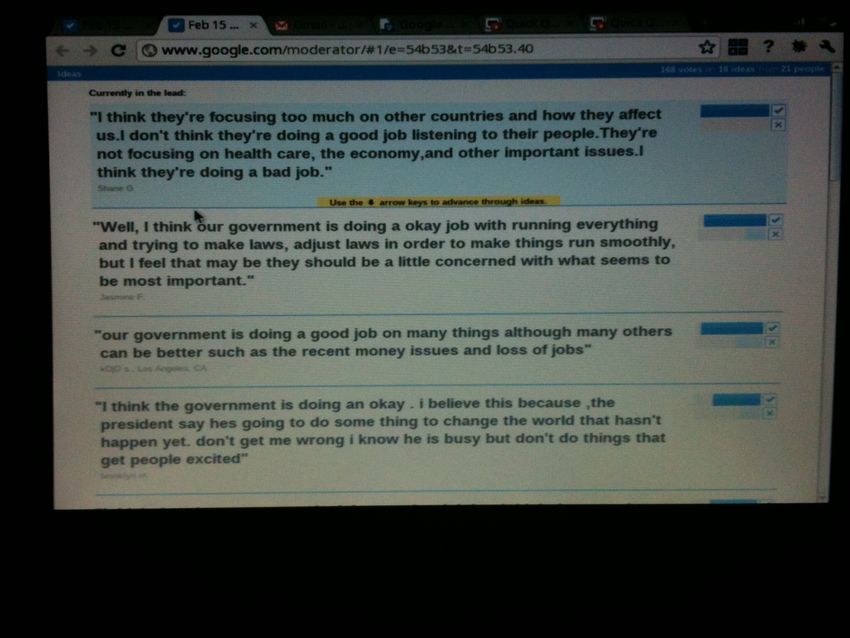
Objective

 Be able to implement Google Apps in meaningful ways
 in your classrooms to increase efficiency,
 collaboration and engagement
Before Getting Started.....

 Access the presentation:     http://bit.ly/hby9jO

Tools for Teachers and Students

       GMail Huge inbox with search: keep and find everything.

       Talk IM and Video as easy as email.

       Groups      Let students easily create and work in teams.

       Calendar      Make sharing calendars and schedules easy.

       Docs    Makes collaborating as easy as creating.

       Sites   Allow students and teachers to manage their own sites.

       Video     Using the power of video to teach.

       Postini    Security and compliance solutions.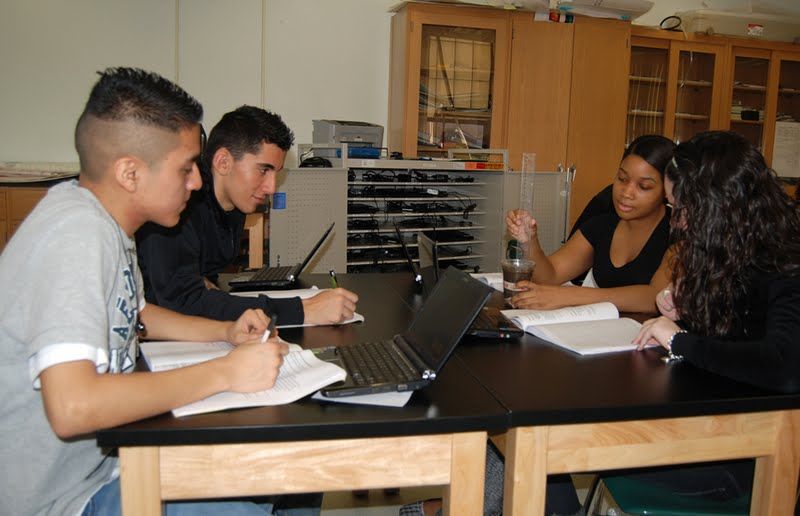
Google Docs
Word Processing, Spreadsheets,
Presentations

                           Google Confidential and Proprietary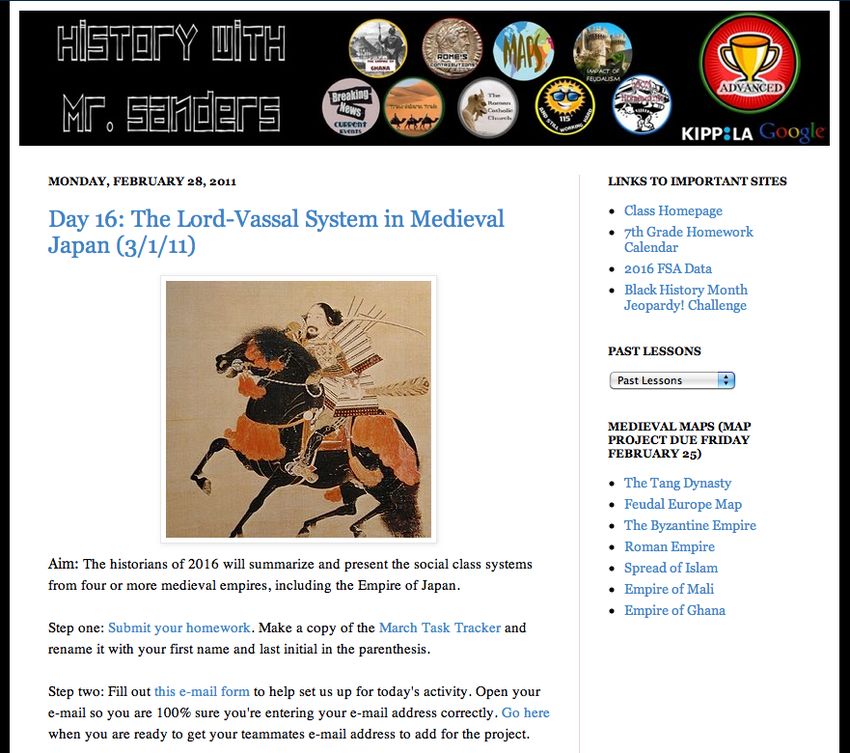
#1: Collaborative Lesson Planning

                                        Work on the same
                                        lesson plan at the
                                        same time with a
                                        colleague using
                                        Google Docs.

                                        Example:
                                        http://bit.ly/eI4rRa

Beginner Application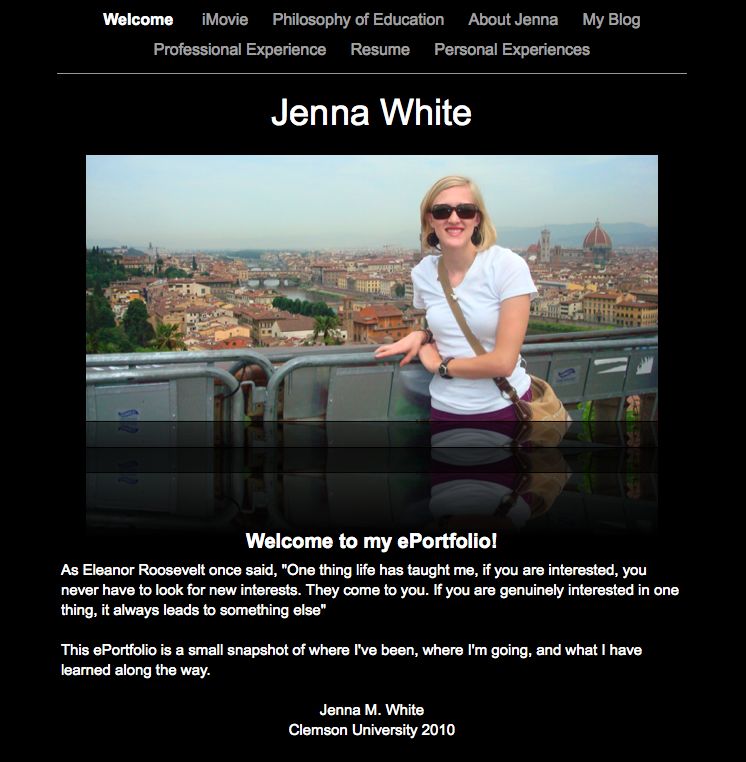
#2: Staff/Grade Level Meeting Notes

                                          Take your staff
                                          meeting notes in
                                          Google Docs.
                                          Share with the rest
                                          of the staff.

    Picture by K.W. Barrett

Beginner Application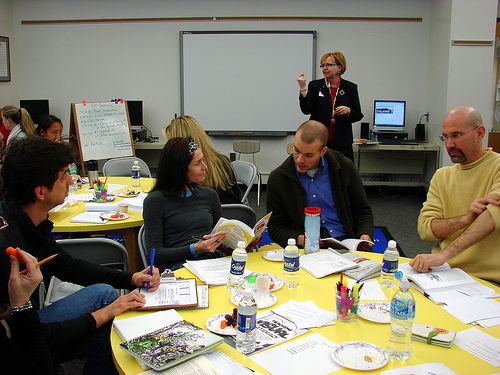
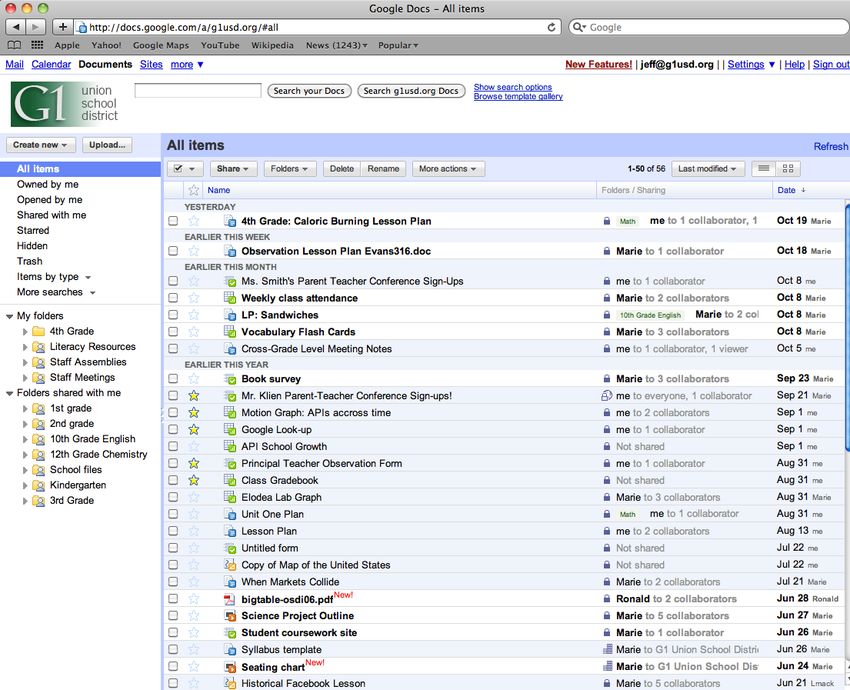
#3: Shared Lesson Repository

   Store your lesson plans in your school's shared Doc list
   so that anyone at your school can find and access
   them. Create a folder for your grade level to share
   resources.
Beginner Application
#4: Improve the Writing Process

  Use Google Docs to:
    Have students work collaboratively from
    anywhere
    Give students ongoing and simultaneous
    feedback
    Use revision history to hold students accountable
    for their work
    Publish student work

  Example:
  http://bit.ly/hAGGqD
  Case Study:
  http://bit.ly/hrZVBk

Intermediate Application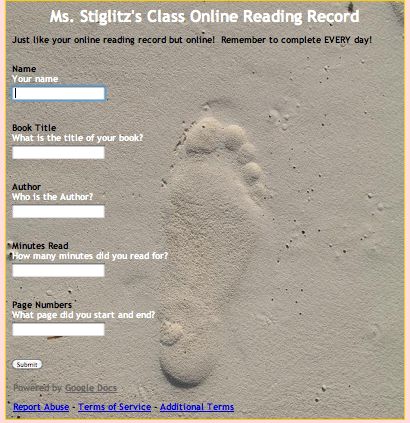
#5: Reading Response Journals

                                Instead of lugging
                                home 30 reading
                                response journals
                                every week to
                                comment on, have
                                students keep their
                                journals in a shared
                                Google Doc. You can
                                give your comments
                                while students
                                continue to write in
                                their journals!

Intermediate Application
#6. Translate Letters Home for Parents
Translate letters
home to parents
by using the
translate feature
in Google Docs.
Example: http://bit.ly/g2Jl5G
Intermediate Application#7. Track Student Homework (and Share with Parents) Example: http://bit.ly/geNsQx Use spreadsheets to track student homework. Give each student a anonymous number and share the sheet with parents Intermediate Application
#8: Sign-up Sheets

 Example: http://bit.ly/hvxANq

 Use spreadsheets to make scheduling parent-teacher
 conferences really easy.

Intermediate Application
#9: Science Experiments
                                           Use Google forms
                                           and spreadsheet
                                           to:
                                               Collect data
                                               Share data
                                               Analyze data
                                               Graph data
                                               Graph data
                                               across 5
                                               variables using
                                               the motion
                                               chart

                           Example: http://bit.ly/dQLtt6
Advanced Application
#10: Flash Card Center Example: http://bit.ly/hsdpyj Use the flash card gadget in spreadsheets to set up a flash card center for your class. Intermediate Application
Try it!
Beginner: Share a document with a colleague

Intermediate: Analyze the revision history of a document

Advanced: Create a motion chart

Demo Account Information:
URL: www.google.com/a/g1usd.org/
Name: demo1@g1usd.org
Password: googleapps
Want to learn more?

 Google Apps for Education Online Training Center,
 Module 4: Docs: http://edutraining.googleapps.
 com/Training-Home/module-4-docs
Forms

Go to: http://bit.ly/baseballquiz
#11: Formative and Summative Assessments

                                Use Google Forms to give
                                your students a pre-
                                assessment at the
                                beginning of class. Modify
                                your instruction based on
                                the results. Then give
                                students an "exit ticket" at
                                the end of class to see what
                                they learned.

                                Tip! Change the template to
                                make the form more
                                exciting

                                Example: http://bit.
                                ly/eV5K22
Intermediate Application
#12: Survey Students: Collect Student Interest
Information
Use Forms to collect
survey
students. Survey
students at the
beginning of the year
to find out about their
interests.
Intermediate Application#13: Teacher or Student Observations
Use forms on your
smart phone or tablet
to do teacher or
student observations. The
data will be
automatically
populated into a
spreadsheet.
Intermediate Application#14: Online Reading Record
Have students
complete their
reading record online
line through a Google
Form.
Intermediate Application#15: Tracking Discipline Referrals
Keep track of discipline
referrals across a
school using Google
forms.
Intermediate ApplicationA Few More Ways to Use Forms...
#16: Collect Information from Parents or
Teachers
#17: Spelling Tests/ Multiplication Tests (Bonus!
Write a formula to grade the tests)
#18: Collecting Science Data
Intermediate ApplicationTry it!
Beginner: Create a form and change the template
Intermediate: Graph the results of the form data
Advanced: Create a formula to grade your
spelling test
Have more ideas? Add them to the Moderator! http:
//goo.gl/mod/oWUKWant to learn more? Introduction to Google Forms Webinar Advanced Forms Webinar Google Apps for Education Training Center, Chapter 6: Forms: http://edutraining.googleapps.com/Training- Home/module-4-docs/chapter-6
Google Calendar

                  Google Confidential and Proprietary
A few ways to use calendar...
#19: Shared Calendars (School, Grade Level, Team)
#20: Checking-out Resources (Laptop Carts, Library)
#21: Standards Mapping
#22: Pacing Guides
Intermediate ApplicationTry it! Beginner: Create a calendar event Intermediate: Invite others to your event Advanced: Create a grade level calendar. Send out a weekly meeting invite and grade level notes. OR Try out a lab feature. Have more ideas? Add them to the Moderator! http: //goo.gl/mod/oWUK
Want more?

Google Apps for Education Training Center, Module 3:
Calendar: http://edutraining.googleapps.com/Training-
Home/module-3-calendar
Gmail
#23: Communication with Parent including in Different
   Languages

    Turn on the translate feature in Gmail labs to
    communicate with parents in different languages

Advanced Application
#24: Global Pen Pals Give students pen pals in another state or country. With Google translate it's OK if they don't speak the same language! Intermediate Application
Try it!

Beginner, Intermediate and Advanced: Enable a
new lab feature

Have more ideas? Add them to the Moderator! http:
//goo.gl/mod/oWUK
Want to learn more?

Google Apps for Education Training Center, Module 2:
Calendar: http://edutraining.googleapps.com/Training-
Home/module-2-mail
Talk

       Google Confidential and Proprietary
#25: Invite a Guest Lecturer into Your Classroom
Invite a Googler
into your class to
do a guest lecture
through Video
Chat on the
importance
science. Or invite
a grandparent who
lives in a another
state to read to the
class during story
time.
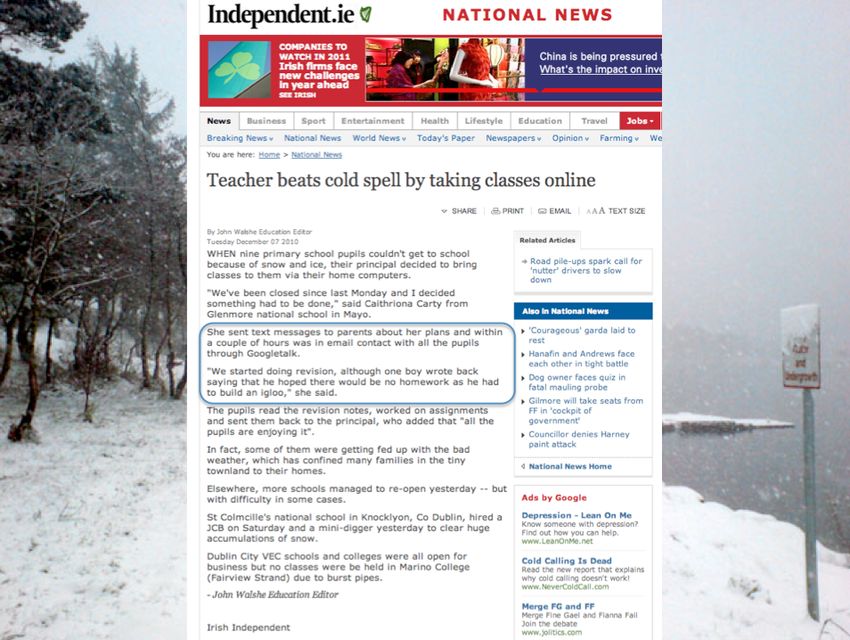
Intermediate Application#26: Hold Office Hours over Chat...even on snow
days!
http://www.independent.ie/national-news/teacher-beats-cold-spell-by-taking-classes-online-2450487.
htmlTry it! Beginner, Intermediate and Advanced: Video chat with someone in the classroom (http://bit.ly/hxPvuj) Have more ideas? Add them to the Moderator! http: //goo.gl/mod/oWUK
Want to learn more?

Google Apps for Education Training Center, Chapter
8: http://edutraining.googleapps.com/Training-
Home/module-2-mail/chapter-8
Sites
#27: Classroom and School Websites

                                     Create a site
                                     for your
                                     class. Embed
                                     a class
                                     calendar,
                                     videos, and
                                     presentations.
                                     Examples:
                                     5th Grade Class Site
                                     US History Class Site
                                     School Website

Intermediate Application
#28: Student ePortfolios
Use sties to create
student ePortfolios. S
student work and
pass it on from year
to year.
Example:
Clemson University
ePortfolios
Advanced Application#29: Student Projects and Reports
Have students do
projects or create
reports using
sites. You could
also have them
do their
submission for
the Global Google
Science Fair!
More info on that
here.
Intermediate Application#30: Curriculum Sharing
Create and share
curriculum at
your school or
district.
Advanced ApplicationWant more? Google Apps for Education Training Center: http: //edutraining.googleapps.com/Training-Home/module-5- sites
Beyond the Core Suite...
Blogger, Voice, and Reader
#31: Run your Class Through Blogger
                                        Use Blogger to
                                        structure and run
                                        your
                                        lessons. Students
                                        can access their
                                        "Do Now,"
                                        independent
                                        practice, and exit
                                        slip through the blog
                                        entry. Works best
                                        with 1:1 programs.

                                        Example

Advanced Application
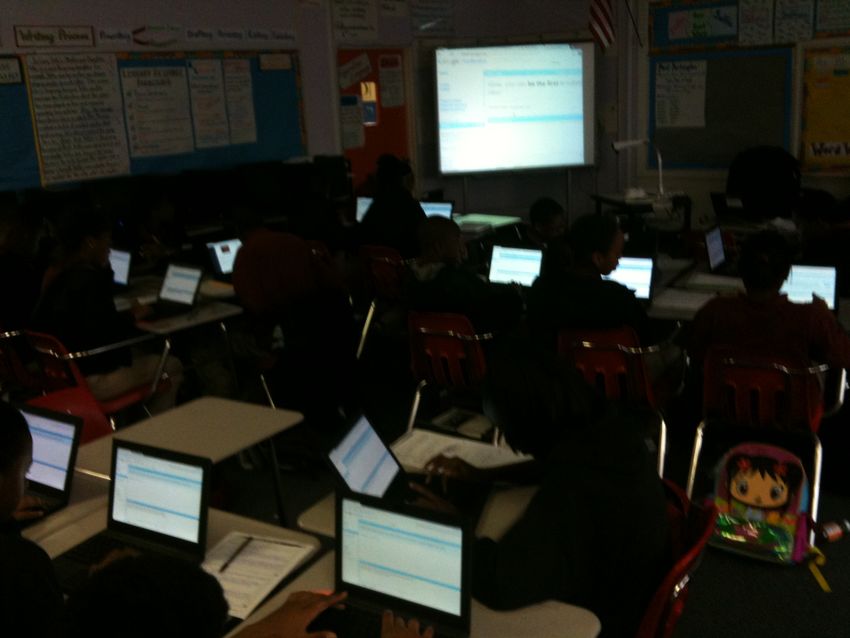
#32: Extend classroom discussions using Moderator
Have students reflect
on their daily learning
through Google
Moderator. Students
can read each other's
reflections and vote
up the responses that
they like the
best. Classroom
discussion will be
extended beyond the
walls of the
classroom!
Have more ideas? Add them
to the Moderator! http://bit.
ly/beyond32
Advanced ApplicationGo Google!: http://www.google.com/a/help/intl/en/edu/
Questions
Have more ideas? Add them to the
Moderator! http://bit.ly/beyond32You can also read


