Maxwell FSC DNA IQ Casework Kit - Promega ...
←
→
Page content transcription
If your browser does not render page correctly, please read the page content below
TECHNICAL MANUAL

Maxwell® FSC DNA IQ™
Casework Kit
Instructions for Use of Products
AS1550 and DC6745

              Note: To use the Maxwell® FSC DNA IQ™ Casework
              Kit, you must have the “DNA IQ Casework” method
              loaded on the Maxwell® Instrument.

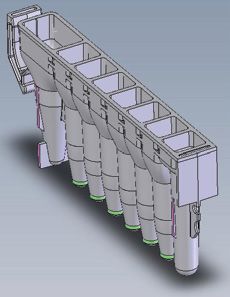
              Caution: Handle cartridges with care; seal edges may
              be sharp.

                                                      Revised 7/20
                                                      TM499
Maxwell® FSC DNA IQ™ Casework Kit
All technical literature is available at: www.promega.com/protocols/
Visit the web site to verify that you are using the most current version of this Technical Manual.
E-mail Promega Technical Services if you have questions on use of this system: techserv@promega.com
1. Description.......................................................................................................................................... 1
2. Product Components and Storage Conditions......................................................................................... 2
3. Sample Preprocessing.......................................................................................................................... 3
3.A. Samples on a Solid Support.......................................................................................................... 3
3.B. Liquid Samples............................................................................................................................ 5
3.C. Differential Extraction Samples.................................................................................................... 6
4. Maxwell® FSC DNA IQ™ Casework Cartridge Preparation...................................................................... 8
5. Maxprep™ Preprocessing..................................................................................................................... 9
6. Maxwell® Instrument Setup and Run..................................................................................................... 9
7. Storing Eluted DNA............................................................................................................................ 11
8. Troubleshooting................................................................................................................................ 12
9. Related Products................................................................................................................................ 14
10. Summary of Changes.......................................................................................................................... 14
1. Description
The Maxwell® FSC DNA IQ™ Casework Kit(a) is used with the Maxwell® Instruments specified below and is specifically
designed for optimal DNA extraction from forensic casework samples. These samples include blood stains, semen stains,
hair, cigarette butts, tissue samples and “touch” DNA samples regularly encountered in forensic DNA analysis.
Extraction from certain sample types (e.g., sperm cells) traditionally requires the use of dithiothreitol (DTT) as part of the
extraction method. The Casework Extraction Kit (Cat.# DC6745) includes 1-Thioglycerol, which, unlike DTT, can be
stored at 2–10°C, and provides extraction performance comparable to that with DTT. This Technical Manual provides
instructions to use 1-Thioglycerol for sample preprocessing.
Supported Instruments
Instrument Cat.# Technical Manual
Maxwell RSC®
AS4500 TM411
Maxwell RSC 48
®
AS8500 TM510
Maxwell FSC®
AS4600 TM462
Maxprep™ Liquid Handler AS9100, AS9101, AS9200, AS9201 TM509
Promega Corporation · 2800 Woods Hollow Road · Madison, WI 53711-5399 USA · Toll Free in USA 800-356-9526 · 608-274-4330 · Fax 608-277-2516 1
www.promega.com TM499 ·Revised 7/201. Description (continued)
Maxwell® Instruments are designed for use with predispensed reagent cartridges and elute DNA samples in small
volumes. Maxwell® methods for the FSC DNA IQ™ Casework Kit can process from one to the maximum sample number
in about 25 minutes.
The Maxwell® FSC DNA IQ™ Casework Kit uses the DNA IQ™ Resin to purify DNA, maximizing DNA yield and
purity for use in STR analysis. The Maxwell® Instruments are magnetic-particle-handling instruments that efficiently
transport the DNA IQ™ Resin through purification reagents in prefilled cartridges, mixing the resin with the reagents
during processing. The paramagnetic particle-based methodology avoids common problems experienced with other
automated systems, such as clogged tips or partial reagent transfers, which can lead to suboptimal DNA purification.
Prior to extraction, samples can be preprocessed manually or using the Maxprep™ Liquid Handler. The Maxprep™
Liquid Handler will prepare samples for extraction and can add preprocessed samples to Maxwell® FSC cartridges,
transfer plungers to Maxwell® FSC cartridges and dispense elution buffer to elution tubes. Follow the instruction set
specific to the preprocessing option used.
2. Product Components and Storage Conditions
PRODUCT SIZE C A T. #
Maxwell® FSC DNA IQ™ Casework Kit 48 preps AS1550
Not for Medical Diagnostic Use. Sufficient for 48 automated isolations from forensic casework samples.
Includes:
• 48 Maxwell® FSC Cartridges
• 1 Maxwell® FSC Plunger Pack (48 plungers)
• 50 Elution Tubes, 0.5ml
• 20ml Elution Buffer
• 32ml Lysis Buffer
PRODUCT SIZE C A T. #
Casework Extraction Kit 100 reactions DC6745
Not for Medical Diagnostic Use. Sufficient for 100 extractions of 400µl each. Includes:
• 50ml Casework Extraction Buffer
• 2 × 10mg Proteinase K
• 900µl 1-Thioglycerol
• 1.25ml Nuclease-Free Water
Storage Conditions: Store the Maxwell® FSC DNA IQ™ Casework Kit and Casework Extraction Buffer at 15–30°C.
Store 1-Thioglycerol at 2–10°C. Store Proteinase K at –30°C to –10°C. Store Nuclease-Free Water at less than 30°C.
Safety Information: The Maxwell® FSC Cartridges contain flammable substances ethanol and isopropanol, and the
harmful substance guanidine thiocyanate. 1-Thioglycerol is a toxic substance. We highly recommend the use of gloves
and aerosol-resistant pipette tips.
Maxwell® FSC Cartridges are designed to be used with potentially infectious substances. Wear appropriate
protection (e.g., gloves and goggles) when handling infectious substances. Adhere to your institutional
6422MA
guidelines for the handling and disposal of all infectious substances when used with this system.
2 Promega Corporation · 2800 Woods Hollow Road · Madison, WI 53711-5399 USA · Toll Free in USA 800-356-9526 · 608-274-4330 · Fax 608-277-2516
TM499 · Revised 7/20 www.promega.com3. Sample Preprocessing
The instructions below indicate the manual steps necessary for preprocessing of samples in individual tubes. Perform
the preprocessing steps appropriate to the sample type whether using the Maxprep™ Liquid Handler with samples in
individual tubes or prior to extraction on the Maxwell® Instrument.
To maximize the amount of DNA purified from forensic casework materials, use the protocol appropriate for your
sample type. Protocols include:
1. Samples on a Solid Support (Section 3.A)
2. Liquid Samples (Section 3.B)
3. Differential Extraction Samples (Section 3.C).
All protocols involve a Proteinase K treatment, which is required to maximize recovery and yield from a variety of
sample types, including small amounts of sample on a solid matrix, such as a swab or fabric. DNA samples extracted
using a Proteinase K treatment generally exhibit better locus-to-locus balance in downstream STR analysis.
Note: These preprocessing protocols use the Casework Extraction Buffer included in the Casework Extraction Kit
(Cat.# DC6745) for the Proteinase K digestion. If another proteinase K digestion buffer is used for comparison, the
concentration of SDS must be below 0.5% or a precipitate may form when the Lysis Buffer is added.
3.A. Samples on a Solid Support
This preprocessing protocol allows optimal DNA extraction from samples on a solid support, such as swabs or fabric,
using a Proteinase K incubation. Two different protocols are listed (Option 1 and 2), depending on which spin baskets
and microtubes are selected.
Materials to Be Supplied by the User
• 56°C heat block or water bath
• aerosol-resistant pipette tips
• Casework Extraction Kit (Cat.# DC6745)
• preprocessing spin baskets and tubes (use option 1 or 2 listed below)
1. DNA IQ™ Spin Baskets (Cat.# V1225) with ClickFit Microtube, 1.5ml (Cat.# V4745)
2. CW Spin Baskets (Cat.# AS8101) with CW Microfuge Tubes, 1.5ml (Cat.# AS8201)
Preparation of Stock Proteinase K Solution for Sample Preprocessing
Add 556µl of Nuclease-Free Water to one tube of lyophilized Proteinase K, and gently invert to dissolve. The final
concentration of Proteinase K will be 18mg/ml. Store Proteinase K Solution at –30°C to –10°C.
Promega Corporation · 2800 Woods Hollow Road · Madison, WI 53711-5399 USA · Toll Free in USA 800-356-9526 · 608-274-4330 · Fax 608-277-2516 3
www.promega.com TM499 · Revised 7/203.A. Samples on a Solid Support (continued)
Option 1: Extraction of Samples on a Solid Support with DNA IQ™ Spin Basket
1. Place solid substrate (e.g., fabric or swab head) at the bottom of a labeled ClickFit Microtube, 1.5ml.
2. Prepare the Extraction Mix by adding the final volume of each reagent listed in Table 1 to a clean tube.
Table 1. Extraction Mix for Solid Support Samples with DNA IQ™ Spin Basket.
Volume Per Number of Final
Extraction Mix Component Extraction × Extractions = Volume
Casework Extraction Buffer 386µl × =
Proteinase K (18mg/ml) 10µl × =
1-Thioglycerol 4µl × =
Total Reaction Volume 400µl × =
Note: 1-Thioglycerol is viscous. Pipet slowly.
3. Briefly vortex the Extraction Mix, and dispense 400µl to each ClickFit Microtube containing solid substrate.
4. Close the tube lid, vortex sample at high speed for 5 seconds, and incubate the sample at 56°C for 30 minutes.
5. Place a DNA IQ™ Spin Basket into a clean labeled ClickFit Microtube, 1.5ml. Transfer the sample to the
DNA IQ™ Spin Basket with forceps, being sure to orient the swab or fabric toward the bottom of the spin basket.
Transfer the lysate from the incubation tube to the spin basket, and close the tube.
6. Centrifuge at room temperature for 2 minutes at maximum speed in a microcentrifuge. Carefully remove the
DNA IQ™ Spin Basket.
7. Add 200µl of Lysis Buffer to the tube containing extract.
Note: The sample is now ready for Maxprep™ Liquid Handler preprocessing when using the Maxwell™ FSC
DNA IQ™-Tubes method. Proceed to the instructions in Maxwell® FSC DNA IQ™ Casework Kit Preprocessing
of Sample in Tubes for the Maxprep™ Liquid Handler Technical Manual #TM592 for use of the Maxprep™
Liquid Handler with samples in tubes.
8. Close the lid of the tube, and vortex the sample for 5–10 seconds.
9. The sample is now ready for automated DNA extraction using the Maxwell® Instrument. Proceed to Section 4 for
Maxwell® cartridge preparation and instrument setup.
Note: Store preprocessed sample at room temperature (15–30°C) overnight, if necessary.
Option 2: Extraction of Samples on a Solid Support with CW Spin Basket
1. Place a CW Spin Basket into a labeled CW Microfuge Tube, 1.5ml.
2. Place solid substrate (e.g., fabric or swab head) at the bottom of a CW Spin Basket.
3. Prepare the Extraction Mix by adding the final volume of each reagent listed in Table 2 to a clean tube.
4 Promega Corporation · 2800 Woods Hollow Road · Madison, WI 53711-5399 USA · Toll Free in USA 800-356-9526 · 608-274-4330 · Fax 608-277-2516
TM499 · Revised 7/20 www.promega.comTable 2. Extraction Mix for Solid Support Samples with CW Spin Basket.
Volume Per Number of Final
Extraction Mix Component Extraction × Extractions = Volume
Casework Extraction Buffer 286µl × =
Proteinase K (18mg/ml) 10µl × =
1-Thioglycerol 4µl × =
Total Reaction Volume 300µl × =
Note: 1-Thioglycerol is viscous. Pipet slowly.
4. Briefly vortex the Extraction Mix, and dispense 300µl to each CW Spin Basket containing solid substrate.
5. Close the tube lid, vortex sample at high speed for 5 seconds, and incubate the sample at 56°C for 30 minutes.
6. Centrifuge at room temperature for 2 minutes at maximum speed in a microcentrifuge. Carefully remove the CW
Spin Basket.
7. Add 200µl of Lysis Buffer to the tube containing extract.
Note: The sample is now ready for Maxprep™ Liquid Handler preprocessing when using the Maxwell™ FSC
DNA IQ™-Tubes method. Proceed to the instructions in Maxwell® FSC DNA IQ™ Casework Kit Preprocessing
of Sample in Tubes for the Maxprep™ Liquid Handler Technical Manual #TM592 for use of the Maxprep™
Liquid Handler with samples in tubes.
8. Close the lid of the tube, and vortex the sample for 5–10 seconds.
9. The sample is now ready for automated DNA extraction using the Maxwell® Instrument. Proceed to Section 4 for
Maxwell® cartridge preparation and instrument setup.
Note: Store preprocessed sample at room temperature (15–30°C) overnight, if necessary.
3.B. Liquid Samples
This preprocessing protocol results in optimal lysis from samples in an aqueous solution using a Proteinase K treatment.
Materials to Be Supplied by the User
• 56°C heat block or water bath
• aerosol-resistant pipette tips
• Casework Extraction Kit (Cat.# DC6745)
• ClickFit Microtubes, 1.5ml (Cat.# V4745) or CW Microfuge Tubes, 1.5ml (Cat.# AS8201)
Note: The ClickFit Microtube or CW Microfuge Tube lid will remain closed during heated incubation.
Preparation of Stock Proteinase K Solution for Sample Preprocessing
Add 556µl of Nuclease-Free Water to one tube of lyophilized Proteinase K, and gently invert to dissolve. The final
concentration of Proteinase K will be 18mg/ml. Store Proteinase K Solution at –30°C to –10°C.
Promega Corporation · 2800 Woods Hollow Road · Madison, WI 53711-5399 USA · Toll Free in USA 800-356-9526 · 608-274-4330 · Fax 608-277-2516 5
www.promega.com TM499 · Revised 7/203.B. Liquid Samples (continued)
Extraction of Liquid Samples
1. Pipet liquid sample into the bottom of a labeled ClickFit Microtube or CW Microfuge Tube, 1.5ml.
2. Add 10µl of Proteinase K Solution, 4µl of 1-Thioglycerol and Casework Extraction Buffer to a total volume of
400µl.
! Do not exceed a final volume of 400µl.
Note: 1-Thioglycerol is viscous. Pipet slowly.
3. Close the tube lid, vortex sample at high speed for 5 seconds, and incubate the sample at 56°C for 30 minutes.
4. Add 200µl of Lysis Buffer to each sample.
Note: The sample is now ready for Maxprep™ Liquid Handler preprocessing when using the Maxwell™ FSC
DNA IQ™-Tubes method. Proceed to the instructions in Maxwell® FSC DNA IQ™ Casework Kit Preprocessing
of Sample in Tubes for the Maxprep™ Liquid Handler Technical Manual #TM592 for use of the Maxprep™
Liquid Handler with samples in tubes.
5. Close the lid of the tube, and vortex the sample for 5–10 seconds.
6. The sample is now ready for automated DNA extraction using the Maxwell® Instrument. Proceed to Section 4 for
Maxwell® cartridge preparation and instrument setup.
Note: Store preprocessed sample at room temperature (15–30°C) overnight, if necessary.
3.C. Differential Extraction Samples
Differential extraction is a method of separating a forensic sample into two fractions: sperm and epithelial. Epithelial
cells are lysed using Proteinase K in the absence of a reducing agent (e.g., DTT) to prevent the lysis of spermatozoa. The
Differex™ System (Cat.# DC6801, DC6800) can be used to quickly and efficiently separate male and female sample
fractions. See the Differex™ System Technical Manual #TM331 for a protocol to separate sperm and epithelial
fractions, available at: www.promega.com/protocols
Materials to Be Supplied by the User
• 56°C heat block or water bath
• aerosol-resistant pipette tips
• Casework Extraction Kit (Cat.# DC6745)
• ClickFit Microtubes, 1.5ml (Cat.# V4745) or CW Microfuge Tubes, 1.5ml (Cat.# AS8201)
Note: The ClickFit Microtube or CW Microfuge Tube lid will remain closed during heated incubation.
Preparation of Stock Proteinase K Solution for Sample Preprocessing
Add 556µl of Nuclease-Free Water to one tube of lyophilized Proteinase K, and gently invert to dissolve. The final
concentration of Proteinase K will be 18mg/ml. Store Proteinase K Solution at –30°C to –10°C.
6 Promega Corporation · 2800 Woods Hollow Road · Madison, WI 53711-5399 USA · Toll Free in USA 800-356-9526 · 608-274-4330 · Fax 608-277-2516
TM499 · Revised 7/20 www.promega.comDNA Extraction from Sperm Fraction
1. Prepare the Extraction Mix by adding the final volume of each reagent listed in Table 4 to a clean tube.
Table 4. Extraction Mix for Sperm Samples.
Volume Per Number of Final
Extraction Mix Component Extraction × Extractions = Volume
Casework Extraction Buffer 386µl × =
Proteinase K (18mg/ml) 10µl × =
1-Thioglycerol 4µl × =
Total Reaction Volume 400µl × =
Note: 1-Thioglycerol is viscous. Pipet slowly.
2. Briefly vortex the Extraction Mix, and dispense 400µl to the sperm fraction (generally a pellet or liquid volume
less than 100µl) into a labeled ClickFit Microtube or CW Microfuge Tube, 1.5ml.
3. Close the lid of the tube, vortex the sample for 5 seconds, and incubate the sample at 56°C for 30 minutes.
4. Add 200µl of Lysis Buffer to each sample.
Note: The sample is now ready for Maxprep™ Liquid Handler preprocessing when using the Maxwell™ FSC
DNA IQ™-Tubes method. Proceed to the instructions in Maxwell® FSC DNA IQ™ Casework Kit Preprocessing
of Sample in Tubes for the Maxprep™ Liquid Handler Technical Manual #TM592 for use of the Maxprep™
Liquid Handler with samples in tubes.
5. Close the lid of the tube, and vortex the sample for 5–10 seconds.
6. The sample is now ready for automated DNA extraction using the Maxwell® Instrument. Proceed to Section 4 for
Maxwell® cartridge preparation and instrument setup.
Note: Store preprocessed sample at room temperature (15–30°C) overnight, if necessary.
DNA Extraction from Epithelial Fraction
1. To an epithelial fraction of up to 400µl, add 200µl of Lysis Buffer.
Note: Epithelial fraction samples require no further preparation before they are ready for Maxprep™ Liquid
Handler preprocessing when using the Maxwell™ FSC DNA IQ™-Tubes method. Proceed to the instructions in
Maxwell® FSC DNA IQ™ Casework Kit Preprocessing of Sample in Tubes for the Maxprep™ Liquid Handler
Technical Manual #TM592 for use of the Maxprep™ Liquid Handler with samples in tubes.
2. Close the lid of the tube, and vortex the sample for 5–10 seconds.
3. The sample is now ready for automated DNA extraction using the Maxwell® Instrument. Proceed to Section 4 for
Maxwell® cartridge preparation and instrument setup.
Note: Store preprocessed sample at room temperature (15–30°C) overnight, if necessary.
Promega Corporation · 2800 Woods Hollow Road · Madison, WI 53711-5399 USA · Toll Free in USA 800-356-9526 · 608-274-4330 · Fax 608-277-2516 7
www.promega.com TM499 · Revised 7/204. Maxwell® FSC DNA IQ™ Casework Cartridge Preparation
1. Change gloves before handling Maxwell® FSC Cartridges, FSC Plungers and Elution Tubes. Place the cartridges
to be used in the deck tray(s). Use the Maxwell® Deck Trays appropriate to the Maxwell® Instrument. Place each
cartridge in the deck tray with well #1 (the largest well) facing away from the elution tubes. Press down on the
cartridge to snap it into position. Carefully peel back the seal so that all plastic comes off the top of the cartridge.
Ensure that all sealing tape and any residual adhesive are removed before placing cartridges in the instrument.
Note: Clean sample or reagent spills on any part of the deck tray with a detergent-water solution, followed by
70% ethanol and then water. Do not use bleach on any instrument parts.
2. Transfer each preprocessed sample to well #1 (the largest well) of each cartridge.
3. Mix the sample in well #1 using the pipette tip to ensure that all sample has been transferred. Change pipette tips
between samples.
4. Place one plunger into well #8 of each cartridge.
5. Place an empty elution tube into the elution tube position for each cartridge in the deck tray. Add 50µl of Elution
Buffer to the bottom of each elution tube.
Notes:
1. Ensure that the Elution Buffer is in the bottom of the tube. If Elution Buffer is on the side of the tube, the
elution may be suboptimal.
2. Use only the Elution Tubes provided with the kit; other tubes may not work with the Maxwell® Instrument.
3. Use only the Elution Buffer supplied with the Maxwell® FSC DNA IQ™ Casework Kit; other buffers can
negatively affect downstream analysis (e.g., poor-quality STR profiles).
1. Binding
User Adds toBuffer
Wells
1. 2. Magnetic Particles
Preprocessed Sample Lysate
1 8. 3.
FSCWash Solution
Plungers
2 4. Wash Solution
3 5. Wash Solution
4
5 6. Wash Solution
6 7. Empty
7
8 8. Empty
Well Content User Adds:
1. Preprocessed sample
8. CSC Plunger
11339TA
Figure 1. Maxwell® FSC Cartridge. Preprocessed sample is added to well #1, and a plunger is added to well #8.
8 Promega Corporation · 2800 Woods Hollow Road · Madison, WI 53711-5399 USA · Toll Free in USA 800-356-9526 · 608-274-4330 · Fax 608-277-2516
TM499 · Revised 7/20 www.promega.com10828TB
Figure 2. Setup and configuration of the deck tray. Elution Buffer is added to the elution tubes as shown.
Plungers are in well #8 of the cartridge.
5. Maxprep™ Preprocessing
The Maxprep™ Liquid Handler provides methods for preprocessing of samples prior to extraction using Maxwell®
Instruments. Separate, short technical manuals provide instructions for setting up the Maxprep™ Liquid Handler for
these methods (available at www.promega.com/resources/protocols). Refer to these short technical manuals for
information about the methods and how to set up the Maxprep™ Liquid Handler to perform preprocessing of samples
prior to extraction using the Maxwell® FSC DNA IQ™ Casework Extraction Kit.
6. Maxwell® Instrument Setup and Run
For detailed information, refer to the technical manual specific to your Maxwell® Instrument.
Instrument Technical Manual
Maxwell® RSC TM411
Maxwell RSC 48
®
TM510
Maxwell FSC®
TM462
1. Turn on the Maxwell Instrument and Tablet PC. Sign in to the Tablet PC, and start the Maxwell® software on
®
the Tablet PC. The instrument will proceed through a self-check and home all moving parts.
2. Touch Start to begin the process of running a method.
3. Depending on your Maxwell® Instrument model, use one of the following options to select a method:
a. When running in Portal mode, scan the bar code(s) on the deck tray(s). After data has been returned from
the Portal software, touch Continue to use the sample tracking information for the deck tray(s) or touch
New to start a run and enter new sample tracking information.
b. Scan or enter the 2D bar code information on the kit box to automatically select the appropriate method.
c. Touch the DNA IQ Casework method.
Promega Corporation · 2800 Woods Hollow Road · Madison, WI 53711-5399 USA · Toll Free in USA 800-356-9526 · 608-274-4330 · Fax 608-277-2516 9
www.promega.com TM499 · Revised 7/206. Maxwell® Instrument Setup and Run (continued)
4. If applicable to your Maxwell® Instrument model, verify that the DNA IQ Casework method has been selected,
and touch the Proceed button. If requested by the software, scan or enter kit lot and expiration information as
required by the Administrator.
5. On the ‘Cartridge Setup’ screen, touch the cartridge positions to select/deselect the positions that will be used
during this extraction run. Enter any required sample tracking information, and touch the Proceed button to
continue.
Note: When using 48-position Maxwell® Instruments, touch the Front and Back buttons to select/deselect
cartridge positions on each deck tray.
6. After the door has been opened, confirm that all Extraction Checklist items have been performed. Verify that
samples were added to well #1 of the cartridges, cartridges are loaded on the instrument, uncapped elution tubes
are present with Elution Buffer and plungers are in well #8. Transfer the deck tray(s) containing the prepared
cartridges onto the Maxwell® Instrument platform.
Inserting the Maxwell® deck tray(s): Hold the deck tray by the sides to avoid dislodging cartridges from the
deck tray. Ensure that the deck tray is placed in the Maxwell® Instrument with the elution tubes closest to the
door. Angle the back of the deck tray downward and place into the instrument so that the back of the deck tray is
against the back of the instrument platform. Press down on the front of the deck tray to firmly seat the deck tray
on the instrument platform. If you have difficulty fitting the deck tray on the platform, check that the deck tray is
in the correct orientation. Ensure the deck tray is level on the instrument platform and fully seated.
Notes:
1. Check the identifier on 24-position Maxwell® deck trays to determine whether they should be placed in the
front or back of the instrument.
! 2. Make sure elution tubes are open and contain elution buffer before starting a purification run.
7. Touch the Start button to begin the extraction run. The platform will retract, and the door will close.
Warning: Pinch point hazard.
The Maxwell® Instrument will immediately begin the purification run. The screen will display information
including the user who started the run, the current method step being performed, and the approximate time
remaining in the run.
Notes:
1. When using a 48-position Maxwell® Instrument, if the Vision System has been enabled, the deck trays
will be scanned as the door retracts. Any errors in deck tray setup (e.g., plungers not in well #8, elution
tubes not present and open) will cause the software to return to the ‘Cartridge Setup’ screen and problem
positions will be marked with an exclamation point in a red circle. Resolve all error states, and touch the
Start button again to repeat deck tray scanning and begin the extraction run.
2. Pressing the Abort button will abandon the run.
3. If the run is abandoned before completion, you will be prompted to check whether plungers are still
loaded on the plunger bar. If plungers are present on the plunger bar, perform Clean Up when requested.
If plungers are not present on the plunger bar, you can choose to skip Clean Up when requested. The
samples will be lost.
10 Promega Corporation · 2800 Woods Hollow Road · Madison, WI 53711-5399 USA · Toll Free in USA 800-356-9526 · 608-274-4330 · Fax 608-277-2516
TM499 · Revised 7/20 www.promega.com8. Follow on-screen instructions at the end of the method to open the door. Verify that plungers are located in
well #8 of the cartridge at the end of the run. If plungers are not removed from the plunger bar, follow the
instructions in the technical manual appropriate to your Maxwell® Instrument (see table above) to perform a
Clean Up process to attempt to unload the plungers.
9. Remove the deck tray(s) from the instrument. Remove elution tubes containing DNA, and cap the tubes. After
the run has been completed, the extraction run report will be displayed. From the report screen, you can print or
export this report or both.
Note: Following the automated purification procedure, the deck tray will be warm. It will not be too hot to
touch. To remove the deck tray from the instrument platform, hold the sides of the deck tray.
10. Specimen or reagent spills on any part of the deck tray should be cleaned with a detergent-water solution,
followed by a bacteriocidal spray or wipe and then water. All cartridges and tubes should be removed before
cleaning. Do not use bleach on any instrument parts.
11. Remove the cartridges and plungers from the deck tray.
Discard the cartridges and plungers as hazardous waste following your institution’s recommended guidelines. Do
not reuse reagent cartridges, plungers or elution tubes.
6422MA
Ensure samples are removed before performing any required UV light treatment to avoid damage to the nucleic
acid.
7. Storing Eluted DNA
If DNA is not analyzed immediately, store the eluted DNA on ice or at 2–10°C for up to 24 hours. For longer term
storage, consult laboratory guidelines. Freezing samples at –30°C to –10°C or below –65°C has been shown to
preserve DNA for longer periods of time.
Promega Corporation · 2800 Woods Hollow Road · Madison, WI 53711-5399 USA · Toll Free in USA 800-356-9526 · 608-274-4330 · Fax 608-277-2516 11
www.promega.com TM499 · Revised 7/208. Troubleshooting
For questions not addressed here, please contact your local Promega Branch Office or Distributor. Contact information
available at: www.promega.com. E-mail: techserv@promega.com
Symptoms Causes and Comments
Low DNA yield Insufficient sample was processed. Add more starting material
for preprocessing to increase yield.
Too much sample volume was processed. DNA isolation using
the Maxwell® FSC Cartridge is most efficient when there isSymptoms Causes and Comments
Instrument calibration error The cartridges were not completely seated in the deck tray.
Ensure the cartridges are pressed firmly into place.
Verify nothing is physically blocking the movement of the
platform, plunger bar or magnet bar.
Confirm that you are using the Maxwell® FSC DNA IQ™
Casework Kit (Cat.# AS1550) with FSC plungers.
Turn the machine off then on to cycle the power. The instrument
will rehome itself. If the calibration error occurs again after
power cycling, contact Promega for service.
Turn the machine off then on to cycle the power. After cycling
power, run the DNA IQ Casework method without a cartridge in
the machine. If another calibration error occurs during the run,
contact Promega for service.
Incorrect elution tube was used. Use only the 0.5ml Elution
Tube provided with the Maxwell® FSC DNA IQ™ Casework Kit.
Other tubes may have different dimensions.
Promega Corporation · 2800 Woods Hollow Road · Madison, WI 53711-5399 USA · Toll Free in USA 800-356-9526 · 608-274-4330 · Fax 608-277-2516 13
www.promega.com TM499 · Revised 7/209. Related Products
Instrument and Accessories
Product Size Cat.#
Maxprep™ Liquid Handler, RSC Carriers 1 each AS9100
Maxprep™ Liquid Handler, RSC Carriers w/ UV Light 1 each AS9101
Maxprep™ Liquid Handler, RSC 48 Carriers 1 each AS9200
Maxprep™ Liquid Handler, RSC 48 Carriers w/UV Light 1 each AS9201
Maxprep™ Carrier, Maxwell® RSC 1 each AS9402
Maxprep™ Carrier, Maxwell RSC 48 Front
®
1 each AS9403
Maxprep™ Carrier, Maxwell® RSC 48 Back 1 each AS9404
Nunc™ 2.0ml Deep Well Plates 60/pack AS9307
Maxprep™ 1000ul Conductive Disposable Tips, Filtered 40 racks of 96 tips/box AS9303
Maxprep™ 300ul Conductive Disposable Tips, Filtered 60 racks of 96 tips/box AS9302
Maxprep™ Reagent Reservoir, 50ml 28/pack AS9304
Maxprep™ Waste Bags, Clear 100/box AS9305
Maxprep™ Plunger Holder 1 each AS9408
Maxprep™ 3-Position Reagent Tube Holder 1 each AS9409
Maxwell® FSC Instrument 1 each AS4600
Maxwell FSC Deck Tray
®
1 each AS4016
Differex™ System 50 samples DC6801
200 samples DC6800
Proteinase K 100mg V3021
ClickFit Microtube, 1.5ml 100/pack V4745
DNA IQ™ Spin Baskets 50/pack V1225
CW Spin Baskets 50/pack AS8101
CW Microfuge Tubes, 1.5ml 50/pack AS8201
Nuclease-Free Water 150ml P1196
Maxwell® RSC 48 Instrument 1 each AS8500
Maxwell® RSC/CSC 48 Front Deck Tray 1 each AS8401
Maxwell® RSC/CSC 48 Back Deck Tray 1 each AS8402
14 Promega Corporation · 2800 Woods Hollow Road · Madison, WI 53711-5399 USA · Toll Free in USA 800-356-9526 · 608-274-4330 · Fax 608-277-2516
TM499 · Revised 7/20 www.promega.com10. Summary of Changes
The following changes were made to the 7/20 revision of this document:
1. Updated to include new instrument software and functionality.
2. Replaced FSC Plungers with Maxwell® FSC Plunger Pack.
3. Updated product names in Section 9.
(a)
European Pat. No. 1 204 741 and Japanese Pat. No. 4425513.
© 2016–2020 Promega Corporation. All Rights Reserved.
MagneSphere and Maxwell are registered trademarks of Promega Corporation. Differex and DNA IQ are trademarks of Promega Corporation.
Products may be covered by pending or issued patents or may have certain limitations. Please visit our Web site for more information.
All prices and specifications are subject to change without prior notice.
Product claims are subject to change. Please contact Promega Technical Services or access the Promega online catalog for the most up-to-date
information on Promega products.
Promega Corporation · 2800 Woods Hollow Road · Madison, WI 53711-5399 USA · Toll Free in USA 800-356-9526 · 608-274-4330 · Fax 608-277-2516 15
www.promega.com TM499 · Revised 7/20You can also read


