Microsoft Surface Hub 2S 85" - Bridging the digital and physical divide in today's hybrid workspaces
←
→
Page content transcription
If your browser does not render page correctly, please read the page content below

Microsoft Surface Hub 2S 85”
Bridging the digital and physical divide in today’s hybrid workspaces
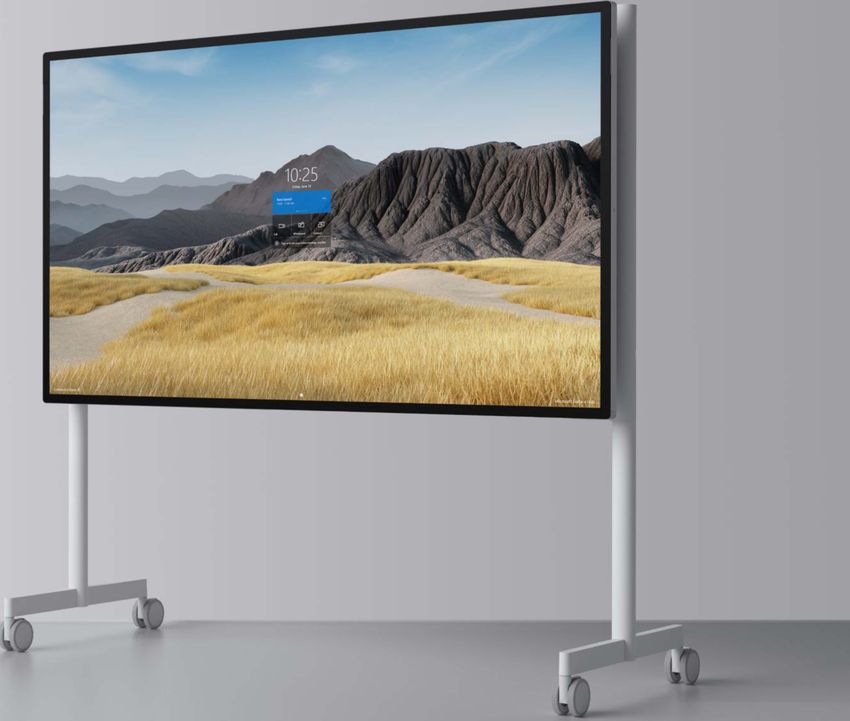
Meet The Newest Member of the Microsoft Surface Hub 2S Family

                                                   Microsoft Surface Hub 2S 85”

       Surface Hub 2S 85” coming January 2021. Pre-release product shown; product and features subject to change and may vary by country/region. Products
             and features subject to regulatory certification/approval; actual sale and delivery is contingent on compliance with applicable requirements.
Microsoft Surface Hub 2S
       Bridging the digital and physical divide in today’s hybrid workspaces

                                                                    Microsoft Surface Hub 2S 50”

Microsoft Surface Hub 2S 85”
The way we work has changed
                                  Remote and hybrid work bring benefits but also challenges

    Social distancing             Perception of non-verbal         Collaborative ideation          Social connections and
                                    interactions and cues                                                  support

Social distancing, also called    For employees participating     While remote work tends to      The social connections, social
“physical distancing,” means      in in-person meetings, it can   favor ‘solo work,’ physical     support      and     workplace
keeping     a   safe     space    be easier to “read the          workspaces better support       friendships      present     in
between yourself and other        room”, pick up on non-verbal    the collaborative generation    physical workspaces, are
people who are not from           interactions and cues from      of new ideas, finding clarity   critical to work satisfaction
your household. To practice       other participants and gain a   and alignment within a team     and      task     performance.
social or physical distancing,    sense of the audience –         and the ability to set goals    Remote       workers     report
stay at least two metres          especially   valuable   when    and change direction as a       greater feelings of isolation
(about 2 arms’         length)    presenting and determining if   team.                           and loneliness, and struggle
from    other people who          adjustments need to be                                          to        replace       casual,
are     not      from     your    made.                                                           spontaneous “watercooler”
household in both indoor                                                                          conversations.
and outdoor spaces.
Understanding the needs of
 the new hybrid workplace
At 77.4” in width, the Surface Hub 2S 85” provides over six feet of space
edge to edge on an anti-glare 4K screen large enough to accommodate
distancing participants with good viewing angles anywhere in the room.
Use your own personal Surface Slim Pen on Surface Hub 2S if you choose
and join a meeting from your personal PC or mobile through Proximity
Join and Coordinated meetings through Microsoft Teams1 to minimise
physical contact when necessary.

Both the Surface Hub 2S 50” and the Surface Hub 2S 85” ship with a wide
field of view camera that easily capture participants who are distancing
further apart. The six-element, Teams certified microphone array can
capture participants who are further apart than usual while continuing to
reduce background noise with beamforming, automatic gain correction,
and noise reduction.

The Steelcase Roam cart allows you to easily move the Surface Hub 2S 85”
or the Surface Hub 2S 50” to wherever it is needed. If a particular space is
getting too crowded, simply move to a less crowded space and stay in
your flow.
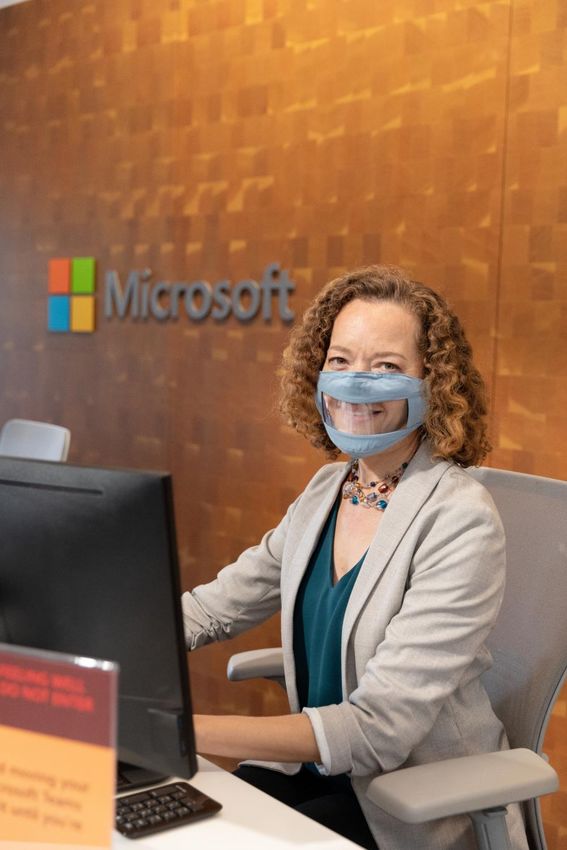
Stay apart and stay in the flow with wide camera FOV
A defining history
In 2015, Microsoft introduced the Surface Hub: The     In 2019, Microsoft advanced its vision to empower       The latest addition, at more than 85”, has brought
first team device designed to unlock the power of      teams in the modern workplace with Surface Hub          customers a larger screen in a smaller chassis than
the group. Created with a simple, intuitive Windows    2S, an elegant, portable, interactive device that can   the previous version, with bezels that are 45%
interface designed for groups, with ink and touch at   move from one space to another without disrupting       smaller, a display that is 20% thinner, and overall
its core.                                              your team’s flow.                                       30% lighter in weight than the original Surface Hub
                                                                                                               84”.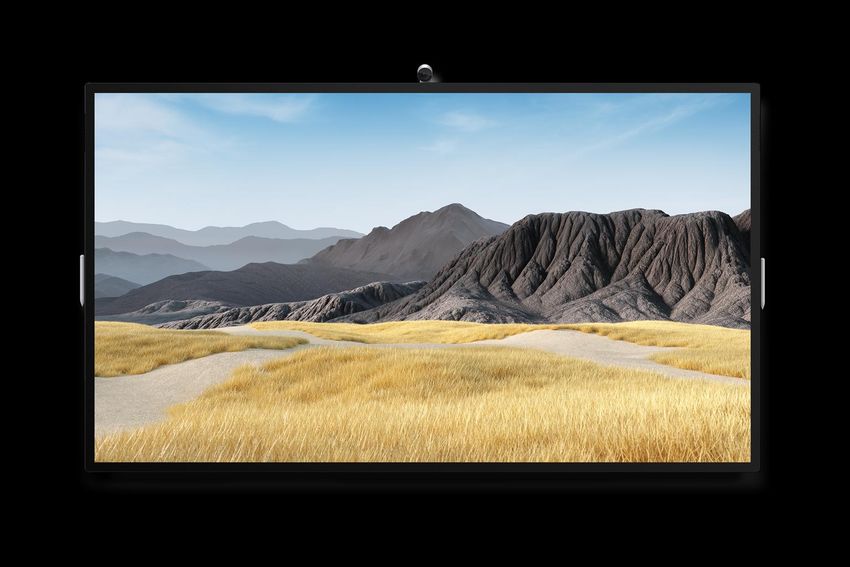
Surface Hub 2S 85”
A Surface Hub 2S for larger spaces

Built for teams to meet and collaborate wherever they work
Massive 85.6” canvas invites simultaneous inking in
Microsoft Whiteboard, plus larger-than-life remote
attendees in Microsoft Teams.

Consistent Surface Hub 2S experience
Same premium design, bezels, OS, 4k+ display
technology, touch, pen/ink, compute cartridge, and
camera support as Surface Hub 2S 50”

Integrates with existing/new AV systems
For A/V focused meetings, combine with Microsoft
Teams certified peripherals or integrate with
Microsoft Teams Rooms1 for the best audio
experience

$38,699 NZD
Product Reservations Dec 2020
Available Jan 2021
Surface Hub 2S 85” key specifications

                       85.6” 4K 16:9 IPS 60Hz Pixelsense LCD                  Coated anti-glare, strengthened glass
                                                                                                                          32mm bezels
                                                                                                                          48% thinner

44.5” (1130 mm) tall                                                                                                   3.4” (85 mm) deep
                                                                                                                          20% thinner

                                                                                                                      187 lbs (85kg) weight
                                                                                                                          33% lighter

                                                          77.2” (1960 mm) wide
                                                               11% narrower
Surface Hub 2S 85” key specifications
8-port far-field MEMs directional mic array 4k Camera, USB-C/magnetic, 90 deg HFOV
Intel Thunder Peak WiFi
802.11ax/BT 5.0LE Full range, front-facing stereo
speakers, DSP enhancement
Magnetic Pen Attach 2x Surface Hub 2S universal multi-
mode Pen with tail and barrel
buttons
2x Doppler Occupancy sensors,
IMU, and Thermal sensors
Certified for Microsoft Teams 500W Internal Power Supply,
100VAC – 240VAC, 50Hz – 60 Hz nominal
non-locking 4-meter AC cordSurface Hub 2S 85” installation and ports
C
VESA 600 x 600
mounting points
USB- C (4) and USB- A for
C use with USB compatible
accessories
USB-A A
USB-C C
Source
Volume
Power
Thoughtful installation and
C service experience: Can be
carried by the bezel and tilted.Modular and updateable
Surface Hub 2 is designed to
meet your needs today and into
the future. As new software,
hardware, and services become
available, you can easily unlock
the best experiences from
Microsoft.
Intel® i5 , 8GB DDR4, 128GB
M.2 2230 SSD
Intel® HD Graphics 630
Mini-DisplayPort HDMI USB-C USB-A RJ-45 Gigabit
Out In DP-Alt EthernetThoughtfully Designed Packaging
Total packaging weight on pallet is 96kg. Wheels on pallet will allow for easier deployment Total inner packaging weight is 40kg. (excludes
(excludes device) device )
Added hand holds in corners allow for an easier
move off the palletWindows 10 Pro and Enterprise on Surface Hub 2 All the benefits of Surface Hub 2S as an all-in-one device but optimised for personal use Windows 10 Pro and Enterprise* on Surface Hub 21 enables customers to breaks the monotony of sitting at one's desk all day and allows our customers to stand, move around and meet with remote participants more naturally and invitingly. Users can quickly sign in with Windows Hello using the Surface Hub 2 Fingerprint Reader2 which is exclusively available for use with Windows 10 Pro and Enterprise on Surface Hub 2. With the availability of Windows 10 Pro and Enterprise on Surface Hub 2, customers can also create custom kiosk mode configurations in targeted environments – just like you would on any Windows 10 PC. The possibilities are endless with Windows 10 Pro and Enterprise on Surface Hub 2.
Windows 10 Pro and Enterprise on Surface Hub 2
Simplified management and security

        Standard Windows 10 management tools
        Enterprise administration from standard Windows 10
        tools like Microsoft Endpoint Manager—both SCCM
        and Intune—are enabled.

        Chip to cloud Surface Hub security updates
        High-standard, seamless security, with automated
        updates from the Windows 10 OS to the device
        firmware (UEFI), all from Windows Update for Business.

        Remote administration of Surface Hub UEFI
        Surface UEFI (BIOS) can be managed and locked by
        Surface Enterprise Management Mode, to prevent OS
        and device tampering.

        Guides available for management and security
        Documentation updates (addition to Surface Hub
        Admin Guide) now available.
Surface Hub 2 Fingerprint Reader
Designed Exclusively for Windows 10 Pro or Enterprise* on Surface Hub 2S
Supports Windows 10 Hello
Easily walk up and sign into Windows with a
single tap through Windows Hello
Designed for Surface Hub 2S
The Surface Hub 2S Fingerprint Reader has
been thoughtfully designed to naturally fits the
contour of the Surface Hub 2S and not create a
bulky eye-sore
Safe and Secure
The Surface Hub 2S Fingerprint Reader is
custom-designed for Surface Hub 2S and meets
the highest standards of security and reliability.Windows 10 Team 2020 Update
High impact deployment Azure Active Directory Joined (AADJ) & Single Sign On (SSO)
features
Conditional Access (CA) support
Non-Global Admin support for AADJ devices
Modern Authentication (Deprecate Basic Auth)
Meetings experience Coordinated Join with Microsoft Teams Room
improvements*
Proximity Join for Microsoft Teams meetings
Microsoft Teams as default meetings and calling app
Additional enhancements Dual-pen inking support on 2S devices
Brightness adjustment slider on 2S devices
FIDO2 passwordless authentication
Platform improvements 20+ new/updated Device Management policies
Wireless projection (Miracast) improvements
Security, privacy, accessibility, and app platform updatesAppendix
Surface Hub 2 accessories
                 Surface Hub 2 Pen1
                 Write fast and precise with the Surface Hub 2 Pen. Enjoy a natural
                 writing experience with highly responsive touch and inking capabilities.

                 Surface Hub 2 Camera2
                 See every detail in crystal clarity with the Surface Hub 2 Camera.
                 With 4K resolution and wide angle lens, meetings come to life right before your eyes.

                 Surface Hub 2 Fingerprint Reader3
                 Sign with the tap of a finger with the Surface Hub 2 Fingerprint Reader. Enjoy
                 Windows Hello sign-in exclusively with the Windows 10 Pro and Enterprise on Surface
                 Hub 2 configuration.
Technical specifications: Surface Hub 2S 85”
US MSRP $21,999
44.5” x 77.1” x 3.4”
Dimensions Graphics Intel® UHD Graphics 620
(1130mm x 1959mm x 85.6mm)
Screen: 85” PixelSense™ Display
Resolution: 3840 x 2160 USB-A
Display Mini-DisplayPort Video Output
Aspect ratio: 16:9 Connections
Touch: 20-point multi-touch RJ45 Gigabit Ethernet
HDMI Video Input
Memory 8GB RAM
100Hz - 12KHz range 3-way stereo speakers, including (4) front-facing mid-
Processor1 Quad-core 8th Generation Intel® Core™ i5 processor Cameras, video, range, (2) front-facing tweeter and (1) rear bass drivers
and audio Full band 8-element MEMS microphone array
Firmware TPM chip for enterprise security and Microsoft Surface Hub 2 Camera, 4K, USB-C® connection, 90 degree HFOV
Security
BitLocker support
Windows 10 Team Edition Wi-Fi 5: IEEE 802.11 a/b/g/n/ac compatible
Microsoft Teams for Surface Hub* Wireless Bluetooth® Wireless 5.0 technology
Skype for Business* Miracast Display
Software
Microsoft Whiteboard
Casing: Precision machined aluminum with mineral-composite resin
Microsoft Office (Mobile)
Exterior Color: Platinum
Microsoft Power BI*
Physical Buttons: Power, Volume, Source
Sensors Doppler occupancy sensor
Warranty 1-year limited hardware warranty
(1) Surface Hub 2S
(2) Surface Hub 2 Pen
What’s in the box (1) Surface Hub 2 Camera
4m AC Power Cable
Quick Start Guide
Weight 185 lb (84kg)
Storage 128GB SSD1Technical specifications: Surface Hub 2S 50”
US MSRP $8,999
29.2” x 43.2” x 3.0”
Dimensions Graphics Intel® UHD Graphics 620
(741 mm x 1097 mm x 76 mm)
Screen: 50” PixelSense™ Display
Resolution: 3840 x 2560 USB-A
Display Mini-DisplayPort Video Output
Aspect ratio: 3:2 Connections
Touch: 20-point multi-touch RJ45 Gigabit Ethernet
HDMI Video Input
Memory 8GB RAM
Full range front facing 3-way stereo speakers
Processor1 Quad-core 8th Generation Intel® Core™ i5 processor Cameras, video, Full band 8-element MEMS microphone array
and audio Microsoft Surface Hub 2 Camera, 4K, USB-C™ connection,
Firmware TPM chip for enterprise security and 90 degree HFOV
Security
BitLocker support
Windows 10 Team Edition Wi-Fi 5 (IEEE 802.11 a/b/g/n/ac compatible)
Microsoft Teams for Surface Hub* Wireless Bluetooth Wireless 4.1 technology
Skype for Business* Miracast Display
Software
Microsoft Whiteboard
Casing: Precision machined aluminum with mineral-composite resin
Microsoft Office (Mobile)
Exterior Color: Platinum
Microsoft Power BI*
Physical Buttons: Power, Volume, Source
Doppler occupancy sensor
Sensors Accelerometer Warranty 1-year limited hardware warranty
Gyroscope
(1) Surface Hub 2S
(1) Surface Hub 2 Pen
What’s in the box (1) Surface Hub 2 Camera
2m AC Power Cable
Quick Start Guide
Weight 61.6 lbs. (28 kg)
Storage 128GB SSD1Microsoft Service Offerings for the Surface Hub 2S family
Worldwide Hardware Warranty Worldwide Extended Hardware Service
Extended Hardware Service ✓
NA
Accidental Damage No
Coverage Duration 1Y 2Y and 3Y options; no 5Y option
Number of repairs 3
Number of replacements At Microsoft discretion repair or replace 1
Limit of liability Up to original purchase price
In Box Accessories ✓ ✓
Standard Exchange ✓ ✓
Advanced Exchange No As needed, through CSS
In Person Repair/Replace ✓ ✓
Concierge NA Live online and video training
Software support 90 days Through coverage duration
Renewable NA No
Out of warranty paid offers ✓ ✓Surface Hub 2 Pen technical specifications Surface Hub 2 Camera technical specifications
Dimensions 5.94” x 0.64” x 0.56” (151 mm x 16.3 mm x 14.3 Dimensions 2.26” x 2.18” x 1.65” (57.5 mm x 55.3 mm x 42
mm) mm)
Weight 0.09 lbs. (41 g) Weight 0.19 lbs. (88.01 g)
Buttons Barrel button and tail eraser Connection USB-C™ (with magnetic attach)
Color Grey Resolution 4K
Connector type Bluetooth 4.0 Field of View 90 degree HFOV
Compatibility Surface Hub 2S Imaging Features Anti-flicker
Surface Book 21 Face based auto exposure
Surface Book Up to 30 frames per second
Surface Studio 21
Surface Studio1
Surface Laptop
Surface Go
Surface Go with LTE Advanced
Surface Pro 61
Surface Pro (5th Gen)1
Surface Pro (5th Gen with LTE Advanced1
Surface Pro 4
Surface Pro 3
Surface 3
Learn more at https://www.microsoft.com/surface/business/surface-hub-2Sanitizing Surface Hub 2S 50” and 85” Surface Hub 2S can be sanitised using a variety of CDC approved disinfectants that will not damage the device/screen Isopropyl alcohol (IPA) solution 70% or less PDI Sani-Cloth® Plus Covidien™ Alcohol Prep pads CaviWipes™ Total Solutions® Disinfectant Wipes Further information can be found at: https://support.microsoft.com/help/4023504/surface-clean-and-care-for-your-surface
Surface Hub Authentication
Secure, reliable authentication, however the user wants

      Fingerprint Reader                     Available with:
      Use Windows Hello for Business         Windows 10 Pro or Enterprise on
      biometric authentication, secured      Surface Hub 2S 50” only
      via physical TPM 2.0 encryption

      Authenticator App                      Available with:
      Passwordless phone authentication      Windows 10 Pro or Enterprise on
      via the Microsoft Authenticator App.   Surface Hub 2S 50”
      Requires AAD configuration             Windows 10 Team 2020 Update

      FIDO2 Key                              Available with:
      Personal USB key providing M365        Windows 10 Team 2020 Update
      passwordless authentication.
      Like a car key that belongs to you

      Username & Password                    Available with:
      Utilise your username                  Windows 10 Pro or Enterprise on
      and password on keyboards to           Surface Hub 2S 50”
      secure authentication and login        Windows 10 Team 2020 Update
Deployment Process for Windows 10
Pro and Enterprise on Surface Hub
1. Unlock your Device 2. Wipe existing
Recently, a UEFI update Operating System
was pushed to all Surface The Surface Enterprise
Hub devices via Windows Management Mode (SEMM)
Update to enable Surface management tool has been
Hub OS conversion to updated to support “booting
Windows 10 Pro to an alternative OS” (adds UI
option), which wipes clean
the Team OS security policy
for the very next boot only.
3. Install new Win 10 4. Guides available for
Pro/Enterprise and deployment
Surface Hub Drivers Documentation updates
The MSI Driver/FW pack is (addition to Surface Hub
published to allow Admin Guide) are now
commercial users to available to perform the
provide their own image. OS conversation process.Surface Hub Windows 10 Team 2020 deployment options
Deployment Options
Out-of-box Experience Provisioning Packages
Initial setup requires configuration specifics Use Windows Configuration Designer (WCD) to
to join the network and enterprise configure and load setup via a .ppkg thumb driveYou can also read


