SHARE KNOWLEDGE LIKE COMPLIMENTS - COURSES & LECTURES - Ivoclar Vivadent
←
→
Page content transcription
If your browser does not render page correctly, please read the page content below

COURSES & LECTURES 2018

 International Center for Dental Education | Ivoclar Vivadent | Vienna | Austria

     SHARE
KNOWLEDGE LIKE
 COMPLIMENTS

   G L I S H
EN
LEGEND

    We use the following icons
    to lead you through our course program.

    TARGET GROUP                         INFORMATION

    D          Dentist                          Hands-on-Course

    Dh         Dental hygienist
                                          i     Further
                                                Information
                                                                  ICDE VIENNA

    Dt         Dental technician

    CAD        Digital technician
    CAM

                                                                  Martina Jakob - Head of ICDE

                                                                  Hannes Meischl - Trainer Technical
    Further Information:

2   http://www.ivoclarvivadent.at/icde
INSTRUCTORS

MDC Alen Alić        MDT Sascha Hein               Assoc. Prof. Zoran Kovac,
                                                   DMD, MSc, PhD

Helmut Berger        Andreas Höflsauer             Davor Markovic

Tobias Böinghoff     Dr. Miona Jovanovic           Milos Miladinov

Paul Gerlóczy, DMD   Assoc. Prof. Marko Jakovac,   Marko Petrović
                     DMD, MSc, PhD

                                                                                             3
Three areas of strength

    Ivoclar Vivadent operates in three product areas. In these three areas we offer dentists and dental
    technicians products and product systems that support them across the entire treatment and
    fabrication process and enable them to achieve esthetic results.

4
CONTENT

D Dh       Schedule                                      6
           Courses for the practice                 8 - 11

D Dt       Schedule                                     12
           Courses for practice & laboratory       15 - 17
     CAD
Dt   CAM
           Schedule                                     18
           Courses for the laboratory              20 - 26

           Facilities for hire                         29
      i    Registration                                30
           How to find us                              31

                                                             5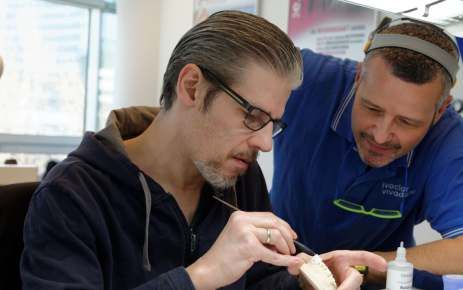
COURSES FOR THE PRACTICE

    Day       Date                Title                                             Instructor                  Page

    Fri       9       February    Complete clinical guide to successful bleaching   Miona Jovanovic                8
    Sat       10      February    Minimal preparations and adhesive cemenation      Marko Jakovac                  9
    Fri/Sat   16/17   February    Advanced veneer restorations                      Paul Gerlóczy                 10
    Fr        6       July        One-day digital dentistry –
                                  from planning to milling                          Zoran Kovac                   10
    Mo        1       October     One-day digital dentistry –
                                  from planning to milling                          Zoran Kovac                    9
    Sat       24      November    Minimal invasive preparations and
                                  Adhesive cementation in fixed prosthodontics      Marko Jakovac                  9
    Fri       14      December    One-day digital dentistry –
                                  from planning to milling                          Zoran Kovac                    9

    COURSES FOR PRACTICE & LABORATORY

    Day       Date                Title                                             Instructor                  Page

    Fri       23      March       Treatment planning in fixed prosthodontic therapy Marko Jakovac,
                                                                                    Alen Alić, Marko Petrović     15

    Fri       1       June        Treatment planning in fixed prosthodontic therapy Marko Jakovac,
                                                                                    Alen Alić, Marko Petrović      15
    Fri/Sat   28-30 September     Shoot like a pro - dental photography             Milos Miladinov             16-17

    COURSES FOR THE LABORATORY

    Day       Date                Title                                             Instructor                  Page

    Fri       20      April       3Shape – the digital workflow                     Andreas Höflsauer             20
    Fri       9       June        Scanning – designing – milling for beginners      Helmut Berger                 21
    Fri       15      June        CAD/CAM advanced training                         Helmut Berger                 22
    Sat       22      September   Achieving monolithic esthetics with
                                  CAD/CAM technology                                Davor Markovic                23
    Fri       5     October       CAD/CAM advanced training                         Helmut Berger                 22
    Fri/Sat   26/27 October       eLAB - capture, calibrate & create                Sascha Hein                   24
    Fri       9     November      3Shape - Implant Studio                           Tobias Böinghoff              26

6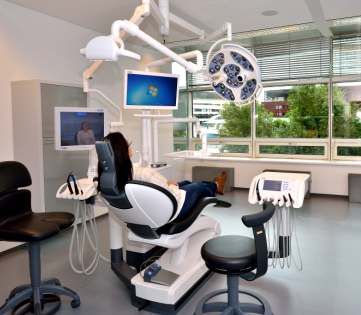
COURSES
                                                   for the PRACTICE

                              Course price includes:                  D
                              - Course fee
                              - Training material and documents
                              - Lunch
                              - Coffee-breaks                         Dh
                              - Give-aways

FURTHER INFORMATION:   http://www.ivoclarvivadent.at/icde
                                                                      7
Complete clinical guide to successful bleaching

                                                      Date                     9 February 2018
                                                      Duration                 9.00 am to 5.00 pm
                                                      Instructor               Dr. Miona Jovanovic
                                                      Fee                      EUR 190 VAT incl.

                                                      In-depth planning of the simplest to most complex cases
D                                                     Teeth whitening grew to be most requested cosmetic procedure,
                                                      allowing a dentist an easy gain of patients trust and gratefulness. At the
Dh                                                    same time, planning of bleaching and pre-treatment became a crucial
                                                      part of assessment partly in order to make the best treatment plan and
                                                      partly in order to avoid post-delivery disappointment.

                                                      In this course, participants will learn about the currently available
                                                      bleaching options and most efficient clinical protocols. We will also cover
                                                      issues of sensitivity, mechanism of bleaching and need for touch-ups, as
                                                      well as handling the post-bleaching reconstructive procedures.
                                                      Furthermore, you will learn to integrate special clinical findings (such as
                                                      tetracycline teeth, non-vital teeth, fluorosis, pigmentations, present
                                                      restorations, various habits and other (un)common cases) in the
     Course content                                   treatment plan and conduct it meticulously.

     In this intensive course participants
     will learn to:
     - Understand the mechanism by which
        various whitening products work
     - Plan the most efficient and scientific based
        clinical protocol for bleaching.
     - Understand the most common side effects
        and learn how to manage them most
        efficiently.
     - Learn about different bleaching options,
        their mechanism of action, indications and
        limitations of each
     - Practice various bleaching options in a

8       hands-on session
Minimal invasive preparations and adhesive cementation

                                             Dates                    10 February 2018 | 24 November 2018
                                             Duration                 9.00 am to 5.00 pm
                                             Instructor               Assoc. Prof. Marko Jakovac, DMD, MSc, PhD
                                             Fee                      EUR 500 VAT incl.

                                             Preparations and cementation in in esthetic dentistry

                                             The first part of the course will focus on tooth preparation: optical
                                                                                                                                D
                                             devices, magnifications, margins, silicone keys and temporaries. During
                                             the first day, participants will perform tooth preparations for an all-
                                             ceramic crown, veneer and a tabletop. The special benefit of the course
                                             is that participants will have the possibility to get to know and work with
                                             a dental microscope.

                                             At the end of the course various cementation procedures and types of
                                             cements will be explained. Finally, participants will do a hands-on
                                             session on the adhesive cementation of all ceramic restorations with
                                             resin cements.

Course content

First day:
- Tooth preparation techniques
- All-ceramic materials
- Dental microscope
- Silicone keys
- Hands-on preparation for crowns, veneers
  and tabletops

Second day:
- Adhesive cementation
- Resin cements                                                               This Course is supported by Zeiss Company with
- Isolation techniques
                                                                                   1 Master-Microscope, 10 Table-Microscope
- Hands-on cementation workshop for all-
  ceramic crowns and veneers                                                                               and Dental loupes.

                                                                                                                                9
Advanced veneer restorations

                                                     Date                      16/17 February 2018
                                                     Duration                  9.00 am to 5.00 pm
                                                     Instructor                Paul Gerlóczy, DMD
                                                     Fee                       EUR 490 VAT incl.

                                                     From prep to cementation
D                                                    Preparation techniques for indirect veneer restorations have evolved to reflect
                                                     changes in materials and the experience of the past thirty years since they were
                                                     introduced to the profession. Minimally invasive and additive techniques not
                                                     only reflect the prevailing principle to limit tooth destruction, but they will also
                                                     insure long term success of the restoration.

                                                     This course will put into perspective and elaborate on the available restorative
                                                     materials, their indications and methods for practical use from preparation to
                                                     cementation. The participants will practice advanced veneer micro preparation
                                                     techniques under high magnification using the operative microscope. Besides
                                                     practice with rotary instruments, there will be an opportunity to utilize non-
                                                     rotary, kinetic preparation techniques. Soft tissue management and impression
                                                     techniques using both conventional and digital technique will be discussed.
                                                     Additionally, cements and cementation protocols for various materials will be
     Course content                                  discussed and participants can take part in the step by step procedure for
                                                     bonding with adhesive resin cement.
     - Material selection
     - Using high magnification for visual control
     - Advanced minimal and micro preparation
       technique using the operative microscope
     - Using silicone guides and mock-ups to
       control preparation
     - Soft tissue management and cord
       techniques
     - Conventional and digital impressions
     - Cements and step by step cementation                                            This Course is supported by Zeiss Company with
       protocols for veneers
                                                                                            1 Master-Microscope, 10 Table-Microscope
     - Provisional fabrication for single and

10     multiple teeth                                                                                               and Dental loupes.
One-day digital dentistry – from planning to milling
Dates 6 July 2018 | 1 October 2018
14 December 2018
Duration 9.00 am to 5.00 pm
Instructor Assoc. Prof. Zoran Kovac, DMD, MSc, PhD
Fee EUR 200 VAT incl.
Intraoral scanning, design and milling
Intraoral scanners, such as TRIOS®, are used in digital dentistry for rapid
D
image-taking of the patient's mouth. The images, called digital impres-
sions, are then imported into the CAD/CAM software to design and
manufacture dental restorations, such as dentures, crowns, veneers and
dental implants. The digital impressions are also useful to plan orthodon-
tic treatments and create orthodontic appliances.
Digital workflows speed up the flow of patient appointments and save
production time, in addition to enhancing nearly all diagnostic, restor-
ative and surgical procedures. Dental procedures that used to take weeks
can now be accomplished in a single appointment.
This course will explain the basics of the digital-dentistry workflow from
planning to milling a crown, veneer or implant supported crown in the
dental office.
The participants will create their own digital impressions and perform
basic digital planning procedures. At the end, their restorations will be
Course content milled.
- Basics of CAD/CAM
- Tooth preparation for intraoral scanning
- Intraoral scanning procedures
- 3D digital smile design
- Design of crowns and veneers
- Manufacture of a crown in the
Programill One
- Characterization, crystallization and
finishing of an IPS e.max crown
11COURSES FOR THE PRACTICE
Day Date Title Instructor Page
Fri 9 February Complete clinical guide to successful bleaching Miona Jovanovic 8
Sat 10 February Minimal preparations and adhesive cemenation Marko Jakovac 9
Fri/Sat 16/17 February Advanced veneer restorations Paul Gerlóczy 10
Fr 6 July One-day digital dentistry –
from planning to milling Zoran Kovac 10
Mo 1 October One-day digital dentistry –
from planning to milling Zoran Kovac 9
Sat 24 November Minimal invasive preparations and
Adhesive cementation in fixed prosthodontics Marko Jakovac 9
Fri 14 December One-day digital dentistry –
from planning to milling Zoran Kovac 9
COURSES FOR PRACTICE & LABORATORY
Day Date Title Instructor Page
Fri 23 March Treatment planning in fixed prosthodontic therapy Marko Jakovac,
Alen Alić, Marko Petrović 15
Fri 1 June Treatment planning in fixed prosthodontic therapy Marko Jakovac,
Alen Alić, Marko Petrović 15
Fri/Sat 28-30 September Shoot like a pro - dental photography Milos Miladinov 16-17
COURSES FOR THE LABORATORY
Day Date Title Instructor Page
Fri 20 April 3Shape – the digital workflow Andreas Höflsauer 20
Fri 9 June Scanning – designing – milling for beginners Helmut Berger 21
Fri 15 June CAD/CAM advanced training Helmut Berger 22
Sat 22 September Achieving monolithic esthetics with
CAD/CAM technology Davor Markovic 23
Fri 5 October CAD/CAM advanced training Helmut Berger 22
Fri/Sat 26/27 October eLAB - capture, calibrate & create Sascha Hein 24
Fri 9 November 3Shape - Implant Studio Tobias Böinghoff 26
12COURSES
for PRACTICE
and LABORATORY
DDt
Course price includes: D
- Course fee
- Training material and documents
- Lunch
- Coffee-breaks Dt
- Give-aways
FURTHER INFORMATION: http://www.ivoclarvivadent.at/icde
13IT‘S NEVER
TOO LATE TO LEARN
SOMETHING
NEW.
Please view online all current dates
and get an overview of further
education and training opportunities
as well as access to the online
registration form at
http://www.ivoclarvivadent.at/icde
14Treatment planning in fixed prosthodontic therapy
Dates 23 March 2018 | 1 June 2018
Duration 9.00 am to 5.00 pm
Instructors Assoc. Prof. Marko Jakovac, DMD, MSc, PhD
MDC Alen Alić, Marko Petrović
Fee EUR 500 VAT incl.
Photography, impression-taking, wax-up and mock-up
Accurate planning and detailed initial analysis of each case is crucial for
D
achieving a reliable outcome and ensuring the long-term success of any
prosthodontic therapy. This course will explain the essential aspects that
should be analyzed at the initial examination of the patient. It will dis-
Dt
cuss the steps necessary for planning the prosthodontic treatment so
that possible failures can be avoided. Participants will learn about the
essential procedures to be followed during the dental examination,
radiographic analysis, dental photography (camera set-up) and initial
communication with the dental laboratory. After that, dental impression
and facebow registration techniques will be explained. Bite registration
plays a crucial part in treatment planning. It will therefore be demon-
strated on a live patient in the dental clinic. A wax-up will be created on
location and explained in detail. Finally, a mock-up procedure will be
shown in a presentation.
The participants will have an opportunity to create different silicone keys,
analog and digital impressions and carry out basic digital planning pro-
cedures.
Course content
- Treatment planning in fixed prosthodontics
- Basics of dental photography
- Impressions; digital vs. analog
- Wax-up / mock-up planning
- Silicone keys
15Shoot like a pro - dental photography
Date 28 – 30 September 2018
Duration 9.00 am to 5.00 pm
Instructor Milos Miladinov
Fee EUR 900 VAT incl.
Shoot like a pro
D Photography is a useful tool for dentists and dental technicians. Pictures help
to record information which can be very valuable for the preparation of
Dt esthetic and natural restorations. In modern dentistry digital work processes
are more and more adopted. Digitally processed pictures can make the
planning easier and ensure a predictable outcome.
Also the power of dental photography as a marketing tool has to be taken in
consideration.
A high-quality homepage with pictures of complex work or single work stages
to clear processing steps will emphasize your expertise and support you during
patient consultations.
All these different possibilities will be explained and demonstrated during this
course. Practical exercises will be done together.
Dental Photography is not a trend, it‘s the way I work, it's a must!
16D
Dt
Course content
Day I Day II Day III
- Introducing the camera; - Introducing smile makeover - Portrait & close-up – theory & hands-on
Basic photography - theoretical - Starting & Setting macbook for Keynote - B&W portraits hands-on
- Dental photography specifics & accessories (incl. daily work hands-on) - Extreme make-up session
- Facebook marketing through photos - Using Keynote to create logos - Artistic close-up session
- Calibrating & setting the camera - Smile makeover hands-on - Glamour portrait session
- Intraoral photography & Laboratory - Aesthetics wax-up – demo, creating silicone - Creating posters in keynote - hands-on
photography key after wax-up - hands-on - Final editing in aperture
- Colour determination photos - Mock-up technique - LIVE DEMO - How to create a small presentation video
- Tooth slice cross polarisation - Creating & editing posters after mock-up
Smile makeover necessary photos & video - Editing emotional presentation for patient
17COURSES FOR THE PRACTICE
Day Date Title Instructor Page
Fri 9 February Complete clinical guide to successful bleaching Miona Jovanovic 8
Sat 10 February Minimal preparations and adhesive cemenation Marko Jakovac 9
Fri/Sat 16/17 February Advanced veneer restorations Paul Gerlóczy 10
Fr 6 July One-day digital dentistry –
from planning to milling Zoran Kovac 10
Mo 1 October One-day digital dentistry –
from planning to milling Zoran Kovac 9
Sat 24 November Minimal invasive preparations and
Adhesive cementation in fixed prosthodontics Marko Jakovac 9
Fri 14 December One-day digital dentistry –
from planning to milling Zoran Kovac 9
COURSES FOR PRACTICE & LABORATORY
Day Date Title Instructor Page
Fri 23 March Treatment planning in fixed prosthodontic therapy Marko Jakovac,
Alen Alić, Marko Petrović 15
Fri 1 June Treatment planning in fixed prosthodontic therapy Marko Jakovac,
Alen Alić, Marko Petrović 15
Fri/Sat 28-30 September Shoot like a pro - dental photography Milos Miladinov 16-17
TERMINÜBERSICHT
COURSES FOR THE LABORATORY
Day Date Title Instructor Page
Fri 20 April 3Shape – the digital workflow Andreas Höflsauer 20
Fri 9 June Scanning – designing – milling for beginners Helmut Berger 21
Fri 15 June CAD/CAM advanced training Helmut Berger 22
Sat 22 September Achieving monolithic esthetics with
CAD/CAM technology Davor Markovic 23
Fri 5 October CAD/CAM advanced training Helmut Berger 22
Fri/Sat 26/27 October eLAB - capture, calibrate & create Sascha Hein 24
Fri 9 November 3Shape - Implant Studio Tobias Böinghoff 26
18COURSES
for the LABORATORY
Course price includes: Dt
- Course fee
- Training material and documents CAD
- Lunch
- Coffee-breaks CAM
- Give-aways
Dt
FURTHER INFORMATION: http://www.ivoclarvivadent.at/icde
193Shape – the digital workflow
Date 20 April 2018
Duration 9.00 am to 5.00 pm
Instructor Andreas Höflsauer
Fee EUR 290 VAT incl.
Intraoral scans and design of digital models and crowns
CAD
CAM In this course, you will get to know all aspects of the digital workflow.
You will receive comprehensive information on the Trios intraoral scanner
Dt including the correct scan strategy and get the chance to do your first
scan with Trios. After having entered all relevant data you will learn how
to send the Trios scan to the lab by using 3Shape CommunicateTM.
Moreover, we will show you how to prepare for a smooth workflow.
Based on a Trios scan, we will design a crown in Dental SystemTM and
create a digital model with Model BuilderTM. Finally, you will learn how to
design a digital implant model.
Course content
- Basic information about
Trios intraoral scanner (Functionality,
Scan strategy)
- Data transfer with 3shape CommunicateTM
- Working with intraoral scans
- Design of digital models with
20 Model BuilderTM in cooperation withScanning – designing – milling for beginners
Dates 9 June 2018
Duration 9.00 am to 5.00 pm
Instructor Helmut Berger
Fee 150 EUR VAT incl.
Easy introduction into digital dentistry
CAD
You are interested in CAD/CAM technology for the dental laboratory and
CAM
you would like to learn the first working steps yourself? This course will
give you an insight into the basic working processes in CAD/CAM
technology and their special features. You will learn all basic application
Dt
possibilities of the latest 3Shape dental system. You will also be given an
insight into the wide range of materials that are available and can be
processed. In addition to the theoretical introduction you will have the
chance to plan and create your own restoration. We will begin by
scanning the course model together. Then you will plan the restoration in
the CAM software, which will then be milled and finished.
Course content
- Theoretical basics of CAD/CAM and
interfaces between analogue and digital
- Scanning with a 3Shape Scanner and an
introduction to the system
- Designing in the 3Shape Dental Designer
- Milling a restoration with the new
PrograMill
- Finishing the milled object
21CAD/CAM advanced training
Dates 15 June 2018 | 5 October 2018
Duration 9.00 am to 5.00 pm
Instructor Helmut Berger
Fee 200 EUR VAT incl.
Dental Designer and individual solutions
CAD
CAM The course offers software training for experienced users of the 3Shape
dental system who want to extend their digital work even further.
Dt The 3Shape Dental Designer is a flexible and individually adjustable CAD
software that allows you to create a variety of different types of
restorations. Find out all the latest news and updates from latest Dental
Designer software and how it can be used to your advantage in the
laboratory. Step-by-step, various constructions are taught on the training
PC. Digital implementation in the field of implant constructions and the
associated advantages such as tension-free, biocompatibility, soft tissue
management and of course esthetics are the main focus of this training.
As the training is directed at experienced users, this course will also deal
with the individual needs of the participants.
Course content
- Dental Designer
- Advanced training for experienced users
- Telescopes
- Attachment constructions
- Individual abutments and screw-retained
bars on implants
- Occlusal screw-retained crowns and bridges
The construction will take place on pre-
22 scanned models.Achieving monolithic esthetics with CAD/CAM technology
Date 22 September 2018
Duration 9.00 am to 5.00 pm
Instructor Davor Markovic
Fee EUR 390 VAT incl.
How to make proper/optimal use of CAD/CAM materials CAD
CAD/CAM-processed monolithic, zirconium-oxide based materials offer
CAM
various advantages in daily practice. However, they are less translucent
than other restorative materials, which is an important aspect to be
taken into consideration with regard to the natural appearance and
Dt
esthetics of a restoration. Lithium disilicate material represents another
option with a different translucent effect. Thus the selection of an
optimum material is decisive for the final esthetic outcome and the
function of CAD/CAM-fabricated restorations.
In this course you will learn how to coordinate the materials used in the
anterior and posterior region. For the anterior region, two crowns with
different levels of translucency will be fabricated using the lithium-
disilicate glass-ceramic IPS e.max CAD, while in the posterior region
zirconium oxide will be used. You will learn how to achieve maximum
esthetics in an efficient way using different staining and infiltration
methods. The objective is to find the right material for the respective
Course content indication and to use it in conjunction with a suitable technique.
- Stain and glaze an anterior tooth made of
IPS e.max CAD HT (High Translucency)
- Stain and glaze an anterior tooth made of
IPS e.max CAD MT (Medium Translucency)
- Infiltrate a posterior tooth made of MT and
stain and glaze a prepared, already sintered
crown
- Become acquainted with different materials
and their translucency levels and learn when
to use them
23eLAB® - capture, calibrate & create
Date 26 – 27 October 2018
Duration 9.00 am to 5.00 pm
Instructor Sascha Hein
Fee EUR 950 VAT incl.
Statement of problem
Dt Matching natural tooth shades reliably remains a formidable challenge in
the every day. Clinical results can be optimized if the dental ceramist is
able to be present during shade assessment and try-in. However, even
under these ideal conditions the accuracy of a shade match is still largely
dependent on the ceramist experience, talent and finally, a considerable
amount of luck. The demands of an increasingly globalized market place
impose new challenges on the high street ceramist which prohibit direct
contact with patients. How can the clinician communicate tooth shade
accurately using commonly available technology and how can the
ceramist replicate the shade reliably without costly redo's?
Solving the shade problem once and for all
The eLAB® system presents the culmination of years of relentless research
by the Bio-Emulation Group. Through intense investigation, countless
Course content trials and close collaboration between clinical and technical experts it
- Application of the CIEL*a*b* color system became possible to develop a standardised protocol for dental
for a new form of shade communication with photography using a regular digital single lens reflex (DSLR) camera, a
out shade guides. macro flash as well as the polar_eyes® filter. The digital photograph is
- Objective shade communication between the
dental surgery and the laboratory over the then processed to measure the desired shade from the computer screen.
distance. With the aid of a manufacturer specific chart, the closest dentin shade is
- Introduction to the eLAB® system using first selected and then individually adjusted in order to achieve a shade
Adobe Lightroom Classic CC and Keynote
- Practical realisation of a maxillary single match of high accuracy.
central restoration using a simulation model
which consists of extracted human teeth
24 which have joined in a PMMA model.A test mixture is then formulated using the visual_eyes® liquid
Dt
and applied on the frame work in a realistic thickness before
the shade of the build-up can be either measured or even
digitally triedin. With this method the dental ceramist is
equipped to not only achieve highly accurate shade matches,
but to also explore the possibilities and also limitations of the
chosen combination of framework material and ceramic
system. The eLAB® system is also suitable for the imitation of
gingiva using pink ceramic.
Course objective: What will you learn?
A simulation model consisting of extracted teeth serves as the
master model for this course. One of the two maxillary centrals
has been prepared to receive a crown. We will measured the
tooth shade with a regular DSLR camera system suitable for
dental photography in combination with the polar_eyes® filter
and software. An individual dentine recipe is then formulated
using the eLABor_aid® system. After completion you get the
chance to try-in your crown in-vitro on the simulation model
to check the shade accuracy for yourself.
253Shape Implant Studio®
Date 9 November 2018
Duration 9.00 am to 5.00 pm
Instructor Tobias Böinghoff
Fee EUR 290 VAT incl.
CT data import, implant planning, prosthetic driven implant planning
CAD
CAM In our workshop, you will get a general overview of the 3Shape Implant
Studio® software.
Dt We will start with the CT data import into the software, followed by the
integration of surface scans and implant position planning based on the
imported data. You will create a surgical report and a drilling protocol.
As a next step, you will design a surgical guide. Choose from different
types of drill and pilot sleeves or create a surgical guide for the fully
guided implant surgery. This course will allow you, as a technician, to
create temporary crowns and bridges, customized abutments, healing
abutments and even final crowns directly in the 3Shape Dental SystemTM,
based on the planning data.
Course content
- Presentation of the 3Shape Implant Studio
software
- Local manufacturing of surgical guides
- CT and CBCT data import
- Implant planning, prosthetic driven implant
26 planning in cooperation withSTUDY.
BECAUSE
YOUCAN.
2728
Facilities for hire and
training courses tailored to your needs

At your request we organize individual training courses
customized to your needs. You can also rent our
premises at the ICDE and host your own events or
meeting. The modern infrastructure, central location
and convenient connection to the transport network
make it an ideal choice for your events.
                                                          i
The following facilities are available to hire out:
!   Clinical treatment unit with the possibility of
    video transmission
!   Two laboratories with a place for demonstrators and
    eleven working stations equipped with 90-inch
    display screens in full HD resolution
!   Conference room for up to 35 persons
!   Equipment for video transmission in all rooms
!   Premises for presentations: 16:9, 4:3, 3:1

We are looking forward to providing you with an
individual offer customized to your needs.

                                                          29
REGISTRATION Course documents
All informational materials, apparatus and instruments will be
ICDE Wien, Ivoclar Vivadent made available free of charge. We ask participants to bring
Techt Gate Vienna | Donau-City-Strasse 1 | 1220 Vienna their own work clothes, set of instruments and grinding tools
Phone: +43 (0)1 263 191 10, Fax: +43 (0)1 263 191 111 with them.
E-Mail: icde.wien@ivoclarvivadent.com
Web: www.ivoclarvivadent.at Other costs
Travelling and accommodation costs must be covered by the
Course fees participants. Lunch meals are included in the course fee for
Four weeks before the beginning of the course you will the duration of the course.
receive an invoice for settling of the course fees. Reservation
on the course will become binding only upon receipt of the Hotel accommodation
payment. Please transfer the corresponding amount to the We are glad to help you with the booking if you need hotel
following account: Commerzbank AG Wien accommodation. Hotel rooms can be booked with three
i IBAN: AT73 1967 5001 0100 8100 | SWIFT: COBAATWX contract hotels at reduced prices.
Course price includes: Arcotel Kaiserwasser (within walking distance)
- Course fee Wagramer Strasse 8 | 1220 Vienna |Phone +43 (0)1 2242 40
- Training material and documents Price per person EUR 104,-* incl. breakfast
- Lunch / Coffee-breaks
- Give-aways Ibis Messe Wien (two underground stations away)
Lassallestrasse 7a | 1020 Vienna | Phone +43 (0)1 217700
Price per person EUR 83,-* incl. breakfast
Applicable law Venue and cancellation terms
For this agreement, its commencement and the legal
Arcotel Donauzentrum (two underground stations away)
consequences, Austrian law applies exclusively. Legal venue
Wagramerstrasse 83–85 | 1220 Vienna
is Vienna. A cancellation fee of 70 % of the course fee will be
Price per person EUR 99,-* incl. „Grab-&Go-breakfast
issued for cancellations made upon 14 days prior to the
*Subject to errors and alterations
course start.
Course duration
In the event of a short notice cancellation or non-
9.00 am until 5.00 pm, unless otherwise announced.
appearance, the full course fee will be charged. A replace-
Upon completion of the course every participant will receive a
ment participant can, of course, be registered.
certificate.
Should the implementation of a course become impossible,
we reserve the right to cancel the event or postpone it.
Any fees which have already been paid will be reimbursed. Please view online all current dates and get an overview of
further education and training opportunities as well as
Claims for compensation cannot be made.
access to the online application form at
The course instructors reserve the right to make changes to
30 the program.
http://www.ivoclarvivadent.at/icdeHOW TO FIND US... HOW TO USE PUBLIC TRANSPORTATION FROM AIRPORT
VIENNA-SCHWECHAT
ICDE The airport shuttle bus operates from 7.10 am to 8.10 pm in a
Ivoclar Vivadent 60 minutes interval. Exit at the stop Kaisermühlen – Vienna
Tech Gate Vienna | Donau-City-Strasse 1 International Centre.
1220 Vienna The City Airport Train (CAT) connects the Vienna-Schwechat
airport with the city air terminal in Landstraße (city district
Parking garage Wien Mitte). The schedule and current fares can be found at
Austria Centre Vienna (5 min. walking distance) www.cityairporttrain.com.
rate: EUR 10,- per day*
Travelling by car – via A22
Tech Gate Vienna (in-house parking garage) Take exit Vienna International Centre – Donau City.
Short-time parking rate EUR 2,50* per hour of part thereof-
Maximum daily charge EUR 25,-*. Travelling by car – from the city centre
Subject to errors and alterations Turn left towards Donau City at the first traffic light after you
have passed Reichsbrücke.
i
ACCESS
UNDERGROUND
U1-station Kaisermühlen – Vienna International Centre, exit
Schüttaustraße. You will reach us via sidewalk in about two
minutes.
TRAIN
Take the U1 underground line from the main station
towards Leopoldau. Get off at the stop Kaisermühlen –
Vienna International Centre. From there take exit
Schüttaustraße.
At Westbahnhof take the U3 underground line towards Sim-
mering. At Stephansplatz change to U1 towards Leopoldau
until the stop Kaisermühlen – Vienna International Centre.
Ausfahrt Vienna
From there take exit Schüttaustraße. International Center,
dann Donau City
Neue Donau 31www.FOOCUS.at ICDE Wien | International Center for Dental Education Wien Ivoclar Vivadent GmbH Tech Gate Vienna Donau-City-Strasse 1 1220 Vienna Austria Phone +43 (0)1 263 191 10 Fax +43 (0)1 263 191 111 E-Mail icde.wien@ivoclarvivadent.com Web www.ivoclarvivadent.at
You can also read


