Sharpen Your Knowledge of Humana's Enrollment Tools! 8/11/20
←
→
Page content transcription
If your browser does not render page correctly, please read the page content below

Sharpen Your
Knowledge of
Humana’s
Enrollment Tools!
8/11/20

Agenda
_______
01 | Paper vs. Electronic
02 | FastApp
03 | Enrollment Hub
04 | AOA (Agent Online Application)
05 | DMM (Digital Marketing Materials)
06 | Connection Hub
07 | Submitting Paper Applications
07 | DE-SNP Guidance / DE Status Checks
08 | Pre-AEP Sales Compliance
09 | Support

Why Paperless?
                                • On average, agents save 11 minutes per application when using Enrollment Hub.
                                • Paper applications pend at an average rate of 42% ... and while the pends are being
                                  resolved, your payment is delayed!
                                • 5% of pended paper applications never go on to become enrollments … meaning, you
                                  don’t get that business or that commission!

                                       ✓ Faster, more accurate entry of                                                 ✓ Helps increase Humana Star
                                         enrollment info                                                                  Ratings to keep the product
                                       ✓ Client PHI securely stored                                                       offering stable
                                         and transmitted to Humana                                                      ✓ More time to meet with new
                                                                                                                          clients & care for existing
                                                                                                                          members

✓ Immediate verification of                                                        ✓ Decrease pended applications.
  election period eligibility                                                      ✓ Correct applications = faster
✓ Less paperwork - no faxing,                                                        processing = fewer commission
  mailing, or email attaching                                                        issues
FastApp – Recent Enhancements
                                                      FastApp
•   Addition of IVR Signatures in FastApp for
    Partner Agents! E-Sig is preferred, but IVR can
                                                      •   Online enrollment tool accessible through
    be used if a prospect doesn’t have email
                                                          Humana Vantage.
                                                      •   Connected to Physician Finder for quick & easy
                                                          PCP selection.
                                                      •   Signature Options: Digital, Email, IVR
                                                      •   Great option for Med Supp!
Enrollment Hub
                                                                                              ✓ WORKBENCH – agent can view
                                                                                                appointment information, as well as
                                                                                                submitted/cancelled/incomplete
                                                                                                applications

                                                                                              ✓ TOOLBOX – provides easy access to the
                                                                                                Physician Finder & Rx Calculator tools

                                                                                              ✓ TRANSACTIONAL REPORT – provides
                                                                                                processing status of the enrollment

                                                                                              ✓ SETTINGS – agent can view/select what
SYSTEM REQUIREMENTS:                                                                            state(s) plan information will display for
• Apple iPad (IOS 9 and above)                                                                  (based on compliance to sell)
• Android (OS 5 and above)
• Windows (OS 7 and above)
• Browser (latest version and last 2 versions of Chrome, Internet Explorer, Safari or EDGE)
Enrollment Hub – Recent Enhancements
                                                                 E-Hub Work Instructions
•   eSig SOA Available!
       •   Enrollment Hub will now support both an English
           and Spanish flow for completing your SOA’s and        •   Visit the MarketPoint University for more E-
           allowing you to email the consumer the web link so        Hub trainings!
           they can sign the SOA without being face to face

•   WIPRO Available!
       •   A new CMS integration service that will help reduce
           applications from pending by validating your
           consumers Demographic Information, Part A and
           Part B dates and much more
       •    This will help ensure applications do not pend for
           incorrect demographic fields, if there is a match
           with the CMS data. As an added bonus eHub will
           auto populate demographic data, ESRD, and
           Medicaid questions when available from CMS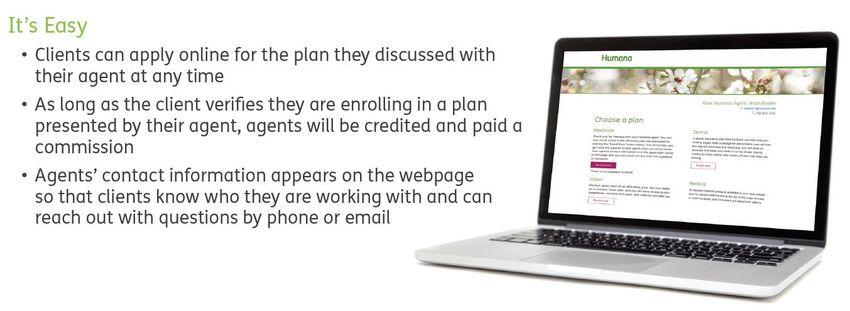
Practice Makes Perfect!

                                   How to Create a
                                 Practice Application

                          *IMPORTANT*
                          PRACTICE THROUGH THE LAST
                          PAGE OF THE APP, BUT DO NOT
                          HIT SUBMIT!
AOA
Agent Online Application

•   Agent sends a personalized web link to a
    consumer to self-enroll in the Medicare plan
    presented by the agent during the sales
    appointment
•   SOA & compliant sales presentation are still
    required
•   Agent training is required prior to using the
    Agent Online Application tool.
•   Dental/Vision available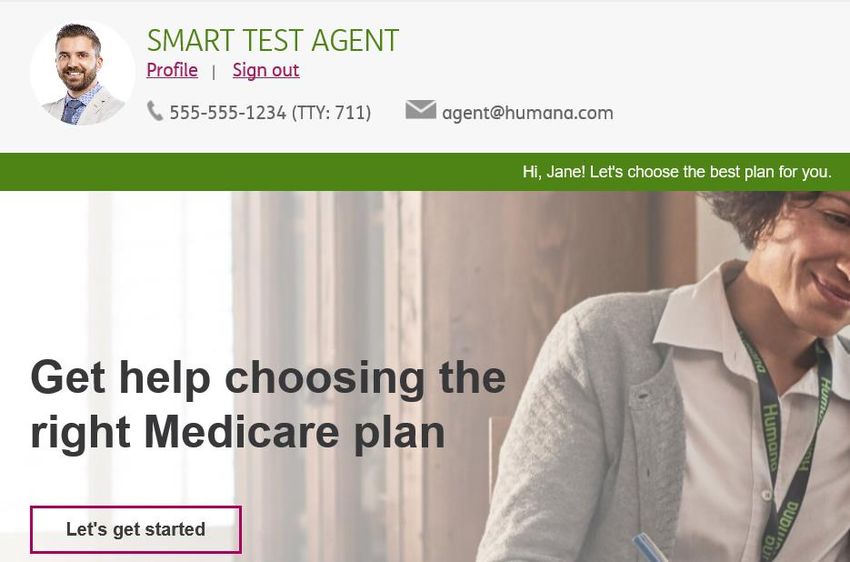
What is DMM?

               • Consumer-facing electronic enrollment
                 tool

               • Ability for agent to send up to 3 plans
                 within a Guidebook via email

               • Ability for agent to send marketing
                 materials via email

               • Consumer has the ability to enroll in one
                 of the three plans electronically,
                 including signature
DMM Dashboard
New – Brochure has been created by Agent but email not yet Sent to customer

Sent – Email has been sent to customer but brochure page has not yet been viewed by customer

Viewed – Brochure web page has been viewed but customer has not yet started enrollment

Enrollment Started – Customer has clicked the “Enroll Now” button

Reminder Sent - Status will show once the Reminder Email is sent
Connection Hub

•   Create prospects. Schedule meetings. Record
    dispositions.
•   Get excited by spending more time connecting
    with leads and less time filling out
    spreadsheets.
•   Integrated Outlook Calendar launching this
    week!
Submitting Paper Apps
NEW!
• Two 2021 Paper Apps – one for DE-SNP and one for all other
plans
EMAIL
• ‘Upload Paper Applications’ link in Vantage
FAX
• 1.877.889.9936 (all plans currently, but not 2021 DE-SNP when
2021 selling starts)
• 1.877.889.9923 for DE-SNP plans beginning with 2021 Plan
Year
MAIL
• Humana Medicare Enrollment
PO Box 14309
Lexington, KY 40512-4309
CAREPLUS FAX
• 855.819.8679
CAREPLUS MAIL
• Careplus Enrollment Forms
PO Box 14733
Lexington, KY 40512-4642Submitting a DE-SNP Application?
• 2021 DE-SNP Paper Applications will go to a new fax line this year – 1.877.889.9923
• NEW! DESNP Verification Tool Dual Eligibility available in Vantage to check status of prospective members
• Eliminates the need to call Agent Support for verification
• Located on the Quote and Enroll Card
• Enables agents to submit requests for their members who may be eligible for a DESNP plan.
• Real time resultsPRE-AEP SALES COMPLIANCE
• Pre-AEP Enrollment is from 10/1-10/14, and here are guidelines to follow:
– During Pre-AEP, 10/1 – 10/14, agents are allowed to meet with beneficiaries, assess their needs, review plan
changes and options, give a full presentation, and recommend coverage that will best meet the beneficiaries’
needs for the next plan year.
– One of the most important things to remember during Pre-AEP is that while agents can assist a beneficiary in
completing a paper application they cannot encourage completion, solicit, accept, take possession of, or “just
hold on to” any applications for the upcoming plan year prior to the start of AEP on October 15.
– During the Pre-AEP timeframe (10/1 – 10/14), agents should place their name and SAN on applications, however,
DO NOT put a date next to your Agent name as this date indicates when the Plan Sponsor (in this case you) took
possession of the application EVEN IF YOU DIDN’T.
– Per CMS guidelines, Humana must investigate any applications that come in with an agent name or SAN prior to
the start of AEP for potential solicitation. In addition, Humana must investigate any applications that come in on
or after 10/15 but have a Pre-AEP agent date on the application.
– Humana will REJECT any application that comes in with an agent name or SAN prior to the start of AEP and will
reject any applications that come in on or after 10/15 but have a Pre-AEP agent date on the application.Support
_______
✓ Humana MarketPoint University
✓ Service Inquiry Tool
✓ Agent Support
✓ 1.800.309.3163
✓ agentsupport@humana.com Checking Enrollment Status:
• Business Center (Humana
Vantage)
• Agent Support:
• Email: Status Check
Template
• Phone: (5 checks per
call)Thank you for viewing! Please contact your Account Executive for more info.
You can also read


