SOCIAL MEDIA BEST PRACTICES - RE/MAX of Western Canada
←
→
Page content transcription
If your browser does not render page correctly, please read the page content below

SOCIAL MEDIA
BEST PRACTICES
SOCIAL MEDIA
BEST PRACTICES

Contents

Introduction                                  1

Growing Your Business                     2

Personal Profile                          3

Personal vs. Professional Profiles        4

Social Networking Rules                   5

Social Media Best Practices               6

Managing Your Reputation                  7

Social Media Platforms                    8

   Facebook                           9-10
   YouTube                               11
   Twitter                              12
   LinkedIn                             13
   Blogs                                14
   Pinterest                            15
   Instagram                            16
   Google+                              17
   Snapchat                             18
   Additional Social Platforms          19

Tips and Insights                      20

Sins and the Trolls                     21

Join RE/MAX on Social Media             22

Social Media Glossary                23-26

INTRODUCTION
                                 As a RE/MAX agent or broker, you’ve experienced how a
                                 powerful network can help your business soar. More than
                                 any other real estate company, RE/MAX provides the
                                 essential tools, services and support to help you achieve
                                 your goals – and pursue the life you want.

                        THIS GUIDE INTRODUCES YOU TO ANOTHER
                        CRITICAL NETWORK

                        YOUR SOCIAL NETWORK
                        We’ll demystify the multitude of online platforms and show you the
                        best way to use social media to:

                           Reach new customers

                           Build and maintain relationships with
                           clients and colleagues

                           Establish and enhance your unique,
                           online presence
The tools are free
                           Manage your online reputation
– you don’t have to
be a tech whiz, or
teenager, to use them
to help drive sales.

                                                                                             1
LIVE   151
                                    USING SOCIAL MEDIA TO
                                    GROW YOUR BUSINESS
Great layout.

I love the kitchen!!                Social networking is simply another outlet that enables
                                    you to expand your sphere of influence and carry on a
                                    conversation, just like you would in person.

                                    THROUGH SOCIAL MEDIA, YOU CAN:

                                       Create and promote a personal profile that celebrates
                                       your successes and defines your niche.

                                       Give virtual tours.

                                       Connect with past, current and potential clients.

                                       Update your audience about market changes and new
                                       homes on the market.

                                       Recruit prospects.

                                       Advertise listings and open houses.

                                       Provide information that promotes your reputation as
                                       a trusted resource.

                                       Create dialogue with clients.

                                       Reach clients and prospects wherever they are,
                                       through a computer at work, a tablet at home or
                                       virtually anywhere else through a mobile device.

                                                                                               2
PERSONAL PROFILE
All social networks require you to create your
own personal profile to get started. It’s easy.
Here are some things to think about as you
jump in.

STEPS FOR SETTING UP PROFILE

         USER NAME                                                       PROFILE PHOTO
         Choose a name that incorporates your                            Choose a picture that reflects
         actual name. Nicknames or slogans                               your personality and shows you as
         may come across as spam and you                                 approachable. Most networks, except
         want to make sure that you can be                               LinkedIn, are more informal. No need
         easily found online by your audience.                           for the business suit.

         PASSWORD                                                        COMPLIANCE
         The most commonly used                                          Before you use any RE/MAX
         passwords are “password” and                                    material in your profile, make sure
         “123456.” Seriously, don’t choose                               you adhere to RE/MAX Trademark
         them. Pick something hard to guess                              Standards. Click here for more
         and change it frequently.                                       information.
         For tips, click here.

         SAFETY                                                          CONTACTS
         Beware of “phishing scams” that                                 Jump-start your social network by
         seek to infiltrate your system and                              importing your contacts from your
         hijack your information. Just like with                         email account. Click the button that
         your email account, if a message                                says something along the lines of
         looks questionable, be leery. Phishing                          “import contacts” and follow
         scams can happen via email, direct                              the instructions.
         messaging and even via instant
         messages. For more info, click here.

                                                                         YOUR RE/MAX WEBSITE
            Facebook    Mainstreet                                       Add links to your profile on your
                                                                         agent or office website to help drive
                       Jamie Silverthorne                                traffic to your social network site.
                       @jamiesilverthronerealty

                                                                         This will also help others connect
                                                   Hello,
                                                                         with you.
                                                   We need you to
                                                   re-login in to your
                                                   account using
                                                   this link.
                                                   www.facebok.com
                                                                                                                 3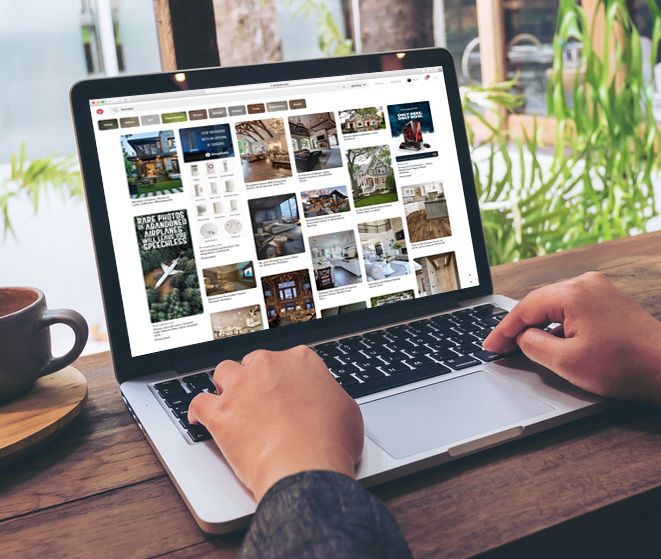
PERSONAL VS.
PROFESSIONAL PROFILES
It’s standard practice to have dual-purpose profiles on
most networking sites, enabling you to share business
news and aspects of your personal life in the same
place. It’s important to maintain a balance in your
content. Users don’t want to see just a constant stream
of listings, nor do they want to be barraged by pictures
of your kids.

                                                           We’ll go into depth about best
                                                           practices for posting later.
                                                           In the meantime, remember:

                                                               Information intended just
                                                               for friends and family can
                                                               always be forwarded, so be
                                                               careful what you share.

                                                               Never disclose non-public
                                                               RE/MAX information.

                                                               Try to avoid expressing
                                                               public positions online that
                                                               are counter to RE/MAX
                                                               interests.

THE FACEBOOK EXCEPTION
Some real estate professionals create a Facebook
Page for business and maintain a Facebook Profile for
personal use. Facebook Pages allow for more of a hard
sell, while Facebook Profiles provide space to cultivate
relationships by showing your personality. More
information about each is provided in the Facebook
section of this guide. See page 9.

                                                                                              4
SOCIAL NETWORKING:
11 RULES OF ENGAGEMENT
Here are some basics for communicating via
social media.

1   IDENTIFY YOURSELF
    Let people know you’re with RE/MAX when
    responding to work-related social media posts.

2   SHOW YOUR PERSONALITY                               7   DEAL WITH MISTAKES
    You’re not a robot. Your personality can be             We all make them. Admit it when you do,
    a powerful tool for building relationships –            and do what you can to correct them.
    but not if you bury it in business-speak. Be
    conversational and professional.                    8   KNOW YOU’RE ALWAYS
                                                            “ON THE RECORD”
3   ENGAGE WITH PURPOSE                                     Don’t say anything you wouldn’t say in
    Go beyond simply hitting the Facebook “Like”            person in front of other people. Never
    button in response to someone’s post – at               use profanity or demeaning language.
    LEAST give them a reaction such as “Love” or            Once your comments are out there, they
    “Wow.” Take advantage of the opportunity to             can always be used against you in the
    share your knowledge and establish yourself as          court of public opinion – a comment
    a real estate expert. Add a fact, or point out an       can easily be screenshotted and reused
    interesting related article.                            against you, even if you delete it.

4 DISCUSS IDEAS, NOT PEOPLE                             9 LISTEN AS MUCH AS YOU SHARE
    Feel free to constructively argue over ideas, but       Social media is not a soapbox. That
    not personalities. And never question anyone’s          wouldn’t be very social. Keep it a two-
    motives online.                                         way conversation.

5   THINK BEFORE POSTING                                10 IF YOU RESPOND TO A PROBLEM,
    In a heated discussion on social media, it can be      OWN IT.
    helpful to take a few breaths and consider your         If you become the point of contact for
    comment before hitting “Post.” It’s incredibly          the media, a client or colleague, stay with
    easy to type something you might regret.                the issue until it is resolved.

6 KNOW YOUR STUFF — AND SHOW IT                         11 ASK FOR HELP
    When making claims, always refer to your                A social media encounter have
    sources using hyperlinks when you can. Always           you flustered? Reach out to us at
    give proper attribution.                                socialmedia@remax.com.
                                                            We’re happy to help.
                                                                                                          5
DO’S AND DON’TS:
                                                 SOCIAL MEDIA BEST
                                                 PRACTICES

  DO                                               DO
         LOOK BEFORE LEAPING                              GET ON SCHEDULE
Hang out on a platform before jumping                   Create a content calendar, modeled after
in so you can get a feel for the specific               your business calendar, that helps you
community and lingo used.                               plan what to post. Include your activities,
                                                        local market insights, community events
  DO
                                                        and seasonal concepts or holidays.
         BE HELPFUL
Share content that people will find useful         DO
with links to blogs, news, videos and                     DO IT DAILY
photos. Every post helps establish your          Try to post content to one of your social
reputation as a trusted source for real          networking sites every day, including a weekly
estate information.                              or monthly update on market conditions. Mix
                                                 personal promotion with other content.
DON’T
         DON’T DISAPPEAR                         DON’T
Nobody appreciates it if you announce
                                                          THINK THAT YOU ARE IN
your presence on a platform and then                      COMPLETE CONTROL
disappear for months. Maintaining your
                                                 In advertising, you control your message. On
presence takes just a few minutes
                                                 social media platforms, you can only control
a day.
                                                 what you post. Other people can pick up
  DO
                                                 the conversation and shape the message. It
         SHORTEN THOSE URLS                      happens all the time. Don’t let it drive you nuts.
Plug long URL links into sites like tinyurl
or bit.ly to convert them to shortened
versions that are much easier to share.          Want to learn more? Start with the
These services also provide analytics, so        links below.
you can get some basic metrics about who
                                                 •The Beginners Guide to Social Media (Moz)
is clicking on your links.
                                                 •3 Steps to Social Media Mastery
Or use the rem.ax URL shortening tool!            (ABOVE Magazine)
The perks:                                       •7 Ways to Use Social Media Like a Pro
       Shortens any URL to just 13 characters    •Social Media Etiquette and Best Practices
       All your rem.ax links are unique to you    (Sprout Social)

       You can track clicks, and see analytics
                                                 •Measuring Social Media for Business
                                                  (Hootsuite)
       The links are branded!

                                                                                                      6
MANAGING YOUR REPUTATION
             Social media sites provide an amazing opportunity to know what
             people are saying about you and respond in a way that builds your
             reputation. Each platform usually has its own built-in search function.

             Search for yourself weekly or monthly. You can also conduct
             blog-specific searches with an engine like blogsearchengine.org.
        rt
       Ale
  gle
   o
Go

                                                                       Search

                         SEARCH:

                              Your name
                              Your business name
                              Your local market + real estate keywords
                              (i.e. “Denver + real + estate”)
                              Any other related keywords that might
                              involve you or your local business

             AUTOMATE SEARCHES WITH GOOGLE ALERTS
             It’s easy to set up a Google Alert to have relevant information
             automatically sent to your inbox whenever it appears online. It’s like
             a virtual assistant, constantly scanning news and blogs for mentions
             of you, your business or whatever search terms you choose. For
             example, you can have Google Alerts send you daily emails with the
             latest mentions of “Denver real estate.”

                   You must have a Gmail account to create a Google Alert. To
                   set your alerts, simply go to https://www.google.com/alerts

             RATINGS AND REVIEWS
             Reviews can be a very powerful way to attract new clients and
             to keep your audience engaged on social media. Allowing people
             to provide reviews on your social networks gives other potential
             clients proof of the quality of service you provide.

             Reputation management should be an integral aspect of your social
             strategy. Be sure to provide a response to every review
             (whether positive or negative) to maintain a strong and reputable
             online presence.

                                                                                       7
SOCIAL MEDIA PLATFORMS

  Facebook    YouTube    Twitter

  LinkedIn    Blogger   Pinterest

  Instagram   Google+   Snapchat

                                    8
FACEBOOK
Facebook is the undisputed go-to social network
for billions of people around the world. Real
estate agents are using it more and more every day
to cultivate relationships, procure leads and market
their business. Facebook is no longer a nice add-on,
it’s an essential component of any comprehensive
marketing campaign.
PROFILES & PAGES TIPS WHEN BUILDING YOUR
BUSINESS PAGE
There are two types of presence you can have on
Facebook. Check out the RE/MAX and We Are
RE/MAX pages (www.facebook.com/
1. YOUR PROFILE: remax) and other business pages
This is your personal account. (be sure to go beyond the real estate
PERSONAL BUSINESS
Everyone who joins Facebook has industry) to see the different ways
a profile. You can only have one that brands use Facebook.
profile under your name. Make your page the go-to resource
offering real estate information for
2. YOUR BUSINESS PAGE:
your niche or region. Becoming a
This is your professional account. Here you can promote
reliable resource naturally builds your
new listings, open houses and other information. Visitors
fan base. Post or link to content that
expect this type of “push” content from this kind of page.
buyers and sellers will find
Create one page for your individual profile and another truly useful.
for your business. Doing so ensures the right kind of Keep your page engaging by posting
content reaches the best audience. Protect your privacy or linking to all sorts of media
by carefully reviewing and setting your Facebook privacy including photos, videos and blog
options as you set up your account. You can also set posts – not just articles.
the controls to determine what type of notifications
Invite past and present clients,
Facebook will post on your news feed.
friends, family and colleagues to
“Like” and review your services
SET IT AND FORGET IT
on your page. The more fans you
Did you know you can schedule Facebook messages to have, the greater chance that
post on your business page in the future? conversations will develop naturally
on your page.
Simply click on the down arrow option next to “Publish”
Post questions to engage your fans
by your message, then select “Schedule” to set a date
in conversation. For example, “What
and time for that message to post. This is helpful when
are the most important things to
you have content you know you want to post at a time
consider when buying a home?”
you won’t be at your desk or on your mobile device.
Join groups and “Like” other pages
related to your business, region or
IMPORTANT! Update regularly. Spending just a few specialty to connect with others
TIP
minutes each week on your page can generate an and learn.
enormous return on a small investment. Try to post
9
something at least once a day or several times a week.FACEBOOK
(CONT.)
TIPS AND BEST PRACTICES FOR
REAL ESTATE PROS
Consistently share/post relevant information to
your audience.
CREATE ANIMATED PROFILE AND
Allow the public to “Like” your business page.
COVER VIDEOS
Create a professional photo album to showcase
This is a great way to show off your
your listings.
personality to your followers and
Link to your Facebook and other social media potential clients.
pages in the signature of your work email.
1 Go to Facebook on your mobile
device.
USEFUL FACEBOOK LINKS
Tips from realtor.com 2 Click “More” on the bottom right.
Comprehensive guide from NAR 3 Click on your name on the top of
Details on setting up and managing your pages the page.
Important privacy information
4 Click on your current profile picture.
Options will appear.
FACEBOOK TRENDING
5 The top option, “Take a New Profile
On the right side of your Newsfeed
Video,” will allow you to film and
is a “Trending” sidebar. This area
or post a video that you’ve already
features hashtags, articles and news
recorded as your profile picture.
that are currently trending in social
media and news sites. Reading these is a quick and Click for more details
easy way to see what’s new in the world without
navigating through multiple sites.
10YOUTUBE
If you aren’t using YouTube, you’re missing out. People
consume information in video format more each year,
making YouTube the second most popular search engine on
the internet. The site has over a billion users, almost
one-third of total internet users. Video is a very powerful
way to not only showcase your listings, but to show
off your real estate expertise.
YOUTUBE TIPS FOR REAL ESTATE AGENTS 4 TYPES OF VIDEOS
Tag wisely. Use tags and titles for the videos you share 1 Listing Videos
that will help people find your content. 360-degree home tours or
casual walk-throughs.
Shorter is better. Make your videos as brief as possible.
Under a minute is optimal. 2 Neighborhood Videos
Quick highlights of local
Customize your page with YouTube’s account attributes.
settings.
3 How-To Videos
Brand your profile background with images of your Explain basic processes,
own, or RE/MAX graphics. like securing a loan.
Subscribe to other users who post relevant content 4 Market Updates
(find them by using YouTube’s extensive search tool). Chat with a local expert
This gives you more opportunities to comment and or business owner to help
spur conversation. illustrate conditions.
Respond to comments about your videos. Include links
to helpful content if questions arise. Need help?
Visit the YouTube Help Center
Link to your YouTube videos from your website and Click for marketing insights
other social media channels.
11TWITTER
Twitter enables you to share 280 character messages
called “tweets” with subscribers to your account, or
“followers.” Can you sell a house using 280? Likely not.
But, you can certainly grow leads, promote listings, build
your credibility as a real estate expert and keep on top of
the industry.
JUSTLISTED
TIPS FOR USING TWITTER WHAT’S UP WITH THE #?
In Twitter, adding the # (hashtag) sign
Be sure to complete your bio and link it to your
before any term creates a searchable
website and other online profiles.
link. Hashtags help you organize content
Know the language. Twitter’s packed with its own and track discussions and help people
terminology that can look like gibberish to the find your tweets. Some examples of real
uninitiated. Check out the translations on Twitter’s estate hashtags: #Home #HouseHunting
glossary page. and #JustListed.
Tweet interesting, helpful content, not just information RE/MAX uses and follows these
about your next open house. hashtags, among others:
Include images. Research has shown that posts with #REMAXHUSTLE
pictures or videos are 90 percent more likely to be re-
#sellyeah
tweeted than those with just words.
#Changeisintheair
Follow other Twitter users who tweet about
#remaxR4 (during Convention)
relevant content, like real estate writers, columnists,
publications and experts in your region or specialty. #REMAXAbove
Find them through Twitter’s search tool and by (Above Magazine)
checking out the main RE/MAX account @remax. #WeAreREMAX
Engage with your audience. Don’t simply tweet your #REMAXBlog
new listings every morning.
Use these hashtags in your own tweets
Respond to followers and other users. Re-tweet posts and RE/MAX will see them and could
from other sources that may spark dialogue. share them!
For more information check out:
Twitter Basics
Twitter Marketing Guide (Forbes)
12LINKEDIN
LinkedIn is where people go to learn more about your
business experience and see who you are connected with. In
addition to the power of a polished LinkedIn profile, joining
LinkedIn groups, building business pages and networking
with other LinkedIn users can significantly expand
your business.
TIPS FOR USING LINKEDIN Keep an eye on notifications. LinkedIn
lets you know when someone in your
Craft your profile with care. Your brief network has a job change or work
description and longer summary are anniversary – great reasons to reach out.
key branding opportunities. Include
recommendations from past clients. See who has viewed your profile.
Different LinkedIn membership levels
Keep connecting. LinkedIn allows you to reach will grant you various bits of information
out and ask others to “connect” with you on the about who has looked at your profile.
platform. The site will continually suggest people
who you may know, or might like to know, based Provide thought leadership. Try
on your existing contacts and their contacts. It’s publishing content on LinkedIn that
a great way to re-connect with former clients asks hard questions that revolve around
and colleagues and build relationships. your industry. Show your readers your
“awareness” of the field and don’t be
Join groups. LinkedIn groups can be based on shy. Be willing to give insights into your
professional organizations, university affiliations, industry or maybe try showing readers a
industry and subject matter. Joining groups helps little “behind the curtain” content.
you make more connections and stay up-to-date,
because many groups post information about
important events.
Build your reputation as a real estate expert by
participating in group discussions.
Research. Before you meet with someone new,
check out their LinkedIn profile to see what, or
who, you may have in common.
13BLOGS
We’ve all been there – staring intently at the computer and
hoping the words will just come. While creating content can
be challenging, sharing what you know best – real estate, the
housing market, buyers and sellers, etc. – can be helpful to
millions of consumers surfing the internet for answers.
Be their expert, get their business and score SEO
juice by posting it on your own blog.
BLOGS ARE FANTASTIC BECAUSE…
1. They provide a place where you can provide more detailed information, along with stories and
other content that might not fit into the space limitations of social networking platforms.
2. They can bring a greater level of visibility and credence to your business unmatched by social
media platforms.
SHOULD YOU BLOG?
Only if you can commit to creating an interesting, useful post at least once a week.
BLOGGING TIPS
Write intriguing titles. When possible, use odd Be sure to respond when people
numbers, e.g. “The Top 5 Tips to Home Buying.” comment on your blog to help
cultivate dialogue.
Brevity rules. Don’t be afraid to publish a 150-
word post. Post comments to other blogs, which
can connect you to the bloggers and
Use real estate keywords.
their audiences.
Build a content calendar to help you schedule
Link away. On your own blog, link to
a variety of posts and to keep track of what
relevant posts in your social network
you’ve already discussed.
as well as relevant content on other
Link to your previous posts as well as to other blogs. Remember, linking to your
helpful information. own content on someone else’s blog
is better received when the blogger
Mix it up. Vary the lengths of your posts. recognizes you as someone who has
previously commented.
Include a picture with each post.
Drive traffic to your blog by announcing new
posts on your other social platforms.
14PINTEREST
Pinterest is the ideal medium for our highly
visual and photo-driven industry, and it’s one
of the easiest social media platforms to use.
On your Pinterest page, you can create your own “boards” EASY-PEASY PINNING
by category. You can easily post your own images or “Re-
Installing Pinterest’s “Pin It”
pin” images you find on other sites. The site allows you
button on your Internet browser
to browse other boards, “Like” pins, and “Follow” other
enables you to automatically
people and companies.
pin images you find with a
Once an image is added to your board, it links back to simple click. It takes just a
the original page where it was sourced, so you can use minute to install.
the images on your site to drive users directly to your
website. And these are the users you want; Pinterest users Find it here:
are generally more mature and have higher incomes than Pinterest Basics
users of other platforms.
TIPS FOR USING PINTEREST
Use high-quality photos.
Create boards to inspire and help your clients with
topics like curb appeal tips, staging tips, before and
after de-cluttering pics. For tons of examples, go to
pinterest.com/remax.
Create boards that include images relating to your
specific region or niche.
Read Pinterest’s copyright policy to ensure you
source and credit photos correctly at about.pinterest.
com/en/copyright.
Follow other pins to grow your following and visit
RE/MAX on Pinterest for more ideas and pins.
15INSTAGRAM
Instagram is a wonderful platform for providing your
audience with unique visual content, while encouraging
community engagement. It’s great for leveraging the
selling power of quality images of properties and specific
features of homes.
Photos used on Instagram can be shared on your other
social media platforms like Facebook and Twitter,
too. Facebook owns Instagram, so it’s particularly
easy to share content between the two platforms.
SHARING CONTENT CREATING A COMMUNITY
People respond and engage with visual content One effective way to develop a community
much more than text. If you really want to make a is to encourage your followers to post their
splash on Instagram, choose a diverse mix of content own photos with a call to action related
that combines different elements of your business. to your business. The trick is to ask your
readers to post and tag you or your page,
To get started on Instagram, consider posting
then you can respond with a comment on
images or videos of:
the photo and include the hashtag #regram
Homes just listed (which will indicate that you are planning to
post their photo to your account). You can
Teases (sneak peeks) of new homes and services
also try asking a simple question and ask
Office location or home tours users to respond.
Employees and fans
Clients in a causal setting
Events and open houses you’ve hosted or
attended
Articles/blog posts
USING HASHTAGS
Whenever you post a photo, it’s essential to
accompany it with relevant hashtags (#) that are
related to the post. Hashtags help you organize
content and track discussions and help people find
your images. Some examples of real estate hashtags:
#Home #HouseHunting and #JustListed.
16GOOGLE+
Google+ (or Google Plus, G+ or GPlus) is Google’s
own social networking platform. Not surprising for
a platform created by the world’s favorite search
engine, Google+ is known best for its potential to
help people find you faster through its search
engine optimization (SEO) benefits.
GOOGLE+ FEATURES Google+ is continually being upgraded to
meet the needs of users.
CIRCLE
To get started and see what’s new,
On your Google+ page, you can organize your click here
contacts into circles, or groups, for sharing content.
Circles are a visual way to categorize your contacts. For content ideas, check out:
plus.google.com/+remax
It’s easy to drag and drop contacts into circles.
STREAM
The information feed that pulls content from others
in your circle. The stream contains an input box
where you can post content to share.
HANGOUTS
Free video conferencing calls with up to 10 people.
COMMUNITIES
Groups organized around a shared topic of interest.
17SNAPCHAT
Snapchat is a mobile application that allows you
to share photos or videos with friends, family and
the public (if you choose). There’s one catch: photos
(Snaps) disappear 24 hours after being added to
your story.
GETTING STARTED WITH SNAPCHAT TIPS ON USING SNAPCHAT
FOR BUSINESS
1 Download the free app and set up a profile using
your email and create a password. UNDERSTAND YOUR AUDIENCE
Are you connected with clients,
2 Verify your account and opt in or out of allowing colleagues, friends or a mix of
Snapchat to access your contacts. audiences?
What’s the average age of your
3 Add friends (either from contacts or by
audience?
searching their username).
USE THE TIME LIMIT TO
4 Manage and set your personal preferences.
YOUR ADVANTAGE
5 Take a picture! (both the front and rear-facing A few seconds is not much time, but it
camera of your mobile device work). can be maximized to tell your story
6 Tap on the photo to write a caption, or select the USE THE VIDEO FEATURE
pencil icon on the upper right to use your finger Look behind the scenes, introduce
to draw and pick your text color of choice. new team members, share humorous
moments, quick tips and tricks
7 On the bottom right, click the arrow button to
choose which friends you want to send your SHOW YOUR PERSONALITY
Snap to.
Show people who you are, what you do
and make them laugh
8 Select specific friends so only they see it, or post
it to “My Story” which allows all of your followers Let them get to know you
to view your Snap.
Helpful Links:
Social Strategies from ABOVE magazine
18ADDITIONAL SITES
AND PLATFORMS
DIGG TUMBLR
digg.com tumblr.com
A news aggregator with a curated front page that A blogging platform that allows users to post
selects stories specifically for internet audiences. text, images, video, links, quotes and audio to
You can “Digg” content by giving it a thumbs-up, their tumblelog, a short-form blog. Users are
or save it, share it and comment on it. able to “follow” other users and see their posts
on their dashboard. Users can like or reblog
FLICKR
other blogs on the site. The service emphasizes
flickr.com
customizability and ease of use.
One of the world’s most popular photo sharing
and hosting sites. Members can share images, VIMEO
vimeo.com
chat and rate photos.
A video-sharing website where users can
FOURSQUARE
foursquare.com upload, share and view videos.
A local-search app that recommends real-world WIKIPEDIA
en.wikipedia.org
places to visit based on locations a user frequents
and activities they’ve indicated they like. Users A multi-language, free-content encyclopedia
“check-in” at venues using text messaging or a written collaboratively by volunteers.
mobile app. Sponsored by the nonprofit Wikimedia
Foundation, it has editions in about 200
NING
ning.com different languages.
A platform for people to create their own,
customized social networks that can then be
integrated with other platforms.
19Social Media Tips and Insights
It’s critical to disclose information properly on social media. The main thing to keep in mind? Be smart.
Make it obvious that you’re a member of the RE/MAX network if the conversation dictates.
Here are three lists to help guide you:
IDENTITY BLOGGING AND OUTREACH ESTABLISHING
When communicating via social When communicating on your RELATIONSHIPS
media as a RE/MAX affiliate or personal blog and personal social When communicating with
about subjects related to networks, remember that you may bloggers or on social networks as
RE/MAX business: still be identified with RE/MAX and a RE/MAX affiliate:
Disclose who you are, who you are representative of the global
Disclose who you are, who you
work for and any other relevant network. Therefore, keep the
work for and any other relevant
affiliations from the very following in mind:
affiliations from the very first
beginning. Writing something related to encounter.
Disclose any business/ RE/MAX business? Clearly identify
Always be truthful.
client relationship if you’re your business affiliation.
Never deceive users or ask
communicating on behalf of a You can communicate this in many
someone else to do so.
third party. ways, just be sure that it is clear
to the average reader, connected Never ask someone to write a
Never disclose any proprietary
to the relevant post or provides a fake endorsement or something
RE/MAX information.
means of further communication they don’t believe.
Comply with all laws and
(methods could include usernames Never use off-topic comments
regulations regarding
that include the company name, for self-promotional intent.
disclosure of identity.
a link to a personal bio or “about
Don’t break the user agreement
Inform employees, agencies me” page, or statement in the post
rules of a blog host or social
and advocates that RE/MAX itself “my personal opinions are
network.
has formal disclosure policies not reflective of RE/MAX”).
and take action quickly to Do not use services or
If you’re writing about something
correct problems where technologies for mass-posting
that doesn’t relate to work topics,
possible. comments.
you don’t need to mention that
Never use a false or obscured Use extreme care when
you’re a member of the RE/MAX
identity or pseudonym. communicating with minors or
network.
blogs intended for minors.
If you’re blogging anonymously,
Comply with all laws and
don’t discuss matters related
regulations regarding disclosure
to RE/MAX. If real estate is
of identity.
mentioned, disclose your affiliation
with the company.
20SINS AND THE TROLLS
THE 7 DEADLY SINS OF SOCIAL MEDIA
1 PRIDE 5 GREED
Accept when you’re wrong. Don’t continue Don’t appear to deliberately hijack social
to defend your position when presented with networking conversations for personal,
conflicting facts. employer or corporate gain. You can’t control
the conversation.
2 GLUTTONY
Don’t gorge on a bunch of different social 6 LUST
media platforms. Start with just one or two Excessive praise and adulation of industry
and learn them well before expanding your experts comes off as tacky. Pursue
social footprint. relationships with these folks with skill, tact and
common sense.
3 SLOTH
Don’t get lazy. Post and comment regularly. 7 WRATH
Spending just a few minutes can grow your Do everything in your power to resist publicly
contacts, cultivate your brand, establish berating an individual or company. Don’t take
your reputation as a real estate resource and things personally. You can always turn off your
attract leads. computer or phone and take a walk.
4 ENVY
Don’t let jealousy of another agent’s social
media success crank up your blood pressure.
This stuff’s not rocket science. If you put in
the time, you too can reap the rewards.
SOCIAL NETWORK CRISIS MANAGEMENT
DON’T FEED THE TROLLS
Slander? Personal attacks? Disclosure of private company These days, trolls aren’t lurking under
information? It happens. If you encounter these things on your bridges. They’re waiting online. “Troll”
social network: is internet slang for someone who
posts controversial, inflammatory,
Contact your office manager immediately. Don’t wait until irrelevant or off-topic messages in an
things get blown out of proportion. online community with the primary
intent of provoking other users into
Do not engage before consulting with your manager.
an emotional response or to generally
Take notes (and screenshots) to document what has disrupt normal discussion. The best
developed. way to deal with them? Ignore them.
21JOIN RE/MAX ON SOCIAL MEDIA
FACEBOOK INSTAGRAM
facebook.com/remax instagram.com/remax
facebook.com/weareremax
GOOGLE+
LINKEDIN google.com/+remax
linkedin.com/company/remax/
Join the official RE/MAX group for news, network SNAPCHAT
updates and to connect with your colleagues @SNAPSBYREMAX
worldwide. Follow this path: Groups > Groups
Directory > Search Groups: RE/MAX International RE/MAX BLOG
blog.remax.com
PINTEREST
pinterest.com/remax
TWITTER
twitter.com/remax
YOUTUBE
youtube.com/remax
At the RE/MAX YouTube brand channel, you can
view, embed or link to an extensive collection of
RE/MAX commercials, corporate messages and
other videos.
22SOCIAL MEDIA
GLOSSARY
APP EMBEDDING
An application that performs a specific function The act of adding code to a website so that a
on your computer or handheld device. Apps video or photo can be displayed while it’s being
run the gamut from Web browsers and games hosted by another site. Many users now watch
to specialized programs like digital recorders, embedded YouTube videos or see Flickr photos on
flashlights or music players. blogs rather than on the original site.
ASTROTURFING FEED
A fake grassroots campaign designed to create A web feed or RSS feed is a service that provides
the impression of legitimate buzz or interest in a users with frequently updated content. By using a
product, service or idea. Often this movement is news reader to subscribe to a feed, you can read
motivated by a payment or gift to the writer of a the latest posts or watch the newest videos on
post or comment or may be written under your computer or portable device on your own
a pseudonym. schedule.
BLOG GEOTAGGING
An online journal that’s updated on a regular basis The process of adding location-based metadata
with entries that appear in reverse chronological to media such as photos, videos or online maps.
order. Blogs can be about any subject. They Geotagging can help users find a wide variety of
typically contain comments by other readers, links businesses and services based on location.
to other sites and permalinks.
GEOFILTER
CREATIVE COMMONS These are filters unique to your current location. To
A not-for-profit organization and licensing system enable Geofilters, you have to turn on your location
that offers creators the ability to fine-tune their in Snapchat. You can also create your own custom
copyright, spelling out the ways in which others Geofilter for building brand awareness.
may use their works.
HANDLE (TWITTER)
CROWDSOURCING The @ sign is used to call out usernames in Tweets:
Harnessing the skills and enthusiasm of those People will use your @username to mention you in
outside an organization who are willing to Tweets, send you a message or link to your profile.
volunteer their time contributing content or skills
or time to solving problems.
23SOCIAL MEDIA
GLOSSARY
HASHTAG NEWS READER
A way to organize content and help people find it A news reader (sometimes called a feed reader,
online. Twitter and Instagram instantly create links RSS reader or news aggregator) gathers the news
when you add “#” before a term. For example, from multiple blogs or news sites via RSS feeds
#OpenHouse. selected by the user, providing easy access to the
information in one place. Popular examples include
HOSTING NetVibes and Bloglines (all accessed through a
Web browser) and FeedDemon or NetNewsWire
A service that publishes your content online.
(applications that run on one machine).
Companies sometimes host their blogs on their
own servers, but a better choice for video or audio
is to use a host such as YouTube for video. PAID SEARCH MARKETING
The placement of paid ads for a business or service
HOOTSUITE on a search engine results page. An advertiser pays
the search engine if the visitor clicks on the ad
Hootsuite is a social media management system
(pay-per-click or PPC).
that includes a dashboard for listening to and
scheduling social media posts. There are both free
and paid versions of Hootsuite. PERMALINK
The direct link to content on its site of origin.
INSTAGRAM STORIES
A feature that lets users post photos and videos PODCAST
that vanish after 24 hours. The photos and videos A digital file (usually audio, but sometimes video)
shared in your Instagram story are ephemeral and made available for download to a portable device
can’t be viewed once 24 hours have elapsed. or personal computer for later playback. A podcast
uses a feed that lets you subscribe to it so that
METADATA when a new audio clip is published online, it arrives
on your digital doorstep immediately.
Information – including titles, descriptions, tags
and captions – that describes a piece of content
such as a video, photo or blog post. RSS
RSS (Really Simple Syndication) – sometimes
MICROBLOGGING called web feeds – is a web standard for the
delivery of content enabling readers to stay
The act of broadcasting short messages to other
current with favorite publications or producers
subscribers of a Web service.
without having to browse from site to site. All
blogs contain an RSS feed, which lets users
subscribe to content automatically.
24SOCIAL MEDIA
GLOSSARY
SEARCH ENGINE MARKETING (SEM) SOCIAL MEDIA
A series of online tactics that, when combined Works of user-created video, audio, text or
with Search Engine Optimization, helps to attract multimedia that are published and shared in a
customers, generate brand awareness and build social environment, such as a blog, podcast, forum,
trust. SEM (sometimes called search marketing) wiki or video hosting site. More broadly, social
seeks to increase websites’ visibility chiefly media refers to any online technology that lets
through the purchase of pay-per-click ads and paid people publish, converse and share content online.
inclusion.
SOCIAL NETWORKING
SEARCH ENGINE OPTIMIZATION (SEO) Interacting with others in an online community by
The process of arranging your website to give creating profiles, connecting with other users and
it the best chance of appearing near the top of sharing content.
search engine rankings. As an internet marketing
strategy, SEO considers how search engines work SNAPS
and what people search for. Optimizing a website
Photos or videos taken with Snapchat. You can
primarily involves editing its content, identifying
send a snap to another snapchatter, but it can
high-traffic keywords and improving the site’s
only be viewed by the recipient once before it
layout and design.
disappears forever.
SOCIAL BOOKMARKING SNAPCODE
A method of storing, organizing and sharing the
Your Snapchat profile’s unique QR code. Assigned
addresses of web pages without being tied to a
to all users, a Snapcode is a quick and easy way to
particular machine. By bookmarking, you can store
add friends on Snapchat.
lists of personally interesting internet resources
and usually make these lists publicly accessible.
STORY
Delicious is the best-known social bookmark site.
A snap you can broadcast to followers. Recipients
SOCIAL CAPITAL can view your story an unlimited amount of times
in 24 hours, and you can post multiple snaps to
The goodwill and positive reputation that flows
your story in one day to create a narrative loop of
to a person through his or her relationships with
sorts.
others in social networks.
TAGS
Keywords added to a blog post, photo or video
to help users find related topics or media, either
through browsing on the site or as a term to make
your entry more relevant to search engines.
25SOCIAL MEDIA
GLOSSARY
TAGGING (A PERSON) URL SHORTENER
Tagging identifies someone else in a post, photo or An online technique through which a provider
status update that you share. A tag may also notify makes a web page available under a very brief URL
that person that you have mentioned them or in addition to the original address.
referred to them in a post or a photo, and provide
a link back to their profile. WEBCASTING
Use of the web to deliver live or delayed versions
TRENDING of audio or video broadcasts.
Trends are described as the most popular subjects
discussed on the specific social network. Although WEBINAR
trending was originally associated with Twitter, it
A presentation, lecture, workshop or seminar that
has spread to other social networks.
is transmitted over the web. In general, participants
register in advance and access the presentation in
TROLL real time over the Internet.
Internet slang for someone who posts
controversial, inflammatory, irrelevant or off-topic WIDGET
messages in an online community with the primary
A small block of content, typically displayed
intent of provoking other users into an emotional
in a little box, with a specific purpose, such
response or to generally disrupt normal on-topic
as providing weather forecasts or news, that
discussion.
constantly updates itself (typically via RSS).
Widgets make it easy to add dynamic content to
TWEET your site or blog.
A post on Twitter. While all agree on usage of
tweet as a noun, people disagree on whether you WIKI
“tweet” or “twitter” as a verb.
A collaborative website that can be directly edited
by anyone with access to it. Small teams often find
UGC that they can accomplish a task easier by creating
User-generated content, an industry term that a collaborative online workspace using wiki
refers to all forms of user-created materials such as software such as MediaWiki.
blog posts, reviews, podcasts, videos, comments
and more. Glossary derived from
socialbrite.org/sharing-center/glossary/
26CONTACT AND INFORMATION
RE/MAX, LLC PUBLIC RELATIONS For more social media resources, including additional press
socialmedia@remax.com release templates, visit www.maxcntr.com
For more information about RE/MAX Please contact the RE/MAX, LLC Public Relations team
visit www.remax.com at RE/MAX, LLC for questions, concerns, assistance
with coordinated public relations campaigns and crisis
For information and resources including convention communications.
and events, community relations, marketing and
business resources, visit MAX/Center.
©2018 RE/MAX, LLC. Each RE/MAX® office is independently owned and operated. 17_216188You can also read


