UNISA YOUR JOURNEY STARTS HERE IN
←
→
Page content transcription
If your browser does not render page correctly, please read the page content below

@UNISA
                   CONNECT | PLAN | STUDY

                               YOUR JOURNEY
                               STARTS HERE IN

Define tomorrow.

CONTENTS

ALL BIG JOURNEYS START                                                                                                                PAG E

WITH LITTLE STEPS.                                                                 1              PREPARE FOR STUDY SUCCESS
                                                                                                  Planning your journey at Unisa        2
Starting with a thought about
where you want to go, making the                                                                                                      PAG E
decision to go, planning, making
sure you have everything you need                                                  2              GET STARTED WITH YOUR STUDIES
                                                                                                  Embarking on any journey             18
on the journey, setting off – and
then being present on your trip.                                                                                                      PAG E

Taking in all the sights, sounds and
experiences that a new journey
                                                                                   3              DO YOUR ASSIGNMENTS
                                                                                                  Making notes along the journey       44

offers.
                                                                                                                                      PAG E
You have made one of the biggest
decisions of your life. The journey                                                4              PREPARE FOR THE EXAMS
                                                                                                  Recalling your experience            52
you undertake here at Unisa,
will determine your life’s journey.                                                                                                   PAG E
We encourage you to prepare
well and to enjoy the trip.                                                        5              AFTER THE EXAMS
                                                                                                  Analysing your experience            58

You’re about to take off on one of
the biggest journeys of your life. It                                                                                                 PAG E

will be one of discovery, exploration
and, definitely, a journey of learning.
                                                                                   6              STUDENT VALUES AND RULES
                                                                                                  Things we learn on our journey       62

The information contained in this brochure was correct at the time of publication (31 October 2018).                               STUDY @ UNISA   1
Prepare for your
1 study success 1
YOUR FIRST-YEAR
COMMIT TO
YOUR STUDIES
STUDENT JOURNEY
A
• Commit to your studies You have already made the decision to study. You may have been thinking about studying
for a long time, and this opportunity means a lot to your career and personal development.
• First-year experience @ Unisa Whether you are a new student, or a returning student, you need to take some time to think
about how you will commit yourself throughout this process and what you need to put in
• Assess yourself: Shadowmatch® place to focus on your studies. The following questions may help you to affirm (or re-affirm)
your commitment to your studies:
• Connect online
• Make space in your life to be a Where are you now? Now reflect on your thinking about
distance learning student
Think about your circumstances (your career, studies and yourself as a student. The biggest
personal circumstances). commitment you have to make is
• Organise your studies What do you want? the commitment to yourself:
Think about what you hope will change and what you
• Study pack delivery options would like to achieve by completing your qualification.
Do you believe you are capable of
completing your qualification?
What do you have to do to get there?
What do you already have in place
Plann ing your
Think about what you are committing to for the next 3
to 6 years. Think realistically about what you need to do that can help you to succeed with
Journey
given your current circumstances. your studies?
This will help to minimise disappointments and putting
yourself under unnecessary pressure. What do you need to put in place to
help you succeed with your studies?
Before embarking on any journey, we
need to plan and prepare. This is your
ticket that will give you access to board.
Write down a personal statement to commit yourself to completing your academic year successfully.
This provides an emotional anchor to hold on to when you experience challenges. Here is an example
of a personal success statement: “It does not matter what happens and how I feel, I will get through
this year because… (complete the sentence).”
Write your personal statement on paper and display it on the wall where you study. Also keep it on
your phone and write it on the front page of each study guide.
2 The information contained in this brochure was correct at the time of publication (31 October 2018). STUDY @ UNISA 3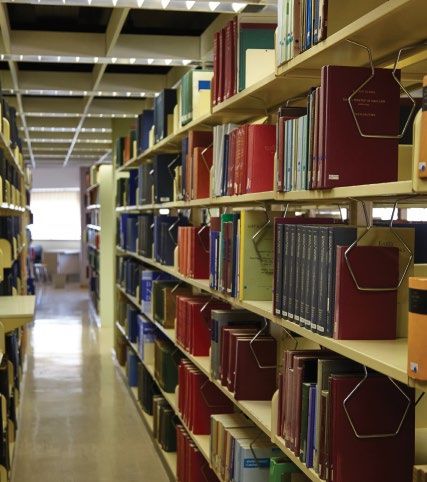
First-year                                                                       YOUR  FIRST-YEAR
                                                         1
                                                                                     YOUR FIRST-YEAR
                                                                                     STUDENT JOURNEY                                                                                         B
    experience @ Unisa                                                              STUDENT   JOURNEY
                                                About the First-Year Experience (FYE)                                                        How do we assist our students?
     • Are you a first-year student at Unisa?   Many first-year students experience challenges when                                          The FYE programme aims to promote a positive
                                                transitioning into a new learning environment. This is                                       experience for all first-year Unisa students by
                                                especially true for students entering an Open Distance                                       providing the following:
     • Are you struggling to navigate your      e-Learning (ODeL) institution, such as Unisa.
                                                                                                                                             •         Weekly e-mails to provide important information
       new study environment?                   The FYE initiative ensures that you are adequately
                                                                                                                                                       at key points throughout your first-year study
                                                                                                                                                       journey.
                                                prepared for your study journey at Unisa.
     • Do you need assistance in acquiring                                                                                                   •         Live broadcasts to provide just in time
                                                                                                                                                       information to students where questions can be
       the support services at Unisa?                                                                                                                  asked and answered live and immediately.
                                                                                                                                             •         FYE mailbox which provides timely and relevant
                                                                                                                                                       information in response to student enquiries.
                                                                                                                                             •         FYE101 MOOC (Massive Open Online Course)
                                                                                                                                                       to prepare you for your first-year journey.
                                                                                                                                                       It focuses on ODeL readiness, career
                                                                                                                                                       management skills, computer/digital literacy skills,
                                                                                                                                                       numeracy skills, academic literacy, information
                                                                                                                                                       on how to use myUnisa, library skills and study
                                                                                                                                                       skills. It also provides important information

                                                                In a
                                                                                                                                                       about Unisa's Department of Student Affairs
                                                                                                                                                       and Shadowmatch®. To access the MOOC, visit
                                                                                                                                                       mooc.unisa.ac.za

                                                              n u ts h e l l
                                                The FYE programme
                                                The FYE programme is an institutional initiative, which aims to provide extended support to students
                                                entering ODeL for the first time by providing important information and increasing communication
                                                during critical points in the first-year student journey.
                                                If you have any enquiries regarding the FYE initiative, please send an e-mail to FYE@unisa.ac.za or
                                                visit www.unisa.ac.za/FYE

6
4                                               The information contained in this brochure was correct at the time of publication (31 October 2018).                                           STUDY @ UNISA   7
                                                                                                                                                                                                               5
How should I complete the
                          YOUR FIRST-YEAR
      1                    ASSESS YOURSELF
                         STUDENT JOURNEY
                                                                                                       C                  Is it free?
                                                                                                                          Yes. There are no fees involved
                                                                                                                                                                                                           Shadowmatch® worksheet?
                                                                                                                                                                                                           Unisa will send an e-mail to your myLife e-mail

      1C
                                                                                                                          and you can participate free of                                                  account. Simply click on the link in the e-mail
                                                                                                                          charge.                                                                          and follow the instructions. Alternatively, you
                                                                                                                                                                                                           can visit https://bit.ly/1HiT03e
    Unisa uses an online system called Shadowmatch® to give you information about the habits and behaviours
    that will contribute to your study success.

    It creates a benchmark profile of the behavioural habits of the top performers in each area of study, and then
    maps your behavioural habits to determine your strengths and how you prefer interacting with your academic
    environment. Once you have completed the assessment, you will receive a report comparing your habits to
    those of the top-performing students in your area of study (the benchmark) and a personal development plan.
    The reports are easy to understand and provide useful information for your personal, graduate and academic            What did the pilot
    development.
                                                                                                                          result indicate?
    For more information about Shadowmatch, visit http://bit.ly/1HiT03e
                                                                                                                          More than

                                                                                                                          9 500                  students

                                                                                      M y J o ur ne y
                                                                                                                          completed the Shadowmatch®
                                                                                                                          worksheet and the results show

                                                                                     of exp lo r atio n
                                                                                                                          that students who perform well
                                                                                                                          in any given qualification typically
                                                                                                                          share the same habits and
                                                                                                                          behaviours.

                                                                                                                          27%
                                                                                                                          learnt more about what habits
                                                                                                                          will help them succeed.

                                                                                                                          92%
                                                                                                                          of participating Unisa students
                                                                                                                          recommend Shadowmatch®

6                                                                                                                    The information contained in this brochure was correct at the time of publication (31 October 2018).                              STUDY @ UNISA   7
YOUR FIRST-YEAR
1 CONNECT ONLINE
STUDENT JOURNEY
D 1 2
Computers and the internet are becoming more and myUnisa
more essential in the workplace, in life and in education. GO TO CLICK ON THE LINK
In Open Distance e-Learning, especially, these online Once your registration is activated, you https://my.unisa.ac.za
https://my.unisa.ac.za Claim Unisa login
tools play a huge role in your study experience, because can connect with Unisa online. Register on
you don’t attend face-to-face lectures at Unisa - you myUnisa: Unisa’s online student portal is your
connect to your university from a distance. The internet most important study tool. It’s your lifeline,
is simply the fastest, most effective and efficient way to the primary link to your university. It’s how
do that. By embracing computers and encouraging our you communicate with Unisa and how Unisa
students to use the internet, we’re better preparing them communicates with you.
3 4
for the demands of the digital age.
• Check that you are linked to all the modules
We understand that for some the cost of a computer for which you have registered.
can be difficult to manage, so we still provide you with
alternative channels (eg the post), but we urge you, • Check whether you need to purchase
if you can, to go online. prescribed books.
LOGIN WRITE DOWN
to your myLife your e-mail address and
e-mail account password and keep it safe
Benefits
The benefits of online study Use your myLife e-mail account SMS
• It saves so much time. You can submit
All registered Unisa students get a free myLife Be sure to give us your mobile number
assignments or get results at the click of a button.
e-mail account. Important information, notices too (by updating your details on
• You can connect with other people so much more and updates are sent exclusively to this account, myUnisa), as we sometimes also SMS
easily too, which makes a big difference when so it’s important that you check it regularly. You relevant changes to you.
creating your academic network. can, if you prefer, choose to have these e-mails
• Work that you type on a computer is easier to forwarded to another e-mail account.
read, correct and manage. Note that it can take up to 24 hours for your
• By using online systems regularly, you’ll develop account to become available.
those online skills, thus preparing you for the
digital future.
8 The information contained in this brochure was correct at the time of publication (31 October 2018). STUDY @ UNISA 9
Learning online skills
YOUR FIRST-YEAR
CONNECT ONLINE
1
If you don’t know how to use a computer, there are numerous online courses that
CONTINUED
STUDENT JOURNEY
D teach basic computer skills.
It’s important to understand a word processing program (such as Microsoft Word
or OpenOffice Writer), how to receive and send e-mails, and how to search the
internet. The Goodwill Community Foundation has over 750 free online computer
classes available on their website: http://www.gcflearnfree.org In addition to the
online lessons, there are mobile apps that you can download to your Android phone,
Facebook, Twitter, LinkedIn & YouTube iPhone or iPad to help you learn on the go. The online classes available cover aspects
of Microsoft Office (Word, Excel, PowerPoint, etc), as well as internet and e-mail
These are great channels through which to share ideas, find other basics.
students, ask questions and generally stay informed. Visit Facebook at
www.facebook.com Search for “University of South Africa” and “like” the Unisa The various search engines available on the internet are indispensable whether you’re
fan page. To find Unisa on Twitter, visit http://twitter.com/unisa doing research or looking for training courses. Use specific keywords such as “basic
Windows 7 tutorial” or “basic Google search techniques” to define your search.
Once you have a LinkedIn profile, search for the Unisa page, and also request
to join the Unisa Career Connections group. To find Unisa on YouTube,
visit www.youtube.com/UnisaVideos How and where to connect online
It’s best to have your own computer and your own internet connection –
Get Microsoft Office 365 and 1TB of online storage, 3G or an ADSL line. But if you don’t have a computer or online access, you do
still have online options.
free of charge
• You can use an internet café or some other public internet facility.
As a Unisa student, you now get access to Microsoft Office 365 and 1TB
• You can negotiate to use someone else’s PC and/or internet connection.
of online storage, free of charge!
• You can make use of Unisa’s Telecentres, which provide registered students
Office 2016 (Pro Plus): Microsoft Office 2016 (Pro Plus) includes familiar with (limited) free internet access.
software such as Word, PowerPoint, Excel and OneDrive. These can be
installed on three devices (eg laptop, tablet, smartphone). With fully installed
versions of these Office desktop apps, you can even work on documents
Find out more about Unisa’s Telecentres:
http://www.unisa.ac.za/telecentres Getting with
when you’re offline. the Program
OneDrive gives you 1TB of online storage: With Office 365, you have
Guidelines for online behaviour
the perfect place to store all your personal files. From photographs, movies, to The general guidelines for online behaviour are often referred to as “netiquette”
your Unisa assignments, you’ll be able to save it all. All your files will be stored and these can include respecting others’ opinions in discussion forums, keeping
messages concise, avoiding bad language and sarcasm, and so on.
online, which means that you’ll be able to access them anytime, anywhere,
by logging in to your 365 account using your Unisa myLife e-mail address myUnisa, our student portal, is an online environment focused on learning.
and password. It is a space where you can express your opinions about learning matters even
if your opinions differ from what others are saying.
For more information about Microsoft Office 365, visit https://bit.ly/2xaaeEu
Formal electronic Unisa sites should be used for formal study purposes only.
Unisa sites may not be used for private communication or advertising. No third
Unisa Radio party should be given access to any of these sites. Misuse of these sites could
Unisa Radio keeps you updated and informed on a whole range of Unisa- result in you not being permitted to study further at Unisa.
related topics. Their programming consists of music, informative interviews
and talk shows. Where to tune in? You guessed it. Unisa Radio is on the internet.
Access it by clicking on the Unisa Radio link on myUnisa.
10 The information contained in this brochure was correct at the time of publication (31 October 2018). STUDY @ UNISA 11
Create your study space
MAKE
YOUR SPACE IN YOUR
FIRST-YEAR
1
Space is so important. Remember, this is “distance” learning, so you won’t be on a campus. Your bedroom will
LIFE TO BE A DISTANCE
STUDENT
E be your campus. Or your study. Or just a desk if need be. Wherever that space is, ideally, it should be as personal
and private as possible, a place where you are comfortable and connected! As you create and negotiate your
LEARNINGJOURNEY
STUDENT space, think about what you need. Do you need a quiet space with very few distractions? If this space is not readily
available at home, where will you study? Will you be able to negotiate to study at a neighbour’s house during the
day, or in a church hall or a library?
Make time for your studies Negotiate support
Have you thought about how much time you will need for your studies? Your study success is not only dependent on your own efforts – you need other people, such as your family,
employer and friends.
• You’ll need about 120 hours per module per semester for 12-credit modules:
50 hours for reading and studying, 40 hours for doing activities and assignments, and 30 hours Negotiating the support of others means that you will help the people in your life understand the demands of
preparing for exams. Open Distance e-Learning (ODeL), and that you will communicate your challenges, successes and needs in terms
of your studies.
• You’ll need about 240 hours per module per semester for 24-credit modules:
100 hours for reading and studying, 80 hours for doing activities and assignments, and 60 hours Negotiation is a give and take situation – you also have to think about what you can give back to those who
preparing for exams. support you. This can range from giving others feedback about your study process, spending time with them when
you are not studying and including them when you reward yourself for your success.
This translates to about 6-8 hours per week per 12-credit module and 10-12 hours per week
per 24-credit module. And, of course, don’t forget about getting the necessary support to cover the cost of your studies. Unisa’s Student
Funding Division (DSF) offers services to assist you in obtaining funding to cover the cost of your studies.
Bursaries and loans are available to academically deserving and financially needy students to relieve the stress
of worrying about paying for your studies. Visit www.unisa.ac.za/studentfunding for more information or
contact the Student Funding Officer at any of Unisa’s regional offices.
How am I spending my time?
Track how you are currently spending your time – do this for a week. At the end of a week, summarise
the total number of hours you are spending on different activities. Your total number of hours will be
168 hours for the week.
For example: • Work: 40 hours
• Sleep: 56 hours
• Travelling: 10 hours Take a look at how you are currently
• Family time: 10 hours spending your time. Which activities
• Watching TV: 10 hours will you need to spend less time on
to have enough time for your studies?
• Social time with friends: 10 hours
• Sport: 4 hours
• Household chores: 7 hours
• Reading: 14 hours
12 The information contained in this brochure was correct at the time of publication (31 October 2018). STUDY @ UNISA 13
YOUR FIRST-YEAR
                              ORGANISE
          1                 YOUR STUDIES
                          STUDENT  JOURNEY
                                                                                               F

     Before you receive your                    Your study pack                                                    1               Scan your study material
     study pack                                 All your study material is available on myUnisa (study                             Spend about 2 hours per module to scan through the material you received in your study pack,
                                                material for fully online modules is only available on                             including your study guides or module online documents.
     Even before you receive your study pack,   myUnisa). Study packs are sent to students via courier or
     you can get ready to study. You can        the post - you may also collect it from selected counters
     •   download your study material and       (depending on the option you selected at the time of
         tutorial letters from myUnisa          registration).
                                                                                                                   2               Read your tutorial letters
     •   confirm all your contact details on     Once you’ve received your study pack you should do the                             Carefully read through all your tutorial letters and make notes of assignment dates, examination
         myUnisa                                following:                                                                         dates, prescribed books, recommended reading and additional information included by your lecturer.

     •   check which prescribed books you       •   Read the inventory letter to make sure that all the
         need and make arrangements to              material in the study pack matches the inventory letter.
                                                    If not, send an e-mail to despatch@unisa.ac.za or
         obtain your books
                                                    an SMS to 43579.                                               3               Buy your prescribed books
                                                •   Check that the module codes in the inventory letter                            Each Tutorial Letter 101 has a list of prescribed books and recommended readings.
                                                    match the modules for which you have registered.                               Buying your books from an official Unisa bookseller will ensure that you get the
                                                •   Check that the information on your student card is                             correct editions. When ordering, please include the name, ISBN number and edition.
                                                    correct. The student card confirms that you are a                              The recommended readings on your list are available from the library. Find the approved Unisa
                                                    Unisa student (accompanied by your ID or passport)                             booksellers on our website at http://www.unisa.ac.za/sites/myunisa/default/Books

                       Before                       and grants you access to libraries, examination venues
                                                    and other campus facilities. Keep it with you when

                       y o u ge t
                                                    you visit any Unisa facility. If you lose it, you can
                                                    request another one by sending an e-mail to
                                                                                                                   4               Create a filing system
                         going                  •
                                                    despatch@unisa.ac.za or an SMS to 43579.
                                                    Check your personal barcodes which you’ll need for
                                                                                                                                   Create a filing system for each module where you can file all your tutorial letters, study notes,
                                                                                                                                   assignments and everything related to that module. When downloading your study material, organise
                                                    each printed assignment you submit via the post
                                                                                                                                   the material for each module in separate folders. Use your Microsoft OneDrive online storage space
                                                    office or assignment box. You can request additional
                                                                                                                                   (or any other cloud storage service such as Google Drive, Box or Dropbox) to save your study
                                                    barcodes from Unisa by sending an e-mail to
                                                                                                                                   material and all other documents related to your studies online. This way you can access these
                                                    despatch@unisa.ac.za or an SMS to 43579.
                                                                                                                                   documents anytime, anywhere and on any device with internet access.

14                                                                                                             The information contained in this brochure was correct at the time of publication (31 October 2018).        STUDY @ UNISA   15
YOUR FIRST-YEAR
STUDY PACK
1 DELIVERY OPTIONS
STUDENT JOURNEY
G
u p
Pi c k i n g
We strive to deliver your study materials not later than 10 working days after a
e G o o d ie s
completed registration. th
At the point of registration, you will have three delivery options to choose from
for your first study pack for the semester:
1 2 3
Courier Post Office Counter collection
There is no additional fee to courier your study Provide Unisa with a correct address, suburb and All Unisa students may make use of this option, but the counter collection points are
material. Please provide Unisa with the following: postal code, and a valid and active cellphone number. only available at the Sunnyside Campus (Pretoria), the Science Campus (Florida), and
It is very important that you collect your study the Durban and Pietermaritzburg Campuses. If you select this option, your parcel
• A valid and active cellphone number
material from the Post Office as soon as you receive will be available for collection at counters within 5 working days of your registration
• An alternative and valid contact number the notification SMS. being finalised, You will receive an SMS notification from Unisa once your parcel is
(in case we can't get hold of you via your ready for collection at your preferred collection counter.
What should I do if I don't receive the
cellphone number)
notification SMS? • Sunnyside and Science (Florida) Campus counters: You must collect
• A valid and correct courier delivery address your study material pack within two working days (48 hours) of receiving
• If you don't receive the notification SMS within
the SMS. If you do not collect your study material within this time period, your
In an effort to ensure that study material packs are 10 working days of your registration being
study pack will then be posted to you via ordinary mail by the South African
delivered on time to the right student, Unisa requires finalised, please enquire at your local Post Office.
Post Office.
the student (or a designated person) to present proof
• If your study pack is not available at your local
of identity and provide a contact number to the • Durban and Pietermaritzburg counters: You must collect your study
Post Office, please contact Unisa's Despatch
courier company. material pack within 5 working days of receiving the SMS. If you do not
Division urgently: www.unisa.ac.za/contact
collect your study material within this time period, your study material will be
This information, together with the recipient's
sent back to Unisa's Science or Muckleneuk Campuses.
signature, will be captured on the courier delivery Please note that Unisa will not re-issue study
form to ensure that study material packs are material if it is returned to Unisa by the South We encourage students who choose the counter collection or South African Post
delivered timeously and to the correct student. African Post Office or if you fail to collect your Office options to collect their study materials on time when notified.
study material at a Unisa counter within the
prescribed period of time.
16 The information contained in this brochure was correct at the time of publication (31 October 2018). STUDY @ UNISA 17Get started with
2 your studies 2
YOUR FIRST-YEAR
SCHEDULE YOUR
SEMESTER JOURNEY
STUDENT OR YEAR A
• Schedule your semester or year We know that in addition to your studies, you have a number of other commitments. To avoid becoming
overwhelmed, or feeling out of control, it is important to have a structure to manage your responsibilities
• Effective learning strategies and keep focused on your studies. Your study plan will also help you to renegotiate your time with
yourself and others. The following activity will help you to get started with your study planning.
• Create your personal learning network
• Your e-tutor is just a click away
• Regional centres
Step 1 Start by thinking about when you will study. Where will you find time to study?
Think about all your commitments and think about the time when you are at your best.
If you are working a full day, for example, would it be better for you to get up earlier in
• Counselling services the morning to study or are you able to study late at night?
• Student Affairs
• Libraries
Step 2 Take stock of what you do and where you spend your time. Use the table on the next
page as an example of how to do this. Be completely honest so that you can get a
realistic overview of how you are currently spending your time.
• Academic Literacies Services
• Deal with the challenges related to
your studies
Step 3 Take a look at your planning. What do you now realise about your time?
Will this work for you? Do you need to change the time you spend on some activities?
What do you need to reprioritise?
m b a r k i n g Step 4
E o u r n ey
Complete another weekly plan where you include blocks of study time.
on a n y j
Before embarking on any journey, we
need to plan and prepare. This is your
ticket that will give you access to board.
18 The information contained in this brochure was correct at the time of publication (31 October 2018). STUDY @ UNISA 19YOUR FIRST-YEAR YOUR FIRST-YEAR
2 SCHEDULE EXAMPLE
STUDENT JOURNEY
B 2 SCHEDULE TIME
STUDENT JOURNEY
C
Schedule study time
SUNDAY MONDAY TUESDAY WEDNESDAY THURSDAY FRIDAY SATURDAY
Allocate enough time to
04:00-06:00 Sleep Sleep Sleep Sleep Sleep • work through your study guides
06:00-07:00 Sleep Prepare Prepare Prepare Prepare Prepare Sleep • read your prescribed books (if your module has one)
and travel to and travel to and travel to and travel to and travel to
07:00-08:00 work work work work work
It is important that you think about what you will have to sacrifice
(or put on hold) to complete your qualification.
08:0-09:00
09:00 -10:00
Gardening
chores
Shopping/
children’s
Steps to follow
Work Work Work Work Work
sporting • Calculate the number of weeks until the exams.
10:00 -11:00 activities
11:00 -12:00 • Deduct 2 weeks from that time for final exam preparation.
12:00-13:00 Lunch Lunch Lunch Lunch Lunch • Divide the work in each study guide into “chunks”.
Family time
13:00-14:00 Family time
• Schedule these chunks into the weeks you have available,
giving more time to more difficult work.
14:00-15:00
Work Work Work Work Work • Include 2 hours at the end of each week to evaluate your
15:00-16:00 progress.
Reading
16:00-17:00
17:00-18:00
Meet with
Travel home Travel home Travel home Travel home Travel home
P la n n in g
a h e ad ,
firends
18:00-19:00 Chores Chores Chores Chores Chores You need to set a study programme for yourself for the year
Family time and allocate sufficient time to work through the study guides,
ge ts y o u
19:00-20:00 Family time Family time Family time Family time Family time
to study and read the relevant sections of the prescribed
20:00-21:00 Watch TV books, to incorporate additional material if necessary, to
21:00-22:00
Watch TV Watch TV Watch TV Watch TV Watch TV complete the assignments and to prepare for
the examinations. a h e ad .
22:00-23:00 Sleep
Sleep
23:00-00:00 Sleep Sleep Sleep Sleep Sleep
00:00-04:00
20 The information contained in this brochure was correct at the time of publication (31 October 2018). STUDY @ UNISA 21YOUR FIRST-YEAR
2 SCHEDULE TIME
STUDENT JOURNEY
D 12-CREDIT
MODULES
Schedule time You will need to spend at least 50 hours
120
reading and
Start with noting or scheduling your studying the
assignment due dates and provisional material
hours working on the module.
examination dates.
For 12-credit modules, you will need to
spend at least 120 hours working on the
module. This includes approximately
Read 40 hours
Chapters
doing assignments
50 hours of reading and studying the and activities
learning material, 40 hours of doing 2 an d 3 Submit
assig nmen ts
30
activities and assignments, and 30 hours
preparing for the examination.
hours
For 24-credit modules, you will need to preparing for
spend at least 240 hours working on the examinations
module. This includes approximately 100
hours of reading and studying the learning
material, 80 hours of doing activities and
assignments, and 60 hours preparing for
the examination.
24-CREDIT
MODULES
100 hours
reading and studying
You will need to spend at least the material
Schedule time to 240
hours working on the module.
80 hours
doing assignments
plan as well. and activities
60 hours
preparing for
examinations
22 The information contained in this brochure was correct at the time of publication (31 October 2018). STUDY @ UNISA 23YOUR FIRST-YEAR
EFFECTIVE
2 LEARNING
STUDENTSTRATEGIES
JOURNEY
E
Memorise
Everyone’s different. Different things work for different people. While you may understand the information you
Tried and tested study methods have proved successful over time. study, there’ll always be material that needs to be
A study method is a step-by-step process you follow each time you memorised. This is the last stage of studying and
study. Each time you repeat a process, that process gets easier. Your preparing for exams, and can only be done effectively
brain learns. A good study method trains the brain to absorb, store once you understand the material.
tudy
and access information. While study methods are different, they do
’s a th re e-stage s It should take up to 15% of your time. While you’ll
Here try.
all use common techniques. You need to divide your time between you could
method need to argue points of view, form opinions and
LORATION
reading your books and study material, making notes, revising your
analyse texts, you’ll also need to memorise facts,
work, memorising your work and testing yourself.
E 1 : E X P
STAG ideas and keywords. Memorising is the second part
FIXATION
STAGE 2:
of “fixation”. By memorising information, you develop
TESTING
reasoning skills based on a sound factual foundation.
STAGE 3: Like everything worthwhile, memorising can be
difficult.
Read more about memory strategies here:
http://bit.ly/2xiHzjB
STAGE 1 EXPLORATION STAGE 2 FIXATION STAGE 3 TESTING
Read material and make notes Revise Evaluate Revise
Making notes helps to summarise the material you’ve read, and Revision helps you to ˝fix” the Evaluating your performance against existing goals Work through old exam papers and discuss
helps you integrate and organise information into logical sections. information in your brain. It should helps to set more realistic goals in the future, the material (with lecturers and fellow students)
Simply reading your material is not enough. Notes are a record of take 20% of your time. Revision is prepares you for exams and gives you an idea of the using language appropriate to your subject matter.
your time spent on a particular section. They link studying, reading, one of the most powerful memory volume of work required. Evaluate your progress Reference the facts you’ve memorised and note areas
doing assignments, memorising and writing exams. Making notes techniques you can use. Revise your at the end of each study week by asking these that still need work or memorising.
is the best way to understand and recall information. work within 24 hours of studying questions:
Testing yourself is also part of this stage.
it. You will have forgotten up to
Two main note-making methods: • Did I commit to the time I wrote down and did I It involves using your notes to test yourself,
25% of the facts, but this is normal.
use my study time effectively? If not, what do I answering old exam papers (available on myUnisa),
• Visual note-making: using mind maps, spider grams, branching Then revise the work again, before
have to do differently this week to manage my and discussing your material with lecturers and
notes, cluster grams, tables, flow charts and organograms continuing with memorising new
study time more effectively? fellow students. It should take 10% of your time.
material.
• Narrative note-making: *Cornell system, lists, timeline notes,
• Am I coping with the content or do I need help
keywords, paragraphs, questions, segmenting and labelling
The revision process is where you to understand it? Who must I ask for support?
Which note-making method should you use? You will need to bring all your knowledge together Read more about making effective notes here:
• Are there additional commitments I need to
experiment with which method works best for you and the module and start fixing the content in your http://bit.ly/2yqwMUR
schedule for next week?
you are busy with. For example, you could try using mind maps to memory. By the time you revise
map the outline for a specific module, and then the Cornell method again you should be familiar with the
for making detailed notes related to your learning objectives. content of the module.
24 The information contained in this brochure was correct at the time of publication (31 October 2018). STUDY @ UNISA 25YOUR FIRST-YEAR YOURYOURFIRST-YEAR
2 2
CREATE YOUR PERSONAL E-TUTOR
LEARNING
STUDENT NETWORK
JOURNEY
F IS JUST A CLICK
STUDENT AWAY
JOURNEY
G
Open Distance e-Learning is a different way of learning…
there is a physical distance between you and Unisa.
Study groups Connect with your lecturer and e-tutor
For most of us, this means that our previous learning Being isolated and removed from your lecturers and Unisa is changing. Most of our tutors – the experts we employ to help you –
experiences will not have prepared us for the Unisa fellow students is often one of the major challenges of are now e-tutors, communicating exclusively via myUnisa.
study journey. Unisa has a number of support services distance education. You can overcome this by joining They’re there to guide you, give you advice, explain difficult concepts and
for our students – from tutorial support to counselling, and forming study groups with fellow students. Being generally enrich your Unisa experience. e-Tutors are experts in their fields.
to online tools. The “distance” in Open Distance part of a study group will allow you to discuss problems, They’ve been down the same road and they’ve excelled, so they can also
e-Learning means that most of your interactions with link new subject matter to sections of work you have advise you on effective study and research methods, help you plan and
Unisa will take place at a distance – mostly in digital already mastered and check that your understanding of schedule study time, and help you to develop study skills.
format. Your study world will be the environment you a module is the same as others’ understanding thereof.
create – a room at home, a desk somewhere at work You may, of course, also contact the lecturers responsible for your modules. Recognition of Prior
and, of course, the connections you make and the virtual Work-integrated learning (WIL) Your Tutorial Letters 101 and myUnisa will contain the contact information Learning
networks you develop. and process to follow when contacting your lecturers
Unisa recognises the value of practical experience in Is my experience worth
the academic learning process. Our work-integrated How do I know if I’ve been allocated an e-tutor anything at Unisa?
Connect online learning (WIL modules) (in certain curriculums) requires
for a module? Yes, it could translate into subject
that students work in their chosen fields, on site, in a
myUnisa (https://my.unisa.ac.za) is Unisa’s online credits within your qualification!
real work environment. Your Tutorial Letters 101 for You will receive an e-mail via your myLife e-mail account informing you that
student portal and is your most important study tool.
WIL modules contain all the relevant details. you have been allocated an e-tutor for a specific module. To interact with your RPL will identify and assess your skills
It’s your lifeline – the primary link to your university.
e-tutor, login to myUnisa. You’ll find an additional module tab with the module and knowledge against your specific
It’s how you communicate with Unisa and how Unisa
code. Once you have opened the additional module tab, which ends with an “E”,
communicates with you. Don’t forget your free myLife
e-mail account, which Unisa will use to send you
Tutorial classes you can start communicating with your e-tutor through the discussion forum.
Unisa qualification, irrespective of
how and where you acquired that
important information, notices and updates. Tutorial classes allow students to interact, collaborate knowledge. It could have been
and learn from one another. Discussions are facilitated Making sense of your myUnisa tabs obtained through informal training,
by experienced tutors, focusing on problem areas, key on-the-job experience and life
Login to myUnisa: https://my.unisa.ac.za Find the module tab for your
issues and themes. While the trend at Unisa is more experience, and will be measured
specific module (eg ICT1512). If you have been assigned an e-tutor, you will
towards e-tutoring, physical tutorials are still held at against the specific learning outcomes
find an additional tab (eg ICT1512-19-S1-E). This e-tutor module site code
Create study
some centres. Check with your closest regional centre of the subject.
means the following:
to see if tutorials are offered for your modules.
• ICT1512 - refers to the module code
groups • 19 - refers to the academic year
A ss es s yo ur sk il ls
a n d k no w led ge
• S1 - refers to the first semester (semester 2 will be S2)
• E - refers to the first group, which means that this e- tutor group
belongs to the first tutor for the module (the “E” shows that you
have been assigned to an e-tutor group)
Remember to access your official study material and past exam papers,
you must select the official module site (eg ICT1512). RPL details are available on the Unisa
website: www.unisa.ac.za/rpl
26 The information contained in this brochure was correct at the time of publication (31 October 2018). STUDY @ UNISA 27YOUR FIRST-YEAR
REGIONAL
2 CENTRES
STUDENT JOURNEY
I Midlands
• Rustenburg
Gauteng
• Pretoria/Sunnyside
North Eastern
• Polokwane
• Bloemfontein • Science Campus (Florida) • Makhado
Visit a Unisa Regional Centre to • Kimberley • Johannesburg • Giyani
• Potchefstroom • Ekurhuleni • Mbombela (Nelspruit)
• connect to Unisa • Kroonstad • Vaal • Middelburg
• get advice • Mahikeng
• meet other students
• make use of Unisa services Limpopo
• have conversations with counsellors
• use our Academic Literacies Services
• use a computer (* there are a limited Gauteng
number of computers available at the
North West Mpumalanga
regional centres)
Free State
KwaZulu-Natal
Lesotho
Northern Cape
• Indicates Unisa regional hub
• Indicates Unisa regional service centre Eastern Cape
For more information on Unisa’s
regional centres, go to Western Cape
www.unisa.ac.za/regions
Western Cape Eastern Cape KwaZulu-Natal
• Cape Town • East London • Durban
• George • Mthatha • Pietermaritzburg
• Port Elizabeth • Newcastle
• Richards Bay
• Wild Coast
28 The information contained in this brochure was correct at the time of publication (31 October 2018). STUDY @ UNISA 29YOUR FIRST-YEAR YOUR FIRST-YEAR
2 2
COUNSELLING STUDENT
SERVICES
J AFFAIRS
K
STUDENT JOURNEY STUDENT JOURNEY
Unisa’s counselling services provide career, academic and personal support to students. Support is available online The mandate of Unisa's Student Affairs is to be a Student Development
and by e-mail, in person, by telephone and by letter. central, co-curricular support service for students’
academic success, civic duties and meaningful The role of the Student Development Directorate:
You can have conversations with a counsellor before application and registration to governance participation. Student Affairs’ work is • To design and implement student leadership
predicated on the Higher Education Act prescripts, training and development strategies.
• prepare yourself for the demands of Open and Distance e-Learning as amended, with specific reference to student
governance systems, student psycho-social well-being • To provide co-curricular training and
• get career guidance and counselling to help you link your studies to your career development development programmes with a view to
and access for success in public higher education.
This implies that we offer services to all Unisa enhancing and supporting the academic project.
During your studies to During and after your studies to students with a view to contributing to their holistic • To create a nurturing environment, thereby
development as well-rounded, innovative and socially ensuring student well-being, a sense of
• develop an orientation to your Unisa studies • identify opportunities through career research responsible global leaders. belonging and social cohesion among students.
• develop your learning skills (including time • prepare for job opportunities (searching for jobs The different directorates and divisions within the • To promote cooperative governance through
management and effective learning strategies) and presenting yourself to employers through Student Affairs Department play a major role in student participation in various forums.
your CV writing, online brand and interview skills) connecting students by responding to student
• learn how to cope with personal difficulties • To contribute to quality learning experiences
• learn how to create an effective professional enquiries, and addressing issues such as student
that impact on your studies (including effective in an ODeL context.
network social development, student governance and
problem-solving and decision-making skills)
leadership development, and the needs of
• develop your career management skills (including • consider postgraduate study opportunities students with disabilities.
planning your career, setting career goals, making
Student Governance and Leadership
career transitions) The role of the Student Governance and Leadership Unit:
Student Governance and
• develop graduate attributes such as
e l p i s a l wa ys Student Representation • To develop, review and implement SRC policies.
problem-solving and decision-making skills
H • To implement the SRC elections project (including
at han d
Student representation at Unisa comprises two tiers: the appointment of an independent electoral
The National Student Representative Council (NSRC) commission and a service provider for the SRC
and the Regional Student Representative Councils elections).
Visit our website at www.unisa.ac.za/counselling to start exploring self-help resources related to these topics. (RSRCs). This is further segmented into the National • To provide administrative support to the SRC and
Student Parliament (NSP) and the Regional Student recognised student structures.
Contact a counsellor - Counsellors are available by e-mail: counselling@unisa.ac.za and at various centres: Parliaments (RSPs).
• To coordinate the Regional and National Student
http://bit.ly/2fN7VBE
The NSRC is a central student representative structure Parliament(s), and the Regional and National SRC
with overall jurisdiction institutionally, whereas the Congresses.
RSRCs - which are based at Unisa’s Regional Offices • To coordinate the training and development of
- deal primarily with local student issues. Student SRCs, Regional/National Student Parliament office
representatives across the institution are critical in bearers.
ensuring that the student voice is considered in ALL
matters affecting students.
If there is anything you wish to bring to the attention
of the SRC, you can contact them via Unisa’s regional
centres or via myUnisa on www.unisa.ac.za/src
30 The information contained in this brochure was correct at the time of publication (31 October 2018). STUDY @ UNISA 31ARCSWiD focuses on two major areas: student support • Assistance with fee reduction applications
and administration, and advocacy and training.
YOUR FIRST-YEAR
STUDENT AFFAIRS
2
• Assistance in motivating for assistive devices
K Student Support and Administration and access technology equipment
assists with
CONTINUED
STUDENT JOURNEY • registering students with disabilities
• Study guides and tutorial letters in either Braille,
large-print, electronic or audio formats
• producing study material in alternative formats • Electronic versions of prescribed books obtained
on request from publishers
• providing academic support interventions
Student Social Development • To provide training interventions to create • Interventions with academic departments
awareness on issues relevant to education, • transcribing assignments and exam scripts
The role of the Student Social Development Unit: socialisation, citizenship and self-esteem • Advice on assistive devices and access technology
development. • providing sign language interpretation services
• To develop, review and implement student • Sign Language Interpretation Services for
health and wellness, and co-curricular training • To provide support to other projects that Advocacy and Training focuses on deaf students
policies and strategies. are pertinent to the achievement of the • Orientation and mobility assistance for blind
training and skills development. • implementing facilitation of learning training
• To develop and implement face-to-face and programmes and partially-sighted students
online student health and wellness programmes, • To provide internship possibilities for • Advice on low-vision devices for partially-
peer educator programmes, student safety Unisa students. • commissioning/conducting research
sighted students
programmes, gender empowerment workshops • implementing community outreach programmes
• Referrals to relevant service providers and
and entrepreneurship programmes.
Advocacy and Resource Centre Students with disabilities can receive the civil society organisations
• To conduct HIV Counselling and Testing for Students with Disabilities following services from ARCSWiD:
• Referrals to the Library Disability Workgroup for
(HCT) campaigns.
(ARCSWiD) • Referrals to career and counselling services recommended textbooks in electronic format
• To create awareness about Unisa’s student
disciplinary code. The role of ARCSWiD: • Assistance in completing application forms • Free access to Multi-Purpose Labs at regional centres
• To be a leading provider of quality services for during registration
• To establish collaborative partnerships with • Research support for postgraduate students
internal and external stakeholders regarding students with disabilities registered with Unisa.
student health and wellness. • To create an enabling teaching and learning
• To provide integrated and quality training environment that will lead to the full participation
services that facilitate student development and equalisation of opportunities for students with
and graduateness. disabilities.
• To create platforms for students whose Everything
entrepreneurial potential is not being tapped
to its fullest extent or who are not reached by considered
traditional outreach for business support.
If there is anything you wish to bring to the attention of the SRC, you can contact them via Unisa’s
regional centres or via myUnisa on www.unisa.ac.za/src
32 The information contained in this brochure was correct at the time of publication (31 October 2018). STUDY @ UNISA 33Student Relationship Management
YOUR FIRST-YEAR
STUDENT AFFAIRS (SRM) Solution
2 CONTINUED
STUDENT JOURNEY
K The SRM solution is the newest and the most innovative
strategy that aims to provide an improved query-
resolution system for Unisa students. The SRM solution,
which is scheduled for operationalisation in the middle of
2018, has the following strategic objectives:
• To create a student-centred (Baithuti-Pele) culture at
Information Services Division (ISD) Unisa.
The mandate of ISD: • To develop student relationship management
• To bridge the information gap between Unisa and its students by providing accurate information, delivery processes, policy and strategy.
identifying risks and recommending possible solutions to mitigate such risks. • To facilitate a single point of entry and accountability
• To manage student support services for improved processes and systems. for student enquiry management.
• To plan, develop, implement and monitor escalation processes and turnaround times to deal with • To track and manage enquiries and interactions with
student enquiries. students across multiple channels, including e-mail, a
knowledge base, self-service, SMSs, web chat, social,
• To develop, implement and maintain effective monitoring and reporting mechanisms and systems. chat bot and telephone.
• To manage the provision of services to students in line with the Institutional Service Charter and to promote • To establish a single view of the student across
the Baithuti and Batho Pele principles. student communication channels.
• To develop and review frequently asked questions (FAQs) for Unisa's knowledge base in collaboration with • To conduct research and search for effective
interdependencies. technologies to improve student interactions.
• To develop, implement, review and maintain business processes and systems in support of student services to • To enhance the quality of the student experience
enhance student satisfaction. and access to information.
• To track and trace operative performance for quality service delivery to students in collaboration with • To improve the student satisfaction index and
interdependencies (from applications to graduations). enhance student graduateness.
• To build, maintain and improve student satisfaction (both prospective and current students) together with
support departments, colleges, regional centres, management and other Unisa divisions. Gre at
s up p o r t
Contact infomation for ISD: E-mail: infoservices@unisa.ac.za, deanofstudents@unisa.ac.za s tr uct ure
Tel: 012 429 3111, 012 429 2525
34 The information contained in this brochure was correct at the time of publication (31 October 2018). STUDY @ UNISA 35YOUR FIRST-YEAR
2 LIBRARIES
STUDENT JOURNEY
L
PRESS READER
The library is one of the Unisa student’s Library app
indispensable resources. Knowing how to use it
(and using it extensively) is central to the successful You can download the library app from the
You can access newspapers
Unisa student experience. The Unisa Library is the largest Google Play Store or the Apple App Store: and magazines online, free
academic library in Africa, containing almost 3 million http://www.libanywhere.com/m/917
items, including books, reference resources, e-books, This app will allow you to
of charge. Download the
e-newspapers and e-journals.
• log into your library account
PressReader app from the
Collections include • scan any book’s barcode to check if the Unisa library Apple iStore or Google Play
has the book in its collection
• journal collections
• search the library catalogue
Store. Connect to the Unisa
• audiovisual collections
• archives and special collections
• request material Wi-Fi with your Unisa login
• digital collections
• renew items
credentials. Browse and
• locate a branch library near you
The library provides free training sessions to
students, covering library procedures, how to search
download all your favourite
for material using the catalogue, among others. Requests newspapers and magazines. You
If you don’t know how the library works, book one
of these sessions as soon as possible by going to:
You can request library material in the
following ways:
can also access PressReader via
www.unisa.ac.za/librarytraining
• Via the Encore catalogue: the library catalogue on:
As a registered student, you have free, unlimited http://encore.unisa.ac.za
library access for the current academic year.
• Via your mobile device:
www.unisa.ac.za/library
This membership is cancelled directly after
completion of your final examination of that year.
http://m.oasis.unisa.ac.za Click on “Find e-resources”,
• Via the library app
Your membership is re-activated upon re-registration.
Being a member allows you to • At any branch library (self-service terminals or
then click on the “A-Z” list.
• borrow material
lending counters - issue slips must be kept) PressReader will be under “P”.
Requested items are sent to you free of charge.
• request material
You can also visit http://libguides.unisa.ac.za
• access the library’s electronic resources
www.unisa.ac.za/library
• visit our digital collections
(http:digilibrary.unisa.ac.za/digital)
T he larges t a cad em ic
li br ar y in Afri ca
36 The information contained in this brochure was correct at the time of publication (31 October 2018). STUDY @ UNISA 37Returns
YOUR FIRST-YEAR
LIBRARIES
2
The library has a self-service system where you can self-issue and return
CONTINUED
STUDENT JOURNEY
L library material at your convenience. You will need your student card and
library OASIS PIN. You can also return library material at any of the Unisa
partner libraries (http://library.unisa.ac.za/remote/partner_libr.
pdf) or by post or courier.
Please note: You are responsible for returning material at your own cost.
You will not be able to re-register for a new year of study if there is
Recommended material outstanding library material or unpaid fines against your account.
• You can find a list of e-reserves in your Tutorial Letters 101
for each module.
Library services
• You can also download the e-reserve articles by using the
course code search on the library’s catalogue: • Free training
http://oasis.unisa.ac.za/search Type in your module • Lending services
code and select the relevant e-reserves to be downloaded. • Self-service photocopying and printing (subject to the provisions of
the Copyright Act 98 of 1978)
Delivery • Literature searches
Your requested material will be delivered Unisa libraries • Research support
• Muckleneuk Campus • Services for students with disabilities
• via the South African Post Office (you can track the status of your
• Polokwane • Subject-specific library guide (LibGuides) on
parcel via myUnisa)
U ni sa is a lo t
• Sunnyside http://libguides.unisa.ac.za
• at any of the Unisa partner libraries • Durban
m o re a cces si b le
• via courier to a preferred address (only available to students with • Cape Town
disabilities) • Science Campus (Florida)
Services for students with disabilities
• Johannesburg The following services are available:
• Rustenburg
Borrowing • East London • An extended loan period for library material
Undergraduate students may borrow up to 8 items, postgraduate • Mbombela (Nelspruit) • A conversion service for library material
students up to 16 items, undergraduate music students up to 12 items, • Ekurhuleni • Assistive technologies that may be loaned by students
postgraduate music students up to 20 items and students registered for • Pietermaritzburg
short learning courses up to 4 items. • A courier service for requested material
• Akaki (Ethiopia)
• Special parking
Renewals Mobile Libraries • The entrance fee is waived for the accompanying person
You can renew library material in the following ways: (Buses) • Guide dogs are allowed in the library
• Online via the Encore catalogue: http://encore.unisa.ac.za/ • Western Cape For more information go to http://libguides.unisa.ac.za/disability
• Via your mobile device: http://m.oasis.unisa.ac.za • Limpopo (loan period
• Via the Library app for mobile libraries is one
month and one renewal is
Enquiries
• Telephonically via +27 12 429 3313 allowable depending E-mail: library-enquiries@unisa.ac.za Tel: +27 12 429 3133 / 3134
• At your nearest branch library on demand)
This is a summary only. For full details on the Unisa library - branches,
Please note that renewals will not be granted if there is a hold on procedures, rules, payment information, tariffs, and so on, please go to
the item or if there is an outstanding library fine. Only 3 renewals are www.unisa.ac.za/library
allowed. Items that cannot be renewed must be returned to the library
immediately.
38 The information contained in this brochure was correct at the time of publication (31 October 2018). STUDY @ UNISA 39You can also read


