TEACHER GUIDE 2018 - IN PAR TNERSHIP WITH - TATA CONSULTANCY SERVICES GOIT CHALLENGE
←
→
Page content transcription
If your browser does not render page correctly, please read the page content below

GoIT Challenge 2018 – Cyber Security Teacher Guide
GoIT Challenge 2018 – Cyber Security Teacher Guide

                         TEACHER GUIDE 2018

                                     I N PA R T N E R S H I P W I T H
GoIT Challenge 2018 – Cyber Security Teacher Guide
GoIT Challenge 2018 – Cyber Security Teacher Guide

    How to use the GoIT Challenge Cyber
    Security Teacher Guide
    This guide has been put together to help teachers and facilitators get the most out of the GoIT
    Challenge.

    All content has been aligned with the Australian Curriculum and is aimed at year 8 students.

    We know that year 8 is where students consider their subject choices and including IT in their
    education moving forward – and too often we lose amazing talent after this point.

    This guide is designed to show how technology is a tool for

           •       Creativity
           •       Problem solving
           •       Communication
           •       Collaboration

    The guide is broken up into 6 lessons, and a Project.

    The 6 lessons are arranged to focus attention on one of TCS Australia’s priority areas – Social, Mobile,
    Cloud, AI and Analytics – plus there is an introduction to the Cyber Security theme for 2018!

    Each lesson gives teachers a short overview of how the priority areas relate to student experience.

    The aims and outcomes of the lesson are listed – and we encourage you to share these with
    students. A great end of lesson reflection would be ask students if they felt these outcomes had
    been met, and what more students could do to make these outcomes successful.

    Lessons are in 3 parts:

    Presentation of information and concepts either through quiz play, elicitation, or guided research
    Practice section where students are able to practice terms and concepts – this is done through quiz
    play, discussion, group collaboration or a mini production
    Production – in this section of the lesson student use their knowledge and understanding to
    produce a quiz, a poster or a polished opinion as part of a discussion, debate or presentation

    Lesson recipes are based on a 1 hour lesson. Teachers are encourage to modify and adapt lessons
    to suit their teaching schedule and cohort.

2
GoIT Challenge 2018 – Cyber Security Teacher Guide
GoIT Challenge 2018 – Cyber Security Teacher Guide
For example

          5 min                    30 min                     1 hour                     3 hour

   - Use the quiz project-   - Play the quiz in         - Follow the recipe as     - Class 1 Play the quiz
   ed on the smartboard      groups and discuss         laid out in this guide     as individuals, then
   with students calling     interesting, new or                                   with teacher device
   out answer                challenging informa-                                  projected on screen,
                             tion                                                  discuss the questions;
   - Have students play                                                            complete the practice
   the quiz on their own     - Complete a discus-                                  activity
   device at the start of    sion based on stimu-
   class                     lus material included                                 -     Class 2 Check the
                             in this guide- images,                                leader board and see
   - Use quizzes as an       statistics etc then play                              where students are
   end of class reward       the quiz to review                                    progressing for the
                             findings                                              weekly quiz! Play the
   - Have a spare 5 mins                                                           quiz on the teacher
   – get students to play    - Flip the classroom                                  projected device with
   the quiz!                 by play in the quiz at                                students calling out
                             home, and students                                    answers, complete
   - Project the leader      come to class ready                                   the production acidity
   board once a week or      to discuss findings                                   in this guide
   post a screenshot on      and take part in the
   your google class-        production activity                                   -    Class 3 Complete
   room                                                                            the extension activity
                                                                                   from this guide, then
                                                                                   ask students in groups
                                                                                   to create a quiz based
                                                                                   on the priority area
                                                                                   using their findings.
                                                                                   Share these in your
                                                                                   school newsletter,
                                                                                   through your school’s
                                                                                   social media etc

   The GoIT Challenge Cyber Security then focusses students on applying all their knowledge through
   a project.

   This project will use technology to solve a problem faced by the local community. Remember,
   students belong to all sorts of diverse communities – sporting groups, religious groups, local areas,
   families and school.
   The best projects are those where students have an authentic understanding of the “pain point” and
   reflect as a group on how best to solve it.

   The project should be completed both inside and outside of class.

   This guide will give you some ideas and support on facilitating students through the project,
   culminating in a pitch.
                                                                                                           3
GoIT Challenge 2018 – Cyber Security Teacher Guide
GoIT Challenge 2018 – Cyber Security Teacher Guide             WE LEARN
                                                                BETTER,
                                                              TOGETHER.
                  Sign Up for a
                                               Play Quizzes      Join Groups
                Personal Account

                 Leaderboards                        Share     Create Your Own

4
GoIT Challenge 2018 – Cyber Security Teacher Guide
GoIT Challenge 2018 – Cyber Security Teacher Guide

Inspire your class,
your way!
                O NE -TO -MANY
                                                                  Connect your device to the projector, turn
                                                                     off the timer, and play trivia style!

                                                     CO LLABO RATE
                 Have students collaborate to create a quiz!
                  Simply give them a topic, a video clip or a
               chapter and see how tricky their quizzes can be!

                                        O NE -TO - O NE
                                                            Have students collaborate to create a quiz!
                                                             Simply give them a topic, a video clip or a
                                                          chapter and see how tricky their quizzes can be!

                                                                                                        5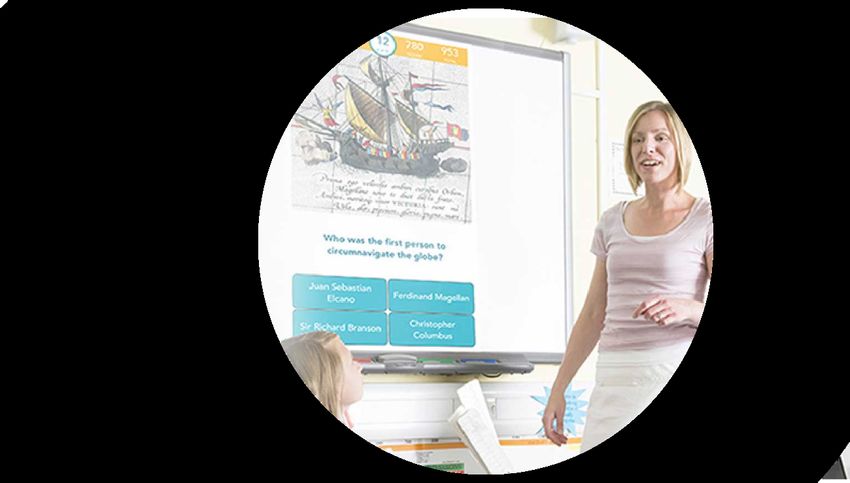
GoIT Challenge 2018 – Cyber Security Teacher Guide
GoIT Challenge 2018 – Cyber Security Teacher Guide

                                   CONTENTS_

    GoIT Challenge Overview Infographic . . . . . . . . . . . . . . . . . . . . . . . . . . . . . . . . . . . . . . 11
        The Quiz Challenges. . . . . . . . . . . . . . . . . . . . . . . . . . . . . . . . . . . . . . . . . . . . . . . . . . . 12
        The Project. . . . . . . . . . . . . . . . . . . . . . . . . . . . . . . . . . . . . . . . . . . . . . . . . . . . . . . . . . . . 13
        Judging criteria – initial round. . . . . . . . . . . . . . . . . . . . . . . . . . . . . . . . . . . . . . . . . . 14
        Judging criteria – final round. . . . . . . . . . . . . . . . . . . . . . . . . . . . . . . . . . . . . . . . . . . 15

    Learning Overview. . . . . . . . . . . . . . . . . . . . . . . . . . . . . . . . . . . . . . . . . . . . . . . . . . . . . . . . . 16

    Enduring Understandings. . . . . . . . . . . . . . . . . . . . . . . . . . . . . . . . . . . . . . . . . . . . . . . . . . 16
       Quiz Based . . . . . . . . . . . . . . . . . . . . . . . . . . . . . . . . . . . . . . . . . . . . . . . . . . . . . . . . . . . . 16
          Students will:. . . . . . . . . . . . . . . . . . . . . . . . . . . . . . . . . . . . . . . . . . . . . . . . . . . . . . . . 16
       Project Based. . . . . . . . . . . . . . . . . . . . . . . . . . . . . . . . . . . . . . . . . . . . . . . . . . . . . . . . . . 17
          Students will:. . . . . . . . . . . . . . . . . . . . . . . . . . . . . . . . . . . . . . . . . . . . . . . . . . . . . . . . 17

    Curriculum Links. . . . . . . . . . . . . . . . . . . . . . . . . . . . . . . . . . . . . . . . . . . . . . . . . . . . . . . . . . . 17

    Steps 1,2,3. . . . . . . . . . . . . . . . . . . . . . . . . . . . . . . . . . . . . . . . . . . . . . . . . . . . . . . . . . . . . . . . . 30

    Lesson Plan. . . . . . . . . . . . . . . . . . . . . . . . . . . . . . . . . . . . . . . . . . . . . . . . . . . . . . . . . . . . . . . . 30
        Materials. . . . . . . . . . . . . . . . . . . . . . . . . . . . . . . . . . . . . . . . . . . . . . . . . . . . . . . . . . . . . . 30
        Aims and Outcomes. . . . . . . . . . . . . . . . . . . . . . . . . . . . . . . . . . . . . . . . . . . . . . . . . . . 30
        Recipe. . . . . . . . . . . . . . . . . . . . . . . . . . . . . . . . . . . . . . . . . . . . . . . . . . . . . . . . . . . . . . . . . 31
        Curriculum Tags . . . . . . . . . . . . . . . . . . . . . . . . . . . . . . . . . . . . . . . . . . . . . . . . . . . . . . . 32
        Curriculum Links. . . . . . . . . . . . . . . . . . . . . . . . . . . . . . . . . . . . . . . . . . . . . . . . . . . . . . . 32

6
GoIT Challenge 2018 – Cyber Security Teacher Guide
GoIT Challenge 2018 – Cyber Security Teacher Guide

         Australian Curriculum. . . . . . . . . . . . . . . . . . . . . . . . . . . . . . . . . . . . . . . . . . . . . . . . . . 32
         NSW Syllabus. . . . . . . . . . . . . . . . . . . . . . . . . . . . . . . . . . . . . . . . . . . . . . . . . . . . . . . . . . 33
         Quizling Tip!. . . . . . . . . . . . . . . . . . . . . . . . . . . . . . . . . . . . . . . . . . . . . . . . . . . . . . . . . . . 33
         Downloadables. . . . . . . . . . . . . . . . . . . . . . . . . . . . . . . . . . . . . . . . . . . . . . . . . . . . . . . . 33
         Extension. . . . . . . . . . . . . . . . . . . . . . . . . . . . . . . . . . . . . . . . . . . . . . . . . . . . . . . . . . . . . . 33

  Quiz 1. . . . . . . . . . . . . . . . . . . . . . . . . . . . . . . . . . . . . . . . . . . . . . . . . . . . . . . . . . . . . . . . . . . . . 34

  Lesson Plan. . . . . . . . . . . . . . . . . . . . . . . . . . . . . . . . . . . . . . . . . . . . . . . . . . . . . . . . . . . . . . . . 35
      Materials. . . . . . . . . . . . . . . . . . . . . . . . . . . . . . . . . . . . . . . . . . . . . . . . . . . . . . . . . . . . . . 35
      Aims and Outcomes. . . . . . . . . . . . . . . . . . . . . . . . . . . . . . . . . . . . . . . . . . . . . . . . . . . 35
      Recipe. . . . . . . . . . . . . . . . . . . . . . . . . . . . . . . . . . . . . . . . . . . . . . . . . . . . . . . . . . . . . . . . . 35
      Curriculum Tags . . . . . . . . . . . . . . . . . . . . . . . . . . . . . . . . . . . . . . . . . . . . . . . . . . . . . . . 38
      Curriculum Links. . . . . . . . . . . . . . . . . . . . . . . . . . . . . . . . . . . . . . . . . . . . . . . . . . . . . . . 38
      Australian Curriculum. . . . . . . . . . . . . . . . . . . . . . . . . . . . . . . . . . . . . . . . . . . . . . . . . . 38
      NSW Syllabus. . . . . . . . . . . . . . . . . . . . . . . . . . . . . . . . . . . . . . . . . . . . . . . . . . . . . . . . . . 39
      Quizling Tip!. . . . . . . . . . . . . . . . . . . . . . . . . . . . . . . . . . . . . . . . . . . . . . . . . . . . . . . . . . . 39
      Using your account as Group Admin, Login to the Quizling portal to
      see the geolocation of quiz plays . . . . . . . . . . . . . . . . . . . . . . . . . . . . . . . . . . . . . . . . 39
      Discussion Guide. . . . . . . . . . . . . . . . . . . . . . . . . . . . . . . . . . . . . . . . . . . . . . . . . . . . . . 39
      Extension. . . . . . . . . . . . . . . . . . . . . . . . . . . . . . . . . . . . . . . . . . . . . . . . . . . . . . . . . . . . . . 40
      Creative Task . . . . . . . . . . . . . . . . . . . . . . . . . . . . . . . . . . . . . . . . . . . . . . . . . . . . . . . . . . 40

  Quiz 2. . . . . . . . . . . . . . . . . . . . . . . . . . . . . . . . . . . . . . . . . . . . . . . . . . . . . . . . . . . . . . . . . . . . . 41

  Lesson Plan. . . . . . . . . . . . . . . . . . . . . . . . . . . . . . . . . . . . . . . . . . . . . . . . . . . . . . . . . . . . . . . . 41
      Materials. . . . . . . . . . . . . . . . . . . . . . . . . . . . . . . . . . . . . . . . . . . . . . . . . . . . . . . . . . . . . . 41
      Aims and Outcomes. . . . . . . . . . . . . . . . . . . . . . . . . . . . . . . . . . . . . . . . . . . . . . . . . . . 41
      Recipe. . . . . . . . . . . . . . . . . . . . . . . . . . . . . . . . . . . . . . . . . . . . . . . . . . . . . . . . . . . . . . . . . 42
      Curriculum Tags . . . . . . . . . . . . . . . . . . . . . . . . . . . . . . . . . . . . . . . . . . . . . . . . . . . . . . . 45
      Mobile, Technology, Ethics, Formative Assessment, Argument,
      Questioning, security. . . . . . . . . . . . . . . . . . . . . . . . . . . . . . . . . . . . . . . . . . . . . . . . . . 45
      Curriculum Links. . . . . . . . . . . . . . . . . . . . . . . . . . . . . . . . . . . . . . . . . . . . . . . . . . . . . . . 45
      Australian Curriculum. . . . . . . . . . . . . . . . . . . . . . . . . . . . . . . . . . . . . . . . . . . . . . . . . . 45
      NSW Syllabus. . . . . . . . . . . . . . . . . . . . . . . . . . . . . . . . . . . . . . . . . . . . . . . . . . . . . . . . . . 46
      Quizling Tip!. . . . . . . . . . . . . . . . . . . . . . . . . . . . . . . . . . . . . . . . . . . . . . . . . . . . . . . . . . . 46

                                                                                                                                                       7
GoIT Challenge 2018 – Cyber Security Teacher Guide
GoIT Challenge 2018 – Cyber Security Teacher Guide

           Having Access to technology makes innovation possible! Encourage your
           students to recognise that without access to technology, we are missing
           out on may innovative ideas from diverse communities!. . . . . . . . . . . . . . . . . . . 46
           Extension. . . . . . . . . . . . . . . . . . . . . . . . . . . . . . . . . . . . . . . . . . . . . . . . . . . . . . . . . . . . . . 46

    Quiz 3. . . . . . . . . . . . . . . . . . . . . . . . . . . . . . . . . . . . . . . . . . . . . . . . . . . . . . . . . . . . . . . . . . . . . 48

    Lesson Plan. . . . . . . . . . . . . . . . . . . . . . . . . . . . . . . . . . . . . . . . . . . . . . . . . . . . . . . . . . . . . . . . 49
        Materials. . . . . . . . . . . . . . . . . . . . . . . . . . . . . . . . . . . . . . . . . . . . . . . . . . . . . . . . . . . . . . 49
        Aims and Outcomes. . . . . . . . . . . . . . . . . . . . . . . . . . . . . . . . . . . . . . . . . . . . . . . . . . . 49
        Recipe. . . . . . . . . . . . . . . . . . . . . . . . . . . . . . . . . . . . . . . . . . . . . . . . . . . . . . . . . . . . . . . . . 49
        Curriculum Tags . . . . . . . . . . . . . . . . . . . . . . . . . . . . . . . . . . . . . . . . . . . . . . . . . . . . . . . 52
        Curriculum Links. . . . . . . . . . . . . . . . . . . . . . . . . . . . . . . . . . . . . . . . . . . . . . . . . . . . . . . 52
        Australian Curriculum. . . . . . . . . . . . . . . . . . . . . . . . . . . . . . . . . . . . . . . . . . . . . . . . . . 52
        NSW Syllabus. . . . . . . . . . . . . . . . . . . . . . . . . . . . . . . . . . . . . . . . . . . . . . . . . . . . . . . . . . 52
        Extension. . . . . . . . . . . . . . . . . . . . . . . . . . . . . . . . . . . . . . . . . . . . . . . . . . . . . . . . . . . . . . 53

    Quiz 4. . . . . . . . . . . . . . . . . . . . . . . . . . . . . . . . . . . . . . . . . . . . . . . . . . . . . . . . . . . . . . . . . . . . . 55

    Lesson Plan. . . . . . . . . . . . . . . . . . . . . . . . . . . . . . . . . . . . . . . . . . . . . . . . . . . . . . . . . . . . . . . . 56
        Materials. . . . . . . . . . . . . . . . . . . . . . . . . . . . . . . . . . . . . . . . . . . . . . . . . . . . . . . . . . . . . . 56
        Aims and Outcomes. . . . . . . . . . . . . . . . . . . . . . . . . . . . . . . . . . . . . . . . . . . . . . . . . . . 56
        Recipe. . . . . . . . . . . . . . . . . . . . . . . . . . . . . . . . . . . . . . . . . . . . . . . . . . . . . . . . . . . . . . . . . 56
        Curriculum Tags . . . . . . . . . . . . . . . . . . . . . . . . . . . . . . . . . . . . . . . . . . . . . . . . . . . . . . . 58
        Curriculum Links. . . . . . . . . . . . . . . . . . . . . . . . . . . . . . . . . . . . . . . . . . . . . . . . . . . . . . . 58
        Australian Curriculum. . . . . . . . . . . . . . . . . . . . . . . . . . . . . . . . . . . . . . . . . . . . . . . . . . 58
        NSW Syllabus. . . . . . . . . . . . . . . . . . . . . . . . . . . . . . . . . . . . . . . . . . . . . . . . . . . . . . . . . . 59
        Quizling Tip!. . . . . . . . . . . . . . . . . . . . . . . . . . . . . . . . . . . . . . . . . . . . . . . . . . . . . . . . . . . 59
        Downloadables. . . . . . . . . . . . . . . . . . . . . . . . . . . . . . . . . . . . . . . . . . . . . . . . . . . . . . . . 59
        Extension. . . . . . . . . . . . . . . . . . . . . . . . . . . . . . . . . . . . . . . . . . . . . . . . . . . . . . . . . . . . . . 59

    Risk Assessment Template for Cloud Solution. . . . . . . . . . . . . . . . . . . . . . . . . . . . . . . 61

8
GoIT Challenge 2018 – Cyber Security Teacher Guide
GoIT Challenge 2018 – Cyber Security Teacher Guide

    Quiz 5. . . . . . . . . . . . . . . . . . . . . . . . . . . . . . . . . . . . . . . . . . . . . . . . . . . . . . . . . . . . . . . . . . . . . 62

           Lesson Plan. . . . . . . . . . . . . . . . . . . . . . . . . . . . . . . . . . . . . . . . . . . . . . . . . . . . . . . . . . . . 62
           Materials. . . . . . . . . . . . . . . . . . . . . . . . . . . . . . . . . . . . . . . . . . . . . . . . . . . . . . . . . . . . . . 62
           Aims and Outcomes. . . . . . . . . . . . . . . . . . . . . . . . . . . . . . . . . . . . . . . . . . . . . . . . . . . 62
           Recipe. . . . . . . . . . . . . . . . . . . . . . . . . . . . . . . . . . . . . . . . . . . . . . . . . . . . . . . . . . . . . . . . . 64
           Curriculum Tags . . . . . . . . . . . . . . . . . . . . . . . . . . . . . . . . . . . . . . . . . . . . . . . . . . . . . . . 65
           Curriculum Links. . . . . . . . . . . . . . . . . . . . . . . . . . . . . . . . . . . . . . . . . . . . . . . . . . . . . . . 65
           Australian Curriculum. . . . . . . . . . . . . . . . . . . . . . . . . . . . . . . . . . . . . . . . . . . . . . . . . . 65
           NSW Syllabus. . . . . . . . . . . . . . . . . . . . . . . . . . . . . . . . . . . . . . . . . . . . . . . . . . . . . . . . . . 65
           Quizling Talking Point!. . . . . . . . . . . . . . . . . . . . . . . . . . . . . . . . . . . . . . . . . . . . . . . . . 66
           Extension. . . . . . . . . . . . . . . . . . . . . . . . . . . . . . . . . . . . . . . . . . . . . . . . . . . . . . . . . . . . . . 66

    The Project . . . . . . . . . . . . . . . . . . . . . . . . . . . . . . . . . . . . . . . . . . . . . . . . . . . . . . . . . . . . . . . . 67

    The Project Pitch. . . . . . . . . . . . . . . . . . . . . . . . . . . . . . . . . . . . . . . . . . . . . . . . . . . . . . . . . . . 73

    Australian Curriculum. . . . . . . . . . . . . . . . . . . . . . . . . . . . . . . . . . . . . . . . . . . . . . . . . . . . . . 77
           Achivement Standard (Relevant Areas Shaded). . . . . . . . . . . . . . . . . . . . . . . . . 80

    Permissions. . . . . . . . . . . . . . . . . . . . . . . . . . . . . . . . . . . . . . . . . . . . . . . . . . . . . . . . . . . . . . . . 84

                                                                                                                                                         9
GoIT Challenge 2018 – Cyber Security Teacher Guide
GoIT Challenge 2018 – Cyber Security Teacher Guide

     WHY THE GoIT CHALLENGE?

     Encouraging high school students to learn about, and apply, technology to community
     challenges

     The shortage of students studying Science Technology Engineering and Mathematics (STEM) is a
     national priority. We know students in year 8 form opinions about whether studying technology in
     future years is right for them.

     That is why the GoIT Challenge is aimed at year 8 students. It aims to inspire students to think
     differently about technology. To learn technical aspects – but more importantly to apply technology
     to any educational discipline, to any industry or to any community problem.

     Tata Consultancy Services is a global technology company. It is our aim to use our core business,
     technology services, to positively impact the attitudes of students towards STEM. Our technology
     professionals are keen to support students and teachers to become inspired about the possibilities
     technology has – that’s why we’ve created this program - we think we can help.

     The GoIT Challenge involves 2 components to be done in the classroom:

         1. 5 weekly quiz challenges on technology and its application across disciplines and in our
            everyday lives
         2. A project that applies technology and learning from the quizzes, to solve a problem in the
            student’s community

     We were so enthusiastic about the learning that took place last year, the diversity of the teams and
     the projects they undertook that we can’t wait to share these ideas with you!

     We look forward to hearing and seeing how IT is inspiring you and your community, to solve problems
     and see IT as an exciting creative possibility – where you are!

10
GoIT Challenge 2018 – Cyber Security Teacher Guide
GoIT Challenge 2018 – Cyber Security Teacher Guide
GoIT Overivew
GoIT Challenge Overview
Infographic
Register your team online between June 28
to July 28
www.goitchallenge.com.
Working with our GoIT Challenge partner
Quizling App, you’ll complete fortnightly
quizzes to gain knowledge for your project.
Each quiz teaches you a valuable tip for
your final project.
Inspired? Find a problem your Community
IT project could solve. Your project should
use digital technology to create a solution
to the problem faced by your community.
Pitch your solution for the opportunity to
join the finals at UNSW on 29 October! In
September, participating schools will need
to upload their class project to the GoIT
Challenge portal.
Pitch your solution for the opportunity to
join the finals at UNSW! Thirty schools will
be shortlisted. If your school is not based in
Sydney, we will fund your GoIT Challenge
team’s flights to attend the finals.
11GoIT Challenge 2018 – Cyber Security Teacher Guide
GoIT Challenge 2018 – Cyber Security Teacher Guide
GoIT CHALLENGE-ELIGIBILITY
REQUIREMENTS AND RULES
It is FREE to take part in the GoIT Challenge!
In order to participate, we ask that:
• Participants must be in year 8
• Students must attend school in Australia
• Student must register as a group of 3 (Find full registration details at
(www.goitchallenge.com)
• Groups must complete 3 of the 5 quizzes to be eligible for the finals
Tata Consultancy Services, University of New South Wales and Quizling value diversity – in fact – we
believe that diversity is the key to innovation! We ask that you consider diversity when selecting your
teams – not only do different experiences, backgrounds and strengths make your group more creative,
diversity will give you strength and show you the world in a new light!
The Quiz Challenges
Quiz challenges are weekly, but you can play at any time!
Date Quiz is Released Focus Area for the Quiz
Monday July 23 Social
Monday July 30 Mobile
Monday August 6 AI
Monday August 13 Cloud
Monday August 20 Analytics
12GoIT Challenge 2018 – Cyber Security Teacher Guide
GoIT Challenge 2018 – Cyber Security Teacher Guide
The Project
Groups can work on their project with a member of their community - remember your project is an IT
solution to an issue impacting your community - so get them involved! The best solutions come from
problems you’ve experienced.
Projects need to demonstrate your learning and reflect upon the focus areas in the quizzes.
You should be very clear about how IT is being used to solve (or to begin to solve) a community problem!
Completed projects should be uploaded to the GoIT Challenge portal no later than 28 September, 2018.
You should use the template for the project – but we love creativity – so include photos, images,
videos – whatever you think will help our judges understand how awesome your solution is!
Projects will be open to review so must have releases and permissions completed, you can find these in
this guide, and in the project template.
Use of materials not produced by the team or individual responsible for the entry which is not duly
acknowledged through standard referencing, will be deemed as plagiarism. Any entry deemed guilty of
plagiarism will be disqualified and will be ineligible for the judging event and prizes.
Group submissions will be judged by a panel of industry experts, and peers. Groups are required to assess
their peers - we learn better together
Key Dates
Register for GoIT Challenge June 28
Quizzes released July 23 – August 20
Project Submitted September 28th
Judging takes place and Finalists Notified October 8
Final Event at UNSW October 29
13GoIT Challenge 2018 – Cyber Security Teacher Guide
GoIT Challenge 2018 – Cyber Security Teacher Guide
Teams who are invited to the final event in Sydney, must be able to send one member to present their work
in order to be eligible to win major prizes!! Air fares and transport in Sydney are part of your prize!
Teams who are not selected for the finals, but who would like to attend and take part in the Final Quiz
Competition, UNSW workshops and take part in the peer review are welcome to attend! Please register early
as it is a free event – but numbers are limited!
Judging criteria – initial round
A winning team will be selected from each state and territory
Date Quiz is Released Points
Quiz participation and results 1-50 (each quiz is scored out of 10)
IT skills demosntraeted in the project 1 - 10
Innovatin demonstrated in the project 1 - 10
Collaboration, communication and teamwork on the project 1 - 10
– input from mentor/teacher
Project Meets the needs of the community 1 - 10
Diversity of the team ( Diversity is defined by the team, 1 - 10
but could include and not be limited by gender, ATSI, ESL,
14GoIT Challenge 2018 – Cyber Security Teacher Guide
GoIT Challenge 2018 – Cyber Security Teacher Guide
Judging criteria – final round
There will be 2 winners – First and Second
There will be 1 Honourable mentions
Criteria Points
Results from Quiz on the Day 1 - 10
Project score from initial round carries cover 1 - 10
Project score from judges on the day 1 - 10
Interview score from judges on the day 1 - 10
Peer review score of projects 1 - 10
15GoIT Challenge 2018 – Cyber Security Teacher Guide
GoIT Challenge 2018 – Cyber Security Teacher Guide
GoIT CHALLENGE LEARNING
OVERVIEW
The GoIT Challenge is designed to complement your classroom practice. It is a flexible program that
enables learning to take place in as much or as little time as you have available.
This guide gives you lesson ideas that include:
• 5 minute energisers
• 10 minute warmups, or wrap ups
• 1 hour deep dive lessons
• extension activities
The lessons here are based on the following enduring understandings.
Learning Overview
Enduring Understandings
Quiz Based
Students will:
• Demonstrate an understanding of data types
• Demonstrate an understanding of Networked systems
• Demonstrate an understanding of the complex nature of Artificial Intelligence, Machine Learning
• Demonstrate an understanding of the role data plays in their lives
• Demonstrate an understanding of cyber threats, security measures and how to maintain a safe
presence online
• Demonstrate an understanding of social networks and the ways IT is shaping communication
• Demonstrate an understanding of the impact environmental, economic and social constraints
play in their lives (relating to IT)
16GoIT Challenge 2018 – Cyber Security Teacher Guide
GoIT Challenge 2018 – Cyber Security Teacher Guide
Project Based
Students will:
• Identify a problem in their community
• Undertake research, including community consultation, to gain a deeper understanding of
the problem and its effects
• Identify how data, systems and networks can aid in a solution
• Identify methods of protecting data and maintaining a protected cyber environment
• Define the problem, and break down its elements
• Outline a solution
• Take steps to prototype their solution
• Make adjustments and explain factors that make the solution more or less successful
• Describe and demonstrate how user experience and interface impacts the success
of the solution
• Reflect on the process of group work and roles individuals took within the group
Curriculum Links
The GoIT Challenge – Cyber Security is mapped to the curriculum.
By taking part in the GoIT Challenge – Cyber Security – students will have the opportunity to cover
the following aspects of the Australian Curriculum and Achievement Standard .
Challenge Focus Area for Quiz Curriculum Links
Let’s Get GOIT – Cyber Security AC:
Started!
• Historical Moment in IT
Literacy Personal and Social ICT Capabilities
• Important people - Steve Jobs, Capability
The Google Guys, Hettie LaMar
• Big Names - google
Facebook, Instagram
• Pop Culture IT - Celebs with
biggest following, celebs who
code
* Australian curriculum (AC) - 29+Capability&capability=Critical+and+Creative+Thinking&capability=Personal
+and+Social+Capability&capability=Ethica +Understanding&capability=Intercultural
+Understanding&priority=ignore&priority=Aboriginal
NSW Curriculum - http://educationstandards.nsw.edu.au/wps/portal/nesa/k-10/learning-areas/technologies/technology-
mandatory
17GoIT Challenge 2018 – Cyber Security Teacher Guide
GoIT Challenge 2018 – Cyber Security Teacher Guide
Australian Curriculum
Knowledge and Understanding
Investigate how data is transmitted and
secured in wired, wireless and mobile
networks, and how the specifications affect
performance (ACTDIK023)
Investigate how digital systems represent text,
image and audio data in binary (ACTDIK024)
Processes and Production Skills
Acquire data from a range of sources and
evaluate authenticity, accuracy and timeliness
(ACTDIP025)
Analyse and visualise data using a range
of software to create information, and use
structured data to model objects or events
(ACTDIP026)
Evaluate how student solutions and existing
information systems meet needs, are
innovative, and take account of future risks
and sustainability (ACTDIP031)
NSW Syllabus
4.1.1 recognises and uses software programs
that are suitable for specific tasks
______________________
1 Further curriculum details are available in Appendix I
18GoIT Challenge 2018 – Cyber Security Teacher Guide
GoIT Challenge 2018 – Cyber Security Teacher Guide
4.1.2 identifies and demonstrates appropriate use
of a range of hardware
4.3.1 uses ethical practices when dealing with
information and software technology
4.4.1 describes a range of past, current and
emerging information and software technologies
4.5.1 identifies the benefits of collaborative work
practices when completing a task
4.5.2 documents ideas and solutions for targeted
audiences
4.5.3 identifies key roles and responsibilities of
people in the field of information and software
technology
Challenge • Social Networking AC:
1: SOCIAL • Cyber Security and
Literacy Critical Personal Ethical ICT Inter
personal and and Social Understanding Capabilities Cultural
data Creative
Thinking
Capability Unders
tanding
• Ethics
• Connective Communities/
Networks
• Social Change
Australian Curriculum
Knowledge and Understanding
Investigate how digital systems represent text,
image and audio data in binary (ACTDIK024)
Processes and Production Skills
Acquire data from a range of sources and evaluate
authenticity, accuracy and timeliness (ACTDIP025)
Evaluate how student solutions and existing
information systems meet needs, are innovative,
and take account of future risks and sustainability
(ACTDIP031)
19GoIT Challenge 2018 – Cyber Security Teacher Guide
GoIT Challenge 2018 – Cyber Security Teacher Guide
Plan and manage projects that create
and communicate ideas and information
collaboratively online, taking safety and social
contexts into account (ACTDIP032)
NSW Syllabus
4.1.1 recognises and uses software programs that
are suitable for specific tasks
4.1.2 identifies and demonstrates appropriate use
of a range of hardware
4.3.2 describes ethical practices used when
dealing with data and information
4.4.1 describes a range of past, current and
emerging information and software technologies
4.5.1 identifies the benefits of collaborative work
practices when completing a task
4.5.3 identifies key roles and responsibilities of
people in the field of information and software
technology
Challenge • Mobile Computing ACT:
2: MOBILE • Cyber Security
Literacy Critical and Personal Ethical ICT
• Evolution of mobile Creative and Social Understanding Capabilities
technology Thinking Capability
• Data capabilities
• Digital Footprint
• Internet of Things
(Number and type of
devices)
Australian Curriculum
Knowledge and Understanding
Investigate how data is transmitted and secured in
wired, wireless and mobile networks, and how the
specifications affect performance (ACTDIK023)
Investigate how digital systems represent text,
image and audio data in binary (ACTDIK024)
20GoIT Challenge 2018 – Cyber Security Teacher Guide
GoIT Challenge 2018 – Cyber Security Teacher Guide
Processes and Production Skills
Define and decompose real-world problems
taking into account functional requirements and
economic, environmental, social, technical and
usability constraints (ACTDIP027)
Evaluate how student solutions and existing
information systems meet needs, are innovative,
and take account of future risks and sustainability
(ACTDIP031)
Plan and manage projects that create
and communicate ideas and information
collaboratively online, taking safety and social
contexts into account (ACTDIP032)
NSW Syllabus
4.1.2 identifies and demonstrates appropriate use
of a range of hardware
4.2.1 identifies and uses problem- solving
processes when creating solutions
4.3.2 describes ethical practices used when
dealing with data and information
4.4.1 describes a range of past, current and
emerging information and software technologies
4.5.1 identifies the benefits of collaborative work
practices when completing a task
4.5.3 identifies key roles and responsibilities of
people in the field of information and software
technology
Challenge • Artificial Intelligence ACT:
3: AI • Cyber Security
• Bots Literacy Critical and
Creative
Ethical
Understanding
ICT Capabilities
• Machine Learning Thinking
• Cyber threats
• Internet of Things
(Possibilities)
21GoIT Challenge 2018 – Cyber Security Teacher Guide
GoIT Challenge 2018 – Cyber Security Teacher Guide
• Key Moments Australian Curriculum
• Ethics Knowledge and Understanding
Investigate how data is transmitted and secured
in wired, wireless and mobile networks, and
how the specifications affect performance
(ACTDIK023)
Processes and Production Skills
Acquire data from a range of sources and evaluate
authenticity, accuracy and timeliness (ACTDIP025)
Define and decompose real-world problems
taking into account functional requirements and
economic, environmental, social, technical and
usability constraints (ACTDIP027)
Evaluate how student solutions and existing
information systems meet needs, are innovative,
and take account of future risks and sustainability
(ACTDIP031)
Plan and manage projects that create
and communicate ideas and information
collaboratively online, taking safety and social
contexts into account (ACTDIP032)
NSW Syllabus
4.1.1 recognises and uses software programs that
are suitable for specific tasks
22GoIT Challenge 2018 – Cyber Security Teacher Guide
GoIT Challenge 2018 – Cyber Security Teacher Guide
4.1.2 identifies and demonstrates appropriate use
of a range of hardware
4.2.1 identifies and uses problem- solving
processes when creating solutions
4.2.2 designs, produces and evaluates
appropriate solutions to a range of problems
4.2.3 justifies decisions made when creating
information and software technology solutions
4.3.1 uses ethical practices when dealing with
information and software technology
4.3.2 describes ethical practices used when
dealing with data and information
4.4.1 describes a range of past, current and
emerging information and software technologies
4.5.1 identifies the benefits of collaborative work
practices when completing a task
4.5.2 documents ideas and solutions for targeted
audiences
4.5.3 identifies key roles and responsibilities of
people in the field of information and software
technology
Challenge • Cloud Computing AC:
4: CLOUD • Cyber Security threats
Literacy Critical and Ethical ICT Capabilities
• Protection in the cloud Creative Understanding
• Technologies Thinking
• Data security
• Internet of Things
(connectivity)
• Jargon
Australian Curriculum
Knowledge and Understanding
Investigate how data is transmitted and secured in
wired, wireless and mobile networks, and how the
specifications affect performance (ACTDIK023)
23GoIT Challenge 2018 – Cyber Security Teacher Guide
GoIT Challenge 2018 – Cyber Security Teacher Guide
Processes and Production Skills
Acquire data from a range of sources and evaluate
authenticity, accuracy and timeliness (ACTDIP025)
Analyse and visualise data using a range
of software to create information, and use
structured data to model objects or events
(ACTDIP026)
Define and decompose real-world problems
taking into account functional requirements and
economic, environmental, social, technical and
usability constraints (ACTDIP027)
Evaluate how student solutions and existing
information systems meet needs, are innovative,
and take account of future risks and sustainability
(ACTDIP031)
Plan and manage projects that create
and communicate ideas and information
collaboratively online, taking safety and social
contexts into account (ACTDIP032)
24GoIT Challenge 2018 – Cyber Security Teacher Guide
GoIT Challenge 2018 – Cyber Security Teacher Guide
NSW Syllabus
4.1.1 recognises and uses software programs that
are suitable for specific tasks
4.1.2 identifies and demonstrates appropriate use
of a range of hardware
4.2.1 identifies and uses problem- solving
processes when creating solutions
4.2.2 designs, produces and evaluates
appropriate solutions to a range of problems
4.2.3 justifies decisions made when creating
information and software technology solutions
4.3.2 describes ethical practices used when
dealing with data and information
4.5.1 identifies the benefits of collaborative work
practices when completing a task
4.5.2 documents ideas and solutions for targeted
audiences
4.5.3 identifies key roles and responsibilities of
people in the field of information and software
technology
Challenge • Analytics AC:
5: ANALYTICS • Personal Data
Literacy Critical and Personal Ethical ICT
• Where does data come from Creative and Social Understanding Capabilities
• Cyber Security Thinking Capability
• Figures and Statistics
• Presentation of Data
Australian Curriculum
Knowledge and Understanding
Investigate how data is transmitted and secured in
wired, wireless and mobile networks, and how the
specifications affect performance (ACTDIK023)
Processes and Production Skills
Acquire data from a range of sources and evaluate
authenticity, accuracy and timeliness (ACTDIP025)
25GoIT Challenge 2018 – Cyber Security Teacher Guide
GoIT Challenge 2018 – Cyber Security Teacher Guide
Analyse and visualise data using a range
of software to create information, and use
structured data to model objects or events
(ACTDIP026)
Define and decompose real-world problems
taking into account functional requirements and
economic, environmental, social, technical and
usability constraints (ACTDIP027)
Evaluate how student solutions and existing
information systems meet needs, are innovative,
and take account of future risks and sustainability
(ACTDIP031)
Plan and manage projects that create
and communicate ideas and information
collaboratively online, taking safety and social
contexts into account (ACTDIP032)
NSW Syllabus
4.1.1 recognises and uses software programs that
are suitable for specific tasks
4.1.2 identifies and demonstrates appropriate use
of a range of hardware
4.2.3 justifies decisions made when creating
information and software technology solutions
26GoIT Challenge 2018 – Cyber Security Teacher Guide
GoIT Challenge 2018 – Cyber Security Teacher Guide
4.3.2 describes ethical practices used when
dealing with data and information
4.4.1 describes a range of past, current and
emerging information and software technologies
4.5.1 identifies the benefits of collaborative work
practices when completing a task
4.5.3 identifies key roles and responsibilities of
people in the field of information and software
technology
Final Quiz - Open Season!
Finals day Questions are submitted by
groups and their teachers!
27GoIT Challenge 2018 – Cyber Security Teacher Guide
GoIT Challenge 2018 – Cyber Security Teacher Guide
GOIT CHALLENGE
– LESSON PLANS
28GoIT Challenge 2018 – Cyber Security Teacher Guide
GoIT Challenge 2018 – Cyber Security Teacher Guide
GoIT Challenge – Cyber Security
Introduction Lesson: Let’s Get
Started!
Our students bring knowledge, experiences and sometimes misinformation into our lessons. As educators,
we need to set the context, fan the enthusiasm and correct misunderstandings.
Sometimes these misunderstandings are just an idea about the types of people who are “naturally” good
at IT, or what the subject will include or how it will be applied.
Did you know that...
90% of future jobs will require IT skills
The World Economic Forum identified the top 5 skills
for the future of work to be Complex problem solving,
critical thinking, creativity, people management and coordinating with others.
There will be 3.5 million cyber security jobs by 2021
Cyber-crime is estimated to cost in excess of $6 trillion annually by 2021
It is clear that we will need a diverse workforce as we move into the Fourth Industrial Revolution.
The GoIT Challenge Cyber Security aims to inspire year 8 students to think differently about IT, to embrace
the innovative possibilities of a world connected by 200 billion devices, and to make a difference.
Could your class have the next Steve Jobs changing the way we interact with the world, or Abigail Allwood
taking the world the Mars?
Play the GoIT Challenge – Cyber Security – Let’s Get Started!
________________
2 Grey, A. (2016). The 10 skills you need to thrive in the Fourth Industrial Revolution. [online] World Economic
Forum. Available at: https://www.weforum.org/agenda/2016/01/the-10-skills-you-need-to-thrive-in-the-
fourth-industrial-revolution/
29GoIT Challenge 2018 – Cyber Security Teacher Guide
GoIT Challenge 2018 – Cyber Security Teacher Guide
Top 10 skills
in 2020 in 2015
1. Complex Problem Solving 1. Complex Problem Solving
2. Critical Thinking 2. Coordinating with Others
3. Creativity 3. People Management
4. People Management 4. Critical Thinking
5. Coordinating with Others 5. Negotiation
6. Emotional Intelligence 6. Quality Control
7. Judgment and Decision Making 7. Service Orientation
8. Service Orientation 8. Judgment and Decision Making
9. Negotiation 9. Active Listening
10. Cognitive Flexibility 10. Cretivity
Steps 1,2,3
1. Play the GoIT Challenge Let’s Get Started quiz on Quizling
2. Find the context! How do students use these technologies, and who was behind them?
3. Challenge accepted! Share the challenge with peers, parents and community.
Lesson Plan
Materials
• GoITChallenge – Cyber Security quiz on teacher device
• 1 device plugged into smartboard or projector
• Individual or group devices for research
• GoIT Challenge Score sheet (Appendix III)
• GoIT Challenge Research Sheet (Appendix III)
Aims and Outcomes
• Students are challenged to view IT as a creative subject, deal with problem solving and critical
thinking, appealing to a range of people
• Students are better able to identify the different ways they engage with technology daily
• Students are better able to talk about the people changing the IT landscape
• Students are more able to discuss the complexities of the technology landscape
• Students feel more inspired to take part in the GoIT Challenge – Cyber Security!
30GoIT Challenge 2018 – Cyber Security Teacher Guide
GoIT Challenge 2018 – Cyber Security Teacher Guide
Recipe
Estimated Time Teacher Student
5 mins Download the GoIT Challenge Let’s Get
Preparation Started quiz on your device [https://
learn.quizlingapp.com/quizplayframe/
wJLlCpKfUR]
Attach your device to the projector so that
the whole class can view.
HINT: On the Quizling Play Screen, turn off
the timer to yourself flexible timing!
Copy 1 score sheet for each group
Copy 1 research sheet for each group
10 mins play Play the Let’s Get Started Quiz! Students arrange themselves into
Arrange students into groups of three, and groups of 3, with an answer sheet.
give each group an answer sheet. One student is the writer!
If playing with the timer off, encourage Each group discusses the questions,
groups to chat about answers, but obviously writes their answer in.
with tiny voices – they don’t want to give
their thinking away! At the end of the quiz, they add up
Hit PLAY! their score.
5 mins recap Focus attention back to the teacher.
Students share the information they
Ask students – What questions did they knew, highlighting how they knew
know? And HOW did they know that?! that (saw it in a movie, watched a
documentary, follow Ronaldo!)
Use this information to supplement your
understanding of student’s prior learning. Students list the information they
found interesting. Is this information
Ask students for information they thought they relate too? Is it curious or new?
was interesting, what did they learn?
Explain to students that they will now use
the GoIT Challenge handout to explore the
possibilities of technology and the people
who created it!
31GoIT Challenge 2018 – Cyber Security Teacher Guide
GoIT Challenge 2018 – Cyber Security Teacher Guide
Tell students they will only have 15 mins to
research – so they had better start googling! Students use the worksheet and
google using the prompts. Groups
might work together, finding the
answers and scribbling answers as
they go.
Focus attention to the front.
Replay the Let’s Get Started quiz, but for Students call out information they
each question, students should call out found out, bouncing off of each
something they found out during their other and learning more.
research.
As groups call out their findings, focus
attention on any conflicting information.
Discuss why there might be conflicting Students should point out that
information. Where does information people create the content on the
online come from? Why don’t students internet, they can be wrong and
get the same results for the same google they might leave out information.
search?
Higher level students might
understand that algorithms find
search results based on our past
history of search, so we might be
presented with different search
results.
Curriculum Tags
IT, technology, social media, innovation, cyber security, year 8
Curriculum Links
Literacy Personal and Social ICT Capabilities
Capability
Australian Curriculum
Knowledge and Understanding
Investigate how data is transmitted and secured in wired, wireless and mobile networks, and how
the specifications affect performance (ACTDIK023)
32GoIT Challenge 2018 – Cyber Security Teacher Guide
GoIT Challenge 2018 – Cyber Security Teacher Guide
Investigate how digital systems represent text, image and audio data in binary (ACTDIK024)
Processes and Production Skills
Acquire data from a range of sources and evaluate authenticity, accuracy and timeliness (ACTDIP025)
Analyse and visualise data using a range of software to create information, and use structured data to
model objects or events (ACTDIP026)
Evaluate how student solutions and existing information systems meet needs, are innovative, and
take account of future risks and sustainability (ACTDIP031)
NSW Syllabus
4.1.1 recognises and uses software programs that are suitable for specific tasks
4.1.2 identifies and demonstrates appropriate use of a range of hardware
4.3.1 uses ethical practices when dealing with information and software technology
4.4.1 describes a range of past, current and emerging information and software technologies
4.5.1 identifies the benefits of collaborative work practices when completing a task
4.5.2 documents ideas and solutions for targeted audiences
4.5.3 identifies key roles and responsibilities of people in the field of information and software
technology
Quizling Tip!
Quizling makes it easy to share quizzes, click share and post quizzes to social media, copy the link to
paste into newsletters and emails, or message to colleagues. Sharing with parents is a great way to
engage parents in classroom learning.
Downloadables
Extension
- Have students create their own quiz based on an individual, technology or issue arising from
the quiz. They should share their quizzes with the group, parents and friends!
- Share particularly good quizzes in your school’s newsletter or social media feed. This is a
great way to engage parents and community with learning!
33GoIT Challenge 2018 – Cyber Security Teacher Guide GoIT Challenge 2018 – Cyber Security Teacher Guide GoIT Challenge – Cyber Security Lesson 1: Going Social in an online world Our student’s have been online their entire lives. In 2017 95% of 12-24 year olds had a smartphone, and more than half of them described their phone as a tool for connection. Socialising online – it’s just how it’s done! Indeed, the Australian government’s ACMA survey found that the use of social networks “has become so ubiquitous…, that it has become a primary means of building negotiating and presenting their social identities.” This lesson asks students to think about their social networking, and to consider the digital footprint they leave behind. While nearly all students were able to describe safe social networking behaviour, most of them aren’t putting it into practice. The GOIT Challenge Cyber Security Aims to engage year 8 students to consider their digital footprint as they build and shape social networks. Welcome to Social – the first of the five pillars of the GoIT Challenge! Steps 1,2,3 1. Play the GOIT Challenge Cyber Security “Social” Quiz on Quizling 2. How do social platforms work? Explore networking and the data trail 3. Take it social! Make social work for you! Who, Where and Why! _____________ 3 https://www.acma.gov.au/-/media/mediacomms/Report/pdf/Like-post-share-Young-Australians- experiences-of-social-media-Qualitative-research-report.pdf?la=en 4 https://www.commonsensemedia.org/the-common-sense-census-media-use-by-tweens-and-teens- infographic 34
GoIT Challenge 2018 – Cyber Security Teacher Guide
GoIT Challenge 2018 – Cyber Security Teacher Guide

Lesson Plan

Materials

- GoIT Challenge – Cyber Security SOCIAL Quiz (individual devices, or 1 device per group)
- Individual devices for geospatial networking activity and creation.

Aims and Outcomes

- Challenge Year 8 students to see IT as a creative subject, appealing to a range of people
- Year 8 students will be better able to identify the role of IT and Social networking in their everyday lives
- Year 8 students will be better able to discuss how social platforms and networks work
- Year 8 students will be better able to communicate the potential for social networks in their communities
- Year 8 students will be better able to discuss cyber security and apply strategies to limit their digital
footprint

Recipe

 Estimated Time          Teacher                              Student

 Preparation – 5 mins    - Make sure your class group on
                         Quizling is set up
                         - Share the SOCIAL Quiz to the
                         group

                         *See the Quizling GoIT Challenge
                         tips and FAQ for help

 5 mins elicit           Ask student’s about social           Students should lead the conversation here.
 information             networking – what technologies       The teacher can prompt the discussion by
                         are regularly used?                  having students

                         What are the biggest platforms?      - name specific technologies (Facebook,
                         Who uses social networking?          what’s app, Instagram, snapchat, twitter, but
                         Why do people use social             also chat on game sites, YouTube etc)
                         networking?                          - describe platforms as places for sharing
                                                              content (not just receiving) connect people
                         *Keep their discussion fast          with similar interests.
                         and surface level – write down       - identify influencers as individuals who can
                         interesting talking points to come   shape our ideas and start/encourage trends
                         back to                              (they should be able to name some)

                                                                                                           35
GoIT Challenge 2018 – Cyber Security Teacher Guide
GoIT Challenge 2018 – Cyber Security Teacher Guide
- state that social networks are used by
everyone – even teachers!
- communicate that people use social
media to connect, to share, to learn,
to grow businesses, to sell, to get
information, to belong
15 mins PLAY! Explain that throughout the GoIT
Challenge, there will be 5 quizzes Students log into their Quizling Accounts,
to be played each week – that go to their Class group and play the quiz.
quizzes can be (and SHOULD be!)
played multiple times.
The leader board should have them
The first GoIT Challenge Cyber repeating their plays to get the best score,
Security quiz is … SOCIAL!! asking whose who and really engaging
with content.
Ask students to log into their
Quizling accounts, go to the class
group, and play the SOCIAL quiz to
see how much they really know!!
* You can display the leader board
for your group on the projector
while they play! How are your
students jostling for position??
20 mins Explore Focus attention back to the
teacher. Students should discuss the event that
occurred on March 24, 2018
Ask students if there was any
surprising information? Created by Stoneman Douglas High
Are any of the points elicited School students after a school shooting
from the introductory discussion in Florida, Twitter, Instagram, Snapchat
mentioned? stories, YouTube videos and skype
sessions made it easy for the students to
Ask students about March for spread their experience and speak directly
Our Lives. What do they know of to their peers, people who supported their
the event? How was Social Media ideas, and to address concerns to those in
used? power
“People always say, ‘Get off your Bypassed traditional media, the need for
phones,’ but social media is our face to face meetings with politicians etc
weapon, without it, the movement Led to massive marches around the world
wouldn’t have spread this fast.”
Jaclyn Corin
36GoIT Challenge 2018 – Cyber Security Teacher Guide
GoIT Challenge 2018 – Cyber Security Teacher Guide
Students discuss not feeling alone, being
in a group, belonging to something, peer
pressure
Students should mention that the
Stoneman Douglas students were
talking to each other authentically
Students should mention: check ins,
RSVP, Facebook events, #, Instagram,
create news, spread news, influence
brands, influence govt, bypass traditional
media, create a youth voice, collect
user info to keep people up to date and
How did the students at Stoneman informed, spread information instantly
Douglas High School get 1.2 million Data Captured included: location of
people to March for Our Lives? people, people’s interests, emails,
Why are students more likely to take photographs, time spent in places,
action if their friends are? movement through social media, who
How did the movement gain they were with etc
momentum?
Ask students to come up with ways Students should mention: location
social was used, and what data was devices, monitoring , GPS, Interfaces,
captured? personal accounts, networks for sharing.
What technologies are required to
enable this data?
20 mins, Apply Ask students to create a 5 question Students create a quiz using Quizling.
quiz on any topic. They share the quiz to groups, using #,
messaging friends, asking for family to
They should share their quiz share to their friends, finding popular
through appropriate social groups – topics etc
horse lovers, Canberra Raiders fans,
Ronaldo fans etc
Students should share the quiz and
watch it spread.
Quote and cover art - http://time.com/longform/never-again-movement/
37GoIT Challenge 2018 – Cyber Security Teacher Guide
GoIT Challenge 2018 – Cyber Security Teacher Guide
10 mins – Follow Up Report back the following lesson Students should note that people with
on which quiz had the most plays. larger social groups had more plays, but
these weren’t necessarily the best quizzes.
Students should consider how to leverage
social groups to get uptake, to share ideas,
to solve problems, to have fun
Curriculum Tags
IT, Networking, Collaboration, Social Media, Platforms, Cyber Security, Influence, Data, Formative
Assessment, technology, Community
Curriculum Links
Literacy Critical and Creative Personal and Social Ethical Understanding ICT Capabilities Inter Cultural
Thinking Capability Understanding
Australian Curriculum
Knowledge and Understanding
Investigate how digital systems represent text, image and audio data in binary (ACTDIK024)
Processes and Production Skills
Acquire data from a range of sources and evaluate authenticity, accuracy and timeliness (ACTDIP025)
Evaluate how student solutions and existing information systems meet needs, are innovative, and
take account of future risks and sustainability (ACTDIP031)
Evaluate how student solutions and existing information systems meet needs, are innovative, and
take account of future risks and sustainability (ACTDIP031)
38GoIT Challenge 2018 – Cyber Security Teacher Guide
GoIT Challenge 2018 – Cyber Security Teacher Guide
NSW Syllabus
4.1.1 recognises and uses software programs that are suitable for specific tasks
4.1.2 identifies and demonstrates appropriate use of a range of hardware
4.3.2 describes ethical practices used when dealing with data and information
4.4.1 describes a range of past, current and emerging information and software technologies
4.5.1 identifies the benefits of collaborative work practices when completing a task
4.5.3 identifies key roles and responsibilities of people in the field of information and software
technology
Quizling Tip!
Using your account as Group Admin, Login to the Quizling portal to see the geolocation of quiz plays.
Where are quizzes played? What causes them to spread?
Discussion Guide
Why do people use platforms?
o What are the two sides of a social media platform? (who is taking part?)
o What platforms are popular, how do age and gender impact your likelihood of
belonging to particular platforms?
What other major social events have utilized social media to create change or impact people’s
awareness?
o Arab Spring; Standing Rock; Trayvon Martin; Black Lives Matter
o Create buzz around a shop, event, movie, book launch, iPhone launch
What community groups in your area are on social media?
o What do they use their accounts for? (sporting teams, activist groups, religious groups,
interest or hobby groups, environmental groups)
https://www.sbs.com.au/news/dateline/article/2018/03/26/march-our-lives-was-about-far-more-students-and-gun-control
Students rally in front of the White House in Washington, March 14, 2018. (AP Photo/Carolyn Kaster)
39GoIT Challenge 2018 – Cyber Security Teacher Guide
GoIT Challenge 2018 – Cyber Security Teacher Guide
Extension
This is a teacher guided task
• With a device connected to the projector, go to Facebook March for our Lives page.
• Find the list of people who have checked in at an event
• Follow an individual’s digital footprint – what photos do they have, where have they
checked in, what do they like, where do they live, who are they friends with, where did
they go to school, have they left reviews etc.
• All of this information is public. What do we know about this person? Religious or
political views, place of work, holidays etc.
• Ask students about digital footprints and what they can be used for.
• Students should become aware of how much information we can gather, and then
consider – how could they apply that data for good causes; if they were to be
mischievous?
Creative Task
Ask students to create a guide to share through your school’s social networks on reducing your digital
footprint
Students should use the information from the quiz and from their activities to come up with a list of
suggestions for reducing their digital footprint, and to raise awareness amongst their peers about
their digital footprint
• Don’t use your real name
• Have a different email address for social media accounts
• Don’t check in at home
• Be aware of habits that will show up on social media (ie Paul is always at soccer on
Tuesday and Thursday evenings)
• Don’t put images up you don’t want to be there forever
• Limit your friends
• KNOW YOUR PRIVACY SETTINGS and check them regularly!
40GoIT Challenge 2018 – Cyber Security Teacher Guide
GoIT Challenge 2018 – Cyber Security Teacher Guide
GoIT Challenge – Cyber Securi-
ty Lesson 2: Mobile technology –
take the tech with you
The power of the technology in our pockets is growing by the day – and the devices are shrinking!
The UN reports that mobile is being adopted faster than any proceeding technology – and this enable us
all to interact with the world in new ways.
The clock on your iPhone is 32,600 times faster than the best Apollo era computers – and they were the
size of a car!
Mobile technology is underscored by 4 principles
• Portability
• Individuality
• Connectivity
• Interactivity
This lesson gets students to think about how mobile technology is changing the way we view and interact
with our world.
The GoIT Challenge Cyber Security asks students to leverage the potential of mobile technology to
empower!
Welcome to MOBILE – the second pillar of the GoIT Challenge – Cyber Security!
Steps 1,2,3
1.PLAY GoIT Challenge Cyber Security – MOBILE Quiz
2. How does mobile technology change the world?! What activities can be done quickly, cheaply and
wherever you are?
3. Mobile – Hack me anywhere, anytime? The silent debate – is mobile safer?
Lesson Plan
Materials
- GoIT Challenge Cyber Security MOBILE quiz on teacher device
- Individual or group devices for quiz playing and research
- Post-it notes or paper and blu tac for silent debate
Aims and Outcomes
- Challenge students to view IT as an agent of chance, capable of transforming communities
- Students are better able to identify mobile technology and its uses in their everyday lives
41You can also read


