BAY DISTRICT SCHOOLS - INSTRUCTIONAL CONTINUITY PLAN For Emergency School Closures
←
→
Page content transcription
If your browser does not render page correctly, please read the page content below
BAY DISTRICT SCHOOLS

 INSTRUCTIONAL CONTINUITY PLAN
                For Emergency School Closures

                           William V. Husfelt III, Superintendent

Press Conference/Website Release             1                      03/25/2020
Due to school closures from COVID-19, Bay District Schools will make every effort to
ensure that our students' educational opportunities continue while at home. This plan
includes a compilation of approved online content, digital resources, and appropriate
guidance. Bay District Schools’ plan promotes the least complicated path in providing
students with instruction during this time. This is accomplished through providing resources
that are easy to use and access to meet the needs of students. Families will have options to
include digital and/or paper-based resources.
The Instructional Continuity Plan (ICP) has three components: Materials and Resources,
Content Delivery, and Additional Guidance.
● Materials and Resources: This section includes core instructional resources and
supplemental resources for use by teachers. The supplemental resources provided
in this plan are not comprehensive or all inclusive. Teachers may utilize additional
appropriate supplemental resources to meet the needs of their students. Technical
support from BDS staff is only available for the digital resources specified in this
document.
● Content Delivery provides guidance to teachers on which resources to utilize for
core instruction and recommendations on instructional minutes for students.
Supplemental resources may be used to enhance core instruction.
○ Math and ELA: 45 minutes of total instruction must be provided for both math
and ELA K-12. At least 30 minutes must utilize approved core instructional
resources. The additional 15 minutes may utilize core or supplemental
resources.
○ Science: 30 minutes of instruction in K-5 and 45 minutes in 6-12 must be
provided for science daily using core instructional resources for the majority
of instructional time.
○ Social Studies: Social Studies benchmarks should be addressed daily for K-5.
Social studies benchmarks may be addressed individually or integrated with
ELA instruction. 45 minutes in 6-12 must be provided for social studies using
core instructional resources for the majority of instructional time.
○ Other:
■ Teachers may choose to direct their students to complete other
course-specific assignments.
■ Please note, instructional activities represented in this plan reflect core
subject areas only. Instruction should not be limited to core content.
Supplemental materials can be used for enrichment, remediation, or
intervention activities.
Press Conference/Website Release 2 03/25/2020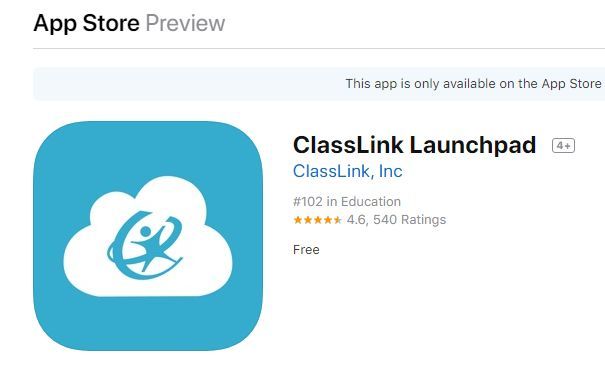
■ Students should limit the amount of time they spend at the computer
without a break. Every 20 minutes, students should get up from the
computer.
■ Teachers must utilize the appropriate resources and/or strategies to
ensure student needs are met as outlined in IEP/504/ELL/MTSS
plan(s).
Additional Guidance
● Grading
○ Grades should be taken once every 2 weeks and recorded in FOCUS
○ Remember - Grace & Compassion
○ As always, there will be extenuating circumstances and/or exemptions,
choose what is best for the student
● Attendance
○ Teachers are responsible for taking and reporting attendance.
○ Attendance may be taken or documented using:
■ Students’ completed assignments
■ Any contact that teachers make directly with students (daily, weekly,
etc.) and recorded on student-contact documentation forms as
determined by the school administrator (examples for documentation
are included in this ICP).
● Delivery Options
○ Schools and teachers will determine the most appropriate means of
delivering information, lessons, and instructional resources to students and
families.
○ Delivery options may include but are not limited to: Canvas, Edgenuity,
ClassDojo, Zoom, Google Hangouts, Google Classroom, BDS Gmail, etc.
○ Paper-based instruction will be utilized for students without digital access
(see Paper-Based Instruction item below).
○ Support for providing distance learning can be found in Appendix A:
Resources for Distance Learning
● Paper-Based Instruction
○ For students who are unable to access instruction and materials
electronically, schools are responsible for providing paper-based materials.
○ School administrators and teachers are responsible for determining
paper-based lessons and materials for students.
○ Each school is responsible for copying, distributing, collecting, grading, and
reporting results from any paper-based materials to and for
students/parents.
Press Conference/Website Release 3 03/25/2020
○    Students’ completed assignments should be used to show proof of
                  “attendance” as students complete and assignments are returned.

    ●    Documentation and Reporting
            ○ School administrators will determine how teachers will document and record
              lesson plans, content delivery, and interaction with students. Included in this
              plan is a sample template that teachers may utilize to document
              communication with students, lessons planned, content delivered to
              students, and accommodations made to fulfill student needs.

    ●    Stakeholder Communication
            ○ A parent letter is included in this ICP. Please consider using this letter to
               communicate information to your parents electronically and in print form.
            ○ School Administrators are responsible for communicating and sharing
               information with parents and students based on guidelines within this ICP
               Guidance Document.

Press Conference/Website Release                4                                      03/25/2020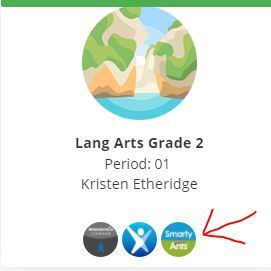
Digital Devices
Schools may check out devices to teachers or students who do not have access to a device
at home. Students under 18 years of age must have a parent accompany them to the
school to check out the device and sign a consent agreement. Bay District Schools has
made efforts to ensure student safety while using devices and digital content. It is critical
that parents and guardians monitor device usage and content accessed while students are
participating in digital learning activities.
Help with Devices: If you need assistance in resetting a password or have a technical issue
with the district-issued device, submit a help ticket by emailing help@bay.k12.fl.us. If the
district-issued device is damaged or no longer working, the device should be returned to
the school. If the school has another device to issue, they may issue another device. (If no
additional devices are available, then schools will need to provide students with
paper-based materials for instruction and learning.)
If schools check out district devices to students, parents must be made aware of the
Student Acceptable Use Policy, and students must sign the Student Agreement (see
below).
All parents/guardians should take the time to read the Student Acceptable Use Policy
as identified in Board Policy 7.211.
1. Acceptable Use - The use of a BayNET account must be in support of education and
research consistent with the educational goals and policies of Bay District Schools.
Use of any other network or computing resources must be consistent with the rules
appropriate to that network. This includes, but is not necessarily limited to,
respecting copyrights, respecting users, rights to privacy, avoiding threatening or
obscene material, respecting material protected by trade secret, and avoiding
reposting personal communications without the author's prior consent. Use for
commercial activities, product advertisement, or political lobbying is prohibited.
2. Privileges - The use of BayNET is not a right, but a privilege, and inappropriate use
will result in cancellation of that privilege. Each individual who receives an account
will receive information pertaining to the proper use of the network. School and
district administrators will decide appropriate use and their decision is final. BDS may
close an account at any time.
3. Log in Access - Students must log in and use the BDS filtered wireless network
during the school day on personal electronic mobile devices.
4. "Netiquette" - Users are expected to abide by the generally accepted rules of
network etiquette. The use of vulgar or obscene language is prohibited. Complete
your tasks in a timely fashion. Follow proper correspondence guidelines when using
electronic mail.
5. Warranties - Bay District Schools makes no warranties of any kind, whether
expressed or implied, for the service provided. BDS will not be responsible for any
Press Conference/Website Release 5 03/25/2020damages suffered, including loss of data. Also, BDS will not be responsible for the
accuracy or quality obtained through the BayNET INTERNET connection.
6. Security - Security is high priority. Users must report security issues to the system
administrator immediately. The use of accounts belonging to other individuals is
prohibited. Attempts to use another person's account will result in cancellation of
user privileges. Any user identified as a security risk or having a history of problems
will be denied access.
7. Vandalism - Vandalism will result in cancellation of privileges. Vandalism is defined
as any malicious attempt to harm or destroy data of another user, or hardware, or
software owned by Bay District Schools. This includes the creation of, or the
uploading of computer viruses on any computer or server accessible through
BayNET.
8. Updating Your User Information - Users may be required to provide updated
registration, password and account information to continue BayNET access.
Permission is extended throughout your enrollment in Bay District Schools unless
revoked by your parent or a school administrator.
9. Exception of Terms and Conditions - All terms and conditions as stated in this
document are applicable to all users of BayNET. These terms and conditions reflect
an agreement of the parties and shall be governed and interpreted in accordance
with the laws of the State of Florida and the United States of America.
Student Agreement: I understand and will abide by the Terms and Conditions For Use of
BayNET and Personal Electronic Mobile Devices in Bay District Schools. I further understand
any violation of the Terms and Conditions of Bay District Schools policies may constitute a
criminal offense***. I also acknowledge that the district is not responsible for personal
electronic mobile devices. ***Hacking as defined by School Board Policy 2.128 states:
Hacking shall mean attempting to or gaining unauthorized access to the school or district’s
computer and network systems. Violating this policy is a felony offense and will result in
disciplinary action. **Violations may result in losing my access privileges, school disciplinary
action and/or appropriate legal action initiated against me.
The Student Acceptable Use Policy may be read in its entirety beginning on page 768 of
the linked document.
Schools should download and print this form as needed. Parents will complete it when they
come to check out a device for distance learning at home. Keep forms on your campus so
media specialists or other persons with Destiny permissions can check out devices via
Destiny.
Please use this link to access the Device Checkout Form.
Press Conference/Website Release 6 03/25/2020Core and Supplemental Materials
Core Materials Supplemental Materials
Achieve 3000 (3-12 Informational Text)
ReadWorks (K-5 Literary/Informational
Edmentum: ESL Reading Smart (ELL)
AP, IB, AICE Resources for Advanced
CommonLit (Informational/Literary
Approved Instructional Materials
ConnectEd : McGraw-Hill (K-5)
Zearn (Online Eureka Lessons)
FloridaStudents.org, CPALMS
IXL, Help Kids Learn, StarFall
First in Math (K-5, Fluency)
ELLevation Learning (ELL)
(Standard and Modified)
Edgenuity (Grades 6-12)
Edmentum: Exact Path
Imagine Learning (ELL)
Smarty Ants (Pre-K-2)
Pearson Elevate (K-5)
Accelerated Readers
iCivics (Grades 3-12)
Academic Programs
through Launchpad
Unique Learning
Khan Academy
ABC Mouse
TeachTown
iCivics (3-12)
Math Nation
Study Island
DreamBox
Civics 360
Readtopia
Math 180
BrainPop
enCORE
EVERFI
Text)
Text)
Language Arts/Reading ⚫ ⚫ ⚫ ⚫
Pre-K
Mathematics ⚫ ⚫ ⚫
Science/Social Studies ⚫ ⚫ ⚫
Language Arts/Reading ⚫ ⚫ ⚫ ⚫ ⚫ ⚫ ⚫ ⚫ ⚫ ⚫ ⚫ ⚫
Mathematics ⚫ ⚫ ⚫ ⚫ ⚫ ⚫ ⚫ ⚫ ⚫ ⚫
K-5
Science ⚫ ⚫ ⚫ ⚫ ⚫ ⚫ ⚫ ⚫ ⚫
Social Sciences ⚫ ⚫ ⚫ ⚫ ⚫ ⚫ ⚫ ⚫ ⚫ ⚫ ⚫
Language Arts/Reading ⚫ ⚫ ⚫ ⚫ ⚫ ⚫ ⚫ ⚫ ⚫ ⚫
Mathematics ⚫ ⚫ ⚫ ⚫ ⚫ ⚫ ⚫ ⚫ ⚫ ⚫ ⚫ ⚫
6-8
Science ⚫ ⚫ ⚫ ⚫ ⚫ ⚫ ⚫ ⚫ ⚫
Social Sciences ⚫ ⚫ ⚫ ⚫ ⚫ ⚫ ⚫ ⚫ ⚫ ⚫ ⚫ ⚫
Language Arts/Reading ⚫ ⚫ ⚫ ⚫ ⚫ ⚫ ⚫ ⚫ ⚫
9-12
Mathematics ⚫ ⚫ ⚫ ⚫ ⚫ ⚫ ⚫ ⚫ ⚫
Science ⚫ ⚫ ⚫ ⚫ ⚫ ⚫ ⚫ ⚫ ⚫
Social Sciences ⚫ ⚫ ⚫ ⚫ ⚫ ⚫ ⚫ ⚫ ⚫ ⚫ ⚫ ⚫
⚫ Standard Core Curriculum
Modified curriculum for ESE students on Access Points only.
Materials and Resources: This section includes core instructional resources and supplemental resources for use by teachers. The supplemental resources provided in
this plan are not comprehensive or all inclusive. Teachers may utilize additional appropriate supplemental resources to meet the needs of their students. Technical
support from BDS staff is only available for the digital resources specified in this document.
Press Conference/Website Release 7 03/25/20209-12 6-8 K-5
Art
Art
Art
CTE
CTE
Music
Music
Music
World Languages
World Languages
Physical Education
Physical Education
Physical Education
Social Emotional Learning (SEL)
Social Emotional Learning (SEL)
Social Emotional Learning (SEL)
Approved Instructional
Press Conference/Website Release
⚫
⚫
Materials through
Launchpad
Duolingo
⚫
⚫
EverFi
⚫
⚫
Incredibleart.org
⚫
⚫
Approved Instructional
⚫
⚫
Materials by Course
from CTE
Move to Learn
⚫
⚫
⚫
(YouTube Videos)
8
Musictheory.net
⚫
⚫
⚫
MyCareerShines
⚫
⚫
Electives and Other Programs Materials
Spotlight on Music:
⚫
ConnectED, McGraw-
Hill
BDS 360
⚫
⚫
⚫
Centervention
⚫
⚫
⚫
State Resoures for
⚫
⚫
Spanish Teachers
FLDOE PE Resources
⚫
⚫
⚫
Kidsites.com
⚫
SmartMusic
⚫
⚫
Art Class Curator
⚫
⚫
03/25/2020
PBS.org
⚫
⚫
⚫
⚫
⚫
⚫Standard Curriculum for Core Content
Elementary K-5
ELA
*Note: 45 Minutes Total ELA Instruction per day. A minimum of 30 minutes of ELA instruction per day must come from the core curriculum; however, all 45 minutes of ELA instruction per
day may come from the core curriculum materials. If a minimum of 30 minutes of ELA instruction per day comes from the core curriculum, then an additional 15 minutes of ELA instruction
per day may be determined and directed by the teacher.
Student Teacher
Monday Tuesday Wednesday Thursday Friday Monday Tuesday Wednesday Thursday Friday
Complete 45 minutes of ELA instructional activities as assigned by teacher (see *note above). Plan for and deliver lessons to students (see *note above); review student performance;
follow up with students to guide learning and achievement. Record on weekly Teacher
Communication Tool
Math
*Note: 45 Minutes Total Math Instruction per day. A minimum of 30 minutes of Math instruction per day must come from the core curriculum; however, all 45 minutes of Math instruction
per day may come from the core curriculum materials. If a minimum of 30 minutes of Math instruction per day comes from the core curriculum, then an additional 15 minutes of Math
instruction per day may be determined and directed by the teacher.
Student Teacher
Monday Tuesday Wednesday Thursday Friday Monday Tuesday Wednesday Thursday Friday
Complete 45 minutes of Math instructional activities as assigned by teacher (see *note Plan for and deliver lessons to students (see *note above); review student performance;
above). follow up with students to guide learning and achievement. Record on weekly Teacher
Communication Tool
Science
*Note: 30 Minutes Total Science Instruction per day. A minimum of 20 minutes of Science instruction per day must come from the core curriculum; however, all 30 minutes of Science
instruction per day may come from the core curriculum materials. If a minimum of 20 minutes of Science instruction per day comes from the core curriculum, then an additional 10 minutes
of Science instruction per day may be determined and directed by the teacher.
Student Teacher
Monday Tuesday Wednesday Thursday Friday Monday Tuesday Wednesday Thursday Friday
Complete 30 minutes of Science instructional activities as assigned by teacher (see *note Plan for and deliver lessons to students (see *note above); review student performance;
above). follow up with students to guide learning and achievement. Record on weekly Teacher
Communication Tool
Social Studies
*Note: NGSSS Social Studies benchmarks should be addressed daily. Benchmarks may be addressed individually or integrated with ELA instruction.
Student Teacher
Monday Tuesday Wednesday Thursday Friday Monday Tuesday Wednesday Thursday Friday
Social Studies benchmarks should be addressed daily for K-5. Social studies benchmarks may Plan for and deliver lessons to students (see *note above); review student performance;
be addressed individually or integrated with ELA instruction. follow up with students to guide learning and achievement. Record on weekly Teacher
Communication Tool
Press Conference/Website Release 9 03/25/2020Standard Curriculum for Core Content
Secondary 6th-12th
ELA (as enrolled)
*Note: 45 Minutes Total ELA Instruction per day. A minimum of 30 minutes of ELA instruction per day must come from the core curriculum; however, all 45 minutes of ELA instruction per
day may come from the core curriculum materials. If a minimum of 30 minutes of ELA instruction per day comes from the core curriculum, then an additional 15 minutes of ELA instruction
per day may be determined and directed by the teacher. Based on
Student Teacher
Monday Tuesday Wednesday Thursday Friday Monday Tuesday Wednesday Thursday Friday
Complete 45 minutes of ELA instructional activities as assigned by teacher (see *note above). Plan for and deliver lessons to students (see *note above); review student performance;
follow up with students to guide learning and achievement. Record on weekly Teacher
Communication Tool
Math (as enrolled)
*Note: 45 Minutes Total Math Instruction per day. A minimum of 30 minutes of Math instruction per day must come from the core curriculum; however, all 45 minutes of Math instruction
per day may come from the core curriculum materials. If a minimum of 30 minutes of Math instruction per day comes from the core curriculum, then an additional 15 minutes of Math
instruction per day may be determined and directed by the teacher.
Student Teacher
Monday Tuesday Wednesday Thursday Friday Monday Tuesday Wednesday Thursday Friday
Complete 45 minutes of Math instructional activities as assigned by teacher (see *note Plan for and deliver lessons to students (see *note above); review student performance;
above). follow up with students to guide learning and achievement. Record on weekly Teacher
Communication Tool
Science (as enrolled)
*Note: 45 Minutes Total Science Instruction per day. A minimum of 30 minutes of Science instruction per day must come from the core curriculum; however, all 45 minutes of Science
instruction per day may come from the core curriculum materials. If a minimum of 30 minutes of Science instruction per day comes from the core curriculum, then an additional 15 minutes
of Science instruction per day may be determined and directed by the teacher.
Student Teacher
Monday Tuesday Wednesday Thursday Friday Monday Tuesday Wednesday Thursday Friday
Complete 45 minutes of Science instructional activities as assigned by teacher (see *note Plan for and deliver lessons to students (see *note above); review student performance;
above). follow up with students to guide learning and achievement. Record on weekly Teacher
Communication Tool
Social Sciences (as enrolled)
*Note: 45 Minutes Total SS Instruction per day. A minimum of 30 minutes of SS instruction per day must come from the core curriculum; however, all 45 minutes of SS instruction per day
may come from the core curriculum materials. If a minimum of 30 minutes of SS instruction per day comes from the core curriculum, then an additional 15 minutes of SS instruction per day
may be determined and directed by the teacher.
Student Teacher
Monday Tuesday Wednesday Thursday Friday Monday Tuesday Wednesday Thursday Friday
Complete 45 minutes of SS instructional activities as assigned by teacher (see *note above). Plan for and deliver lessons to students (see *note above); review student performance;
follow up with students to guide learning and achievement. Record on weekly Teacher
Communication Tool
Press Conference/Website Release 10 03/25/2020MTSS Interventions
Elementary (K-5)
Student Teacher
ELA ELA
Achieve 3000 Achieve 3000
Achieve 3000-Smarty Ants (Pre K-3) (15-30 minutes, 4 days a week) Achieve 3000-Smarty Ants (Pre K-3) (15-30 minutes, 4 days a week)
Achieve 3000- KidBiz (4-5) (30 minutes, 5 days a week) Achieve 3000- KidBiz (4-5) (30 minutes, 5 days a week)
Imagine Learning Language & Literacy (ELL Students)
(K-2) (15-20 minutes daily) (3-5 20-30 minutes daily) Licenses are
assigned;
Brainpop ELL (ELL Students)
(2-5) (15 minutes, 5 days a week)
(username: Bayesol password: Baydistrict2020)
Math Math
Dreambox Dreambox
(K-5) (20 minutes, 4 days a week) (K-5) (20 minutes, 4 days a week)
For Parents DreamBox Resource Padlet - to support at-home use Teacher DreamBox Resource Padlet
Khan Academy Khan Academy
(K-5) (15-30 minutes, 4 days a week) (K-5) (15-30 minutes, 4 days a week)
Imagine Learning
Math Fluency Facts (new) 20 minutes a day, 3 days a week)
Behavior Interventions Behavior Interventions
Primary Daily Point sheet (see link) Encourage students to use a Primary Daily Point sheet (see link)
BDS 360 Check in/out with students (5 minutes AM & 5 minutes PM)
Check-in with a trusted adult each day Monitor report/usage for BDS 360
Centervention
Secondary (6-12)
Student Teacher
ELA ELA
Achieve 3000 Achieve 3000
Achieve 3000- TeenBiz (45 minutes, 5 days a week) Achieve 3000- TeenBiz (45 minutes, 5 days a week)
Imagine Learning Language and Literacy (ELL Students)
(6-8 with a license already assigned) 30 minutes daily
ESL Reading Smart (ELL Students)
(6-12 with a license already assigned - more licenses are available upon
request) 20-30 minutes daily
Exact Path for ELLs (ELL Students)
Math Math
Dreambox Dreambox
(6-8) (20 minutes, 5-8 lessons a week) (6-8) (20 minutes, 5-8 lessons a week)
For Parents DreamBox Resource Padlet - to support at-home use Teacher DreamBox Resource Padlet
Khan Academy Khan Academy
(6-12) (45 minutes, 5 days a week) (6-12) (45 minutes, 5 days a week)
Imagine Learning (ELL Students)
Math Fluency Facts (new) 20 minutes a day, 3 days a week)
Exact Path for ELLs (ELL Students)
Behavior Interventions Behavior Interventions
Intermediate Daily Point Sheet (see link) Encourage students to use a Intermediate Daily Point Sheet (see link)
BDS 360 Check in/out with students (5 minutes AM & 5 minutes PM)
Check-in with a trusted adult each day Monitor report/usage for BDS 360
Centervention Centervention
PBIS
Press Conference/Website Release 11 03/25/2020Appendix A
Resources for Distance Learning
Accessing Canvas through BDS Launchpad Click Here
Combining classes in Canvas Email TOSA@bayk.12.fl.us
if you teach the same class (course) multiple times during the day we can
combine your classes in Canvas so that you are only “doing the work once” -
this is primarily for secondary teacher or any content based elementary
teacher
Publishing your Canvas course for students to see Click Here
this MUST be done for your students to see your course or course content
Sending a message to students in your class Click Here
Creating an announcement for your class Click Here
this is a great way to provide important information to your class (ex: “March
30th please complete 20 mins in Dreambox)
Edit an existing page in your class Click Here
if your course already has pages in Canvas this an easy way to EDIT those
pages
Creating a discussion topic for your class Click Here
creating a group discussion led by the teacher
Creating an assignment for your class Click Here
the simplest way to do an online assignment is by using the “text entry”
submission type
Creating a quiz for your class Click Here
Creating a blank page in Canvas Click Here
this is where the teacher can put anything (text, image, video, link, etc) on a
page using the editor text box
Publishing content for your class Click Here
content in your class must be published for students to view it
Creating codes for Parent App Click Here
gives parents access via mobile app to important information within your
Canvas course
Directions for parents to obtain access to Canvas Parent App Click Here for Step by Step
step by step instructions for parents - both text and video instructions
provided Click Here for Video
Google Classroom
The Google Classroom Quick-Start Guide + resources, tips and tricks!
Google Classroom Teacher Directions Click here
Google Classroom Student Login Directions Click here
Press Conference/Website Release 12 03/25/2020Click Here for Additional Help Links for ClassDojo
Click Here for More Information on Remote Learning for Teachers,
School Leaders, and Parents/Families
Teachers: Signing Up for a Dojo Account Click Here
Adding or Creating a Class Click Here
Inviting Parents to Join a Class Click Here
Sending Messages to Parents (or Class) Click Here
Sending Photos or Other Attachments to Click Here
Parents
Print Parent Codes in Another Language Click Here
Adding Multiple Parents on ClassDojo Click Here
How to Disconnect a Parent Click Here
What Does a Student See? Click Here
What Does a Parent See? Click Here
How to Enable, Disable, and Delete Click Here
Comments on a Story Post
How to Schedule a Message to Send to Click Here
Parents
How to Delete a Message Sent to Parents Click Here
How to Download and Print Your Message Click Here
History
How to Translate Class Story Posts for Click Here
Parents
Press Conference/Website Release 13 03/25/2020Accessing Digital Resources Using BDS
Launchpad
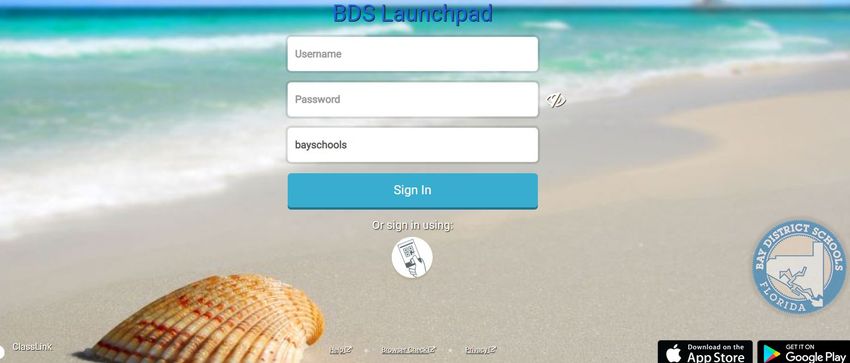
Step 1: Log into BDS Launchpad. Can use the link https://launchpad.classlink.com/bayschools and
bookmark or go to Bay District website www.bay.k12.fl.us and use the shortcut on the right side
Step 2: Enter your BDS username and password. This is the one you use to log into FOCUS, BDS
computer, or BDS wifi (capital X + last 7 of student ID is the password for elementary students)
Step 3: Click on the BDS Backpack or look in the resources folder. There is also a SEARCH bar in the
top right where a title of a program can be entered.
Step 4: Click on the appropriate icon. Remember not all icons are accessible to all students even
though they may be visible in the backpack.
Press Conference/Website Release 14 03/25/2020There is also an app in the app store that can be downloaded on mobile devices. However, remember that not all vendors have developed their program to work on mobile devices. When using this app the school code is bayschools. If you need assistance or training with instructional technology resources, please send an email to the TOSA team at tosa@bay.k12.fl.us. Press Conference/Website Release 15 03/25/2020
Appendix B
Dear Families, Guardians, and Caregivers,
WILLIAM V. HUSFELT III
SUPERINTENDENT We know that missing school is not easy for your children – or for you. In order to
keep teaching and learning on track and meet state requirements, the district has
submitted the Bay District Schools’ Instructional Continuity Plan to the Florida
1311 Balboa Avenue Department of Education. A collection of online content, digital resources, and
Panama City, Florida paper-based lessons is available for students to access at home.
32401
Your child’s teacher will provide you with assignments for students to complete.
Students with access to the internet and a device will complete assignments
online. Students without internet or access to a device will complete paper-
(850) 767-4100 based instruction and learning materials which can be picked up at the school.
For paper-based assignments, students should return completed assignments to
Hearing Impaired Access
their school as soon as possible.
(800) 955-8770 Voice
(800) 955-8771 TDD Teachers will review all completed work to assign grades and record
attendance.
Some tips for making at-home learning as successful as possible include:
www.bay.k12.fl.us designate a comfortable reading and work space,
work on each subject area as identified by the teacher with frequent
breaks as needed,
for paper-based instructional and learning materials, keep student work
Board Members: organized to return to student’s school for review for attendance and
grades.
Jerry Register
Please remember that paper-based instructional and learning materials are only
District 1 available for students who do not have internet access or digital devices. All
other students will complete online assignments pushed out by the teacher.
We have an outstanding team available to help make your at-home learning
Ginger Littleton experience meaningful. Please call us at (850) _________ if there is a way we
District 2 can support you in this process.
We know with consistent effort all of our students will continue their tremendous
progress.
Pamm Chapman
District 3 Happy Learning!
Ryan Neves Superintendent Principal
District 4
Steve Moss
District 5
Press Conference/Website Release 16 03/25/2020Queridas Familias, Tutores, y Cuidadores,
WILLIAM V. HUSFELT III
SUPERINTENDENT Sabemos que no estar en la escuela no es fácil para sus hijos o para usted.
Para mantener la enseñanza y el aprendizaje como está planeado y cumplir con
los requisitos estatales, el distrito ha presentado el Plan de Continuidad de
1311 Balboa Avenue Instrucción de Bay District Schools al Departamento de Educación de Florida.
Panama City, Florida Una colección de contenido en línea, recursos digitales y lecciones en papel
32401 está disponible para que los estudiantes tengan acceso en casa.
El maestro de su hijo le proporcionará tareas para que completen los
estudiantes. Los estudiantes con acceso a Internet y un dispositivo completarán
(850) 767-4100 las tareas en línea. Los estudiantes sin internet o acceso a un dispositivo
completarán la instrucción en papel y los materiales de aprendizaje los cuales
Hearing Impaired Access
pueden recogerse en la escuela. Para las tareas en papel, los estudiantes deben
(800) 955-8770 Voice devolver las tareas completadas a su escuela lo antes posible.
(800) 955-8771 TDD
Los maestros revisarán todo el trabajo completado para asignar calificaciones y
registrar la asistencia.
www.bay.k12.fl.us Algunos consejos para hacer que el aprendizaje en el hogar sea lo más exitoso
posible incluyen:
designar un espacio de lectura y trabajo cómodo,
trabajar en cada materia según lo identificado por el maestro con
Board Members: descansos frecuentes según sea necesario,
para materiales de enseñanza y aprendizaje en papel, mantenga el
trabajo del alumno organizado para regresarlo a la escuela del alumno
Jerry Register para su revisión de asistencia y calificaciones.
District 1
Recuerde que los materiales de instrucción y aprendizaje en papel solo están
disponibles para estudiantes que no tienen acceso a Internet o dispositivos
digitales. Todos los demás estudiantes completarán las tareas en línea
Ginger Littleton expuestas por el maestro.
District 2
Tenemos un excelente equipo disponible para ayudarlo a que su experiencia de
aprendizaje en el hogar sea significativa. Llámenos al (850) _________ si hay
una manera en que podemos ayudarlo en este proceso.
Pamm Chapman
District 3 Sabemos que con un esfuerzo constante que todos nuestros estudiantes
continuarán con un progreso tremendo.
Happy Learning!
Ryan Neves
District 4
Superintendent Principal
Steve Moss
District 5
Press Conference/Website Release 17 03/25/2020You can also read


