Curriculum Guide - February 2020 - Apple
←
→
Page content transcription
If your browser does not render page correctly, please read the page content below
Curriculum Guide

February 2020
Teaching Code with Apple
When you teach code, you’re not only teaching the language of technology. You’re teaching new ways to think and bring ideas
to life. And coding with Swift, Apple’s powerful, intuitive, and easy-to-learn programming language, provides students fun and
engaging ways to prepare for the future. Every student should have the opportunity to create something that can change the
world. Whether students are just getting started with Swift Playgrounds or ready to learn Xcode, Apple provides everything
educators need to bring code into the classroom.

Everyone Can Code Curriculum Guide | February 2020                                                                               2
Code Curriculum Pathway
The Everyone Can Code and Develop in Swift curricula take students all the way from writing their first lines of Swift code
to building their first apps. The table below provides an overview of the core, free teaching and learning resources available.

                     Student           Teacher         Device       Audience      App           Prerequisites   Overview                              Lesson hours

 Everyone Can Code

 Everyone                                            iPad and Mac   Grade 4       Swift         None            Students learn foundational           45 hours
 Can Code                                                           and up        Playgrounds                   coding concepts, such as loops,
 Puzzles                                                                                                        variables, and functions. They
                                                                                                                practice and apply their skills
                                                                                                                in a variety of ways, from puzzles
                                                                                                                to open-ended playgrounds.

 Everyone                                            iPad           Grade 4       Swift         Everyone Can    Students learn more advanced          45 hours
 Can Code                                                           and up        Playgrounds   Code Puzzles    code concepts, such as event
 Adventures                                                                                                     handling, advanced arrays,
                                                                                                                and component-based design
                                                                                                                as they scope and build their
                                                                                                                own projects.

 Develop in Swift

 Intro to App                                        Mac            High school   Xcode         None            Students get practical experience     90 hours
 Development                                                        and up                                      with the tools, techniques, and
 with Swift                                                                                                     concepts needed to build a basic
                                                                                                                iOS app from scratch.

 AP® Computer                                        Mac            High school   Xcode         None            Students complete app                 180 hours
 Science                                                            and up                                      development projects designed
 Principles                                                                                                     to prepare them for the AP exam,
 with Swift                                                                                                     while also learning about ethics
                                                                                                                in computing, user-centered
                                                                                                                design, hardware, and security.

 App                                                 Mac            High school   Xcode         None            Students build a foundation           180 hours
 Development                                                        and up                                      in Swift, UIKit, and networking
 with Swift                                                                                                     through hands-on labs and guided
                                                                                                                projects. By the end of the course,
                                                                                                                students can build an app of their
                                                                                                                own design.

Everyone Can Code Curriculum Guide | February 2020                                                                                                                3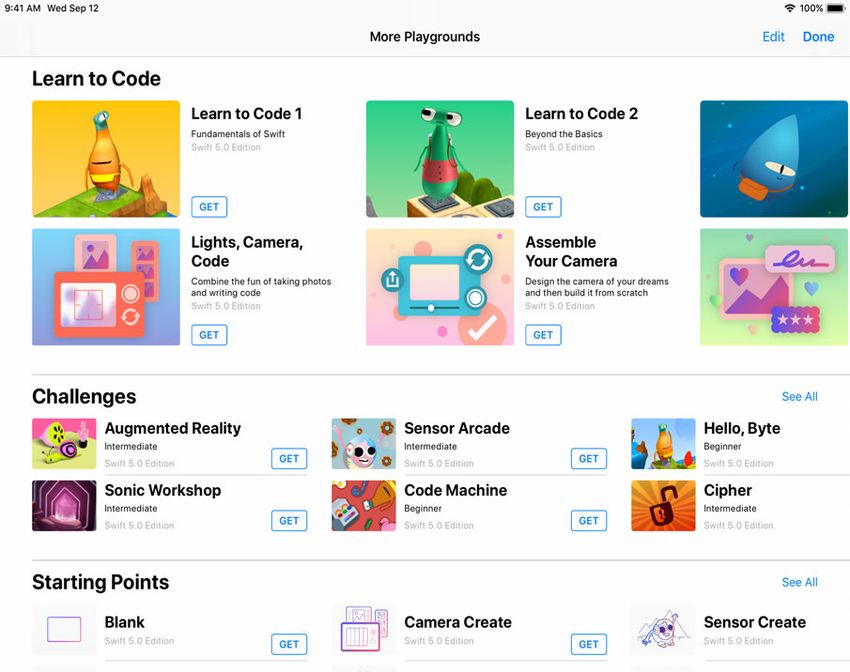
Everyone Can Code
 Everyone Can Code introduces students to the
 world of coding through interactive puzzles, playful
 characters, and activities for both in and outside
 the classroom. Helpful guides integrate creativity,
 collaboration, and problem solving. They also
 provide real-world examples of coding concepts
 that illustrate how code is used in everyday life.
 Using the free Swift Playgrounds app, students can
 learn and experiment with real Swift code, the same
 programming language used by professionals to
 build powerful apps.

Everyone Can Code Curriculum Guide | February 2020      4
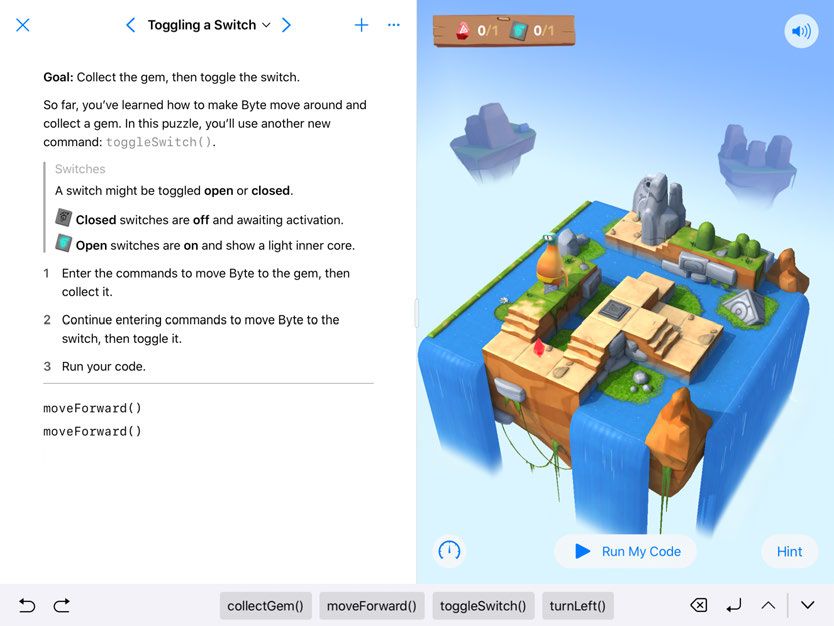
Curriculum Overview
The comprehensive Everyone Can Code curriculum introduces
students to core coding concepts using the Swift programming
language. Students use real Swift code to solve puzzles and create
projects in the fun, interactive Swift Playgrounds app. The app
comes with a complete set of Apple-designed lessons called Learn
to Code, as well additional coding challenges and playgrounds to
program robots and connected devices.

Everyone Can Code includes teacher and student guides that
offer flexible, engaging lessons designed for hour-long class
periods or to be taught across a whole semester. Each chapter
introduces a coding concept through a familiar context, then
supports students in solving puzzles with confidence in
Swift Playgrounds. They apply their skills to creative coding
projects in a range of playgrounds and reinforce their
learning by considering how coding concepts shape digital
technology in their everyday lives.

The teacher guide is designed to support all teachers—with
or without coding experience. It provides inclusive learning
experiences, assessment ideas, and tips to support a range
of learners.

And if you can’t bring it into your school day, or if you want to
explore just a piece of this to get started, we’ve provided a series of
modules in our Swift Coding Club kits that leverage all these great
resources in a fun and approachable way for out-of-school time.

Everyone Can Code Curriculum Guide | February 2020                        5
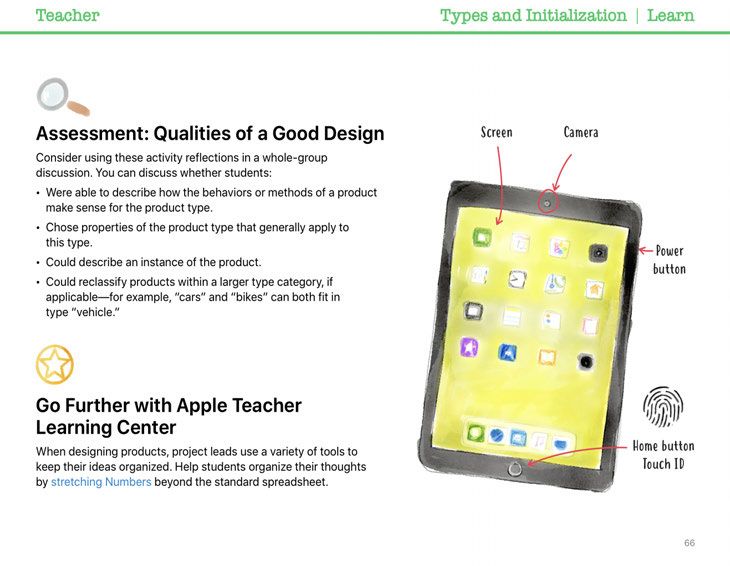
Explore Swift Playgrounds

Real Swift code. At the heart of Swift               Built-in glossary. Definitions       Record and share. Students can    Immersive animations. Each section
Playgrounds is the same Swift                        help students understand             record what they do onscreen to   starts with an immersive animation
programming language that’s used to                  specific terms.                      demonstrate their work.           that relates coding concepts to real
build many of the leading apps in the                                                                                       life, aiding in student understanding.
App Store today.

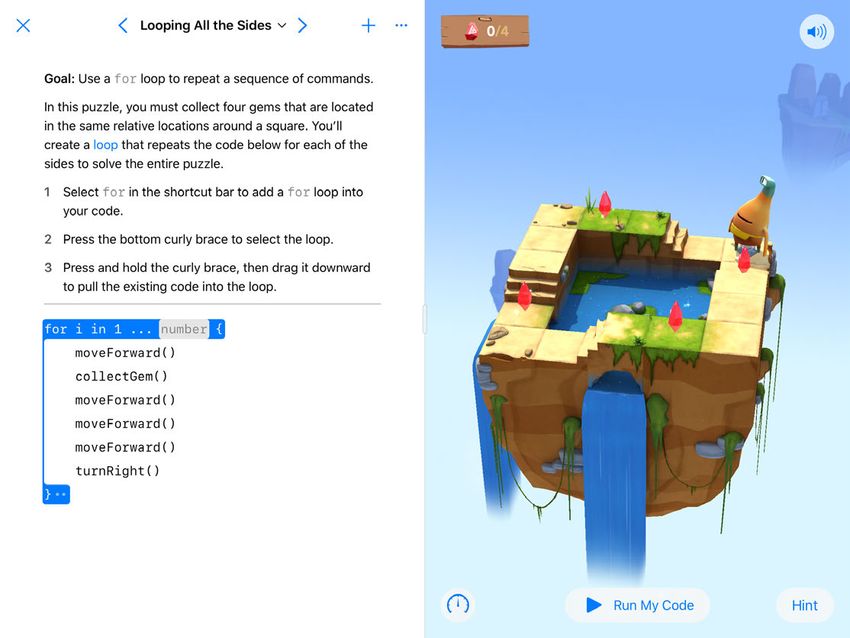
Interactive environment. Create
code on the left side of the screen                                                                                         Accessibility. Swift Playgrounds
and instantly see the results on                                                                                            was designed with accessibility
the right, with just a tap.                                                                                                 in mind. It takes advantage of
                                                                                                                            the many powerful accessibility
                                                                                                                            features of iPadOS, including
                                                                                                                            Switch Control and VoiceOver, and
Touch to edit. Drag complex
                                                                                                                            even provides additional voice
structures that wrap other code,
                                                                                                                            commentary on the actions of
such as loops and function
                                                                                                                            characters as students control
definitions, around existing
                                                                                                                            them with code.
code. Just touch the keyword
(such as “for”) and the drag
controls appear onscreen.

                                                                                                                            Helpful hints. Students can get
                                                                                                                            help along the way if they get
Shortcut Bar. QuickType
                                                                                                                            stuck. In many cases, hints change
suggestions for code appear at
                                                                                                                            dynamically as they enter code.
the bottom of the screen that
let students enter the code
they need by just tapping the
Shortcut Bar.                                                          Review code. Run code faster or slower,              Onscreen keyboard. A keyboard
                                                                       or step through it to highlight the lines of         designed for Swift provides quick
                                                                       code as they execute, making it easier               access to the numbers and
                                                                       for students to identify where errors                symbols most commonly used
                                                                       might occur.                                         in Swift code.

Everyone Can Code Curriculum Guide | February 2020                                                                                                          6
Everyone Can Code Scope and Sequence

                       Everyone Can Code Puzzles
                       Designed for students in grades 4 and up, Everyone Can Code Puzzles is a guide to Swift Playgrounds
                       that reinforces problem-solving strategies and critical-thinking skills through over 45 hours of flexible
                       activities. Each chapter helps students build on what they already know, experiment with new coding
                       concepts, apply their understanding, and creatively communicate how coding impacts their lives.
                        Download Everyone Can Code Puzzles >

Chapter 1: Commands (3 hours). Students learn about the importance of         Chapter 7: Functions with Parameters (4 hours). Students investigate
clear, precise commands. They organize code into sequences to achieve a       procedures that require additional information to ensure the desired
goal, and investigate the use of commands in everyday digital technologies.   outcome. They learn how to make their functions more flexible and powerful
                                                                              using parameters to provide additional detail.
Chapter 2: Functions (3 hours). Students explore the power of functions
by grouping commands into a definition they can use over and over. They       Chapter 8: Logical Operators (6 hours). Students explore scenarios that
code a function to choreograph a robot dance routine, and consider the        require them to consider multiple factors before they make a decision.
types of functions that everyday digital technologies might use.              They learn how to use logical operators in their code to respond to multiple
                                                                              conditions.
Chapter 3: For Loops (3.5 hours). Students recognize patterns in the world
around them and in their code, and learn how to write more efficient code     Chapter 9: While Loops (4.5 hours). Students explore the power of a while
using loops.                                                                  loop for repeating a section of code multiple times until a condition is met.

Chapter 4: Variables (4 hours). Students learn about how computers            Chapter 10: Arrays and Refactoring (5 hours). Students learn about
store information and explore coding using variables to keep track of data    storing data in arrays and explore how coding using arrays and refactoring
and create flexible programs. They investigate how changing the value of      can help simplify their code.
variables changes the program output.
                                                                              Summative Quiz Project. As they learn new skills, students apply them to
Chapter 5: Conditional Code (4 hours). Students explore how Boolean           build their own digital quiz project. They learn firsthand how digital projects
logic helps us make decisions in our everyday lives and in code. They         are the result of many cycles of ideation, building, testing, and refinement.
practice writing conditional code to anticipate changing conditions.          Across the lessons, they refactor their code to add new features to their
                                                                              quiz, respond to user testing, and improve the efficiency of their code.
Chapter 6: Types and Initialization (5 hours). Students explore how
programmers use types to code more efficiently. They learn to describe
types according to their methods and properties.

Everyone Can Code Curriculum Guide | February 2020                                                                                                              7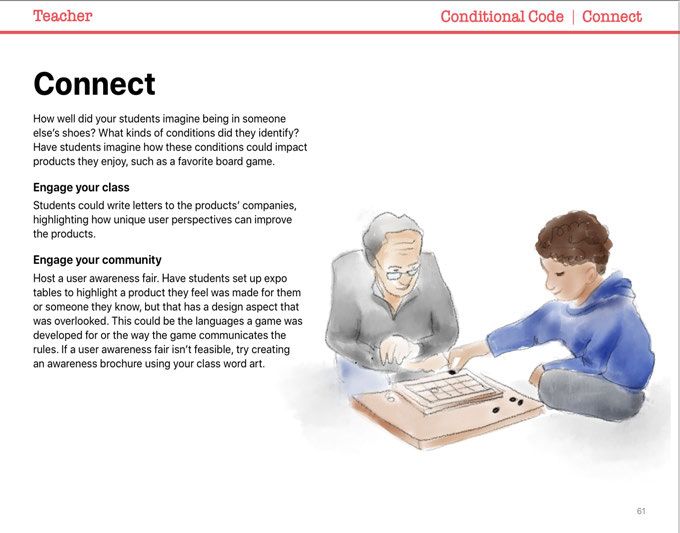
Everyone Can Code Adventures                       Coming Soon

                        Everyone Can Code Adventures is designed for students in grades 4 and up after they’ve completed Everyone
                        Can Code Puzzles. The guide opens up opportunities to build with Swift Playgrounds. Approximately 45 hours of
                        hands-on activities let students experiment with hardware features and event-driven programming to express
                        their creative ideas through code. Each chapter covers content in the Swift Playgrounds app, including Sensor
                        Arcade, Blu’s Adventure, Sonic Workshop, and Augmented Reality. Students also learn about the design process
                        through an integrated App Design Journal that they use throughout the course as they build up to the final project.

Chapter 1: Coordinates (3 hours). Students learn about coordinate systems           Chapter 6: Return Types and Outputs (2 hours). Students examine how
and review variables, as well as types with properties and methods. Students        to use a function to return a specific type. Until this point students have
demonstrate their learning by placing items such as text and images into a          used functions to package procedures and now they can create a type that
view using coordinates.                                                             can be used in other parts of a program.

Chapter 2: Events and Handlers Part 1 (3 hours). Students learn about the           Chapter 7: Classes and Components (4 hours). Students investigate the
basics of event handling by examining touch events. They review functions           basics of components and how to piece them together to create something
with parameters as they add code to make their images and text interactive.         new. Students will use design thinking and review types. Students will learn
                                                                                    about classes, which are a way to group and organize data in a program.
Chapter 3: Arrays (4 hours). To continue learning event functionality,
students review and extend their understanding of arrays. Students learn            Chapter 8: Design Patterns (9 hours). Students examine many different
new operators and methods they can use with arrays. They also review                ways of designing program architecture. They evaluate how to scope a
some array functionality, operators, and nested for loops.                          program, use their strengths to pick an artifact to build, and decide which
                                                                                    tools best fit their goals. Students learn how to design for patterns, including
Chapter 4: Events and Handlers Part 2 (3 hours). Students extend their              games, simulations and models, or prototyping a user experience design.
understanding of events by learning what kinds of arguments can be passed
into an event handler function. They examine the many kinds of input                Chapter 9: Summative Projects (10 hours). Students scope out and plan
available to them through iPad device hardware.                                     their own summative project. They select the type of project that best
                                                                                    demonstrates their learning, then explain the various skills they used and
Chapter 5: Closures (4 hours). Students explore how to use functions                why the playground starting point was the best choice for their project.
as arguments within another function with closures. This extension of events
supports them as they dive into Augmented Reality.

Everyone Can Code Curriculum Guide | February 2020                                                                                                                 8
Everyone Can Code Support Materials
Teaching code isn’t just about teaching the language of technology. It’s also about teaching logic, creativity, problem-solving,
collaboration, and communication—critical skills for the future. As students explore the lessons, they’re learning key concepts
in computer science, while also learning to appreciate the power of code for designing an equitable, inclusive future.

Everyone Can Code Puzzles Teacher Guide
This guide not only supports educators in confidently teaching
code, but also emphasizes elements that can deepen student
learning:

• Real-world engagement: Each lesson uses real-world
  examples to show students how coding concepts can apply
  to everyday situations.

• Communication and creation: Activities encourage students
  to create drawings, presentations, music, and more to capture
  their thinking and showcase their work.

• Teamwork: The activities are designed with flexibility so
  students can complete them in small groups. In some, they
  create a shared product and use joint reasoning to achieve
  the best results.

• Critical thinking: Completing the activities requires students
  to analyze, interpret, synthesize, evaluate, and generate
  solutions.

• Personalized learning: The flexible materials are also
  designed to maximize student choice and address various
  skill levels. Helping language and useful analogies help
  teachers explain challenging concepts.

Everyone Can Code Curriculum Guide | February 2020                                                                                 9
The teacher guide also provides assessment ideas for each
section of the chapter. The ideas include tips on key behaviors
to observe during class activities, indicators of understanding
as evidenced in student explanations, and descriptions of how
students can apply their understanding of coding concepts in
creative projects.

App Design Journal
Students can use the App Design Journal to apply the app
design process to solve problems in their school or community.
The journal prompts students to brainstorm, plan, prototype, and
evaluate their own app ideas, culminating in a pitch presentation
of the app prototype. Download the App Design Journal >

App Showcase Guide
Encourage students to share their coding achievements with the
broader community through community events, such as project
demonstrations or app showcases. The App Showcase Guide
provides practical support to help you plan and host a showcase
event. Download the App Showcase Guide >

Everyone Can Code Curriculum Guide | February 2020                  10
Inclusive Curriculum
At Apple, we believe that everyone should have the opportunity to create something that can change the world. For educators
who teach students with disabilities, we’ve made accessible resources to extend coding to all students.

Accessible Guides                                                   Swift Playgrounds Tactile Puzzle Worlds
The Everyone Can Code student and teacher guides are                Tactile Puzzle Worlds provide Unified English Braille, large-print
optimized for VoiceOver and include closed-caption videos           text, and embossed graphics to help students who are blind or
and audio descriptions. Each lesson has been designed to            have low vision navigate the coding puzzles in Swift Playgrounds.
include accessible content, activities, and practice sessions       Teachers can print the tactile graphics with their own braille
to help bring coding to life for all learners.                      embossers or order printed copies. Download Tactile Puzzle
                                                                    Worlds below for PDF versions of the tactile graphics and
Swift Playgrounds and VoiceOver Instructional Videos                instructions on how to print or order copies for your students.
Teachers and students can watch instructional videos from the       Download Tactile Puzzle Worlds >
Hadley Institute for the Blind and Visually Impaired to help them
get started using Swift Playgrounds with VoiceOver. Learn how       Coding Concepts in American Sign Language
to download Swift Playgrounds, orient to the puzzle worlds, use     Accessible videos in American Sign Language support Deaf
custom rotor actions, enter code, and solve a simple puzzle.        students in learning to code. With closed captions and text
View the collection of videos here >                                transcripts, they’re designed for everyone to understand
                                                                    and enjoy. The Puzzles teacher guide includes a range of
                                                                    American Sign Language videos that explain coding concept.
                                                                    View the collection of videos here >

Everyone Can Code Curriculum Guide | February 2020                                                                                   11
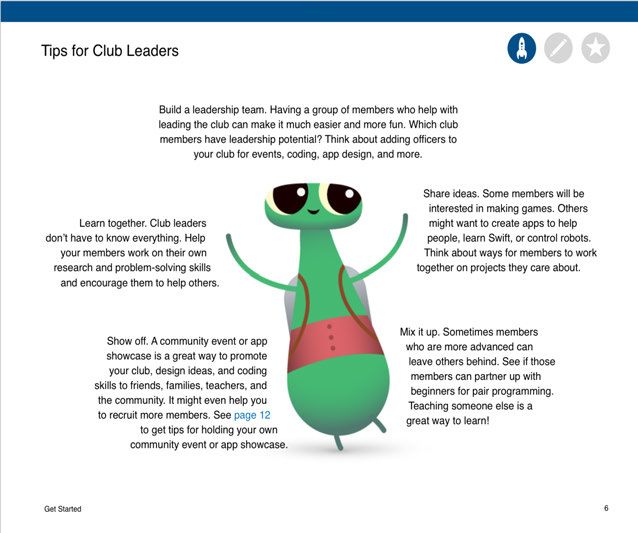
Swift Coding Clubs Swift Coding Clubs give everyone the opportunity to learn and write code. Designed for an informal setting, Swift Coding Clubs are a great way to introduce code to your school or provide opportunities for students to take their interests further. The Swift Coding Club’s modular design makes it perfect for first-time coders, as well as for those with more experience. Club activities built around Swift foster collaboration and creative problem solving. Each 12-session module includes a project-based activity where students use their skills to design, build, test, and share something that’s uniquely theirs. Club materials include cool Swift Coding Club posters, T-shirt designs, stickers, and certificates to help club leaders build interest and create a club identity. Clubs are encouraged to hold community events or app showcases to celebrate students’ achievements and grow the coding community. Download the Swift Coding Club kit > Everyone Can Code Curriculum Guide | February 2020 12
Teaching Code Additional Information
Download the Swift Playgrounds resources                            About Xcode
• Everyone Can Code Puzzles                                         Xcode is the Mac app used to build every other Mac app and
• Everyone Can Code Puzzles Teacher Guide                           every iOS app, too. It has all the tools you need to create an
• Swift Playgrounds app                                             amazing app experience. And it’s available as a free download
                                                                    from the Mac App Store. Learn more about Xcode.
Learn more about Develop in Swift resources
                                                                    Apple Professional Learning
• Develop in Swift Curriculum Guide
                                                                    Apple Professional Learning Specialist offerings are organized
• Teaching Code Collection on Apple Books
                                                                    into multiple-day engagements over a period of time and are
                                                                    designed to provide:
Additional resources
                                                                    • Leadership visioning and planning to help administrators
• Learn more about the Everyone Can Code program.
                                                                      prioritize learning objectives.
• Get App Development with Swift Level 1 certification.
                                                                    • Guidance from an Apple Professional Learning Specialist
• Import App Development with Swift into your Canvas instance.        who’s dedicated to your project.
• Import AP® Computer Science Principles with Swift into your       • Customized, research-based professional learning plans to
  Canvas instance.                                                    match learning goals.
About Swift                                                         • Hands-on, immersive learning experiences to help faculty
                                                                      develop innovative instructional practices that engage students.
Swift is the powerful and intuitive programming language created
                                                                    • An opportunity to work with your professional learning leaders
by Apple for building apps. Swift is not only great for getting
you started with coding, it’s also super powerful. It’s designed      to build sustainability.
to scale from writing the simplest program, like “Hello, world!”,
                                                                    Let Apple Professional Learning Specialists help provide your
to the world’s most advanced software. Learn more about Swift.
                                                                    faculty with the best personal support for innovating their
                                                                    instructional practices in ways that will engage students and
                                                                    enable personalized learning.

                                                                    To learn more, contact your Apple account executive or send an
                                                                    email to apls@apple.com.

Everyone Can Code Curriculum Guide | February 2020                                                                                   13
Curriculum Alignment: Grades 3–5
Here’s the preliminary alignment of Everyone Can Code Puzzles and Everyone Can Code Puzzles Teacher Guide with the Computer
Science Teachers Association (CSTA) K–12 Computer Science Standards for Level 1B (Grades 3–5). The alignment covers the Algorithms
and Programming and Impacts of Computing concepts within the CSTA Standards.
Alignment Puzzles: CSTA K–12 Computer Science Standards Level 1B (Grades 3–5)—Algorithms and Programming Concepts
1B-AP-08 1B-AP-9 1B-AP-10 1B-AP-11 1B-AP-12 1B-AP-13 1B-AP-14 1B-AP-15 1B-AP-16 1B-AP-17
CSTA Standard Compare Variables Sequences, Decomposition Remix programs Iterative Attribution Test and debug Collaborative Document
algorithms events, loops, development development programs
and conditionals
Overall Alignment
Commands
Functions
For Loops
Variables
Puzzles Chapters
Conditional Code
Types and Initialization
Functions with Parameters
Logical Operators
While Loops
Arrays and Refactoring
Key: Overall Alignment Aligns to Standard
Everyone Can Code Curriculum Guide | February 2020 14Curriculum Alignment: Grades 3–5 (continued)
Alignment Puzzles: CSTA K–12 Computer Science Standards Level 1B (Grades 3–5)—Impacts of Computing Concept
1B-IC-18 1B-IC-19 1B-IC-20 1B-IC-21
CSTA Standard
Technological change Accessibility Diverse perspectives Ethical use
Overall Alignment
Commands
Functions
For Loops
Variables
Puzzles Chapters
Conditional Code
Types and Initialization
Functions with Parameters
Logical Operators
While Loops
Arrays and Refactoring
Key: Overall Alignment Aligns to Standard
Everyone Can Code Curriculum Guide | February 2020 15Curriculum Alignment: Grades 6–8
Here’s the preliminary alignment of Everyone Can Code Puzzles and Everyone Can Code Puzzles Teacher Guide with the Computer
Science Teachers Association (CSTA) K–12 Computer Science Standards for Level 2 (Grades 6–8). The alignment covers the Algorithms
and Programming concepts and Impacts of Computing concepts within the CSTA Standards.
Alignment Puzzles: CSTA K–12 Computer Science Standards Level 2 (Grades 6–8)—Algorithms and Programming Concepts
2-AP-10 2-AP-11 2-AP-12 2-AP-13 2-AP-14 2-AP-15 2-AP-16 2-AP-17 2-AP-18 2-AP-19
CSTA Standard Flowcharts Variables Control Decomposition Procedures with Feedback Incorporate Test and refine Collaborative Document
Pseudocode structures parameters existing code development programs
Overall Alignment
Commands
Functions
For Loops
Variables
Puzzles Chapters
Puzzles Chapters
Conditional Code
Types and Initialization
Functions with Parameters
Logical Operators
While Loops
Arrays and Refactoring
Key: Overall Alignment Aligns to Standard
Everyone Can Code Curriculum Guide | February 2020 16Curriculum Alignment: Grades 6–8 (continued)
Alignment Puzzles: CSTA K–12 Computer Science Standards Level 2 (Grades 6–8)—Impacts of Computing Concept
2-IC-20 2-IC-21 2-IC-22 2-IC-23
CSTA Standard
Technological change Accessibility Collaborative surveys Privacy
Overall Alignment
Commands
Functions
For Loops
Variables
Puzzles Chapters
Puzzles Chapters
Conditional Code
Types and Initialization
Functions with Parameters
Logical Operators
While Loops
Arrays and Refactoring
Key: Overall Alignment Aligns to Standard
Everyone Can Code Curriculum Guide | February 2020 17AP is a registered trademark of the College Board and is used with permission. Features are subject to change. Some features may not be available in all regions or all languages. © 2020 Apple Inc. All rights reserved. Apple, the Apple logo, iPad, Mac, QuickType, and Xcode are trademarks of Apple Inc., registered in the U.S. and other countries. iPadOS, Swift, the Swift logo, and Swift Playgrounds are trademarks of Apple Inc. App Store is a service mark of Apple Inc., registered in the U.S. and other countries. IOS is a trademark or registered trademark of Cisco in the U.S. and other countries and is used under license. Other product and company names mentioned herein may be trademarks of their respective companies. Product specifications are subject to change without notice. This material is provided for information purposes only; Apple assumes no liability related to its use. February 2020
You can also read


