Development and Trial of AI Metabolic Calculator App for Inborn Errors of Metabolism (IEM) - Restricted, Non-Sensitive
←
→
Page content transcription
If your browser does not render page correctly, please read the page content below
Restricted, Non-Sensitive

Development and Trial of AI
Metabolic Calculator App for
Inborn Errors of Metabolism (IEM)
Christine Ong
Senior Principal Dietitian
9 March 2021
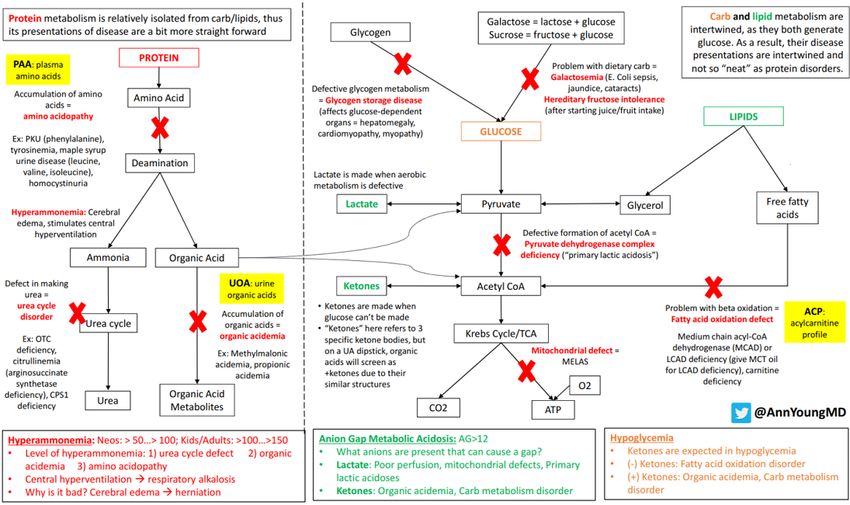
The Team :

2                Restricted, Non-Sensitive

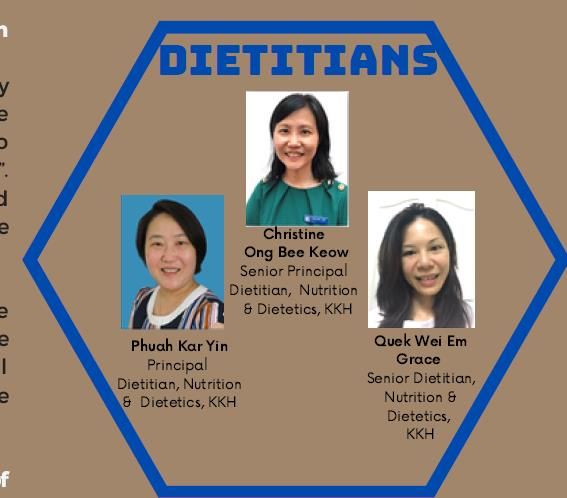
Background (What are IEMs?) :

3                     Restricted, Non-Sensitive
Dietetics Workload (IEM) :                                                                     10% since 2016

    In KKH alone, as of 2019, there were 101 patients with inborn errors of
    metabolism (IEMs) referred for dietary therapy120 patients (as of Feb 2021)
                       23% (2021)
                                                                       Dietary Intervention
                               16%                                               Protein restriction

                         6%                    36%   42% (2021)                  Fat restriction

                                                                                 frequent CHO feedings
         8.2% (2021)     16%
                                                                                 high protein low CHO

                                     27%                                         no diet restriction (avoid fasting only)

                                                                                 high fat moderate protein low CHO 19% (2021)
                                 6.6% (2021)
                                                                                 high CHO low fat DRI protein 4.2 % (2021)

    99% require an emergency regime when unwell.

4                                                    Restricted, Non-Sensitive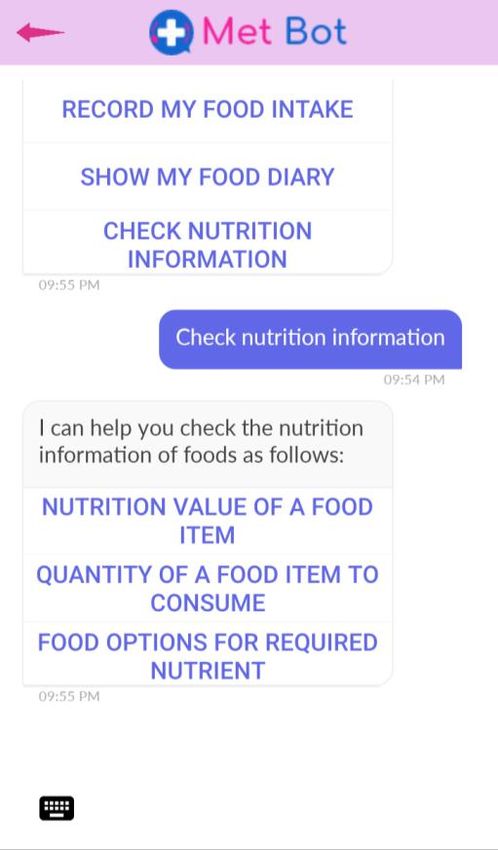
Project Aim :

    To study the feasibility of an AI driven interactive calculator chatbot app
    (Met Bot App) for caregivers of children with inborn errors of
    metabolism (IEM) to monitor their child's intake of protein and/or amino
    acid, energy and special metabolic products, so that they can monitor
    and adjust their diet on a continuous basis

    Tan Cheng Lim Research and Education Fund Grant
    (awarded 2018)

5                                 Restricted, Non-Sensitive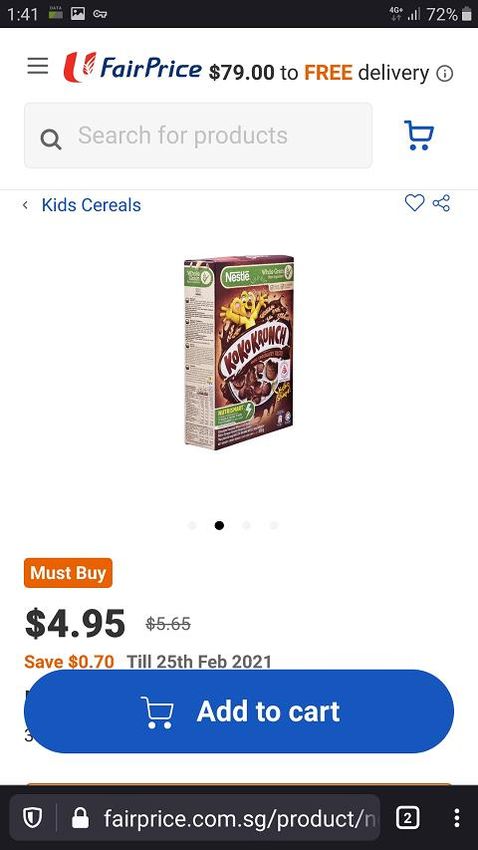
1) Current Situation (Calculations) :
                                      Excel protein calculator
                                      (11/36 patients have learnt, 8 actively using)

6                       Restricted, Non-Sensitive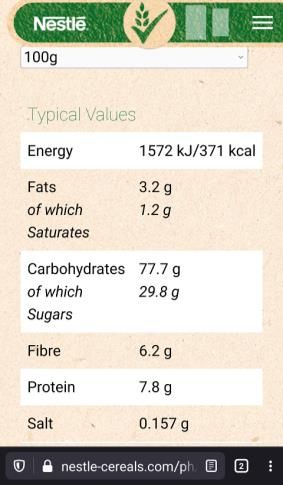
1) Met Bot Solution (Metabolic Calculator) :
    1) USDA nutrient database

    2) HPB database

    3) Branded foods database

                                A personalized dashboard
                                  and management plan

7                                     Restricted, Non-Sensitive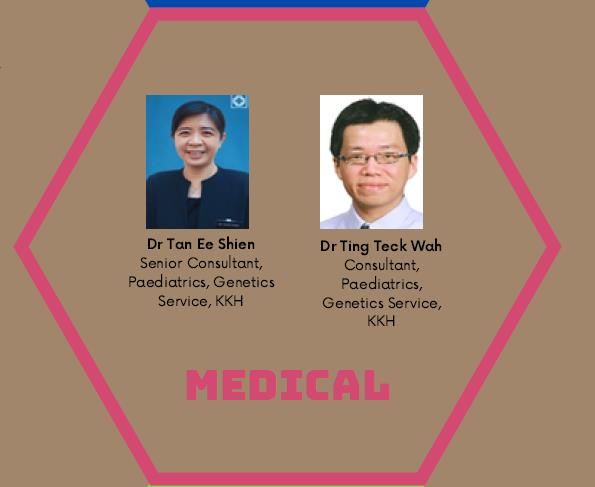
2) Current Situation (Questions) :

     Out of clinic “discussions”
     in 2017
     - 788 (genetics nurse)
     - 247 (dietitian)

8                           Restricted, Non-Sensitive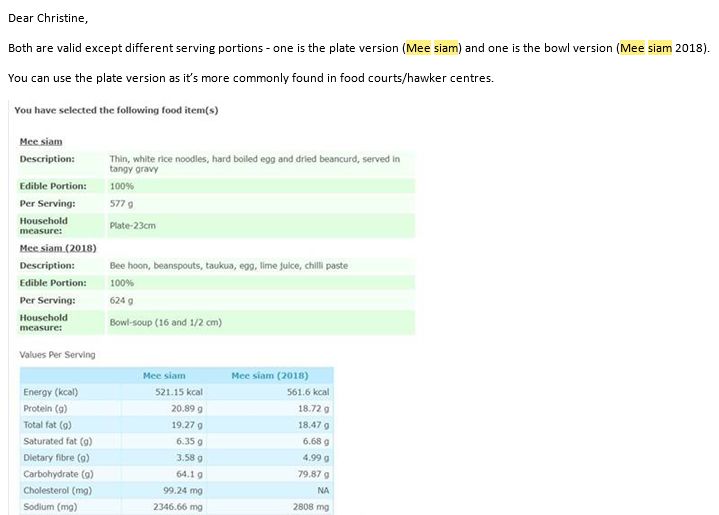
2) Met Bot Solution (Chatbot) :                   1

                      Nutrition Information
                                                              2

                      1

                     2

                     3

                                                          3

9                         Restricted, Non-Sensitive
Chatbot (1) Nutrition Value of Food Item

                                                                                                        4. To continue using
                                                                                                        the Chatbot, type
                                                                                                        “Help”. You will be
                                                                                                        directed back to the
     “Nutrition Value of a   1. You can either type   2. If there are several     3. Tap on the
                                                                                                        original screen with
     Food Item” gives        in “Kueh Tutu” or        foods with the word         desired food item
                                                                                                        the 3 functions
     you the nutritional     “Kueh” to see the        “kueh”, the Chatbot will    (e.g. Kueh Tutu) to
                                                                                                         Record My Food
     information for         entire list of kueh in   provide a list of foods     see the nutrition           Intake
     every 100g of a         the Met Bot’s            to select from – swipe      information for       Show My Food Diary
     specific food.          database. Tap on         from right to left on the   100g of the food        Check Nutrition
     E.g. if you are         “Send” after typing      food names provided                                  Information
     looking for the                                  till you find the desired
     nutrition information                            food (e.g. Kueh Tutu)
     for “Kueh Tutu:

10
Chatbot (2) Quantity of a Food Item to Consume
1. Type the food name
“Quantity of a Food (e.g. Glucolin). Then 2. Select the nutrient that 3. Key in the 4. In this example,
Item to Consume” tap “Send” you are interested in (e.g. amount of nutrient you will need 50g of
gives you the NB : 8 nutrients are Carbohydrate) to be consumed Glucolin (original) to
amount to eat for a available for each food NB : Nutrients which are (e.g. 50g). Then tap obtain 50g of
particular amount of item, namely not present in the food will “Send”. carbohydrate.
nutrient. Carbohydrate, Energy, not be available for The amount of food To continue using the
E.g. If you want to Food Protein, selection. So, in “Glucolin”, to consume to Chatbot, type “Help”.
know how much Methionine, Leucine, the 2 nutrients available obtain the required
“Glucolin” to take for Lysine, Phenylalanine for selection are Energy amount of nutrient
50g of carbohydrate and Met. Pdt. Protein and Carbohydrate. will be shown
11Chatbot (3) Food Options for Required Nutrient
“Food Options for 1. Select the food 3. In this example, the 4. Type “Yes” or “No”
2. Key in the amount of
Required Nutrient” category to search list shows the amount to see more food
from by swiping from nutrient to be
provides suggestions on of baked products options.To continue
right to left on the consumed (e.g. 1.7g).
what to eat for a providing 1.7g of food using other functions of
food categories Then tap “Send”.
particular amount of protein the Chatbot, type
provided. Tap to Foods weighing at least
nutrient.
10g in order to provide “Help” to return to the
E.g. If you want to know select the desired original Chatbot
category (e.g. “Baked the required amount of
how much baked screen.
Products”). Then nutrient will be
products (e.g. cake,
select the nutrient displayed
biscuits) to eat for 1.7g
of Food Protein (e.g. Food Protein)
12Met Bot Features :
4. Food Diary Chart 1. Personal Details
1
2. Prescription
3. Intake
5. Chatbot “Lynn”
5
4 2 3
13 Restricted, Non-SensitiveStudy Overview :
Phase 1 (Designing Met Bot Phase 2 (Pilot Trial of Met Bot Phase 3 (Rollout of Met Bot to
App & trial within study team) with 3 patients) 28 patients)
•Engage external AI •Recruitment of 3 patients (Oct •Recruitment of patients (Nov
development company (Zevigo 2019) 2020-Jan 2021)
Solutions Pte. Ltd) to design •Pilot Trial (Dec19 – Mar20) •English speaking, with
MetBot App •1 face to face session Dec 2019 smartphone/PC and data plans
•(i) Nutrition Calculator : (consent and demo on use of •16 patients consented
•Customized standard database Met Bot) •Rollout (27 Feb – 27 Aug 2021)
using USDA nutrient database, •1st group feedback session Jan •1 face to face session (consent
HPB database & commercial 2020 (feedback on improving and demo on use of Met Bot)
supermarket foods the App) •Caregivers to use Met Bot for 6
•Personalized dashboard and •2nd group feedback session months
management plan for patients planned for Mar 2020 but (i) Record food intake
based on their metabolic conducted *Oct 2020 (feedback (ii) Ask the chatbot questions
condition on improving the App) (iii) Rate usefulness of MetBot
•(ii) Interactive chatbot "Lynn" (iv) Complete post-study survey
Prototype Met Bot Met Bot (for rollout to all Study Outcomes
(for trial by study team before patients in phase 3) 1. Caregivers’ confidence
piloting in phase 2 * Delay due to Covid 19 and 2. Usefulness of App
also technical issues in
development
14 Restricted, Non-SensitiveMilestones
and
Challenges
15 Restricted, Non-SensitiveCIRB
• Administrative feedback
1/10/18 • Data security concerns
(11 items)
• Safety concerns – accuracy of data provided by chatbot, 24hr contact number
• Simplify invitation letter - “feasibility”, “intuitive”, “Artificial Intelligence” etc
20/11/18
(9 items) • Data security – e.g. assurance from Study Team on data security
• Details on survey administration
9/1/19 • Administrative details
(3 items)
• User Agreement
• End Use License Agreement
26/2/19
(3 items) • Ammendment to pre and post study survey
1617/9/18
ePR
Vendor “Management”
9/5/19
PO
18/6/19
1st $$
payment
$$ 13/11/19
$$ 4/5/20
$$ 28/12/20
• 10% upon completion of the app and before the 2nd pilot feedback session
• 10% after the 2nd pilot feedback session via zoom and after all the
enhancements are made
• 10% upon commencement of Rollout Study
• 10% 3 months after start of Rollout Study
• 10% at the end of the Study (6 months after start of Rollout Study)
17Nutrient Database
1) USDA nutrient database
2) HPB database
3) Branded foods database
18Met Bot Design and Fine-tuning 19
Met Bot Design and Fine-tuning

20
Feedback from Pilot
     Study Results:                      participants:
                                         1) Chatbot :
      Phase 12 (Designing
               (Pilot Trial of
                            MetMet
                                BotBot   Machine learning for appropriate            Phase 3 (Rollout of Met Bot to
             with
     App & trial   3 patients)
                 within  study team)     foods to recommend when searching                    28 patients)
                                         for “Quantity of a food item to           •Recruitment of patients (Nov
     •Recruitment of 3 patients (Oct     Consume”
      2019)                                                                         2020-Jan 2021)
     •Pilot Trial (Dec19 – Mar20)        2) Intake Screen                          •English speaking, with
     •1 face to face session Dec 2019    Key in multiple dates for the same
                                                                                    smartphone/PC and data plans
      (consent and demo on use of        food item? E.g. have a “from date” to     •16 patients consented
      Met Bot)                           a “to date” or an occurrence              •Rollout (27 Feb – 27 Aug 2021)
     •1st group feedback session Jan     frequency (e.g. daily, day selector)      •1 face to face session (consent
      2020 (feedback on improving                                                   and demo on use of Met Bot)
      the App)                           Apply fuzzy logic when searching for
                                         foods
                                                                                   •Caregivers to use Met Bot for 6
     •2nd group feedback session                                                    months
      planned for Mar 2020 but           Quick Add :                               (i)     Record food intake
      conducted *Oct 2020 (feedback      Allow the food to be entered and the      (ii)    Ask the chatbot questions
      on improving the App)              session it is consumed. Also the          (iii)   Rate usefulness of MetBot
                                         nutrient should be displayed in the       (iv)    Complete post-study survey
                                         relevant session, e.g. breakfast,
                                         morning tea, etc
         Met Bot (for rollout to all                                                       Study Outcomes
           patients in phase 3)          3) Nutrition Database                         1. Caregivers’ confidence
                                         Possible to allow parents to key in             2. Usefulness of App
                                         data and submit? To trigger a
                                         notification to ask dietitian to verify
                                         before it is entered into the database

21                                              Restricted, Non-Sensitive
What next? 22 Restricted, Non-Sensitive
You can also read


