Digital Transformation Overview - Nationwide Retirement Plans - Monterey County, CA
←
→
Page content transcription
If your browser does not render page correctly, please read the page content below
Digital Transformation
       Overview
 Nationwide Retirement Plans

         September 2020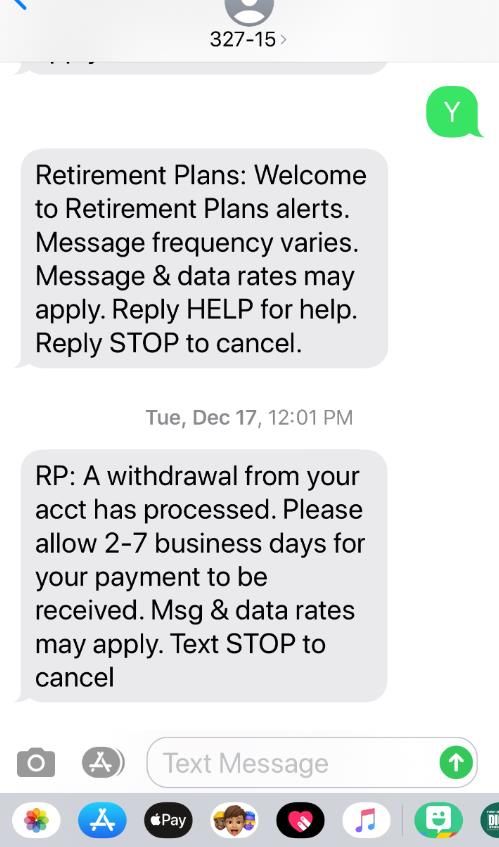
Participant Experience
    Enhancements

    Planned enhancements 2020

                                1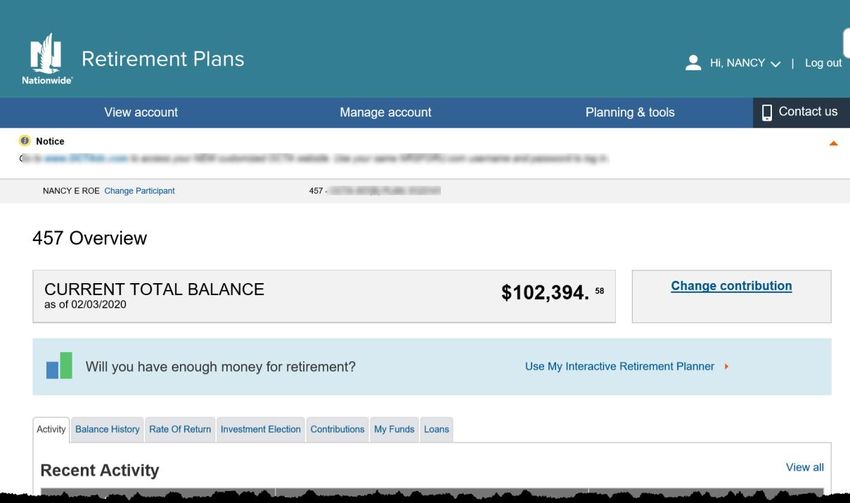
Q2 2020
Website Navigation
Change
Making navigation easier
and more intuitive

Summary
A new post-login web navigation
system on Participant and Plan
Sponsor webpages. The new top
navigation bar replaces the
existing left navigation bar.

Benefits of the new experience
• Menu items are arranged
   more intuitively
• Allows for important content
   to be quickly seen
• Improves the navigation
   experience for web-enabled
   devices
• Sets the stage for future
   enhancements

       NRM-18348AO.2         FOR PLAN SPONSOR USE – NOT FOR DISTRIBUTION TO THE PUBLIC             2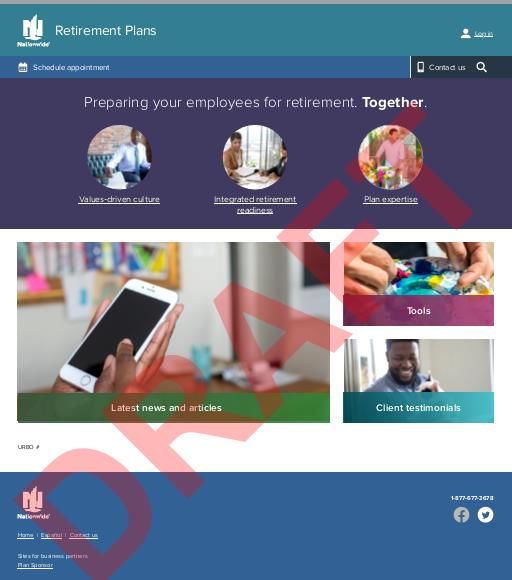
Q3 /Q4 2020

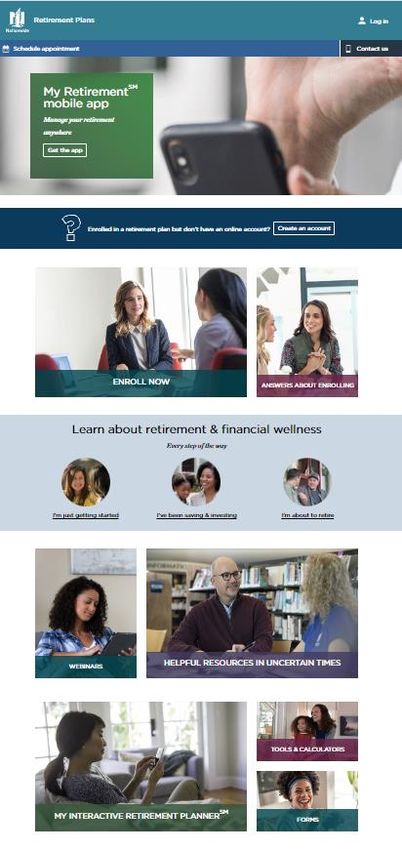
Pre-login Site Redesign
                                                                 1
For Participants

Summary
Although the majority of visitors to the
Participant site log in, there are opportunities to
provide easy access to information that are top-
of-mind for employees.
  Benefits of the new experience:                                2
 1• Prioritizing log-in, enrollment, account
    creation and important messages
2• Frequently used resources including
    educational content by life stages and
    webinars to empower participants with tools
    they need to help make the right decisions for
    them
3• Links to My Interactive Retirement Planner
    and other useful calculators                                 3

4• Further customizable content, as needed by
    Custom Plans

                                                                 4

     NRM-18348AO.2            FOR PLAN SPONSOR USE – NOT FOR DISTRIBUTION TO THE PUBLIC           3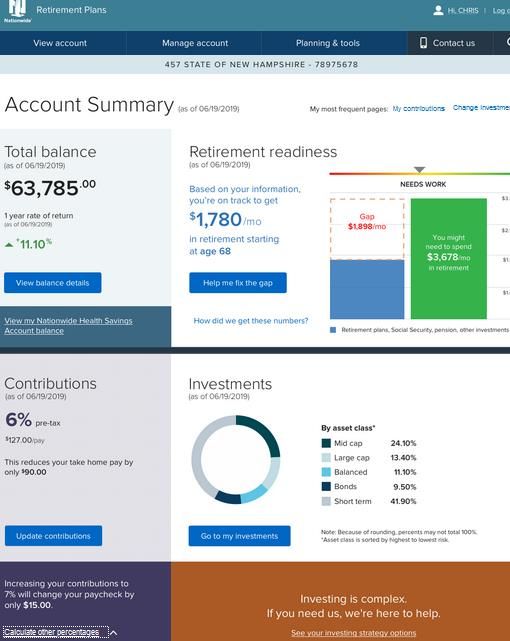
Q3/ Q4 2020

Post-login Site Redesign
Account Summary Page

Summary
Based on research and testing, we
recognize that the users want:
• Account info “at a glance”
• Personalized experience
• Easy navigation
• Understand “what to do next”
Benefits of the new experience:
• A snapshot view of all the important
  information
• Use of colors, graphs and fonts to
  improve engagement
• Easy accessibility to the interactive
  retirement readiness tool to gauge your
  progress
• Recommendation section to be further
  personalized in a future release

     NRM-18348AO.2          FOR PLAN SPONSOR USE – NOT FOR DISTRIBUTION TO THE PUBLIC             4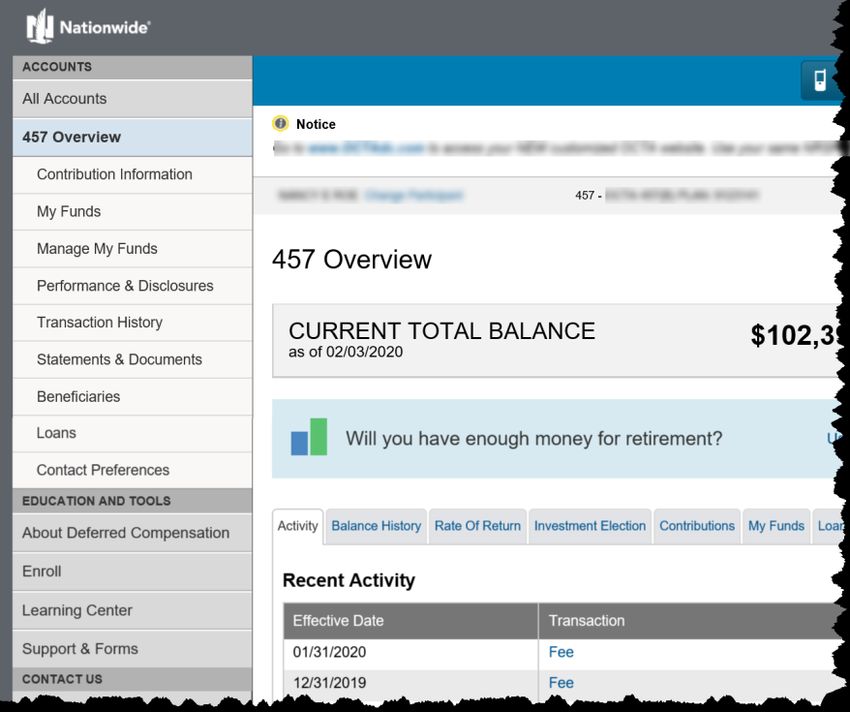
Q2 – Q4 2020
Online Withdrawals
Easy. Fast. Convenient.

Summary
Easy self-service options to
apply for withdrawals online,
with proactive status alerts
keeping participants informed

Feature Highlights
• Retirees and employees separated
   from your Plan can request a partial
   or total lump-sum withdrawal
   online, as well as establish a
   recurring systematic payment
   schedule
• An interactive tool providing
   personalized options and guidance
• Participant can initiate requests for
   withdrawals as outlined in the
   CARES Act.

Additional information:
Click here

       NRM-18348AO.2            FOR PLAN SPONSOR USE – NOT FOR DISTRIBUTION TO THE PUBLIC              5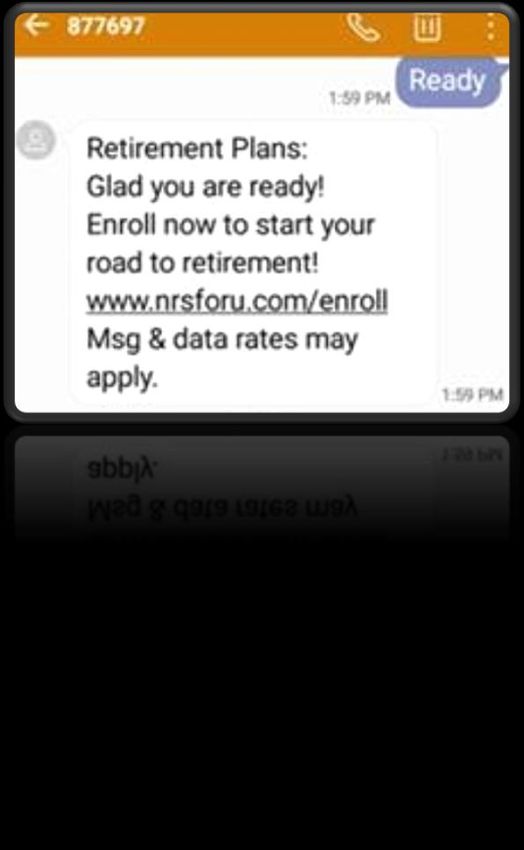
Q2 – Q4 2020
Status Alerts
Available for all Withdrawals

                                          Verify device to
                                          receive text alerts
Summary
Participants can opt in to receive
automatic email and/or text alerts
for withdrawal status updates

Feature Highlights
• Enroll by either
   – Setting Contact Preference
      online
   – Contacting the Nationwide
      Solution Center
   – While initiating a
      withdrawal online
                                                                                           Timely notification
                                                                                           that the withdrawal
                                                                Options to text back       has been processed
                                                                STOP or HELP for           and when to expect
                                                                additional support         payment

       NRM-18348AO.2           FOR PLAN SPONSOR USE – NOT FOR DISTRIBUTION TO THE PUBLIC                         6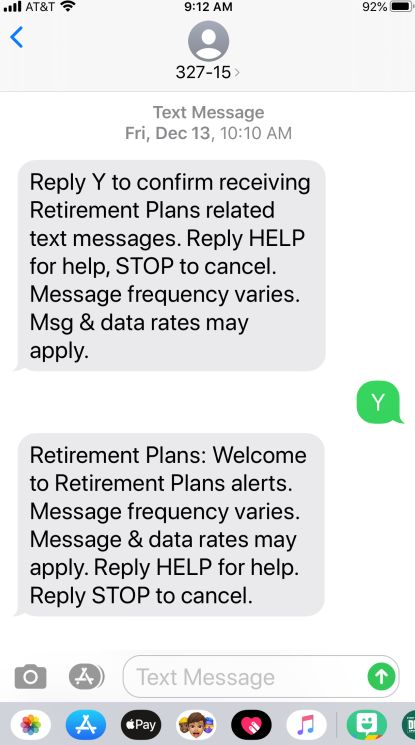
June 30, 2020 ~

Text to Enroll
Meeting the customer where they are

Summary:
Allow the ability for a participant to initiate online
enrollment via a text message

Benefits of the new experience:
• Allow participants another options to enroll
   into their plan vis their mobile device
• Nationwide will respond with a link to online
   enrollment

Most (Standard) Plans participants text: “READY”

Word to text and launch date will vary for large
plans

     NRM-18348AO.2         FOR PLAN SPONSOR USE – NOT FOR DISTRIBUTION TO THE PUBLIC                7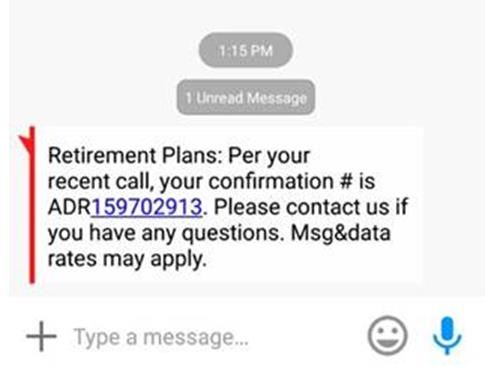
Q2 – Q4 2020

Confirmation Number Texting
Meeting the customer where they are

Summary:
One-time text alert of the confirmation number
to the participants. Available upon request by
the participant as a supplement to the
confirmation # provided verbally over the
phone.

Benefits of the new experience:
• Convenience for participants not having to
   write down the number for later reference
• Available on any change that is made over
   the phone (e.g. exchanges, allocation
   changes & address changes)

    NRM-18348AO.2       FOR PLAN SPONSOR USE – NOT FOR DISTRIBUTION TO THE PUBLIC              8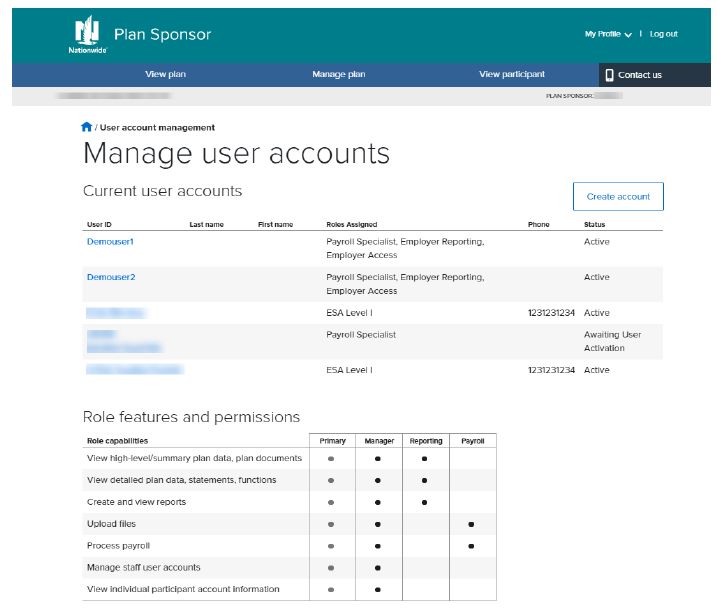
Q3 2020

Asset Aggregation
Simplifying the process

Summary
Participants expect the ability to link
accounts and automatically update

Benefits of the new experience:
 • Allow for linking of outside assets
 • Automatically pull in updated
   balance for an up-to-date, more
   holistic retirement readiness
   outlook

    NRM-18348AO.2          FOR PLAN SPONSOR USE – NOT FOR DISTRIBUTION TO THE PUBLIC             9
Asset Aggregation Additional Details
About MX
• Industry leader in linking financial institutions
• Partners with over 43,000 financial institutions
Security with Nationwide and MX
• A Nationwide created user identifier that is specific to MX is provided to MX in order to
sync information between MX and Nationwide
• Nationwide does not see or store usernames, passwords, or account numbers and
does not share with MX any Nationwide username, password or account numbers.
• MX uses the user identifier to link the outside account and pull in just the updated
balance
Validating user credentials
• Updates to user names and passwords will be based on each individual institutions
requirements (Example: Huntington requires customers to validate linking each
quarter)
• Expired user names and passwords, MIRP will include an alert if there is an update
needed
NRM-18348AO.2 10September
Account Lock
View-only Indicator
Summary
Account Lock provides additional
protection for managing
distributions. When enabled,
participants are notified when
distribution is requested from
their account.
Go to Your Profile > Login Info
Benefits of the new experience:
• Currently, participants must
call in to enable this feature
• New indicator, via the Login
information page (post login)
will show if the feature is
enabled or not
• Future enhancement, coming
by YE 2020, will allow
participants to enable/disable Status will show: Participant can click
the feature online • Not Selected (first use) to learn more about
• Enabled the feature
• Disabled
NRM-18348AO.2 FOR PLAN SPONSOR USE – NOT FOR DISTRIBUTION TO THE PUBLIC 11Plan Sponsor Experience
Enhancements
Planned enhancements 2020
12Q3/Q4 2020
Pre-login Site Redesign
For Plan Sponsors
Summary
Refreshed design and content for Plan
sponsors
Benefits of the new experience:
• More intuitive and modern design
• For existing users (Primary and
Secondary), password reset and user
ID retrieval self-service capability
will be available
ACTION for Plan Sponsors without
Primary Users
• If the Plan does not yet have a
Primary online user assigned, this is
a great time to establish one to take
advantage of future enhancements
• Contact us at 1-877-496-1630
NRM-18348AO.2 FOR PLAN SPONSOR USE – NOT FOR DISTRIBUTION TO THE PUBLIC 13Q3/Q4 2020
ID Management
For Primary Users
Summary
Primary online account users for each
plan will be able to create and
manage secondary accounts. Any
existing roles will be mapped to the
new roles with same level of access.
Go to Manage Plan > Manage user
accounts
Benefits of the new experience:
• Multiple roles with varying levels
of permissions to choose from
• Useful reference of roles so that
functions and permission levels
are clear
• Payroll users can be designated to
specific Plan(s)
• Easily review and monitor the list
of people with access to plan
information
NRM-18348AO.2 FOR PLAN SPONSOR USE – NOT FOR DISTRIBUTION TO THE PUBLIC 14Nationwide Investment Services Corporation, member FINRA, Columbus, Ohio.
Nationwide, the Nationwide N and Eagle, Nationwide is on your side, and other marks displayed in this message are service marks of
Nationwide Mutual Insurance Company and/or its affiliates, unless otherwise disclosed. Third-party marks that appear in this message are the
property of their respective owners. © 2020 Nationwide
NRM-18348AO.2 (07//20)
NRM-18348AO.2 15You can also read


