Guide to Effective E mail Marketing - The Basics - Everlytic
←
→
Page content transcription
If your browser does not render page correctly, please read the page content below

The
                                Basics

Guide to Effective Email Marketing
What Can   What Is Email Marketing and Why Do We Need It?....................................................................................................................4

You Find
           Email Marketing Trends............................................................................................................................................................................5

           Business-to-Consumer vs Business-to-Business......................................................................................................................8

Inside?
           Email Marketing Benchmarks...............................................................................................................................................................9

           Your Target Market, Their Expectations and Buying Cycle.....................................................................................................10

           How To Build Your Database..............................................................................................................................................................12

           Compliancy........................................................................................................................................................................................13

           Email Marketing Guidelines............................................................................................................................................................... 14

           Reporting...............................................................................................................................................................................27

           Email Marketing Checklist....................................................................................................................................................................32

           Conclusion....................................................................................................................................................................................33

                                                                                                                                                                                                           2
Introduction
                                                                   Our email inboxes are flooded with information every
                                                                   day, whether it is a promotional campaign, a special
                                                                   offer, an informative guide, or our work emails. For this
                                                                   reason, brands need to be clever about the way they
                                                                   approach email marketing. Opening an email means
                                                                   that something about it caught our attention and made
                                                                   us want to take action.

                                                                   In this Guide to Effective Email Marketing, we look at the
                                                                   basics that help to answer some of the questions digital
                                                                   marketers face, such as:

                                                                   What’s the secret to increasing open and
                                                                   click-through rates?

                                                                   How do I build brand loyalty and
                                                                   engagement with my customers?

                                                                   How do I create personalised and relevant
                                                                   content?

                                                                   Whether you are new to email marketing, or a returning
                                                                   specialist brushing up on your knowledge, this guide is
                                                                   for you.

Visit us at www.everlytic.co.za or click here to request a demo.                                                          3
What is Email Marketing
and Why Do We Need It?
Email marketing is defined as the act of sending messages to potential or current customers to inform, promote, or upsell a
product or service. Much like being a door-to-door salesman, but less intrusive.

Over the years email has become much more than just a channel to market. Brands use email to build relationships with their
subscribers, to nurture prospects through the buyers’ cycle, and to eventually retain those customers.

                                             Email marketing performs best
                                             when sending the right message
                                             to the right person at the right time.

                                                          Research continues to show that email is one of the most effective forms of communication if used correctly, and therefore
                                                          it needs to be an integral part of your larger marketing strategy.

                                                          There is also massive local potential for email marketing, with over 21 Million South Africans accessing the internet every
                                                          day and 84 percent of them saying that they read their emails either first or second when going online in the morning.

                                                                                  Visit us at www.everlytic.co.za or click here to request a demo.                                4
Email Marketing
Trends
It is important to keep up to date with the latest trends, as these will help guide you on your
path to successful email marketing.

Here are some of the recent trends that we feel will make a difference to your brand:

Hyper-Personalisation and Dynamic Content

Hyper-personalisation is the newest trend employed by corporate giants such as Amazon, Starbucks,
McDonalds, and Netflix. They use search and purchase history, recent views and likes, as well as other
behavioural information to build a profile of each consumer’s interests. This information lets them send
personalised and highly-relevant emails based on their customers interests. This tactic has boosted email open-
rates and conversion rates. Who doesn’t like a good recommendation appealing to your interests, right?

“More than 35% of Amazon’s conversions are driven by its hyper-personalised
recommendation engine.” - www.themediaonline.co.za

“Econsultancy’s Realities of Online Personalisation Report found that 74 percent of
marketers say targeted personalisation increases customer engagement. According
to Statista, the open rate for e-mails with a personalised message was 5.7 percent
higher than those without any personalisation in 2016.”
- www.econsultancy.com

Visit us at www.everlytic.co.za or click here to request a demo.                                                  5
Email Marketing Trends (cont.)

Hyper-Personalisation and Dynamic Content
(cont.)

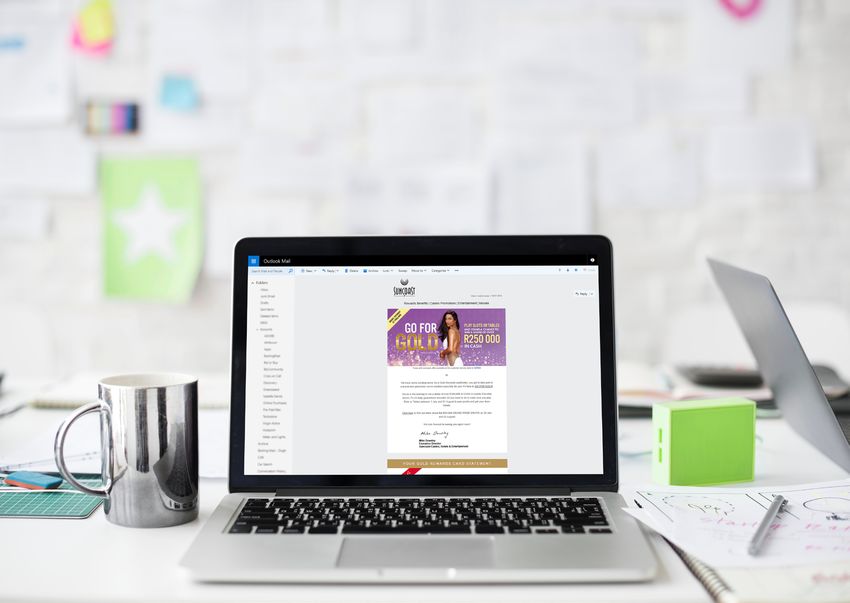
You may be familiar with personalisation based on variables within data, such
as first name, last name, etc. Dynamic content takes this a step further and
allows you to personalise email content within your email HTML based on
rules and conditions around the recipients’ data, preferences, or behaviour.
This includes different images, calls-to-action, downloads, and attachments.

Marketers can track subscribers’ online behaviour from their website to
understand what they’re interested in, and trigger targeted communications
based on this information.

Post-purchase dynamic content can include messages thanking your
customer for their purchase while at the same time-sharing information
about related products which could complement their purchase.

Mobile Friendly / Responsive Emails

Responsive emails have become more important than ever before, with people reading emails on an ever-expanding variety
of devices. Using Everlytic templates to build your email ensures mobile responsiveness across devices. However, if you are
using another email system you may need to get your designers and developers involved to create responsive emails.
                                                                                                                                            61% of emails are opened
                                                                                                                                                   on mobile devices.
If a user needs to scroll to the left or the right to read your content they will most likely close the email, delete it, or unsubscribe.                 - www.everlytic.co.za

Visit us at www.everlytic.co.za or click here to request a demo.                                                                                                            6
Email Marketing Trends (cont.)

Automation

Building targeted, personalised, and engaging email
campaigns can be an overwhelming and time-consuming
exercise.

Marketing automation provides a simple and efficient way
to implement your email marketing strategy. You can set up
workflows, automated triggers, or automatic replies which
guide your contacts on a specific journey based on their
interactions with your website or email content.

“A study by Gleanster reports that 90% of
respondents report regular and periodic
use of marketing automation for large-
volume email campaigns.”
- www.huffingtonpost.com

Visit us at www.everlytic.co.za or click here to request a demo.   7
Business-to-Consumer vs
Business-to-Business
Since the launch of the internet there has been a major shift in how marketers communicate with their customers before selling their products or services. The internet gives customers
greater control of the decision-making process as they can perform all of their research online before even making contact with a company.

It is this decision-making process that fundamentally guides our content production when it comes to Business-to-Consumer (B2C) and Business-to-Business (B2B) marketing.

                             B2C           Consumer-facing marketing targeted                   Business-facing marketing where
                                                                                                                                                    B2B
                                           at individuals. They make the decisions              organisations and companies are the
                                           themselves which shortens the buying                 target market. The decision-making
                                           cycle and involves personal purchases                process is longer, as there are more people
                                           addressing their needs.                              involved. This increases the buying cycle,
                                                                                                from weeks to months, as the organisation
                                           “B2C marketers rated that email (91%),               wants to make sure that the product /
                                           Facebook (68%) and print (62%) are the               service / solution is worth their while.
                                           top three most important channels to
                                           their organization’s content marketing               “47% of B2B buyers viewed 3-5 pieces
                                           success.”                                            of content before engaging with a sales
                                                                                                rep.”

                                           - www.marketinginsidergroup.com                      - Demand Generation

With all that said it is also important to realise that, whether we are targeting the B2B or B2C environments, we are still dealing with human beings. B2H (Business-to-Human)* is a
more modern approach to marketing and at the core of this new philosophy is the understanding that we are marketing to people.

We need to make sure that we have a deep understanding of our target market in order to understand and be empathetic to their individual needs. The better our understanding, the
more thoughtful and personalised our approach to marketing can be.

Visit us at www.everlytic.co.za or click here to request a demo.                                                                                                                    8
Email Marketing
                                                                                            Most marketers focus on the below metrics:

                                                                                            Open Rates                                 Unique Open Rate

Benchmarks                                                                                  The open rate describes what
                                                                                            percentage of recipients opened
                                                                                            your email.
                                                                                                                                       Unique opens are counted once per
                                                                                                                                       contact who opens the message.

Email metrics are important to determine the success of each newsletter
and campaign. How do you know if your current statistics are any good? You                  Click-Through                              Unique Contact Click-
compare them with others in your industry. Email Marketing benchmarks                       Rates                                      to-Open Rates
provide an assessment of industry averages, which allows you to compare your
data with others in the same industry.                                                      The click-through rate is the              This ratio counts the number of
                                                                                            percentage of recipients that              unique link clicks within your email,
                                                                                            click on a link inside your email,         divided by the number of unique
                                                                                            counting the first clicks per              opens of that email which shows
                                                                                            unique contact.                            the effectiveness of your email
                                                                                                                                       content.

                                                                                            Complaint Rates                            Unsubscribe Rates
                                                                                            The complaint rate is the                  The unsubscribe rate describes
                                                                                            percentage of complaints your              the percentage by which your
                                                                                            emails receive – this generally            subscriber list decreases each time
                                                                                            happens if you’ve sent unsolicited         you send a campaign.
                                                                                            email.

                                                                                            Platform Rates
                                                                                            The platform rate shows which desktop email clients (e.g. Outlook, Lotus
                                                                                            Notes), webmail clients (e.g. Gmail, Yahoo, Hotmail), and mobile browsers (e.g.
                                                                                            Safari, Blackberry, Android) subscribers use to open your emails.

                                                                               In our 2018 Email Marketing Benchmarks Report, we analysed nearly 4
                                                                               billion South African emails.
                                                                               Read the Email Marketing Benchmarks Report

Visit us at www.everlytic.co.za or click here to request a demo.                                                                                                           9
Your Target
Market, Their
Expectations,
and Buying Cycle
When putting together a marketing strategy, a lot of research needs to
go into understanding your target market as that is the key to successful
campaigns. Unfortunately, audience research is often neglected in favour
of implementing ideas that we may think are great, but don’t necessarily
resonate with our customers.

Understanding your target market will help you to create content that
moves your potential customers through the buyers’ cycle.
                                                                            10
The various phases of the buyers’ cycle are as follows:
Stages Content Types Why?
Aware of a need • Educational, like whitepapers
Helps the prospect understand
that your product/ • eBooks
*Awareness service will help • How-to-guides
the benefits of partnering with
you.
fulfil • Infographics
Investigates • Deals To showcase your business/
different options • Relevant packages product as a good choice and
Consideration before making a • Case studies explain what sets you a part
choice • Testimonials form your competitors.
• “Thank you” email
Takes decision to • Links to further relevant Give the customer a reason to
Purchase purchase product/ information/products continue to engage with you.
solution • Newsletter signup for further
communication
• Surveys
Ensuring that your • Knowledge pieces To have ongoing touch points
customer is happy • Guides with your customers, showing
Retention with the product/ • How-to-information them that you understand their
services received • Cross-sell related products/ business and needs.
services
By understanding where your prospects are in the buyer’s cycle you will be able to target them with very specific
content that sends them on a journey relevant to their needs.
* Email Marketing is not effective in the awareness stage, only once they have shown interest in your brand. 11How To Build Your Database When building your email database, it’s important that you follow the compliancy acts in place to avoid any legal implications. In South Africa we are governed by the Protection of Personal Information Act (POPI), but if you’re sending to people overseas you need to be aware of the laws in the countries where they will receive your messages. Here are some ideas on how to legally build your database: Subscription Forms Create a subscription form and add it to various digital channels, from social media accounts, to blogs and landing pages. Gather key information but make sure that you don’t create a lengthy form, as users might find it intimidating or time consuming and not bother to complete it. Gather general information like their name so that you can deliver an email that greets them personally. Offer an incentive for people who join your mailing list, like a discount coupon. Competitions Competitions are a great way to grow your database, as long as you have an opt-in and they know you’ll be emailing them. To avoid people only signing up for the prize, try and keep it related to your product/ service. CRM Systems You can use your CRM and ERP systems to create a mailing list from customer data you already have. If you do this, you must make sure you have permission to send marketing emails to your existing customers. If you don’t already have permission, you can send an email inviting them to sign up to your marketing list. Social Media Use your businesses social media accounts to run a campaign, encouraging people to sign up to your marketing communications. Visit us at www.everlytic.co.za or click here to request a demo. 12
Compliancy
                                                                   The laws governing email marketing have become much stricter, specifically regarding
                                                                   privacy and unsolicited communication. The Consumer Protection Act (CPA) and the
                                                                   Protection of Personal Information Act (POPI)* continues to protect consumers from
                                                                   receiving SPAM.

                                                                   The most important thing you need to remember about legally building an email
                                                                   database is that every single subscriber has to consent to every type of communication
                                                                   you send. Having a preference centre, where subscribers can choose which
                                                                   communications to receive and how often, can help you stay up to date with your
                                                                   subscribers’ wishes.

                                                                   You will need consent if you are going to host data overseas, and you must easily be
                                                                   able to show which data you have. Companies can be asked to delete all historical
                                                                   data for a subscriber.

                                                                   It is also essential that you give subscribers an easy way to remove themselves from
                                                                   your mailing list. Not only is it a legal requirement, it’s also a good way to avoid being
                                                                   marked as a spammer.

                                                                   * www.everlytic.co.za

Visit us at www.everlytic.co.za or click here to request a demo.                                                                                          13
Email Marketing Guidelines
14Email Marketing Guidelines (cont.) Opens and Reads There are many factors that positively affect the open and read rates of email marketing campaigns. The most important factors are relevant and engaging content which addresses a specific need. Whether it’s selling a product or providing a service, there should be something of value for the recipient. Having a From Address that corresponds to your brand can increase reads, as your contacts will know exactly where the email comes from. If your contacts don’t recognise your sending domain, they might assume your email is spam and delete it unread. Don’t use a no-reply address when sending emails, as this discourages communication and increases distrust of your brand. Sending Frequency One of the reasons an email sender may be marked as spam is for sending irrelevant emails with similar content in a short amount of time. It becomes annoying to the recipient and gives them a negative feeling about the company. To avoid this, you could give your subscribers a choice on how often they would like to receive communications and allow them to update their preferences whenever they change. Each industry has some form of metric determining the best days and times to send emails. Do some research and test various dates and times to see what works best for you. Inconsistency may lead to lower open rates and that is why it is important to plan your content ahead of time. Visit us at www.everlytic.co.za or click here to request a demo. 15
Email Marketing Guidelines (cont.)

The Importance of Managing Lists

It is important that you manage your subscriber lists to make sure that you are
focusing your communications on your active audience. Re-engagement strategies
targeted at stagnant contacts can improve open rates. It is also important that
you remove those uninterested contacts from your database. If you don’t practice
proper list hygiene it could negatively affect your deliverability.

 Read the Guide to Email List Hygiene

Segmenting Your Database

Database segmentation helps you to personalise your interactions with your
subscribers. Give your contacts the option to choose the type of information they
would like to receive from you. People want to be in control of the communications
they receive.

Create segmented lists based on their answers and include geographic information,
interests, and location where possible. Using an API integration will allow you to
analyse website behaviours and further refine your personalisation.

Visit us at www.everlytic.co.za or click here to request a demo.                     16
Email Marketing Guidelines (cont.)

                                                                     Creating Powerful Content

                                                                     There is no doubt that content creation is one of the most important parts of a marketing
                                                                     plan. Your content should help your target audience solve a need, educate them, or add
                                                                     value in some way. This will help you to build stronger relationships with your customers and
                                                                     create loyalty towards your brand. We therefore summarize the top three rules of creating
                                                                     content that drives results as follows:

                                                                                               Provide
                                                                                              valuable       Address a        Make it
                                                                                             resources         need          personal

                                                                   Remember that no two customers are the same, and they are most likely in different stages of
                                                                   the sales cycle. Use automation to move them through the various stages efficiently.

                                                                   Videos, blog pieces, and infographics are very popular types of content as they are easy to
                                                                   consume.

                                                                   Whitepapers, case studies, and testimonials are also great content pieces to help build the
                                                                   credibility of your brand. See what type of content works best for your audience and add those
                                                                   into your content plan.

                                                                   It’s important that you are not too stringent with your plan and that you are willing to adapt
                                                                   it as you go. Planning a year in advance is great but without flexibility you could miss out on
                                                                   catchy and relevant content that may be trending at that time.

                                                                   We recently released a Guide to Inbound Marketing that talks about how to adjust your Email
                                                                   campaigns to a more inbound approach. Your content needs to attract people to your brand
                                                                   as opposed to broadcasting irrelevant content to a mass audience.

Visit us at www.everlytic.co.za or click here to request a demo.    Read the Guide to Inbound Marketing                                                        17
nfograph Channels and Tactics:
Guide to Inbound
Behaviours that bother consumers
Marketing Infographic the most (Global Averages*): Blogging Web Pages Social
Moving to an inbound
email marketing approach:
Calls-To
SEO -Action Email
Workflows
60% 50% 46% Landing
Page Analytics CRM
Receiving too Receiving too Irrelevant
many direct many direct content push Autoresponders
marketing and marketing and Marketing
sales calls sales emails Automation
Triggers
What is inbound The inbound Marketing Automation
marketing? marketing lifecycle: Set up workflows, autoresponders,
and triggers based on a user’s
interaction with your brand.
Analyse Attract
Attract
Hyper-personalisation
Personalising content based on
Traditional Inbound user’s interests, demographics,
and online behaviour.
• Spam / generic email • Targeted &
Delight
• Cold-calling personalised Convert
• Interruptive ads email / content
• Marketer-focused • Surveys
• One-way • SEO
• Social media & blogs
• Customer-focused Close
Share helpful content
• Two-way
Allow users to download
Benefits:
whitepapers or view guides
and blog posts which help
solve a need.
Top
Brands
Nurture customers
Nurture your customers through
the buyer’s cycle with targeted
Email Marketing is still one of the most reliable and lucrative channels messaging.
of marketing and is even more powerful when adjusted to more of an Keeps brand Generates Helps SEO Increases Improves Generates
top of mind a buzz on efforts trust & customer better leads
inbound marketing approach. social credibility experience at a lower cost
*Source: The future of commerce,
http://www.digitalistmag.com/customer-experience/2017/11/08/brand-behaviors-that-bother-consumers-most-05490075
Visit us at www.everlytic.co.za or click here to request a demo. 18Email Marketing Guidelines (cont.)
Spam How to Avoid Being Marked as SPAM
Did you know that an email goes The best thing you can do to avoid having your emails marked as spam,
through a series of checks from is to not send unsolicited emails.
the minute you send it out until it is
• If someone gives you an e-mail address at your web site, when you
delivered? Email service providers
use it, mention where and when and from what host or address
have spam filters that examine
you got it.
authentication, reputation, and
content before deciding whether • Validate your data as thoroughly as possible; especially e-mail
the email should be delivered to a addresses that you receive through anonymous media like the
person’s inbox or not. web.
• Do not buy lists of email addresses.
If your email is suspicious but not
obvious spam, it might get filtered
Different email clients (Yahoo, Gmail, Outlook, etc.) try to filter spam out
to the junk or trash folders. If the
of their user’s in-boxes by searching incoming emails for common spam
email service provider decides that
red-flags. Some of these may include:
your email is too much like spam, it
could be denied entirely. • Content normally associated with spam, such as online pharmacies
and pyramid schemes.
Sending out image-heavy emails • Messages that are designed to look like “bounced message”
can also raise a red flag for spam responses.
filters as spammers often hide their
• Messages sent from IP addresses that are known spam originators.
content in images.
• Spam reports from other users.
Over the years, technology has • Content similar to spam messages (subject matter, formatting,
improved and can identify word attachments).
patterns and word frequency
• Key words and phrases often associated with spam.
which are red flags for suspected
spam.
Read our comprehensive spam guide to learn more.
Visit us at www.everlytic.co.za or click here to request a demo. 19Email
Template
Email Marketing Guidelines (cont.) Example
Design Considerations
Email design doesn’t only refer to the look and feel of the email, but also to the structural
design. Here are some guidelines to consider when planning your email’s structure:
ü Call-To-Action (CTA) Buttons:
Make sure that you use catchy and relevant button copy to encourage your recipients
to take action. It needs to be clear enough for the reader to know exactly what to
expect when clicking the button.
Talk about the value and create a sense of urgency: ‘Download Your Free Guide
Today’ or ‘Claim Double Points Now’
ü Minimize Image Usage and Balance Image-to-Text Ratio:
Most email clients may require your subscribers to download the images first. This
means the first thing that they will see is a blank page if you have all your copy on
your image.
The body copy gives the recipient an idea of what type of content is in the email
without relying on images.
û Background Images
Background images can make your email stand out, but be careful when using them
as they won’t show until the recipient has chosen to download images. If it is a large
image it may take longer to load and end up getting your email deleted.
Visit us at www.everlytic.co.za or click here to request a demo. 20Email Marketing Guidelines (cont.)
Design Considerations (cont.)
û Don’t Embed Images:
We advise that best practice is not embedding images in your emails. Embedding
images will most likely send your message into the spam folder, as one of the things
that spam filters look for are large, embedded images. It also increases the size of your
email which is not ideal.
Most email service providers (such as Outlook, Hotmail, Yahoo! and Gmail) set the
default status of emails to block images.
ü Email-Safe Fonts
Fancy fonts on an email can make your content stand out. However, not every device
can handle the different types of font-styles and they can end up displaying incorrectly
on the recipients’ screen. Make sure that you use email-safe fonts which will look the
same on any device.
What are email-safe fonts?
üPersonalised From Address
Using a personalised From address gives your brand a human face (who doesn’t know
Gian from Afrihost?). It also makes it easier for subscribers to identify the sender when
the email lands in their inbox.
üTailor Content to Mobile
The majority of emails are now being opened on mobile devices. As a result, it is essential that you take the space restrictions into consideration when
designing your emails. Make sure your images scale well, use responsive designs, and have simpler, shorter content overall.
Visit us at www.everlytic.co.za or click here to request a demo. 21Email Marketing Guidelines (cont.)
Collecting Data for Personalisation
We discussed personalisation being an email marketing trend, and how information can be used to build communications that speak to each person and their interests individually. But
how do you start to collect this data?
Here are a few ways that you can start collecting data:
ü CRM System
Integrate your CRM system with your email marketing platform to pull customer data and send targeted communication based on where they are in the sales cycle.
ü Use Short Forms
Use forms to collect small amounts of data to grow your knowledge about your customer’s interests and needs. Don’t intimidate them by creating a long form, rather run campaigns
or competitions to collect information in small increments.
ü Customer Interaction
See how your customers engage with the content on your site and in your emails. This is another way to find out what their current interests are, and help you to build a more precise
profile of them. API integration can allow you to pull in information from your site about online and purchasing behaviours.
Visit us at www.everlytic.co.za or click here to request a demo. 22Email Marketing Guidelines (cont.)
Subject Lines
Subject lines are one of the first things the reader sees when receiving an email, and
helps them to decide whether they should open or delete your email.
ü Set Goals & Know your Audience
Before you start, you need to set goals for your email campaign, understand exactly
who your audience is, and what type of action you would like them to take. Are
you offering some sort of promotion, or introducing a new product? The goal and
audience will define your subject line and the value it offers.
“35% of email recipients open email based on the subject line
alone.”
- www.convinceandconvert.com
Here are tips on creating good subject lines:
ü Personalise Subject Lines and Content
Use the subject line and email content to identify the contact or business. Using “Hi,
Sarah” as opposed to “Dear Subscriber” makes the message more personal.
Just be careful that your database is 100% correct as errors in personalisation will
not only send your email into a spam folder but will also create a bad impression of
your brand.
“Personalized subject lines are 22.2% more likely to be
opened.”
- www.hubspot.com
Visit us at www.everlytic.co.za or click here to request a demo. 23Email Marketing Guidelines (cont.)
Subject Lines (cont.)
ü Keep it Short & Enticing
While there are statistics on the optimal subject line length, remember to say as
much as possible in as few words as possible. A quick glance at the subject line will
give the reader an indication of wha’t in the email.
Make sure it’s catchy and entices them to open the email, while at the same time
is relevant to the email content. Offer deals for loyal customers, or subscribers who
have engaged with your content the most.
ü Create a Sense of Urgency
Phrases such as “24 hours left” encourage subscribers to act immediately or risk
losing out on a deal. Urgency continues to prove to be an effective sales tactic. Just
beware that using phrases like this could land you in the junk folder.
ü Offer Something of Value
Let your subscribers know that there is something valuable inside the mail. The
subject line then becomes the teaser encouraging them to open it and find out how
this offering will help them.
“…subject lines containing emojis actually saw a higher
read rate than comparable text-only subject lines in
ü Emoji some cases.”
Emoji have been around for years now, although their introduction into emails is a
fairly new trend. Adding an emoji shortens your subject line length while expressing - www.returnpath.com
those words as an image. Make sure that you only use emoji that compliment your
brand.
Visit us at www.everlytic.co.za or click here to request a demo. 24Email Marketing Guidelines (cont.)
A/B Testing
An A/B split test is a method of comparing two similar emails, to collect statistics on Email Body
how each one performs. This allows you to test minor changes to your subject line,
call-to-action text and placement, or body copy to see which version of your email is
Try writing your email in different styles to see which best suits your readers. You can
more effective.
try to evoke emotion through storytelling, or provide interesting facts and statistics to
share with your readers. You can also add various types of special offers to see what
There are a few things to consider when doing an A/B Split Test: your audience responds to more positively.
Subject Lines Design
Test the length and word choice of your subject lines to see which produces a more A/B Split testing lets you change minor design elements such as placement of text, links,
positive response. Once you find the correct combination, apply it to future messages. and images. Test different colour CTA buttons, position, or text as this could influence
the click-through-rate.
It’s always good to experiment with the layout of your emails. Just remember to test one
element at a time to see what effect the change has.
“Changing the button text from second person (“get your
free template”) to the first person (“get my free template”)
resulted in a 90% increase in clicks.”
- www.wealthywebwriter.com
Visit us at www.everlytic.co.za or click here to request a demo. 25Email Marketing Guidelines (cont.)
Triggers and Automated Responses
Have you ever clicked the submit button on a website and received an automated
email response? This is called a Trigger and they can be used in various ways, allowing
specific emails or campaigns to start sending whenever a specific action occurs.
Here are some ways to use triggers:
Double Opt-In Message
It is best practice to confirm a subscription to your newsletter as soon as someone has
signed up. You can create a custom confirmation message highlighting the benefits of
confirming their opt-in.
Personal Welcome Email
This is the most common automated email, triggered when you sign up to a newsletter,
or join a mailing list.
If you have collected the subscriber’s name in the subscription form, use it to send a
more personalised welcome email with short informative paragraphs.
RSVP Trigger
In the case of an RSVP link in your email, you can create a trigger to automatically send
a confirmation email to everyone who registers for your event or webinar.
Unique Read / Clicked Trigger
Some systems allow you to send an email message with each subscriber’s unique read
or click. There are various ways that you can use this to your advantage. For example,
after a subscriber has read or clicked on a specific article, you could send them a follow-
up message with similar items of interest.
Visit us at www.everlytic.co.za or click here to request a demo. 26Reporting
Without a strong reporting system, you won’t have insights into how your emails are preforming, and might be wasting
valuable time and effort with your campaigns.
It’s important that you’re aware of industry averages and are striving to meet them. At the same time, you should refine
your messages to try and improve your engagement rates.
Here are a few metrics that you can look at:
Subscriber Behaviour
use open rates, click-through rates and, content
heat maps to get a better understanding of how
your subscribers engage with your content.
Use A/B Split testing to test variations of content.
The insights gained from the results may show you
what works well for your audience. From there on
you can adapt your email strategy for better results.
Contact reports and the contact rating track your
subscribers behaviour to give you a consolidated
picture of how engaged with your content each
contact is.
Devices
Find out what devices and email clients your
subscribers use to open your emails, and tailor your
messages based on the most popular devices. This
is especially important when considering responsive
email design.
Geo Location
Use this report to find out where your customers are
located as you may find new opportunities for your
business in those locations.
Visit us at www.everlytic.co.za
or click here to request a demo. 27Reporting (cont.) Email Authentication
This is done largely by the sending and receiving email servers. It involves certifying that every email coming into an
inbox was sent by the domain it appears to have come from. There are various technical steps involved in this process,
Improving Open Rates and Everlytic has an in-depth discussion of these processes in our Email Deliverability guide.
While a lot of factors contribute to why
someone will open your email, there are Reputation
some key elements that play a big role. Email service providers, like Google, also check the reputation of senders when receiving emails from them. A sender’s
We’ve already covered points such as reputation is made up of their blacklisting history, the volume of messages they send, and their bounce management
good subject lines and quality content in policies.
this document. Let’s look at some other
factors that go into improving open rates.
Content Filtering
Finally, as we have already touched upon in this guide, every email’s content is scanned for possible red flags. Images,
copy, subject, and links are checked to ensure they meet guidelines for legitimate email.
“Most top-quartile performers are
achieving open rates between 24%
and 30%.” Registered Domains
Read the Email Marketing Benchmarks Report
While your company has its own reputation, so does the domain your emails are sent from.
The domain is the @example.com part of your email address. Email servers check to make sure every email comes
from the domain it claims to come from by checking the domain key in the email. Registered domains are classified by
age and industry, and these factors also influence the domain’s reputation.
Preview Panes
Some email clients have a built-in preview pane which allows readers to see what the content of the email is before
deciding to open the email. Design your email with attention-grabbing content in the top of the email, so that readers
24.65% using a preview pane will know why they should read it.
Visit us at www.everlytic.co.za or click here to request a demo. 28Reporting (cont.) Buttons Vs Links
From a visual perspective, buttons stand out more than links. Links can be used as a secondary call to action should a
recipient not download images.
Click-Through Rates
Layout
Once a subscriber opens your mail, the next
step in their journey may be to click on a link Presentation is everything and a well-planned email layout can help readers digest all the information in your message.
within the email. Whether this takes them Remove distractions and make sure you only present relevant content.
to a landing page with more information, You can also use layout to move the reader’s eyes on a journey towards the CTA. Research by LookTracker revealed
or leads them to an online store, there are that this works best for drawing attention to a particular area in an email. The design places a wide eye-catching
certain things you can do to improve your headline, draws attention down to smaller but informative text in the middle, and finally towards a CTA at the bottom.
CTR. This creates an upside-down pyramid with your content.
Text
Long paragraphs of text can get boring and might lead to the subscriber deleting the email before they reach the CTA.
If you need more text, place your best copy first, then break the paragraph with a CTA. If the reader wants to continue
reading, they will have that option while still being able to scroll back up to the button.
Images Are a Factor
Images say a lot about a brand or organisation. Too many images may distract from the email, so ensure the images
you use are both appealing and not too overbearing.
You should always use Alt Text with your images. Alt Text is a description of the image or what the image represents
which is displayed as placeholder text if the image doesn’t load. This way the subscriber can still see what the image
was about.
42% Vero analysed over 5000 campaigns. They found that campaigns with images had a 42%
higher CTR than campaigns without images.
- www.neilpatel.com
Visit us at www.everlytic.co.za or click here to request a demo. 29Reporting (cont.) Unsubscribe Rates Every email marketer fears the dreaded unsubscribe, as one less subscriber means one less person to nurture. However, providing an easy and visible way for the audience to unsubscribe not only keeps your brand integrity high, but also lets you focus on subscribers who are genuinely interested in your brand. If you start getting unsubscribes after every message and in large quantities, then you should examine your campaigns. You may have to re-establish yourself and your offers, check your sending frequency, segment your list, or perhaps tweak your content strategy to align more with the type of content your subscribers want to receive. Feedback is Important When faced with an unsubscribe, you have the opportunity to learn why the contact wants to leave your mailing list. Ask for feedback through a simple form or a comment box. Don’t make it a requirement but provide the opportunity. Offer an Alternative When a contact unsubscribes, it doesn’t mean they are not interested in your content. It may be what you’re currently sending them isn’t what they want. If you have a preference centre, your subscribers can adjust their subscriptions without unsubscribing completely. It may also be a sending frequency issue. Perhaps they feel bombarded by daily emails. Give them the option of choosing how often they want to receive your emails. Try to get a better understanding of the type of content they wish to receive and adjust accordingly. Visit us at www.everlytic.co.za or click here to request a demo. 30
Reporting (cont.)

Bounces

A bounced email is an undelivered message sent to a recipient and returned by the              Reasons for a Hard Bounce:
email server. There are two types of bounces that occur; a soft bounce and a hard
bounce. The best way to lower your bounces is by making sure the email addresses               Hard bounces are usually a reason for some concern and should be investigated. For
you have are valid, that you maintain a clean list, and you use double opt-in for new          most hard-bounced emails, it is better to remove the subscriber from your list.
subscribers.                                                                                   Here are reasons why a hard bounce occurs:

Soft Bounce                                                                                    •   The recipient’s email address does not exist.

A soft bounce is a temporary error which occurs when an email is accepted by the               •   The recipient’s domain does not exist.
recipient’s mail server but isn’t delivered to their specific mail box. Once the mail server
receives the message, it checks that the email address exists on the system, and               Most ESPs will switch off an email address that returns a hard bounce, as bounces can
whether that mailbox is allowed to receive mails.                                              negatively impact your reputation if you don’t respond to them appropriately.

Reasons for a Soft Bounce

If your email has bounced, you’ll receive an email notification with a reason for the
bounce. Since the bounce is temporary, you don’t need to be too concerned. Here are
some reasons for a soft bounce:

•   The recipient’s mailbox is full. If your contact has too many emails in their inbox,
    your email will not be delivered.

•   The server is temporarily unavailable.

•   Your message is too large, or you may have attached images that exceed the
    recipient’s mail server limits. Some servers have email size policies and mails will
    not be allowed through if they exceed this size.

Most ESPs will keep trying to deliver the email until a pre-defined cut-off is reached.
This cut-off can be specified per server.

Hard Bounce

A hard bounce is when the message is not delivered at all due to a permanent error.
The email is returned without being accepted by the recipient’s mail server.

Visit us at www.everlytic.co.za or click here to request a demo.                                                                                                                 31
Email Marketing Checklist
We’ve covered a lot of ground in this guide, with lots of key points to consider. Here’s an email-marketing checklist you can refer to during your email creation.
Planning Email Creation Post Design
Email marketing goals and objectives defined Is mobile responsive Email compatibility checked across browsers and
devices
Target audience determined Content is valuable and addresses a need
Email spam tests completed
Database / List segmentation completed Personalisation added
Database is correct and any necessary filters
Single email or ongoing campaign decided Image-to-text ratio considered
have been applied
Content and CTA planned Image alt-text added
Scheduled date and time set up
Spelling and grammar checked
All links tested
Subject Line Spam words avoided
Test sent
Entices reader to open email Unsubscribe link added
Email sent/scheduled
Is in between 61-70 characters long Call-to-action clear and punchy
Creates a sense of urgency Hyperlinked buttons and images
Showcases the value of the email NO images have been embedded Reporting
Includes an Emoji (only if relevant and in line with Font is an email safe font Reports have been run to assess email / campaign
your brand / market) performance:
SMS-to-email copy set up
Open rate
A/B testing set up: (Remember to test one thing
at a time) Click-through rate
Subject line Devices used
Design Unsubscribe rate
Email body Social shares
SMS on bounce
Heatmaps
Geo location
Visit us at www.everlytic.co.za or click here to request a demo. 32Conclusion
There are many aspects to consider when planning your email marketing strategy. We have taken you
through some of the basics, as well as some of the trends, and tips on what to consider when creating content.
Using a system like Everlytic gives you the tools to be more strategic with your communications, allowing you
to produce emails that form stronger bonds with your customers, nurture your prospects through the buyers’
cycle, and target specific individuals based on their interests and needs.
The recipe for success is in sending the right message to the right person at the right time.
Visit us at www.everlytic.co.za or click here to request a demo. 33You can also read


