INTERNATIONAL PROSPECTUS 2018 - Computer Power Plus
←
→
Page content transcription
If your browser does not render page correctly, please read the page content below

INTERNATIONAL PROSPECTUS 2018
2 | COMPUTER POWER PLUS

   “It’s your aptitude, not just your attitude that determines your ultimate altitude.”
                                                           Zig Ziglar, Author & Motivational Speaker

    “Success is not the key to happiness. Happiness is the key to success.
                If you love what you are doing, you will be successful.”
    Mark Caine                                            Albert Schweitzer, Theologian
SPECIALISTS IN IT TRAINING | 3

                                          Contents
                                          04 Why study IT in New Zealand
                                          06 About Computer Power Plus
                                          08 The Computer Power Plus difference
                                          10     Our unique learning approach
                                          10     Professional development
                                          12     Orientation programme
                                          12     Requirements for Study to Work Visa
                                          13     2018 programmes and fees
                                          14     New Zealand Diploma in IT Technical Support (L5)
                                          16     New Zealand Diploma in Web Development and Design (L5)
                                          18     New Zealand Diploma in Networking (L6)
                                          20 New Zealand Diploma in Systems Administration
                                          22 New Zealand Diploma in Software Development (L6)
                                          24 Diploma in Advanced Network Engineering (L7)
                                          26 Pathway to higher qualifications
                                          28 Graduate job placement support
                                          29 General information

                                          31     Enrolment process

Computer Power Plus is backed by a partnership
between tertiary education providers Whitireia New
Zealand and Wellington Institute of Technology.
4 | COMPUTER POWER PLUS

     Why study IT in New Zealand
     New Zealand is a very beautiful and safe country with a population of only 4.5 million people.
     The country is a popular destination with visitors from all over the world due to its welcoming
     people and unique outdoor and cultural activities.

      •   New Zealand is ranked number 1 in the world for
          prosperity1 and number 4 in the world for safety2
      •    tudying and living in New Zealand is more
          S
          affordable than in many other countries3.
      •   IT professionals are in high-demand and earn
          a higher than average salary
      •   IT qualifications provide greater job security
      •   IT career pathways lead to rapid career progression
      •   ICT is identified by Immigration New Zealand as a
          future growth area in New Zealand
      •   Completing an IT qualification in New Zealand can
          diversify your career options across most industries both
          here and overseas
      •	Students may apply for a 12-month Post Study Work Visa
          (Open) upon completion of their studies4                       [1]
                                                                               Prosperity Index - www.prosperity.com/#!/country/NZL

      •	All diplomas carry qualification points towards permanent      [2]
                                                                               Global Peace Index - www.visionofhumanity.org
                                                                         [3]
                                                                               www.numbeo.com/cost-of-living/rankings_by_country.jsp
          residency. Visit www.immigration.govt.nz for more              [4]
                                                                               International students may apply for a one year Post Study Work Visa (Open) upon
          information.                                                         graduating from our Level 7 qualification or upon completion of any of our two
                                                                               year consecutive diploma qualification options. An additional two year Work Visa is
                                                                               available at such time as a graduate secures an offer of employment relevant to the
          For more information on New Zealand visit www.newzealand.com         qualification completed.

             New Zealand Quick Facts:
             Population: 4.5 million
             Land Area: 270,000 square km (similar to
                          Japan or Great Britain).
             Land Mass: North Island, South Island
             People per square km: 16.5
             Capital City: Wellington (Urban pop: 405,000)
             Largest City: Auckland (Urban pop: 1.4 million)
             Official Languages: English, Maori and
             New Zealand Sign Language
             Political Structure: Stable democracy

                                                                                                                                                           Sara Orme
SPECIALISTS IN IT TRAINING | 5

Computer Power Plus IT qualifications are your
ticket to a global career
With so many exciting career options available in the Information and
Communications Technology (ICT) industry, an IT qualification can literally
be your ticket to living and working anywhere in the world.
IT skills and services are needed increasingly in all industries. From finance
to healthcare; retail to tourism or business services, an IT qualification will
diversify your career options. An IT qualification from Computer Power Plus
will transform you into an internationally respected IT professional with the
skills to obtain your dream career anywhere.
Computer Power Plus offers start dates every month for international
students. This means that you can start your studies as soon as you are
ready, without needing to wait for the next semester to commence.
Be in demand by employers

Choose to study in one of three major NZ cities
Computer Power Plus has campuses in the three main cities of New Zealand - Auckland,
Wellington and Christchurch. Each city has its own distinctive personality and offers its own
range of fun activities and events.

Auckland
Auckland is the largest city in New Zealand with a population of over one
million people. With more boats per capita than almost anywhere else in the
world, Auckland is known as the ‘City of Sails’. The city also features beautiful
parks and many diverse cultural events throughout the year.
The Auckland campus is located on Queen Street in the central business
district and is close to all amenities and public transport.

Wellington
Wellington is the capital city of New Zealand and is considered to be the
Information and Communications Technology (ICT) hub.
Situated on a breath-taking harbour at the southern tip of the North Island,
Wellington is also the gateway to the South Island and a lively city of culture
and arts. Some of the popular attractions include the modernist Beehive
building, the Te Papa museum and the stunning views from the top of
Mount Victoria. With a vast and diverse selection of eateries to choose from,
Wellington has more restaurants, bars and cafes per head than New York!
The Wellington campus is located in the central business district and is close
to all amenities and public transport.

Christchurch
Christchurch is the largest city in the South Island with a population of
approximately 366,000 people. The city has gorgeous parks and botanic
gardens, lots of sports facilities and is a great place to shop. Among the
‘must sees’ are the weekend markets, botanic gardens, and the International
Antarctic Centre. Within two hours of the city you can ski, play golf, bungy
jump, go whitewater rafting, mountain biking, wind surfing, whale watching,
and visit world-class vineyards and gardens.
The Christchurch campus is centrally located on the inner city fringe with all
public transport readily available.

                                                                                    David Swanson
6 | COMPUTER POWER PLUS

     About Computer Power Plus
     Computer Power Plus (CPP) is a specialist IT training institute that provides a wide range of
     NZQA approved IT programmes from Certificate to Advanced Diploma level.

                                                                                      Computer Power was originally established in New Zealand in
                                overall student
          92%
                                                                                      1996 and changed its name to Computer Power Plus in 2012
                                                                                      to acknowledge the financial and academic strengths offered
                                statisfaction1                                        by its new owner Whitireia New Zealand Ltd. Whitireia is a
                                                                                      government owned and funded tertiary institute of technology,
                                                                                      known for its high student success rate and culturally diverse
                                                                                      student body. It has close to 7,800 students and owns
                                                                                      Computer Power Plus in partnership with Wellington Institute
            OVER                current students                                      of Technology (WelTec), another highly regarded government

          400                   across 3 campuses                                     owned and funded tertiary institute of technology with over
                                                                                      8,500 students.

                                                                                      Although CPP continues to operate independently it can draw
           Diploma in Software                                                        upon the resources offered by these two institutions providing
           Development Graduate                                                       financial stability and pathways to other programmes of study.
                                of our students come
        19          %           from all over the world
                                to study here
                                                                                      Our mission and passion is to provide our students with high
                                                                                      quality and industry relevant qualifications so that they can have
                                                                                      rewarding IT careers in the growing IT industry in New Zealand
                                                                                      and abroad.

   Income ranges for full-time IT jobs in New Zealand

                                    Architects              $135,000
          Business & Systems Analysts                       $95,000
                                      Database              $95,000
                               Management                   $125,000
                  Networking & Storage                      $90,000
      Programming & Development                             $95,000
                    Project Management                      $115,000
                         Sales and Presales                 $105,000
                                        Security            $105,000
                                 Service Desk               $55,000
                         System Engineers                   $85,000                                                               $K = Median Salary

                                         Testing            $95,000
                                  Web Design                $85,000
                                                      0                    $35,000                   $70,000                $105,000           $140,000

                                                                 Source: Trademe Jobs Salary Guide October 2016 and March 2017 – www.trademe.co.nz

    1. Ratings are based on Computer Power Plus Student Exit Surveys conducted between January 2015 and November 2015
SPECIALISTS IN IT TRAINING | 7

“At Jade Software, we have employed a number of
Computer Power Plus graduates over the last two
years, who are working as Systems Administrators
and Implementation Consultants. We have found
the CPP graduates to be well rounded, have good
practical skills and technical knowledge, and are
well suited to industry needs. From our experience
we would recommend hiring a CPP Graduate to
potential employers looking for a valuable addition
to their team.”
Helen Clarke
Frontline Support and Compliance Manager

8 | COMPUTER POWER PLUS

       The Computer Power Plus difference
       Computer Power Plus is one of New Zealand’s leading and respected IT training providers.
       When you study with us you will get to benefit from:
        • The choice of six New Zealand Government approved                What our graduates say:
          IT diploma qualifications.
        • Our monthly starts. No need to wait until next semester.
                                                                                       “I had such a positive experience at CPP that I
        • The flexibility to study full-time and work part-time.                       recommended it to my mates who now have
        • Our unique blended learning delivery with self-paced		                       jobs in a range of IT companies such as Datacom,
          learning model.                                                              Vodafone and SMSS.”
                                                                                       Tim Cashman – Service Desk Manager
        • IT programmes developed in close consultation
          with the IT Industry that help ensure our qualifications are
                                                                                       “There’s a lot that CPP taught me that I apply to my
          relevant to today’s changing IT workplace.
                                                                                       every day work. When I was interviewed for my
         • Our friendly team of tutors who are highly regarded by                      current job, I was asked what makes me different
           our students for their dedication, experience, and one-on-one               to other applicants. I said CPP gave me time and
           support when it’s needed.                                                   self-management skills which allows me to be
        • Training towards internationally recognised IT vendor                        independent and to solve problems on my own. ”
          certifications.                                                              Greg Torres – Help Desk Specialist
        • Training in the interpersonal and intrapersonal skills that
          IT employers are looking for.                                                “There are some famous universities in New
                                                                                       Zealand, but I chose to study at CPP because I like
        • Free job placement assistance upon graduation.
                                                                                       the self-paced learning environment, the flexible
        • Free access to Microsoft Imagine Academy E-Learning and                      study options and the job placement assistance
          Microsoft DreamSpark Premium.                                                given to every graduate”
        • The opportunity to study Level 7, 8 and 9 IT qualifications                  Liu Yang
          with WelTec and Whitireia after you complete your diploma(s)
          with Computer Power Plus.                                                    “Thanks to CPP’s field site training and the
        • The availability of Saturday morning study shifts so you
                                                                                       support and guidance of the placement
          catch-up on your studies if needed.                                          team, I secured a job.”
                                                                                       Arun Korada – Service Desk Analyst
        • Frequently organised social events for staff and students.
          Events include ten-pin bowling, movie nights, BBQs,
          laser strike, weekly coffee & chat sessions and more.

                                                       “Computer Power Plus provides a high
                                                       quality IT education in an environment
                                                       that reflects the workplace.
                                                       The self-paced study, flexible training
                                                       times and highly qualified tutors are
                                                       helping me to achieve my study goals.”
                                                       Dharmesh Patel
                                                       Diploma in Network Engineering - Graduate

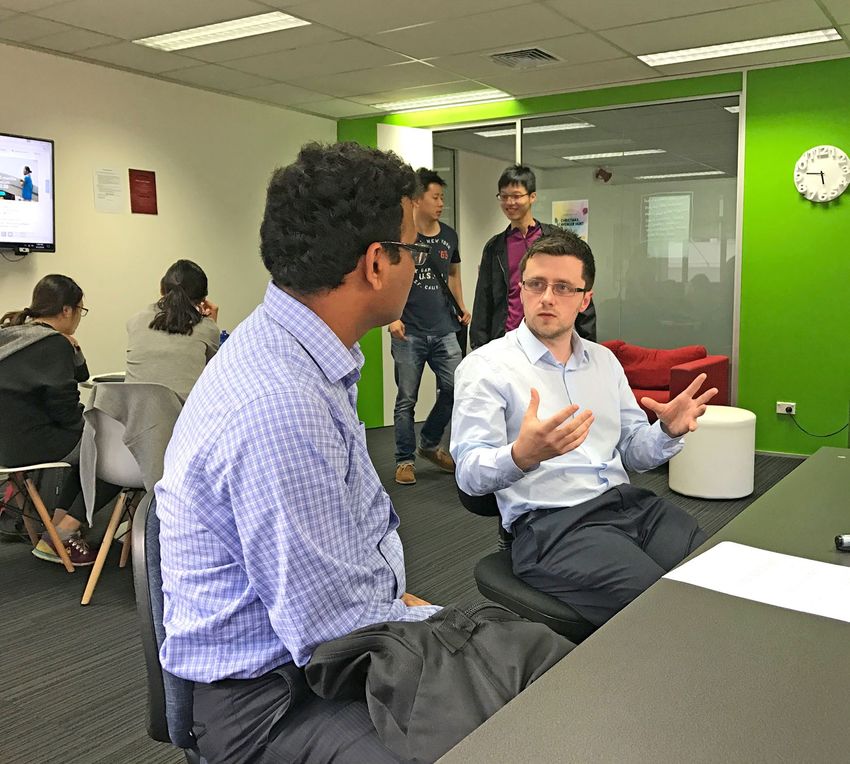
Wellington campus learning environment
SPECIALISTS IN IT TRAINING | 9

“ The technical calibre of their graduates
 has resulted in CPP being considered an
 integral partner in LANtech’s recruitment
 process. We believe the placement
 programme and field-site training services
 are unparalleled in our industry.”
 Lynne Rice
 Support Manager, LANtech

10 | COMPUTER POWER PLUS

     Our unique learning approach
     Computer Power Plus delivers a unique ‘student-centred’ learning model which is used
     at all three campuses.
     The self-paced* and blended-learning environment offered by                  The programme structure and learning process
     Computer Power Plus allows you to take control of your own                   Each of our programmes are made up of a series of courses.
     learning. All the resources you require are supplied to you on               In each course there are many learning activities (or lessons) and
     campus. These have been created by our own team of qualified                 assessments. Learning activities may include:
     curriculum developers.
                                                                                    •   working at the computer          •   role plays
     Unlike a traditional school, you will not be learning in a classroom           •   studying texts                   •   practice tests
     with one teacher, taking you through a topic at a time. Instead                •   watching eLearning videos        •   tutor-led workshops
     you will be working in an open learning environment at your                    •   practical demonstrations         •   researching
     own work station, and be supported by our experienced tutors
                                                                                    Assessments may include (these are compulsory):
     when you need them.
                                                                                    • exam-based assessments              • doing progress check tests
     Our course material is provided online, so you can work through                • project based assessments           • presentations
     this at your own pace – both on campus and anywhere else that
                                                                                    • competencies / checkpoints
     you can get Internet access. This flexibility allows you to make
     sure that you have completed all of the learning objectives that             You will be studying only one course at a time. When you finish each
     you need to cover before any workshops or group activities that              course there is normally an assessment. In some courses, there are
     you may need to attend.                                                      assessments that you complete as you go through the course.
                                                                                  When you complete a course, you will move on to the next, building
     Studying full-time within our business environment simulates a
                                                                                  towards your nationally recognised New Zealand qualification.
     normal working day on the job. This is based on campus study
     of 20 hours per week plus an extra 15 hours spent studying
     either at home or in the library each day.
     Computer Power Plus’s blended learning strategy provides for
     both theory and hands-on practical experience. This includes
     frequent tutor-led workshops that covers some course topics
     in detail.
     We provide:
      • On campus eLearning and practical exercises with personal
        tuition from our qualified and experienced tutors.
      • Microsoft Imagine Academy - free access to Microsoft
        E-learning and Dreamspark Premium.
      • A new and modern online delivery platform
      • Opportunities for self-assessment – Computer Power
        Plus tests and assessments.
      • Opportunities to gain internships and industry work
        experience.
      • Training towards internationally recognised IT vendor
        certifications.

     Professional development
     To assist you in obtaining your ideal job upon graduation, we have included professional practice
     training in all of our programmes, and job placement support dedicated to your job success.
     Computer Power Plus has the experience and knowledge                         Our professional development programme includes:
     of the ICT industry to support students in becoming the IT                     • Building on your self-management skills.
     professionals employers demand. With dedication, students                      • Learning essential interpersonal skills including communication
     graduate from Computer Power Plus technically proficient and                     and teamwork.
     able to work as a dynamic team member.
                                                                                    • Writing powerful resumes for maximum impact.
     At Computer Power Plus, our graduate job placement                             • Becoming familiar with interview skills and techniques.
     support team has already helped thousands of our graduates                     • Accessing the hidden job market.
     find IT employment. See page 28 for more information.                          • Benefiting from our individual mentoring and support services.

     * Note: Students can study at their own pace, but will be required to attend group activities at scheduled times and any final assessments are held
       in the fifth week of each course.
SPECIALISTS IN IT TRAINING | 11
Auckland campus learning environment
Free job placement assistance is given to all graduates12 | COMPUTER POWER PLUS
Computer Power Plus orientation programme
We offer a structured orientation programme for new international students arriving
in our campuses.
This programme is designed to assist all international students New Zealand law, health, recreation, campus guidelines and
to settle comfortably into the institute and to prepare them for essential study skills that you will need to be successful in our
a successful learning and living experience in New Zealand. self-directed and blended learning environment.
We recognise that there will be many differences in studying
It is our goal to help you settle into your new environment as
and living in New Zealand to those you experienced in your
quickly as possible before you commence your studies.
home country.
Topics covered during orientation include culture,
accommodation, transport, shopping, money matters, safety,
Requirements for Study to Work Visa
Computer Power Plus students will need to have met one of the following criteria:
1. Studied in New Zealand for at least 30 weeks (excluding Students may specialise in either technology or programming
holiday periods) for a level 7 qualification; or options or a combination of both. Computer Power Plus
2. Studied in New Zealand a two year programme leading offers a number of choices for those international students
to a qualification at level 4 to 6 for at least 60 weeks who wish to complete the two year study option.
(excluding holiday periods); or Enrolment in the second diploma of a two year programme
3. Studied in New Zealand two qualifications at levels 4 to 6 of study is granted upon successful completion of the first
and studied each qualification for at least 30 weeks, provided diploma and demonstration of the required English language
the second qualification is at a higher level (60 weeks study in competency for higher level study.
New Zealand in total, excluding holiday periods). Upon completion of their first year qualification, students are
eligible for Recognition of Prior Learning for their 2nd year if
courses are applicable.
“I liked studying at CPP because I could
study at my own pace and at the same time
have a part-time job to help pay my bills.
Another good thing about CPP is that I
got hands-on experience — which is what
employers are really looking for. CPP
qualifications have really good recognition
in the IT Industry in New Zealand.”
Arun Padala
Retail Systems Support Analyst, ECL Group
Diploma in Advanced Network Engineering GraduateSPECIALISTS IN IT TRAINING | 13
2018 programmes and fees
A $500 enrolment fee applies for all fees.
Qualification Fees NZ$ Study Duration* Study Break
New Zealand Diploma in Web Development & Design (L5) $17,088 34 weeks + 6 weeks
New Zealand Diploma in Information Technology
$17,088 34 weeks + 6 weeks
Technical Support (L5)
Year 1: $17,025
New Zealand Diploma in Software Development (L6) 68 weeks + 12 weeks
Year 2: $17,721^
New Zealand Diploma in Systems Administration (L6) $17,355 34 weeks + 6 weeks
New Zealand Diploma in Networking (L6) $17,265 34 weeks + 6 weeks
Diploma in Advanced Network Engineering (L7) $25,000 56 weeks + 11 weeks
2018 double diploma programmes
Qualifications Fees NZ$ Study Duration Study Break
New Zealand Diploma in IT Technical Support (L5) AND New
Year 1: $17,088
Zealand Diploma in Networking (L6) OR New Zealand Diploma 64 weeks + 11 weeks
Year 2: $14,100^
in Systems Administration (L6)
New Zealand Diploma in Web Development and Design (L5) Year 1: $17,088
77 Weeks + 13 weeks
AND New Zealand Diploma in Software Development (L6) Year 2: $20,000^
New Zealand Diploma in IT Technical Support (L5) AND Year 1: $17,088
85 Weeks + 16 weeks
Diploma in Advanced Network Engineering (L7) Year 2: $23,000^
New Zealand Diploma in Systems Administration (L6) AND Year 1: $17,355
72 Weeks + 13 weeks
Diploma in Advanced Network Engineering (L7) Year 2: $15,000^
New Zealand Diploma in Networking (L6) AND Year 1: $17,265
77 Weeks + 14 weeks
Diploma in Advanced Network Engineering (L7) Year 2: $20,000^
Each diploma is a stand-alone programme designed to enable
students to progress if desired from diploma level 5 to level 6
or direct to level 7.
Students must complete their studies by the study duration
period otherwise extra fees will apply. Recognition of Prior
Learning and Credit Transfer applies by application.
Our Level 5 + Level 6 New Zealand Diplomas contribute 240
credits toward WelTec’s Bachelor of IT Programme and 210
credits towards Whitireia’s Bachelor of IT Programme.
^
Year 2 Fees (2019) are indicative only and are subject to change.
* For Level 5 and 6 programes duration is based on a full-time study load of
20 hours/week on campus and 15 hours/week home study. Our Level 7
programme is 25 hours/week on campus and 12.5 hours home study
If a student fails to pass a course from their qualification they will need to
re-enrol in that course and pay the corresponding course fee.14 | COMPUTER POWER PLUS
New Zealand Diploma in Information Technology
Technical Support (L5)
• Use problem-solving and decision-making techniques
Programme Code NZ2596
to provide innovative and timely Information Technology
outcomes.
Duration 34 weeks + 6 weeks study break.
• Select, install and configure IT hardware and systems
Qualification Fees* $17,088 + $500 Enrolment Fee software to meet organisational requirements.
• Apply a broad operational knowledge of networking,
and associated services and technologies to meet typical
This new programme prepares you to work in a range of entry
organisational requirements.
level support roles in an organisation, which may include
• Configure and administer systems and applications to
employment in roles such as computer technician, service desk
meet typical organisational IT support requirements.
or technical support or provide a pathway to further IT related
study. • Apply a broad operational knowledge of database
administration to meet typical organisational data storage
Upon graduating you will have an awareness of the IT and retrieval requirements.
environment, appreciate the needs of users, and be able to • Troubleshoot and resolve a range of common system
provide IT technical support. You will also be able to operate problems using appropriate tools and procedures.
within professional IT standards and practice, as part of a team,
• Identify common issues related to IT security and apply a
or independently with a broad level of supervision.
range of solutions.
• Demonstrate an operational knowledge and
Entry requirements understanding of IT service management to meet typical
• Must be 18 years or older. organisational customer service requirements.
• IELTS 5.5 (no band less than 5.0) or equivalent • Apply professional, legal, and ethical principles and
• NZQA level 3 certificate in computing or equivalent practices in a socially responsible manner as an emerging
knowledge, skills and experience. If you do not have a level IT professional.
3 certificate in computing or equivalent, you can take our • Apply the principles of software development to create
Skills and Knowledge Assessment. Contact us at simple working applications.
international@cpp.ac.nz to request this assessment.
• Apply communication, personal and interpersonal skills to
enhance effectiveness in an IT role.
Major qualification goals
Upon completion of this qualification, you will be able to: Career opportunities
• Apply the fundamentals of information systems concepts • Network Administrator • Customer Service Engineer
and practice to support and enhance organisational • Technical Support • Hardware Support
processes and systems. • Systems Support • PC Support
• Apply the fundamentals of IT technical support concepts • Service Administration • Help Desk
and practice to manage hardware and software resources
Future Career Possibilities
to meet organisational requirements.
• Network Manager • Network Engineer
• Apply the fundamentals of interaction design concepts and
• Service Manager • Workshop Manager
practice to enhance interface design.
• Technical Manager • Self Employed
• Help Desk ManagerSPECIALISTS IN IT TRAINING | 15
2018 start dates OPERATING SYSTEMS
• 5 February • 21 May • 3 September* • Windows operating systems
• 12 March • 25 June • 8 October* • Other operating systems (OS X, Linux, Mobile operating systems)
• 16 April • 30 July • 12 November* • Managing and configuring network security
• Network operating systems / Configuring the network
• Installing Windows Server
Industry certifications • Managing active directory
This qualification offers training towards the globally recognised • Disk and resource management
vendor certification: • Troubleshooting using appropriate tools and procedures
• CompTIA A+ (220-901 / 220-902) • Managing LAN operations
• CompTIA Network+ N10-006 • Preparation towards CompTIA A+ external exam
NETWORKING
Programme structure • Networking Foundations
This diploma is a 120 credit programme, consisting of eight x 15 • Network Communication: Ethernet Technologies, IP addressing,
credit courses. These courses start every five weeks. The first IP Routing
20 working days are the study days on the course. The last five • Extending the LAN
days include a day each for revision and the final assessment, • Managing the Network
and days for study break. • Troubleshooting using networking tools and procedures
• Protecting the Network, Network Security
Course Content • Preparation towards CompTIA Network+ external exam
IT SYSTEMS SYSTEMS ADMINISTRATION AND MANAGEMENT
• Hardware concepts and components • Database management and administration
• Software components and configuration • Cloud Virtualisation Concepts
• Operating system concepts and configuration • IT service management
• IT support concepts
• Systems security concepts and tools Further study Options
Upon successful completion of this diploma, students can
DATA HANDLING AND WEB CONCEPTS
further enhance their IT career opportunities with the following
• Data Modelling
qualifications:
• Structured Query Language (SQL)
• Website design using HTML5 and CSS • New Zealand Diploma in Systems Administration (Level 6)
• New Zealand Diploma in Networking (Level 6)
PROFESSIONAL PRACTICE • Diploma in Advanced Information Technology (Level 7)
• Legal and regulatory considerations relevant to IT
Note: The New Zealand Diploma in Information Technology
• Ethical decision-making
Technical Support (L5) contributes 15 credits towards the
• Professional conduct and codes of practice
completion of either of the above level 6 qualifications.
• Personal effectiveness
• Information presentation techniques
• Business context of IT, information systems, initiation and
management of IT projects
PROGRAMMING PRINCIPLES
• Creating procedural and object oriented programs using
Python
• Mathematical and logical concepts underpinning
programming
COMPUTER SERVICING SKILLS
• Installing, assembling and configuring systems and software
• Operational knowledge of networking
• Understanding Operating Systems
• Video Technologies
• Mobile Computing, Mini Computers and Server Hardware
• Internet of Things
• Troubleshooting using appropriate tools and procedures
• Preparation towards CompTIA A+ external exam
*
These start dates are provisional only
Sarah and Evelyn16 | COMPUTER POWER PLUS
New Zealand Diploma in
Web Development and Design (L5)
• Apply the principles of software development to create
Programme Code NZ2598
simple working applications.
Duration 34 weeks + 6 weeks study break. • Use problem-solving and decision-making techniques
to provide innovative and timely Information Technology
Qualification Fees* $17,088 + $500 Enrolment Fee outcomes.
• Determine client requirements, prepare and present
solution(s) which meet client requirements.
This new programme provides a pathway to becoming an IT
• Write scripts appropriate to implement and customise a
professional who can design and develop websites in all sectors
solution package using frameworks and libraries.
of the economy and society.
• Design and implement interfaces to enhance user
On the completion of this programme, you will be able to build a experience and functionality.
complete web application following the entire web development • Select, install and configure appropriate plug-in modules
process from end to end, using a content management system. to supplement functionality to meet organisational
In addition, you will have a broad set of IT skills that are requirements.
internationally relevant. You will also be capable of operating • Test functionality and usability to meet client requirements.
within applicable professional standards and practice, both • Implement, configure, and publish tested web solution to
independently and collaboratively as part of a team. meet client requirements.
• Apply professional, legal, and ethical principles and
Entry requirements practices in a socially responsible manner as an emerging
• Must be 18 years or older. IT professional.
• IELTS 5.5 (no band less than 5.0) or equivalent • Apply communication, personal and interpersonal skills to
• NZQA level 3 certificate in computing or equivalent enhance effectiveness in an IT role.
knowledge, skills and experience. If you do not have a
level 3 certificate in computing or equivalent, you can Career opportunities
take our Skills and Knowledge Assessment. Contact us at • Front-end Web Developer
international@cpp.ac.nz to request this assessment. • Web Content Editor
Major qualification goals Future Career Possibilities
Upon completion of this qualification, you will be able to: • Full Stack Web Developer
• Website Administrator
• Apply the fundamentals of information systems concepts
• Website Project Manager
and practice to support and enhance organisational
• UI/UX Architect
processes and systems.
• Database Administrator
• Apply the fundamentals of IT technical support concepts
and practice to manage hardware and software resources
to meet organisational requirements. 2018 start dates
• Apply the fundamentals of interaction design concepts and • 5 February • 21 May • 3 September*
practice to enhance interface design. • 12 March • 25 June • 8 October*
• 16 April • 30 July • 12 November*
*
These start dates are provisional onlySPECIALISTS IN IT TRAINING | 17
Programme structure BUSINESS ANALYSIS AND SOLUTION DESIGN
This diploma is a 120 credit programme, consisting of eight x 15 • Business process modelling
credit courses. These courses start every five weeks. The first • Elicitation techniques
20 working days are the study days on the course. The last five • Stakeholder interaction
days include a day each for revision and the final assessment, • Requirements analysis
and days for study break. • Solution design
• User interface design
Course Content CLIENT-SIDE DEVELOPMENT
IT SYSTEMS • Responsive design including user interface, HCI principles
• Hardware concepts and components and universal accessibility
• Software components and configuration • Design principles
• Operating system concepts and configuration • Client side scripting
• IT support concepts • Multimedia content development
• Systems security concepts and tools • Use of frameworks or libraries
DATA HANDLING AND WEB CONCEPTS TESTING AND DEPLOYMENT OF A WEB APPLICATION
• Data Modelling • Functional testing
• Structured Query Language (SQL) • Usability testing
• Website design using HTML5 and CSS • Standards compliance testing
• Migration from development to live platform
PROFESSIONAL PRACTICE • Testing on multiple platforms (devices and browsers)
• Legal and regulatory considerations relevant to IT • Client acceptance
• Ethical decision-making • End-user/technical documentation and user training
• Professional conduct and codes of practice
• Personal effectiveness
WEB APPLICATION PROJECT
• Information presentation techniques • Systems development lifecycle
• Business context of IT, information systems, initiation and • Analysis, design, implementation, testing of a web application
management of IT projects solution.
PROGRAMMING PRINCIPLES Further Study Options
• Creating procedural and object oriented programs using
Upon successful completion of this diploma, students can
Python
further enhance their IT career opportunities with the New
• Mathematical and logical concepts underpinning
Zealand Diploma in Software Development (Level 6).
programming
Note: The New Zealand Diploma in Web Development and
Design (L5) contributes 90 credits towards the completion of the
New Zealand Diploma in Software Development (L6)18 | COMPUTER POWER PLUS
New Zealand Diploma in Networking (L6)
• Analyse and implement advanced network security to
Programme Code NZ2600
protect and secure assets and to meet best practice and
organisational requirements.
Duration 34 weeks + 6 weeks study break.
• Analyse networking performance scenarios and
Qualification Fees $17,265 + $500 Enrolment Fee recommend remedial actions to maintain acceptable
organisation service levels.
• Analyse and document requirements for routing, switching
The aim of this programme is to provide you with the
and server infrastructure to support IT infrastructure
opportunity to achieve a qualification in IT networking which planning.
meets industry needs for appropriately qualified information
• Apply IT service management and change management
technology (IT) employees. The programme also provides
processes and procedures to comply with organisational
you with the opportunity to gain a number of external Cisco
requirements.
certifications.
CORE SKILLS
Career opportunities • Behave with integrity as a responsible Information
Upon graduating you will have the skills and knowledge to gain Technology professional, to contribute positively to society.
employment in roles such as IT technician, service desk, desktop • Apply communication, information design, personal, and
support, or entry level network administrator, network engineer, interpersonal skills, clearly and professionally to enhance
or network support roles. You will also have the background to working effectiveness, efficiency, and quality outcomes in
progress into more advanced roles including network engineer, an organisational environment.
manager or analyst. • Apply project management tools and techniques to an IT
related project, to analyse and solve problems.
Entry requirements
• Must be 18 years or older. Industry certifications
• New Zealand Diploma in Information Technology Technical For graduates persuing industry certifications the programme
Support (Level 5) or equivalent skills and knowledge offers training towards the following:
• IELTS 6.0 (no band lower than 5.5), or equivalent
• CCNA Routing and Switching is covered in the courses
Major qualification goals Routing and Switching, Connecting Networks and
Network Management
Upon completion of this qualification, you will be able to:
• CCNA Wireless is part covered in the course Wireless
• Apply advanced wireless and switching configuration and
troubleshooting techniques to resolve switching and Networking
routing issues for organisational networks. • CCNA Collaboration is part covered in the course Unified
Communications
• Apply routing configurations and troubleshooting
• CCNA Security is part covered in the course Network
techniques to implement and maintain networks.
Security
• Analyse the impact of convergence on network • CompTIA Project+ is covered in the course IT Management
infrastructure and implement unified communications to
maintain acceptable organisation service levels.
• Apply specialised knowledge of networking protocols and
technologies to configure, maintain and monitor networks.SPECIALISTS IN IT TRAINING | 19
2018 start dates • Device and network management
• Quality of Service (QoS) concepts
• 5 February • 21 May • 3 September* • Cloud computing and SDN technologies
• 12 March • 25 June • 8 October* • Networking project
• 16 April • 30 July • 12 November*
WIRELESS NETWORKING
Programme structure • Investigate and research radio frequency signals and
This diploma is a 120 credit programme, consisting of eight x 15 standards
credit courses. These courses start every five weeks. The first • Wireless antenna hardware
20 working days are the study days on the course. The last five • 802.11 frames
days will usually include a day each for revision and the final • Wireless coverage and interference
assessment, and days for study break. • Wireless architectures
• Wireless LAN controller-based deployments
Course Content • Wireless client roaming
• Wireless LAN radio management
PROFESSIONAL PRACTICE • Wireless security
• Legal and regulatory considerations relevant to IT • Wireless LAN problems and solutions
• Ethical decision-making
• Professional conduct and codes of practice UNIFIED COMMUNICATIONS
• Personal effectiveness • Unified voice communications concepts
• Information presentation techniques • Unified voice communications management
• Business context of IT, information systems, initiation and • Endpoints and users
management of IT projects • Telephony features
• Messaging and telepresence
ROUTING AND SWITCHING • Voice network management and troubleshooting
• Basic Ethernet LANs technologies
• VLAN concepts and protocols NETWORK SECURITY
• Spanning Tree Protocol and switching issues • Research and investigate security concepts and threats
• IPv4 Addressing and subnetting • AAA implementation
• IPv4 Addressing and routing concepts • 802.1X authentication
• IPv4 routing protocols • VPNs and IPsec implementation
• Networking Project • Network traffic and devices monitoring
• Secure routing protocols
CONNECTING NETWORKS • Mitigation technology for threats
• Automatic IP addressing using DHCP • Firewall implementation
• External routing using BGP • IPS basics
• IPv6 addressing and subnetting
• IPv6 addressing and routing IT MANAGEMENT
• IPv6 routing protocols • PMI project management concepts and framework
• WANs technologies • Research and investigate PRINCE2
• Investigate and research fault tolerant routing using HSRP • IT service management framework
• Ethernet LANs, IP addressing, routing, and routing protocols • IT service management plan
• Project plan
NETWORK MANAGEMENT
• Filtering traffic with access control lists
• Securing networks using NAT *
These start dates are provisional only
• Securing access to devices20 | COMPUTER POWER PLUS
New Zealand Diploma in Systems Administration
• Manage and administer a messaging and collaboration
Programme Code NZ2601 service to meet organisational requirements.
• Write scripts to automate standard system procedures.
Duration 34 weeks + 6 weeks study break.
• Apply IT service management and change management
Qualification Fees* $17,355 + $500 Enrolment Fee processes and procedures to comply with organisational
requirements.
The aim of this programme is to provide you with the opportunity CORE SKILLS
to achieve a qualification in IT systems administration which • Behave with integrity as a responsible Information
meets industry needs for appropriately qualified information Technology professional, to contribute positively to
technology (IT) employees. The programme also provides society.
students with the opportunity to gain a number of external • Apply communication, information design, personal, and
Microsoft certifications. interpersonal skills, clearly and professionally to enhance
working effectiveness, efficiency, and quality outcomes in
Career opportunities an organisational environment.
Upon graduating you will have the skills and knowledge to gain • Apply project management tools and techniques to an IT
employment in entry level roles such as IT technician, help desk, related project, to analyse and solve problems.
Tier 1 and 2 desktop support, systems administration, or in
applications support. Entry requirements
You will also have the background to progress into more • Must be 18 years or older.
advanced roles such as senior system administrator or • New Zealand Diploma in Information Technology Technical
application support analyst roles. Support (Level 5) or equivalent skills and knowledge
• IELTS 6.0 (no band lower than 5.5), or equivalent
Major qualification goals Industry certifications
Upon completion of this qualification, you will be able to:
For graduates persuing industry certifications the programme
• Implement a range of technologies for systems and offers training towards the following:
network services to meet organisational requirements.
• MCSA: Server 2016 is covered in the courses Directory
• Plan and implement automated system and application
Services, Network Services, Infrastructure Services and
software deployment to support efficient organisational
operations. Systems Deployment.
• Plan, implement, and manage a directory service to meet • CompTIA Project+ is covered in the course IT Management
organisational requirements.
• Analyse a range of options and implement a solution to 2018 start dates
meet organisations data storage requirements. • 5 February • 21 May • 3 September*
• Implement a server-based virtualisation infrastructure to • 12 March • 25 June • 8 October*
support organisational requirements. • 16 April • 30 July • 12 November*
• Analyse organisational requirements, implement a solution,
and administer infrastructure for remote network access. *
These start dates are provisional onlySPECIALISTS IN IT TRAINING | 21
Programme structure INFRASTRUCTURE SERVICES
This diploma is a 120 credit programme, consisting of eight x 15 • Storage solution technologies
credit courses. These courses start every five weeks. The first • High availability management
20 working days are the study days on the course. The last five • DFS implementation and management
days will usually include a day each for revision and the final • Remote access solutions
assessment, and days for study break. • System administration project
Course Content SYSTEMS DEPLOYMENT
• Network server installation
PROFESSIONAL PRACTICE • Client operating system deployment
• Legal and regulatory considerations relevant to IT • Applications deployment
• Ethical decision-making • Administer cloud applications
• Professional conduct and codes of practice • Research and investigate cloud-based system management
• Personal effectiveness
• Information presentation techniques MESSAGING AND COLLABORATION
• Business context of IT, information systems, initiation and • Messaging and collaboration system management
management of IT projects • Recipients management
• Client connectivity
DIRECTORY SERVICES
• High availability and disaster recovery
• Directory services concepts and installation • Message transport and security
• Directory services implementation • Cloud-based messaging and collaboration system
• Configuration management concepts and implementation management
• Inter-organisational identity federation
• Information rights management CLOUD INFRASTRUCTURE
• System administration project • Server-based virtualisation implementation
• Containers
NETWORK SERVICES
• Virtual machines
• Public key infrastructure implementation • Research and investigate cloud-based application services
• DNS implementation • Cloud-based storage
• DHCP and IP address management • Cloud-based directory services
• IPv4 and IPv6 addressing • Virtual networks
• Servers and networks
• Investigate and research network load balancing IT MANAGEMENT
• Network connectivity
• PMI project management concepts and framework
• Advanced network infrastructure • Research and investigate PRINCE2
• IT service management framework
• IT service management plan
• Project plan22 | COMPUTER POWER PLUS
New Zealand Diploma in Software Development (L6)
• Apply IT technical support concepts and practice to
Programme Code NZ2604 manage hardware and software resources to meet
organisational requirements in a software development
Duration 68 weeks + 12 weeks study break.
context.
Year 1: $17,025+$500 Enrolment fee CORE SKILLS
Qualification Fees*
Year 2: $17,721 • Behave with integrity as a responsible Information
Technology professional, to contribute positively to society.
The aim of this new programme is to provide students with the
• Apply communication, information design, personal, and
opportunity to achieve a qualification in software development interpersonal skills, clearly and professionally to enhance
which meets industry needs for appropriately qualified working effectiveness, efficiency, and quality outcomes in
information technology (IT) employees. an organisational environment.
• Apply project management tools and techniques to an
Career opportunities IT related project, to analyse and solve problems.
Upon graduating you will be able to enter employment in
development or testing roles, in a range of organisational
contexts. These roles may require fundamental coding,
Entry requirements
scripting, and testing skills, and are less likely to require • Must be 18 years or older.
significant architecture and design skills. • IELTS 6.0 (no band lower than 5.5), or equivalent
• New Zealand Diploma in Web Development and Design (L5)
You may also be employed in other roles that use programming or Equivalent skills and knowledge
skills, such as teaching, small business projects; or be self- If you do not have a level 5 certificate/diploma in computing or
employed. equivalent, you can take our Skills and Knowledge Assessment.
Contact us at international@cpp.ac.nz to request this assessment.
Major qualification goals
Upon completion of this qualification, you will be able to: Programme structure
• Analyse requirements, design and document software This diploma is a 240 credit programme, consisting of 14 x 15
solutions for a range of problems in an organisational credit courses and one x 30 credit project. These courses start
context. every five weeks. The first 20 working days are the study days
• Write and maintain programs using design patterns, on the course. The last five days will usually include a day each
data structures and algorithms to meet specifications. for revision and the final assessment, and days for study break.
• Apply a range of software quality assurance techniques to
verify correctness of systems.
Course Content
• Apply data management and storage technologies to IT SYSTEMS
support the software application and the development • Hardware concepts and components
process. • Software components and configuration
• Establish application security by integrating security • Operating system concepts and configuration
principles throughout software development to ensure • IT support concepts
system integrity. • Systems security concepts and tools
• Choose, justify and apply architecture, technologies, and
tools, to implement the software solution.
Start dates are the same as per our other NZ Diploma programmesSPECIALISTS IN IT TRAINING | 23
DATA HANDLING AND WEB CONCEPTS • Human computer interaction (HCI) design
• Data Modelling • User experience (UX) design
• Structured Query Language (SQL) • Technology research and evaluation
• Web site design using HTML5 and CSS
WEB SERVICES
PROFESSIONAL PRACTICE • Solution design
• Legal and regulatory considerations relevant to IT • Architecture, tools and framework selection
• Ethical decision-making • Software architectural patterns e.g. Micorservices, API
• Professional conduct and codes of practice Gateway, MVC, MVP, Layered architecture
• Personal effectiveness • Service-oriented architectures
• Information presentation techniques • Synchronous and asynchronous messaging
• Business context of IT, information systems, initiation and • Web services (e.g. using SOAP& XML)
management of IT projects • Application programming interfaces (API) using REST &
JSON
PROGRAMMING PRINCIPLES • API management
• Creating procedural and object oriented programs using • API security, including authentication, authorisation and
Python threat protection
• Mathematical and logical concepts underpinning • Cloud computing concepts such as IaaS, PaaS, SaaS
• Technology research and evaluation
programming
BUSINESS ANALYSIS AND SOLUTION DESIGN MOBILE DEVELOPMENT
• Business process modelling • Principles of mobile computing
• Elicitation techniques • Mobile application development architecture and design
• Stakeholder interaction patterns
• Requirements analysis • Common mobile application development languages and
• Solution design technologies
• User interface design • Mobile testing considerations and techniques
• Technology research and evaluation
CLIENT-SIDE DEVELOPMENT
• Responsive design including user interface, HCI principles SOFTWARE TESTING & MAINTENANCE
and universal accessibility • Agile testing techniques
• Design principles • Unit testing, integration testing, system testing
• Client side scripting • Testing techniques such as white box, black box,
• Multimedia content development boundary-value testing
• Use of frameworks or libraries • Test planning and management
• Test design and execution
DATA STRUCTURES & ALGORITHMS • Test automation
• Version control
• Programming strategies (OO, functional programming,
• Continuous integration
recursion, iteration, software design patterns, etc.)
• Defect reporting, tracking and fixing
• Abstract Data Types (e.g. trees, graphs, stack, queue)
• Debugging
data structures (e.g. arrays, linked lists)
• Maintenance techniques
• Algorithms and their complexities (searching, sorting, graph
• Technical and user documentation
traversal, etc.)
• Technology research and evaluation
• Critical evaluation of appropriate structures, algorithms and
patterns. AGILE PROJECT MANAGEMENT
GAME DEVELOPMENT • Project planning, management and control, including cost,
• Principles of game design and development risk, quality, stakeholder, change, configuration, contracts,
• Common game development tools and technologies and maintenance
• Game testing considerations and techniques • Agile project management, Scrum, Kanban
• Technology research and evaluation • Agile software development approaches, e.g. user stories,
acceptance criteria, product backlog, sprints
APPLICATION SECURITY AND SERVER-SIDE • Software estimation methods, e.g. story points
DEVELOPMENT • Documentation and reflection
• Application security principles including secure data access • Concepts of innovation and entreprise, personal leadership
and protecting data and system integrity and customer service
• Server-side scripting (or using web framework)
• Technology research and evaluation SOFTWARE PROJECT
• Project initiation and management
DATA ACCESS & MANAGEMENT • Requirements elicitation, feasibility study, solution proposal
• Data access and storage technologies, data management • System analysis, design, coding and testing
• Digital asset management • Deployment, maintenance and evaluation
• NoSQL databases • Technology research and evaluation24 | COMPUTER POWER PLUS
Diploma in Advanced Network Engineering (L7)
Programme Code PC111550 2018 start dates
• 5 February • 21 May • 3 September*
Duration* 56 weeks + 11 weeks holiday and • 12 March • 25 June • 8 October*
leave allowances • 16 April • 30 July • 12 November*
Qualification Fees** $25,000 + $500 Enrolment Fee
Major qualification goals
Upon completion of this qualification, students will be able to:
This is an advanced qualification for those seeking career • Complete computing tasks and functions in a number of
advancement in the field of network design, installation, operating system environments
management and troubleshooting. It should appeal to those
• Configure and administer a local area network
who wish to obtain multiple vendor certifications while achieving
• Troubleshoot and resolve network problems and manage
a widely recognised IT qualification.
network security
What will I learn? • Communication security, infrastructure security,
cryptography, access control, authentication, hacking and
The qualification provides training in a range of skill sets. This
operational security
includes the design, installation and management of computer
networks and systems network security, troubleshooting, • Understand and configure virtual machines
planning, implementation and maintenance of various • Understand and configure Microsoft Exchange Server
networking technologies including Wi-Fi. It also includes
training in virtualisation technologies and Exchange Server. Career opportunities
• Network Engineer • Second Level Hardware
Industry certifications • Network Security Technician Support
This qualification offers training towards a number of the • Technician • System Support
industry’s most highly sought, globally recognised vendor • Service Administration • Second Level Help Desk
certifications: • Network Administration • Self Employed
• Systems Support Service • Sales
• CompTIA Security+
• Certified Wireless Technology Specialist Future Career Possibilities
• MCTS: Configuring Windows • Network Manager • Service Manager
• MCSA: Windows Server • Network Security Manager/ • IT Manager
Professional
Entry Requirements
• Must be 18 years or older. Programme Overview
• IELTS 6.0 (no band lower than 5.5), or equivalent COMPUTING AND PROFESSIONAL DEVELOPMENT
• Must have completed an IT Diploma at NZQA level 5 or • Basics of the Windows operating system and
higher equivalent. the hardware of computers
• Undertake Computer Power Plus’s Skills and Knowledge • Goal setting and planning
Assessment. Contact us at international@cpp.ac.nz to • Time and personal resource management
request this assessment. • Communication skills and decision making
• Telephone and written communication skills
* Holidays and leave include annual and public holidays, and allowance for sickness & unforeseen circumstancesSPECIALISTS IN IT TRAINING | 25
INTRODUCTION TO LINUX CISCO NETWORKING
• Gnome Desktop Environment • Networking fundamentals
• File systems & directories • IP addressing
• Editors under Linux • Network switching and routing protocols
• Shells, command files and processes • Cisco switches and LANs
• LibreOffice applications • Cisco routers and routing
• Switching and routing troubleshooting
PROGRAMMING
• Write and test algorithms in pseudocode for structured, EMPLOYMENT PREPARATION
object oriented applications, for a variety of problems • Job market and job search strategies
• Introduction to Unified Modeling Language (UML) • Matching skills with employer needs
• Introduction to Structured Query Language (SQL) • Market research
• Write applications that result in interviews
PROJECT MANAGEMENT • Resumes
• Understand entire project life cycle from initiation and • Interview techniques
planning through execution, acceptance, support and • Employment preparation workshop
closure
MCSA: WINDOWS SERVER
WINDOWS CLIENT • Installing and Configuring Windows Server
• Configure a Microsoft Windows operating system • Administering Windows Server
• Introduction to computer and operating system • Configuring Advanced Windows Server Services
virtualisation • Preparation towards the Microsoft Certified Solutions
• Install and configure Microsoft virtualisation software Associate (MCSA) Windows Server external exams
• Create a virtualised operating system
WINDOWS SUPPORT
• Identify, manage, and resolve the issues of Windows
operating system users
• Preparation towards the Microsoft certification exam:
Windows, Enterprise Desktop Support Technician
WIRELESS TECHNOLOGY
• Wi-Fi Technology, standards and certifications
• Hardware and software
• Radio Frequency (RF) fundamentals
• Site surveying and installation
• Applications, support and troubleshooting
• Security and monitoring
• Preparation towards the CWTS Certified Wireless
Technology Specialist external exam
SECURITY
• Monitoring networks
• Understanding devices
• Access control and authentification
• Protecting wireless networks
• Securing the cloud
• Host, data and application security
• Cryptography
• Malware and vulnerarabilies
• Security administration
• Disaster recovery and incident response
• Preparation towards the CompTIA Security+ external exam
GROUP PROJECT
• Develop team building skills
• Prepare project reports
EXCHANGE SERVER
• Introduction to the fundamentals of Microsoft Exchange
• Install, configure, and manage Microsoft Exchange Server
*
These start dates are provisional onlyYou can also read


