Module 4: Marketing with Instagram - Digital Skills from Facebook
←
→
Page content transcription
If your browser does not render page correctly, please read the page content below

Module 4: Marketing with Instagram
Social Media
Marketing      Learning Objectives                      Skills Acquired                      Challenge

               Students will gain an                      Create and use Instagram posts      In this challenge, you will select
               understanding and the skills               of different types to engage an     another business goal for your
                                                          audience and build presence         organization and create a simple
               related to Marketing with                                                      ad campaign for Instagram to
               Instagram.                                 Use Instagram Insights to track     address that goal.
                                                          profile information to inform an
                 Understand how to use Instagram          ongoing engagement strategy
                 to promote a business
                                                          Create and produce ads using
                 Understand the similarities              formats for Instagram (photo,
                 between Instagram and Facebook           video, story, etc.)
                 for social media marketing
                                                          Use tools to monitor, measure,
                 Understand key strategies on how         and edit an ad campaign to meet
                 to create content and posts that         business goals
                 engage audiences

                 Understand how to use Instagram
                 Insights to measure performance
                 of posts, followers, and impressions

                 Understand how to create
                 effective ads for Instagram

                 Understand how to measure ad
                                                                       4-6
                 performance in Ads Manager                            hour
                                                                       class duration

                                                                       sessions
                                                          2            plus out-of-class
                                                                       homework

                                                                                                                                   2
Social Media
Marketing
               Like Facebook,
               Instagram is a popular
               way to stay in touch
               with friends, but can
               also be great for
               marketing.
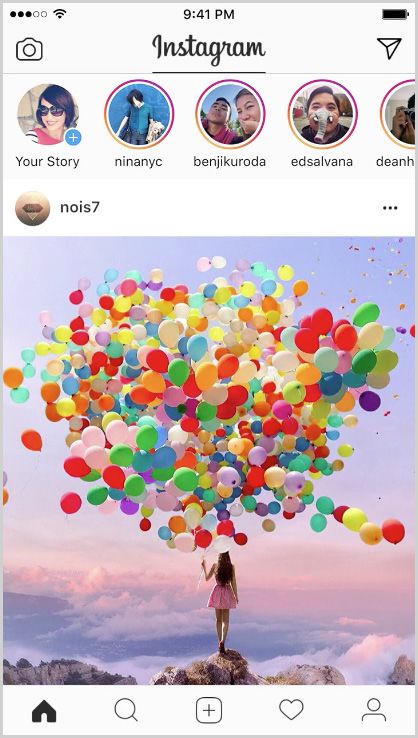
               Instagram tends to be more about
               images than text, though both are
               used.

               In the final module of this workshop,
               you will be able to apply much of
               what you have already learned as you
               dive into creating content and ads for
               Instagram.

               A good general rule throughout is
               to scroll through Instagram yourself
               and develop your own ideas of
               what you think makes one post or
               advertisement more engaging than
               another.

               Ready to spread the word?

                                                        3
Module 4: Lesson 1

Getting Started
Social Media
Marketing      How does an Instagram
               business profile work?
               Your Instagram business profile      Though it is a lot like Facebook,     It’s More Visual
               is another good way to build your    Instagram has some unique features    Instagram is visual! At its core are
               business presence and connect with   that can be good for your business:   images that tell people’s stories.
               potential customers and users of                                           Finding ways to use photos
               your services or product.                                                  and visual to tell your group or
                                                                                          organization’s unique story is key to
                                                                                          marketing on Instagram.

                                                                                                    Module 4 Lesson 1: Getting Started   5
Social Media
Marketing      How does an Instagram
               business profile work?
               You Can Use Hashtags
               Instagram uses hashtags to
               categorize content. Users can search
               using hashtags to find content they
               are interested in. There are two types
               of hashtags: branded hashtags and
               community hashtags.

               Community hashtags are general
               hashtags like #travel, #fitness,
               #cooking that are good for helping
               find content related to those
               hashtags. Using these type of
               hashtags makes it easier for people
               to find your posts and can help you
               build your audience.

               Branded hashtags are specific to
               your group or company. They might
               contain your brand name, product,
               or a specific campaign. You can use
               branded hashtags to get people to
               spread the word about your brand
               by using your branded hashtag. For
               example, Hostel World created a
               #MeetTheWorld campaign, in which
               they invited people who stayed at
               their hostels all over the world to post
               pictures from their travels and use
               the hashtag #MeetTheWorld.

                                                          Module 4 Lesson 1: Getting Started   6
Social Media
        Marketing             How does an Instagram
                              business profile work?
Resources:                    You Can Add Stories                        For example, you might think about
                              A fun feature of Instagram is Stories.     ways to tell a “behind-the-scenes”
https://business.instagram.
com/blog/business-            It is a way for people to share several    story of your group. Or you might
instagram-stories             “moments” of their daily lives, not just   use it to show many different ways
                              the ones they post on their profile.       people use your product.
                              As they share multiple photos and
                              videos, they appear in a slideshow
                              format: their story. Businesses can
                              also share stories with their followers.

                                                                                                              Module 4 Lesson 1: Getting Started   7
Social Media
Marketing How do I get started?
Getting started on Instagram is
pretty straightforward.
Using your mobile device,
download and launch the app
from wherever you usually get
them (App Store, Google Play,
Windows Phone Store).
Sign up as the organization you
are working with. It’s best to log in
with your organization’s Facebook
account, but you can also use an
email address.
To set up a free business profile
for the organization you are
working with, go to Settings, then
scroll down to Switch to business
account. This will let you add
information like business hours,
location, and phone number—
coming up in the next part of
the lesson.
Module 4 Lesson 1: Getting Started 8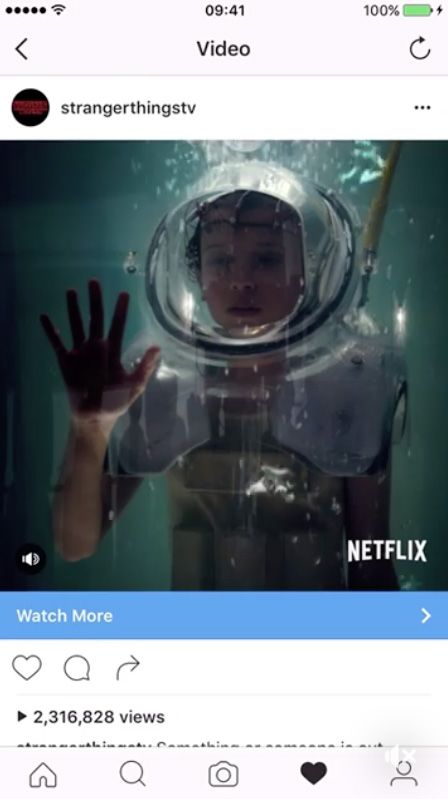
Social Media
Marketing      What strategies can I use to market
               my organization effectively on Instagram?
               Don’t forget that, like Facebook,   1   Use Hashtags
               Instagram is a SOCIAL media             Hashtags help you get your posts
               platform. You’ll want to do a lot       out to a broader audience.
               of the same things you do on
               Facebook to build your presence         To learn more about which
               and build relationships with your       community hashtags you might
               audience.                               use, do a search for keywords
                                                       that are associated with your
               Here are a few key strategies to        business or organization. Using
               think about as you begin to use         these types of hashtags really
               Instagram:                              helps people discover and
                                                       follow you.

                                                       And, be creative about coming up
                                                       with brand hashtags, especially if
                                                       you want to have your audience
                                                       use your brand hashtag on the
                                                       content they create.

                                                                                            Module 4 Lesson 1: Getting Started   9
Social Media
Marketing      What strategies can I use to market
               my organization effectively on Instagram?
               2   Pay Attention to Your Profile       3   Post a Variety of Engaging
                   Your profile on Instagram               Images
                   functions similarly to your             Be creative and vary the types
                   Facebook Page, so pay attention         of images and videos you post.
                   to it! Consider these tips:             Consider these ideas:

                     Make sure your images and               User-submitted photos
                     description gel with your               Behind-the-scenes photos
                     brand’s vibe.                           of your workspace or events
                     Always include a link back to           Sneak peeks of new products
                     your website.                           Short product demos or
                     Use your company logo                   tutorials
                     somewhere in your profile               “Day in the life” shots to show
                     so users know it’s the official         your personal side
                     profile for your company.               Holiday-themed images and
                     Consider adding one brand-              videos
                     specific hashtag to your
                     profile so users know it
                     “belongs” to you.
                     Include your physical location
                     if you have a local business.
                     Make sure your images and
                     other content are consistent
                     with your other social media
                     properties.

                                                                                               Module 4 Lesson 1: Getting Started   10
Social Media
Marketing Mini Challenge: Create Your
Instagram Business Account
If you haven’t already, now is the time
to create your business account on
Facebook. Then, just as you did with
Facebook, spend some time getting
to know Instagram. Do some hashtag
searches that are related to the work
your group does.
Module 4 Lesson 1: Getting Started 11Module 4: Lesson 2 Creating Content
Social Media
Marketing      How is creating content the
               same as on Facebook?
               When you are marketing something           Here are some ways to think about
               on Instagram, of course you want           creating content that will work for
               your ad to be visually interesting         both Instagram and Facebook:
               and engaging. But that’s not enough.
               It also has to accomplish something,       1   Create High-Quality, Simple
               and that something must be                     Photos and Videos
               connected to your overall business             High-quality, visually appealing
               goal.                                          images are at the heart of
                                                              what users respond to on both
               Facebook and Instagram have many               Instagram and Facebook.
               similarities, but Instagram is generally
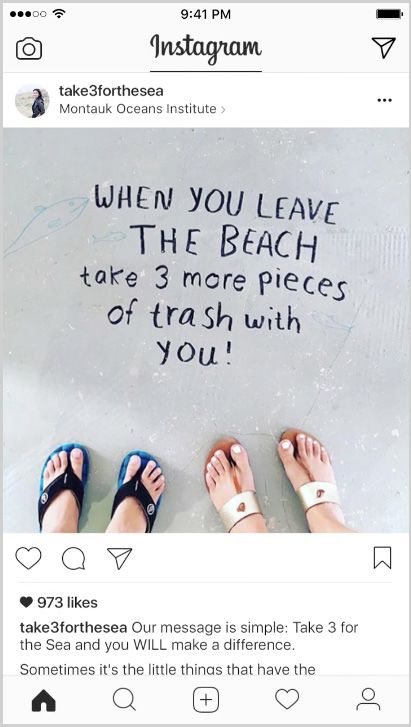
               more visual, more mobile, and faster.      2   Keep Text to a Minimum
                                                              Because Instagram is such a
               On Facebook, we catch up with our              visual medium, it’s a good idea
               friends and look at articles or videos         to keep your text to a minimum.
               they share with us, and we may be              A text-heavy post on Facebook
               doing this on a mobile device or               doesn’t translate too well on
               computer. The Instagram user only              Instagram.
               uses a mobile device, and is looking
               to discover new things.                    3   Choose Images that Visually Go
                                                              with Your Group’s Brand and
                                                              Identity
                                                              You’ll want to make sure that all
                                                              of your photos and videos have
                                                              a cohesive feel to them—in other
                                                              words, they should feel, in general,
                                                              like they all “go” together. If you
                                                              do this, people who view your
                                                              content on both Facebook and
                                                              Instagram will start to associate
                                                              that feel with your organization
                                                              and will get more and more
                                                              familiar with it.

                                                                                                     Module 4 Lesson 2: Creating Content   13
Social Media
Marketing How is creating content the
same as on Facebook?
4 Don’t Forget the Call to Action Don’t forget that if you’re posting
Just because Instagram is very some of the same content on
visual, don’t forget that you want both platforms, you’ll want to try
your audience to engage with to do the posts and run ads at
you and interact with you. All of different times of the day. And
your photos and images should you might consider developing
include some way that people several images for the same ad or
can go to your website, Like your post that you can rotate across
post, share it, or take some other both platforms. These kinds of
kind of action. strategies help ensure that users
engage with your content, rather
than ignore it because they’ve
seen it before.
Module 4 Lesson 2: Creating Content 14Social Media
Marketing What makes content good?
Good content on Instagram is simply 1 Have a Distinct Visual Presence
good creative. And it follows the Include your logo, an element that
same three creative principles you’d really shows off something about
apply to any marketing channel. your company, a brand color, or
even a product you’re known
for to make your ads distinct
and easily recognizable for the
community.
2 Be a Storyteller
Tell a story that supports your
business goal. Whether you want
to raise awareness or increase
sales of a specific product, make
sure the imagery and copy align
with your main goal.
3 Put Thought into Your Creative
Campaigns need to be well-
crafted to stand out. This
doesn’t mean you need to build
additional content for Instagram.
It just means you need to put
as much love and care into the
ads to inspire as you do in your
business. Ensure the quality of
your content is reflective of the
quality of your business.
Module 4 Lesson 2: Creating Content 15Social Media
Marketing How do I create engaging
images and videos?
Resources Sharing quality content on Instagram Utilize Other Platforms
doesn’t have to be difficult. In fact, Borrow photos or videos from your
https://www.facebook.
com/business/ there are a few tricks you can try to other platforms like your Facebook
create professional quality photos Page, website, or other marketing
and videos. materials.
Take Quality Photos Switch It Up
To take quality photos using your Experiment with different
mobile phone, make sure you have backgrounds to change the tone
good lighting. Place your subject and feel of a shot. Mix colorful
near natural light, like a window backdrops, contact paper, or fabric
or door frame. Or, add external to add dimension and depth to
lighting with a lamp, iPhone product shots.
flashlight, or inexpensive lighting kit
you can purchase online. Have Fun With It
Can’t decide on one shot? With
Enhance Your Photos Carousel Ads, you can share up
Use other apps to enhance to five photos and/or videos in
your photos and videos. Use one ad. Just make sure the first
Layout to lend your shots a more frame is eye-catching so people
editorial style. Use Hyperlapse scroll through. You can also take
to give viewers a quick view into a panoramic photo and crop it
the behind the scenes. Or use into multiple, single shots for a
Boomerang for a fun spin on an cool effect.
otherwise still photo. You can also
experiment with new Instagram
Stories to create content in a low-
tech, authentic way and show off
real, behind-the-scenes moments.
Module 4 Lesson 2: Creating Content 16Social Media
Marketing What information can I get about my posts,
followers, impressions, and stories?
You can use Instagram Insights to Posts Stories
view information about your posts. Likes Impressions: Total number of times
It’s as easy as going to your profile Comments your story was seen
and tapping. From there you can Saved: The number of unique Reach: Number of unique
view: accounts that saved your post accounts who saw your story
Impressions: Total number of times Replies: Number of times people
Overall Metrics your post was seen sent messages through the Send
Impressions: Total number of times Reach: Number of unique Message option on your story
your posts and stories were viewed accounts who saw your post Exits: The number of times
Reach: Number of unique Engagement: Includes the total someone swiped from one of your
accounts who viewed your posts number of unique Instagram stories to someone else’s story, or
and stories accounts that liked, commented returned to their Feed
Website Clicks: The number of on, or saved your post
clicks to links you’ve included in Video Views: The total number of
your business profile description times your video was viewed
Profile Views: The number of
unique accounts who’ve visited
your business profile
You’ll also see some insights about
your followers, including gender, age,
and location information.
Module 4 Lesson 2: Creating Content 17Social Media
Marketing Activity: Tell a Good Story
Resources: People talk a lot about how you need It doesn’t have to start with “Once glance that makes you want to know
to “tell a story” when you are trying upon a time...” nor do you need a where this idea is going, will make
https://www.facebook.
com/business/ads- to engage someone’s interest. What wedding at the end. But some sense your message as appealing as any
guide/traffic/instagram- does that mean? of cause-and-effect, a feeling at first good story.
carousel/?toggle0=Photo
Example 1: Carousel Ad for Jasper’s Market
Discussion Questions:
Look at this post from Jasper’s Market, which uses text and three photos in the form
of a carousel ad. Notice the main text asks users to appreciate that they have kitchen How do the photos work together
items—not just food—available. to tell a story?
How do the photos communicate
that they have more than food
available?
What is appealing about these
photos?
What other elements tell you about
Jasper’s Market?
Module 4 Lesson 2: Creating Content 18Social Media
Marketing Activity: Tell a Good Story
Example 2: Carousel Ad for Bentley
Resources:
Discussion Questions:
https://www.facebook.
com/ads/creativehub/ What “story” is being told in this
post?
What is the most effective aspect
of this ad?
What questions about Bentley do
you have after the ad is finished?
Is there anything you think could
have been done better to make the
ad more effective?
Module 4 Lesson 2: Creating Content 19Social Media
Marketing Activity: Tell a Good Story
Example 3: Ad for Sonic Drive-In
Resources:
Discussion Questions:
https://www.facebook.
com/ads/creativehub/ What is this ad trying to show?
gallery/1293117720713163/ How does the speed of the images
help or hurt the ad?
What elements of the image
composition make the ad
compelling?
How would you describe the
overall tone of this ad?
How might you use something
similar for your organization?
Module 4 Lesson 2: Creating Content 20Social Media
Marketing Activity: Tell a Good Story
Resources: Example 4: Video Ad for Stranger Things from Netflix
https://www.facebook.
com/ads/creativehub/ Discussion Questions:
How does this video ad grab your
attention?
What information was not
communicated?
The ad ends with a shot that
shows several different Netflix
shows. How does that link to the
beginning of the ad?
How might you use something
similar for your organization?
Module 4 Lesson 2: Creating Content 21Social Media
Marketing Mini Challenge:
Create Instagram Posts
For this lesson, your challenge is to
think about and create 3-5 posts
specifically for Instagram.
Keep in mind some of the tips about
taking quality photos, using features
like hashtags and Stories to build
your audience, and telling a “story”
about your organization through the
images and videos you post.
Module 4 Lesson 2: Creating Content 22Module 4: Lesson 3 Creating and Measuring Ads
Social Media
Marketing      How do I create ads for Instagram?

               Instagram uses the same powerful        in Ads Manager and have it shown on     1   Create a Business Page & Profile
               advertising tools as Facebook. That     both Facebook and Instagram at the          You must have a Facebook Page
               way, you can set up, run, and track     same time.                                  to run ads and an Instagram
               campaigns the same way you do                                                       business profile. Since you
               with Facebook ads. In fact, as you’ve   As a reminder, though, here’s a quick       already have that, you’re good
               already learned, you can create an ad   review on how to create and run ads:        to go!

                                                                                               2   Set Up Ad
                                                                                                   Select your ad objective, target
                                                                                                   audience, and ad format within
                                                                                                   Ads Manager..

                                                                                               3   Determine Budget
                                                                                                   Decide how long your ads will
                                                                                                   run and what budget you’re
                                                                                                   comfortable with spending.

                                                                                               4   Publish
                                                                                                   When your ads are ready to go,
                                                                                                   hit Publish. You’ll get a notification
                                                                                                   when your ads are approved and
                                                                                                   ready to run.

                                                                                                   Module 4 Lesson 3: Creating and Tracking Ads   24
Social Media
Marketing What should I think about before
I create an Instagram Ad?
Based on your research and Some photogenic things associated
interviews with people from the with your organization are...
organization you are working with, The physical building/grounds
here are some things to think about they use?
before you create your ad. The people who work there?
A product or line of products
Is the organization promoting... they sell?
A specific, one-time event? An event they are producing?
A recurring event? (i.e. performance, charity event,
A new product? An existing product demonstration)
product?
Is the organization hoping to get
more...
Volunteers?
Likes, comments, posts, shares?
Donations?
Paying customers? Store visitors?
Module 4 Lesson 3: Creating and Tracking Ads 25Social Media
Marketing Which ad formats do I use for Instagram?
Most of the ad formats that you can
use for Facebook are also available
for Instagram. The formats that work
best are the ones that emphasize the
visuals.
Module 4 Lesson 3: Creating and Tracking Ads 26Social Media
Marketing Which ad formats do I use for Instagram?
As a reminder, here are the ad
formats available for Instagram:
Single Image
An ad with one single image.
Single Video
An ad with one single video.
Carousel
Ads with two or more scrollable
images or videos
Slideshow
Ads that are looping videos with
10 images each and music.
Story Ads
Ads that show up between
people’s stories on Instagram.
You can do single image or
single video story ads.
Module 4 Lesson 3: Creating and Tracking Ads 27Social Media
Marketing Can I create ads from within Instagram?
You can use any one of your When logged in using your business The Promote button lets you
Instagram posts to promote as an ad. profile, just click the Promote button experiment with different types of
It’s one of the easiest ways to create on the screen. You’ll be prompted posts and ads to understand what
an ad. to choose your ad objective. Then engages your audience the most.
you’ll choose your call to action, your
target audience, your budget, and the
amount of time you want to run the
ad. It’s that easy!
Module 4 Lesson 3: Creating and Tracking Ads 28Social Media
Marketing How do I measure Instagram
ad performance?
Just like with Facebook, you’ll Network. You can analyze your Under the Account Overview tab,
measure ad performance in Ads campaign results and learn more you can view a detailed summary of
Manager. about your audience, your product all your advertising activity, learn how
sales, your campaign’s reach, and your campaigns are performing, and
Ads Manager shows you how much more. With this data, you can gain insights for future campaigns.
your advertising is helping you make more informed decisions
achieve your business goals across when building your campaigns and
Facebook, Instagram, and Audience ultimately improve your results.
First, you can use the charts to
understand how your campaigns are
performing over time and analyze
trends. Hover over the charts to see
more information on your campaigns.
Module 4 Lesson 3: Creating and Tracking Ads 29Social Media
Marketing How do I measure Instagram
ad performance?
You can customize the metrics you
want to see. There are four sections
with metrics you can adjust (such as
reach, impressions, amount spent, and
link clicks). To change the metric you
see in a section, click the icon next to
the metric name and choose a new
metric from the list.
You can compare your results between
two time periods to understand if your
ads performed better in one period
over another. Click on the date range
dropdown menu. Click Compare and
choose the dates that you want to
compare.
Module 4 Lesson 3: Creating and Tracking Ads 30Social Media
Marketing How do I measure Instagram
ad performance?
If you want to see what group of
people are interacting with your ads
based on age and gender, select
Age & Gender, Age, or Gender.
To see the location of the people
viewing your ads, select Country,
Region, or DMA.
Module 4 Lesson 3: Creating and Tracking Ads 31Social Media
Marketing How do I measure Instagram
ad performance?
You can also see what time of day
people are viewing your ads and the
corresponding ad spend.
Module 4 Lesson 3: Creating and Tracking Ads 32Social Media
Marketing Activity: Instagram Ads
Resources:
We’ve talked about the several kinds Let’s look at some examples of
https://business.instagram.
com/success/hutch/ of ad formats that you can use on different formats and ways that you
Instagram. can use the format to create an
effective ad.
Example 1: Story Ad
Here’s an ad from Hutch, an interior Discussion Questions:
design app. The ad was designed to What are the elements of the
drive new downloads and installs of story ad?
their app. How are they able to give users a
good idea of what it will be like to
use the app?
Why is this ad appealing?
What other ways can you think
about using story ads?
How might you use a story ad with
your organization?
Module 4 Lesson 3: Creating and Tracking Ads 33Social Media
Marketing Activity: Instagram Ads
Resources:
https://business. Example 2: Video Ad
instagram.com/success/
woodford-reserve/ Here’s a video ad from Woodford Discussion Questions:
Reserve. The goal of the ad was to What are the elements of the video
increase brand awareness, especially that help show off the brand and
at the Kentucky Derby. product?
Why do you think video works in
this case, instead of just a photo?
Notice the hashtag
#kentuckyderby. Why did they
include that hashtag?
Why is the ad appealing?
Can you think of ways they could
have done a less “professional”
video to show off their brand and
product?
What ways might you use video
ads for your group?
Module 4 Lesson 3: Creating and Tracking Ads 34Social Media
Marketing Activity: Instagram Ads
Resources:
https://business.instagram. Example 3: Carousel Ad
com/success/levis/
Look at this story about the Discussion Questions:
#LiveInLevis campaign whose How did Levis use carousel ads to
objective was to raise brand attract viewers?
awareness with its Mexican audience. What about the ads was
compelling?
The text includes hashtags and
tagging (@chiaraferragni). Why?
How does that help build reach?
How might you use text and
hashtags with your organization?
How might you use carousel ads
with your organization?
Module 4 Lesson 3: Creating and Tracking Ads 35Social Media
Marketing Mini Challenge:
Create Your Ad
This mini-challenge has two parts. Part 2
Don’t forget you’ll still need to have
Part 1 the following things ready before
Prepare the creative for your you start:
Instagram ad. This should be very Your campaign objective
similar to what you did for your
Facebook ads, but try to spend some Information you will use to target
time thinking about ways to create your audience (demographics, age,
something for Instagram. Think about location, interests, behaviors)
mobile. Think about telling a story.
Think about trying something you The amount of money you want to
didn’t try in your Facebook ads. spend on the campaign
The creative—photos, videos,
copy—for your ad
Module 4 Lesson 3: Creating and Tracking Ads 36Social Media
Marketing Mini Challenge:
Measure Ad Performance
As your ad runs, use Ads Manager Reflect and analyze your results, Write down this reflection. You’ll need
or the Ads Manager App to measure perhaps with a partner or in a class it for the Micro-credential.
and monitor your ad. discussion. What surprised you?
What went well? What isn’t going so
Depending on your ad objective, well? What can you tweak or change
you’ll want to look at several things: that you think will help?
Did your ad generate the number
of clicks, Likes, links to your
website, signups for your event
that you were hoping for?
What was the cost per click, Like,
signup, etc?
What have you spent so far on the
ad campaign?
What is the frequency that your ad
is being shown?
What else can you learn about
how your ad is doing with your
audience?
Module 4 Lesson 3: Creating and Tracking Ads 37Social Media
Marketing Get the Micro-credential
Congratulations! You have completed this module by:
Creating an Instagram business profile
Creating 3-5 posts of different types to use on Instagram
Creating and running an ad specific to Instagram
Measuring and monitoring your ad to learn what is working and
what is not
Once you think you’re ready, you With this micro-credential, you can Congratulations on completing all
can submit your work for review to show employers and others that you four modules in our Social Media
earn the Marketing with Instagram have demonstrated the basic skills Marketing series!
Micro-credential. Your instructor will needed to market using Instagram
have instructions as to how to do the and run an ad campaign using
submission. Instagram!
38You can also read


