THE ULTIMATE LINKEDIN PROFILE CHECKLIST - Boost Your Authority Expand Opportunities Grow Your Network
←
→
Page content transcription
If your browser does not render page correctly, please read the page content below

THE ULTIMATE
LINKEDIN PROFILE
CHECKLIST

       Boost Your Authority

       Expand Opportunities

       Grow Your Network

      Anthony Milia, founder
       Miliamarketing.com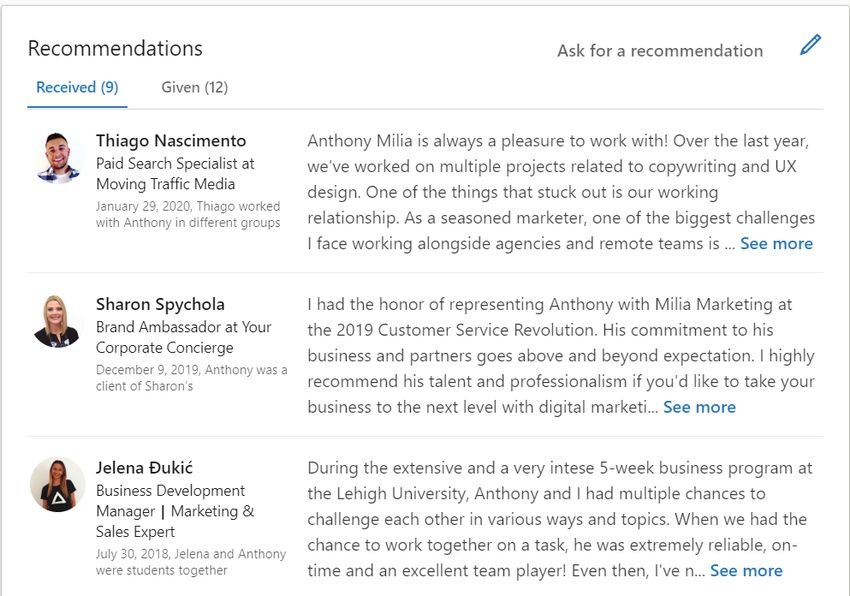
01

A WORD FROM ANTHONY MILIA, FOUNDER
AND CEO OF MILIA MARKETING

While your LinkedIn feed may showcase a few non-work-related memes from time
to time, there’s no denying that the platform is an invaluable asset when it comes
to handling professional engagements and associations.

With this guide, you can expect:
    The ability to utilize existing connections
    Position yourself or your company as a thought leader
    Increase referrals and word-of-mouth
    Increase website traffic
    Generate leads

If you don’t have a LinkedIn marketing strategy or your personal profile is an
out-of-date, glorified resume, it’s time to put some meat on those bare bones.
You need a detailed and strategic profile page if you want to drive real business
results.
I’ve personally leveraged the power of LinkedIn to catapult my personal brand
and my company, Milia Marketing, to new heights. By doing so, I was able to build
an award-winning agency and secure awesome business relationships.

                                 © Milia Marketing
                               www.miliamarketing.com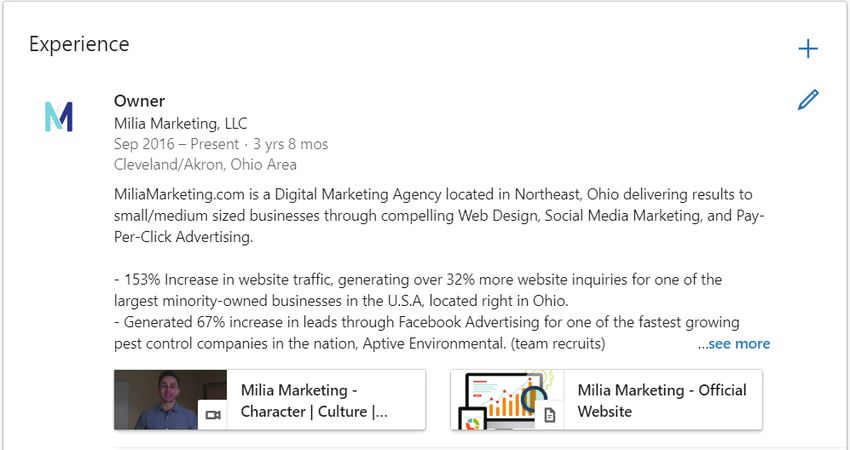
02

01       KEYWORD RESEARCH

         Make a list of keywords that people might use to find you and the services
         you offer.
         You can use LinkedIn’s related search terms. Simply go to LinkedIn, type
         in a keyword phrase, scroll to the bottom until you see “Try searching for”,
         copy and paste the keywords into a document.
         Use Ubersuggest and/or the Google Keyword Planner to view search
         volume and discover new keywords.

                    Incorporate these keywords into your profile as specified in the
                    steps below.

02       COVER IMAGE
     1   Add one!
     2   Make sure the photo communicates what you are trying to portray when
         someone visits your page.
     3   Great opportunity to add branding.

                                     © Milia Marketing
                                   www.miliamarketing.com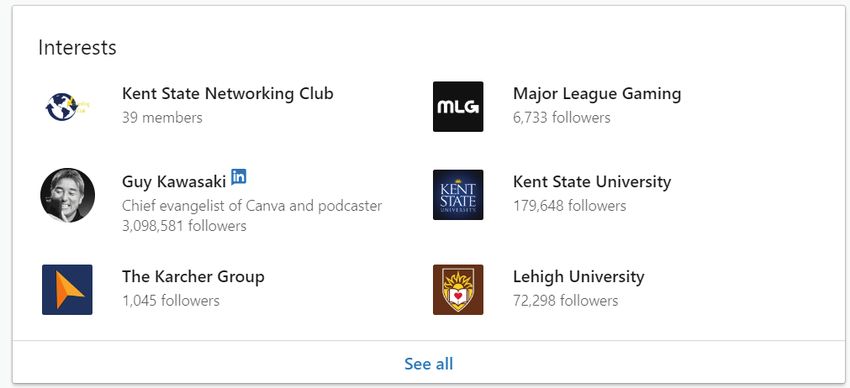
03

  03       PROFILE PHOTO
       1   Your photo should take up 60% of the frame.
       2   Should be a CURRENT photo.
       3   Dress to the expectations of your desired audience.

  04       CONTACT DETAILS
       1   Add your personal/company website.
       2   Add your “professional” email address.
       3   Add Twitter (if you are active)
       4   Add Your Birthday (Important: An easy
           way to show up in all of your contacts
           notifications at least once a year!)

  05       HEADLINE
       1   Explain what you do and who you
           help in 120 characters or less
       2   Don’t just put your job title.
       3   Use keywords and phrases that a prospective customer might use to find you.
       4   Differentiate your headline from everyone else, especially your competitors.
       5   Think like your prospects and ask yourself, “Is it crystal clear what I do from my
           headline alone?”

                 a.   Mine: Website Design | Digital Strategy | Start-up Mentor | Social
                      Media Marketer | Search Engine Marketing | Visionary
EXAMPLES:        b.   “Looking to double the size of 10,000 businesses”, “Best selling
                      author, speaker, and business coach,” “Internationally known to rock
                      the microphone”

                                         © Milia Marketing
                                       www.miliamarketing.com
04

                     PRO TIP
                      Your profile should be about THEM more than it is about YOU.
                      After landing on your profile anyone should quickly understand
                      what it is you do within seconds. Make it crystal clear!

06       SUMMARY
     1   Speak to your target audience
     2   Explain what you do and who you help
     3   List results you’ve accomplished
     4   List your key areas of expertise
     5   Mention some of your achievements
     6   Break up text into sections using paragraphs and bullet points
     7   Add “featured media” that highlights your best and most recent
         accomplishments, media spots, speaking gigs, videos, articles, etc.

                     PRO TIP
                      Use the top keywords found in your research within your
                      summary. Make sure that the keywords flow with your overall
                      summary and avoid “keyword stuffing”.

                                     © Milia Marketing
                                   www.miliamarketing.com
05
LINKEDIN EXAMPLE SUMMARY
© Milia Marketing
www.miliamarketing.com06
07 CURRENT AND PAST EXPERIENCE
1 List your current position
2 List at least two previous positions
3 For each position, include your title, the name of the company, and a thorough
description of your role and accomplishments.
4 Use keywords that a prospective customer might use to find you in your job
titles and descriptions
5 Add photo’s and videos that capture attention
6 Don’t add every position you’ve ever had (no lemonade stands)
7 Bullet points make it easier to read.
© Milia Marketing
www.miliamarketing.com07
08 EDUCATION
List all education beyond the high school level. (This may include college,
university, non-traditional education, trade schools and other institutions where
you took classes).
09 SKILLS AND ENDORSEMENTS
1 Make sure your top 3 skills are the ones you want people to endorse (you can
control your top 3)
2 Give endorsements for skills and you shall receive
PRO TIP
List the keywords you found in your research as they could be
considered “skills” as well.
10 RECOMMENDATIONS
1 Ask for recommendations
2 Give recommendations
3 Aim for at least 10 from employers, peers, clients.
a. Go to your profile.
b. Scroll down to “Recommendations” and click on “Ask for a
recommendation”
c. Type in the name of the person you’d like to ask. Typically, someone who
you know would leave a quality, honest recommendation.
d. Once they write it - return the favor.
© Milia Marketing
www.miliamarketing.com08
PRO TIP
Recommendations are key. Aim for a minimum of 5 recommendations
and continue growing that number every month.
11 INTERESTS
1 Follow pages that truly interest you.
2 Join industry specific groups (great networking opportunity)
© Milia Marketing
www.miliamarketing.com09
12 SHARE YOUR CERTIFICATIONS AND AWARDS
LinkedIn has a special section for accomplishments where you can add
certifications, awards, publications, and other details important to your
professional qualifications and experience. Add these to your profile whether
they’re from your company or related to your personal interests.
To add an accomplishment, click the + sign in the upper right of the
Accomplishments section and select from the list that appears. You then see a
dialog box specific to your selection where you can enter the relevant details.
ADD VOLUNTEER EXPERIENCE (OPTIONAL -
13 BUT RECOMMENDED)
1 Go to your profile
2 Right under profile picture > Add profile section > Background
3 Volunteer Experience
4 Fill out the information with a decent write-up about the volunteer
experience/opportunity.
© Milia Marketing
www.miliamarketing.comWHAT’S NEXT?
CHECK OUT OUR GUIDE
ON HOW TO DOUBLE YOUR
WEBSITE TRAFFIC IN 30 DAYS
LEARN MOREYou can also read


