University of Leeds SES CRM - Alison Clark User Experience Architect Microsoft Services
←
→
Page content transcription
If your browser does not render page correctly, please read the page content below
University of Leeds
SES CRM
Vision Demonstrator
Alison Clark
User Experience Architect
Microsoft Services
Introduction   This Vision Demonstrator illustrates how potential applicants and University
               staff might use the SES CRM system.

               It follows the story of Sam, an Undergraduate at Exeter, who is interested in a
               Masters degree at Leeds. It covers the pre-application (Prospectus request,
               Open Day booking and Enquiries) phase, through to the candidate submitting
               an online application form and receiving an offer.

               Please note this is purely illustrative and is not the final system design.
               All branding, images, data and charts are just examples of what the system
               could show; the information to be displayed or entered on each screen has
               not yet been fully defined.

               This is just a starting point… we look forward to working
               with you to define the real thing!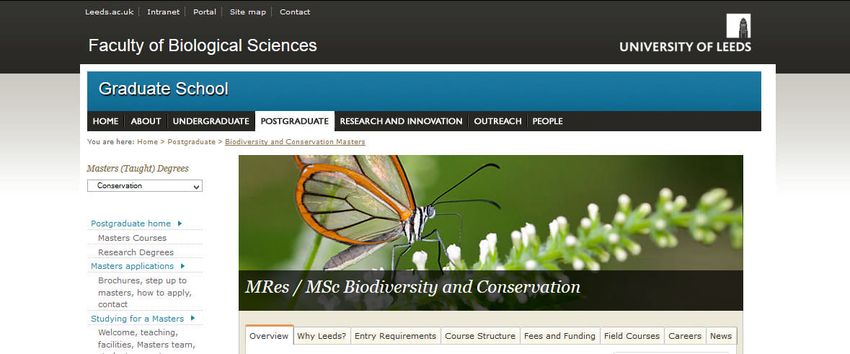
Sam is an undergraduate at Exeter
Sam the
          just starting the final year of his Geography degree.
Student
          He is interested in doing an MSc in Environmental Science
          or Biodiversity and Conservation.

          He enjoys rock climbing and outdoor activities generally,
          so would like to move somewhere close to the Lake District
          or Peak District.

          Sam is researching potential Universities, and is
          considering Manchester, Sheffield and Leeds.
Exploring potential
universities
Requesting brochures

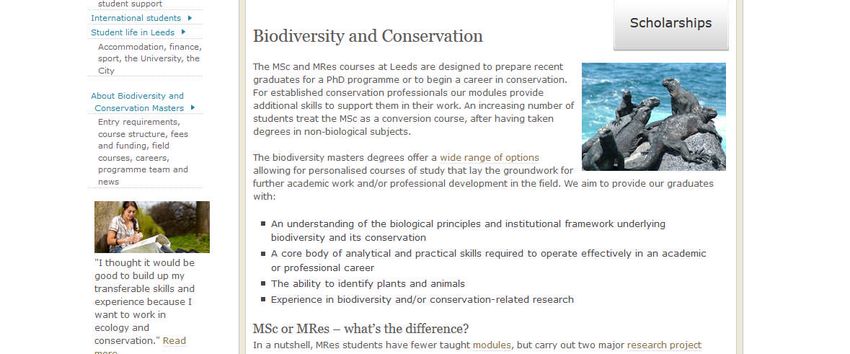
Sam browses the University of Leeds
web site, and finds a course he is
interested in – an MSc. in
Biodiversity and Conservation.

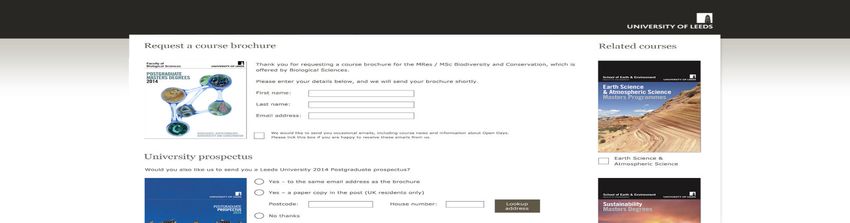
He clicks Request a Brochure

                                      Request a Brochure
Requesting brochures

Sam enters his name and email
address, to receive an electronic
copy of the brochure.

As he is quite interested in this
course, he chooses to receive
marketing emails.

He also requests brochures for two
other courses related to his interest
area – he hadn’t noticed these on
the web site.

Sam also requests a paper copy of
the University prospectus, so he can
read it on the train and show his
parents next weekend.

Sam likes how he can request all the
information he needs in a single place,
and is in control of what he receives, in
what format.
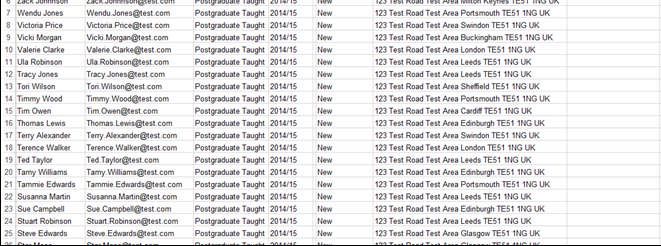
Prospectus requests

Christine, who works in the Enquiries
team at the University of Leeds,
views the list of Prospectus requests.
                                         Environment

                                         Biological Sciences

                                         Education, Social Sci

                                         Arts

                                         Environment

                                         Environment
                                         Business

                                         Engineering

                                         Maths & Physical Sci

                                         Medicine & Health

                                         Environment

                                         Business

                                         Arts

                                         Engineering

                                         Business

                                         Medicine & Heath

                                         Biological Sciences

                                         Maths & Physical Sci

                                         Arts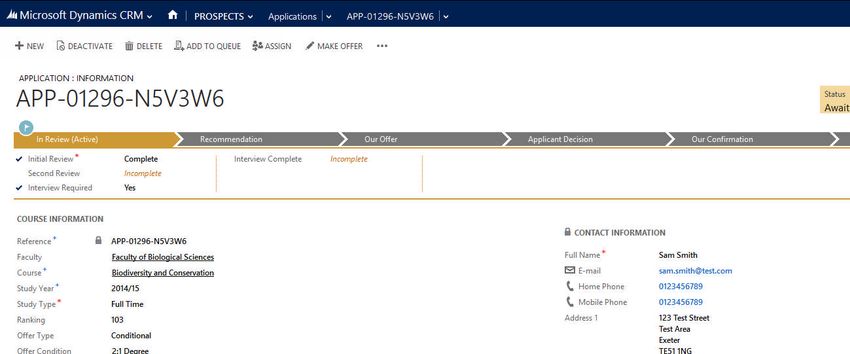
Prospectus requests

She approves all the requests, and
sends the list to the printing
company.
                                     Environment

                                     Biological Sciences

                                     Education, Social Sci

                                     Arts

                                     Environment

                                     Environment
                                     Business

                                     Engineering

                                     Maths & Physical Sci

                                     Medicine & Health

                                     Environment

                                     Business

                                     Arts

                                     Engineering

                                     Business

                                     Medicine & Heath

                                     Biological Sciences

                                     Maths & Physical Sci

                                     Arts
Setting up an Open Day

Mark (in Marketing) has set up the
Postgraduate Open Day. He has
defined the time slots for various
                                        Environment
talks, tours and activities that
                                        Biological Sciences
attendees can sign up for to tailor
the day to their area of interest.      Education, Social Sci

                                        Arts

Mark generates a list of prospective    Environment

candidates for the Open Day, from       Business

people who have requested course        Engineering
brochures or enquired about a PG        Maths & Physical Sci
programme.
                                        Medicine & Health

He creates an email containing          Environment

personalised information about their    Business

courses of interest and an invitation   Arts

to attend the open day.                 Engineering

                                        Business

                                        Medicine & Heath

                                        Biological Sciences

                                        Maths & Physical Sci

                                        Arts

                                        Environment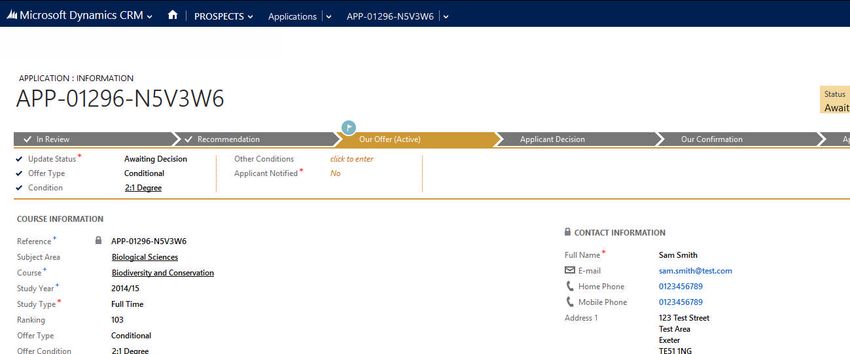
Register for Open Day

Sam is on the train on the way to his
parents for the weekend, reading
email on his phone.

He receives the email from the
University of Leeds inviting him to a
Postgraduate Open Day. He checks
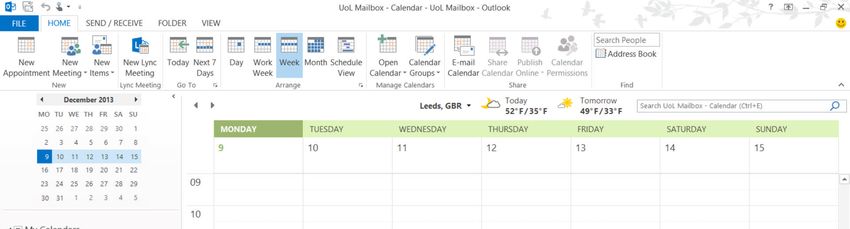
his calendar, and is pleased to see he
can make the date.

Sam taps the link in the email and
registers for the Open Day. He
decides to create an account, as he
likes the idea of being able to create
a personalised agenda and access
additional information about the
day, whether he’s using his PC, tablet
or phone.
Personalised agenda

Before the Open Day, Sam signs up
to the talks and tours he is
interested in, and builds his personal
schedule for the day.

He also explores the travel
information and Campus maps, to
prepare for his visit.

He’s pleased to have all this
information available on his phone,
so he’ll have it with him at the Open
Day without having to print
everything.
Attendee feedback

A few days before the event, Sam is
sent an email reminder about the
event.                                  University of Leeds

It includes a QR code, which he         Dear Sam,

scans to sign in when he arrives at     Thank you for registering to
the Open Day registration desk.         attend the Postgraduate Open
                                        Day on the 29th November.

                                        Please show this QR code at the
                                        registration desk, to scan in when
After the Open Day, he receives an      you arrive.
email asking him to provide
feedback on his Open Day
experience. He fills in the survey,
giving all the talks he attended high
marks and entering a couple of
comments.
Analysing results
Mark (in Marketing) is able to
analyse the success of the Open Day,
from the registrations triggered by
his outbound email campaign to the
survey feedback from attendees.
Environment
Business
Environment
Arts
Engineering
Medicine & Heath
Biological Sciences
ArtsMaking an enquiry A few days later, after reading the materials he picked up at the Open Day, Sam has a question about Postgraduate accommodation and whether he would be able to stay in the accommodation over the summer. He uses the “Contact Us” page, which he noticed when he filled in his Open Day survey.
Managing enquiries

Christine (in Enquiries) views the list
of enquiries that have come in since
she left the office yesterday.

She opens the enquiry from Sam
and sees that he is asking about
accommodation over the summer.
Managing enquiries

Christine searches the knowledge
base and finds the answer to Sam’s
question.

She can also see that Sam recently
attended the Open Day, and which
course he is interested in, so can
personalise her reply.
Applying to Leeds
Online Application
                                        Title:

Sam is impressed with the smooth        Family name (as stated on your passport):

and efficient interactions he has had   Given names (as stated on your passport):

with Leeds, and is really keen on the
course, so decides to apply.            Previous name(s), if changed:

Sam fills in the online application
                                        Date of birth:              Gender:

                                        DD        MM        YY
form, which is easy to understand,      Country of birth:           Nationality:

and has a modern but professional
feel to it.                             Applicant permanent home address

Sam is not able to complete the         Tel No:

form in one sitting but returns the
following day to upload his             Email:

documents and personal statement.
                                        Correspondence/Agent address (if different):

                                        Tel No:

                                        Email:

                                        Residency:

                                        Any disabilities:
Online Application After checking through the application summary, Sam submits his application and receives an instant acknowledgement from Leeds explaining the timescale he can expect a reply.
Online Application

At any time, Sam is able to view the
status of his application within the
portal.
Processing Applications

Adam (in Admissions) is able to view
a dashboard showing the pipeline of
applications and other useful
information, such as course
popularity and offer types.

Each Faculty or Cohort team can
define its own dashboard of the
most relevant information.
Processing Applications

When processing applications, Adam
views a list of new PGT applications,
and filters them to start reviewing
applications for the Biodiversity and
Conservation course.                    Akia Natsheh

                                        Hannah Doyle

                                        Jenna Khoury

                                        Maria Galambos
Processing Applications Adam opens Sam’s application, and takes ownership to avoid other colleagues working on the same application. He is able to review Sam’s work experience, qualifications and other aspects of this application on a single page. Sam meets the basic entry requirements, so Adam adds his rating/comments. Geography
Assessment & Interview

Adam decides that Sam’s application
requires a review from Jenny Philips
(Decision Maker for the course), so
he assigns the application to Jenny.

                                       Jenny Philips
Assessment & Interview Jenny, the course decision maker, is able to see a list of applications which she needs to review, by looking at the My Applications view.
Assessment & Interview

Jenny opens Sam’s application,
reviews the key sections and
supporting documents, and adds her
rating/comments.

She decides that Sam will need to
attend an interview so she uses the
Invite for Interview button on the
application.

This triggers an automatic email to
Sam, asking him to choose an
interview slot from the portal.
Assessment & Interview

Sam receives an email inviting him
for an interview, with a link to
choose a date/time from the            University of Leeds
available timeslots.
                                       Applicant Interview

Unfortunately he can’t afford to       Dear Sam,
travel to Leeds again having already
                                       Your application has been
attended the Open Day, but after       reviewed and we would like to
communicating with the university,     invite you to attend an
he is offered a Skype interview.       interview with Jenny Philips.

                                       Please go to My Leeds to
                                       choose an available time.

                                       Regards

                                       University of Leeds Admissions
Assessment & Interview
Jenny can see in her calendar that
her interview with Sam is over
Skype.
During her preparation time, she
reviews Sam’s application and looks
at his interactions with the university.
From his contact record, Jenny can
see that Sam has attended an Open
Day and engaged with the Enquiries
Sam Smith Interview
Skype Meeting
Leeds CRM
team.
She is also able to view other
aspects of the application such as
Sam’s work experience and
education.Assessment & Interview During the interview, Jenny is able to make notes directly onto Sam’s application while on the Skype call. Jenny feels the interview went well and that Sam would be an ideal candidate for the course. She adds her offer recommendation and offer conditions to the application.
Making an Offer
Making an Offer

Adam (in Admissions) views the list
of applications which have been
reviewed by the course decision
makers.

He does a quick check of the ones
which are recommended rejections       Cheryl Storey

and formally rejects them.

This updates the portal and sends an
email to the applicants.
                                       Ella Mattner

                                       Gabby Owen
Making an Offer
Adam then reviews the applications
where the reviewer has
recommended making an offer.
Abdul-Khaliq Baba
He checks the number of places still Akia Natsheh
available on each course, and then Anna Toth
processes each offer. Bodor Erdei
Hannah Doyle
Jenna Khoury
Josh Murphy
Marko Novosel
Maria Galambos
Owen Hobbs
Sam ParsonsMaking an Offer
Adam checks that the full set of
entry conditions have been specified
on the offer.
With these checks complete, Adam
formally makes an offer using the
Make Offer button which triggers an
email to the applicant, an update of
their portal and an offer pack to be
created.
GeographyAccepting an Offer
Accepting an Offer

Sam is delighted to receive an email
offering him a place at Leeds.

The email contains a link to the
portal where Sam can review the
details of his offer.
Accepting an Offer

Sam reviews the details of his
conditional offer, and decides to
accept.
Accepting an Offer

When Sam accepts the offer online,
the status of his application is
updated.

This update is reflected on Adam’s
dashboards and lists.
Accepting an Offer

Any staff with access to Sam’s
application can see that he has
accepted the University’s offer.

Applicants at different stages of the
offer process can be targeted with
additional marketing campaigns to
encourage them to accept their
offer, or informational emails to help
them prepare for their life at Leeds.
Thank You

Contact:
alison.clark@microsoft.com
© 2013 Microsoft Corporation. All rights reserved. Microsoft, Windows, and other product names are or may be registered
trademarks and/or trademarks in the U.S. and/or other countries. The information herein is for informational purposes only and
represents the current view of Microsoft Corporation as of the date of this presentation. Because Microsoft must respond to
changing market conditions, it should not be interpreted to be a commitment on the part of Microsoft, and Microsoft cannot
guarantee the accuracy of any information provided after the date of this presentation.

MICROSOFT MAKES NO WARRANTIES, EXPRESS, IMPLIED OR STATUTORY, AS TO THE INFORMATION IN THIS PRESENTATION
You can also read


