2020 Walk & Run Downtown Stamford Sunday, June 7, 2020 - Team Captain's Kit - Stamford Hospital Foundation
←
→
Page content transcription
If your browser does not render page correctly, please read the page content below
Team Captain’s Kit

2020 Walk & Run
Sunday, June 7, 2020
Downtown Stamford
hopeinmotion.org
#hopehappenshere
Now in its 25th year, the Walk & Run continues to raise the funds necessary
    to provide a broad range of supportive services at no charge to Stamford
    Health Bennett Cancer Center patients. Specifically, these services include:
    post-treatment exercise; yoga and tai chi classes; restorative sessions of
    massage, Reiki and cranial therapy; rides to and from treatment; and
    grants for non-medical expenses.

     Elizabeth Manfredo                                              Kari Pollak                                             Andrea Bass
     Director, Bennett Cancer Center                                 Manager, Hope in Motion                                 Event Chair
                                                                     Walk & Run

       Here’s what you’ll find in this kit:
       Your Support Makes a Difference............................................................................... Page 3
       Walk & Run At-A-Glance............................................................................................ Page 4 – 5
       Your Role as a Team Captain ................................................................................ Page 6 – 7
       Team Captain HQ........................................................................................................Page 8 – 13
       10 Ways to Raise $1000.........................................................................................Page 14 – 15
       Sample Emails........................................................................................................... Pages 16 – 19
       T-shirts................................................................................................................................Page 20 – 21
       Information............................................................................................................................... Page 22
       Run & Walk Routes................................................................................................................Page 23

| 2 | 2020 Walk & Run Team Captain’s Kit
Celebrating 25 Years

           HOPE HAPPENS HERE
     5,500 patients walk through the doors at Stamford Health’s Bennett
  Cancer Center each year. Here’s how dollars raised through the Walk & Run
       put hope in motion for these patients and their families in 2019.

                                 500
                                 patients benefited from free
                                 yoga and tai-chi classes

                                 1,262
                                 exercise sessions to help
                                 patients after treatment

                                 2,700
                                 restorative sessions of massage,
                                 Reiki and cranial therapy

                                4,700
                                rides to and from treatment

                                3,120
                                bag lunches distributed
                                to patients during treatment

                                $41,000
                                in grants awarded for patients’
                                non-medical expenses

      Your dollars make a difference! For 25 years, money raised through
   the Walk & Run event has helped provide services like these at no charge
           to patients at Stamford Health’s Bennett Cancer Center.

                                                                              |3|
Walk & Run At-A-Glance

    What:                  The 25th annual Walk & Run event, which benefits
                           Stamford Health’s Bennett Cancer Center, is a
                           family-friendly event.

    When:                  Sunday, June 7, 2020 (see full schedule below).

    Who:                   You and your team. (Teams are made up of a minimum
                           of 10 people)

    Where:                 The event starts and ends at Columbus Park in
                           Stamford, Connecticut.

    Why:                   Money raised by the Hope in Motion Walk & Run helps fund
                           many of our programs and services at Stamford Health’s
                           Bennett Cancer Center – at no charge to patients.

    Schedule:              Saturday, June 6, 2020
                           Columbus Park
                           Pre-Registration (run bibs & t-shirts are available for pick-up)
                           10:00 a.m. – 4:00 p.m.

                           Sunday, June 7, 2020
                           Columbus Park
                           6:30 a.m.               Registration opens
                           8:00 a.m.               5K & 10K Run begins
                           9:45 a.m.               Survivor photo
                           10:00 a.m.              Walk begins

| 4 | 2020 Walk & Run Team Captain’s Kit
Walk               All pre-registered participants receive a free,
Registration Fees: commemorative t-shirt. Sizes are based on availability at
                   the time of pick-up. The purchase price for additional
                   t-shirts is $35 for adults and $25 for children.
                              • Adults: $50
                              • Children 6 & up: $25 includes a shirt
                              • Children 5 & under are free (event shirt is not included)

Run                All pre-registered participants receive a free,
Registration Fees: commemorative t-shirt. Sizes are based on availability at
                   the time of pick-up. The purchase price for additional
                   t-shirts is $35 for adults and $25 for children.
                              •   5K: $50
                              •   10K: $65
                              •   Children 6 & up: $25 includes a shirt
                              •   Children 5 & under are free (event shirt is not included)

Day of             Day-of registrants are not guaranteed
Registration Fees: a t-shirt.
                              • Walk: $60
                              • Run:
                                • 5K: $60
                                • 10k: $75
                              • Children 6 & up: $35 includes shirt — No fee, no shirt
                              • Children 5 & under are free (event shirt is not included)

Team Challenge:               The team with the most funds raised by
                              Friday, June 5th will be asked to lead The Walk.

Questions: Contact Kari Pollak, Manager, Hope in Motion, at
		 203.276.2554 or kpollak@stamhealth.org

* Registration fees cover the cost associated with the Walk & Run. Registration fees are not a donation.

                                                                                                           |5|
Your Role as a Team Captain
What do Team Captains need to do?
Your overall responsibility is to provide leadership, coordination and
communication to your team. Here’s how:
• Register. Visit www.hopeinmotion.org and click on Walk & Run to register
your team, create a team page and invite people to join you.
• Recruit. Ask people you know (friends, family members, church-goers,
co-workers, sports buddies, book club members, etc.) to join your team and
help raise funds. You should make sure to invite each of your potential team
members to join your team online.
• Kick-off. Have a team-building kick-off for team members. Offer
refreshments and giveaways and help get them excited to be part of this
very special event.
• Fundraise. You should work in a very hands-on manner with your team
members to help them each set a fundraising goal and work to achieve (or
even surpass) it.
• Motivate. Keep your team motivated, encouraged and excited in whatever
ways you think will work best.
• Have fun and build team spirit. Create a team t-shirt, banner or hat to
help identify and encourage your team.
• Celebrate. Before, during and after the event!
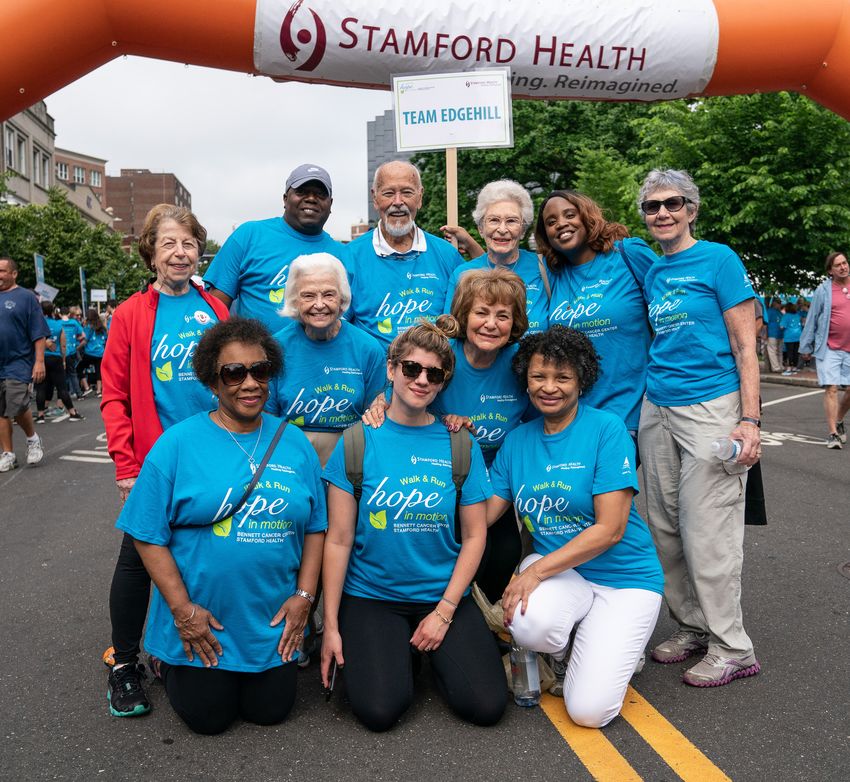
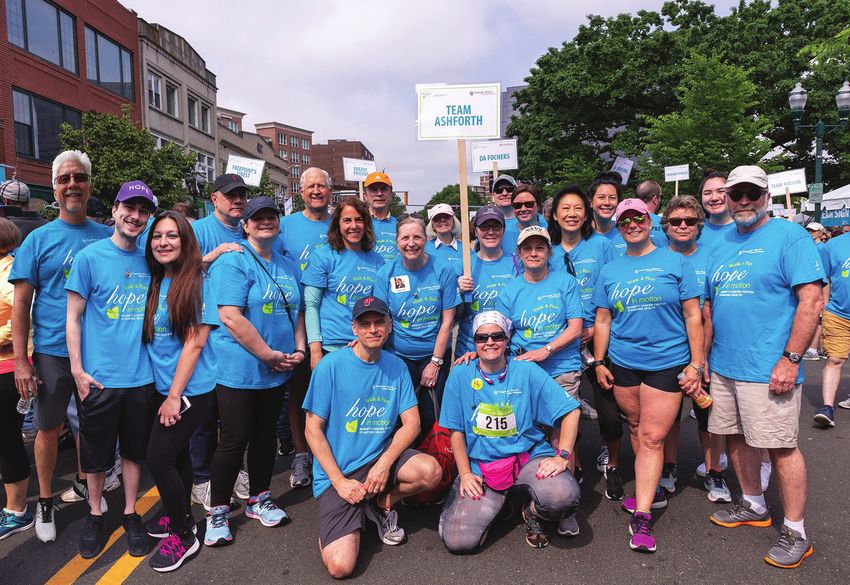
• Say thank-you! Once the event is over, take the time to personally thank
team members for their efforts. A great way to say thank-you is to take a
team photo and give it to members as a framed keepsake.
| 6 | 2020 Walk & Run Team Captain’s KitRegistering Your Team
Registering your team has never been easier. Get your team started with
these easy steps:
1. Think of a creative team name!
2. Visit www.hopeinmotion.org. Click “Walk & Run” on the top navigation
bar. Then select the “Register” button at the upper right of the screen.
Returning Participant / Returning Team:
1. If you participated in the Walk & Run last year, enter your information
under “Returning Participant.” (If you forgot your information, click on
“Email Me My Login Information”. You must use the email address you
signed up with last year.)
2. Once you enter your username and password, click “log in.” If you have
requested your login information be emailed to you, please note your
username in the email and click on “Reset Password.” Once you have
reset your password, you are automatically logged in, but not yet registered.
3. Click on “Registration”.
4. Select your registration type and click “Next Step”.
5. Click on “Start a Team” and find your team name, click on team name to
restart your team.
6. Your information from last year will prepopulate in the bio fields. Please make
any changes necessary and continue on with the registration to the end. Be
sure to log off before registering another participant.
New Participant:
1. Click on “Start a Team”, “Join a Team” or “Register as an Individual”.
2. Click on “New Participant” if you haven’t walked or run previously.
3. If you participated in either the 2017 or 2018 event, click on
“Past Participant”.
4. Select your registration type and click “Next Step”.
5. Complete all the information fields and continue on with the
registration to the end. Be sure to log off before registering
another participant.
|7|Team Captain HQ
A. Registering team members after you are already registered
1. Once you are at the Walk & Run page make sure you are logged out.
2. Click on “Register”
3. If you are not logged out, a pop-up box will remind you to log out before
you can proceed.
4. Enter the person whose name you are registering and complete the bio
information. You must have a valid email address. You are unable to reuse
your email address.
5. To register multiple participants please contact the Foundation
at 203.276.2554.
Getting Started
How to Access and Use Your Personal Fundraising Page
The Participant Center is an easy-to-use fundraising resource where you can share,
via your Personal Fundraising Page, why you are raising funds to benefit Stamford
Hospital Foundation. You can also send out emails to recruit participants and ask for
support by using our email templates or creating your own messages. Track your
fundraising success on the “Progress” tab — we hope you will reach and exceed
your goals for this year!
Should you need help with your Participant Center, please contact us by phone at
203.276.5975 or by email at pposey@stamhealth.org.
| 8 | 2020 Walk & Run Team Captain’s KitAccess
You can access your Participant Center by visiting www.hopeinmotion.org.
Click “Walk & Run” on the top navigation bar. Then select the blue Login
button in the upper right corner of the screen.
Information about your username and password can be found in the
“Thank You For Registering” email that you received. Log in often, at least
once a week, to ensure you are keeping up-to-date on your fundraising
and outreach.
Use the “Home,” “Email,” “Progress” and “Personal Page” tabs to navigate
throughout the Participant Center.
Important note: The Participant Center may not display correctly if you
are using the Safari web browser for Apple computers or the AOL web
browser on any computer. Choose another web browser such as Firefox,
Internet Explorer or Google Chrome.
Using the Tabs
Personal Page Tab
URL Settings: Create an easy-to-remember URL for your Personal Page when
you click the “URL settings” link in the grey box located directly beneath the
“Edit Your Personal Fundraising Page” box. Keep your URL short and simple.
This URL will direct your donors to your Personal Page where they can make
a gift to support your fundraising efforts.
|9|Content: Your story and connection to Stamford Hospital are powerful.
Sharing your story and updating your Personal Page are crucial steps toward
raising funds. Be sure to save your edits before previewing your page.
Tip: It is highly recommended that you type your text into the content box and not copy and
paste from another source. Often times when copying into a WYSIWYG format, HTML coding
and other hidden characters appear in your text causing formatting and display issues.
Photos/Videos: Choose to upload a photo or use one of our honorary patient
photos or videos to further personalize your page. Sharing a photo or video
about why you’re raising funds will inspire your donors to give.
Team Page Tab
If you are a team captain, don’t forget to personalize your Team Page as well as
your Personal Page.
Home Tab
Overview: The “Home” tab is the place to get a great overview of where you
are in the fundraising process and how much money you’ve raised.
Progress Meter: Set a fundraising goal of $1,000 or more and watch your
progress meter grow as you collect donations from friends and family. Once
you reach a goal, click “Change” to set a new challenge.
If you have raised $1,000 or more in previous years, challenge yourself to raise
$500 more than you did last year.
Days Left: This countdown tells you how many days you have left to fundraise
until the event takes place.
What to do Next: Check this yellow status bar often for tips on what next
step you are ready to take. It will remind you to set up your Personal Page, add
contacts, send emails and check your progress often.
“Send Email” Button: To the right of your screen, in the grey column, you will
find the “Send Email” button. Click it to access the “Email” tab and begin
sending messages for support.
| 10 | 2020 Walk & Run Team Captain’s KitTeam Captain HQ
Links: In the light blue box beneath the “Enter New Gift” button, you will
see links to “Add Contacts,” “View Your Progress,”“Edit Your Personal
Page” and “Email Team” (Team Captains Only). Click these links to navigate
throughout your Participant Center.
Recent Activity: Scroll to the very bottom of the screen to view your recent
activity. You will see an account of your most recent donations, emails sent
and recruitment activities.
Contacts Tab
Import Contacts: On the right-hand side of your screen, click the “Import
Contacts” button to add your Gmail or Yahoo! email contacts. You can also
upload a .csv file for other email contacts, such as those on Hotmail or Outlook.
Click the small “Tell Me More” link to learn more about .csv files.
Add Single Contact: Click this button if you simply need to add one contact or
prefer to add each contact one at a time.
Edit Contact: To edit a contact, you must click on the “Contact” button and
then click on that contact’s name (in black). Once you click the contact’s name,
you can view how much the contact has donated, the percentage of emails
the contact has opened and how many times the contact has visited your
page. Use this information to decide your next action. Will you ask for a gift?
Thank the donor? Offer more information about the event? To edit the contact,
click the “Edit Information” link in the light blue box.
Groups: To add an individual to a group, click the check box to the left of their
name. Then, click “Add to Group” at the top of your page. You will see the
group name in the “Groups” column once you take this action.
Setting up groups will allow you to send the same email to a group of related
individuals, making your fundraising efficient and easy.
Email Tab
Compose: Create your own message or click on the “Use a Template” link
(found below the “Subject” line) to use one of our suggested messages. You
will find sample messages for recruiting participants and asking for gifts.
Tip: It is highly recommended that you type your text into the content box and not copy and paste from another
source. Often times when copying into a WYSIWYG format, HTML coding and other hidden characters appear in
your text causing formatting and display issues.
| 11 |Your Participant Center comes with a few standard groups to help you target
your messages to the appropriate recipients. Click the “Choose from your
Contacts” list to view groups such as “Donors,”“Non-Donors,”“Teammates,”
“Need Follow-up” and “Un-thanked Donors,” or create your own groups.
Drafts: On the right-hand side of your screen, you will find the link to your
email drafts. These messages have been saved but not sent.
Sending Email: After you have composed your message, click on the blue
“Choose from your Contacts List” link located under the “Send To” box.
Click the box to the left of those contacts whom you wish to receive your
email message; a check mark will appear next to their names.
Tip: The system only allows 20 contacts at a time to receive a message. If you have
40 contacts, for example, you must send the message two times in groups of 20.
Sent: View this tab to find and review your sent messages.
Progress Tab
Goal: Be sure to check your progress tab often, at least once a week. On this
tab, you will see how much you have raised and what percentage of your goal
you have reached. You can also see how many days you have left to raise funds
until the event.
Donation History: At the bottom of this page, you will find your donation
history. Be sure to review the “Actions” column to see what next step you
should take with a donor. You can also download a .csv file by clicking on
“Download Personal Donation List” if you’d prefer to mail thank-you cards.
(Please note that Stamford Hospital Foundation will issue an official tax receipt
and gift acknowledgment via email at the time a gift is given online. If a gift is
given offline, a letter is sent out as soon as the gift is processed by the office.)
Team Fundraising: If you are a team captain, you can click “Team” in the gray
column on the right side of the page to view and update your team’s progress.
| 12 | 2020 Walk & Run Team Captain’s KitTeam Captain HQ
Here are a few tips for successful recruiting and fundraising:
• Sometimes the biggest barrier to overcome is just getting up the
courage to ask. Whether it’s for someone to join your team or for
someone to make a donation, the best way to get results you’re looking
for is to just ask!
• Think through your extended networks — there are a lot of people you
know. Then, ask them to join you. Ask them to donate. As we’ve often
heard, you don’t get if you don’t ask.
• Share your personal reason for participating. A personal connection to
the cause is the number one reason why people get involved.
• Suggest people skip one small thing (a movie, a manicure, etc.) and
donate what they would have spent to your team.
• Check with your HR department to see if they have a matching
gifts program.
• Recommend a buddy system so even those who can’t participate in the
event can collect donations.
• Make sure to follow-up. We’re all busy; sometimes a simple reminder is
all it takes to get someone to donate or join your team.
• Always say “thank you” — this has a powerful effect.
• Utilize social media.
• Host a fundraising mini-event like a golf tournament, bake sale, sporting
event or happy hour. You’ll be surprised at how easy it can be to get
others to support your efforts.
• Encourage the members of your team to come with up their own
individual fundraising ideas such as having a spare change jar at home
or work, sponsoring a dress down day at work or your local school... the
ideas are endless.
• Remind your networks that the $50 registration fee only covers the cost
to participate in the event. Encourage your friends & family to donate or
fundraise above their registration fee.
| 13 |10 Ways to Raise
$1,000 in 10 Days!
Day 5:
Day 1: Day 3: Bake Sale
Personal Donation Boss Match Cook up some sweet treats
Jump-start your fundraising by Ask your boss or company if to bring into work and ask
making your own $25 donation they would be willing to match your coworkers for a small
on your Walk & Run page. Share your contributions so far. donation to enjoy them.
it on social media to motivate Bake 25 cookies for $2
others to contribute to your cause! each for an additional $50.
START
$25 $250
$275 $550 $600 $650
Day 4:
Day 2: Dress Down Day
Family & Friends Ask your HR department if you
Reach out to 10 of your closest can hold a “dress down day”
friends and family members and where everyone contributes
ask them to donate $25; you’ll $5 in exchange for dressing
be $250 closer to your goal! casually that day. Try to enlist
10 coworkers to participate.
You made it! Great job. Send a thank you note to your donors and
get ready to Walk & Run on Sunday, June 7! To learn more about
this year’s event, to register or donate, visit hopeinmotion.org.
| 14 | 2020 Walk & Run Team Captain’s KitYou’re signed up for the Walk & Run — so now what? Raising money
can seem like a challenging task, but if you break it down into
smaller steps, you’ll be on your way to reaching your goal in no time!
Day 7:
Keep it In-House
Day 9:
Task everyone in your household Skip It
to raise $25; if you’re a family of Skip one of your regular activities
four, this adds an additional $100 (nail salon, buying lunch, going
to your fundraising! to a movie) and donate that
money instead to the Walk &
Run. Ask your friends to do it too.
FINISH
$750 $850 $900 $925 $1000
Day 8:
Day 6: Day 10:
Be Neighborly
Local Pit Stops Ask just two neighbors Home Free
Ask four businesses you to contribute $25 & you’ll You’re so close! Post on
frequent to donate $25 add $50 to your goal. Facebook, showing your
each to raise another $100. friends you’ve got only $75
Markets, dry cleaners, salons left to raise and you might be
or coffee shops are great surprised who’ll help get you
places to start. across the finish line.
&
Walk Run
BENNETT CANCER CENTER
STAMFORD HEALTH
| 15 |Sample Participant
Fundraising Email
Dear XXXX:
I recently accepted the challenge to raise funds to support Stamford
Health’s Bennett Cancer Center by participating in its 25th Annual
Walk & Run. This year’s event will take place on Sunday, June 7, 2020 in
downtown Stamford. I am hoping that you will help me on my quest
to raise money for this important cause.
Funds raised through the Walk & Run event go directly to the Bennett
Cancer Center, so you can feel confident your donation is being put to
good use. These services directly benefit the patients and their families
and include integrative medicine, exercise and educational programs,
recuperative treatments and transportation.
You can click on this link INSERT YOUR LINK HERE to make a donation
online, or you can send one via mail to: Stamford Hospital Foundation,
1351 Washington Blvd., Suite 202, Stamford, CT 06902. Please make the
check out to Stamford Hospital and reference my name.
Thank you! I am so appreciative and I know the cancer patients and their
families are too!!
Regards,
| 16 | 2020 Walk & Run Team Captain’s KitSample Team
Recruitment Email
Dear Friend,
I am very excited to be participating in the 25th Annual Hope in Motion
Walk & Run to benefit the Bennett Cancer Center at Stamford Hospital.
I am forming a team in honor/memory of INSERT PERSON’S NAME &
RELATIONSHIP TO YOU.
This year’s event will take place on Sunday, June 7, 2020 in downtown
Stamford. I have registered our team, INSERT TEAM NAME and we are
ready to go! Please go to www.hopeinmotion.org to register to walk,
run or donate. We are hoping to reach our goal of INSERT NUMBER with
your help.
The funds raised through this event go directly to services for the
families and patients of the Bennett Cancer Center, so you can feel
confident that your donation is being put to good use. Important
programs such as: integrative medicine, exercise, education,
recuperative treatments and transportation are provided through the
generosity of donors like yourself.
I hope I can count on you for your support.
Regards,
| 17 |Sample Team
Follow-up Email
Hi Everyone,
The 25th Annual Walk & Run is just around the corner, but there is still
time to join our team, INSERT TEAM NAME, or support a participant. We
will be stepping off Sunday, June 7, 2020 in support of Stamford Health’s
Bennett Cancer Center.
We are only INSERT NUMBER away from our INSERT NUMBER fundraising
goal. The 5K and 10K runs start at 8 a.m. and the 3 mile walk starts at
10 a.m. Register here for the Walk & Run INSERT TEAM LINK and
fundraise within your community.
Whatever you can give will help; it all adds up. Here are a few ideas:
• Give me 5, $5 that is, and show your support
• Put your hands together and give me $10
• Skip one of your regular activities for the week and donate the money
to the Walk & Run
I greatly appreciate your support and will keep you posted on our team’s
progress! Hope to see you on Sunday, June 7, 2020!
Sincerely,
| 18 | 2020 Walk & Run Team Captain’s KitSample Corporate
Fundraising Email
Dear Co-workers,
I am reaching out to you to join our COMPANY NAME team for the 25th
Annual Hope in Motion Walk & Run to support Stamford Health’s Bennett
Cancer Center. We will be joining thousands of others on the streets of
downtown Stamford on Sunday, June 7, 2020. The 5K and 10K runs go off
at 8 a.m. and the 3 mile walk starts at 10 a.m.
The funds raised through this event go to sustain the important programs
and services that directly impact the Bennett Cancer Center patients and
their families. Integrative medicine, exercise and educational programs,
recuperative treatments and transportation are just a few of the services
that are provided as a result of our fundraising efforts.
I hope I can count on you to join our team. Please visit
www.hopeinmotion.org and click on “Join a Team”.
Your Team Captain,
| 19 |T-shirts
Here’s What You Need to Know
This year’s t-shirt vendor is Print Promowear located at 487 West Main Street
in Stamford. Parking and entrance are located around the back of the building.
• T-shirts are free with all paid registrations for those ages 6 and up. Your t-shirt
order is automatically generated when you register. If you are not planning to
customize or ship your shirt(s), all you need to do is pick up your shirt at Print
Promowear starting Monday, May 25, 2020 or in Columbus Park starting on
Saturday, June 6, 2020 from 10:00 a.m. – 4:00 p.m.
• Customization is available through Print Promowear (see below) or you can
bring the shirts to a printer of your choice.
• Customization orders will begin on Monday, May 11, and end on Wednesday,
May 27, 2020.
• The purchase price for additional t-shirts is $35 for adults and $25
for children.
• Please note that t-shirts will not be available at the Stamford
Hospital Foundation.
Important Information about Print Promowear:
• Address: 487 West Main Street in Stamford, CT
• Phone: 203-504-2858, 888-516-4190, Email: sales@printpromowear.com
• Website: www.hopeinmotionshirts.com
• Retail Store hours: Monday-Friday 9:00 a.m.-5:00 p.m.
• Extended store hours will be available on June 3, 2020 from 8:30 a.m.
until 6:30 p.m.
| 20 | 2020 Walk & Run Team Captain’s KitT-shirts
• You can have your t-shirts shipped, whether you are customizing or not, for a
fee that is determined by Print Promowear.
• T-shirt pick-up and shipping will begin on Monday, May 25, 2020.
• The last day for shipping is Friday, May 29, 2020.
• The last day for pick-up at Print Promowear is Friday, June 5, 2020 until 3:00 p.m.
• Please be aware that ordering through Print Promowear is the best way to
ensure that you receive your commemorative t-shirt. Day-of-event t-shirt
pick-up is available, but quantities and sizes are limited.
Here’s How to Get Started Online
• Go to: www.hopeinmotionshirts.com
• If you are only shipping your shirt(s), not customizing, you should choose the
shirt labeled “Free Event Shirt” and follow the prompts.
• If you plan to customize your shirt(s) through the Print Promorwear, choose the
shirt labeled “Event Customization Shirt” and follow the prompts.
• You can pay for your customization and shipping online with your credit card or
you can pay for your customization in person when you pick up your shirts.
Note: Stamford Hospital is not responsible for shipping costs, delays or arrival dates.
| 21 |Information
What is the deadline for money to be credited to the team total?
Contributions, including matching gifts, must be received by the Bennett
Cancer Center by Friday, June 5, 2020 in order to be counted toward your team’s
total for event-day recognition. The team with the most funds raised will be
asked to lead the Walk. We will gladly accept contributions until September 30,
2020 for credit to the 2020 Hope in Motion Walk & Run event.
How do I handle check donations?
You can mail the donations to the address below or bring them to the Registration
tent on the day of the event. Please forward cash and check donations to:
Kari Pollak
Stamford Hospital Foundation
1351 Washington Blvd., Suite 202
Stamford, CT 06902
Checks should be made out to Stamford Hospital.
For event information contact Kari Pollak at 203.276.2554 or kpollak@stamhealth.org.
For database questions contact Patti Posey at 203.276.5975 or pposey@stamhealth.org.
Founding & Presenting Sponsor:
The Ashforth Company
Hope in Motion Walk & Run 2019 Sponsors
| 22 | 2020 Walk & Run Team Captain’s KitWalk & Run Routes
RUN & WALK
ROUTES
5K Route – Green Only
10K Loop – Green + Blue
Walk Route – Orange
| 23 |Founding & Presenting Sponsor:
The Ashforth Company
Contact:
Kari Pollak
Manager, Hope in Motion Walk & Run
Stamford Hospital Foundation
203.276.2554
kpollak@stamhealth.org
For database questions, contact
Patty Posey
203.276.5975
pposey@stamhealth.org
hopeinmotion.org
TCK-0120/CYou can also read


