700 Power Drive Power Drive Manual - 4-Horn Industrial
←
→
Page content transcription
If your browser does not render page correctly, please read the page content below
Power Drive Manual

700 Power Drive

                                   • Français – 13
                            • Castellano – pág. 27
700 Power Drive Table of Contents Recording Form For Machine Serial Number..................................................................................................................................1 Safety Symbols ..................................................................................................................................................................................2 General Power Tool Safety Warnings Work Area Safety ............................................................................................................................................................................2 Electrical Safety ..............................................................................................................................................................................2 Personal Safety ..............................................................................................................................................................................3 Power Tool Use And Care ..............................................................................................................................................................3 Service ............................................................................................................................................................................................3 Specific Safety Information Power Drive Safety Warnings ........................................................................................................................................................3 Description, Specifications And Standard Equipment Description ......................................................................................................................................................................................4 Specifications ..................................................................................................................................................................................4 Standard Equipment ......................................................................................................................................................................5 Pre-Operation Inspection ..................................................................................................................................................................5 Set-Up and Operation ........................................................................................................................................................................6 Installing Die Heads ........................................................................................................................................................................6 Resisting Threading Forces ............................................................................................................................................................7 Threading ........................................................................................................................................................................................8 Inspecting Threads..........................................................................................................................................................................9 700 Power Drive – Other Uses ..........................................................................................................................................................9 Maintenance Instructions Cleaning ........................................................................................................................................................................................10 Lubrication ....................................................................................................................................................................................10 Changing Dies in 12-R Die Heads ................................................................................................................................................10 Replacing Brushes in Motor ..........................................................................................................................................................10 Optional Equipment ........................................................................................................................................................................11 Machine Storage ..............................................................................................................................................................................11 Service And Repair ..........................................................................................................................................................................11 Thread Cutting Oil Information ......................................................................................................................................................11 Disposal ............................................................................................................................................................................................11 Troubleshooting ..............................................................................................................................................................................12 EC Declaration of Conformity................................................................................................................................Inside Back Cover Lifetime Warranty ..............................................................................................................................................................Back Cover *Original Instructions - English ii 940-707-010.10_REV. F
Power Drive

700

     WARNING!
Read this Operator’s Manual
carefully before using this
tool. Failure to understand
and follow the contents of           700 Power Drive
this manual may result in
                                     Record Serial Number below and retain product serial number which is located on name plate.
electrical shock, fire and/or
serious personal injury.            Serial
                                    No.
700 Power Drive
Safety Symbols
In this operator’s manual and on the product, safety symbols and signal words are used to communicate important safe-
ty information. This section is provided to improve understanding of these signal words and symbols.
This is the safety alert symbol. It is used to alert you to potential personal injury hazards. Obey all safety messages that follow this
symbol to avoid possible injury or death.
dANGeR DANGER indicates a hazardous situation which, if not avoided, will result in death or serious injury.
WARNING WARNING indicates a hazardous situation which, if not avoided, could result in death or serious injury.
CAuTIoN CAUTION indicates a hazardous situation which, if not avoided, could result in minor or moderate injury.
NOTICE NOTICE indicates information that relates to the protection of property.
This symbol means read the operator’s manual careful-
ly before using the equipment. The operator’s manual This symbol indicates the risk of electrical shock.
contains important information on the safe and proper
operation of the equipment. This symbol indicates the risk of machine tipping,
causing striking or crushing injuries.
This symbol means always wear safety glasses with This symbol means do not wear gloves while operat-
side shields or goggles when handling or using this ing this machine to reduce the risk of entanglement.
equipment to reduce the risk of eye injury.
This symbol means always use support device to
This symbol indicates the risk of fingers, hands, clothes help resist threading force, improve control and reduce
and other objects catching on or between gears or other the risk of injury.
rotating parts and causing crushing injuries.
General Power Tool Safety electrical Safety
Warnings* • Power tool plugs must match the outlet. Never
mod ify the plug in any way. Do not use any
WARNING
adapter plugs with earthed (grounded) power
Read and understand all instructions. Failure to fol-
low all instructions listed below may result in tools. Grounded tools must be plugged into an
electric shock, fire, and/or serious injury. outlet properly installed and grounded in accor-
dance with all codes and ordinances. Never
SAVe ALL WARNINGS ANd INSTRuCTIoNS remove the grounding prong or modify the plug in
FoR FuTuRe ReFeReNCe! any way. Check with a qualified electrician if you
are in doubt as to whether the outlet is properly
The term "power tool" in the warnings refers to your
grounded. Unmodified plugs and matching outlets
mains-operated (corded) power tool or battery-operated
will reduce risk of electric shock.
(cordless) power tool.
• Avoid body contact with earthed or grounded sur-
Work Area Safety faces such as pipes, radiators, ranges and refrig-
• Keep work area clean and well lit. Cluttered or dark erators. There is an increased risk of electrical shock
areas invite accidents. if your body is earthed or grounded.
• Do not operate power tools in explosive atmo- • Do not expose power tools to rain or wet condi-
spheres, such as in the presence of flammable tions. Water entering a power tool will increase the risk
liquids, gases, or dust. Power tools create sparks of electrical shock.
which may ignite the dust or fumes. • Do not abuse the cord. Never use the cord to
• Keep children and by-standers away while operat- carry the tool or pull the plug from an outlet. Keep
ing a power tool. Distractions can cause you to lose cord away from heat, oil, sharp edges or moving
control. parts. Replace damaged cords immediately.
Damaged cords increase the risk of electric shock.
* The text used in the General Power Tool Safety Warnings section of this manual is verbatim, as required, from the applicable UL/CSA 62841-1 edition stan-
dard. This section contains general safety practices for many different types of power tools. Not every precaution applies to every tool, and some do not apply
to this tool.
2 940-707-010.10_REV. F700 Power Drive
• When operating a power tool outside, use an out- • Disconnect the plug from the power source and/or
door extension cord marked “W-A” or “W”. These the battery pack from the power tool before making
cords are rated for outdoor use and reduce the risk of any adjustments, changing accessories, or storing
electric shock. power tools. Such preventive safety measures reduce
the risk of starting the power tool accidentally.
• If operating a power tool in a damp location is
unavoidable, use a ground fault circuit interrupter • Store idle power tools out of the reach of children
(GFCI) protected supply. Use of a GFCI reduces and do not allow persons unfamiliar with the power
the risk of electric shock. tool or these instructions to operate the tool. Power
tools are dangerous in the hands of untrained users.
Personal Safety
• Maintain power tools. Check for misalignment or
• Stay alert, watch what you are doing and use com- binding of moving parts, breakage of parts and any
mon sense when operating a power tool. Do not other condition that may affect the power tool’s op-
use a power tool while you are tired or under the eration. If damaged, have the power tool repaired
influence of drugs, alcohol, or medication. A mo- before use. Many accidents are caused by poorly
ment of inattention while operating power tools may maintained power tools.
result in serious personal injury.
• Keep cutting tools sharp and clean. Properly main-
• Use personal protective equipment. Always wear tained cutting tools with sharp cutting edges are less
eye protection. Protective equipment such as dust likely to bind and are easier to control.
mask, non-skid safety shoes, hard hat, or hearing
protection used for appropriate conditions will reduce • Use the power tool, accessories and tool bits etc. in
personal injuries. accordance with these instructions, taking into ac-
count the working conditions and the work to be
• Prevent unintentional starting. Ensure the switch performed. The use of the power tool for operations dif-
is in the OFF position before connecting to power ferent from those intended could result in a hazardous
source and/or battery pack, picking up or carrying situation.
the tool. Carrying power tools with your finger on the
switch or energizing power tools that have the switch Service
ON invites accidents.
• Have your power tool serviced by a qualified repair
• Remove any adjusting key or wrench before turn- person using only identical replacement parts. This
ing the power tool ON. A wrench or a key left attached will ensure that the safety of the power tool is maintained.
to a rotating part of the power tool may result in per-
sonal injury.
• Do not overreach. Keep proper footing and bal-
Specific Safety Information
ance at all times. This enables better control of the WARNING
power tool in unexpected situations. This section contains important safety information
that is specific to this tool.
• Dress properly. Do not wear loose clothing or
Read these precautions carefully before using the
jewelry. Keep your hair, and clothing away from 700 Power drive to reduce the risk of electrical
moving parts. Loose clothes, jewelry, or long hair shock,striking, crushing or other serious injury.
can be caught in moving parts.
• If devices are provided for the connection of dust SAVe ALL WARNINGS ANd INSTRuCTIoNS
extraction and collection facilities, ensure these are FoR FuTuRe ReFeReNCe!
connected and properly used. Use of dust collection Keep this manual with machine for use by the operator.
can reduce dust-related hazards.
Power drive Safety
Power Tool use and Care • Follow instructions on proper use of this machine.
• Do not force power tool. Use the correct power tool Read and understand the instructions and warn-
for your application. The correct power tool will do the ings for all equipment and material being used
job better and safer at the rate for which it is designed. before operating the power drive. Failure to follow
all warnings and instructions may result in property dam-
• Do not use power tool if the switch does not turn it age and/or serious injury.
ON and OFF. Any power tool that cannot be controlled
with the switch is dangerous and must be repaired.
940-707-010.10_REV. F 3700 Power Drive
• When threading 1" (25mm) or larger pipe, use description, Specifications
support device to resist threading forces. Use an And Standard equipment
appropriate support device per these instructions.
Support devices improve control and reduce the risk of description
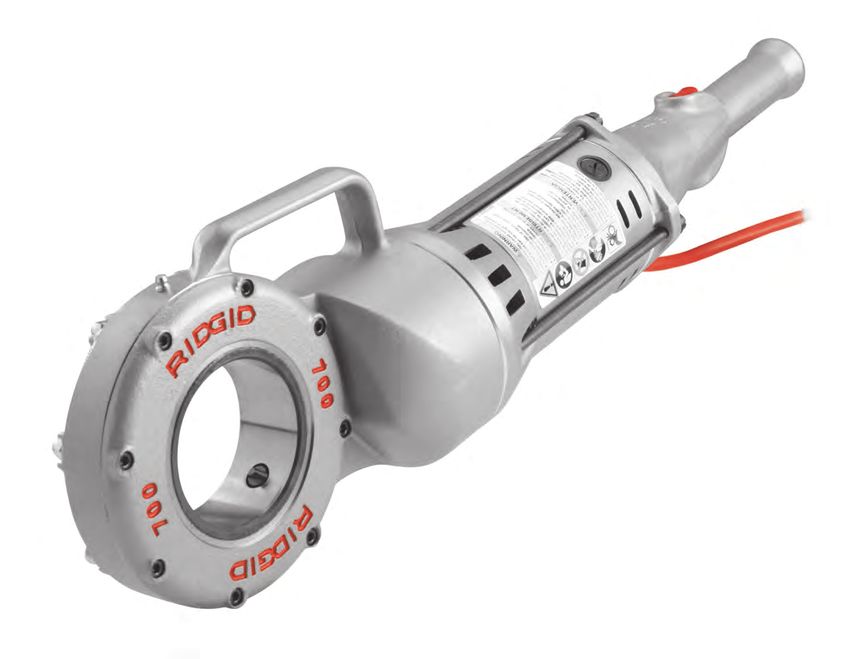
striking, crushing, and/or other injuries. The RIDGID® Model 700 Power Drive is designed to pro-
vide power for threading pipe and conduit. Forward and
• When using a support device other than the support
Reverse rotation can be selected with a reversible switch.
arm, the support device must react against the
motor housing. Support devices contacting other parts The power drive is designed to use RIDGID 12-R Die
may damage the machine parts or increase the risk of Heads (1/8" – 2" pipe). Other RIDGID die heads such
injury. as the OO-R and 11-R can be used with adapters.
• Always firmly hold the power drive when threading When threading 1" or larger pipe, a support device, such as
or backing die head off the pipe to resist threading the No. 775 Support Arm or a RIDGID 14" heavy duty pipe
forces, regardless of support device use. This will wrench is required to resist the threading forces.
reduce the risk of striking, crushing and other injuries.
The power drive can also be used to power the RIDGID 258
• Do not use this power drive if switch button is Pipe Cutter and for other applications, (See “Other Uses”).
broken. This switch is a safety device that lets you shut
Switch Motor Serial Number Warning Label
off the motor by releasing the switch. Button Housing Plate (on Motor Housing) Grease
Handle Fitting
• Do not wear gloves or loose clothing when oper-
Gear
ating machines. Keep sleeves and jackets but- Case
toned. Do not reach across the machine or pipe.
Clothing can be caught by the pipe or machine result-
Handle
ing in entanglement.
• One person must control the work process and Brush Cap
machine operation. Only the operator should be in the
Fan
work area when the machine is running. This helps Housing
Torque Adapter
reduce the risk of injury. Arm Pawl
• Do not use dull or damaged dies. Sharp cutting tools Figure 1 – Model 700 Power Drive
require less torque and the power drive is easier to
control. Specifications
• Keep handles dry and clean, free from oil and Threading Capacity ....Pipe 1/8" to 2" (3 to 50 mm)
grease. Allows for better control of tool.. Bolt 1/4" to 1" (6 to 25 mm) with
00-RB Die Head
• Keep floors dry and free of slippery materials
such as oil. Slippery floors invite accidents. Motor*:
Type .........................Universal, Reversible
• Only use RIDGID die heads with RIDGID 700 Power Volts .........................110 120 220-240
Drive, other die heads may not fit correctly in the Amps ........................13.5 13.5 6.5
power drive increasing the risk of equipment dam- Frequency ................50/60 Hz 50/60 Hz 50/60 Hz
age and personal injury. Power .......................1500 1500 1500
• When using for applications other than described Operating Speed........26-30 RPM, No load
in this manual, use a support device to resist han- Controls......................Double-Throw Reversible
dle forces. Support devices improve control and reduce Switch with spring return to OFF
the risk of striking, crushing, and/or other injuries. position
If you have any question concerning this RIDGID® product: Gear Head .................Die Cast Aluminum, Spur Gear
– Contact your local RIDGID® distributor. Reduction Face Gear Drive,
Spring-Loaded Adapter Pawls,
– Visit RIDGID.com to find your local RIDGID contact
Hardened Steel Spindle Gear
point.
Dimension:
– Contact Ridge Tool Technical Service Department at
Length ......................28¼" (717 mm)
rtctechservices@emerson.com, or in the U.S. and
Width........................61/16" (154 mm)
Canada call (800) 519-3456.
4 940-707-010.10_REV. F700 Power Drive
Height.......................713/16" (198 mm) Pre-operation Inspection
Weight .......................25 lbs. (11 kg)
WARNING
Sound Pressure (LPA)**......98.4 dB(A), K=3 Before each use, inspect your
Sound Power (LWA)** .........107 dB(A), K=3 700 Power drive and correct
any problems to reduce the risk
Vibration** .......................2.5 m/s2, K=1.5 of serious injury from electric
* Refer to your machine serial number plate for motor information for your specific shock, crushing injuries and
machine – Other versions are available. other causes and prevent power drive damage.
** Sound and vibration measurements are measured in accordance with a stan-
dardized test per Standard EN 62481-1. 1. Make sure that the power drive is unplugged.
- Vibration levels may be used for comparison with other tools and for preliminary
assessment of exposure. 2. Clean any oil, grease or dirt from the power drive and
- Sound and vibration emissions may vary due to your location and specific use
of these tools. support device, including the handles and controls.
- Daily exposure levels for sound and vibration need to be evaluated for each This aids inspection and helps prevent the machine
application and appropriate safety measures taken when needed. Evaluation
of exposure levels should consider the time a tool is switched off and not in use. or control from slipping from your grip.
This may significantly reduce the exposure level over the total working period.
3. Inspect the power drive for the following:
Standard equipment • Damage or modification to the cord and plug.
The Model 700 Power Drive comes with the following • Proper assembly, maintenance and completeness.
items: • Damaged, misaligned or binding parts.
• 700 Power Drive • Torque arm • Proper operation of switch. Confirm that it cycles
• Support Device • Operator’s Manual smoothly and does not stick.
• Presence and readability of warning labels (Figure
3).
• Any other condition which may prevent safe and
normal operation.
If any problems are found, do not use the power
drive or support device until the problems have been
repaired.
4. Inspect support arm. Make sure gripping teeth are
clean and in good condition. Teeth can be cleaned
with a wire brush.
5. Inspect the cutting edges of the dies for wear, defor-
Figure 2 – Machine Serial Number mation, chips or other issues. Dull or damaged cutting
tools increase the amount of force required, produce
The 700 Power Drive machine serial number plate is poor quality threads and increase the risk of injury.
located on the bottom of motor housing. The last 4 digits
indicate the month and year of the manufacture. (MM = 6. Inspect and maintain any other equipment being
month, YY = year). used per its instructions to make it is sure functioning
properly.
NOTICE Selection of appropriate materials and instal-
lation, joining and forming methods is the responsibility of 7. Following the Set-Up and Operation instructions,
the system designer and/or installer. Selection of improp- check the power drive for proper operation.
er materials and methods could cause system failure.
• Depress and release the switch for FORWARD
Stainless steel and other corrosion resistant materials rotation and repeat for REVERSE rotation as shown
can be contaminated during installation, joining and form- in Figure 3. Confirm that the power drive rotates as
ing. This contamination could cause corrosion and pre- shown in Figure 3 and that the switch controls the
mature failure. Careful evaluation of materials and methods machine operation.
for the specific service conditions, including chemical and Allow the power drive to come to a complete stop
temperature, should be completed before any installation before reversing the direction with the switch button.
is attempted. This will reduce the risk of power drive damage.
940-707-010.10_REV. F 5700 Power Drive
• Depress and hold the switch button. Inspect the than one person. In case of entanglement, the oper-
moving parts for misalignment, binding, odd noises ator must be in control of the switch.
or any other unusual conditions. Release the switch.
1. Check work area for:
If the machine does not operate correctly or any
• Adequate lighting.
unusual conditions are found, do not use the machine
until it has been repaired. • Flammable liquids, vapors or dust that may ignite.
If present, do not work in area until sources have
Reverse Rotation Forward been identified and corrected. The power drives are
Warning Switch
Label Actuation not explosion proof and can cause sparks.
• Clear, level, stable, dry location for all equipment
and operator.
• Good ventilation. Do not use extensively in small,
enclosed areas.
• Properly wired electrical outlet of the correct voltage.
Forward Rotation Reverse
Switch If in doubt, have outlet inspected by a licensed
Actuation electrician.
Figure 3 – Switch Position for Rotational Direction
• Clear path to electrical outlet that does not contain
any potential sources of damage for the power
8. Release the switch button and with dry hands unplug cord.
the machine.
2. Inspect the pipe to be threaded and associated fittings
and confirm that the 700 Power Drive is a correct tool
Set-up and operation for the job. See Specifications.
WARNING Equipment for other applications can be found in the
Ridge Tool catalog, online at RIDGID.com or by call-
ing Ridge Tool Technical Service in the U.S. and
Canada at (800) 519-3456
3. Make sure equipment to be used has been properly
Set up and operate the 700 Power drive according inspected.
to these procedures to reduce the risk of injury
from electric shock, entanglement, striking, crush- 4. Properly prepare the pipe as needed. Make sure the
ing and other causes, and to help prevent power pipe is squarely cut and deburred. Pipe cut at an
drive damage. angle can damage the dies while threading or cause
When threading 1" (25mm) or larger pipe, use sup- difficulty engaging the die head.
port device to resist threading forces. use an appro-
priate support device per these instructions. Support 5. Make sure that pipe to be threaded is stable and
devices improve control and reduce the risk of strik- secured to prevent tipping during use. Use appropri-
ing, crushing, and/or other injuries. ate pipe stands to support pipe length.
Always firmly hold the power drive when threading
or backing die head off the pipe to resist threading 6. Check the level of RIDGID Thread Cutting Oil in the
forces, regardless of support device use. This will RIDGID 418 oiler. Remove the chip tray and confirm
reduce the risk of striking, crushing and other that the filter screen is clean and fully submerged in
injuries.
oil. Replace or add oil if necessary. Place the 418
Properly support pipe. This will reduce the risk of Oiler bucket under the pipe end to be threaded.
falling pipe, tipping and serious injury.
do not use a power drive without a properly oper-
ating switch button. Installing die Heads
do not wear gloves or loose clothing when oper-
ating machines. Keep sleeves and jackets but- 1. Make sure the power drive is unplugged from the out-
toned. do not reach across the machine or pipe. let.
Clothing can be caught by the pipe or machine
resulting in entanglement. 2. Push 12-R Die Head or Adapter (see Optional Equip-
ment), spline end first, squarely into the Power Drive
one person must control both the work process
and the switch button. do not operate with more until the spring-loaded drive pawls securely engage
the spline. (Figure 4). The die head or adapter can be
inserted into either side of the power drive. In some
6 940-707-010.10_REV. F700 Power Drive
cases, die heads/adapters may need to be rotated to
allow the pawl to engage. 770 and 773 adapters
must have the die head installed in the adapter prior
to insertion in the Power Drive.
3. To remove, squarely pull die head from power drive. If
needed, use a soft face hammer or a block of wood to
tap the die head out. Do not pound on the die head,
this can damage the tool.
Figure 5 – Support Arm Aligned with End of Pipe
Figure 4 – Installing Die Heads into 700 Power Drive
Resisting Threading Forces
(Support devices)
For right hand threads, die head will rotate clockwise
(looking at the face of the Die Head). Forces developed by Figure 6 – Support Arm Positioned With 700 Power
Drive Slightly Above Horizontal
the threading torque will be in the opposite or counter-clock-
wise direction. Rotation and force will be reversed for left
hand threads. Make sure that the support device is set up Using a RIDGID 12", 14" or 18" Heavy Duty Pipe
to absorb and resist the threading force. Wrench:
1. Securely install the torque arm into the fan housing of
Using the No. 775 Support Arm: the 700 Power Drive. A 5" (127 mm) long piece of ½"
1. Support arm yoke hook can be assembled to either schedule 80 steel pipe with a ½" NPT thread can also
side. Securely tighten hinge bolt. be used.
2. Position the support arm on pipe so end of support 2. Place the RIDGID 12", 14" or 18" Heavy Duty Pipe
arm aligns with end of pipe and 700 Power Drive Wrench approximately 7" (175 mm) from the end of
will be slightly above horizontal (Figure 5 and 6). the pipe (see Figure 7). Test to confirm the wrench is
This properly places the support arm for threading and secure, and will not fall or move.
prevents threading oil from running down power drive. 3. When starting the thread, the torque arm will sit on the
3. Make sure that the support arm jaws are squarely pipe wrench handle.
aligned with the pipe and securely tighten the support Torque Arm
arm. Wrench
Figure 7 – Threading Using Pipe Wrench as a Support
Arm
940-707-010.10_REV. F 7700 Power Drive
Other Support Methods: palm of free hand to start the thread (Figure 8). Do not
Place the power drive motor housing (see Figure 1) against wear gloves, jewelry or use a rag while pushing on the
an adjacent structural member (examples include walls, cover plate – this increases the risk of entanglement
beams and joists). This requires that the pipe being thread- and injury. Once the dies engage the pipe, threads will
ed and surroundings are able to withstand the weight of the be cut as the dies pull themselves onto the end of
tool and the threading forces. It may be necessary to add the pipe.
temporary or permanent pipe supports or structural ele- Always firmly hold the power drive handle to resist
ments to properly resist threading forces. the handle forces. Support devices can slip and allow
the power drive to move. The switch button can be
For pipe ¾" diameter and smaller: released at any time to shut OFF the power drive.
Pipe ¾" and smaller nominal dimension can be threaded
without the use of support device. In this case, the operator
resists the threading forces. The pipe must be properly
secured to prevent rotation. Always firmly hold the power
drive when threading or backing die head off pipe to resist
forces. This will reduce the risk of striking, crushing and
other injuries.
Threading
1. With dry hands, plug in the power drive.
2. Position the die head over the pipe end and support
the power drive as directed in the Resisting Threading
Forces Section. Always keep the power drive against
the support device. Do not put anything between the
power drive and the support device – this increases
the risk of pinching and crushing injuries.
3. Assume a proper operating position to help maintain
control of the machine (See Figure 9),
• Be sure you have good balance and do not have to
overreach.
• Be sure you can control the switch button and
machine. Do not depress switch yet. In case of
emergency you must be able to release switch.
Figure 9 – Threading Pipe
5. Stop pushing on cover plate and use oiler to apply a
generous quantity of RIDGID Thread Cutting Oil to the
area being threaded. This will lower threading torque,
improve thread quality and increase die life.
6. Keep switch depressed until end of the pipe is even
with edge of the dies (Figure 10). Watch to make
sure Power Drive does not run into the support
device. Release the switch button. Let the power
Figure 8 – Starting the Thread drive come to a complete stop.
4. Simultaneously actuate the switch button (see Figure
3) and push against the die head cover plate with the
8 940-707-010.10_REV. F700 Power Drive
Thin Ring
Gauge
D D D
Flush One Turn Large One Turn Small
(Basic Size) (Maximum Size) (Minimum Size)
Checking Threads With Ring Gauge
Figure 11 – Checking Thread Size
• If a ring gauge is not available to inspect thread
size, it is possible to use a new clean fitting repre-
Figure 10 – Pipe Even with Edge of Dies sentative of those used on the job to gauge thread
size. For 2" and under NPT threads, the threads
7. Actuate the switch button in reverse direction to should be cut to obtain 4 to 5 turns to hand tight
remove die head from the threaded pipe. Hold onto engagement with the fitting and for 2" and under
the power drive handle firmly to resist the handle BSPT threads it should be 3 turns.
forces developed while breaking the thread chip and
backing off the die head. 700 Power drive – other uses
8. Release the switch and remove the power drive and This manual contains specific instructions for the use of the
die head from the pipe. 700 Power Drive to thread with various RIDGID die heads.
9. With dry hands, unplug the power drive. When used with other RIDGID equipment (such as the
RIDGID 258/258XL Power Pipe Cutter) follow the instruc-
10. Wipe oil and debris off the threads and out of the die tions and warnings supplied with that RIDGID equipment
head, taking care not to cut yourself on sharp debris on proper set up and use.
or edges. Clean up any oil spills in the work area.
Ridge Tool cannot provide specific instructions for every
Inspecting Threads possible use for the 700 Power Drive. The user must
evaluate the specific work scenario and use good work
1. Remove any oil, chips or debris from the thread. practices and methods. If there is any doubt about the use
2. Visually inspect thread. Threads should be smooth of the 700 Power Drive for these other purposes, do not
and complete, with good form. If issues such as use it.
thread tearing, thin threads, or pipe out-of-round- If using the 700 Power Drive for other purposes, careful-
ness are observed, the thread may not seal when ly evaluate and prepare for the work using the general
made up. Refer to the “Troubleshooting” chart for guidelines below. The 700 Power Drive will supply high
help in diagnosing these issues. torque and correspondingly high handle forces which
3. Inspect the size of the thread. The preferred method of can cause striking and crushing injuries.
checking thread size is with a ring gauge. There are • The RIDGID 774 Square Drive Adapter can be used to
various styles of ring gauges, and their usage may dif- adapt the 700 Power Drive to turn a male 15/16" square.
fer from that shown in Figure 11. Securely attach the adapter to prevent it from detaching
• Screw ring gauge onto the thread hand tight. in use.
• Look at how far the pipe end extends through the
• An appropriate method to withstand all handle forces
ring gage. The end of the pipe should be flush with
must be developed (See “Resisting Handle Forces”
the side of the gauge plus or minus one turn. If
section). Forces could exceed 1000 lbs (455 kg). Sup-
thread does not gauge properly, cut off the thread,
port devices can be placed against the motor housing or
adjust the die head and cut another thread. Using a
fan housing of the 700 Power Drive (Figure 1).
thread that does not gauge properly can cause
leaks. • Always keep the power drive against the support
device – do not place body parts between the power
drive and the support device.
• There should be no relative movement between the
power drive and the support device during use.
940-707-010.10_REV. F 9700 Power Drive
• Confirm that the application (such as operating or 3. Install the cover plate (2) and screws (4) and lightly
exercising a valve) is free to turn, not jammed and that tighten the screws.
the ends of travel are known. If the system jams or
4. Screw a threaded pipe end into the dies until they
goes solid during use, handle forces will increase
begin to thread. This forces stop on dies “B” outward
abruptly and significantly or the power drive may rotate.
against lug “A” on cover plate and properly sets the
• If using to exercise or operate valves or other equip- size.
ment, follow all equipment manufacturer instructions.
5. Tighten the four screws securely. Remove the thread-
Do not overload the equipment.
ed pipe and make a test cut.
• Use such that the 700 Power Drive reaction force 3
pulls away from the user. Screws 4 2
2 A B
• Release the switch button at any time to shut off the Cover
power drive. Make sure that you are able to release the 4
switch button. (Throat in Down Position)
Up
Maintenance Instructions Dies
3
WARNING
Make sure that the switch button is released and
Threaded Pipe
the machine is unplugged before performing any 1 Die Head
maintenance or making any adjustments.
Figure 12 – Installing Dies in Die Head
Maintain tool according to these procedures to
reduce the risk of injury from electrical shock,
entanglement and other causes. Replacing Brushes in Motor
Check motor brushes every 6 months. Replace when
Cleaning worn to less than ¼" (6 mm).
1. After each use, empty the threading chips from the
418 Oiler chip tray and wipe out any oil residue.
2. Wipe off any oil, grease, chips or dirt from the power
drive, including the handles and controls.
3. Wipe off any oil, grease or dirt from the support arm.
If required, clean the support arm jaws with a wire
brush.
4. Remove chips and dirt from die heads.
Lubrication
Use grease gun to add a Lithium EP (Extreme Pressure)
grease through the grease fittings provided on the gear Figure 13 – Brush Installation
housing (see Figure 1) every 3 to 6 months, depending on
usage of machine. 1. Unplug the machine from power source.
Changing dies in 12-R die Heads 2. Unscrew brush caps. Remove and inspect brushes.
Replace when worn to less than ¼" (6 mm). Inspect
A variety of dies are available for installation in RIDGID 12-
the commutator for wear. If excessively worn, have
R Die Heads. See catalog for availability.
tool serviced.
1. Remove the four screws (4), cover plate (2) and dies
3. Re-install brushes/install new brushes.
(3) from die head.
4. Run the unit at idle for 15 minutes in the forward
2. Insert new dies into slots, numbered edge (1,2,3,4)
direction followed by 15 minutes in the reverse direc-
up. Numbers on the dies must correspond with those
tion to seat new brushes to the commutator before
on the die head slots. Always replace dies as a set.
use.
10 940-707-010.10_REV. F700 Power Drive
optional equipment Thread Cutting oil Information
WARNING Read and follow all instructions on the threading oil label and
To reduce the risk of serious injury, only use equip- Safety Data Sheet (SDS). Specific information about
ment specifically designed and recommended for RIDGID Thread Cutting Oils, including Hazard Identification,
use with the 700 Power drive such as those listed First Aid, Fire Fighting, Accidental Release Measures,
below. Handling and Storage, Personal Protective Equipment,
Catalog Disposal and Transportation, is included on the container
No. Description and SDS. SDS is available at RIDGID.com or by contacting
42600 770 Adapter for 00-R (1/8" – 1") and 00-RB (1/4" – 1") Ridge Tool Technical Service Department at (800) 519-3456
42605 771 Adapter for 0-R (1/8" – 1") in U.S. and Canada or rtctechservices@emerson.com.
42610 772 Adapter for 11-R (1/8" – 1¼")
42615 773 Adapter for 111-R (1/8" – 1¼")
42620 774 Square Drive Adapter -15/16 "
42625 775 Support Arm disposal
46615 Torque Arm Parts of the 700 Power Drive contain valuable materials
42950 B-171-X Metal Carrying Case
and can be recycled. There are companies that spe-
10883 418 Oiler w/1 Gallon of Premium Thread Cutting Oil
41620 Gearhead Motor Grease cialize in recycling that may be found locally. Dispose of
the components in compliance with all applicable regu-
Further information on equipment available for 700
lations. Contact your local waste management authority
Power drive specific to the tool can be found in the
RIdGId Catalog and online at RIdGId.com. for more information.
For EC Countries: Do not dispose of elec-
trical equipment with household waste!
Machine Storage According to the European Guideline 2012/-
WARNING The 700 Power Drive must be kept indoors 19/EU for Waste Electrical and Electronic
or well covered in rainy weather. Store the machine in a Equipment and its implementation into nation-
locked area that is out of reach of children and people unfa- al legislation, electrical equipment that is no
miliar with the machines. This machine can cause serious longer usable must be collected separately and disposed
injury in the hands of untrained users. of in an environmentally correct manner.
Service And Repair
WARNING
Improper service or repair can make machine
unsafe to operate.
The Maintenance Instructions will take care of most of the
service needs of this machine. Any problems not ad-
dressed by this section should only be handled by an
authorized RIDGID service technician.
Tool should be taken to a RIDGID Independent Service
Center or returned to the factory. Use only RIDGID service
parts.
For information on your nearest RIDGID Independent
Service Center or any service or repair questions:
• Contact your local RIDGID distributor.
• Visit RIDGID.com to find your local RIDGID contact
point.
• Contact Ridge Tool Technical Service Department at
rtctechservices@emerson.com, or in the U.S. and
Canada call (800) 519-3456.
940-707-010.10_REV. F 11700 Power Drive
Troubleshooting
PRoBLeM PoSSIBLe ReASoNS SoLuTIoN
Machine will not run. Brushes do not touch armature. Check brushes, replace if worn.
Machine not able to Dull dies. Replace dies.
thread. Overload due to torn or out-of-round threads. See possible reasons below.
Poor quality or insufficient thread cutting oil. Use RIDGID thread cutting oil in adequate quantity.
Insufficient line voltage. Check power supply voltage.
Sparks forming at motor Insufficient contact between brushes and com- Tighten the brush caps to make sure brushes are
commutator mutator pressed firmly onto commutator.
Brushes do not touch commutator properly. Replace worn brushes and or armature.
Brushes of different manufacture. Only use RIDGID brushes.
New brushes. Seat the brushes by running the unit at idle for 15
minutes in Forward and Reverse.
Die Head does not start Die head not square with end of pipe. Push against die head cover plate to start thread.
threading. Engagement force not properly applied to the die Apply engagement force through the centerline of
head. the pipe.
Pipe end not squarely cut. Cut the pipe end squarely.
Dull or broken dies. Replace dies.
Machine running in wrong direction. Run machine in correct direction.
Dies set improperly in the die head. Ensure dies are set outward against the cover plate
lugs.
Torn threads. Damaged, chipped or worn out dies. Replace dies.
Improper or insufficient thread cutting oil. Only use RIDGID® Thread Cutting Oil in adequate
quantity.
Incorrect type of die for material. Select high-speed, stainless steel, or alloy dies that
are suitable for the application.
Poor pipe material/quality. Use higher quality pipe.
Out-of-round or Pipe wall thickness too thin. Use schedule 40 or heavier wall thickness.
Crushed Threads.
Support device turns Support arm jaws dirty. Clean with wire brush.
while threading.
Support arm not aligned properly. Align support arm squarely with the pipe..
Support arm not tight. Tighten feedscrew.
Thin Threads. Dies not placed in proper order. Place dies in proper die head slot.
12 940-707-010.10_REV. FSystème d’entraînement électrique
700
AVERTISSEMENT
Familiarisez-vous avec le mode
d’emploi ci-présent avant d’utiliser
l’appareil. Tout manquement aux con-
signes avancées dans ce manuel aug-
Système d’entraînement électrique N° 700
menterait les risques de choc élec-
Enregistrez ici le numéro de série indiqué sur la plaque signalétique de l’appareil pour future référence.
trique, d’incendie et/ou de blessure
grave. N° de
sérieSystème d’entraînement électrique N° 700 Table des matières Fiche d’enregistrement du numéro de série de la machine ........................................................................................................13 Symboles de sécurité ......................................................................................................................................................................15 Consignes de sécurité générales visant les appareils électriques Sécurité des lieux ..........................................................................................................................................................................15 Sécurité électrique ........................................................................................................................................................................15 Sécurité individuelle ......................................................................................................................................................................16 Utilisation et entretien des appareils ............................................................................................................................................16 Service après-vente ......................................................................................................................................................................17 Consignes de sécurité spécifiques Sécurité du système d’entraînement électrique ............................................................................................................................17 Description, caractéristiques techniques et équipements de base Description ....................................................................................................................................................................................18 Caractéristiques techniques ..........................................................................................................................................................18 Equipements de base ..................................................................................................................................................................18 Inspection préalable ........................................................................................................................................................................19 Préparation et utilisation ................................................................................................................................................................19 Montage des têtes de filière ..........................................................................................................................................................20 Résistance au couple de filetage ..................................................................................................................................................21 Le filetage......................................................................................................................................................................................22 Inspection des filets ......................................................................................................................................................................23 Système d’entraînement électrique N° 700 – Autres applications ..............................................................................................23 Consignes d’entretien Nettoyage......................................................................................................................................................................................24 Lubrification ..................................................................................................................................................................................24 Remplacement des filières sur la tête de filière 12-R....................................................................................................................24 Remplacement des balais du moteur............................................................................................................................................25 Accessoires......................................................................................................................................................................................25 Stockage de la machine ..................................................................................................................................................................25 Révisions et réparations ................................................................................................................................................................25 Huile de coupe ................................................................................................................................................................................25 Recyclage ........................................................................................................................................................................................26 Dépannage........................................................................................................................................................................................26 Déclaration de conformité CE ......................................................................................................................Recto de page de garde Garantie à vie ..............................................................................................................................................................Page de garde *Traduction de la notice originale 14 940-707-010.10_REV. F
Système d’entraînement électrique N° 700

Symboles de sécurité
Les symboles et mots clés utilisés à la fois dans ce mode d’emploi et sur l’appareil lui-même servent à signaler
d’importants risques de sécurité. Ce qui suit permettra de mieux comprendre la signification de ces mots clés et symboles.

        Ce symbole sert à vous avertir de risques d’accident potentiels. Le respect des consignes qui le suivent vous permettra d’éviter
        les risques d’accident grave ou potentiellement mortel.
                        Le terme DANGER signifie une situation dangereuse qui, faute d’être évitée, provoquerait la mort ou de graves
       DANGER
                        blessures corporelles.
                                Le terme AVERTISSEMENT signifie une situation dangereuse potentielle qui, faute d’être évitée, serait sus-
     AVERTISSEMENT              ceptible d’entraîner la mort ou de graves blessures corporelles.

    ATTENTION
                        Le terme ATTENTION signifie une situation dangereuse potentielle qui, faute d’être évitée, serait susceptible
                        d’entraîner des blessures corporelles légères ou modérées.
AVIS IMPORTANT               Le terme AVIS IMPORTANT indique des informations concernant la protection des biens.
         Ce symbole indique la nécessité de bien se familiariser
                                                                                             Ce symbole signale un risque de choc électrique.
         avec la notice d’emploi avant d’utiliser ce matériel. La
         notice d’emploi renferme d’importantes consignes de
         sécurité et d’utilisation du matériel.                                              Ce symbole signale un risque de blessure en cas de
                                                                                             renversement de l’appareil.
         Ce symbole indique la nécessité du port systématique de                             Ce symbole interdit le port de gants lors de l’utilisation
         lunettes de sécurité fermées ou avec œillères lors de la                            de l’appareil afin de limiter les risques de blessure.
         manipulation ou de l’utilisation de ce matériel afin de lim-
         iter les risques de lésions oculaires.                                              Ce symbole impose l’utilisation systématique d’un
         Ce symbole signale un risque de blessure par l’en-                                  dispositif de support afin d’aider à absorber le couple
         pellizcamientopellizcamientochevêtrement des doigts,                                développé lors du filetage, d’améliorer le contrôle de
         des mains, des vêtements ou autres objets portés dans les                           l’appareil, et de limiter les risques d’accident.
         engrenages de l’appareil.

Consignes générales de sécurité                                                      • Eloignez les enfants et les curieux durant l’utilisa-
visant les appareils électriques*                                                      tion des appareils électriques. Les distractions
                                                                                       risquent de vous faire perdre le contrôle de l’appareil.
                        AVERTISSEMENT
Familiarisez-vous avec l’ensemble des consignes de                                  Sécurité électrique
sécurité et d’utilisation ci-présentes afin de lim-                                  • La fiche de l’appareil doit correspondre à la prise
iter les risques de choc électrique, d’incendie et/ou
de grave blessure corporelle.                                                          de courant utilisée. Ne jamais tenter de modifier la
                                                                                       fiche d’une manière quelconque. Ne jamais utilis-
Conservez l’ensemble des consignes de sécu-                                            er d’adaptateur de prise sur les appareils équipés
  rité et d’utilisation pour future référence !                                        d’une fiche avec terre. Tout appareil avec terre
                                                                                       doit être branché sur une prise avec terre installée
Le terme « appareil électrique » utilisé dans les con-                                 selon les normes en vigueur. Ne jamais éliminer la
signes de sécurité vise à la fois les appareils électriques                            barrette de terre ou modifier la fiche d’une manière
sur secteur et les appareils à piles.                                                  quelconque. En cas de doute visant la conformité
                                                                                       de la mise à la terre de la prise, consulter un élec-
Sécurité des lieux                                                                     tricien qualifié. Des fiches électriques non modifiées
 • Assurez la propreté et le bon éclairage des lieux.                                  branchées sur des prises de courant adaptées limitent
   Les chantiers encombrés ou mal éclairés sont une invi-                              les risques de choc électrique.
   tation aux accidents.
                                                                                     • Evitez tout contact avec des objets reliés à la terre
 • N’utilisez pas d’appareils électriques en présence                                  tels que canalisations, radiateurs, cuisinières et
   de substances volatiles telles que liquides, gaz ou                                 réfrigérateurs. Tout contact avec un élément relié à la
   poussières combustibles. Ce type de matériel risque                                 masse ou à la terre augmenterait les risques de choc
   de produire des étincelles susceptibles d’enflammer les                             électrique.
   poussières et émanations combustibles.

* Le texte utilisé dans les Consignes générales de sécurité du présent manuel est issu, comme de droit, directement de la norme UL/CSA 62841-1 applicable.
  Ce texte renferme des consignes de sécurité générales applicables à de nombreux types d’appareil différents. Toutes ces précautions ne sont pas applicables
  à tous les types d’appareil, et certaines ne s’appliquent pas à celui-ci.

940-707-010.10_REV. F                                                                                                                                    15
Système d’entraînement électrique N° 700
• N’exposez pas les appareils électriques aux intem- • Ne vous mettez pas en porte-à-faux. Maintenez
péries. La moindre pénétration d’eau à l’intérieur de une bonne assiette et un bon équilibre à tout
ces appareils augmenterait les risques de choc élec- moment. Cela assurera un meilleur contrôle de
trique. l’appareil en cas d’imprévu.
• Ne maltraitez pas le cordon d’alimentation de • Habillez-vous de manière appropriée. Ne portez
l’appareil. Ne jamais utiliser le cordon pour porter pas ni des vêtements trop amples, ni de bijoux.
ou débrancher l’appareil. Eloignez le cordon de la Eloignez vos cheveux et vos vêtements des mécan-
chaleur, des matières grasses, des objets tran- ismes lorsque l’appareil fonctionne. Les vêtements
chants et des mécanismes. Remplacez immédi- amples, les bijoux et les cheveux longs risquent d’être
atement tout cordon endommagé. Les cordons entraînés par les mécanismes en rotation.
d’alimentation endommagés augmentent les risques
• Lorsque l’appareil est pourvu d’un système de
de choc électrique.
récupération de poussière, s’assurer que le sys-
• Lors de l’utilisation d’un l’appareil à l’extérieur, tème est correctement connecté et utilisé. Les
prévoyez une rallonge électrique homologuée systèmes de récupération de poussière peuvent limiter
comportant les marquages « W-A » ou « W ». Ces les risques associés à l’inhalation des poussières.
types de rallonge sont prévues pour une utilisation à
l’extérieur et limiteront les risques de choc électrique. Utilisation et entretien de l’appareil
• S’il est inévitable d’utiliser l’appareil dans des • Ne pas forcer l’appareil. Prévoyez l’appareil le
endroits humides, prévoyez une source d’alimen- mieux adapté aux travaux envisagés. Un appareil
tation protégée par disjoncteur différentiel. La adapté produira de meilleurs résultats et un meilleur
présence d’un disjoncteur différentiel limitera les niveau de sécurité lorsqu’il fonctionne au régime prévu.
risques de choc électrique. • Ne pas utiliser d’appareil dont l’interrupteur
marche/arrêt ne fonctionne pas correctement. Tout
Sécurité individuelle appareil qui ne peut pas être contrôlé par son inter-
• Soyez attentif, restez concentré et faites preuve rupteur est considéré dangereux et doit être réparé.
de bon sens lors de l’utilisation de ce type • Débrancher l’appareil ou retirez son bloc-piles
d’appareil. Ne jamais utiliser ce matériel lorsque avant tout réglage, remplacement d’outils ou stock-
vous êtes fatigué ou sous l’influence de drogues, age. De telles mesures préventives aideront à limiter
de l’alcool ou de médicaments. Lors de l’utilisation les risques de démarrage accidentel de l’appareil.
d’un appareil électrique, un instant d’inattention risque
d’entraîner de graves lésions corporelles. • Ranger tout appareil non utilisé hors de la portée
des enfants. L’utilisation de cet appareil doit être
• Prévoyez les équipements de protection indi- strictement réservé à du personnel compétent dis-
viduelle appropriés. Portez systématiquement une posant d’une formation adéquate. Ce type d’appareil
protection oculaire. Selon le cas, le port d’un masque peut devenir dangereux entre les mains d’un novice.
à poussière, de chaussures de sécurité antidéra-
pantes, du casque ou d’une protection auriculaire • Assurer l’entretien approprié de l’appareil. S’assur-
peut aider à limiter les risques de lésion corporelle. er de l’absence d’éléments grippés ou endom-
magés, voire toute autre anomalie susceptible de
• Evitez les risques de démarrage accidentel de nuire au bon fonctionnement et à la sécurité de
l’appareil. Assurez-vous que son interrupteur l’appareil. Ne pas utiliser d’appareil endommage
marche/arrêt se trouve en position « arrêt » avant avant sa réparation. De nombreux accidents sont
de le brancher, d’y installer un bloc-piles ou de le le résultat d’appareils mal entretenus.
manipuler. Porter un appareil électrique avec son
doigt sur la gâchette, ou bien brancher un appareil • Assurer l’affutage et la propreté des outils de coupe.
électrique lorsque son interrupteur est en position « Des outils de coupe correctement entretenus et affutés
marche », serait une invitation aux accidents. sont moins susceptibles de se gripper et sont plus
faciles à contrôler.
• Retirez toute clé ou dispositif de réglage éventuel
avant de mettre l’appareil en marche. Maintenez • Utiliser l’appareil, ses accessoires et ses outils de
une bonne assiette et un bon équilibre à tout coupe selon les consignes ci-présentes, tout en
moment. Une clé ou tout autre dispositif de réglage tenant compte des conditions de travail et d’exé-
engagé sur un élément mécanique pourrait provoquer cution envisagées. Toute déviation de l’emploi prévu
un accident.
16 940-707-010.10_REV. FYou can also read


