Apple's Vision for Learning
←
→
Page content transcription
If your browser does not render page correctly, please read the page content below
Apple’s Vision for Learning

When you invest in Apple technology, you’re providing your community with a powerful
ecosystem for learning—one that’s informed by more than 40 years of experience working
with educators and supporting research on the impact of technology in learning.1 We
provide products, services, and support to enable learning that’s connected, collaborative,
creative, and personal for every individual, no matter how they learn, where they learn, or
what they love to do.
iPad enables students and teachers to expand the ways they think and create. It becomes
the tool they need when they need it, whether it’s a calculator, a word processor, or a full
production studio. Here are some ideas for how to get the most from iPad, based on the
four design principles of Apple’s vision for learning.

Connected                               Collaborative                 Creative                        Personal
Connected learning is                   Collaborative learning        Creative learning doesn’t       Personal learning with
more than basic access to               extends beyond shared         need to be confined to art      technology goes beyond
the internet and devices.               online documents and          or multimedia projects.         adaptive software. At its
Technology used at its                  video conferencing.           Technology can be integral      full potential, technology
full potential can provide              Technology can also           to creativity across all        empowers all students to
students with quality                   enhance the ways              subjects, serving as an         take ownership of how they
content, new ways to                    people create and work        extension of how learners       learn and demonstrate
access it, and tools to                 together toward a shared      explore the world, solve        mastery of that learning.
make it relevant to their               purpose—allowing              tough problems, and create.     Students can use assistive
world. Technology enables
                                        more opportunities            The best technology             technologies to move at
students to connect to
                                        for individuals to form       enables learners to develop     their own pace and build
and interact with content
                                        relationships and             original ideas, build           a personal learning path.
in ways that aren’t
                                        contribute their unique       critical thinking skills, and
otherwise possible.
                                        talents to meaningful work.   discover their potential.

Apple’s Vision for Learning with iPad                                                                                        1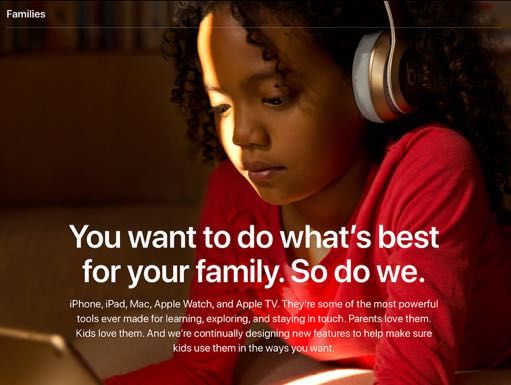
Connected
                    iPad enables equitable access to quality content anytime, anywhere.

Equitable access. Connect to the        Built-in apps. Access versatile        Cloud-based services. Connect to,
internet anytime, anywhere using        Apple apps, like Pages, to transform   organize, and share content from
iPad with cellular. Learn more about    assignments and GarageBand to          cloud-based storage services using
LTE-enabled iPad.                       make homework sing—without an          the Files app. Learn more about Files
                                        internet connection. Learn more        on iPad.
                                        about iPad built-in apps.

Accessibility out of the box. Enable    Focused browsing. Use Safari           Notes that capture everything.
built-in features to make content       Reader to keep the focus on            Capture content in a range of formats
more accessible. Discover how Apple     content rather than ads when           with the Notes app. You can even
technology empowers everyone.           browsing web pages. See how to         scan documents. See how easy it is to
                                        read without ads or clutter.           use the document scanner.

Immersive context. Use augmented        Quality content. Find the perfect      Safe access to content. Schools
reality to go beyond the screen and     app to support your students’          can secure devices and ensure
experience content in new ways.         needs. Visit the App Store to browse   responsible use. For personal devices,
Download lesson ideas for using         a wide range of quality educational    families can monitor and manage iPad
AR on iPad.                             apps.                                  use at home.2 Explore features that
                                                                               help ensure kids use iPad responsibly.

Apple’s Vision for Learning with iPad                                                                              2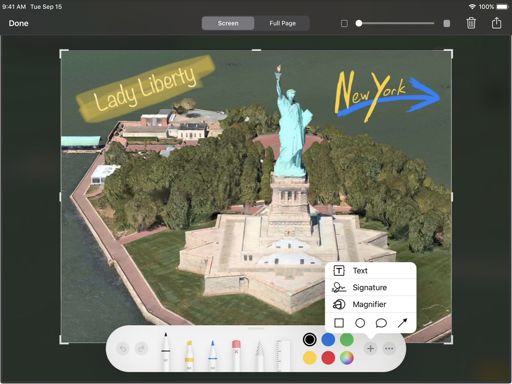
Collaborative
                    iPad empowers teams to work together toward a shared purpose.

AirDrop sharing. Share work quickly           Group FaceTime. Collaborate            Shared reminders. Help keep
and easily with any nearby Apple device.      “face to face” with up to 32 other     everyone on task during group work.
Learn how to use AirDrop on iPad.             people on any Apple device. Learn      See how to use the Reminders app to
                                              how to set up Group FaceTime with      share lists and set notifications.
                                              your teachers and staff.

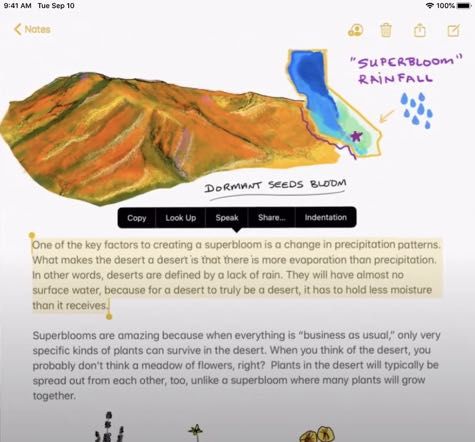
Shared Notes. Work together in the            iWork collaboration. Students          Schoolwork collaboration. This powerful
Notes app by sharing a quick thought,         can create together using powerful     iPad app enables students and teachers
creating checklists, or sketching ideas.      apps from Apple, such as Keynote,      to share materials and work together in
See how easy it is to collaborate in Notes.   Numbers, and Pages. Explore            real time. Learn more about Schoolwork.
                                              real-time collaboration on iPad.

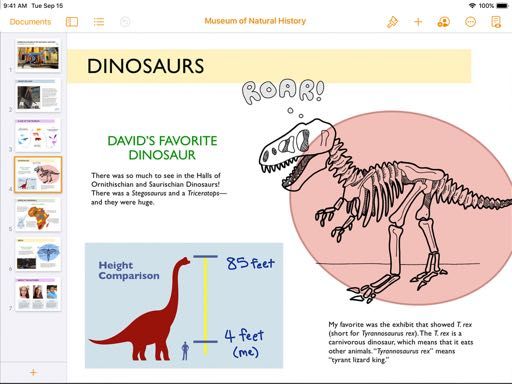
Team productivity. Collaborate                Apple ecosystem. Devices and           App showcases. Celebrate student
seamlessly with tools you may already         apps work together seamlessly—so       ingenuity by hosting a collaborative
be using. Learn how to take advantage         learners can capture a video on        app showcase. Download the guide
of Microsoft and Google apps on iPad.         iPhone, create a film with iMovie on   to get started.
                                              iPad, and add advanced effects with
                                              Final Cut Pro on Mac.

Apple’s Vision for Learning with iPad                                                                                   3
Creative
                     iPad supports learning through discovery, inquiry, and creation across all subjects.

Apps to create. Explore and express        Apple Pencil. Take notes, sketch, and     Screen recording. Create a lesson,
ideas in thousands of ways with built-     explore ways to express concepts.         explain a problem, or share your
in Apple apps. See how built-in apps       Watch how to create handwritten           work. Learn how to record your screen
allow students and teachers to start       notes with Apple Pencil and iPad.         on iPad.
creating right out of the box.

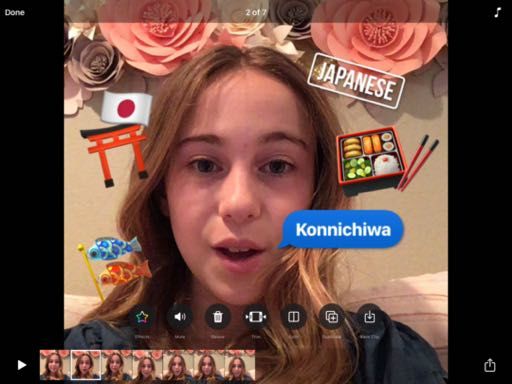
Markup and screenshot. Take a              Moviemaking with Clips. Capture           GIFs with Keynote. Make your own
screenshot of anything on your iPad        moments and tell stories using            GIFs for quick tutorials, fun writing
and add creative touches. Learn how        Memoji and creative effects. Learn        prompts, and attention-grabbing
to use Markup to add text, drawings,       more about everything you can do          presentations. See how easy it is to
shapes, and more.                          with Clips.                               create an animated GIF.

Creative projects for learners.            AR creation tools. Create interactive     Outcomes driven by creativity. Learn
Explore activities that use built-in       augmented reality experiences with        about the positive impact of using
features of iPad in Creativity for Kids.   iPad. Watch how Reality Composer          technology to foster creativity in
                                           makes it easy to build, test, tune, and   learning in Gallup’s Creativity in
                                           simulate AR experiences.                  Learning study.

Apple’s Vision for Learning with iPad                                                                                        4
Personal
                     iPad empowers learners to design their own learning paths.

Assistive learning tools. Personalize    Split View. Work in two apps at the      Text that speaks. Speak Selection
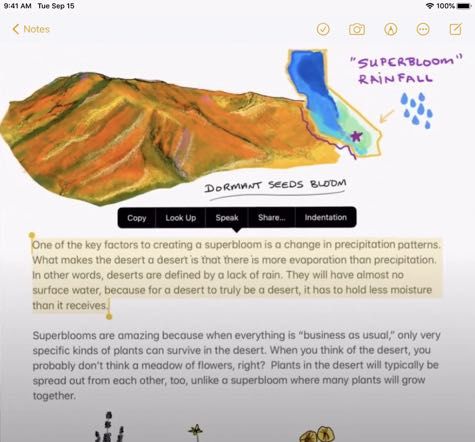
iPad to support the way you learn,       same time, so you can take notes         and Speak Screen support reading
explore, think, and create. Enable       while watching a video or draft an       and comprehension by allowing
accessibility features to customize      email while designing something          students to listen to text. Watch how
the learning experience.                 new. Watch how to multitask with         easy it is to have iPad read aloud.
                                         Split View on iPad.

Personal workflows. Personalize and      Classroom guidance. Help students        Insights with Schoolwork. See
streamline teaching workflows on iPad.   work independently while providing       student progress in apps over time
Explore 30 tips to help save time and    ongoing support with the Classroom       and provide tailored suggestions for
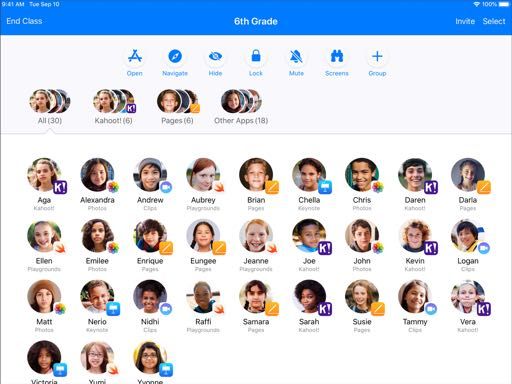
make it easier to teach with iPad.       app. See how to guide student learning   learning paths. Learn how to gain
                                         with Classroom.                          insight into student learning with
                                                                                  Schoolwork.

Assessment for each student.             Apps for education. Find apps to          Empowered teachers. Apple
Students can express their learning in   empower all students in the App           supports teachers on their learning
creative ways, opening opportunities     Store. Explore thousands of apps          paths so that they can support
for ongoing assessments, portfolios,     designed specifically for learning.       students on their paths, too. Learn
or standardized tests. Learn how iPad                                              at your own pace in the Apple Teacher
supports student assessment.                                                       Learning Center.

Apple’s Vision for Learning with iPad                                                                               5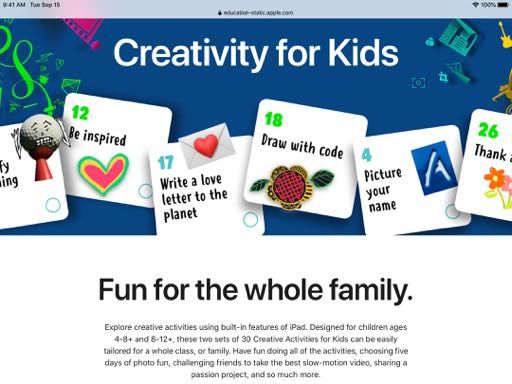
More Learning Resources
Apple’s commitment to education goes beyond intuitive technology.

Free curricula and learning resources. To help teachers and students with connected, collaborative,
creative, and personal learning, we offer free curricula focused on creative expression and coding.
Everyone Can Create, Everyone Can Code, and Develop in Swift leverage the full potential of Apple
technology by providing engaging content and opportunities for students to work together toward a
shared purpose. Students build skills through discovery and inquiry. With Everyone Can Create, students
learn how to think, express ideas, and approach challenges through drawing, video, photography, and
music. And with our coding resources, students learn new ways to think and bring ideas to life.

Professional learning with Apple. We offer a range of experiences to support teachers and
administrators as they deploy, manage, and teach with Apple products.

• Teachers can start with free resources in the Apple Teacher Learning Center to get ideas and earn their
  Apple Teacher recognition.
• The Apple Education Learning Series videos, virtual conferences, and free coaching extend our
  on-demand and synchronous free offerings to support teachers in making the most of Apple technology
  for remote and on-campus learning.
• Schools can engage Apple Professional Learning Specialists to provide customized support for teachers
  and executive coaching for your leadership team.
• For leaders, the Apple Education Leadership Series provides strategies to help you lead an initiative
  successfully.
• To see how innovative schools and educators are using Apple technology, learn more about the Apple
  Distinguished School and Apple Distinguished Educator programs.
• For your IT team, the Education Deployment Guide outlines best practices for deploying and managing
  Apple devices. Our Deployment for Learning and Teaching workshop and our systems engineers can also
  help you develop the best deployment and management strategies for your school.

For information about all the professional learning opportunities available to you, contact your Apple
Education team, send an email to AppleProfessionalLearning@apple.com, or call 1-800-800-2775.

1. Apple Classrooms of Tomorrow 1990, Apple Classrooms of Tomorrow—Today 2008, SRI “The Apple and ConnectED Initiative” 2018, Gallup “Creativity in Learning” 2019.
2. Devices must be unmanaged or personal devices.

© 2021 Apple Inc. All rights reserved. Apple, the Apple logo, AirDrop, Apple Pencil, FaceTime, Final Cut Pro, GarageBand, iMovie, iPad, iPhone, iWork, Keynote, Mac, Numbers,
Pages, Safari, Swift, and the Swift logo are trademarks of Apple Inc., registered in the U.S. and other countries. Memoji is a trademark of Apple Inc. App Store is a service mark
of Apple Inc., registered in the U.S. and other countries. Other product and company names mentioned herein may be trademarks of their respective companies.
You can also read


