GET TO KNOW THE NVIDIA GRIDTM SDK - Shounak Deshpande, NVIDIA - GTC On-Demand
←
→
Page content transcription
If your browser does not render page correctly, please read the page content below
April 4-7, 2016 | Silicon Valley

GET TO KNOW
THE NVIDIA GRIDTM SDK
                                   Shounak Deshpande, NVIDIA
Background

         NVIDIA GRID SDK

AGENDA   Measuring Performance

         Maximizing Performance

         Interactive Question-Answer Session

                                               2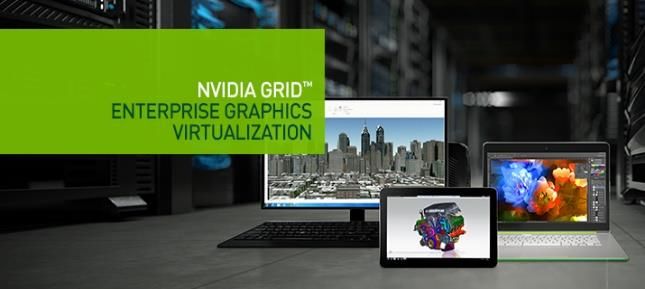
CLOUD\REMOTE GRAPHICS

VDI Enterprise, Remote
Workstation
    VMWare, CITRIX,
    Dassault, and more

Game streaming
    GeForceNow

    Windows DirectX /
    OpenGL

    Linux OpenGL

                                 3
REMOTE GRAPHICS ECOSYSTEM

    CLIENT                                  SERVER

             User input
                             IP     NIC    CPU
             Decode       Network
Render                                    Encode           Render
                                                 Capture

    Client                Network   Remote Graphics Server

                                                                    4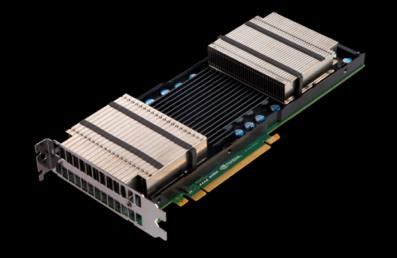
GRID SW AND HW STACK COMPONENTS
 Streaming

                      Capture (Pixel grabbing)
                  HW Accelerated video compression
                   HW Accelerated video decoding

 Virtualization

                   Graphics Shim layers (app streaming)
                       Platform Virtualization (VDI)
                             Hypervisors (VDI)
                         Full Virtualization (VDI)

 HW Platforms
                   Server                      Client
                      AWS G2 Instance
                     GRID K520, M30 GPU                 Anything
                       Tesla M60 GPU
                     NVIDIA Quadro GPUs
                                                                   5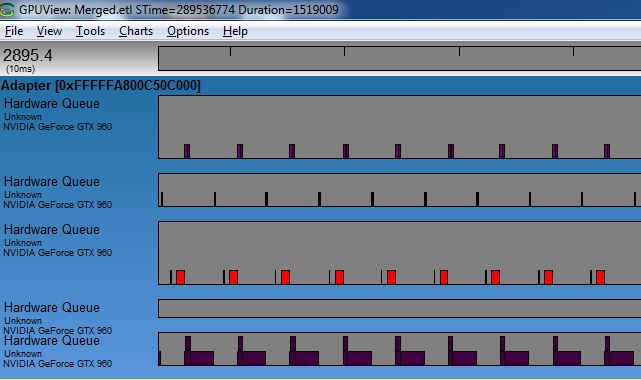
NVIDIA GRID SDK

                  6
NVIDIA CAPTURE SDK
(Formerly known as NVIDIA GRID SDK)
Goal: Enable Low Latency Remote Graphics Solutions by harnessing NVIDIA GPUs
OS: Windows 7+, Linux (CentOS, Debian, RedHat, more)
Download: https://developer.nvidia.com/grid-app-game-streaming
Support: GRID-devtech-support@nvidia.com
7NVIDIA CAPTURE SDK COMPONENTS
Interface Definitions
Sample Code
NVFBC API NVIFR API
Low Latency
Low Latency
Render Target
Desktop Capture
Capture
Documentation
NVENC
Low latency
Hardware Encoder
NVFBC library NVIFR library GPU Driver
8NVIDIA CAPTURE SDK:
THE “CAPTURE” PART
NVFBC NVIFR
Brute force, capture all on No-frills RenderTarget capture
screen
Supports Directx9,10,11,
Orthogonal to Graphics APIs OpenGL APIs
Easy to integrate with NVENC
API Easy to integrate with NVENC
API
Easy onboarding, no process
injection Needs to be injected in target
process
Efficient than GDI-based screen
scraping One session per target window
One session per display Enables higher density of
streamed apps
9NVIDIA CAPTURE SDK :
INTERFACES
NVFBC: NVIDIA Frame Buffer Capture NVIFR: NVIDIA In-band Frame Render
W NVFBC NVIFR - Directx NVIFR - Directx
i
n NVFBCToSys NVFBCCuda NVIFRToSys NVIFRToSys
d
o
w NVFBCToHWEnc NVFBCToDX9Vid NVIFRToHWEnc NVIFRToHWEnc
s
L NVFBC NVIFR - OpenGL
NVFBCToCuda
i
n NVIFRToSys NVIFRToHWEnc
NVFBCToSys
u
NVFBCToHWEnc
x
-ToHWEnc interfaces internally invoke NVENC API (part of NVIDIA Video Codec SDK)
10EVOLUTION OF NVIDIA CAPTURE SDK
Legacy 2014 2015 2016
SDK 2.3 3.0 4.0 5.0
• GRID K340, • GRID M30 limited • GRID M30 full • HEVC support • Enable NVFBC without driver reload
K520, K1, K2, support support • Tesla M60 support • Windows 10 support
Windows
Quadro 4000+ • Maxwell NVENC • NVENC RC 2.0 • New unified codec- • New NVFBC interface to capture
support enhancements – agnostic interface for desktop to DirectX 9 video memory
• H.264 encode quarter-res first pass; HW encoder surface, along with diffmap support
support lossless encoding; 4:4:4 • Driver support for • Timeout API for NVFBC blocking mode
• Windows 7, 8, encoding H.264 YUV 4:4:4 capture
8.1 support NVIFR • Separate thread Mouse capture for all
capture+encode for NVFBC interfaces
DX10/DX11 • Propagate frame timestamp through
applications NvIFRHWEncode
• GRID M30 full • HEVC support
• GRID K340,
Linux
support • Tesla M60 support
K520, K1, K2,
• NvIFR full • New unified codec-
Quadro 4000+
parity for agnostic interface for
support
NVENC features HW encoder
• H.264 encode
with Windows
support
• NVENC RC 2.0
GRID K340, K520, K1, K2, Quadro K2000+
HW
GRID M30, Quadro M6000
Tesla M60
11USING NVFBC API
12USING NVFBC FOR DESKTOP CAPTURE
Enable NVFBC
Create NVFBC capture session object
Setup NVFBC capture session object
Capture
Release NVFBC capture session object
13CAPTURING A SCREENSHOT WITH NVFBC
Create NVFBC session object
Set up NVFBC session
“Capture” starts here
Read Grabbed buffer
14CAPTURING USING NVFBC
Begin
NVFBC enabled,
NvFBCGetStatusEx() not in use
Check NVFBC Status
NVFBC Not Enabled NvFBCCreateEx()
Create NVFBC Session
NVFBC already in Success
use
Success Setup NVFBC Session Fail
Success
NvFBCEnable()
Enable NVFBC Success
Fail Fail Grab()
Fail \
Terminate
Exit Release NVFBC Session
15DESKTOP REMOTING
USING NVFBC + NVENC HW ENCODER
Desktop
Composition NVFBC Capture Process
[System
Process]
IDirec3DSurface9*
IDirec3DSurface9*
Captured buffer
Video Bitstream
Capture Thread Encode Thread packet
NV GPU Driver NVFBC NVENC API
3D HW NV GPU NVENC HW
< 1millisec ~ 2 millisec ~ 4 millisec * Latency approx. for 1080p desktop
streamed as 720p 16 videoUSING NVIFR API
17USING NVIFR FOR APPLICATION STEAMING
Write a Shim layer to host NVIFR
Inject Shim layer into target application
Fetch rendering graphics context
Create NVIFR session object using the context
Setup NVIFR session object
Capture
Release NVIFR session object
18APP STREAMING USING HW ENCODER
App
Render() or
Present()
Streaming
Shim
Component
Compressed
Video Bitstream
NVIFR
NVIFR is injected into the application
DX/OGL Runtime before the graphics runtime, using an
app-level shim layer
NVENC
3D HW
NV GPU HW
19DIRECTX APP STREAMING USING NVIFR HW ENCODER
Application allocates
output buffers and
event handles
Select the rate control
mode and encoder
preset according to
use case
20DIRECTX APP STREAMING USING NVIFR HW ENCODER
The event handles passed to
NvIFRSetupHWEncoder will be signaled
when NVENC has finished work
submitted by
NvIFRTransferRenderTargetToHWEncoder
API
21OPENGL APP STREAMING USING NVIFR HW ENCODER
Create session
Create
TransferObject
22OPENGL APP STREAMING USING NVIFR HW ENCODER
Capture + Encode
Retrieve output
bitstream
Release buffers
for re-use
23MEASURING PERFORMANCE
24MEASURING PERFORMANCE
Guidelines
Use high precision timers.
In-process performance measurement is suitable only for generating average numbers.
Measure GPU Utilization. (GPU-Z, NVIDIA SMI, etc.)
Note GPU clock values during measurement.
25MEASURING PERFORMANCE
Use High Performance
Multimedia Timer
for accuracy
26MEASURING PERFORMANCE
Start Measurement
before capture loop
Run through capture\encode loop
Stop Measurement here
27MAXIMIZING QUALITY & PERFORMANCE
28MAXIMIZING QUALITY & PERFORMANCE
Goals & Challenges
Goals:
- Low latency
- Smooth playback of streamed video
- Minimum impact on target application\system performance
Challenge:
- Finding the right balance to get maximum CPU-GPU utilization without negative impact
NVIDIA CONFIDENTIAL. DO NOT DISTRIBUTE. 29MAXIMIZING QUALITY & PERFORMANCE
Guidelines
Know the system’s limits.
Memory management : Ensure there is no time lost for paging
Resource Utilization : GPU-intensive applications need frame rate throttling while lightweight
appllications need pipelining and multithreading of capture – encode/post-process tasks
Timing : Ensure capture rate matches display rate
Impact on target : Use parallelism
NVIDIA CONFIDENTIAL. DO NOT DISTRIBUTE. 30MAXIMIZING QUALITY & PERFORMANCE
Memory management
Ensure no paging. Loss due to paging (insufficient video memory)
- Choose optimal
rendering quality
settings
- Choose optimal
desktop or
application window
resolution
Paging work Encoder
Idle
NVIDIA CONFIDENTIAL. DO NOT DISTRIBUTE. 31MAXIMIZING QUALITY & PERFORMANCE
Resource Utilization: Multithreading
Capture and encode/post-process should run on
different threads
Constraints:
Multiple threads must not concurrently access
same DirectX context
NVIFR Capture thread should never stall
NVFBC Capture thread should never miss a display
refresh
NVIDIA CONFIDENTIAL. DO NOT DISTRIBUTE. 32MAXIMIZING QUALITY & PERFORMANCE
Resource Utilization : Pipelining
Goal: Minimize time spent by encode thread to wait for capture
to complete and vice versa
Benefit: Control on timing capture calls, less impact on
application rendering performance
Triple buffering is sufficient in most cases
Encode\Post-
Capture process
Thread Buffer Queue Thread
[write to [read from
buffer # i] buffer#
(i-1)%N]
NVIDIA CONFIDENTIAL. DO NOT DISTRIBUTE. 33MAXIMIZING PERFORMANCE
Resource Utilization: Multiple Contexts with NVIFR
Why use multiple contexts?
Game’s D3D Context Encoder’s D3D Context
NVIFR capture happens in-band,
shares the DirectX/OGL context NvIFRCopyToSharedSurface NvIFRCopyFromSharedSurface
used by the target application. for DX9, for DX9,
Any GPU work scheduled by StretchRect to a shared StretchRect from a shared
NVIFR on this context reflects as surface for DX9Ex surface for DX9Ex
drop in rendering frame rate
ResourceCopyRegion to a ResourceCopyRegion from a
Solution: shared surface for Dx1x shared surface for Dx1x
Use shared buffers to hold
captured output, for processing
through a separate DirectX/OGL
context running on a separate
thread.
Shared Surface
NVIDIA CONFIDENTIAL. DO NOT DISTRIBUTE. 34MAXIMIZING QUALITY & PERFORMANCE
NUMA
NUMA: Non-Uniform Memory Addressing
Create resources in the same part of the memory where the
bus holding the GPU is located, reduces contention for bus
bandwidth.
NVIDIA CONFIDENTIAL. DO NOT DISTRIBUTE. 35MAXIMIZING QUALITY & PERFORMANCE
QoS
Network bandwidth control :
NV_HW_ENC_PARAMS_RC_2PASS_FRAMESIZE_CAP
Recovering from packet loss :
Reference frame invalidation
NV_HW_ENC_PIC_PARAMS::bInvalidateReferenceFrames
NV_HW_ENC_PIC_PARAMS::ulInvalidFrameTimeStamps[]
Avoiding insertion of IDR frames :
Intra-Refresh
NV_HW_ENC_PIC_PARAMS::bStartIntraRefresh
NV_HW_ENC_PIC_PARAMS::dwIntraRefreshCnt
Dynamic bitrate change :
NV_HW_ENC_PIC_PARAMS::bDynamicBitRate
NV_HW_ENC_PIC_PARAMS::dwNewAvgBitrate,dwNewPeakBitR
ate,dwNewVBVBufferSize,dwNewVBVInitialDelay
NVIDIA CONFIDENTIAL. DO NOT DISTRIBUTE. 36COMPATIBILITY
37NVIDIA CAPTURE SDK – DRIVER COMPATIBILITY
GPU driver maintains backward compatibility with NVIDIA Capture SDK versions.
Compatibility of Upgraded Application (new SDK interfaces) with already deployed old GPU
drivers needs special handling in application.
38MANAGING SDK UPGRADES
Compile for multiple interface versions, App
select based on highest supported
version at run-time
IFBC_v1 IFBC_v2
NvFBCGetGRIDSDKVersion() *
NVFBC
session
Object
*Similar API is available for NVIFR
39QUESTIONS ?
40REFERENCES
Past GTC talks about related topics available here.
Resources
https://developer.nvidia.com/grid-app-game-streaming
http://www.nvidia.com/object/cloud-get-started.html
http://www.nvidia.com/object/enterprise-virtualization.html
41NVIDIA VIDEO SDK:
HW VIDEO ENCODING
Video Compression for
game recording, remote
desktop streaming
NVENC HW Encoder
• H.264 support
• HEVC (H.265) support
• Optimized encode settings for low
latency streaming
NVIDIA Capture SDK enables
easy integration with
NVENC API
• NVIFRToHWEnc
• NVFBCToDX9Vid, NVFBCCuda,
NVFBCToHWEnc
42WELCOME TO THE NVIDIA VMWARE COMMUNITY
A community dedicated to NVIDIA and VMware solutions
Web portal with discussions, solution updates and
basic sales support
Interact with peers, learn tips / tricks and
accelerate NVIDIA GRID vGPU deployment on
VMware
Available to any customer who completes a brief
questionnaire
Join us today www.nvidia.com/nvc
43April 4-7, 2016 | Silicon Valley For Queries related to NVIDIA Capture SDK, get in touch with us at: GRID-devtech-support@nvidia.com THANK YOU JOIN THE NVIDIA DEVELOPER PROGRAM AT developer.nvidia.com/join
You can also read


