How to Become SNAP Authorized Farmer's Market & Direct Marketing Farmers - ONIE Project
←
→
Page content transcription
If your browser does not render page correctly, please read the page content below
How to Become SNAP Authorized
   Farmer’s Market & Direct
      Marketing Farmers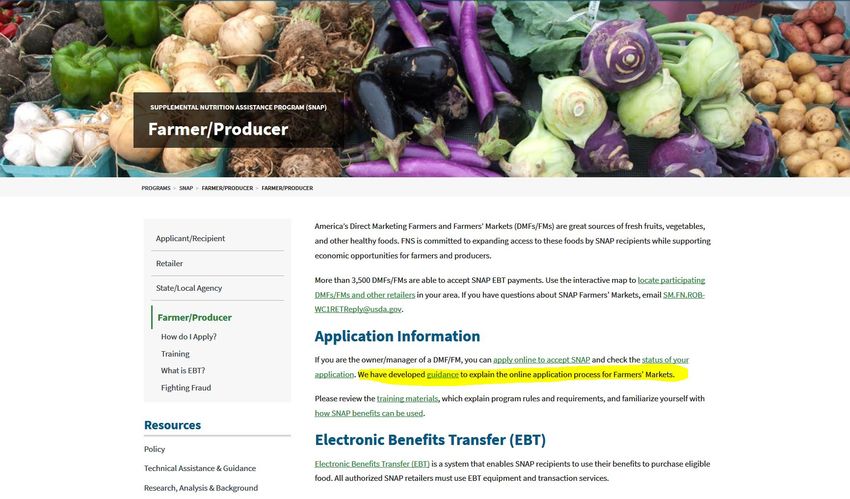
Farmer’s Market (FM)
• A farmers’ market is defined as a multi-stall market at which
  farmer-producers sell agricultural products directly to the
  general public at a central or fixed location, particularly
  fresh fruit and vegetables (but also meat products, dairy
  products, and/or grains).
• FM can be operated by a sole owner, for profit organization,
  non profit organization, 501c3 non profit organization,
  and/or state/government.
Direct Marketing Farmer (DMF)
• A Direct Marketing Farmer applies to farmers that are
  individual producers of agricultural products, particularly
  fresh fruit and vegetables, as well as meat, fish, dairy, and/or
  grains.
Reseller
• Purchase produce to be resold at a fixed or mobile location.
FNS Retailer Application
• To complete an online application, you will visit the USDA
  Retailer Page at
  https://www.fns.usda.gov/snap/supplemental-nutrition-
  assistance-program
  – This page will provide very helpful information about the SNAP
    program.
  – You click the bottom stating “Farmer/Producer”
How Do I Apply to Accept Benefits? | Food and Nutrition Service

                                                                                                         About FNS   Ask

                                                                                                                                                                              Search

   Programs        Data      Newsroom         Research       Forms        Grants
                                                                                                                           Site Map   Advanced Search   Help   Search Tips    A to Z Map

                                                                                                                                                                        Print this Page
       Applicants and Recipients
            Am I Eligible for SNAP?
                                                          Supplemental Nutrition Assistance Program (SNAP)
            How Do I Apply for SNAP?
                                                          How Do I Apply to Accept Benefits?
            Where Can I Get My State
            Information?
            When Are Benefits Available?
            What Can SNAP Buy?

            Where can I use SNAP EBT?

       Retailers
            Is My Store Eligible?
            How Do I Apply to Accept
            Benefits?
            What’s My Application Status?
            What Can SNAP Buy?                            Apply to become authorized to accept SNAP benefits. You can complete an online application in as little as
            Store Training Information                    15 minutes. You have up to 30 days complete and submit the online application to the USDA Food and
            SNAP and Farmers Markets                      Nutrition Service (FNS). Applications not completed after 30 days are deleted by FNS. Follow the steps
                                                          below to complete the online application process for SNAP authorization.
            Retailer Data

            Frequently Asked Questions
                                                          A few things before you proceed:

       Browse by Subject                                          Multiple Store Owners (MSO): FNS defines MSOs as entities that own 10 or more eligible retail
            Topics A-Z                                            food stores. If you are an MSO, please visit the MSO page.
            Able-Bodied Adults without
                                                                  If you are not a Retail Food Store or Farmers Market, please do not complete the online application.
            Dependents
                                                                  We kindly request that you call the SNAP Retailer Service Center at 1-877-823-4369 for assistance.
            Disaster Assistance
            Employment and Training
                                                            1. Get a USDA Account
            What is Electronic Benefits
            Transfer (EBT)?
                                                             Before you start your application:
            Eating Healthy with SNAP
                                                                      Register for a USDA eAuthentication account in order to obtain access to the online application.
            Income Eligibility and Benefits
                                                                      You must have a valid Email address. USDA will send you a confirmation Email with a hyperlink to
            Federal Register Documents                                activate your account.
            Program Improvement
                                                                      Return back to this page after you activate your USDA eAuthentication account to apply.
            State Options Report

                                                            2. Complete Online Application

                                                                      You have up to 30 days to complete and submit the online application to FNS.
                                                                      If you’re busy or short on time, you can start the application and return later to complete it.

                                                             Helpful Tip: Save time by having your estimated sales data before you start the online Application
                                                             as well as the following Owner information: Owner name(s), home address(es), and Social Security
                                                             Number(s).

                                                            3. Submit Supporting Documentation

                                                             Your SNAP Retailer application is not complete until you submit the required supporting documents.
                                                              Instructions on how to submit your documentation are provided at the end of the online application.
                                                                      Ready to start? Complete the Online Application

                                                            4. Check Application Status

https://www.fns.usda.gov/snap/retailer-apply[2/26/2018 10:31:12 PM]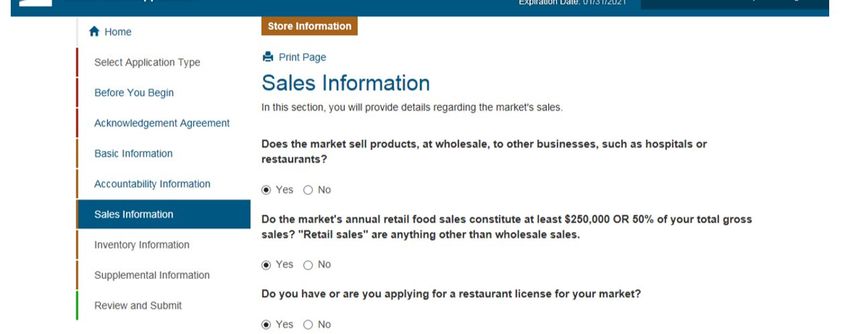
eAuthentication Account Creation

                                          You are here: eAuthentication > Account Creation

                                           Create an Account - Getting Started
                                          USDA Federal Employees, Contractors, & Affiliates
                                             If you are a USDA Federal Employee, Contractor, or Affiliate of the
                                             USDA, you must register for a USDA Internal Account.

                                                                                                                    Register for an Internal Account

                                          USDA Customers - What Level of Access Do You Need?

                                             Request Level 1 Access to:
                                                       Visit a USDA web page that indicates a Level 1 account is necessary
                                                       Obtain general information about the USDA or its agencies
                                                       Participate in public surveys for a USDA agency

                                                                                                                      Register for a Level 1 Account

                                             Request Level 2 Access to:
                                                       Submit official business transactions via the Internet
                                                       Enter into a contract with the USDA
                                                       Submit forms or applications for the USDA via the Internet

                                                                                                                      Register for a Level 2 Account

                                          Changing from Level 1 Access to Level 2 Access
                                             If you already have a Level 1 account and require Level 2 access:
                                                   1. Log into your profile
                                                   2. Fill in and submit the required information
                                                   3. Verify your Identity remotely by following the instructions on the “Level 2 Account
                                                      Upgrade Request Confirmation” email, or visit a Local Registration Authority (LRA)

                                                                                                                               Log into Your Profile

                                                            eAuthentication Home | USDA.gov | Site Map
                                         Accessibility Statement | Privacy Policy | Non-Discrimination Statement | USA.gov

https://identitymanager.eems.usda.gov/registration/index.aspx[2/26/2018 10:34:19 PM]
eAuthentication Account Creation

                                         You are here: eAuthentication > Account Creation > Account Request Form

                                          Register for Your Account - Level 1
                                         Form Approved OMB No. 0503-0014

                                          Step 1 of 4 - Level 1 Access Account Registration
                                                   USDA customers should complete the information below to create a USDA
                                                   eAuthentication account. Please read the eAuthentication Privacy Act Statement
                                                   and Public Burden Statement for more information on how your personal
                                                   information will be protected.

                                                   All required fields are red and marked by an asterisk (i.e. * ). Enter your first and
                                                   last name exactly as it appears on your Government issued photo ID (e.g. state
                                                   driver's license).

                                                   Note: The characters < > ^ : | are not allowed on this form (the character : is
                                                   allowed for password only).

                                           User Information                                                                                ?
                                                                                                      Required Field*
                                                                First Name*
                                                               Middle Initial

                                                                Last Name*

                                                                        Suffix

                                           Contact Information                                                                             ?

                                                                        Email*

                                                            Confirm Email*

                                           Login Information                                                                               ?

                                                                    User ID*

                                                                 Password*

                                                        Confirm Password*

                                           Security Questions                                                                              ?
                                                   Please select and answer four distinct questions from the selections below. This
                                                   information will be used to assist you in using our eAuthentication Self Service
                                                   options and various other services.

https://identitymanager.eems.usda.gov/registration/selfRegistrationForm.aspx?level=1[2/26/2018 10:33:07 PM]
eAuthentication Account Creation

                                                    The Security Questions and Answers that you provide may be the ONLY method
                                                    available to validate your identity if your USDA accounts become inaccessible.
                                                    Please select Questions and Answers that are easily memorable to you and hard
                                                    for anyone else to guess. Each question may only be used once. For additional
                                                    assistance, click the ? above.

                                            1*    Select...
                                                  Select...

                                            2*    Select...
                                                  Select...

                                            3*    Select...
                                                  Select...

                                            4*    Select...
                                                  Select...

                                                                                                                             Continue

                                                            eAuthentication Home | USDA.gov | Site Map
                                         Accessibility Statement | Privacy Policy | Non-Discrimination Statement | USA.gov

https://identitymanager.eems.usda.gov/registration/selfRegistrationForm.aspx?level=1[2/26/2018 10:33:07 PM]
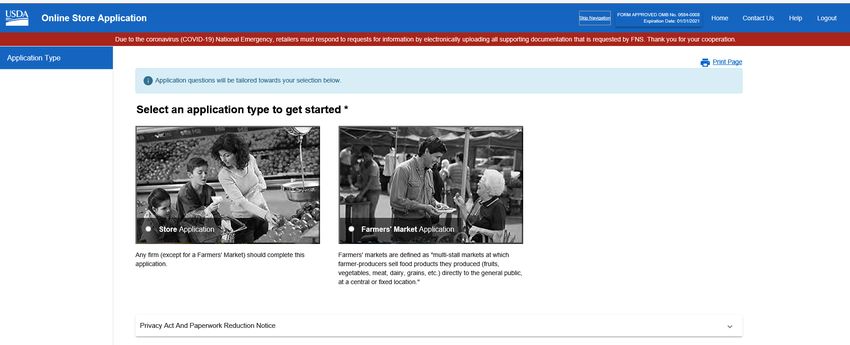
Online Store Application
https://www.fns.usda.gov/snap/reauthorization-application-sign

                                           • DMF complete application
                                             on left

                                           • FM complete applications
                                             on right.
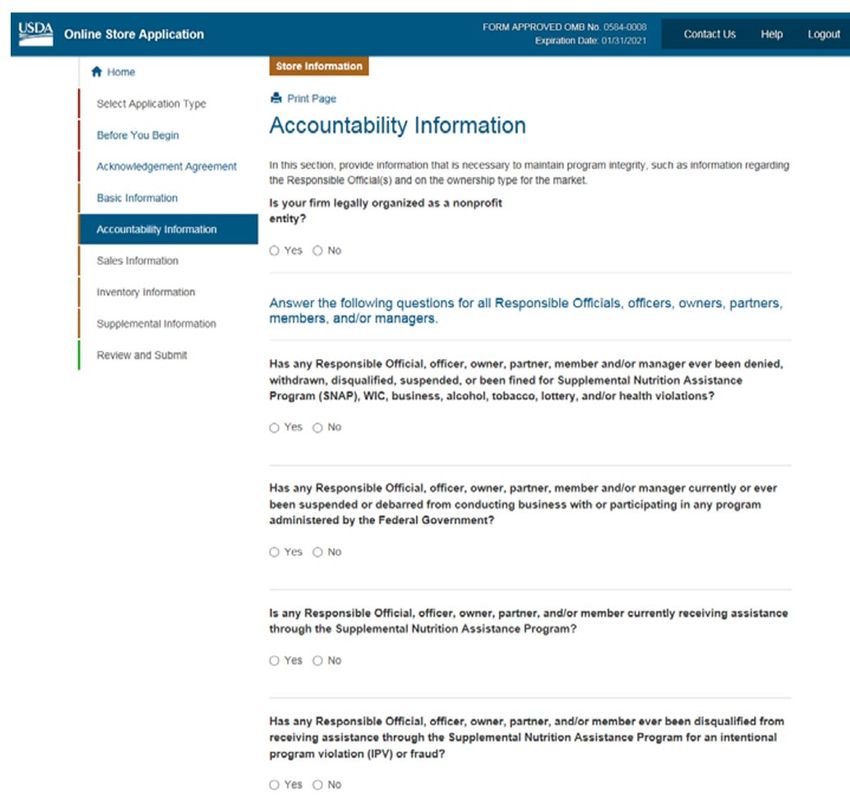
Accountability Information
Wholesale Information
Inventory Information
Retail Sales
Retail Sales Continue
• For farmers markets that don’t track vendor sales please check “Actual Sales”. We understand this most likely may
  be estimated sales. To estimate your market sales, take the average of what the vendors make daily.
   • An example:
   • Some vendors make $100 a day and some make $500, so ALL VENDORS would be averaged at $250 a day.
   • You would multiple the daily average amount by the # of vendors, then multiply that by # of days market
       operates per year.
         •   Example: $250 (daily amount per vendor) x 4 (number of vendors) = $1,000 x 20 (number of Saturdays FM operates yearly) = $20,000
     • We understand the even though you have selected “Actual Sales” that the figure are estimated.
     • For future years, you can start collecting this information from vendors.

•   From there you would take that gross sales figure and break it down into the percentage categories listed.
     • Example of how to break it down for an estimated Gross of $20,000 (remember this is just an example, your
       market percentages will depend on the number of vendors and what they are selling).
         • Staple Foods: Dairy, Fruit/vegetables, Bread/grains/cereals, Meat/Poultry/Fish
         • Accessory Foods: Jams, jellies, honey, maple syrup, condiments, spices, relish,
         • Hot and Cold Prepared Foods.
         • Non-foods – crafts, soaps, candles, etc
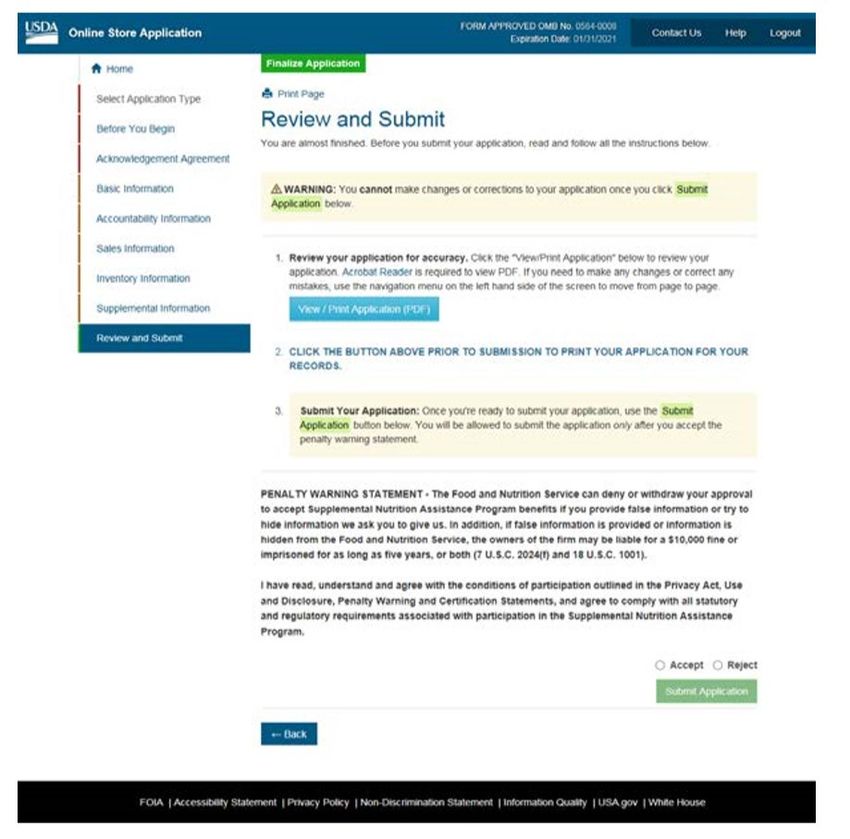
Submit and Upload Required Documents
• You will have to provide
signature page for each
owner/market manager
• Driver’s license and SS cards
for all owners/market
manager
• Driver’s license only if
FM/farm is operating under
a IRS 501c3 tax exemptionRESOURCES Continue • USDA Food and Nutrition Services Farmer/Producer: https://www.fns.usda.gov/snap/farmer-producer • FNS Retailer Operations and Compliance (ROC) Work Center 1 contact: SM.FN.ROB-WC1RETReply@usda.gov. • Message phone line, checked daily at 312-353-6609 • Questions about application call SNAP Retailer Service Center at 1-877-823-4369
You can also read


