INDUSTRY TERMS - Squarespace
←
→
Page content transcription
If your browser does not render page correctly, please read the page content below
INDUSTRY TERMS
              Stephanie de la Cruz
              Graphic Designer
              May 11, 2019

  SECTION ONE : Graphic Design Industry Terms

                                           Typography
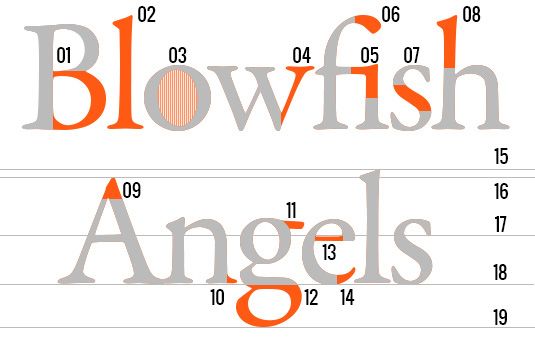
                                           Typography is the theory of letter and typeface design. It is about the art and technique of de-
                                           sign elements applied to letters and text. It is essential in great design. The elements in a type-
                                           face design/ letter-form are: Bowl; Stem; Counter; Arm; Ligature; Terminal; Spine; Ascender;
                                           Apex; Serif; Ear; Descender; Crossbar; Finial; Ascender height; Cap height; X-height; Baseline;
                                           Descender line. In font design you need to be aware of Font Selection, Size, Leading, Tracking
                                           and Kerning, Measure, Hierarchy and scale

Key elements of Typography5                Creative Bloq Staff (February 25, 2019). Typography rules and terms every designer must know;
Photo credit: creativebloq.com
                                           The Creative Bloq, https://www.creativebloq.com/typography/what-is-typography-123652

Hierarchy - aka Visual Hierarchy
For effective use of graphic design, elements are arranged in a specific order of im-
portance. The designation of visual hierarchy is based on the visual weight of each
graphic element. These principles of visual hierarchy utilize our natural eye move-
ments to engage what we focus on and the order in which we see things. First is
Reading Patterns, layouts work best with “F” or “Z” patterns. Second is Size, larger
elements are read/seen first. Third is Space and Texture, layouts should not be too
cramped. If elements are too close, the design can feel overwhelming and unpleas-
ant. Typeface Weight and Pairing is fourth in importance. The weight and style of
a typeface are the most important attributes. After that, selecting the right typeface         Example of Typeface Weight and Pairing5
to accompany that is crucial. The pairing should be complementary through their                                          Photo credit: vogue.com

contrast. Color and Tint is fifth on visual hierarchy. Brighter and darker colors stand out more that lighter / muted colors or grayscale.
Designers can effectively grab a viewer’s focus with bright colors and dark colors contrasted with light or muted colors. Sixth is Direction,
                                            a vertical and horizontal line grid are used when designing conventional page layouts. Break
                                            the grid to stand out, arrange text on a curve or a diagonal to draw attention.

                                            Bigman, Alex (May 8, 2019). 6 principles of visual hierarchy for designers; 99designs.com,
                                            https://99designs.com/blog/tips/6-principles-of-visual-hierarchy

                                            3Example of Color and Tint
                                              Photo credit: vogue.com

Layout
Layout design refers to the organization and arrangement of elements on a page. Designers utilize
grid(s) to organize these elements. Layout design involves specific placement of image, text and style.
There are several different kinds of grids. Grids consist of format, margin, flowlines, modules, spatial
zones or regions, columns, rows, gutters, and markers. There are several different kinds of grids:
manuscript grids, column grids, baseline grids, modular grids, and hierarchical grids.

Velarde, Orana. A Quick Look at Types of Grids for Creating Professional Designs; visme.co,
https://visme.co/blog/layout-design                                                                         Example of Modular Grid Layout5
                                                                                                                 Photo credit: businessinsider.com

                                                                        1
Mood Book / Mood Board
                                                                       A Mood Book/Mood Board are a collage of images, text, and objects used to quick start and
                                                                       communicate brand identity. They are valuable tools for inspiration, affirmation, guidance, and
                                                                       communication.

                                                                                                                         “
                                                                                       Mood boards can be a great way to convey your design idea,
                                                                                                 win pitches and get an early sign-off
                                                                                                                     - Paul Wyatt

                                                                       Designers can create physical or digital mood boards. Applications like Pinterest and Mat-
                                                                       board are great for creating and sharing digital mood boards. The process of using images,
                                                                       colors, visual metaphors, art, words, letters, textures, patterns and shape to organize them onto
                                                                       a mood board is a great way to build and convey brand identity.

                                                                       Wyatt, Paul (May 2019). How to create mood boards that inspire: 20 pro tips; Creative Bloq,
                                                         K9 Approved
                                                                       https://www.creativebloq.com/graphic-design/mood-boards-812470
Stephanie de la Cruz   Graphic Designer   May 19, 2019

5Example digital Mood Board
        Photo credit: Stephanie de la Cruz for K9 Approved

Psychographics – aka Psychographic Market Segmentation
Psychographics is the study of personality traits, beliefs, self-concept, values, interest, lifestyle,
opinions and attitudes as it relates to a certain group on marketing. This research and data
collecting is done to determine how certain groups behave during and after making purchases.
This data can be collected through research marketing firms, focus groups, detailed analytical
data, etc. You can boost the results from your psychographics several different ways. Refine
your social media audiences. Create more emotive marketing pieces that resonate with your
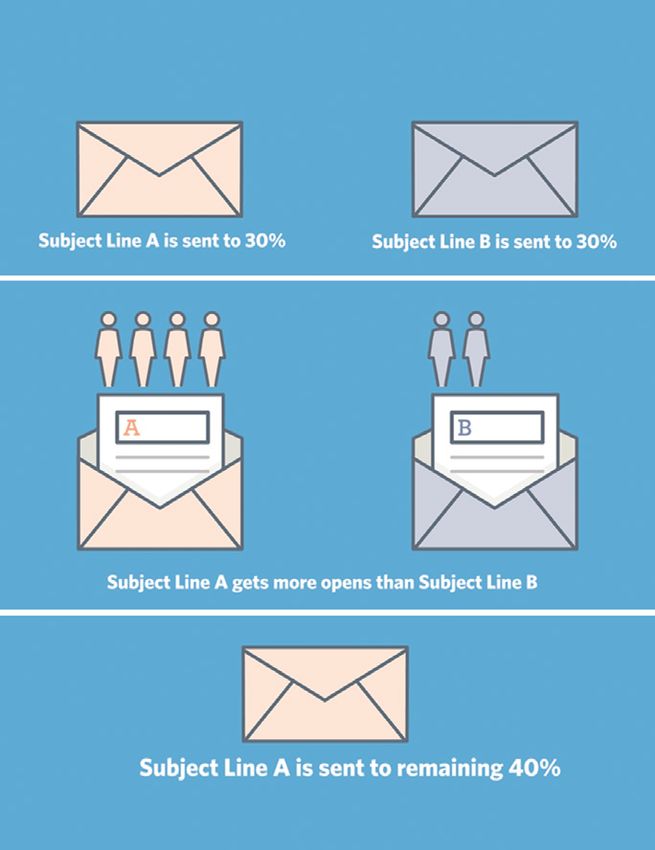
target audience. A/B testing, improving your conversion pathways, reinforce brand values,
more targeted email marketing campaigns, new content topics, aspirational imagery and mes-
saging, and continually updating current audience personas are additional methods of boosting
your business through Psychographics. Effective graphic design triggers the top emotional
drivers to create effect graphic design: Amusement, Interest, Surprise, Happiness, Delight, Plea-
sure, Joy, Hope, Affection and Excitement.

Shewan, Dan (May 3, 2018). 9 Mind-Bending Ways to Use Psychographics in Your Mar-
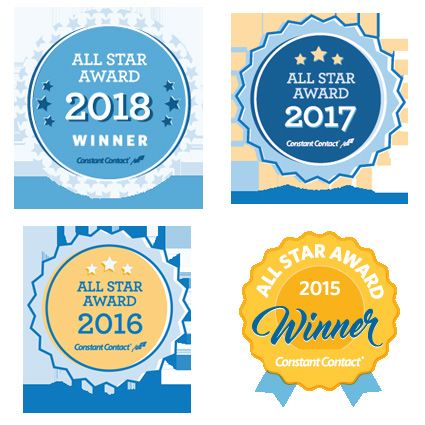
keting; WordStream, https://www.wordstream.com/blog/ws/2017/08/16/psychograph                                                          Infographic illustrating A/B Testing 5
                                                                                                                                           Photo credit: ConstantContact.com

                                                                                  Portfolio

                                                                                  A graphic designer’s portfolio is a collection of compelling samples of work show-
                                                                                  casing range, quality, style. Most graphic designers have online portfolios. They
                                                                                  work as self-promotional tools to establish credibility, cultivate a professional net-
                                                                                  work, and to optimize professional opportunities. Write a plan, pick your platform,
                                                                                  customize your site, curate your best work, prepare your assets, share the story, and
                                                                                  publish your online portfolio.

                                                                                  Wollenberg, Anne (January 04, 2019). Craft the perfect portfolio in a day; Cre-
                                                                                  ative     Bloq,   https://www.creativebloq.com/portfolios/craft-perfect-portfo-
                                                                                  lio-day-71621124

                                                                                  3Example of what you can find on a Digital Online Portfolio
                                                                                    Photo credit: Stephanie de la Cruz sdelacruz.com

 Stephanie de la Cruz | Graphic Designer                                                                                                              www.sdelacruz.com
                                                                                                   2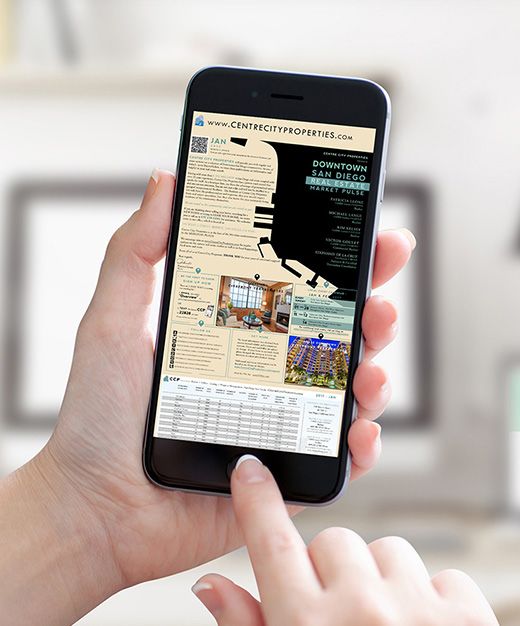
Design
                                                      Graphic Design is the creative art of organizing and
                                                      forging ideas and experiences though visual and
                                                      textual content. Graphic Designers create advertise-
                                                      ments, packaging, brand identity, user experiences,
                                                      graphics, motion graphics, product designs, editori-
                                                      al design for web and mobile development, posters,
                                                      information visualizations and much more for a va-
                                                      riety of organizations; be them commercial, cultural,
                                                      educational, political, etc.

                                                      Cezzar, Juliette (October 05, 2017). What is graphic design?; AIGA,
                                                      https://www.aiga.org/guide-whatisgraphicdesign
                                                                                                         3Examples of Graphic Design 5
                                                                                             Photo credit: Stephanie de la Cruz sdelacruz.com

 SECTION TWO : Computer Animation Industry Terms
Additional Terms
In addition to the previously detailed Graphic Design industry terms, here are some terms from the Computer Animation industry.
______________________________________________________________________________________________________________________________________
Modeling / Sculpting - aka 3D Sculpting / Modeling
3D sculpting & modeling refers to the use of software like Autodesk® Maya® to manipulate a digital object in the same was as clay. Com-
puter animators use the software for tasks like character design, visual development and set modeling.

Wacom Staff (2019). Wacom for drawing 3D sculpting & modeling; Wacom, https://www.wacom.com/en-us/discover/draw/3d-sculpt-
ing-and-modeling
______________________________________________________________________________________________________________________________________
Texture Painting / Texture Map
Texture maps are 2D images files painted directly to a 3D model’s UV layout to add texture, surface, color, etc for more realistic imagery.

Slick, Justin (January 13, 2019). Surfacing 101: The Basics of Texture Mapping; Lifewire, https://www.lifewire.com/texture-mapping-1956
______________________________________________________________________________________________________________________________________
UV Coordinates / UV Mapping
UV mapping is tedious and technically difficult, but it is the most essential part of computer animation. It is the process of painting a
texture map to UV coordinates. It is the glue between the model and textures. The UV map has the 3D model’s X,Y,Z coordinates that
are flattened to the 2D model’s UVW space (aka the tile).

Bech-Yagher, Cirstyn (October 23, 2018). UV mapping for beginners; Creative Bloq, https://www.creativebloq.com/features/uv-map-
ping-for-beginners
______________________________________________________________________________________________________________________________________
Coordinates / UV Mapping
UV mapping is tedious and technically difficult, but it is the most essential part of computer animation. It is the process of painting a
texture map to UV coordinates. It is the glue between the model and textures. The UV map has the 3D model’s X,Y,Z coordinates that
are flattened to the 2D model’s UVW space (aka the tile).

Bech-Yagher, Cirstyn (October 23, 2018). UV mapping for beginners; Creative Bloq, https://www.creativebloq.com/features/uv-map-
ping-for-beginners

Stephanie de la Cruz | Graphic Designer                                                                                www.sdelacruz.com
                                                                     3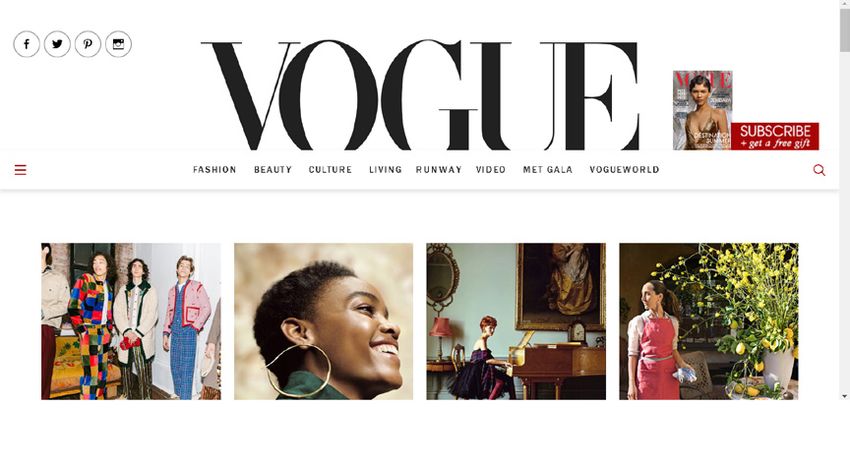
Rendering
                                                                   3D software render engines (like Mental Ray and V-Ray) to auto-
                                                                   matically produce an image from a 2D model, a 3D model or a scene
                                                                   (consisting of multiple models) to a finalized 2D image. The scene’s
                                                                   spatial, textural and lighting data are combined to produce the color
                                                                   value for every pixel in the finalized and flattened 2D image.

                                                                   Slick, Justin (January 09, 2019). What Is 3D Rendering in the CG
                                                                   Pipeline?; Lifewire, https://www.lifewire.com/what-is-render-
                                                                   ing-1954
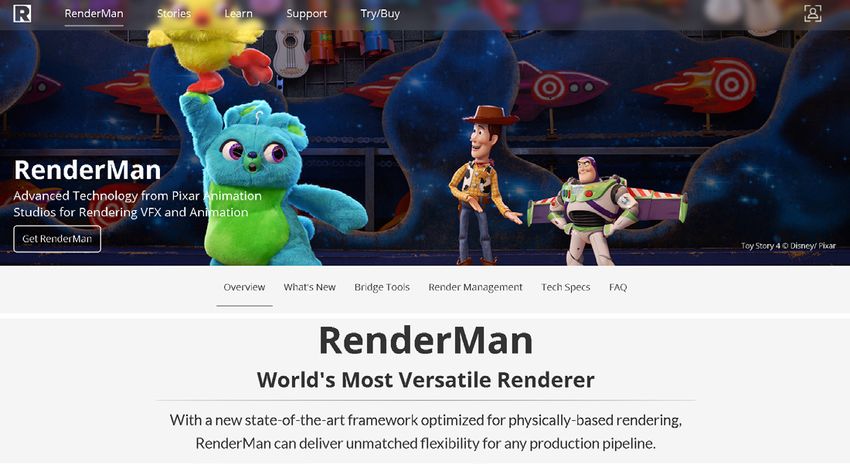
5Example of Rendering Software
  Photo credit: https://www.awn.com
_____________________________________________________________________________________________________________________________________
Shaders
Originally used for shading, shaders are a kind of computer program what produce a plethora of specialized functions for computer
graphic special effects or video post-processing shading and effects. Shaders are used in CGI, video games and cinema processing.

(2019). Shader definition; Wikipedia, https://en.wikipedia.org/wiki/Shader
______________________________________________________________________________________________________________________________________
Polygons
Computer graphics uses polygons to compose 3D models in Autodesk® Maya®. They are widely used for developing 3D content for
animated movie effects, interactive video games and on the web. There are 3 sided polygons (aka triangles) or 4 sided polygons (aka
quadrilaterals).

Autodesk Help (January 22, 2015). Introduction to polygons; Autodesk, https://knowledge.autodesk.com/support/maya-lt/learn-explore/
caas/CloudHelp/cloudhelp/2015/ENU/MayaLT/files/Polygons-overview-Introduction-to-polygons-htm.html

Stephanie de la Cruz | Graphic Designer                                                                           www.sdelacruz.com
                                                                  4


You can also read


