Service & Installation Instructions - Keep this booklet for future reference
←
→
Page content transcription
If your browser does not render page correctly, please read the page content below
Service & Installation Instructions
           Keep this booklet for future reference

                    BWS SERIES
                    EBD SERIES
                    RB SERIES

For Additional Copies Please Contact:

Barker Specialty Products by Hill PHOENIX
703 Franklin Street
P.O. Box 478
Keosauqua, Iowa 52565
Tel: 319/ 293-3777
Fax: 319/ 293-3776

Or Visit:
www.hillphoenix.com

                                            Updated 09/23/11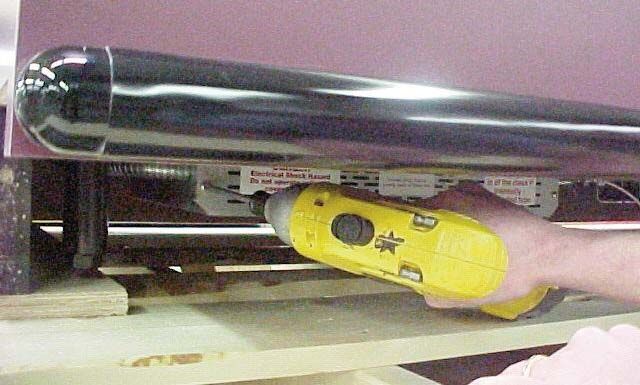
Table of Contents

General Information                                                 Maintenance Information
Case Descriptions - - - - - - - - - - - - - - - - - - - - -3        Cleaning - - - - - - - - - - - - - - - - - - - - - - - - - - -9
Shipping Information - - - - - - - - - - - - - - - - - - -3         Light Bulb Replacement - - - - - - - - - - - - - - - -9
Case Sections - - - - - - - - - - - - - - - - - - - - - - -4        Ballast Box Access - - - - - - - - - - - - - - - - - - - -9

Installation Instructions                                           Service
Crate Removal - - - - - - - - - - - - - - - - - - - - - - -6        Service Department - - - - - - - - - - - - - - - - - - -10
Shelving - - - - - - - - - - - - - - - - - - - - - - - - - - - -6   Parts - - - - - - - - - - - - - - - - - - - - - - - - - - - - -10
Cart Bumper Installation - - - - - - - - - - - - - - - -6
                                                                    Warranty - - - - - - - - - - - - - - - - - - - -11
Electrical Information
Amperage Information - - - - - - - - - - - - - - - - - -8
Wiring Color Code - - - - - - - - - - - - - - - - - - - -8
Ballast Information - - - - - - - - - - - - - - - - - - - -8

                                     IMPORTANT!!
                              KEEP FOR FUTURE REFERENCE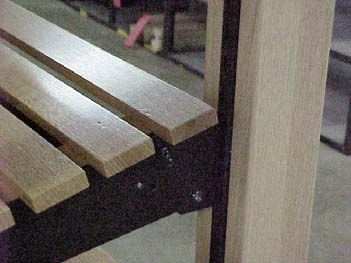
General Information                                   Shipping Information
This booklet contains information on:                 IMPORTANT!
                                                      FOR YOUR PROTECTION PLEASE READ AND
BWS SERIES                                            OBSERVE THE FOLLOWING INSTRUCTIONS:
Upright, Self-Service Crusty Bread Merchandiser
                                                      Transportation companies assume all liability from
EBD SERIES                                            the time a shipment is received by them until the
Low Profile, Self-Service, In-line, Crusty Bread      time
Merchandiser                                          it is delivered to the consumer. Our liability ceases
                                                      at the time of shipment.
RB SERIES
Wall or Island, Self-Service, Roll Bin Merchandiser   All shipments leaving our plant have been carefully
                                                      inspected. If a shipment arrives with the crating or
                                                      packaging damaged, have the carrier note the con-
The BWS Series has been approved for                  dition on the receipt. Check as soon as possible for
                                                      concealed damage.
the following standards:
                                                      If it is found that the shipment has been damaged
                                                      in transit, please DO NOT return it to us, but notify
                                                      and file
                                                      a claim with the carrier at once. FAILURE TO FOL-
                                                      LOW THIS PROCEDURE WILL RESULT IN
                                                      REFUSAL BY THE CARRIER TO HONOR ANY
                                                      CLAIMS WITH A CONSEQUENT LOSS TO THE
                                                      CONSUMER.

                                                      If a UPS shipment has been damaged, retain the
                                                      damaged material and the carton and notify us at
                                                      once. WE will file a claim.

                                                      GOODS SHOULD NOT BE RETURNED FOR
                                                      CREDIT UNLESS AUTHORIZED BY OUR SALES
                                                      DEPARTMENT.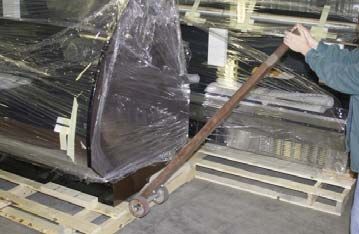
Case Drawings

BWS-D Series

BWS-C Series

BWS-RB Series
EBD-O Series

EBD-C Series

RB Dry Series
Installation Instructions

Crate Removal                                             Cart Bumper Installation
Move case as close as possible to its location.           Tools required: Tape measure, pencil,
Loosen the plastic dust cover from the pallet, but        drill with phillips driver bit, rubber mallet,
leave cover over the case to protect it while remov-      straight edge, chalk line, PVC cutters,
ing the case from the pallet. Carefully lift case up      cotton rags, non-abrasive cleaner
and off pallet being careful that leveling pads clear
the pallet. Slide pallet from under case. Shipping
blocks are attached to pallet and do not need to be
removed. Note: Location of horizontal supports
underneath of unit before removing from pallet,
damage to the finished metal will occur if correct lift
points are not identified prior to removal.

                                                          Cut plastic base to desired length of fixture.
                                                          When using end caps be sure to cut base 3/4”
                                                          short of fixture edge. When using corners, be
                                                          sure to cut base so that it is flush with fixture
                                                          edge. secure base to fixture with screws every 4”
                                                          on center. Make sure to put a screw 3/8” away
Shelving                                                  from the cut end of base.
Shelving is shipped separately.
1. Remove shelving from packaging. Beginning
    with bottom shelf, insert brackets into Lozier
    channel at desired height. To insert angle shelf
    up 30º and then down.
2. Some shelving may have lights. Align these
    shelves with plugs. Plug in lights after hanging
    shelving. The plug must be fully seated for the
    lights to work. If one plug is loose, all lights
    will fail. Place cord in clip on bracket.
3. If shelving does not have lights, place shelves
    as desired.
4. To remove shelving, angle shelf up 30º, then
    pull straight out. Unplug lights if present prior     SNAP end caps or corners onto the base extru-
    to moving shelf.                                      sion. Secure with #8 flat head phillips screws.
When installing flexible bumper top, the cut ends Finally, check for proper fit and attachment along
need to be as straight as possible. To mount on the entire length of bumper which is either on the
a curved or flat surface, start at one end and wall or a fixture. Make sure you have a smooth
attach bumper to base by hooking bumper top and flush fit against the end caps. NOTE: Clean
onto track, then snap bottom portion into place any dust or debris with a cloth and non abrasive
and slide bumper against the end cap for a flush cleaner.
fit. Continue to hook bumper onto base track with
your hand or using a rubber mallet until you
reach other end cap. NOTE: Cover mallet with a Helpful Hints:
cloth to prevent marring the bumper finish. • Set the uncoiled flexible vinyl at room
temperature 24 hours prior to installation.
• Over cut the flexible vinyl and compression fit.
Adding the additional material will compensate
for stretching which occurs during installation.
• Use a clean, dry cloth and any mild household
cleaner or soap solution; spray and wipe clean
Mark and cut tail end of flexible bumper at least
1/8” longer then beyond the end cap position.
NOTE: Make sure the end cut is straight and
square for proper fit. Slightly retract the bumper
in order to feed cut end into the end cap as you
finish hooking the top and bottom edges of the
bumper onto the base track. You should feel and
hear the bumper snap into place for a snug fit.Electrical Information
Model AMPS Voltage
Dual Canopy Lights
BWS-48 1.42 120-1-60
BWS-60 1.42 120-1-60
BWS-72 1.42 120-1-60
BWS-96 2.83 120-1-60
BWS-120 2.83 120-1-60
BWS-144 4.24 120-1-60
Ballast Wiring
Standard Wiring Code
Red ---------Lights
Yellow -------Lights
Blue----------Lights
Green -------Ground
Black --------Hot
White --------Neutral
Brown -------Interlock System
NOTE: Case must be groundedMaintenance Information
Cleaning EBD Series
Case Exterior 1. Remove screws on front toe kick and
Clean surfaces frequently with warm water and mild pull toe kick panel off case.
detergent. Do not use strong alkali solutions, steel 2. Ballast box is located behind the front
wool, or abrasive cleanser. toe kick on the customer left side of
Plexiglas the case.
Use Novus® 1 and Novus® 2 for cleaning. Use 3. Remove the screws on the front panel
Brillanize® to polish. Do not use strong alkali solu- of the box marked Ballast box.
tions, steel wool, or abrasive cleanser. 4. Pull ballast out of box.
Light Replacement
The fluorescent lights in this case are furnished with
plastic safety shields and end caps. When replac-
ing fluorescent lamps, be certain to reinstall safety
shield and caps. (See illustration). If the bulb is not
fully seated the lights will not operate. BE SURE
BULBS ARE FULLY SEATED.
The light switch is mounted to the right side of the
ceiling. See mechanical drawing for ballast box
location.
To access ballast box:
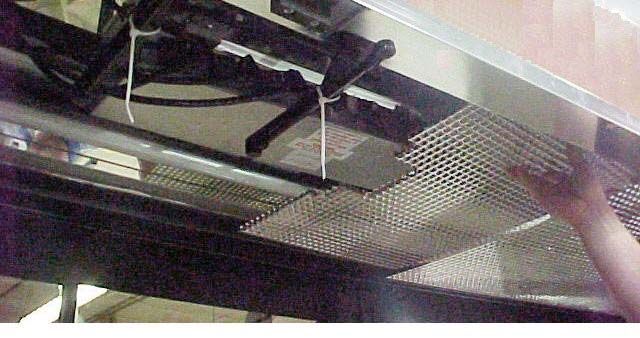
BWS Series
1. Remove egg crating in ceiling of case.
2. Ballast box is located in the center of
the case top.Barker Specialty Products Service Department
IMPORTANT INFORMATION!
FOR PROMPT SERVICE WHEN CONTACTING THE FACTORY FOR SUPPORT, BE SURE TO HAVE CASE MODEL AND SERIAL
NUMBER HANDY.
(THIS INFORMATION IS LOCATED ON THE DATA TAG ATTACHED TO THE CASE. SEE BELOW FOR DATA TAG LOCATIONS)
For any warranty or service issues not covered by this manual, for tech sup-
port, or for warranty service calls, please contact the Barker Specialty Products
Service Department at:
(319) 293-3777
Parts
Ordering Procedure
1. Contact the Service Parts Department
Melissa Marshall
703 Franklin Street
PO Box 478
Keosauqua, IA 52565
Tel: 319-293-8323
Fax: 319-293-8377 BEFORE SERVICING
melissa.marshall@hillphoenix.com
ALWAYS DISCONNECT ELECTRICAL
2. Provide the serial number of the case containing the part. POWER AT THE MAIN DISCONNECT
To locate the serial number look on the data tag located on the WHEN SERVICING OR REPLACING
customer left, outside back of the case, the customer left, inside ANY ELECTRICAL COMPONENT.
top of the case, or contact the factory for location.
3. If parts are to be returned for credit, contact the Parts
Department. Do not send parts without authorization.WARRANTY
HEREINAFTER REFERRED TO AS MANUFACTURER
FOURTEEN MONTH WARRANTY. MANUFACTURER’S PRODUCT IS WARRANTED TO FREE FROM DEFECTS IN MATERIAL
AND WORKMANSHIP UNDER NORMAL USE AND MAINTENANCE FOR A PERIOD OF FOURTEEN MONTHS FROM THE DATE
OF ORIGINAL SHIPMENT. A NEW OR REBUILT PART TO REPLACE ANY DEFECTIVE PART WILL BE PROVIDED WITHOUT
CHARGE. PROVIDED THE DEFECTIVE PART IS RETURNED TO MANUFACTURER. THE REPLACEMENT PART ASSUMES THE
UNUSED PORTION OF THE WARRANTY.
WARRANTY CLAIMS: All claims should include: the serial number of the cabinet, proof of purchase, date of installation,
and all pertinent information supporting the existence of the alleged defect. Any action for breach of these warranty
provisions must be commenced within one (1) year after that cause of action has accrued.
All warranty service work must be pre-authorized by Barker Specialty Products (800-814-0446). Barker Specialty Products
reserves the rights to designate the service provider, time in which labor is to be performed and specify amount of time
per warranty problem.
This warranty does not include labor or other costs incurred for repairing, removing, installing, shipping, servicing or
handling of either defective parts or replacement parts.
The fourteen month warranty shall not apply:
1. To any unit or any part thereof which has been subject to accident, alteration, negligence, misuse or abuse, operation
on improper voltage, or which has not been operated in accordance with the manufacturer’s recommendation, or if
the serial number of the unit has been altered, defaced, or removed.
2. When the unit, or any part thereof, is damaged by fire, flood, or other act of God.
3. Outside the continental United States.
4. To labor cost for replacement parts, or for freight, shipping expenses, sales tax or upgrading.
5. When the operation is impaired due to improper installation
6. When installation and startup forms are not properly complete or returned within two weeks after startup.
THIS PLAN DOES NOT COVER CONSEQUENTIAL DAMAGES. Manufacturer shall not be liable under any circumstances for
any consequential damages, including loss of profit, additional labor cost, loss of any delay in its performance hereunder
due to causes beyond its control. The foregoing shall constitute the sole and exclusive remedy of any purchases and the
sole and exclusive liability of Manufacturer in connection with this product.
The Warranties are Expressly in Lieu of All Other Warranties, Express of Implied and All Other Obligations or Liabilities on
Our Part. The Obligation to Repair or Replace Parts or Components Judged to be Defective in Material or Workmanship
States Our Entire Liability Whether Based on Tort, Contract or Warranty. We Neither Assume Nor Authorize any Other
Person to Assume for Us Any Other Liability in connection with Our Product.
Mail approved warranty claims to the address listed below:You can also read


