UDL LEARNING SPACES IDEA KIT - UDL CARD ALIGNMENT AND IDEA GUIDE V1.0 - UDL-IRN
←
→
Page content transcription
If your browser does not render page correctly, please read the page content below
UDL LEARNING SPACES IDEA KIT
    UDL CARD ALIGNMENT AND IDEA GUIDE
                  V1.0
This guide was developed to provide a crosswalk among the UDL Learning Spaces Idea Kit and
  the UDL Guidelines, including some suggested considerations within the design of learning
   environments. As developed by CAST (2018), the UDL Guidelines provide a foundation for
considering the variability within learning environments. We hope you enjoy this crosswalk and
the UDL Learning Spaces Idea Kit. We encourage you to explore more at LearningDesigned.org.

 You can also view and learn more about the UDL Guidelines at http://udlguidelines.cast.org/.

  We hope you will share your new ideas and AhHa! moments while using the kit. We’d love to
crowd source new ideas from UDL practitioners into V2.0. Please share your thoughts and ideas
        on our message board: https://padlet.com/GouldEvans_UDL/LearningSpaces

           As the kit evolves so will the ideas and crosswalk associated with the kit.
                                       Stay tuned for more!

 The UDL Learning Spaces Idea Kit was developed as a collaboration between GouldEvans and
             the UDL-IRN with a focus on distribution at LearningDesigned.org.

If you have questions, please email David Reid (david.reid@gouldevans.com) or James Basham
                                (james.basham@udl-irn.org).

           Special thanks to Sue Hardin, Bryan Dean, Meg Werner, Steve Nordmark,
                                 and our colleagues at CAST.

                                          References
       CAST (2018). Universal Design for Learning Guidelines version 2.2. Retrieved from
                                http://udlguidelines.cast.org.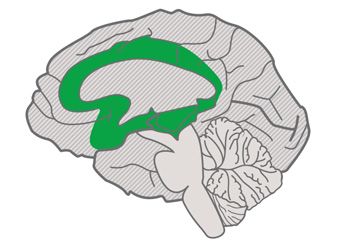
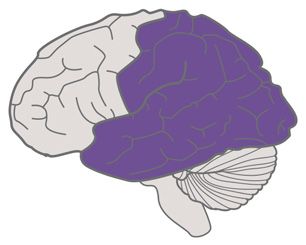
The Universal Design for Learning Guidelines

              Provide multiple means of                                        Provide multiple means of                                         Provide multiple means of
              Engagement                                                       Representation                                                    Action & Expression

                                Affective Networks                                             Recognition Networks                                                 Strategic Networks
                                The “WHY” of Learning                                          The “WHAT” of Learning                                               The “HOW” of Learning

              Provide options for                                              Provide options for                                               Provide options for
              Recruiting Interest (7)                                          Perception (1)                                                    Physical Action (4)
Access

                Optimize individual choice and autonomy (7.1)                    Offer ways of customizing the display of information (1.1)        Vary the methods for response and navigation (4.1)
                Optimize relevance, value, and authenticity (7.2)                Offer alternatives for auditory information (1.2)                 Optimize access to tools and assistive technologies (4.2)
                Minimize threats and distractions    (7.3)                       Offer alternatives for visual information   (1.3)

              Provide options for                                              Provide options for                                               Provide options for
              Sustaining Effort & Persistence (8)                              Language & Symbols (2)                                            Expression & Communication (5)
                Heighten salience of goals and objectives (8.1)                  Clarify vocabulary and symbols (2.1)                              Use multiple media for communication (5.1)
Build

                Vary demands and resources to optimize challenge (8.2)           Clarify syntax and structure (2.2)                                Use multiple tools for construction and composition (5.2)
                Foster collaboration and community (8.3)                         Support decoding of text, mathematical notation,                  Build fluencies with graduated levels of support for
                Increase mastery-oriented feedback (8.4)                         and symbols (2.3)                                                 practice and performance (5.3)
                                                                                 Promote understanding across languages         (2.4)

                                                                                 Illustrate through multiple media (2.5)

              Provide options for                                              Provide options for                                               Provide options for
              Self Regulation (9)                                              Comprehension (3)                                                 Executive Functions (6)
Internalize

                Promote expectations and beliefs that                            Activate or supply background knowledge (3.1)                     Guide appropriate goal-setting (6.1)
                optimize motivation (9.1)                                        Highlight patterns, critical features, big ideas,                 Support planning and strategy development (6.2)
                Facilitate personal coping skills and strategies (9.2)           and relationships (3.2)                                           Facilitate managing information and resources (6.3)
                Develop self-assessment and reflection (9.3)                     Guide information processing and visualization (3.3)              Enhance capacity for monitoring progress (6.4)
                                                                                 Maximize transfer and generalization (3.4)

              Expert learners who are...
Goal

                        Purposeful & Motivated                                       Resourceful & Knowledgeable                                          Strategic & Goal-Directed

              udlguidelines.cast.org | © CAST, Inc. 2018 | Suggested Citation: CAST (2018). Universal design for learning guidelines version 2.2 [graphic organizer]. Wakefield, MA: Author.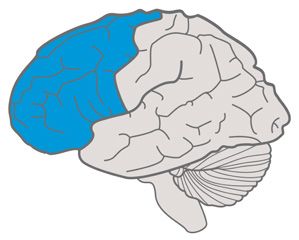
STUDENT EXPERIENCE CARDS
Card S.1 allow students to make space

allow students                              7.1: Optimize individual choice and autonomy
                                               • Provide learners with as much discretion and

to “make space”
                                                  autonomy as possible

                                            7.3: Minimize threats and distractions
                                            Create an accepting and supportive classroom
think about furniture as a                  climate
“maker kit”—a kit-of-parts;                    • Vary the level of novelty or risk
                                               • Vary the level of sensory stimulation
                                               • Vary the social demands required for learning
promote a flexible learning
                                                  or performance, the perceived level of support
environment;                                      and protection and the requirements for public
                                                  display and evaluation
enable students to personalize                 • Involve all participants in whole class
their learning space                              discussions

                                            8.3: Foster collaboration and community
                                            Encourage and support opportunities for peer
                                            interactions and supports

                                            9.1: Promote expectations and beliefs that optimize
                                            motivation
                                            •     Support activities that encourage self-
                                      S.1         reflection and identification of personal goals

                                            Card S.2 offer structured choices

offer structured                            4.1: Vary the methods for response and navigation
                                               • Provide alternatives in the requirements
                                                                                                      • Solve problems using a variety of strategies          7.1: Optimize individual choice and autonomy
                                                                                                                                                                 • Provide learners with as much discretion and

choices
                                                  for rate, timing, speed, and range of motor       5.2: Use multiple tools for construction and                    autonomy as possible
                                                  action required to interact with instructional    composition
                                                  materials, physical manipulatives, and               • Use story webs, outlining tools, or concept          7.2: Optimize relevance, value, and authenticity
                                                  technologies                                            mapping tools                                          • Vary activities and sources of information
give students choices of where they            • Provide alternatives for physically interacting       • Provide Computer-Aided-Design (CAD), music
work, how they approach the                       with materials by hand, voice, single switch,           notation (writing) software, or mathematical        8.2: Vary demands and resources to optimize
problem/project, and with whom                    joystick, keyboard, or adapted keyboard                 notation software                                   challenge
they work—alone or together;                                                                           • Provide virtual or concrete mathematics                 • Differentiate the degree of difficulty or
                                            5.1: Use multiple media for communication                     manipulatives (e.g., base-10 blocks, algebra              complexity within which core activities can be
                                               • Compose in multiple media such as text,                  blocks)                                                   completed
be mindful of the optimal number                  speech, drawing, illustration, design, film,         • Use web applications (e.g., wikis, animation,           • Provide alternatives in the permissible tools
of choices offered: 2-4 choices is                music, dance/movement, visual art, sculpture            presentation)                                             and scaffolds
suggested by research to be the                   or video
sweet spot (1)                                 • Use physical manipulatives (e.g., blocks, 3D       5.3: Build fluencies with graduated levels of support     8.3: Foster collaboration and community
                                                  models, base-ten blocks)                          for practice and performance                                 • Encourage and support opportunities for peer
                                               • Use social media and interactive web tools            • Provide differentiated models to emulate (i.e.             interactions and supports
                                                  (e.g., discussion forums, chats, web design,            models that demonstrate the same outcomes              • Create expectations for group work
                                                  annotation tools, storyboards, comic strips,            but use differing approaches, strategies, skills,
                                                  animation presentations)                                etc.)                                               9.2: Facilitate personal coping skills and strategies
                                               • Compose in multiple media such as text,               • Provide multiple examples of novel solutions to         • Provide differentiated models, scaffolds and
                                                  speech, drawing, illustration, comics,                  authentic problems                                        feedback
                                                  storyboards, design, film, music, visual art,
                                      S.2
                                                  sculpture, or video
Card S.3 create a diverse palette of places

create a                                    1.3: Offer alternatives for visual information         9.1: Promote expectations and beliefs that optimize
                                                                                                   motivation

diverse palette                             4.1: Vary the methods for response and navigation         • Support activities that encourage self-
                                               • Provide alternatives in the requirements                reflection and identification of personal goals
                                                  for rate, timing, speed, and range of motor

of places                                         action required to interact with instructional
                                                  materials, physical manipulatives, and
                                                  technologies
                                               • Provide alternatives for physically interacting
provide varied places to support                  with materials by hand, voice, single switch,
varied preferences of student                     joystick, keyboard, or adapted keyboard
learning;
                                            7.1: Optimize individual choice and autonomy
think of your learning spaces as               • Provide learners with as much discretion and
                                                  autonomy as possible
“open address”—sit anywhere, learn
anywhere;                                   7.3: Minimize threats and distractions
                                               • Create an accepting and supportive classroom
support a diverse range of learning               climate
activities and processes                       • Vary the level of novelty or risk
                                               • Vary the level of sensory stimulation
                                               • Vary the social demands required for learning
                                                  or performance, the perceived level of support
                                                  and protection and the requirements for public
                                      S.3
                                                  display and evaluation

                                            Card S.4 learning prototype studio

learning                                    The Learning Prototype Studio is a testing bed
                                            to apply any of the UDL guidelines and test

prototype                                   efficacy of various strategies without making firm
                                            commitments of space and investment within any
                                            other learning environments.

studio (innovation lab)
a place where teachers and
school leaders can test new
instructional methods, experiment
with a hackable space, and can
work “live” with colleagues and
students directly in your school;

a place where teachers can gain
courage to take new methods
back into their classrooms;

a place for teachers to
experiment and take risks

                                      S.4
Card S.5 embrace fidgeting and movement
embrace 7.3: Minimize threats and distractions
Vary the level of sensory stimulation
fidgeting and
movement
small fidgeting movements stimulate
neurons in the brain that keep
us attentive; (6)
allow students to move around and
fidget when they learn;
provide options for students to both
stand or sit while they work
S.5
Card S.6 leverage the floor as a great learning
leverage the
space
7.1: Optimize individual choice and autonomy Additional notes:
floor as a great • Provide learners with as much discretion and
autonomy as possible • By incorporating low-style furniture, you can
formalize the floor as legitimate workspace
learning space 8.2: Vary demands and resources to optimize
challenge
• Provide alternatives in the permissible tools
—and more successfully invite the teachers
to engage (a low stool to sit on). Many such
furniture solutions stimulate the imagination
and scaffolds and more readily invite students to reconfigure
provide low-style furniture so • Vary the degrees of freedom for acceptable their setting.
students can easily shift from floor performance
to accessible task surfaces; • Emphasize process, effort, improvement in
meeting standards as alternatives to external
when working on the floor, it’s evaluation and competition
helpful to have low work surfaces for
8.3: Foster collaboration and community
laptops, devices, tools, etc.—avoids • Encourage and support opportunities for peer
things getting stepped on interactions and supports
• Create expectations for group work
S.6Card S.7 design your negative space
design your 4.1: Vary the methods for response and navigation
• Sometimes these methods should be physical
negative space and require space
7.3: Minimize threats and distractions
• Vary the level of sensory stimulation
think intentionally about “negative
space” for movement, flow of Additional notes:
materials, and people—negative • Sometimes less is more when it comes to
designing a learning environment
(open) space is as useful for
learning as equipped space is; 8.3: Foster collaboration and community
• Consider the space that would be needed for
negative space can ebb and supporting collaboration
flow as movable furniture is • Negative space is not unused
reconfigured within the space •
S.7
Card S.8 support varied processes; create
support varied
zones
1.1: Offer ways of customizing the display of • Provide alternatives for physically interacting • mapping tools
processes; information with materials by hand, voice, single switch, • Provide Computer-Aided-Design (CAD), music
joystick, keyboard, or adapted keyboard notation (writing) software, or mathematical
1.2: Offer alternatives for auditory information notation software
create zones 1.3: Offer alternatives for visual information
5.1: Use multiple media for communication
• Compose in multiple media such as text,
speech, drawing, illustration, design, film,
• Provide virtual or concrete mathematics
manipulatives (e.g., base-10 blocks, algebra
blocks)
3.3: Guide information processing, visualization, and music, dance/movement, visual art, sculpture • Use web applications (e.g., wikis, animation,
support students shifting from manipulation or video presentation)
one process (or method) to • Provide options for organizational methods • Use physical manipulatives (e.g., blocks, 3D
another—link zones to the type and approaches models, base-ten blocks) 5.3: Build fluencies with graduated levels of support
of thinking/work occurring; • Provide interactive models that guide • Use social media and interactive web tools for practice and performance
exploration and new understandings (e.g., discussion forums, chats, web design, • Provide differentiated models to emulate (i.e.
• Provide multiple entry points to a lesson annotation tools, storyboards, comic strips, models that demonstrate the same outcomes
support the design thinking animation presentations) but use differing approaches, strategies, skills,
and optional pathways through content (e.g.,
process with spaces that exploring big ideas through dramatic works, • Compose in multiple media such as text, etc.)
accompany the various steps arts and literature, film and media) speech, drawing, illustration, comics, • Provide multiple examples of novel solutions to
storyboards, design, film, music, visual art, authentic problems
4.1: Vary the methods for response and navigation sculpture, or video
• Provide alternatives in the requirements • Solve problems using a variety of strategies 6.4: Enhance capacity for monitoring progress
for rate, timing, speed, and range of motor • Provide differentiated models of self-
action required to interact with instructional 5.2: Use multiple tools for construction and assessment strategies (e.g., role-playing, video
materials, physical manipulatives, and composition reviews, peer feedback)
S.8
technologies • Use story webs, outlining tools, or conceptCard S.8 (Continued) support varied process-
support varied
es; create zones
7.2: Optimize relevance, value, and authenticity 8.2: Vary demands and resources to optimize Additional Notes:
processes; • Vary activities and sources of information challenge
• Provide tasks that allow for active • Differentiate the degree of difficulty or • Studies indicate that confidence to learn
participation, exploration and experimentation complexity within which core activities can be challenging tasks increases when learners
create zones • Invite personal response, evaluation and self-
reflection to content and activities •
completed
Provide alternatives in the permissible tools
and scaffolds •
sense there is more than one pathway to
competence.
Choice of processes improves engagement and
7.3: Minimize threats and distractions • Vary the degrees of freedom for acceptable motivation.
support students shifting from • Vary the level of novelty or risk performance • Develop/promote skills in cognitive flexibility…
one process (or method) to • Vary the level of sensory stimulation • Emphasize process, effort, improvement in if one approach isn’t working, consider
another—link zones to the type • Vary the social demands required for learning meeting standards as alternatives to external alternative processes. This process helps
of thinking/work occurring; or performance, the perceived level of support evaluation and competition foster creativity while developing grit and
and protection and the requirements for public perseverance.
display and evaluation 8.3: Foster collaboration and community
support the design thinking • Encourage and support opportunities for peer
process with spaces that 8.1: Heighten salience of goals and objectives interactions and supports
accompany the various steps • Display the goal in multiple ways • Create expectations for group work
• Demonstrate the use of hand-held or
computer-based scheduling tools 9.2: Facilitate personal coping skills and strategies
• Provide differentiated models, scaffolds and
feedback
S.8
Card S.9 space for management of tools and
space for
resources
4.2: Optimize access to tools and technologies is important for them to access tools and
management of
put things away when completed.
8.2: Vary demands and resources to optimize
challenge
tools & resources •
•
Provide alternatives in the permissible tools
and scaffolds
Emphasize process, effort, improvement in
meeting standards as alternatives to external
diverse collection of tools and resources
evaluation and competition
to support different processes;
Additional notes:
ensure tools are accessible for all learners
and that they know how to use them; • Allowing students to have “free” access to
resources & places to work is fundamental to
developing self-regulated learners.
tools and resources need a clear
• At STEAM Studio, they don’t believe it’s
“home”—easy for students to access necessary to provide 1:1 ratio of supplies –
and return tools on their own; resources can be scarce in the real world, and
school is a great place to learn the adaptive
keep resources visible using transparent skills needed to navigate this condition.
bins to discourage hoarding • Clear organizational system for supplies –
students do best when they can access what
S.9
they need, when they need it (like in the real
world). Thus, understanding where things goCard S.10 mobile digital studio
mobile digital 1.1: Offer ways of customizing the display of
information
8.3: Foster collaboration and community
• Encourage and support opportunities for peer
studio
interactions and supports
1.2: Offer alternatives for auditory information • Create expectations for group work
1.3: Offer alternatives for visual information
allow no “black holes” (unusable
space) when fixed technology isn’t 3.3: Guide information processing, visualization, and
being used; manipulation
• Provide options for organizational methods
and approaches
provide tools to support a
• Provide multiple entry points to a lesson
“storytelling lab”; and optional pathways through content (e.g.,
exploring big ideas through dramatic works,
low fidelity (quick and easy) content arts and literature, film and media)
creation and editing
8.2: Vary demands and resources to optimize
challenge
• Provide alternatives in the permissible tools
and scaffolds
• Vary the degrees of freedom for acceptable
performance
• Emphasize process, effort, improvement in
S.10 meeting standards as alternatives to external
evaluation and competition
Card S.11 content consumed and delivered in
content
multiple mediums
1.1: Offer ways of customizing the display of • Provide alternatives for physically interacting • Provide virtual or concrete mathematics
consumed information with materials by hand, voice, single switch, manipulatives (e.g., base-10 blocks, algebra
joystick, keyboard, or adapted keyboard blocks)
1.2: Offer alternatives for auditory information • Use web applications (e.g., wikis, animation,
and delivered 1.3: Offer alternatives for visual information
5.1: Use multiple media for communication
• Compose in multiple media such as text,
speech, drawing, illustration, design, film,
presentation)
5.3: Build fluencies with graduated levels of support
in multiple 3.3: Guide information processing, visualization, and
manipulation
music, dance/movement, visual art, sculpture
or video
for practice and performance
• Provide differentiated models to emulate (i.e.
mediums
• Provide options for organizational methods • Use physical manipulatives (e.g., blocks, 3D models that demonstrate the same outcomes
and approaches models, base-ten blocks) but use differing approaches, strategies, skills,
• Provide interactive models that guide • Compose in multiple media such as text, etc.)
exploration and new understandings speech, drawing, illustration, comics, • Provide multiple examples of novel solutions to
choice of medium offers new • Provide multiple entry points to a lesson storyboards, design, film, music, visual art, authentic problems
and optional pathways through content (e.g., sculpture, or video
avenues of engagement and
exploring big ideas through dramatic works, • Solve problems using a variety of strategies 7.1: Optimize individual choice and autonomy
supports multiple ways to learn • Provide learners with as much discretion and
arts and literature, film and media)
content and express understanding 5.2: Use multiple tools for construction and autonomy as possible
4.1: Vary the methods for response and navigation composition
• Provide alternatives in the requirements • Use story webs, outlining tools, or concept
for rate, timing, speed, and range of motor mapping tools
action required to interact with instructional • Provide Computer-Aided-Design (CAD), music
materials, physical manipulatives, and notation (writing) software, or mathematical
S.11
technologies notation softwareCard S.11 (Continued) content consumed and
content
delivered in multiple mediums
7.2: Optimize relevance, value, and authenticity 8.1: Heighten salience of goals and objectives 9.2: Facilitate personal coping skills and strategies
consumed • Design activities so that learning outcomes • Display the goal in multiple ways • Provide differentiated models, scaffolds and
are authentic, communicate to real audiences, • Demonstrate the use of hand-held or feedback
and reflect a purpose that is clear to the computer-based scheduling tools
and delivered •
participants
Provide tasks that allow for active 8.2: Vary demands and resources to optimize
challenge
9.3: Develop self-assessment and reflection
• Offer devices, aids, or charts to assist
individuals in learning to collect, chart and
in multiple
participation, exploration and experimentation
• Invite personal response, evaluation and self- • Differentiate the degree of difficulty or display data from their own behavior
reflection to content and activities complexity within which core activities can be
mediums
• Include activities that foster the use of completed
imagination to solve novel and relevant • Provide alternatives in the permissible tools
problems, or make sense of complex ideas in and scaffolds
creative ways • Vary the degrees of freedom for acceptable
choice of medium offers new performance
7.3: Minimize threats and distractions • Emphasize process, effort, improvement in
avenues of engagement and
• Vary the level of sensory stimulation meeting standards as alternatives to external
supports multiple ways to learn evaluation and competition
• Vary the social demands required for learning
content and express understanding or performance, the perceived level of support
and protection and the requirements for public 8.3: Foster collaboration and community
display and evaluation • Encourage and support opportunities for peer
interactions and supports
• Create expectations for group work
S.11
Card S.12 variety of collaboration settings
variety of 1.1: Offer ways of customizing the display of
information
7.3: Minimize threats and distractions
• Vary the social demands required for learning
collaboration
or performance, the perceived level of support
1.2: Offer alternatives for auditory information and protection and the requirements for public
display and evaluation
settings 1.3: Offer alternatives for visual information
4.1: Vary the methods for response and navigation
8.3: Foster collaboration and community
• Encourage and support opportunities for peer
• Provide alternatives in the requirements interactions and supports
support different scales of for rate, timing, speed, and range of motor • Create expectations for group work
collaboration, large and small; action required to interact with instructional
materials, physical manipulatives, and 9.2: Facilitate personal coping skills and strategies
support informal, messy, and technologies • Provide differentiated models, scaffolds and
impromptu collaboration; feedback
7.1: Optimize individual choice and autonomy
• Provide learners with as much discretion and
support more formal collaboration; autonomy as possible
• Allow learners to participate in the design of
support digital collaboration classroom activities and academic tasks
7.2: Optimize relevance, value, and authenticity
• Provide tasks that allow for active
participation, exploration and experimentation
S.12Card S.13 cockpits and enclaves
cockpits and 7.1: Optimize individual choice and autonomy
• Provide learners with as much discretion and
enclaves autonomy as possible
7.3: Minimize threats and distractions
• Vary the social demands required for learning
spaces to “get away”; or performance, the perceived level of support
and protection and the requirements for public
provide support for students who are display and evaluation
easily distracted;
9.1: Promote expectations and beliefs that optimize
motivation
support preferences for introverts • Support activities that encourage self-
reflection and identification of personal goals
S.13
Card S.14 huddle space
huddle space 7.3: Minimize threats and distractions
• Vary the social demands required for learning
or performance, the perceived level of support
small collaboration spaces and protection and the requirements for public
for 2-4 people; display and evaluation
8.3: Foster collaboration and community
quick, impromptu collaboration • Encourage and support opportunities for peer
interactions and supports
• Create expectations for group work
S.14Card S.15 team space
team space 7.3: Minimize threats and distractions
• Vary the social demands required for learning
or performance, the perceived level of support
collaborative space for 4-8 people; and protection and the requirements for public
display and evaluation
options for enclosed and open
8.3: Foster collaboration and community
team space (varying levels of
• Encourage and support opportunities for peer
sound control and privacy); interactions and supports
• Create expectations for group work
equip with both low-tech options
like writable surfaces, and high-
tech tools for digital collaboration
S.15
Card S.16 interactive walls
interactive 1.1: Offer ways of customizing the display of
information
• Vary the degrees of freedom for acceptable
performance
walls
• Emphasize process, effort, improvement in
1.3: Offer alternatives for visual information meeting standards as alternatives to external
evaluation and competition
3.3: Guide information processing, visualization, and
make wall space within kids’ reach manipulation 8.3: Foster collaboration and community
a content creation space; • Provide options for organizational methods • Encourage and support opportunities for peer
and approaches interactions and supports
• Provide interactive models that guide • Create expectations for group work
dedicated wall space for casual
exploration and new understandings
collaboration, sharing ideas, 9.3: Develop self-assessment and reflection
and idea dialogue 3.4: Maximize transfer and generalization • Offer devices, aids, or charts to assist
• Provide checklists, organizers, sticky notes, individuals in learning to collect, chart and
electronic reminders display data from their own behavior
8.1: Heighten salience of goals and objectives
• Display the goal in multiple ways
• Demonstrate the use of hand-held or
computer-based scheduling tools
8.2: Vary demands and resources to optimize
challenge
S.16 • Provide alternatives in the permissible tools
and scaffoldsCard S.17 engage with any surface
engage with 1.1: Offer ways of customizing the display of
information
8.3: Foster collaboration and community
• Encourage and support opportunities for peer
any surface
interactions and supports
1.3: Offer alternatives for visual information • Create expectations for group work
7.1: Optimize individual choice and autonomy
expand the range of options where • Provide learners with as much discretion and
students can engage with the autonomy as possible
environment around them; • Allow learners to participate in the design of
classroom activities and academic tasks
don’t let students feel constrained to
8.1: Heighten salience of goals and objectives
one desk, and only writing on a tablet
• Display the goal in multiple ways
8.2: Vary demands and resources to optimize
challenge
• Provide alternatives in the permissible tools
and scaffolds
• Vary the degrees of freedom for acceptable
performance
• Emphasize process, effort, improvement in
meeting standards as alternatives to external
evaluation and competition
S.17
Card S.18 spaciousness for projects
spaciousness 1.3: Offer alternatives for visual information
for projects 4.1: Vary the methods for response and navigation
• Provide alternatives for physically interacting
with materials by hand, voice, single switch,
joystick, keyboard, or adapted keyboard
decompress your learning spaces
to allow active and project-based 7.2: Optimize Relevance, Value & Authenticity –
learning; allow space for real-world projects
• leverage adjacent space(s) 8.3: Foster collaboration and community
• Encourage and support opportunities for peer
• reduce underutilized storage and interactions and supports
equipment • Create expectations for group work
• reduce teacher real estate
bump up metrics for square feet
/student
S.18Card S.19 recharge; places that offer a mental
recharge; places
respite
9.1: Promote expectations and beliefs that optimize
that offer a motivation
• Support activities that encourage self-
mental respite
reflection and identification of personal goals
mental and physical restoration are
facilitated by connections to the
natural environment;
connections to natural settings aid
in concentration;
connections to daylight have proven
benefits to improve mental wellbeing
and test performance
S.19
Card S.20 tie learning to broader systems
tie learning 7.2: Optimize relevance, value, and authenticity
• Design activities so that learning outcomes
to broader are authentic, communicate to real audiences,
and reflect a purpose that is clear to the
participants
systems • Provide tasks that allow for active
participation, exploration and experimentation
• Include activities that foster the use of
imagination to solve novel and relevant
sustainability literacy helps students
problems, or make sense of complex ideas in
connect learning content to the world creative ways
around them, offering opportunities
for improved relevancy; 8.3: Foster collaboration and community
• Encourage and support opportunities for peer
education in environmental interactions and supports
literacy is essential in the future • Create expectations for group work
mitigation of negative global issues;
Additional notes:
environmentally, economically,
and socially A primary aspect of this idea is to promote the value
and relevancy of collaboration across disciplines
—to understand how networks and systems are
increasingly interacting in today’s complex world.
S.20Card S.21 every square foot used for learning
every square 8.2: Vary demands and resources to optimize
challenge
foot used for • Vary the degrees of freedom for acceptable
performance
learning 8.3: Foster collaboration and community
• Encourage and support opportunities for peer
interactions and supports
• Create expectations for group work
leverage circulation space as
learning space;
clear sight lines from classroom to
breakout learning spaces
S.21
Card S.22 playgrounds as rich outdoor
playgrounds as
learning spaces
1.2: Offer alternatives for auditory information - • Include activities that foster the use of
rich, outdoor Provide visual or tactile (e.g., vibrations) equivalents imagination to solve novel and relevant
for sound effects or alerts problems, or make sense of complex ideas in
creative ways
learning spaces 1.3: Offer alternatives for visual information
7.3: Minimize threats and distractions
• Vary the level of novelty or risk
4.1: Vary the methods for response and navigation
• Provide alternatives in the requirements • Vary the level of sensory stimulation
builder kits and interactive • Vary the social demands required for learning
for rate, timing, speed, and range of motor
structures allow outdoor space action required to interact with instructional or performance, the perceived level of support
to also function as curricular materials, physical manipulatives, and and protection and the requirements for public
enhancement and learning technologies display and evaluation
opportunities • Provide alternatives for physically interacting
with materials by hand, voice, single switch, 8.1: Heighten salience of goals and objectives
joystick, keyboard, or adapted keyboard • Display the goal in multiple ways
7.1: Optimize individual choice and autonomy 8.3: Foster collaboration and community
• Provide learners with as much discretion and • Encourage and support opportunities for peer
autonomy as possible interactions and supports
• Create expectations for group work
7.2: Optimize relevance, value, and authenticity
• Vary activities and sources of information 9.2: Facilitate personal coping skills and strategies
S.22 • Provide tasks that allow for active • Provide differentiated models, scaffolds and
participation, exploration and experimentation feedbackCard S.23 presentation/pitch space
presentation/ 6.2: Support planning and strategy development
• Embed prompts to “show and explain your
8.3: Foster collaboration and community
• Encourage and support opportunities for peer
pitch space work” (e.g., portfolio review, art critiques) interactions and supports
• Create expectations for group work
6.4: Enhance capacity for monitoring progress
• Provide differentiated models of self-
a place to share original ideas with assessment strategies (e.g., role-playing, video
authentic audiences, including reviews, peer feedback)
business partners from the
community; 7.2: Optimize relevance, value, and authenticity
• Design activities so that learning outcomes
a place to formally practice are authentic, communicate to real audiences,
and reflect a purpose that is clear to the
“the pitch”;
participants
• Provide tasks that allow for active
flexible to support smaller and participation, exploration and experimentation
larger groups • Invite personal response, evaluation and self-
reflection to content and activities
7.3: Minimize threats and distractions
• Involve all participants in whole class
discussions
S.23
Card S.24 create learning neighborhoods
create learning 1.1: Offer ways of customizing the display of
information
8.3: Foster collaboration and community
• Encourage and support opportunities for peer
neighborhoods
interactions and supports
5.1: Use multiple media for communication • Create expectations for group work
• Compose in multiple media such as text,
speech, drawing, illustration, design, film,
create ways for classes in close music, dance/movement, visual art, sculpture
proximity to engage more freely or video
with one another;
5.2: Use multiple tools for construction and
create shared space—neighborhood composition
• Provide Computer-Aided-Design (CAD), music
space;
notation (writing) software, or mathematical
notation software
support communities of practice
within departments and/or 7.1: Optimize individual choice and autonomy
grade levels by proximity and • Provide learners with as much discretion and
“porosity” between spaces autonomy as possible
7.2: Optimize relevance, value, and authenticity
• Vary activities and sources of information
7.3: Minimize threats and distractions
S.24Card S.25 big work space!
big work space! 4.1: Vary the methods for response and navigation
• Provide alternatives in the requirements
• and reflect a purpose that is clear to the
participants
8.3: Foster collaboration and community
• Encourage and support opportunities for peer
for rate, timing, speed, and range of motor • Provide tasks that allow for active interactions and supports
support different scales of projects; action required to interact with instructional participation, exploration and experimentation • Create expectations for group work
materials, physical manipulatives, and • Include activities that foster the use of
big projects, supporting authentic technologies imagination to solve novel and relevant 9.1: Promote expectations and beliefs that optimize
• Provide alternatives for physically interacting problems, or make sense of complex ideas in motivation
real-world challenges, often demand
with materials by hand, voice, single switch, creative ways • Support activities that encourage self-
more space than the classroom joystick, keyboard, or adapted keyboard reflection and identification of personal goals
can afford; 7.3: Minimize threats and distractions
5.1: Use multiple media for communication • learning or performance, the perceived level of 9.2: Facilitate personal coping skills and strategies
capture/re-appropriate space in • Use physical manipulatives (e.g., blocks, 3D support and protection and the requirements • Provide differentiated models, scaffolds and
the school for large-scale, long-term models, base-ten blocks) for public display and evaluation feedback
projects • Solve problems using a variety of strategies
8.2: Vary demands and resources to optimize Additional notes:
7.1: Optimize individual choice and autonomy challenge
• Provide learners with as much discretion and • Provide alternatives in the permissible tools • Authentic tasks can be effective to stimulate
autonomy as possible and scaffolds student engagement. What’s authentic for one
• Allow learners to participate in the design of • Vary the degrees of freedom for acceptable student may be inauthentic for another.
classroom activities and academic tasks performance • Many such ideas as this move to the school-
wide scale—beyond the scale of the classroom
7.2: Optimize relevance, value, and authenticity \ or even the learning neighborhood.
Vary activities and sources of information • Emphasize process, effort, improvement in
S.25 • Design activities so that learning outcomes are meeting standards as alternatives to external
authentic, communicate to real audiences, evaluation and competition
Card S.26 exhibit original work to the public
exhibit original 7.2: Optimize relevance, value, and authenticity
• Design activities so that learning outcomes
work to are authentic, communicate to real audiences,
and reflect a purpose that is clear to the
participants
the public • Provide tasks that allow for active
participation, exploration and experimentation
9.1: Promote expectations and beliefs that optimize
engage students in authentic motivation
projects that will be shared with • Support activities that encourage self-
authentic audiences; reflection and identification of personal goals
capitalize on the fact that students Additional notes:
are more motivated when their work
• According to research by Cathy Davidson in her
is shared with a broader audience
book “Now you see it”, students worked much
harder on papers when they knew they would
be published and read by more people than
just their teacher.
• Accoriding to Larry Rosenstock, founder
of High Tech High, the incentive of public
exhibition night causes kids to work much
S.26 harder than they would work for just a grade.Card S.27 “grown up environments”
“grown-up 7.1: Optimize individual choice and autonomy
• Provide learners with as much discretion and
environments” autonomy as possible
7.3: Minimize threats and distractions
• Create an accepting and supportive classroom
children’s behaviors and mindsets climate
change when they experience • Vary the level of novelty or risk
“grown-up environments”; • Vary the level of sensory stimulation
• Vary the social demands required for learning
use this increased tendency for or performance, the perceived level of support
accountability to your advantage in and protection and the requirements for public
display and evaluation
developing self-regulated learners
S.27
Card S.28 assembly areas as learning spaces
assembly areas 7.1: Optimize Individual Choice and Autonomy
as learning 8.3: Foster collaboration and community
• Encourage and support opportunities for peer
interactions and supports
spaces • Create expectations for group work
leverage underutilized spaces such
as dining commons and assembly
spaces for breakout learning
S.28EDUCATOR EXPERIENCE CARDS
Card E.1 faculty “scrum space”                                                                         Card E.2 shared work offices

faculty                                       8.3: Foster collaboration and community
                                              •     Encourage and support opportunities for peer
                                                                                                      shared work                                    8.3: Foster collaboration and community
                                                                                                                                                     •     Encourage and support opportunities for peer

“scrum space”                                 •
                                                    interactions and support
                                                    Create expectations for group work                offices                                        •
                                                                                                                                                           interactions and supports
                                                                                                                                                           Create expectations for group work

a place for faculty to “roll their            9.2: Facilitate personal coping skills and strategies
                                              •     Provide differentiated models, scaffolds and      shared faculty studios
sleeves up” and dig into messy                      feedback                                          help to boost camaraderie,
problems;                                                                                             collaboration, and professional
                                                                                                      growth among educators (2)
support collaborative professionalism
in quality space that does not double
as the faculty break room;

free educators from “solitary
confinement” in their classrooms—
promote peer mentoring
and collegiality

                                        E.1                                                                                                    E.2

                                              Card E.3 integrate design thinking                                                                     Card E.4 teachers doing pbl with teachers

integrate                                     8.3: Foster collaboration and community
                                              •     Encourage and support opportunities for peer
                                                                                                      teachers                                       8.3: Foster collaboration and community
                                                                                                                                                     •     Encourage and support opportunities for peer

design thinking                               •
                                                    interactions and supports
                                                    Create expectations for group work                doing PBL                                      •
                                                                                                                                                           interactions and supports
                                                                                                                                                           Create expectations for group work

leverage design thinking as a
proven process to develop
                                              9.1: Promote expectations and beliefs that optimize
                                              motivation
                                              •     Support activities that encourage self-
                                                                                                      with teachers                                  9.2: Facilitate personal coping skills and strategies
                                                                                                                                                     •     Provide differentiated models, scaffolds and
                                                                                                                                                           feedback
metacognitive skills and foster self-               reflection and identification of personal goals
                                                                                                      promote PBL efforts among
regulation among learners (3);
                                                                                                      teachers, as a basis of professional
                                                                                                      development, to advance
support the 5 C’s of learning and
                                                                                                      instructional delivery methods
take students through the 6 learning
                                                                                                      in creative ways;
orders of Bloom’s Taxonomy (3);
                                                                                                      utilize design thinking as an integral
use design thinking as a process
                                                                                                      part of professional development—
to redesign your classroom
                                                                                                      contextualize it to each teacher’s
                                                                                                      specific needs

                                        E.3                                                                                                    E.4
Card E.5 “live p.d.” with educators and Card E.6 support collaboration among
“live p.d.” with support
students teachers and classes
9.2: Facilitate personal coping skills and strategies 3.1: Activate or supply background knowledge
educators and • Provide differentiated models, scaffolds and
feedback collaboration • Make explicit cross-curricular connections (e.g.,
teaching literacy strategies in the social studies
classroom)
students among 4.1: Vary the methods for response and navigation
• Provide alternatives for physically interacting
“live p.d.” helps develop
the interaction behaviors
teachers & with materials by hand, voice, single switch,
joystick, keyboard, or adapted keyboard
important to development of
self regulated learners (4); classes 8.3: Foster collaboration and community
• Encourage and support opportunities for peer
interactions and supports
for example, wait time, answering co-locate classes and subjects • Create expectations for group work
questions with questions, and that have a high tendency to do
promoting student autonomy collaborative projects together;
put learning on display—let passive
observation be a professional
learning opportunity
E.5 E.6
Card E.7 create a culture of learning among Card E.8 make space within space
create a culture make space
faculty
7.1: Optimize individual choice and autonomy
8.3: Foster collaboration and community Provide learners with as much discretion and
of learning •
•
Encourage and support opportunities for peer
interactions and supports
Create expectations for group work
within space autonomy as possible
7.3: Minimize threats and distractions
among faculty 9.1: Promote expectations and beliefs that optimize mobile components can subdivide
space in creative ways;
•
•
Create an accepting and supportive classroom
climate
Vary the level of novelty or risk
motivation
• Support activities that encourage self- • Vary the level of sensory stimulation
treat teachers like professionals—
reflection and identification of personal goals mobile storage units, white boards, • Vary the social demands required for learning
provide UDL-based, personalized or performance, the perceived level of support
and differentiated learning and furniture can dual function
and protection and the requirements for public
opportunities for teachers to meet as teaching aids and definers display and evaluation
their specific contextual needs; of small group area.
9.1: Promote expectations and beliefs that optimize
motivation
create a culture where teachers are
• Support activities that encourage self-
nurturing and being nurtured, reflection and identification of personal goals
teaching and learning among
themselves and their peers 9.2: Facilitate personal coping skills and strategies
• Provide differentiated models, scaffolds and
feedback
E.7 E.8Card E.9 equity of space in the classroom
equity of 7.3: Minimize threats and distractions
• Create an accepting and supportive classroom
space in the •
climate
Vary the social demands required for learning
or performance, the perceived level of support
classroom and protection and the requirements for public
display and evaluation
8.3: Foster collaboration and community
shift teacher space from • Encourage and support opportunities for peer
“my space” to “our space”; interactions and supports
• Create expectations for group work
create a flattened hierarchy that
supports teacher as “coach” versus
teacher as “sage of all knowledge”;
allocate space for teacher based on
size of classroom; with 30 students,
allocate 1/30 of classroom
for teacher space
E.9PARADIGMS
Card P.1 redefine innovation as more than

redefine
                                             technology

                                             1.1: Offer ways of customizing the display of               storyboards, design, film, music, visual art,    		       problems, or make sense of complex ideas in

innovation                                   information                                                 sculpture, or video                                       creative ways

                                             1.2: Offer alternatives for auditory information        5.2: Use multiple tools for construction and              7.3: Minimize threats and distractions

as more than                                 4.1: Vary the methods for response and navigation
                                             •     Provide alternatives in the requirements
                                                                                                     composition
                                                                                                     •     Use story webs, outlining tools, or concept
                                                                                                           mapping tools
                                                                                                                                                               •

                                                                                                                                                               •
                                                                                                                                                                     Create an accepting and supportive classroom
                                                                                                                                                                     climate
                                                                                                                                                                     Vary the level of sensory stimulation

technology                                         for rate, timing, speed, and range of motor
                                                   action required to interact with instructional
                                                                                                     •     Provide Computer-Aided-Design (CAD), music
                                                                                                           notation (writing) software, or mathematical
                                                                                                           notation software
                                                                                                                                                               8.2: Vary demands and resources to optimize
                                                                                                                                                               challenge
                                                   materials, physical manipulatives, and
                                                   technologies                                      •     Provide virtual or concrete mathematics             •     Provide alternatives in the permissible tools
think about how we define innovation
                                             •     Provide alternatives for physically interacting         manipulatives (e.g., base-10 blocks, algebra              and scaffolds
as more than hardware and software                                                                         blocks)                                             •     Vary the degrees of freedom for acceptable
                                                   with materials by hand, voice, single switch,
—changing practice and outcomes                    joystick, keyboard, or adapted keyboard                                                                           performance
requires redesigning both space and                                                                  7.2: Optimize relevance, value, and authenticity          •     Emphasize process, effort, improvement in
pedagogical practice;                        5.1: Use multiple media for communication               •     Vary activities and sources of information                meeting standards as alternatives to external
                                             •     Compose in multiple media such as text,           •     Design activities so that learning outcomes               evaluation and competition
                                                   speech, drawing, illustration, design, film,            are authentic, communicate to real audiences,
technology can support change, but
                                                   music, dance/movement, visual art, sculpture            and reflect a purpose that is clear to the
often only sustain the status quo                                                                          participants
                                                   or video
                                             •     Use physical manipulatives (e.g., blocks, 3D      •     Provide tasks that allow for active
                                                   models, base-ten blocks)                                participation, exploration and experimentation
                                             •     Compose in multiple media such as text,           •     Include activities that foster the use of
                                       P.1
                                                   speech, drawing, illustration, comics,                  imagination to solve novel and relevant

                                             Card P.2 defeat the stigma of “school”

defeat the                                   7.1: Optimize individual choice and autonomy
                                             •     Allow learners to participate in the design of

stigma of
                                                   classroom activities and academic tasks

                                             7.3: Minimize threats and distractions

“school”                                     •     Create an accepting and supportive classroom
                                                   climate

                                             9.1: Promote expectations and beliefs that optimize
for many students, “school” brings           motivation
stigmas and labels that inhibit              •     Support activities that encourage self-
learning growth;                                   reflection and identification of personal goals

create “anti-classrooms”: learning
spaces have “different rules and
expectations” that unlocks latent
creativity and offer new learning
approaches;

offer students a “clean slate”—
a fresh start

                                       P.2
Card P.3 create a “maker ethos” throughout
create a
the school
7.2: Optimize relevance, value, and authenticity 8.3: Foster collaboration and community
“maker ethos” • Vary activities and sources of information • Encourage and support opportunities for peer
• Design activities so that learning outcomes interactions and supports
are authentic, communicate to real audiences, • Create expectations for group work
throughout •
and reflect a purpose that is clear to the
participants
Provide tasks that allow for active
9.2: Facilitate personal coping skills and strategies
• Provide differentiated models, scaffolds and
school •
participation, exploration and experimentation
Include activities that foster the use of
feedback
imagination to solve novel and relevant
the act of making (project-based problems, or make sense of complex ideas in
creative ways
learning) should be allowed to
happen anywhere, anytime; 7.3: Minimize threats and distractions
• Create an accepting and supportive classroom
it should not be relegated just to climate
“maker spaces”—it should have no • Vary the level of novelty or risk
• Vary the level of sensory stimulation
such limits
• Vary the social demands required for learning
or performance, the perceived level of support
and protection and the requirements for public
display and evaluation
P.3
Card P.4 library as kitchen vs. library as
library as
grocery store
4.1: Vary the methods for response and navigation 7.3: Minimize threats and distractions 8.3: Foster collaboration and community
kitchen vs. • Provide alternatives in the requirements • Create an accepting and supportive classroom • Encourage and support opportunities for peer
for rate, timing, speed, and range of motor climate interactions and supports
action required to interact with instructional • Vary the level of novelty or risk • Create expectations for group work
library as •
materials, physical manipulatives, and
technologies
Provide alternatives for physically interacting
•
•
Vary the level of sensory stimulation
Vary the social demands required for learning
or performance, the perceived level of support
grocery store with materials by hand, voice, single switch,
joystick, keyboard, or adapted keyboard
and protection and the requirements for public
display and evaluation
7.2: Optimize relevance, value, and authenticity 8.2: Vary demands and resources to optimize
rather than being a place where challenge
• Vary activities and sources of information
students come to pick out resources • Design activities so that learning outcomes • Differentiate the degree of difficulty or
and leave, think about the library are authentic, communicate to real audiences, complexity within which core activities can be
as the place where they come to and reflect a purpose that is clear to the completed
access resources and make things, participants • Provide alternatives in the permissible tools
• Provide tasks that allow for active and scaffolds
both digital and analog
participation, exploration and experimentation • Vary the degrees of freedom for acceptable
• Include activities that foster the use of performance
imagination to solve novel and relevant • Emphasize process, effort, improvement in
problems, or make sense of complex ideas in meeting standards as alternatives to external
creative ways evaluation and competition
P.4Card P.5 library as “venture accelerator”
library as 7.1: Optimize individual choice and autonomy
• Provide learners with as much discretion and
8.3: Foster collaboration and community
• Encourage and support opportunities for peer
“venture autonomy as possible interactions and supports
• Create expectations for group work
7.2: Optimize relevance, value, and authenticity
accelerator” • Design activities so that learning outcomes
are authentic, communicate to real audiences,
and reflect a purpose that is clear to the
participants
create the vibe of a venture • Provide tasks that allow for active
accelerator; promote participation, exploration and experimentation
entrepreneurialism and • Include activities that foster the use of
advancement of individual’s ideas, imagination to solve novel and relevant
even if not connected to classwork; problems, or make sense of complex ideas in
creative ways
librarian as the “e-harmony” for 7.3: Minimize threats and distractions
connecting student ideas with • Create an accepting and supportive classroom
faculty mentors, resources, and climate
fellow student collaborators • Vary the level of novelty or risk
• Vary the level of sensory stimulation
• Vary the social demands required for learning
or performance, the perceived level of support
and protection and the requirements for public
P.5
display and evaluation
Card P.6 convert STEM to STEAM
convert STEM 4.1: Vary the methods for response and navigation
• Provide alternatives in the requirements
5.2: Use multiple tools for construction and
composition
•
•
Vary the level of sensory stimulation
Vary the social demands required for learning
to STEAM
for rate, timing, speed, and range of motor • Use story webs, outlining tools, or concept or performance, the perceived level of support
action required to interact with instructional mapping tools and protection and the requirements for public
materials, physical manipulatives, and • Provide Computer-Aided-Design (CAD), music display and evaluation
technologies notation (writing) software, or mathematical
integrate design creativity and • Provide alternatives for physically interacting notation software 8.1: Heighten salience of goals and objectives
innovation into STEM fields; with materials by hand, voice, single switch, • Display the goal in multiple ways
joystick, keyboard, or adapted keyboard 7.2: Optimize relevance, value, and authenticity
• Vary activities and sources of information 8.2: Vary demands and resources to optimize
integrate art and digital media with • Design activities so that learning outcomes challenge
5.1: Use multiple media for communication
STEM as a means to help visualize • Compose in multiple media such as text, are authentic, communicate to real audiences, • Provide alternatives in the permissible tools
complex STEM problems; speech, drawing, illustration, design, film, and reflect a purpose that is clear to the and scaffolds
music, dance/movement, visual art, sculpture participants • Vary the degrees of freedom for acceptable
make STEM subjects more or video • Provide tasks that allow for active performance
approachable for apprehensive • Use social media and interactive web tools participation, exploration and experimentation • Emphasize process, effort, improvement in
(e.g., discussion forums, chats, web design, • Include activities that foster the use of meeting standards as alternatives to external
students; us the “A” to create an imagination to solve novel and relevant evaluation and competition
annotation tools, storyboards, comic strips,
“on ramp” to challenging animation presentations) problems, or make sense of complex ideas in
STEM courses • Compose in multiple media such as text, creative ways 8.3: Foster collaboration and community
speech, drawing, illustration, comics, • Encourage and support opportunities for peer
storyboards, design, film, music, visual art, 7.3: Minimize threats and distractions interactions and supports
sculpture, or video • Create an accepting and supportive classroom • Create expectations for group work
climate
P.6
• Vary the level of novelty or riskYou can also read


