UNIVERSITY HOUSING AT TEMPLE - ESSENTIALS FOR LIVING ON CAMPUS FALL 2020 MOVE-IN GUIDE - University Housing and Residential ...
←
→
Page content transcription
If your browser does not render page correctly, please read the page content below
UNIVERSITY HOUSING
AT TEMPLE
ESSENTIALS FOR LIVING ON CAMPUS

FALL 2020
MOVE-IN GUIDE
University Housing & Residential Life
housing.temple.edu

  Move-In Date & Time
  What to Expect on Move-In Day
  Campus Map

WELCOME TO TEMPLE UNIVERSITY

TABLE OF CONTENTS

3     BEFORE YOU ARRIVE
4     YOUR MOVE-IN DATE & TIME
5     IMPORTANT HOUSING DATES
6     MOVE-IN DAY
7     MAIN CAMPUS MOVE-IN MAP
9     YOUR NEW HOME
12    INFORMATION TECHNOLOGY
12    CAMPUS SAFETY
Welcome to Temple University
As a student at Temple, you are now a member of a dynamic community that has empowered generations of
leaders, scientists, artists and professionals to take charge and make change in the world. Students like you
from across the U.S. and more than 100 other nations make Temple’s on-campus housing a vibrant, diverse
community.
More than just your home here at Temple, your residence hall is your power center, your place for rest and
your base for exploring Philadelphia and beyond.
Moving into a residence hall—whether you’re new to college, new to Temple or new to the hall—can be
unpredictable.
To make the transition easier, the University Housing and Residential Life staff has developed this guide to
help answer your questions even before you pack your bags.
This Fall 2020 Move-in Guide details specific move-in days, parking services, directions and other
important information.
IMMUNIZATIONS REQUIRED FOR ALL FULL TIME TEMPLE STUDENTS
THIS MUST BE COMPLETE TO CHECK-IN TO YOUR
RESIDENCE HALL
Pennsylvania state law requires all college students to receive information about
meningitis/meningococcal disease and the vaccine, and to either receive the vac
cine before coming to college or sign a waiver.
To access Student Health Services, go to temple.edu/studenthealth and click "Log
In to My Online Student Health"
MENINGOCOCCAL (MENINGITIS) TETANUS/DIPHTHERIA/PERTUSSIS (TDAP)
The required vaccine is MPSV4= The brand All newly enrolled or re-enrolled students should have
name is Menomune or MCV4= The brand received TDAP within 10 years or TDAP older than 10 years
names are Menactra, Menveo or MenHibrix. and Diptheria Tetanus (DT) within 10 years.
MEASLES, MUMPS, RUBELLA (MMR) VARICELLA (CHICKEN POX)
All newly enrolled or re-enrolled students All newly enrolled or re-enrolled students are required to
born after 1956 are required to show proof receive two doses of chicken pox vaccine. Positive Labora
of two vaccinations for Measles, Mumps and tory titer results are acceptable if proof of vaccination is not
Rubella. Positive Laboratory titer results are provided.
acceptable if proof of vaccination is not provided.
Get vaccinated or sign waiver of acknowledgement.
03.
BEFORE YOU ARRIVE TO CAMPUS

Meet Your Roommates Before Move-In Day
To find your roommate(s) information:
1. Log into MyHousing.
2. Under Academic Year 2020-2021 Housing Application status, click
   "Continue Application"
3. Select "Quick Links"
4. Select "Application Status"
5. You will see a list of all the occupants of your room, suite, or apartment.

Moving and Packing Tips
CHANGE OF ADDRESS
Is there anything you'll need sent to your residence hall instead of your home address?
Things like: Amazon Prime, magazine subscriptions, food delivery apps, etc.

PACK AHEAD OF TIME
Pack up things you know you won't need during the summer. Put those
winter coats, extra towels and bed sheets, and school supplies in storage bins/moving boxes
as soon as possible. It'll save you time and stress later.

"OPEN FIRST" BOX OR OVERNIGHT BAG
Have a box or bag ready with things you may need right away - linens for your bed, change of
clothes, personal care items, phone charger, etc.

Approved Vendor For Fall 2020
CAMPUS SPECIALITIES – MICROFRIDGE
You may rent a refrigerator and microwave combination (a MicroFridge) through Campus
Specialties, Temple’s preferred vendor. (Personal microwaves are not permitted.)
For more information, visit mymicrofridge.com. Campus Specialties will deliver your unit
prior to Move-in.

For additional vendors, visit housing.temple.edu and consult the Fall 2020 Move-in page in
the Resources and Services section.

                                                                                               04.
YOUR MOVE-IN DATE & TIME

Visit MyHousing to view your move-in date and time as well as your room assignment.
The move-in schedule on page 5 is only a general overview of our full schedule and does not
show individual move-in times. You will need to visit MyHousing to view your assigned
move-in date and time.

The image below is what you will see when you log into MyHousing

New & Improved for Fall 2020!                                Room Self Service
SELF-SELECT YOUR MOVE-IN TIME                                Log in to MyHousing via TUportal (tuportal.temple.edu)
Your move-in date is determined by your housing              to view the following information:
assignment, floor, and building. However, you must                     • assigned fall 2020 move-in date and time
select your move-in time through MyHousing before                     • current housing assignments
August 1, 2020.                                                       • roommate’s contact information
                                                                      • meal-plan information
To choose your move-in time, log into MyHousing              Other resources are available on MyHousing:
(my.housing.temple.edu). You will have the option of                  • housing selection
choosing the 20-minute window that your prefer for                    • occupancy extension requests
your exact move-in time.Once a time has been selected                 • specialty housing applications
you may not change your move-in time.
                                                                                                                      05.
IMPORTANT DATES

In order to manage over 6,000 moving onto our campus we need students and families to
adhere to the student's assigned date and time which can be found in MyHousing.
Please see page 4 for steps to accessing MyHousing to view your exact Move-In date
and time.

Move-In Dates & Times
NEW STUDENTS
Tuesday, August 18, 2020        8:00 a.m. – 6:00 p.m.
Wednesday, August 19, 2020      8:00 a.m. – 6:00 p.m.
Thursday, August 20, 2020       8:00 a.m. – 6:00 p.m.
Friday, August 21, 2020         8:00 a.m. – 6:00 p.m.

RETURNING STUDENTS
Saturday, August 22, 2020       8:00 a.m. – 6:00 p.m.
Sunday, August 23, 2020         8:00 a.m. - 6:00 p.m.

LIVING LEARNING COMMUNITIES
NEW STUDENTS
Tuesday, August 18, 2020        8:00 a.m. - 6:00 p.m.
Wednesday, August 19, 2020      8:00 a.m. - 6:00 p.m.

RETURNING STUDENTS
Monday, August 17, 2020         12:00 p.m. – 3:00 p.m.

Occupancy-Extension Requests
Residence Halls will remain open during vacation periods. Students interested in remaining
on campus over the extended period between Fall break and the start of the Spring semester
may be permitted to remain in housing for an additional cost. Details pertaining to this
option will be available during the fall semester.

DEADLINE DATES FOR OCCUPANCY-EXTENSION REQUESTS
November 6, 2020    Fall Break (Nov. 21 – Nov. 29)
February 12, 2021   Spring Break (Feb. 27 – Mar. 7)

For more details related to housing occupancy extensions, visit the Extended Housing
page in the Resources and Services section at housing.temple.edu.

Room Change Process
Students can change their housing assignments on-line by submitting a Room Change. Log
into MyHousing and click on the Room Change link. Students can change their rooms until
early July, 2020 after which the system will close for fall move-in preparation. Following
move-in, the system will re-open for room changes to continue.

                                                                                             06.
MOVE-IN DAY

In response to planning for opening with social distancing guidelines in mind, we are
requesting that students bring no more than two (2) family members with them during the
fall move-in process to assist with their move-in.

Because more than 6,000 residents will populate university housing over the course of a few
days, each resident is assigned a specific day and time to move in. Floors in most residence
halls are further assigned to either morning or afternoon arrival times.
When You Arrive:
        1. When checking in to your residence hall, unload your belongings directly
           onto the side walk area.
        2. Parking in front of the residence hall is limited to 15 minutes while students
           check-in and obtain their parking pass. Parking passes are issued one pass per
           family and limited to two-hours. Passes should also be displayed in vehicles.
        3. Report to the check-in area for your residence-hall assignment.
        4.You will be asked to complete the Room Condition Report, an inventory of your
          room's condition. This report is provided to students during check-in and
          collected during the mandatory first community meeting.
        5. You will receive your room key and mailbox key or combination.

EARLY MOVE-IN
It is not possible to move in earlier than stated without an early-arrival request, due by
August 1, 2020. See page 5 for more details. Campus maps and driving directions to each
residence hall and our Temple University–sponsored housing sites can be found online.
Students who move-in early and DO NOT APPLY for an Early Arrival will be fined and
charged for each day they arrive early factoring in their scheduled arrival day and time.

LATE MOVE-IN
If you intend to arrive later than the designated Move-in dates, you must notify University
Housing and Residential Life and your department of study. Email your intended arrival
date to University Housing and Residential Life at housing@temple.edu before the
semester begins. Failure to do so will place you in no-show status and jeopardize your
room assignment.

Move-In Help
Resident assistants and volunteers will provide directions and assistance while you move
into housing and distribute room keys, mailbox codes and keys, and important documents.
We recommend bringing family or friends to assist you. Carts will be available to help you
move your belongings. Using carts will require the borrower to leave a valid means of
identification, like a driver’s license or a student ID, as a security deposit. If you fail to return
your cart, you will be billed for its replacement.

Please note that carts are distributed on a first-come, first-served basis. Also, carts are
limited by building so in some cases depending on the traffic at a given day, time, and
location carts may not be immediately available.

*Please note that only one cart will be issued for each student.
           For technical support during move-in, see page 12.
                                                                                                       07.
TEMPLE UNIVERSITY MAIN MOVE-IN MAP

           MOVE-IN PARKING INSTRUCTIONS
                   • 1300, Morgan Hall and Temple Towers use Lot 5 or the Cecil B. Moore and Temple
                     Towers parking lots.
                   • 1940 use Lot 5 and the Diamond Lot.
                   • Johnson and Hardwick Residence Halls and White Hall use Lot 5 and the
                    Diamond Lot.
                   • Beech International Village and Edge Avenue North residents use the Liacouras
                     Parking Garage.

If your designated lots are full, use the Liacouras or Montgomery parking garages.

Campus Security and University Housing and Residential Life staff will direct you into available parking spaces
during Move-in. For more detailed instructions, visit housing.temple.edu and checkout the Fall 2020 Move-in page
in the Resources and Services section.

                                                                                                                   08.
YOUR PARKING PASS FOR FALL MOVE-IN

1. At check-in, you will receive your Move-In Parking Pass which includes free parking for one car per family for
   up to two hours.
2. The two hours begins the moment you check in.
3. Display this in your vehicle at all times.
4. You are required to exit the parking lot at the time shown on your pass.
5. Staying beyond the time on your pass could result in ticketing or towing.

               The parking pass entitles you to park in a TU parking lot. if you park on the street or a lot not
               owned by Temple University, you are subject to being ticketed and/or towed.

                                                                                        FALL 2020 MOVE-IN DAY

                                                                                        PARKING
                                                                                        PASS
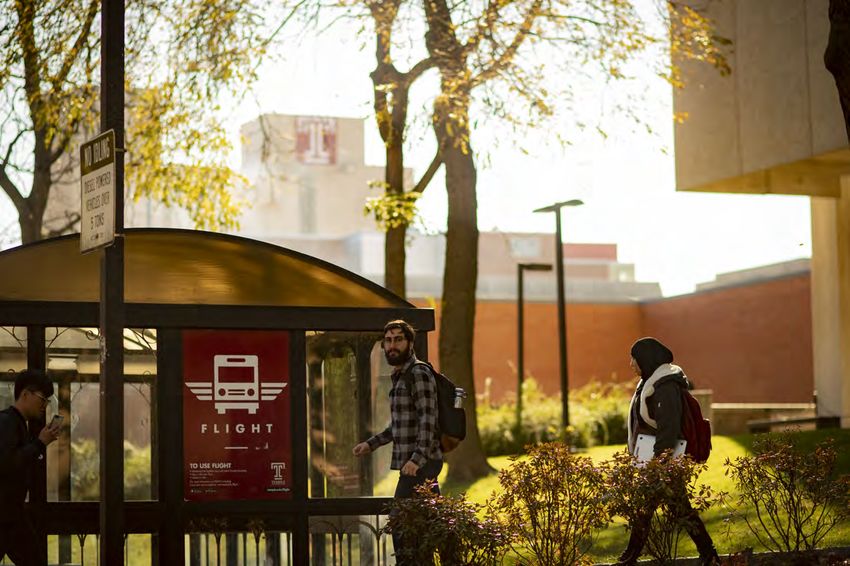
  FLIGHT                                                                                Display this in your vehicle at all times.

                                                                                        You are required to exit the parking lot at the time
                                                                                        shown on your pass.

  Flight is an on-demand evening shuttle service for Temple                             Staying Beyond the time on your pass could result in
                                                                                        ticketing or towing.

  students, faculty & staff. Take Flight starting on Saturday,
  August 22, 2020.                                                                         DATE

  TO USE FLIGHT                                                                            TIME OUT

  Download the TapRide app, select Temple University and use
  your AccessNet login to request a ride from your smartphone.                             *This is the time you need to exit the parking lots

  Flight will operate from 6 p.m. to 3 a.m. seven nights a week
  starting on Saturday, August 22, 2020. Flight is not in opera-
  tion during Fall Break, Winter Break or Spring Break.

  The schedule can be found at https://campusoperations.-
  temple.edu/parking-transportation/shuttle-services/flight.                                                                      MOVE-IN PARKING
                                                                                                                                  LOT ASSIGNMENTS
                                                                                                                                  1300 Residence Hall, Morgan Hall, and
                                                                                                                                  Temple Towers
                                                                                                                                  Lot 5 or the Cecil B. Moore & Temple Towers
                                                                                                                                  parking lots

                                                                                                                                  1940 Hall
                                                                                                                                  Lot 5 & the Diamond Lot

                                                                                                                                  Johnson & Hardwick Halls & White Hall
                                                                                                                                  Lot 5 & the Diamond Lot

                                                                                                                                  Beech International Village
                                                                                                                                  The Liacouras Parking Garage

                                                                                                                                  If your assigned lots are full, use the Liacouras or
                                                                                                                                  Montgomery parking garages.

                                                                                                                                                 This pass entitles you to park in a TU
                                                                                                                                                 parkling lot. If you park on the street or a lot
                                                                                                                                                 not owned by Temple University, you are
                                                                                                                                                 subject to being ticketed and/or towed.

                                                                                                                                                                                                    09.
YOUR NEW HOME

Room Furnishings
You will be provided with a bed frame and a mattress, a dresser, a desk, a chair and a
closet or wardrobe. All windows have shades, curtains or blinds. Your room(s) are not
carpeted. Traditional and suite-style residence hall units are not equipped with cooking
facilities; they have common-area kitchenettes with sinks and microwaves or stoves.

Bed Dimensions
Temple has twin-size beds installed in its residence halls.
STANDARD TWIN: 75” X 39”
      • 1300 Residence Hall 1st - 3rd floor suites
      • Beech International Village

EXTRA-LONG: 80” X 39”
      • 1300 Residential Hall 4th and 5th floor apartment
      • 1940 Residence Hall
      • Mitchell and Hilarie Morgan Hall
      • Johnson and Hardwick residence halls
      • James S. White Hall
      • Temple Towers

Floor Plans And Room Dimensions
Visit the "Campus Living" tab on housing.temple.edu and select "Residence Halls" to
view floor plans and room dimensions.

Each building’s page contains its floor plans complete with room numbers and room
types, as well as diagrams for the most common room types with estimated room
dimensions.

Bedspace
It is critical that you move into your assigned bed space, not only your room. Bed spaces
are defined left to right both numerically and alphabetically, A-1, A-2,B-3, B-4, etc.

                                                                                            10.
Your New Home
Mailroom And Post Office
TO RECEIVE MAIL:
Each residence hall has a mailroom for students to receive letters and mail.
You will be given either a key or a combination to your assigned mailbox during check-in. Larger packages
can be picked up at your residence hall’s front desk. It’s important that the room or apartment number is
included on all letters and packages.
To find your residence hall's address, visit the Residence Halls page in the Campus Living section of
housing.temple.edu.
TO SEND MAIL:
There is a UPS Store on the lower level of the Student Center, where you can buy stamps and send express
mail and regular packages. Mailing supplies can be purchased in the campus bookstore, also in the Student
Center.
Laundry
Washers and dryers are available in every residence hall 24 hours a day. Halls are not equipped with change
machines, so plan to have quarters or pay electronically using your Diamond Dollars account. Some
residence halls have washer and dryers that do not take Diamond Dollars.
SMOKING IS PROHIBITED IN THE RESIDENCE HALLS
Tobacco is defined as all tobacco-derived or tobacco-containing products,
including but not limited to:
• cigarettes (e.g. clove, bidis, kreteks, cigars and cigarillos)
• electronic cigarettes
• hookah-smoked products
• pipes
• oral tobacco (e.g. spit and spitless, smokeless, chew, snuff)
• nasal tobacco
• nicotine delivery devices
•other products that mimic tobacco products, contain tobacco flavoring, or deliver nicotine
* For more information www.temple.edu/life-at-temple/tobacco-free-temple
PERSONAL PROPERTY INSURANCE
Consult your family’s homeowners or renters insurance policy to understand the coverage you might have as
a resident of university housing. If you do not have coverage, consider purchasing a renters insurance policy
to protect your personal property. University insurance covers only university property. Temple University
does not insure for damage or loss to your personal property.
For information about private insurance providers, visit the Resources & Services section of
housing.temple.edu & click Fall & Spring Move-in, Your New Home & About Your Room.
11.DECORATING YOUR ROOM
Coordinate with your roommate(s) to decorate your room in a way that reflects your energy and style. Many rooms
have bulletin boards or tack strips; use mounting putty (instead of nails or tacks) to hang things on the walls.
Things You Might Want To Bring
• cable lock for a laptop • pictures and posters
• cleaning supplies and laundry detergent • poster putty and push pins to hang posters and
• headphones other decorations
• fan • power strip
• health insurance card • sheets, pillows, blankets
• personal appliances with automatic shutoff features, • small tool kit
such as an iron or a coffeemaker • TV
• personal toiletries • USB printer cable if you plan to bring a printer
• wastebasket
You may only bring refrigerators that are less than 3.6 cubic feet and are ENERGY STAR–rated. You can contract
through our preferred vendor, Campus Specialists, by visiting mymicrofridge.com.
You may cover only 50% of your residence hall walls.
Things Not Permitted In Residence Halls
• 3M stripes, painters tape, or other adhesives • water filled devices (water beds, fish tanks, inflatable
• any materials or mechanisms for lofting or raising beds pool/hot tubs, etc.)
(blocks, lifts, or any devices that raise the bed platform • firearms or weapons, regardless of permits to carry
and legs above the standard height) • personal microwaves, unless acquired through our
• candles, incense, aromatherapy oil burners, or any selected vendor, Campus Specialties
devices that use halogen bulbs or have exposed heating • pets (other than certified service animals)
elements, such as toasters, convection ovens, hot • electrical appliances exceeding 50 watts, such as air
plates or tanning lamps conditioners, space heaters, heat lamps or music
• Furnishings that do not have label in tact noting amplifiers
compliance with fire safety standards • network equipment— such as wireless access points,
routers and switches
*If you have questions about a specific item and whether or not it is permitted in university
housing, contact your front desk/Residential Life Office or refer to the information provided
during move-in or via e-mail.
12.INFORMATION TECHNOLOGY SERVICES
Computers & Printing
Most students bring a laptop for use in their room. Generally, we recommend a 16GB
RAM system running either Windows 10 or macOS Catalina or Mojave. It’s best though
to consult the its.temple.edu/shoppersguide website, as some schools, colleges and
individual departments may have very specific requirements. This site also has
information about student discounts. A computer from a major manufacturer is
recommended, as technical assistance is not available for custom-built systems.
Students are entitled to download Microsoft Office 365 and Adobe Creative Suite for free.
To learn more, visit its.temple.edu/office and its.temple.edu/adobe. NEW: Cloud file
storage is also available with Microsoft OneDrive or Google Drive.
The TECH Center is a state-of-the-art facility with more than 600 Windows and Mac
desktop systems available for student use 24-hours during the week, with separate
hours over the weekend during the semester. Loaner laptops and iPads are also
available. For current hours and details, see techcenter.temple.edu. For additional
locations where computers are available, see its.temple.edu/computerlabs.
Ready to print? Use Print on the Go wireless printing to make use of your free printing
quota. Print on the Go printers are available on the first floor of each residence hall and
in many other campus locations. Find out more at its.temple.edu/printgo.
To learn about the full range of technology resources available for students, visit the
Information Technology Services website at its.temple.edu.
13.Information Technology Services
Internet Service
Wi-Fi access and wired internet service are available in all of Temple’s residence hall rooms. If you plan to
use the wired internet service, you will need an Ethernet (RJ-45) cable. A 14-foot cable is usually adequate.
PREPARING YOUR COMPUTER
Before coming to campus:
• obtain the latest Windows or Mac OS updates. For update instructions, visit
its.temple.edu/systemupdates.
• remove illegally downloaded copyrighted materials, such as music and video files, games and
software. (Files downloaded from peer-to-peer file-sharing programs generally contain illegal
copyrighted materials.)
• leave any network equipment—such as wireless access points, routers and switches—at home.
They are not permitted in residence halls.
• review Temple’s Technology Usage Policy and other IT policies (its.temple.edu/policies).
ACTIVATING INTERNET SERVICE
For details about how to connect after moving in, visit its.temple.edu/connect.
This site covers:
• setting up a Wi-Fi or wired connection
• connecting a game console or media device (must support WPA2 Enterprise [wireless], WPA2
PSK [wireless] or wired Ethernet)
GETTING HELP
Tech assistance for connecting laptops and other devices is available in the residence halls lobbies during
the main move-in period and also at the Help Desk during the semester. See its.temple.edu/techsupport.
You can contact the Information Technology Services Help Desk:
ONLINE and CHAT: tuhelp.temple.edu
IN PERSON: TECH Center, Room 106, Main Campus, 12th
Street and Montgomery Avenue
BY PHONE: 215-204-8000
WEBSITE: its.temple.edu/techsupport
14.Information Technology Services
Entertainment
Access to the XFINITY Stream app is already included with your campus housing. With XFINITY Stream, you
can watch top networks, live sports, and thousands of XFINITY On Demand movies and shows anytime,
anywhere, on any device.
Visit xfinityoncampus.com to get started, and download the Stream app from the App Store, Google Play,
Amazon and Roku.
Telephone Service
Landline phones are not provided in the residence halls. Many residents utilize personal cell phones.
TIP: If you do not receive a strong cellular signal in your room, try using Wi-Fi Calling—a feature on many
iPhones and Android phones that enables you to make and receive calls over a wireless network. Search for
Wi-Fi Calling on your carrier’s website to see if your device supports this feature and how you can enable it.
Note: For international calls, the rates from your calling plan may apply for Wi-Fi Calling.
15.CAMPUS SAFETY & SECURITY
TU Ready
Take charge of your well-being and be ready for whatever life throws at you! The TUready
program includes everyday readiness, emergency procedures, and TUalert notifications.
Important steps you can take to be TUready:
1. BE INFORMED.
TUalerts are used to communicate emergency directives when there is an immediate
threat to the community and when a change in behavior is required (e.g. “avoid the area” or
“lockdown”). TUalerts are sent by SMS text and email and are also posted on the university’s
twitter feed @TempleUniv. Make sure your cell phone is registered to receive TUalerts.
Go to TUportal and update your contact information to include your personal contact
information. If you do not live in a residence hall, update your local address.
Add TUalert as a contact in your cell phone. This allows you to immediately identify when
you are receiving a TUalert. You cannot call this number directly.
CONTACT NAME: TU Alert
MOBILE NUMBER: 215-777-7777
TEXT ID: 24639
TUsiren: If you hear the outdoor warning siren, you should seek shelter indoors immediately.
The TUsiren is used when there is a very serious incident occurring on campus and either a
Shelter-in-Place or a Lockdown procedure is in effect. TUalerts will also provide more
information.
2. KNOW WHAT TO DO.
Go to www.temple.edu/tuready to ensure you know what to do during primary emergency
procedures: Evacuation, Shelter-in-Place, and Lockdown.
3. BE TUREADY.
Join us in being ready for anything! Contact the Director of Emergency Management, Sarah
J. Powell, for more information or if you have questions or concerns: sjpowell@temple.edu
Emergency phones or push buttons are located on every floor. These provide direct access
to TUPD.
16.1910 LIACOURAS WALK SUITE 201-301 PHILADELPHIA, PA 19122-6027 PHONE: 215-204-7184, OPTION 2 FAX: 215-204-3261 HOUSING.TEMPLE.EDU
You can also read


