USING THE SKOOOL HE PLATFORM: eLEARNING IMPLEMENTATION GUIDE
←
→
Page content transcription
If your browser does not render page correctly, please read the page content below
USING THE SKOOOL™ HE PLATFORM:
eLEARNING IMPLEMENTATION GUIDE
UNFPA (Geeta Lal)
Jhpiego (Peter Johnson, Leah Hart, Sarah Searle, Alison Trump)
Intel (Mathew Taylor, Narayan Sundararajan)

TABLE OF CONTENTS
Foreword                                                               iv
Introduction                                                           1
   Why eLearning?                                                      1
   Purpose of This Guide                                               2
Accessing the skoool HE Platform                                       4
   Current Modules                                                     4
   Pre-Service Training                                                6
   Stakeholder Buy-In and Support                                      9
Implementing the Program                                               18
   Planning                                                            18
   Training                                                            18
   Implementation Testing                                              18
   Dissemination                                                       18
   Ongoing Support                                                     18
Appendix A: Material and Human Resource Requirements for eLearning
Program Initiation                                                     20
Appendix B: Sample Job Description for Information and Communication
Technology (ICT) Advisor                                               24
Appendix C: Sample Job Description for eLearning Systems Integrator    26
Appendix D: Sample Job Description for eLearning Content Creator       27

eLearning Implementation Guide                                         iii
FOREWORD
The eLearning Modules for Midwives and Frontline Health Care Workers resulted from a
partnership between UNFPA, Intel, Jhpiego, and the World Health Organization (WHO). The
modules aim to build frontline health care workers’ expertise in essential lifesaving skills to
prevent maternal/newborn deaths. In addition, because the modules are electronic, learning
institutions can collect learner performance data, which can be used to improve performance
management and quality control.

Designed to be easy to use, with evidence-based training methods incorporated, the modules
present case studies that guide the user through real-life (normal and emergency) situations
that occur during pregnancy and childbirth. For maximum impact, the modules should be
disseminated as part of a comprehensive eLearning program or blended into the existing
curriculum to enhance in particular, the lifesaving skills. This implementation guide provides
high-level guidance on designing and implementing an eLearning program using the
modules.

The four partners involved in producing the modules each had a different role. The modules
are based largely on WHO’s Integrated Management of Pregnancy & Childbirth (IMPAC)
manuals, which focus on the signal functions necessary for health care workers to address the
top causes of maternal mortality. Jhpiego, an international nongovernmental organization
with expertise in capacity-building and health systems strengthening, provided innovative
training solutions and multimedia content for the modules. UNFPA provided overall project
management, coordination, and implementation support as well as technical expertise in
sexual and reproductive health and midwifery and operationalization at the country level.
Finally, Intel contributed to the partnership by engineering the no-charge skoool™
Healthcare Education platform that allows eLearning modules to be accessed on Windows-
based platforms, with or without internet connectivity, along with interpretation of learners’
usage characteristics.

The module content was reviewed by UNFPA, Jhpiego, and WHO technical experts. In
addition, a technical advisory group with members from the International Federation of
Gynecology and Obstetrics (FIGO), the International Confederation of Midwives (ICM), and
the International Council of Nurses (ICN) reviewed the technical content of the eLearning
modules.

iv                                                        eLearning Implementation Guide
INTRODUCTION
WHY eLEARNING?
Electronic learning, or eLearning, can be as effective as or
                                                                        Blended learning is a
even more effective than live instruction. It can also be more          “combination of off- or online
efficient if effective techniques are used—especially for the           learning and face-to-face
                                                                                      2
development of knowledge and critical thinking and                      instruction.”
decision-making skills.1,2 The current availability of low-
                                                                        eLearning is “instruction
cost mobile devices such as netbooks and tablets provides               delivered on a digital device
the opportunity to extend eLearning to the frontline and to             such as a computer or mobile
support health workers in improving their decision-making               device that is intended to
                                                                                           3
and performance. eLearning is easily adaptable to local                 support learning.”
contexts and languages.

It is important to keep in mind that eLearning is one component of a blended learning
strategy that supports the development of target competencies and must be aimed at the right
constellation of health workers. Other components of the strategy may include demonstration,
practice, mentorship, and simulation. This guide focuses on implementation of eLearning and
the advantages that eLearning offers to a comprehensive education and training strategy.
Table 1 summarizes some of these advantages.

Table 1. Traditional training vs. eLearning
      Common
                        Challenges with Common                  Strategic Advantages of Multimedia
      Training
                           Training Methods                                 eLearning
      Methods
      In-Service
       Training
    Off-site/       Removes workers from their job          eLearning lessons can be accessed readily
    workshop        site, sacrificing valuable human        by all health workers at a time when they
    training        resources and pressuring trainers       are needed most (urgently), based on
                    to reduce training time, which can      identified performance gaps in the
                    result in sub-optimal changes in        workplace.
                    performance.
                    Knowledge transfer is low and           Workers can receive continuing updates,
                    continues to deteriorate over time;     consider recent evidence, and maintain
                    demonstrable change in practice         skills through ongoing exposure to training
                    is less than ideal.                     content.
    Onsite          Limited reach: Training does not        eLearning has the capacity to reach higher
    training        reach the majority of health            numbers and a greater range of health
                    workers attending births; single        workers.
                    cadre training does not promote
                    teamwork.
    Cost            Training is expensive, with little      eLearning provides a basis for low-cost
                    return on investment.                   follow-up after in-person training to help
                                                            reinforce new skills, and allows
                                                            practitioners to take responsibility for
                                                            facilitating ongoing learning.

1
  Bluestone J et al. Effective In-Service Training Techniques, Frequency, Setting and Media: Evidence from an
Integrative Review of the Literature. Baltimore: Jhpiego, 2012.
2
  Means B, Toyama Y, Murphy R, Bakia M, Jones K. Evaluation of Evidence-Based Practices in Online Learning:
A Meta-Analysis and Review of Online Learning Studies. U.S. Department of Education, 2010.
3
  Clark RC and Mayer RE. E-Learning and the Science of Instruction: Proven Guidelines for Consumers and
Designers of Multimedia Learning. 3rd ed. San Francisco: Pfeiffer, 2011.

eLearning Implementation Guide                                                                             1
Common
Challenges with Common Strategic Advantages of Multi-Media
Training
Training Methods eLearning
Methods
Pre-Service
Education
(PSE)
Enrollment in Limited numbers of health care Midwives trained remotely are more likely
PSE workers trained to serve hard-to-reach populations. Training
programs can be extended to where it is most
needed, encouraging retention and
representative distribution of the health
care workforce.
Curriculum Keeping content updated Students can be trained on the most up-to-
date evidence, improve understanding of
critical concepts.
Clinical Clinical placements limited and Students can view video or animated
practice may include limited exposure to demonstrations and develop clinical
critical clinical situations decision-making skills in a safe and stress-
free learning environment. Clinical
conditions that are rare but highly critical
can be simulated through an eLearning
environment, improving necessary
decision-making and clinical skill mastery.
Simulation Limited opportunities for practice eLearning promotes virtual simulation,
through simulation which increases opportunities for
knowledge transfer and clinical decision-
making practice, thus maintaining or
increasing competency and confidence
through regular exposure that is traceable
through the skoool™ HE system.
Quality of Validated materials or training Prototype eLearning modules use
training approach not always available. internationally validated materials involving
materials multiple global experts and stakeholder
groups (ICN, ICM, FIGO, WHO, UNFPA,
Jhpiego).
PURPOSE OF THIS GUIDE
The guide was created to enable ministries and stakeholders, including educational
institutions, administrators, professional associations, and councils that are interested in
supporting or expanding health care worker education via eLearning, to mainstream training
on key lifesaving functions. eLearning does not replace skills training or facility-based
learning, which are face-to-face experiences that learners need to obtain practice and receive
feedback. Therefore, the proposed approach for pre-service training promotes a “blended
learning” approach in which eLearning is complemented by classroom training and hands-on
skills development. For in-service training, the e-modules can be used for refreshing or
updating existing training and can be complemented by hands-on experience as needed.
This guide focuses on the skoool™ Healthcare Education platform (skoool™ HE) as an
example of an open-source learning platform for eLearning implementation. Skoool HE is
free-of-charge eLearning software from Intel that enables use and tracking of multimedia
course content. It records assessment information from embedded quizzes, allowing
administrators to measure and evaluate course usage and understanding. In addition, users
can create their own local-language course content via third-party tools and distribute them
with skoool HE.
2 eLearning Implementation GuideWith the skoool HE platform, learning can take place either online or offline using mobile computers, netbooks, and tablets. Implementation does not require use of the Internet. This implementation guide will give you an overview of how to implement elarning using skoool HE, the resources and eLearning modules that are currently available, and how to plan new elearning content. A module on content creation (see the “Create eLearning” link under “Learning Opportunities” on http://reprolineplus.org/learning-opportunities) enables countries to develop their own curriculum in local languages with local graphics, using the global elearning modules as prototypes. Because elearning requires the use of mobile computing devices, it is essential that the trainers and the trainees have basic computer literacy and are able to operate these devices. A very simple module called PC Basics has been developed by Intel to enhance health care workers’ computer literacy with the Microsoft Windows operating system and is available either preloaded or from http://skooolhe.com/index.php/installation/12-modules-2.3 3 This guide is specifically for implementing elearning using the skoool HE platform. There are other platforms for using the modules that have been developed by UNFPA/Jhpiego. Contact Jhpiego at info@jhpiego.org for more information. eLearning Implementation Guide 3
ACCESSING THE SKOOOL HE PLATFORM
If you do not have the UNFPA/Jhpiego USB with skoool HE, you will need to:
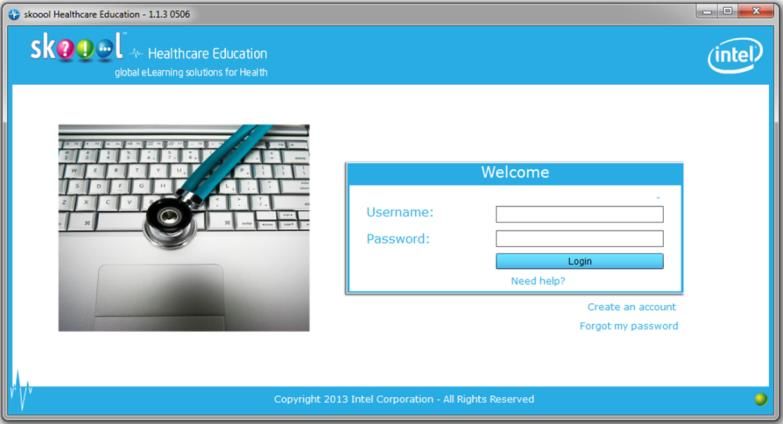
1. Visit the skoool HE website at www.skooolHE.com, select Installation, and follow the
   instructions. You will need to download Adobe FlashPlayer and Adobe Reader if they are
   not already installed on your computer or device. Then you can install the skoool HE
   application.
2. Create an account by providing your e-mail address and following the link in the e-mail
   you receive to set your password.

3. Return to the skoool HE application and log in.
4. Next, download one or more of the UNFPA/Jhpiego eLearning Modules (.skl files) onto
   your computer: Return to skoool HE, select Import and browse to your downloaded .skl
   files and select them.
5. Now you can view the courses you imported via your skoool HE program.

CURRENT MODULES
As of January 2014, there were nine modules available for immediate download and use. The
modules target the main causes of maternal mortality, and are intended for use by midwives
and others with midwifery skills. Visit http://www.reprolineplus.org or the skoool HE
website to view all the modules available for use and installation:
http://www.skooolhe.com/index.php/installation/12-modules-2

4                                                        eLearning Implementation Guide
APPLYING AN eLEARNING IMPLEMENTATION MODEL
Figure 1 details the overarching inputs, activities, and expected outputs and outcomes associated with implementing an elearning program.

Figure 1. eLearning Implementation Logic Model

                                         PROCESSES/
                 INPUTS                   ACTIVITIES                                      OUTPUTS                               OUTCOMES

                                          Content: Identification of
            Ministry of health staff
                                            priority content and
            (HRH policymakers, IT
             staff, eHealth team)          creation of elearning
                                                   content                 skoool HE system
                                                                                                         Content loaded onto
                                                                         launched, functional,
                                                                                                         skoool HE platform
                                                                              maintained
              skoool HE platform           Technology/IT: Server
                                             deployment, user
                                           management, content
                                           management, ongoing                                                                   Learning objectives for
              Currently available                support                                                                        particular topic or module
               learning content                                                                                                          are met

                                                                                       Learners download and
                                                                                       take eLearning courses
             Relevant professional                Capacity-                                                                      If high-level pre-service
              association leaders         building/training: IT staff,                                                              goal is set, student
                                              users, instructors,                                                                  performance on non-
                                               content creators                                                                 elearning assessments in
                                                                                                                                        target areas
            Schools & instructors (for
                 pre-service)            Monitoring and evaluation:
                                         Plan for process indicators,
                                          downloading usage data
                                             from the skoool HE                        Submitted score results
           Implementing organization     system, plan for evaluation                 are received by the skoool
                     staff                                                               HE system (and by
                                                                                     instructors, in case of pre-
                                              Development of                                   service)
                                          promotional strategy and
                                           promotional materials
                                          advertising availability of
                                                   service

5                                                                                                                              eLearning Implementation Guide
This model can be applied in a variety of educational contexts. A few examples are listed here: PRE-SERVICE TRAINING Flexible Device-Based System A tablet- or device-based system is one in which every learner or health worker in the field has access to a personal low-cost netbook. This system would allow pre-service learners or health workers in the field engaged in continuing education to have access to the modules 24/7 on personal devices to supplement other learning activities and prepare for or reinforce clinical practice. Instructors or health center administrators/associations can monitor their students’ or health workers’ number of attempts and quiz scores. Pre-Service School-Based System In a school-based system, elearning modules and skoool HE are loaded on laptop and desktop computers or local area networks in school-based computer labs. Learners study the modules as part of their course work, to supplement other learning activities and prepare for or reinforce clinical practice. Instructors monitor their learners’ number of attempts and quiz scores. Pre-Service Training Sites in Remote Areas Clinical training sites in remote settings can be outfitted with devices that have preinstalled e- modules and skoool HE uploaded. Alternatively, the content can be downloaded via flash drives. Clinical preceptors can access modules for essential skills updates and facilitate learning for students placed in these sites. Students can access the modules to reinforce lessons in the classroom and make sense of clinical practice experience. In-Service Training A local health facility has elearning modules and skoool HE uploaded to desktop computers. Local practitioners who have a role in maternal/child health care use the modules under mentorship of district-level trainers for locally identified needs such as orienting new providers, addressing identified gaps in performance, and routine competency maintenance. The modules can also be used as part of a trainer development process. Continuing Professional Development Practitioners receive assistance uploading the skoool HE platform and modules to their personal devices (computer, tablet, or mobile) and work with the local regulatory body to determine the standard continuing education unit (CEU) and requirements for re-licensure. Regulators have determined that elearning content meets the requirements for continuing education for health care professionals and have established a monitoring system for giving credit to those who have successfully completed the modules to a preset standard. Professional associations can be encouraged to develop elearning content relevant to local needs and supported in developing systems to manage content delivery. 6 eLearning Implementation Guide
General Considerations for Applying the eLearning Implementation Model Public health context (What gap is being addressed by elearning?) Health system infrastructure IT infrastructure and support Resource availability Essential components of any system: Host location (desktop versus portable devices) Target audience (students and current practitioners) Implementers (regulatory boards/councils, ministries of health/education, educational institutions, health care facilities, NGOs, faith-based organizations, and other private-sector groups) Infrastructure (hub-and-spoke dissemination of elearning resources versus alternatives) eLearning Implementation Guide 7
PLANNING AN EFFECTIVE eLEARNING PROGRAM
Figure 2 outlines the components involved in planning an effective eLearning program. The
planning process must be collaborative, beginning with generating stakeholder buy-in and
support and involving stakeholders in the entire process. Content should be relevant to local
needs and translated/adapted appropriately. Technology must be accessible and acceptable to
users. Training for end users, implementers, and IT support personnel is an essential
component of eLearning implementation. As with all programs, monitoring is essential for
measuring results and must be planned for each stage of the process. Periodic evaluations are
necessary to implement changes and to improve program effectiveness.

Figure 2. Collaborative Planning for Effective eLearning

                                     • Ministry-level cooperation and endorsement of process
                                       and curriculum
                   Stakeholder       • Professional association and regulator involvement
                                       links with licensure (for pre-service) and re-licensure
                 buy-in & support      (for in-service)
                                     • Readiness or needs assessment
                                     • Prioritize learning needs

                                    • Identification of existing resources and prioritization
                                    • Modification of existing eLearning modules
                     Content        • Creation of customized multimedia and elearning
                                      content

                                     •   Server deployment
                                     •   User management
                    Technology/      •   Content management
                                     •   Ongoing support and help desk system
                   infrastructure

                                     • Capacity-building for:
                                       • Content creators
                                       • IT system administrators
                     Training          • Users

                                     •   Extracting and interpreting user statistics
                                     •   Monitoring and resolving IT and infrastructure issues
                                     •   Monitoring elearning implementation
                  Monitoring and     •   Conducting formal evaluation of resources and
                   evaluation            effectiveness of elearning

8                                                                        eLearning Implementation Guide
STAKEHOLDER BUY-IN AND SUPPORT Before implementing your elearning program, consider the current policy and regulatory environment in your country. What is the current policy on eLearning in your country, state, or institution? What are the regulatory requirements for creating and approving eLearning courses for use in education or training? Review existing national or institutional documents for guidance before embarking on eLearning or blended learning. Ideally, ministries of health, human resources, education, and management and information systems (or a combination thereof) should be engaged. At the relevant ministry level, relate eLearning to national health strategies and metrics for human resources for health. Identify requirements for approval or evaluation of eLearning or blended learning programs and for the involvement of information technology support personnel in assessing and planning for implementation. Professional councils, professional associations, and accrediting bodies are important partners in health care workers’ education and should be able to provide direction and accreditation for eLearning courses and program planning. Connect with accrediting organizations and link your eLearning program to certification, licensure, or re-licensure requirements for continued health professional education. Create a Task Force Create a task force from the larger body of stakeholders who have sufficient authority, competency, and experience to define the goals and plans for implementing eLearning or blended learning. The task force should be created and led by the ministry of health or ministry of education, with engagement from the ministry of information technology (if it exists), and its members should be partners in and key stakeholders of eLearning. The task force will provide high-level direction, identify and leverage available funding, and plan and support capacity development for eLearning. It can also help identify a technical working group to participate in providing technical support, reviewing and creating eLearning, and monitoring and evaluating progress. Conduct a Needs Assessment Identify documents and recent findings regarding the country’s eLearning readiness. If none exist, conduct a needs assessment to identify infrastructure, personnel, and processes that need to be addressed to implement eLearning. Review eLearning, eHealth, and other related policy or strategy documents or guidelines that might provide direction or guidance. As a first step, the task force should identify key areas in health workforce development where eLearning can be implemented (i.e., in-service, pre-service, continuing professional development). The next step is to identify the best locations, partners, and institutions for the initial rollout plan for eLearning and blended learning using any suitable platform such as Intel’s skoool HE platform. The needs assessment should identify the following: IT infrastructure (supporting use of computing devices) Availability of electricity Availability of internet access (for regular synchronization of results) eLearning Implementation Guide 9
Implementing institution or facility (enabling content distribution and supporting end
users)
Is there a dedicated IT employee or other support staff?
What are her or his qualifications (education and work experience), IT interest areas, and
expertise?
What days or hours is the IT staff member on duty?
Is there a computer lab?
What common hardware, software, internet, and networking problems (if any) would the
IT personnel need to support?
If there is a computer lab, is there a designated “help desk” system for getting support?
Does the IT staff know who to turn to if he/she needs assistance with troubleshooting? Is
there a point of contact at the ministry?
Users
What are their attitudes about eLearning?
What motivates them to complete eLearning?
What is their comfort level with eLearning and use of computers, tablets, or netbooks?
What is the cost of connectivity or time invested in eLearning that they need to bear? (See
the ICTD eLearning Readiness Checklist listed in the Resources section of this guide.)
Establish eLearning Program Goals
Identify any existing eLearning goals outlined by the ministry of health or ministry of
education. If they do not exist, work with the ministries and the task force to identify
measurable goals, target audience, and the delivery method for initial implementation.
Defining Program Scope
Based on the goals, identify priority topics, target audience, and delivery method, and
determine whether eLearning will support the initial education of health care workers through
pre-service training or continuing education through in-service training.
Selecting Key Health Priorities
Identify the health topics or area of performance you wish to address through eLearning.
What are the current national health priorities? Are there existing content modules available
on the skoool HE platform that will address these priorities? If so, this will allow you to
implement and get experience with using the platform. Additional content can be created
using the existing modules as prototypes with the help of the content creation toolkit.
Audience
Identify your target audience so that you can select appropriate content for their skill set. What is
their level of computer literacy and readiness for eLearning? What preparation and training will be
required?
10 eLearning Implementation GuideDelivery Method Will you use PCs in computer labs, or netbooks or tablets? Who will support the IT needs and manage the delivery and updating of content? Which delivery method is most cost-effective and sustainable? Create a Plan Based on your program goals, scope, and audience, and with direction from the task force, create a high-level plan for the following areas. Schedule Plan what you will do when. Plan how you will roll out eLearning initially so that you can evaluate and make adjustments in the content and processes before going to scale. Examine what content is available. Is it suitable for the local context, or does it need to be localized? Can it be created in the country by using the content creation toolkit and deploying with a suitable vendor? Are there suitable systems integrators who can roll out an eLearning program that includes installation, maintenance, and support? Are there local content creators who could localize or create new additional modules that are required? Budget In collaboration with the task force, identify budget inputs such as hardware, software, staff time, communication fees, training costs, and monitoring and evaluation costs. (Appendix A shows the materials and human resources needed for eLearning implementation.) Monitoring and Evaluation Based on your program goal and scope, identify monitoring and evaluation indicators (see Monitoring and Evaluation section, below). How will you evaluate your program and measure its success? Plan to monitor and evaluate both short- and long-term activities. Content Based on your program goals and priority health topics, determine whether you can use existing skoool HE content or need to create new content. Sample modules are available for download (for a current list, see http://www.skooolhe.com/index.php/installation/12- modules-2 ). The “Create eLearning” module is listed on the “Learning Opportunities” page of the ReprolinePlus website (http://reprolineplus.org/learning-opportunities) and is also available on the skoool HE platform website (http://www.skooolhe.com/). On the skoool HE site, click on the “Authoring eLearning Content” link for links to free software and guidance on eLearning content best practices, including “Create eLearning Now,” a multimedia eLearning module that provides an orientation on creating eLearning materials for use in the skoool HE platform. eLearning Implementation Guide 11
Technology/IT Infrastructure
eLearning requires an IT infrastructure for both implementation and user support. “IT
infrastructure” refers not only to physical elements of technology, such as computers and
software, but also to the systems, processes, and people that support the full functioning and
productive use of those elements for the eLearning system. Technology-related activities
occur concurrently with other implementation activities, and it may be useful to include the
dedicated IT staff or IT technical advisory group in stakeholder meetings and other cross-
cutting startup and implementation activities.

Identifying Relevant IT Staff
To support the technology infrastructure, three groups of staff will be needed:

Ministry-Level IT Management / eHealth Policymakers
Most ministries of health have a dedicated IT team that supports the IT needs of the ministry.
They may or may not have an eHealth team or an Information and Communications
Technology for Development (ICT4D) team that focuses on applications of technology to
support health care delivery in-country. It is critical to include both ministry-level IT
management and, if present, eHealth policymakers in the early planning, start-up, and
implementation of the eLearning system. Ministry-level IT management and any eHealth
policymakers can provide input on availability of staff to support the ongoing eLearning
system, information on bandwidth, connectivity, and IT capacity at the school level. Much of
this support could be provided virtually. For sustainability, an appropriate level of IT and
technical support is necessary.

Central System Administrators
Central system administrators are the central IT staff who will deploy and maintain the
eLearning server, manage user accounts and groups, manage some aspects of the eLearning
content, and provide support to local school-level IT staff. Ongoing central system
administration responsibilities typically are not too burdensome and can be performed by the
ministry-level IT team. The size of this team will vary depending on the scope and
parameters of the project. In some cases, where a ministry-level IT team is too busy, it may
be necessary to outsource some of the work or hire new IT staff. Server installation and
administration can be supported or performed by skoool HE Hosting and Implementation
Partners. These partners are companies that have the ability to deploy, maintain, and support
skoool HE clients and servers. In addition, some have the skills to modify and extend the
software if desired.

Local/School-Level IT Staff
If eLearning is implemented as part of pre-service education, IT staff located at the school
will support students and instructors in installing and using the skoool platform, importing the
eLearning modules, syncing their data with the central server, and providing general
troubleshooting and assistance.

12                                                         eLearning Implementation Guide
Skoool HE Server
Detailed instructions on how to select, install, and initially configure a skoool HE server are
available in the Intel skoool™ Healthcare Education (HE) Platform Administrator’s Guide.
See:
http://www.skooolhe.com/images/downloads/skoool%20Healthcare%20Administrators%20G
uide%20v%201.1.3%200506.pdf. Alternatively, the server can be cloud-hosted by one of the
skoool HE Hosting and Implementation Partners.
If in-country hosting is required, procurement of the server hardware should begin
immediately, per the hardware and software server system requirements listed in the
administrators’ guide. The administrators who set up and deploy the server must have a
working knowledge of LAMP installations and, if not already experienced with Drupal, will
need to learn the basics to understand its use in the skoool HE platform.4 Alternatively, skoool
HE can be implemented using a Moodle server with a newly available skoool HE plug-in.
User Management
Central system administrators will have the ongoing task of creating user roles, defining the roles,
and assigning content to user accounts. On the skoool HE platform, there are four main roles for
users:
Administrators (the central system administrators themselves, who deploy and maintain
the skoool HE server)
Group facilitator/leader (usually the instructor at the school, who will manage a group of
users and observe assessment results)
Content editor (manages and uploads content to the skoool HE server)
End user (the general consumer of eLearning content—i.e., the student)
Each new account on the skoool HE server will be assigned one of these roles. After the skoool
HE server is deployed, creating and managing user accounts is relatively straightforward. The
Intel skoool Healthcare Education (HE) Platform Administrator’s Guide explains the details.
See:
http://www.skooolhe.com/images/downloads/skoool%20Healthcare%20Administrators%20Gu
ide%20v%201.1.3%200506.pdf
Content Management
Some modules for the skoool platform may already be available in “packaged” form (i.e., zipped
in a format that can be uploaded to the skoool HE server). However, if content is created by
instructors in-country after initial deployment of the eLearning system, the central system
administrators may need to perform this “packaging” process and load it onto the skoool HE
system.
The step-by-step details of content management, packaging modules, and deploying
modules for use on the skoool HE system are explained on page 16 of the Intel skoool
Healthcare Education (HE) Platform Administrator’s Guide:
http://www.skooolhe.com/images/downloads/skoool%20Healthcare%20Administrators%
20Guide%20v%201.1.3%200506.pdf
44
It is not necessary for project implementers to understand technical terms like “LAMP” and “Drupal” to manage
this project. The administrator’s guide contains detailed information on these topics.
eLearning Implementation Guide 13Help Desk Troubleshooting Processes Before deployment of the eLearning platform, the central system administrators should work with skoool HE Implementation Partners and local/school IT staff to define help desk or troubleshooting processes for users and for administrators. (For some general tips on setting up a help desk, see Google Apps Documentation & Support, “Set up your help desk”: http://support.google.com/a/bin/answer.py?hl=en&answer=150561. This is an example using Google apps, but the basic framework helps in thinking through setting up any help infrastructure.) The ministry-level IT system administrators may already have a help desk system that can be adapted for use with the eLearning system. Mapping out the flow of a help request—similar to an organizational chart showing who reports to whom or a data flow diagram—is useful in identifying gaps in support for students and teachers, as well as for central system administrators should something go wrong. Testing Implementation testing should be performed on a small scale to ensure that server deployment, user account creation, and content management are all running smoothly. However, rigorous software development testing has already been conducted by the creators of the eLearning system. First, central system administrators should test the system among themselves, assigning themselves user roles and attempting to log on, access a module, and submit results to a module assessment. After successful simple testing, the central system administrators should work with local and school IT staff to remotely test the system. Is the school IT staff person able to access a user account, view an assigned module, and submit results to an assessment? Simple tests like these will help identify problems early on. Training Plan training based on the needs assessment findings and current IT infrastructure and computer literacy. Training may be needed for the following roles: Content Creators Content creators are instructional designers, educators, or subject matter experts. They are responsible for identifying and creating the objectives, assessment items, activities, references, and resources for eLearning courses. Content creators may or may not package materials for skoool HE, but they will provide the materials for the course in collaboration with IT support personnel. Facilitators Facilitators are the educators, trainers, faculty, or personnel who facilitate eLearning or blended learning. They are responsible for monitoring user progress and supporting users who have technical content questions. They need to be able to view user progress and identify users who need support or intervention. If they are facilitating blended learning, they may also be responsible for planning and facilitating the clinical practice portion of the course. 14 eLearning Implementation Guide
IT Managers and Personnel
IT staff are those will be providing ongoing support for facilitators and users of the modules.
They need to be trained using the skoool HE administrator’s guide. They also need to set up a
support system or help desk so that IT–related problems can be identified and addressed. The
IT personnel will need to upload modules, update content when needed, and monitor and
track files and versions of eLearning materials used. Appendix B is a sample job description
for an information and communication technology advisor.
Users
A user is anyone who will be completing an eLearning course. Users need an orientation to
be able to open the skoool HE platform, import and delete modules, and complete the
eLearning modules and pre- and post-course quizzes.
Assess individuals’ readiness for training both individually and collectively through a
combination of surveys and one-on-one and team meetings. Discuss the skills needed to
implement eLearning, including the ability to create content, set up and administer courses,
and track and support users as they complete their instruction. You can prepare the team for
training by reviewing the eLearning courses on the skoool HE platform and other sources;
attending free webinars from eLearning technology vendors; and passing out articles on
eLearning that would be applicable in your environment. You should also assess your team’s
level of interest in developing eLearning skills and making a shift in how training goals are
accomplished. This process will tell you what skill gaps you will need to fill to have a
successful program.
Monitoring and Evaluation
The tables below lists suggested indicators to be monitored throughout implementation of an
eLearning program. You may update or revise them based on your country’s priorities, and
you should establish baselines and targets for each indicator you use.
Content Indicators
Outcomes National-level indicators School-level indicators
Content priorities identified; Number of modules eLearning modules
content selected, adapted, or available available
developed
Implementation research plan National-level steering
developed to determine committee approves plans
usability, satisfaction level, and
cost
eLearning Implementation Guide 15Platform Indicators
Outcomes National-level indicators School-level indicators
Needs assessment completed Needs assessment draft
Needed supplies and Servers, hardware, and Hardware and software
equipment procured software in place and installed
functional
IT infrastructure and support in eLearning modules IT staff hired
place (e.g., servers, training on installed on devices
eLearning use, and Servers operational
maintenance) IT staff trained to maintain
system
Average time to respond to
service call
Process Indicators
School- or facility-level
Outcomes National-level indicators
indicators
IT infrastructure/support and Average time eLearning is IT staff hired
maintenance available “offline” Average time eLearning is
Average time to respond to “offline”
service call Average time to respond to
service call
Facilitators and users trained to Number trained in use of Number trained in use of
use eLearning eLearning eLearning
Users actively using eLearning Proportion of users who Proportion of users at each
modules have completed 80% of school who have
eLearning modules by end completed 80% of
of testing phase eLearning modules by end
eLearning pre- and post- of testing phase
test pass scores of users Pre- and post-tests of
users at each school on
eLearning modules
Results of implementation Level of satisfaction of Level of satisfaction (users
research on usability, user users and facilitators and facilitators)
satisfaction, and costing Unit costs defined Unit costs defined
available and disseminated Proportion of users and Proportion of users and
facilitators using eLearning facilitators using eLearning
Proportion of users and Proportion of users
facilitators using 80% of completing 80% of
modules per year modules per year
Number of reported Number of reported
technical problems with technical problems with
eLearning systems eLearning systems
modules per year
Evaluation of student outcomes Average user scores pre Average user scores pre
and post test and post test
Scale-up plan developed Scale-up plan drafted and
based on lessons learned approved
16 eLearning Implementation GuideIT and Infrastructure Indicators
Outcomes National-level indicators School-level indicators
All schools have needed National procurement Schools have IT equipment
hardware and software for mechanism for eLearning and supplies to provide
eLearning established eLearning
All schools have ongoing National eLearning servers Proportion of students
IT support and are not out of service for whose eLearning modules
maintenance more than one week every are not functional for two
quarter weeks or more
User indicators
Outcomes National-level indicators School-level indicators
Routine monitoring of Proportion of students and Level of satisfaction of
eLearning usability, level tutors using eLearning students and tutors
of satisfaction, and Increase in number of Proportion of students and
performance outcomes students tutors using eLearning
Proportion of students and Proportion of students and
tutors completing 80% of tutors completing 80% of
modules per year modules per year
Percentage increase in Percentage increase in
average score per module average score per module
(pre-test/post-test) (pre-test/post-test)
Conducting a Formal Evaluation
After initial implementation of the eLearning program is complete, conduct a formal
evaluation to identify any training, IT, content, or process issues that need to be addressed.
(Resources on standards and guidelines for assessing eLearning programs are listed at the end
of this document.) Generally, the formal evaluation should include the following:
A review of course evaluations (school level)
Measurement of user knowledge change (pass rate per module)
Evaluation of platform use by tutors and students (complete at school level and national
level)
Measurement of national indicators (number of users, number of resources, etc.)
Process evaluation (is the program meeting targets?)
Assessment of the level of satisfaction and acceptability (among students and tutors)
eLearning Implementation Guide 17IMPLEMENTING THE PROGRAM Actual implementation will require planning (including application for research, if applicable), training, implementation testing, dissemination, formative evaluation, ongoing user support, and addressing any technical issues. Here is a short summary of each step. PLANNING In preparation for eLearning implementation, it may be appropriate to develop a research plan and submit to local ethical review boards, in order to disseminate or present results of the eLearning program to a wider audience. TRAINING Train everyone who will be involved, including IT staff, facilitators, and users. Be sure to include guidance on how to access the help desk, call line, and other IT support. Facilitators and users must be able to get their questions answered easily, get any technical problems solved, and receive support for their implementation. IMPLEMENTATION TESTING Test eLearning modules with a small group to identify issues/problems. Adjust as necessary. Then test using skoool HE with a small user group and some facilitators to identify and solve any process or technical issues. DISSEMINATION eLearning materials can include large files if they include video and multimedia. You might need to download and import the modules onto devices initially, while you train facilitators or IT staff. See the skoool HE administrator’s guide for more details on downloading and importing files. Use stakeholder meetings, professional association meetings, media, and other forums both to distribute eLearning materials and to share information about the eLearning program and how to access information or participate. As you monitor and evaluate results, disseminate findings that are approved by the task force. ONGOING SUPPORT Ready support for facilitators, users, and IT personnel is critical, especially in the early stages. There must be a telephone number, e-mail address, or access to live support to ensure that technical issues and other questions are addressed and answered. Facilitators should monitor on a regular basis, such as weekly, to determine how users are progressing and answer any questions. This includes managing the help desk or the support system established to document problems that you have addressed. 18 eLearning Implementation Guide
RESOURCES
skoool™ HE website: http://www.skooolhe.com/
Current list of skoool™ WHO/UNFPA/Jhpiego Midwifery Modules:
http://www.skooolhe.com/index.php/installation/12-modules-2
Intel skoool™ Healthcare Education (HE) Platform Administrator’s Guide:
http://www.skooolhe.com/images/downloads/skoool%20Healthcare%20Administrators%
20Guide%20v%201.1.3%200506.pdf
Google Apps Documentation & Support. “Set up your help desk”:
http://support.google.com/a/bin/answer.py?hl=en&answer=150561
FuturEd Distance Learning Guide: http://www.futured.com/pdf/distance.pdf
Distance Education Quality Principles, University of Wisconsin-Madison:
http://depd.wisc.edu/html/quality3.htm
eLearning Implementation Guide 19APPENDIX A: MATERIAL AND HUMAN RESOURCE
REQUIREMENTS FOR eLEARNING PROGRAM
INITIATION
The sample budget table below reflects a sample eLearning project that targets six pre-service
midwifery schools, reaching approximately 600 students and 30 faculty members.
eLearning Implementation Materials and Human Resource Requirements (Year 1)
Unit
Budget item Description Unit cost Estimated cost ($)
number
(% of full-time
Staffing
status)
Project Staff
Project management
Oversee program
Manage staff 100% 1
ICT advisor
Work with IT stakeholders
to launch, manage, and
monitor pilot
implementation of
eLearning platform 100% 1
Education and training advisor
Expertise in local training
system
Lead trainings, workshops 50% 1
Subject matter review
Local expertise in content
area 30% 1
Content creator
Expertise in instructional
design
Digitize content 50% 1
Optional: Contracted IT support
for systems integration
Implement, maintain, and
support skoool HE platform (50%) 1
Monitoring and evaluation staff 25% 1
Short-term expert
consultation
ICT advisor 50% 1
Education and training advisor 50% 1
Monitoring & evaluation advisor
Data tracking, analysis,
and interpretation 50%
Subtotal
Total Personnel
20 eLearning Implementation GuideeLearning Implementation Materials and Human Resource Requirements (Year 1)
Unit
Budget item Description Unit cost Estimated cost ($)
number
Travel (Trips)
Technical support visits International 2
Local technical support for
quarterly visits Local 4
Subtotal
(Per person
Activities (Participants) (Days)
per day)
2-day training for local IT staff
10
on eLearning system 2
3-day training for tutors on
18
eLearning 3
1-day eLearning orientation
45
meeting for stakeholders 1
2-day detailed training for
tutors and IT tutors on skoool 45
HE platform 2
5 days of eLearning content
35
development (for malaria) 5
Revision of current eLearning
35
content 1
Dissemination of final
60
eLearning package 1
Subtotal 248 15
Equipment, supplies, (unit
materials number)
Laptops or netbooks 250
USBs for file transfers (loaded
and branded by Dischounds) 250
Fed-Ex international shipping
costs
Translation of existing
(module)
content
Translating/localizing
storyboard
Repackaging
graphics/storyboard, including
technical review for accuracy
TOTAL
eLearning Implementation Guide 21eLearning Implementation Materials and Human Resource Requirements (Year 2)
Unit Estimated
Budget item Unit cost
number cost ($)
Staffing (Staff)
Project management 100%
ICT advising 100%
Education and training advisor 100%
Subject matter review 100%
Content creator 100%
Monitoring & evaluation advisor 50%
Optional: contracted IT support for systems
integration (50%)
Short-term expert consultation
ICT advisor 25%
Education and training advisor 25%
Monitoring and evaluation advisor 25%
Travel (trip)
Technical support (international) 1
Local technical support (local) 1
Subtotal
(Per
person
Activities (Participants) (Days) per day)
3-day update training on new materials 16 3
1-day content creation training 20 3
1-day validation 20 1
Subtotal
Equipment, supplies, materials
Laptops or netbooks 0
USBs loaded with updated versions/new
modules 50
Fed-Ex international shipping costs
TOTAL
22 eLearning Implementation GuideeLearning Implementation Materials and Human Resource Requirements (Year 3)
Unit Unit Estimated
Budget item
number cost cost ($)
Staffing (Staff)
Project manager 100% 1
ICT advisor 100% 1
Education and training advisor 100% 1
Subject matter expert 50% 1
Content creation 50% 1
Monitoring and evaluation advisor 100%
Short-term expert consultation
ICT advisor 10%
Education and training advisor 10%
Monitoring & evaluation advisor 10%
Subtotal
Travel (Trip)
Technical support (international) 0
Local technical support (local); one visit 1
Subtotal
Equipment, supplies, materials
Laptops or netbooks (replacements) 5
USBs for file transfers 50
Fed-Ex international shipping costs
TOTAL
eLearning Implementation Guide 23APPENDIX B: SAMPLE JOB DESCRIPTION FOR
INFORMATION AND COMMUNICATION
TECHNOLOGY (ICT) ADVISOR
POSITION DESCRIPTION
Title: Information and Communication Technology (ICT) Advisor
Salary Grade:
Job Site:
Summary Scope of Work:
The ICT advisor will provide management of and technical assistance for use information
and communication technologies (ICT) in a pilot of an eLearning platform for pre-service
education in six midwifery schools in Ghana.
Position Reports To:
Positions Supervised:
Responsibilities:
Take the lead in working with relevant program staff, health care worker tutors, school IT
staff, and Ministry of Health IT staff to launch, manage day-to-day activities, and monitor
the pilot implementation of an eLearning platform
Conduct or lead, in collaboration with other team members, any training, meetings, or
workshops held for the planning, design, implementation, or evaluation of information
and communication technologies for program activities
Collaborate with team members to ensure appropriate monitoring and evaluation of
project information and communication technology activities, including provision of
input into appropriate logical framework and indicator development
Work collaboratively with other team members to ensure necessary program planning,
development, resource availability, and management activities function effectively and
efficiently
Contribute to timely, accurate, and appropriate reporting of program activities and results
to the donor, including progress reports, and annual reports
Promote and support the dissemination of project information and experience sharing
among the project team and with other country, regional, and headquarters-based staff
Establish and maintain productive relationships with key stakeholders, including relevant
department heads and staff, government officials, NGOs, and ICT companies
Other duties as necessary and as assigned.
Required Qualifications
University degree in an information and communication technology, management
sciences, or public health field
Minimum of three years’ experience providing technical assistance for eHealth, mHealth,
or ICT interventions
Knowledge/Abilities/Skills:
Competent in the use of ICT to support one or more of the following:
24 eLearning Implementation Guide Health systems development and strengthening
Health care service delivery
Performance and quality improvement/assurance
Training, supporting, and supervising health care workers
Behavior change communication
Experienced in:
Designing, developing, implementing, and evaluating technology-assisted projects
Coordinating program activities with governmental, nongovernmental, and private-
sector partners
Collaborating with partners to provide technical assistance and implement program
activities
Identifying and incorporating or adapting best and promising evidence-based
practices
Interested in keeping up-to-date with technologies and technology standards
Possess an understanding of the constraints and benefits of different technologies
Be self-motivated and proactive, and possess a positive attitude to work
Require minimum supervision
Excellent organizational skills, including the ability to handle a variety of assignments
sometimes under pressure of deadlines
Be cooperative, hardworking, flexible, and dependable
Be able to communicate effectively, instilling trust and confidence
Be pleasant and warm, and have an outgoing personality
Possess excellent interpersonal and communication skills
Be of high integrity and ability to respect confidentiality
Be willing to take on extra responsibilities in order to achieve the goals/objectives set by
the organization
eLearning Implementation Guide 25APPENDIX C: SAMPLE JOB DESCRIPTION FOR
eLEARNING SYSTEMS INTEGRATOR
Terms of reference/skillset requirements for systems integrator: Implementation,
maintenance, and support of skoool™ HE platform
Pre-deployment:
Preload tablets/computers with relevant software such as skoool HE platform, Moodle
etc.
Understand Administrator’s Guide Installation for client provided by Intel
Corporation
Preload approved skoool modules into skoool platform
Install and maintain cloud-based or in-country Internet-based server
skoool HE Server or Moodle Server
Support use of features: user accounts management, course assignment, content
upload (manual provided by Intel Corporation)
Set up and maintain content hub sites
Set up file share at hubs (hospitals, clinics, etc.) from which users can download
course content
Establish distribution method (Internet download or physical delivery of storage
media) of course content, and train on-site resource to maintain.
Train administrators, IT managers and end users on use of skoool or Moodle Server
with skoool HE plugin for account and content management, assignment and
monitoring.
During Deployment:
Establish and maintain end-user support
Phone, email, etc.
Ideally, utilize user support database and knowledgebase
Establish and maintain content distribution support
Establish and maintain administrators support
Skills
Experience leading successful projects utilizing computers for health care and/or training
Proven ability to manage cross-organizational and cross-functional resources to meet
project goals and milestones
Computer Skills
Microsoft Windows including configuration/administration of clients
E-mail
Microsoft Office (Word, PowerPoint, Excel)
Strong knowledge on cloud-based server setup, configuration and maintenance such as
Amazon or other (Windows or Linux server implementation)
Skype
WLAN, Wi-Fi knowledge to configure networks
26 eLearning Implementation GuideAPPENDIX D: SAMPLE JOB DESCRIPTION FOR
eLEARNING CONTENT CREATOR
Terms of reference/skillset requirements to create eLearning content for skoool™ HE
platform
Create eLearning content and digitize existing content:
Interact with subject matter experts, cross-functional team of graphics designs, users,
etc.
Ability to use Flash/HTML5 tools, including but not limited to Adobe
Captivate/Presenter, iSpring, Articulate, and additional tools
Live or animation videos creation; video editing and compression
eLearning pedagogy, assessment creation
Internet content creation (Flash and HTML5) products from Articulate, Adobe
(Captivate or Presenter), and/or iSpring for courseware and assessments
Moodle
Adobe Acrobat PDF creation
HTML5 web page, form creation
Package content into skoool compatible modules
Take feedback on content and incorporate and modify modules appropriately,
working with subject matter experts
Skills:
Excellent written and oral communication
Excellent organizational skills to enable milestone reporting, raise issues/concerns,
manage others
Understand pedagogy to create effective eLearning experiences
Expert proficiency in tools as indicated above
eLearning Implementation Guide 2728 eLearning Implementation Guide
You can also read


