VIRTUAL AGM GUIDE GETTING STARTED - Computershare
←
→
Page content transcription
If your browser does not render page correctly, please read the page content below
VIRTUAL AGM GUIDE
GETTING STARTED

If you choose to participate online at ANZ’s 2020                                              Visit web.lumiagm.com on your smartphone, tablet or
                                                                                                computer. You will need the latest versions of Chrome,
Annual General Meeting (the meeting) you will                                                   Safari, Internet Explorer 11, Edge and Firefox. Please ensure
be able to view a live webcast of the meeting, ask                                              your browser is compatible.
questions online and submit your votes in real time.

                                                     MEETING ID: 348-909-606

   To log in, you must            Australian Residents              Overseas Residents                             Appointed proxy
   have the following             › Username (SRN or HIN) and      › Username (SRN or HIN) and                    To receive your unique
   information:                                                                                                    username and password, please
                                  › Password (postcode of your     › Password (three-character country
                                     registered address).              code) e.g. New Zealand – NZL;               contact Computershare Investor
                                                                                                                   Services on +61 3 9415 4024
                                                                       United Kingdom – GBR; United States
                                                                                                                   during the online registration
                                                                       of America – USA; Canada – CAN.
                                                                                                                   period which will open 1 hour
                                                                    › A
                                                                       full list is provided at the end           before the start of the meeting.
                                                                      of this guide.

                            Online registrations will open 1 hour before the start of the meeting
                               (so from 9:00am (AEDT) on Wednesday 16 December 2020)

   01            To participate in the meeting, you will be required to
                 enter the unique 9-digit Meeting ID provided above.             02            To proceed into the meeting, you will need to read
                                                                                               and accept the Terms & Conditions.

Important notice

Notice of Meeting and Proxy Form                   To request a hard copy of the these                Once completed, mail your form with the included
You will be able to request a hard copy            documents: please call Computershare on            reply paid envelope or Fax to this number by
of the Notice of Meeting and Proxy Form.           T 1800 11 33 99 within Australia                   10:00am (AEDT) Monday, 14 December 2020:
This will be mailed out to you as a priority.      T (03) 9415 4010 outside Australia                 F 1800 783 447 within Australia
                                                                                                      F +61 3 9473 2555 outside Australia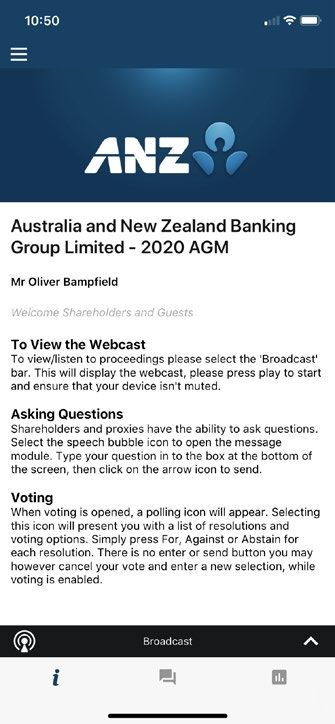
03          To register as a securityholder, select
              ‘Securityholder or Proxy’ and enter your SRN             04      To register as a proxyholder, select ‘Securityholder or
                                                                               Proxy’ and you will need your username and password
              or HIN and Postcode or Country Code.                             as provided by Computershare. In the ‘SRN or HIN’ field
                                                                               enter your username and in the ‘Postcode or Country
                                                                               Code’ field enter your password.

  05          To register as a guest, select ‘Guest’ and enter
              your name and email address.
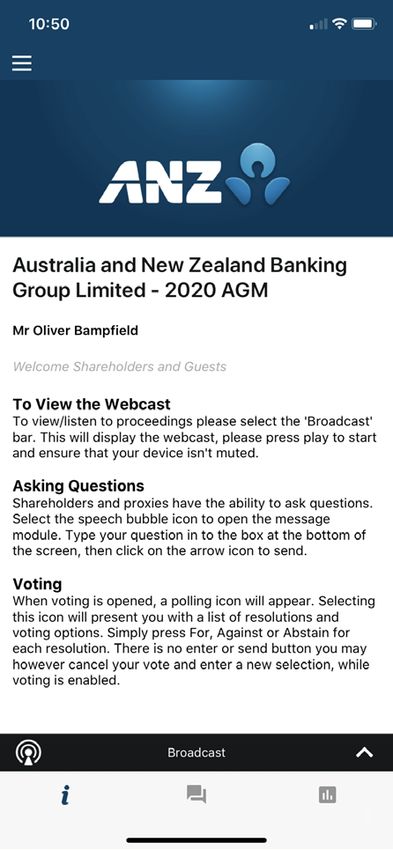
                                                                       06      Once logged in, you will see the home page, which
                                                                               displays the meeting title and name of the registered
                                                                               securityholder, nominated proxy or guest.

Icon descriptions

                                The broadcast bar allows you to view
                                                                        Questions icon, used to ask questions
                                and listen to the proceedings

       Home page icon, displays meeting information                     Voting icon, used to vote. Only visible when the chairman opens poll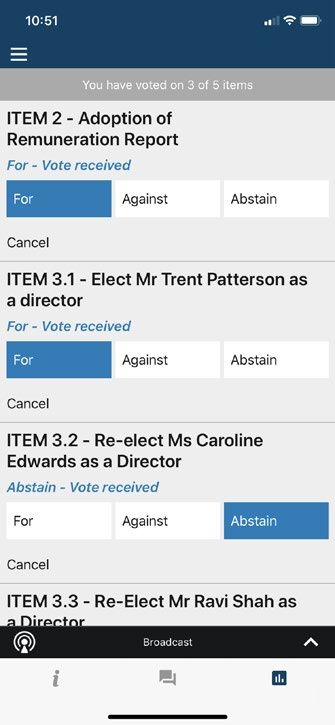
07   To view the webcast you must tap the broadcast
     arrow on your screen and press the play button.                 08           TO ASK QUESTIONS
                                                                                  Tap on the Questions icon      type your question
     Toggle between the up and down arrow to switch
                                                                                  in the chat box at the bottom of the screen and
     between screens.
                                                                                  then select the send icon . Confirmation that your
                                                                                  message has been received will appear.

09   TO VOTE                                                       FOR ASSISTANCE
     When the Chairman declares the poll open:                     If you require assistance prior to or during the Meeting,
     › A voting icon   will appear on your device                 please call +61 3 9415 4024.
       and the Meeting Resolutions will be displayed.
     › T o vote tap one of the voting options. Your response
        will be highlighted.
     › T o change your vote, simply press a different
        option to override.
     The number of items you have voted or yet to vote
     on, is displayed at the top of the screen. Votes may be
     changed up to the time the Chairman closes the poll.

                                    On some devices, to vote,
                                    you may need to minimise
                                    the webcast by selecting
                                    the arrow in the broadcast
                                    bar, audio will still be
                                    available. To return to the
                                    webcast after voting, select
                                    the arrow again.

                                                                                                                     web.lumiagm.com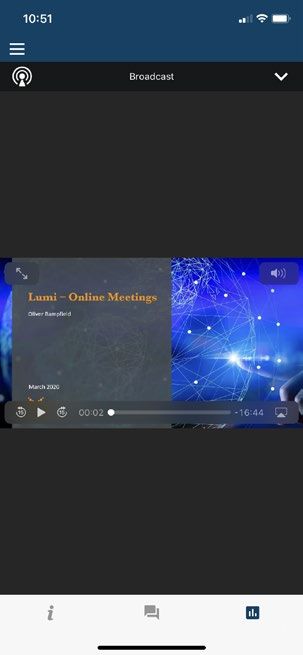
COUNTRY CODES
Select your country code from the list below and enter it into the password field.
ABW ARUBA CPV CAPE VERDE IOT BRITISH INDIAN MUS MAURITIUS SRB SERBIA
AFG AFGHANISTAN CRI COSTA RICA OCEAN TERRITORY MWI MALAWI STP SAO TOME AND PRINCIPE
IRL IRELAND
AGO ANGOLA CUB CUBA MYS MALAYSIA SUR SURINAME
IRN IRAN ISLAMIC
AIA ANGUILLA CXR CHRISTMAS ISLAND MYT MAYOTTE SVK SLOVAKIA
REPUBLIC OF
ALA ALAND ISLANDS CYM CAYMAN ISLANDS IRQ IRAQ NAM NAMIBIA SVN SLOVENIA
ALB ALBANIA CYP CYPRUS ISL ICELAND NCL NEW CALEDONIA SWE SWEDEN
AND ANDORRA CZE CZECH REPUBLIC ISM BRITISH ISLES NER NIGER SWZ SWAZILAND
ANT NETHERLANDS ANTILLES DEU GERMANY ISR ISRAEL NFK NORFOLK ISLAND ISLANDS SYC SEYCHELLES
ARE UNITED ARAB EMIRATES DJI DJIBOUTI ITA ITALY NGA NIGERIA SYR SYRIAN ARAB REPUBLIC
ARG ARGENTINA DMA DOMINICA JAM JAMAICA NIC NICARAGUA TCA TURKS AND CAICOS ISLAND
ARM ARMENIA DNK DENMARK JEY JERSEY NIU NIUE TCD CHAD
ASM AMERICAN SAMOA DOM DOMINICAN REPUBLIC JOR JORDAN NLD NETHERLANDS TGO TOGO
ATA ANTARCTICA DZA ALGERIA JPN JAPAN NOR NORWAY THA THAILAND
ATF FRENCH SOUTHERN ECU ECUADOR KAZ KAZAKHSTAN NPL NEPAL TJK TAJIKISTAN
TERRITORIES EGY EGYPT KEN KENYA NRU NAURU TKL TOKELAU
ATG ANTIGUA AND BARBUDA
ERI ERITREA KGZ KYRGYZSTAN TKM TURKMENISTAN
NZL NEW ZEALAND
AUS AUSTRALIA
ESH WESTERN SAHARA TLS EAST TIMOR DEMOCRATIC
KHM CAMBODIA OMN OMAN
AUT AUSTRIA
ESP SPAIN REP OF
KIR KIRIBATI PAK PAKISTAN
AZE AZERBAIJAN TMP EAST TIMOR
EST ESTONIA
BDI BURUNDI KNA ST KITTS AND NEVIS PAN PANAMA
ETH ETHIOPIA TON TONGA
BEL BELGIUM KOR KOREA REPUBLIC OF PCN PITCAIRN ISLANDS
FIN FINLAND TTO TRINIDAD & TOBAGO
BEN BENIN KWT KUWAIT PER PERU
FJI FIJI TUN TUNISIA
BFA BURKINA FASO LAO LAO PDR PHL PHILIPPINES
FLK FALKLAND TUR TURKEY
BGD BANGLADESH LBN LEBANON PLW PALAU
ISLANDS(MALVINAS) TUV TUVALU
BGR BULGARIA FRA FRANCE LBR LIBERIA PNG PAPUA NEW GUINEA
TWN TAIWAN
BHR BAHRAIN FRO FAROE ISLANDS LBY LIBYAN ARAB JAMAHIRIYA POL POLAND
TZA TANZANIA UNITED
BHS BAHAMAS FSM MICRONESIA LCA ST LUCIA PRI PUERTO RICO REPUBLIC OF
BIH BOSNIA & HERZEGOVINA GAB GABON LIE LIECHTENSTEIN PRK KOREA DEM PEOPLES UGA UGANDA
BLM ST BARTHELEMY GBR UNITED KINGDOM LKA SRI LANKA REPUBLIC OF UKR UKRAINE
PRT PORTUGAL
BLR BELARUS GEO GEORGIA LSO LESOTHO UMI UNITED STATES MINOR
PRY PARAGUAY OUTLYING
BLZ BELIZE GGY GUERNSEY LTU LITHUANIA
PSE PALESTINIAN TERRITORY URY URUGUAY
BMU BERMUDA GHA GHANA LUX LUXEMBOURG
OCCUPIED USA UNITED STATES OF
BOL BOLIVIA GIB GIBRALTAR LVA LATVIA PYF FRENCH POLYNESIA AMERICA
BRA BRAZIL GIN GUINEA MAC MACAO QAT QATAR UZB UZBEKISTAN
BRB BARBADOS GLP GUADELOUPE MAF ST MARTIN REU REUNION VAT HOLY SEE
BRN BRUNEI DARUSSALAM GMB GAMBIA MAR MOROCCO (VATICAN CITY STATE)
ROU ROMANIA
BTN BHUTAN GNB GUINEA-BISSAU MCO MONACO VCT ST VINCENT & THE
RUS RUSSIAN FEDERATION
BUR BURMA GNQ EQUATORIAL GUINEA MDA MOLDOVA REPUBLIC OF GRENADINES
RWA RWANDA VEN VENEZUELA
BVT BOUVET ISLAND GRC GREECE MDG MADAGASCAR SAU SAUDI ARABIA VGB BRITISH VIRGIN ISLANDS
BWA BOTSWANA GRD GRENADA MDV MALDIVES KINGDOM OF
CAF CENTRAL AFRICAN GRL GREENLAND VIR US VIRGIN ISLANDS
MEX MEXICO SCG SERBIA AND
REPUBLIC GTM GUATEMALA MONTENEGRO VNM VIETNAM
MHL MARSHALL ISLANDS
CAN CANADA SDN SUDAN VUT VANUATU
GUF FRENCH GUIANA MKD MACEDONIA FORMER
CCK COCOS (KEELING) SEN SENEGAL WLF WALLIS AND FUTUNA
GUM GUAM YUGOSLAV REP
CHE SWITZERLAND MLI MALI SGP SINGAPORE WSM SAMOA
GUY GUYANA
CHL CHILE MLT MALTA SGS STH GEORGIA & STH YEM YEMEN
HKG HONG KONG
CHN CHINA MMR MYANMAR SANDWICH ISL YMD YEMEN DEMOCRATIC
HMD HEARD AND MCDONALD
CIV COTE D’IVOIRE ISLANDS SHN ST HELENA
MNE MONTENEGRO YUG YUGOSLAVIA SOCIALIST
CMR CAMEROON HND HONDURAS SJM SVALBARD & JAN MAYEN FED REP
MNG MONGOLIA
COD CONGO DEMOCRATIC HRV CROATIA SLB SOLOMON ISLANDS ZAF SOUTH AFRICA
MNP NORTHERN MARIANA
REPUBLIC OF HTI HAITI SLE SIERRA LEONE ZAR ZAIRE
ISLANDS
COG CONGO PEOPLES SLV EL SALVADOR
HUN HUNGARY MOZ MOZAMBIQUE ZMB ZAMBIA
REPUBLIC OF
IDN INDONESIA MRT MAURITANIA SMR SAN MARINO ZWE ZIMBABWE
COK COOK ISLANDS
IMN ISLE OF MAN MSR MONTSERRAT SOM SOMALIA
COL COLOMBIA
IND INDIA MTQ MARTINIQUE SPM ST PIERRE AND MIQUELON
COM COMOROS
anz.com
Australia and New Zealand Banking Group Limited (ANZ)
ABN 11 005 357 522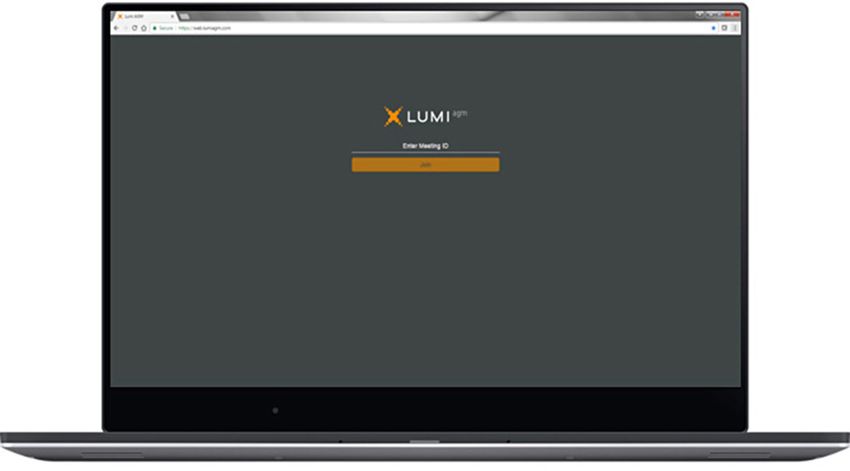
2020 VIRTUAL AGM
FREQUENTLY ASKED QUESTIONS

AGM DETAILS

                                                                              02    hy is ANZ not holding a physical
                                                                                      W
 01      When is ANZ’s virtual AGM?
                                                                                      meeting for its AGM this year?
Australia and New Zealand Banking Group Limited’s                             ANZ takes the health and safety of our shareholders, our people
(ANZ) Virtual Annual General Meeting (AGM) will be                            and the broader community seriously. The decision to hold a virtual
held on Wednesday, 16 December 2020 commencing                                meeting was made in the light of the current COVID-19 pandemic,
at 10:00 am (AEDT). Please login and register on the day                      restrictions on public gatherings and social distancing requirements.
from 9:00 am (AEDT) at web.lumiagm.com/348909606.
                                                                                     I f restrictions on physical gatherings are
                                                                               03
                                                                                       lifted, can I attend the AGM in person?
                                                                              No, all shareholders and proxyholders who wish to participate in the
                                                                              AGM this year must do so virtually via the Lumi AGM Online Platform
                                                                              or by telephone (see below).

                                                                               04    Can I listen to the AGM by telephone?

                                                                              Yes, you can listen to the AGM by telephone by dialing one
                                                                              of the following numbers:

                                                                              Country        Number                            Guest Passcode
                                                                              Australia      1800 173 224/1800 556 264                      7500882
                                                                              New Zealand 0800 452 794/0800 880 585                         7500882
                                                                              Worldwide      +61 7 3107 0200                                7500882

                                                                                To ask a question please press *1 (Star 1) and you will be put
                                                                                through to an operator who will take down your full name,
                                                                                suburb and postcode as per your shareholding. Once your details
                                                                                have been verified by the Share Registrar, your question will
                                                                                be recorded and submitted to the AGM. You will not be able to
                                                                                submit a vote using this method.

Important notice

Notice of Meeting and Proxy Form                To request a hard copy of the these           Once completed, mail your form with the included
You will be able to request a hard copy         documents: please call Computershare on       reply paid envelope or Fax to this number:
of the Notice of Meeting and Proxy Form.        T 1800 11 33 99 within Australia              F 1800 783 447 within Australia
This will be mailed out to you as a priority.   T (03) 9415 4010 outside Australia            F +61 3 9473 2555 outside Australia
                                                                                              For your proxy appointment to be effective it must be
                                                                                              received by 10:00am (AEDT) Monday, 14 December 2020.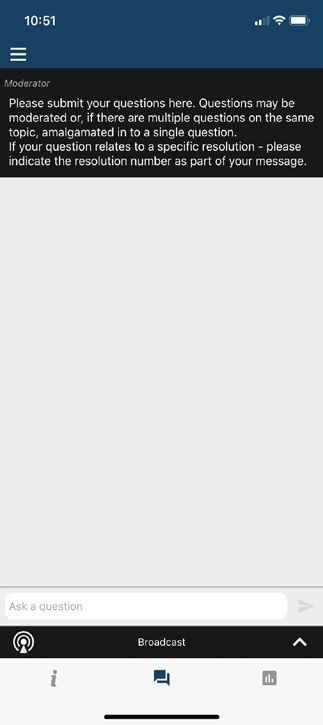
AGM DOCUMENTATION                                                        HOW DO I ACCESS THE ONLINE
                                                                         AGM PLATFORM?
 05 Will I receive hard copy documents?
                                                                          09     What do I use to access and register?
In light of the restrictions on public gatherings and in line with
temporary amendments to the Corporations Act in response to the
                                                                         You can use any of the following devices with internet access to
Coronavirus pandemic, we will not be mailing hard copies by post
                                                                         register, vote, ask questions and watch the AGM: a desktop computer,
of our Notice of Meeting and other meeting documentation ahead
                                                                         mobile device or tablet.
of our AGM this year.
The Notice of Meeting will be released online and a link emailed
to those shareholders who have elected to receive electronic
communications. We will send those shareholders an email when
the Notice of Meeting is released on Friday, 13 November 2020. The
email will include a personalised shareholder link to vote online.
Shareholders may, however, contact our Share Registrar and request
that hard copy documents (including a personalised proxy form) be          10     What Internet browsers are compatible?
sent to them free of charge.
                                                                         Browser                  Compatible versions
                                                                         Chrome                   supports the latest versions
         ow do I request a hard copy
        H
 06
        Notice of Meeting and Proxy Form?                                Firefox or Edge          supports the latest versions

You will be able to request a hard copy of the Notice of Meeting         Safari                   supports the latest versions
and Proxy Form. This will be mailed out to you as a priority.            Internet Explorer        supports the latest versions
Please refer to question 16 for the deadline for returning
completed Proxy Forms.                                                   You may also wish to consider voting and/or submitting any
                                                                         questions you have prior to the AGM. See question 16 and question
To request a hard copy of the above documents:                           18 below for further information on how to do this.
T 1800 11 33 99 within Australia
T (03) 9415 4010 outside Australia                                        11     How do I register for the AGM?
Once completed, mail your form with the included
reply paid envelope or Fax to this number:                               You can log into the AGM Online Platform using the following steps:
F 1800 783 447 within Australia
                                                                         • Open your browser and go to: web.lumiagm.com
F +61 3 9473 2555 outside Australia
                                                                         • Enter the unique 9-digit Meeting ID provided: 348 909 606
                                                                         • Please read and accept the Terms and Conditions
         an I update my details to receive
        C
 07                                                                     • To register, select ‘Securityholder or Proxy’
        electronic communications?
                                                                         • Enter your SRN or HIN and Postcode or Country Code and click Login
Receiving your communications electronically is an important way
to stay informed as an ANZ shareholder.                                  • Once logged in, you will see the home page, which displays the
                                                                           meeting documents and information on the meeting
We encourage you to take this opportunity to switch to electronic
communications. This will help us with sustainable practices that        • Icons will be displayed in different areas, depending on the device
also enable the fastest possible access to information in a secure and     you are using
cost-effective way.
                                                                                   an others see me if I participate in
                                                                                  C
                                                                           12
Scan this QR Code to update your details online                                   the AGM via the AGM Online Platform?
or open your browser and go to anz.com/easyupdate
                                                                                  No.
and updated your details Online.


 08    How do I access the documents online?

You can access all of the documentation here anz.com/agm
from Friday, 13 November 2020.
ISSUES ACCESSING THE ONLINE                                              17     Can I vote during the AGM?
PLATFORM
                                                                        You can vote during the AGM via the AGM Online Platform.
                                                                        For detailed instructions, please refer to the Virtual AGM Guide.
         I can’t log into the AGM Online
  13
          Platform. What do I do?
Please call one of the following numbers:                               HOW DO I ASK A QUESTION?

Country             Hotline
                                                                                  an I submit a question
                                                                                 C
Australia           03 9415 4024                                          18
                                                                                 prior to the AGM?
New Zealand         +61 3 9415 4024
                                                                        You can ask questions prior to the AGM either online or in writing using
Worldwide           +61 3 9415 4024                                     the Questions from Shareholders Form, as set out in the table below.
                                                                        Such questions must be received by 5.00pm (AEDT) on Wednesday,
          hat do I do if I am logged out of the
         W                                                              9 December 2020.
  14
         AGM Online Platform during the AGM?                            Method           How to ask a question
Refer to question 11.                                                   Online           Open your browser and go to:
                                                                                         investorvote.com.au/login
Alternatively, please call our the telephone numbers provided in                         (Control Nbr 134433) using the Shareholder
question 13.                                                                             Question icon at the end of the voting process
                                                                                         or
         I don’t have a (reliable) internet                                             anz.com/agm – use the online form
 15
          connection – what are my options?                             In writing       To request a hard copy Questions from Shareholders
                                                                                         Form – please call Computershare on
You will need to have a reliable internet connection to participate
                                                                                         T 1800 11 33 99 within Australia
in the AGM via the AGM Online Platform.
                                                                                         T (03) 9415 4010 outside Australia
If you do not have an internet connection, or are concerned about
its reliability, we encourage you to submit your proxy appointment                       Once completed, mail your form with the included
and direct your proxy how to vote in advance of the meeting, as well                     reply paid envelope or Fax to this number:
as any questions you would like to ask, prior to the AGM.                                F 1800 783 447 within Australia
Please refer to section ‘HOW DO I VOTE?’ for further information.                        F +61 3 9473 2555 outside Australia

HOW DO I VOTE?                                                                    an I ask questions
                                                                                 C
                                                                          19
                                                                                 during the AGM?

          ppointing a proxy to
         A                                                              Yes, you can ask questions during the AGM via the AGM Online
  16                                                                    Platform. To do this, tap on the question icon on the AGM Online
         vote on my behalf
                                                                        Platform and then type your question in the chat box at the bottom
You can appoint a proxy to vote on your behalf but must do so prior     of the screen and select the send icon.
to the AGM. You can appoint a proxy either online or in writing using   Questions will be read aloud during the AGM for the Company to
the Proxy Form, as set out in the table below.                          respond to.
To be effective, proxy appointments must be received by 10.00 am        For further details on asking questions via the AGM Online Platform
(AEDT) on Monday, 14 December 2020.                                     refer to the Virtual AGM Guide.
Method          How to appoint a proxy
Online          Open your browser and go to:                                      hat if I lose connection with the AGM
                                                                                 W
                                                                         20
                investorvote.com.au/login                                        Online Platform and miss my opportunity
                (Control Nbr 134433)                                             to ask a question or vote?
In writing      To request a Proxy form –                               You will need to be logged in to the AGM Online Platform in order
                please call Computershare on                            to ask questions and vote at the AGM. If you lose connection with
                T 1800 11 33 99 within Australia                        the AGM Online Platform you may miss your opportunity to vote
                                                                        or ask a question.
                T (03) 9415 4010 outside Australia
                                                                        If you are concerned about this, please consider voting and/or
                Once completed, mail your form with the included
                                                                        submitting any questions you have prior to the AGM.
                reply paid envelope or Fax to this number:
                F 1800 783 447 within Australia                         To rejoin the AGM, please refer to question 14.
                F +61 3 9473 2555 outside Australia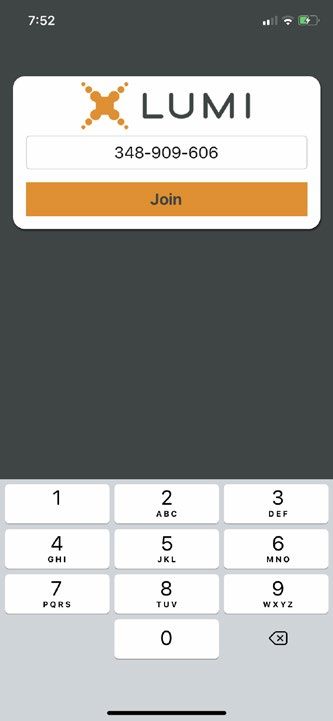
OTHER QUESTIONS?

          ill there be another opportunity
         W                                                                      ow do I watch a recording
                                                                               H
  21                                                                    22
         to meet the Board and Management?                                     after the AGM?
Given the current situation and restrictions on physical gatherings,   A link which will allow you to watch a recording of the AGM will
shareholders will not have another opportunity to meet the Board       be posted on the ANZ website anz.com/agm shortly after
and Management during 2020. Accordingly, shareholders are              the AGM.
encouraged to ask questions prior to or during the AGM using
the methods set out in ‘HOW DO I ASK A QUESTION?’ section.

anz.com
Australia and New Zealand Banking Group Limited (ANZ)
ABN 11 005 357 522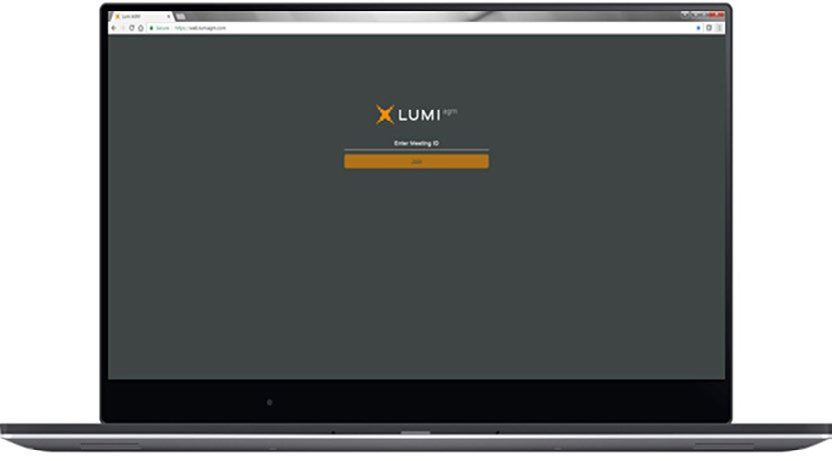

You can also read


