STUDENT TECHNOLOGY GUIDE - ENTERPRISE INFORMATION TECHNOLOGY SERVICES - UGA EITS
←
→
Page content transcription
If your browser does not render page correctly, please read the page content below

ENTERPRISE INFORMATION TECHNOLOGY SERVICES

STUDENT TECHNOLOGY GUIDE
                 2019-2020
W E L CO M E

                                               The University of Georgia’s central IT
                                               department — Enterprise Information
                                               Technology Services (EITS) — is giving
                                               you the tools you need to fuse your life
                                               and education.

                                               From communicating with instructors and friends, to
                                               staying focused on your education, EITS is committed
                                               to enhancing your experience at UGA.

                                               KEEP THIS STUDENT GUIDE ON HAND THROUGHOUT
                                               THE YEAR AND VISIT EITS.UGA.EDU FOR MORE
                                               INFORMATION.

2 | EI T S Stud e n t T e c h n ology Gu ide
TABL E                                 16)   CABLE CHANNEL LISTINGS

OF CONTENTS                            16)

                                       17)
                                             ELEARNING COMMONS (ELC)

                                             ATHENA

                                       17)   DEGREEWORKS

4)    HELP DESK                        18)   LYNDA.COM

5)    UGA MYID AND UGA ID              18)   LISTSERVS

6)    ARCHPASS                         19)   PRINT KIOSKS

7)    WIRELESS CONNECTIONS             20)   QUALTRICS

8)    NEW STUDENT CHECKLIST            20)   BORROW A LAPTOP, IPAD OR KINDLE

9)    MOBILE APP                       21)   DIGITAL MEDIA LAB

10)   MYUGA PORTAL                     21)   SOFTWARE

11)   UGAMAIL                          21)   SENDFILES

11)   MOBILE DEVICE EMAIL              22)   COMPUTER LABS

12)   FREE MICROSOFT OFFICE SOFTWARE   23)   ILLEGAL DOWNLOADING WILL COST YOU

13)   ONEDRIVE FOR BUSINESS            23)   STAY SAFE ONLINE

14)   SKYPE FOR BUSINESS               24)   AVOID PHISHING EMAILS

14)   VLAB                             26)   IT POLICIES

15)   GETTING CONNECTED IN HOUSING     26)   HELPFUL LINKS

15)   PLUGGING IN                      27)   STAY CONNECTED

                                       27)   SPECIAL THANKS

                                                                        2019-2020 | 3
E IT S

                                               HELP DESK
                                               The EITS Help Desk can assist
                                               you with your tech needs during
                                               its operating hours.

                                               The EITS Help Desk is the central point of contact
                                               for computing services for UGA students, faculty,
                                               staf and visitors.

                                                                    VISIT
                                                                    eitshelpdesk.uga.edu

                                                                    EMAIL
                                                                    helpdesk@uga.edu

                                                                    CALL
                                                                    706.542.3106

4 | EI T S S tud e n t T e c h nology Gu ide
U GA MYI D
AND UGA ID
M YID                                                        P AS S WORD S
Your MyID is the username that’s required to access a        Password Requirements
number of online University resources and other functions.   Passwords must be a minimum of 10 characters with

If you are a student, your MyID was assigned to you during   a combination of upper case letters, lower case letters

your admissions process. Students who enrolled prior to      and special characters (such as, @!#). Passwords cannot

Fall 2014 may have previously selected their MyID.           contain your name or username. To avoid contacting the
                                                             EITS Help Desk if you forget your password, complete
                                                             the brief MyID Profle forgotten password service at
U G A ID
                                                             myid.uga.edu.
Your UGA identification number begins with 810 or 811.
                                                             YOU CAN ALSO CHANGE YOUR MYID PASSWORD
It’s used instead of your Social Security number to access
personal data. Your UGA ID number appears on the back        AT MYID.UGA.EDU.

of your UGACard.

                                                                                                                 2019-2020 | 5
A R CHPA S S

ArchPass, UGA’s two-step login solution.

Some UGA systems, including eLearning Commons, Athena
and vLab, require more than your MyID and password
for access. To log in to these systems, you’ll need to use
ArchPass, UGA’s two-step login solution, which is powered
by Duo. UGA systems protected by ArchPass will ask you to:

            EN T ER YO UR UGA MYID AND
            PASSWORD

            VERIFY YOUR IDENTITY WITH THE
            DUO MOBILE APP, A TEXT MESSAGE
            OR A PHONE CALL TO YOUR DUO-
            ENROLLED PHONE OR TABLET.

This two-step login process adds an extra layer of security
to help protect your UGA accounts.

TO BEGIN USING ARCHPASS, ENROLL A SMARTPHONE,
CELL PHONE, LANDLINE PHONE OR TABLET THROUGH THE
SELF-SERVICE PORTAL AT ARCHPASS.UGA.EDU.

6 | EI T S Stud e n t T e c h n ology Gu ide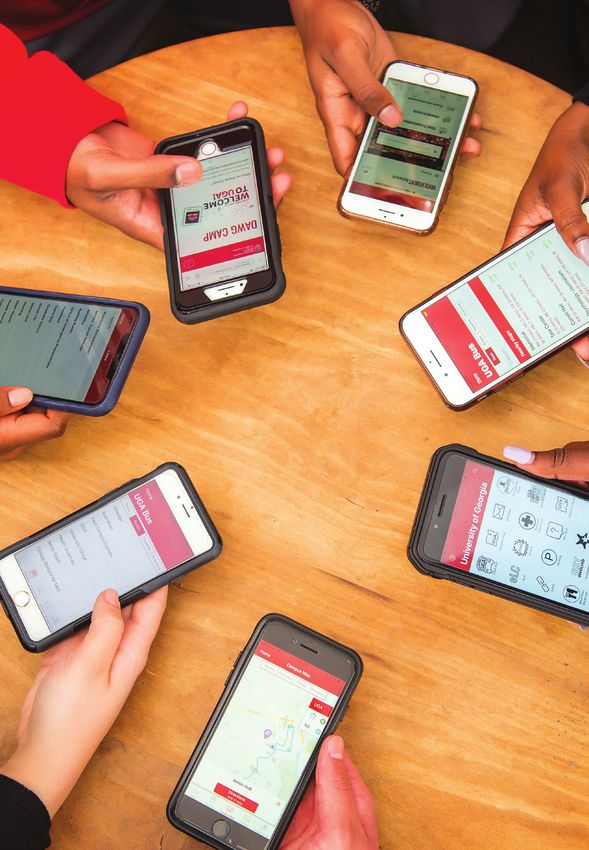
W IRELESS
CONNECTIONS

Need a wireless connection for
your computer or mobile device?

UGA offers two secure wireless
networks: PAWS-Secure and
eduroam.

PAWS-Secure is available across campus and
can be accessed using a valid MyID and
password. To access eduroam, students must
provide their full UGA credentials with their
MyID followed by “@uga.edu” (example:
YourMyID@uga.edu). Students can also use
their UGA credentials to get wireless service
when visiting participating eduroam institutions
in the United States and abroad.

TO LEARN MORE, VISIT US ONLINE AT
WIFI.UGA.EDU.

                                                   2019-2020 | 7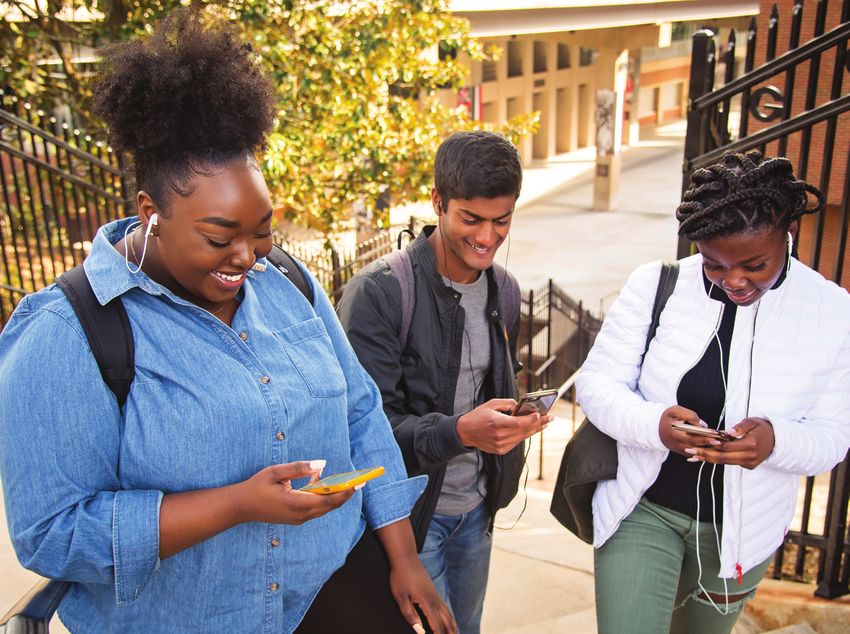
NEW S T U D EN T
            CHECKLIST

            K N OW YO UR MYID A ND YO U R                                 password for access. For these systems, you’ll need
  1                                                                       to use ArchPass, UGA’s two-step login solution,
            UGAM AIL A D D RESS
                                                                          powered by Duo. UGA systems protected by
            New students enrolling for the frst time after Fall
                                                                          ArchPass will ask you to enter your UGA MyID and
            2014 should have received their MyID during the
                                                                          password, and then verify your ID with the Duo
            admissions or acceptance process. Your MyID is
                                                                          Mobile App, a text message or a phone call to your
            required to access online services at UGA. In addition,
                                                                          Duo-enrolled phone or tablet. This adds an extra
            UGAMail addresses for students enrolled after Fall
                                                                          layer of security to help protect your UGA accounts.
            2014 have been assigned. Check the email address
            you provided for admission to UGA for instructions.           YOU CAN ENROLL A SMARTPHONE, CELL PHONE,
            For help with your MyID or UGAMail, contact the               LANDLINE OR TABLET AT ARCHPASS.UGA.EDU.
            EITS Help Desk.

                                                                      4   S I G N U P F OR EMERG E N CY A LE R TS
            CONN ECT TO UGA ’ S W IRELES S
  2                                                                       When emergencies happen, you’ll be informed quickly.
            NET WORKS
            Get connected to UGA’s wireless networks,                     REGISTER AT UGAALERT.UGA.EDU.
            PAWS-Secure and eduroam.

            LEARN HOW AT WIFI.UGA.EDU.
                                                                      5   P ROT E C T Y OU R PAS S W O R D
                                                                          Don’t fall for scams asking for your MyID password
                                                                          or money. UGA will never ask for your MyID password
  3         ENR OL L IN A RC HPA S S
                                                                          or payments in an email.
            Some UGA systems, including eLearning Commons
            and Athena, require more than just your MyID and              LEARN MORE AT INFOSEC.UGA.EDU.

8 | EI T S S tud e n t T e c h nology Gu ide
MOBIL E
APP

The best of Bulldog Nation
in one central mobile app for
iOS and Android devices.

Need to fnd out when the next bus arrives
at your stop? Check your UGAMail? Catch
the latest athletic scores? The ofcial UGA
Mobile App does all of that and more. The
UGA Mobile App is available in the App Store
for iPhone and iPad and in Google Play for
Android devices.

LEARN MORE: MOBILEAPPS.UGA.EDU.

                                               2019-2020 | 9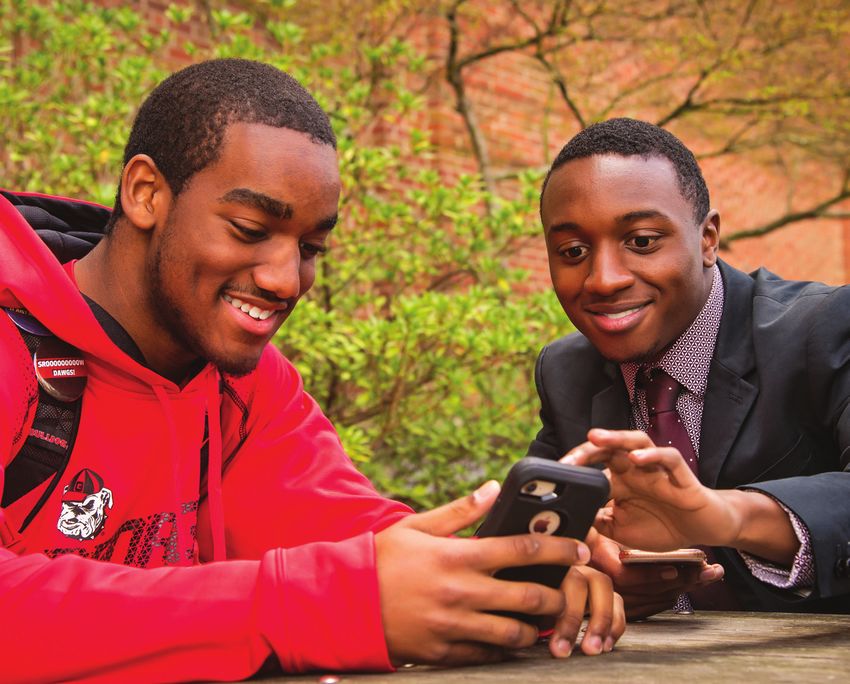
M YU G A
                                                PORTAL
                                                UGA’s Portal (my.uga.edu) is a one-stop website
                                                that allows you to access your email and web-
                                                based University services.

                                                The MyUGA Portal allows you to check your grades, register for classes
                                                and pay University bills through Athena.

                                                V IS I T T H E MY U G A P ORT AL T O AC C ES S :

                                                        U GAMA IL                    P ARK IN G S E R VI CE S

                                                        A T H ENA                    DE G R E E WOR K S

                                                        E LC                         FOOD SERVICES MEAL PLANS

                                                        L Y ND A. C OM               H AND S H A KE

1 0 | E IT S S tud e n t T e c hnology Gu ide
U GAM AIL
Your UGAMail is provided
through Microsoft and
includes access to your
University email, calendar
and tasks.
You can access your UGAMail through
the web (ugamail.uga.edu), through the
M O BI L E
DEVICE EMAIL
UGA Mobile App, or by confguring a
desktop client to access your account. The
University will send ofcial information to
your UGAMail account, so be sure to check
it regularly.
Sync your Android or Apple devices to get
TO CHANGE YOUR UGAMAIL ADDRESS,
VISIT MYID.UGA.EDU.
your UGAMail, calendar and tasks.
Our step-by-step guide for setting up your UGAMail with your
phone or tablet makes it easy.
FIND ILLUSTRATED INSTRUCTIONS AT EITSHELPDESK.UGA.EDU.
2019-2020 | 1 1FREE
MICROSOFT OFFICE
OUT L OO K
UGA students, faculty and staff have free
access to a number of Microsoft products.
Through your UGAMail account, you can download free copies
of Microsoft Word, Excel, PowerPoint, Outlook and more on up
to fve personal devices, including your phone, tablet and laptop
either with Windows, Apple or Android operating systems.
EX CEL FOR MORE INFORMATION, VISIT OFFICE365.UGA.EDU.
POWERPO INT
WOR D
1 2 | E IT S Stud e n t T e c hnology Gu ideON ED R IVE Microsoft’s OneDrive for Business is an online file-
sharing and storage service that gives you up to 1
FOR BUSINESS TB of free file storage.
OneDrive for Business is ideal for storing and sharing sync your fles. OneDrive for Business is part of your UGAMail
documents, photos and videos with friends and classmates. account. Use OneDrive for Business to back up your valuable
You can also create Microsoft Word, Excel, PowerPoint and fles, such as classroom assignments and photos.
OneNote documents on the web with OneDrive for Business.
FOR MORE INFORMATION, VISIT OFFICE365.UGA.EDU.
Create groups to share fles and use cloud-based storage to
2019-2020 | 1 3SKYPE
FOR BUSINESS
Skype for Business ofers instant messaging, online
meeting capabilities, screensharing, an interactive
whiteboard and more and is part of your UGAMail
account. Use it to chat with friends or classmates
and meet and collaborate online.
FOR MORE INFORMATION, VISIT
OFFICFE365.UGA.EDU.
VLAB
The vLab is UGA’s virtual computer
lab that allows you to access software You can access the vLab on your phone, tablet or laptop.
available in computer labs on your own The vLab includes SPSS, Stata and other software.
device anytime, anywhere. ACCESS THE VLAB AT VLAB.UGA.EDU.
1 4 | E IT S S tud e n t T e c hnology Gu ideG ETTING C O N N EC T E D PL U G G I N G
IN HOUSING IN
Need help getting connected to the PAWS-Secure wireless access is
Internet in the residence halls, including available throughout all the residence
setting up game consoles? halls.
Student Technology Support (STS) is a division of EITS that Wired access is available in student rooms by following
can help you get connected in University Housing. steps at getconnected.uga.edu. Do not bring a wireless
router, switch or hub. Wireless printers will interfere
with the PAWS-Secure wireless network. Use a USB
connection with your wireless printer. It is recommended
that you use the wired Ethernet connection, as opposed
to the wireless network, when completing coursework in
a residence hall to ensure a continuous connection.
FOR DETAILED INSTRUCTIONS ON GETTING A WIRED
CONNECTION, VISIT GETCONNECTED.UGA.EDU.
2019-2020 | 1 5CA BLE ELEARNING
CHANNEL LISTINGS COMMONS (ELC)
University Cablevision provides a range UGA’s online learning management
of TV programming for students living system is called eLearning Commons
on campus and others. (eLC).
Before you bring a TV to campus, be sure it’s compatible Instructors use eLC for course assignments, learning
for viewing the 150-plus digital channels. Instructions for materials, quizzes, class communication and more. Each
connecting a smart TV in the residence halls are available on semester, you have automatic access to eLC for your classes.
the Help Desk site, EITSHELPDESK.UGA.EDU.
TO ACCESS ELC, VISIT THE MYUGA PORTAL AT
LEARN HOW TO CHECK YOUR TV IN ADVANCE AT MY.UGA.EDU.
GETCONNECTED.UGA.EDU.
FOR ELC INSTRUCTIONAL RESOURCES, VISIT
HELP.ELC.UGA.EDU/STUDENTS.
1 6 | E IT S S tud e n t T e c hnology Gu ideA THENA DE G R E E W O R K S
Athena is the University’s student Are you staying on track for graduation?
information system.
DegreeWorks helps students and their advisors monitor
Athena gives students online access to view academic progress toward degree completion. Much like a checklist, it
and fnancial aid records, register for classes, pay combines their UGA degree requirements and the coursework
tuition and fees, and update personal information, all completed into an easy-to-read electronic worksheet
in one location. that shows how courses completed count toward degree
requirements.
VISIT ATHENA.UGA.EDU.
TO ACCESS DEGREEWORKS, VISIT DEGREEWORKS.UGA.EDU.
2019-2020 | 1 7L YND A .C O M
Want to get a jump start on
learning the latest software?
Learn how to design a website, record audio and video
projects, animate 3D graphics and more on Lynda.
Lynda.com is part of LinkedIn. UGA students have
free access to the site, which has thousands of
online videos. Watch high-quality instructional videos
anytime on your phone, tablet or laptop.
TO ACCESS LYNDA.COM, VISIT THE MYUGA
PORTAL AT MY.UGA.EDU.
L ISTSERVS
Listserv is an email feature that allows Students can join existing listservs or create one for a
registered student organization.
users to participate in electronic
discussion groups on numerous topics. VISIT LISTSERV.UGA.EDU.
1 8 | E IT S Stud e n t T e c hnology Gu ideP RIN T
Send documents from your laptop, phone or tablet to the
KIOSKS cloud and print at one of the print kiosks on campus.
Print jobs stay in the cloud for up to 96 hours until you retrieve them at a kiosk. You can also insert a USB fash
drive directly into a kiosk. Color and black and white print is available. Pay with a credit or debit card.
VISIT PRINTKIOSK.UGA.EDU.
2019-2020 | 1 9QU ALTRICS
Need to do a survey for a class or student
organization?
UGA students have free access to Qualtrics, a web-based
survey tool. You can create, implement and evaluate surveys
with a number of questionnaire options. It’s easy to create
your UGA-branded survey for class assignments, projects
and student organization activities.
VISIT QUALTRICS.UGA.EDU.
BOR ROW A
LAPTOP, IPAD OR
KINDLE
Get an iPad, Kindle, digital camera or laptop on
loan at the Miller Learning Center (MLC) at the
EITS service desk on the third foor. The technology
lending program is free, as long as you follow the
time restrictions.
FOR MORE INFORMATION, VISIT
MLC.UGA.EDU/TECHNOLOGY/LENDING.
20 | E IT S Stud e n t T e c hnology Gu ideDIG ITA L SOFTWARE
MEDIA LAB
Your one-stop shop for software
available at UGA.
Create and edit your course-related
digital media projects at the MLC’s Learn how to access free and discounted software
digital media lab. including Ofce 365, Adobe Creative Cloud suite,
MatLab, Mathematica and more.
Record audio in the sound booth or edit videos on
VISIT SOFTWARE.UGA.EDU TO LEARN MORE.
the computers in the lab with the latest multimedia
software. A digital media specialist in the lab can
also help you with your project.
FOR MORE INFORMATION, VISIT MLC.UGA.EDU/
TECHNOLOGY/DIGITALMEDIALAB.
SE N D FILES
SendFiles allows you to send encrypted, Attachments in SendFiles can total up to 2 GB. SendFiles may
help you to email large class project fles.
secure emails or large files to other UGA
VISIT SENDFILES.UGA.EDU.
users or people not associated with the
University.
2019-2020 | 21CO M PU T E R
LABS
If you need access to a computer,
EITS has several computer labs
available on campus.
FOR THE LATEST LISTING OF COMPUTER
LABS AND OPERATING HOURS, VISIT
EITS.UGA.EDU/SUPPORT/CTS/COMPUTER_LABS.
Printing is available at computer labs. Computer labs are located at:
BRUMBY HALL OG LE T H ORP E H O U SE
BU ILD ING 1516 R OOK E R H A LL
H EAL TH SCIEN C ES C A MP US R UT H E RF OR D H A LL
(RU SS EL L HA LL)
U NI V E RS ITY V ILL AG E
MILL ER LEARNING C E NT E R
22 | E IT S S tud e n t T e c hnology Gu ideI L L E G A L DO W N LOAD ING
WILL COST YOU
If you illegally download or distribute
copyrighted materials on the UGA network,
you could face civil or criminal charges.
UGA responds to copyright holder notifcations in accordance
with the Digital Millennium Copyright Act (DMCA). Always use
options for getting music and videos legally, such as Netfix,
Spotify, Pandora and iTunes.
STAY SAF E LO G O UT IS I T L EGI T ?
When you’re done visiting a website that Before typing your password, check the URL.
ONLINE requires a password, be sure to log out,
especially on a public computer.
Is it a legitimate website? For logging in to
UGA’s Central Authentication Service (CAS), do
you see a green bar with a lock icon in the web
browser? If not, don’t type your password.
PRO TEC T YOU R PAS S WORD
UGA will never send you an email asking
When in doubt about a specifc email or
for your password. Don’t share your MyID
website, contact the EITS Help Desk.
password with other people.
LEARN MORE AT INFOSEC.UGA.EDU.
2019-2020 | 23A V OID
PHISHING EMAILS
Phishing emails are emails
designed to trick you into
replying to them with personal
information such as your
username and password, Social
Security number or financial
account numbers.
Large institutions like UGA are targets for phishing
and getting phishing emails is a daily reality.
Did you receive an email message
TO LEARN MORE ABOUT PHISHING AND SEE
that looks suspicious? EXAMPLES OF RECENT PHISHING EMAILS, VISIT THE
EITS FRESH PHISH PAGE AT FRESHPHISH.UGA.EDU.
SEND IT TO ABUSE@UGA.EDU FOR REVIEW.
24 | E IT S Stud e n t T e c hnology Gu ideA phishing email typically:
T H RE A T ENS T O R E MOV E YO U R A CC E S S T O
A S E R VICE
WANTS YOU TO TAKE IMMEDIATE ACTION
T O K EEP Y O UR AC C ES S
INC L U DE S P O OR GRA MMA R AN D S P EL L ING
T R IES T O MAK E YO U PAN IC
COMES FROM AN UNFAMILIAR SENDER
A ND H AS A GE N E RI C RE C IPI EN T
Will UGA send legitimate There will be times when legitimate messages must be
sent to inform UGAMail users of necessary changes to their
emails that look like accounts. These may include inactive account removal
phishing scams? notices or information about account abuse. UGA will never
ask for your password in an email.
2019-2020 | 25IT HE L PF U L
POLICIES LINKS
EITS maintains policies related to Along with visiting eits.uga.edu for
information technology, such as your IT resources, here are some
email and web-related services, and other useful links for UGA students:
offers tips on keeping your identity
secure while online.
UG A L IBR ARI E S: LI B S. UG A . E DU
TO LEARN MORE, INFOSEC.UGA.EDU.
UG A F OOD S E RVIC E S:
FOO D SE R VI C ES . UG A .E DU
UG A H OU S I NG : H OUS IN G. UG A . E D U
UG A C AR E E R C E NT E R :
CA RE E R . UG A. ED U
26 | E IT S Stud e n t T e c hnology Gu ideS TA Y Follow us on Facebook, Instagram and Twitter
to get the latest about tech news and resources
CONNECTED at UGA.
L IKE U S ON F AC EB OO K
FACEBOOK.COM/UGA.EITS
FOL LO W U S ON TW ITT E R
@UGA_EITS
FOL LO W U S ON INS TA G RAM
@UGA_EITS
FOR MOR E INFO RMA TION
EITS.UGA.EDU
S PECIAL THAN KS
A special thanks to the UGA Visitors Center, Science Library Makerspace, Grady
Ambassadors, Office of Service-Learning and Terry College of Business Ambassadors
for their assistance in providing the students shown in this guide.
2019-2020 | 27101 CEDAR STREET ATHENS, GA. 30602-1130
706.542.3106 • EITS.UGA.EDUYou can also read


