Welcome to Scots College - Your guide to starting at Scots in 2020
←
→
Page content transcription
If your browser does not render page correctly, please read the page content below
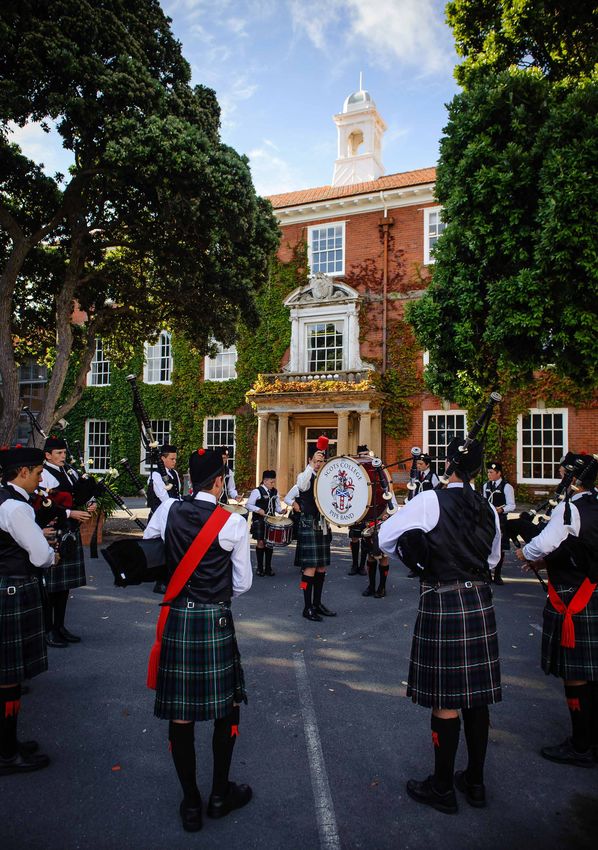
Welcome
to Scots College
Your guide to starting at Scots in 2020

Dear Families,
                                We are delighted to welcome you and your child(s) to the
                                College. Starting a new school can be daunting for both
                                parents and students. The staff at Scots are here to make
                                the transition as seamless as possible. This handbook aims
                                to provide you and your child(s) with all you need to know
                                about starting at Scots.
                                Please take your time to read through the information
                                included in this booklet together and don’t hesitate to
                                contact us if there is any additional information you would
                                need before starting at the College. The school website
                                is also an excellent source of information and is updated
                                daily with College news and event information.
If you still have questions after reading through the handbook, please contact for
Senior School, Maria Calcott on hmpa@scotscollege.school.nz,
for Middle School, Sharon Hedges on hedgess@scotscollege.school.nz
and Prep School, Olive Mulcahy on mulcahyo@scotscollege.school.nz
Yours sincerely,
Graeme Yule
Headmaster

                                                                Welcome to Scots 2020         1
School Hours                                                                                  Key Contacts

      PREP (YEARS 1-6)                                                                              College Reception             Monday - Friday (8am to 4.30pm)    388 0850
                                                                                                    Prep School Reception         Monday - Friday (7.45am to 4.30pm) 388 0863
      Mon, Tues, Wed, Fri
                                                                                                    Absence Line		                                                   380 7588
      Start    8:30am
                                                                                                    Sports Line		                                                    380 7588
      Interval 10:45 - 11:15am
                                                                                                    Nurse                         Mrs J Smith                        388 0852
      Lunch    12:45 - 1:45pm
                                                                                                    Chaplain                      Mr D Jackson                       388 0850 Ext: 619
      Finish   3:15pm
                                                                                                    Counsellor                    Ms Jackie Calder                   388 0862 Ext: 862
      MIDDLE & SENIOR (YEARS 7-13)                                                                  Uniform Shop		                                                   380 8536
                                                                                                    Gibb House (Boarding House) 		                                   380 8391
      Years 7 & 8 report to their Tutor Rooms at 8.30am
                                                                                                    Director of Boarding          Mr G Henley Smith                  380 7655
      Years 9-13 must be at school before 8.30am each day.                                                                                                      A/H: 388 9046
                                                                                                    Matron                        Mrs T Steadman      Day & Evening: 388 0875
      The final bell to end the school day is at 3.30pm
      Interval 10.45 - 11.15am                                                                                           MIDDLE & SENIOR SCHOOL (YEARS 7-13)
      Lunchtime                                                                                     Headmaster                         Mr G Yule      PA Ms M Calcott   388 0861
      Lunchtime differs slightly from day to day. You will always have time to eat your lunch and   Principal, Senior School           Mr C Zachariassen                388 0871
      take time out and on the following days there is the addition of these activities:            Principal, Middle School           Mr M Allen     PA Mrs S Hedges   803 0592
                                                                                                    Deputy Principal, Senior School    Mr J Laverock                    803 0597
      Mon         House meetings and a Tutor Group meeting                                          Deputy Principal, Senior School    Ms A Gibbs                       388 0850 Ext: 894
      Tue         Tutor period at 2pm                                                               Deputy Principal, Academic         Mr A Smith                       388 0850 Ext: 605
      Wed         Assembly in the Chapel/Assembly Hall.                                             Deputy Principal, Middle School    Mr W Struthers                   380 7657
                  Nearly always interhouse competitions going on                                    Assistant Principal (Yrs 7&8)      Mr S Flood                       380 7582

      Thurs       Tutor period at 2pm                                                               House Deans:
      Fri         Chapel service in the Chapel/Assembly Hall                                        Aitken                             Mr A Slack                       388 0867
                                                                                                    Fergusson                          Ms H McGee                       388 0850 Ext: 892
                                                                                                    Glasgow                            Mrs C Hall                       388 0850 Ext: 601
                                                                                                    MacKenzie                          Mr N Sinnamon                    388 0850 Ext: 813
                                                                                                    Mawson                             Mr C Brookes                     388 0850 Ext: 615
                                                                                                    Plimmer                            Mr M Jarry                       380 7659
                                                                                                    Smith                              Mr A Rehutai                     388 0850 Ext: 855
                                                                                                    Uttley                             Mr I Leslie                      388 0850 Ext: 507

                                                                                                                                    PREP SCHOOL (YEARS 1-6)
                                                                                                    Acting Principal, Prep School      Mrs M Patrick   PA Mrs O Mulcahy 388 0863
                                                                                                    Senior Syndicate Dean              Mr A Ranchod                     803 0593
                                                                                                    Junior Syndicate Dean              Mrs T Bell                       380 7584

                                                                                                    A contact directory for staff is available on the College website

		2           Welcome to Scots 2020                                                                                                                              Welcome to Scots 2020      3
Almanac 2020                                                                            Additional Holiday Dates

      TERM 1 (SUMMER TERM)                                                                    In addition to the usual term holiday dates and public holidays there are a couple of
      Monday 20 January                  Wellington Anniversary Day                           additional days to mark on the calendar:
      Wednesday 29 January               College opens for all Years 1-13 students            Tue 2 June                        Staff PD day, College closed (follows Queen’s Birthday Weekend)
      Thursday 6 February                Waitangi Day - College closed                        Mon 6 - Fri 24 July               Term 2 holidays (3 weeks)
      Monday 16 March – 20 March         EOTC Week (Week 8 of Term)                           Sat 29 Aug - Tue 1 Sep            Founders Break, College closed
      Monday 30 March – 3 April          Summer Tournament Week (Week 10 of Term)
      Thursday 9 April                   Final day of Term 1 (Summer Term)
      Saturday 25 April                  ANZAC Day (observed Monday 27 April)

      TERM 2 (AUTUMN TERM)
      Tuesday 28 April                   Classes resume for all after Term 1 holidays
      Monday 1 June                      Queen’s Birthday, College closed
      Tuesday 2 June                     Staff Professional Development Day, College closed   Handbooks
      Friday 3 July                      Final day of Term 2 (Autumn Term)

      TERM 3 (WINTER TERM)                                                                    There are a selection of Handbooks that will help you with information on different parts
      Monday 27 July                     Classes resume for all after Term 2 holidays         of the College. All of the below handbooks are available on the website:
                                                                                              www.scotscollege.school.nz and are updated annually.
      Sunday 23 August                   Founders Service
      Saturday 29 August – 1 September   Founders Break begins after sport, College           •   Middle & Senior School Student Handbook
                                         closed                                               •   Standards & Expectations
      Monday 31 August – 4 September     Winter Tournament Week                               •   Gibb House Handbook
      Wednesday 2 September              Classes resume after Founders’ break                 •   International Student Enrolment and Orientation
      Friday 25 September                Final day of Term 3 (Winter Term)                    •   Uniform List
                                                                                              •   Middle School Curriculum Handbook
      TERM 4 (SPRING TERM)                                                                        (a copy is distributed to you before course-selection during the year)
      Monday 12 October                  Classes resume for all after Term 3 holidays
                                                                                              •   Senior School Curriculum Handbook
      Monday 26 October                  Labour Day, College closed                               (a copy is distributed to you before course-selection during the year)
      Tuesday 24 November                Senior School Prize giving                           •   IB Diploma Handbook
                                         (Final day for Y11-Y13)
                                                                                              •   MYP Inclusion Policy
      Thursday 3 December                Middle School Prize giving
                                         (Final day for Y7-Y10)                               •   MS Assessment Policy
      Friday 4 December                  Prep Prize giving
                                         (Final day for Years 1-6)

		4          Welcome to Scots 2020                                                                                                                                         Welcome to Scots 2020   5
Education Outside The Classroom                                                                 Transport

      MIDDLE & SENIOR SCHOOL (YEARS 7-13)                                                             The College uses public transport links and a range of other transport options which are
                                                                                                      exclusive to Scots College Students. Detailed information on Metlink bus routes to and
      Education Outside The Classroom (EOTC) Week in 2020 runs Monday 16 to Friday 20
                                                                                                      from the College and all transport options are listed on the College website at
      March where all Years 7-13 students get the opportunity to discover and learn through
                                                                                                      www.scotscollege.school.nz/transport.
      time outdoors. This is a valued part of the Scots curriculum and an essential part of the
      All-Round education. Each year group visits a different location where you will get the         KHANDALLAH, CROFTON DOWNS, CHURTON PARK AND ISLAND BAY
      opportunity to have a go at new experiences and challenge your strengths.
                                                                                                      The College operates Tranzit buses to and from Khandallah, Crofton Downs, Churton Park
      Where will you be going?                                                                        and Island Bay. These services are for the exclusive use of Scots College students. Details
      Year 7     Wellington (Culture & Identity)                                                      regarding the routes of these buses are given on the above web page.
      Year 8     El Rancho, Waikanae                                                                  All Tranzit service stops will be from Metlink bus stops and students will only be picked
      Year 9     Whanganui River Raft (Action & Adventure)                                            up and dropped off at these stops to adhere to health and safety rules regarding Tranzit
      Year 10    Lake Rotoiti, Marlborough Sounds (Mental & Physical Challenge)                       operations.
      Year 11    Coastal Walk and Kapiti Island, Abel Tasman Walk, Raglan Rock Adventure              CENTRAL/LOWER HUTT, EASTBOURNE FERRY
                 or Rimutaka Rail Trail and coastal Cycle (Explore and Conquer)
                                                                                                      Scots College operates daily shuttle services, mornings and afternoons, for students who
      Year 12    Tongariro National Park, Great Barrier Island, Open Water Dive Certificate           reside in Central/Lower Hutt. There is also a transit bus here for the Seatoun Wharf pick
                 or Local Vocational (Leadership)                                                     up which picks students up from the 8.05am Eastbourne ferry at Seatoun wharf and then
      Year 13    Wellington (Citizenship)                                                             travels to the College. These shuttles are for the exclusive use of Scots College students.
                                                                                                      Details regarding the routes of these shuttles are given on the above web page.
      PREP SCHOOL (YEARS 1-6)
                                                                                                      The Central/Lower Hutt shuttles operate to and from the College, while the Seatoun
      The Prep School EOTC experience offers students a chance to gain new knowledge and              shuttle operates to the College from Seatoun in the morning only. All shuttles operate on a
      understanding, skills and abilities, and attitudes, as well as building on those they already   termly basis. Shuttles services are charged for a whole term at the start of the term.
      have.
                                                                                                      TRANSPORT PASSES
      During the school year all year groups will move away from the classroom environment
                                                                                                      Students using the Tranzit services or Shuttle services will need to purchase a Term Pass
      at different times to undertake day trips, related to the current Unit of Inquiry, as well as
                                                                                                      or a 10 Trip Pass each term. These are checked by the drivers of each bus or shuttle.
      being involved in overnight stays away from home that ask them to become increasingly
                                                                                                      Passes can be ordered online and collected from the Uniform/College shop.
      independent and self-sufficient.
      Years 1-3    Tuesday 18th – Friday 22nd February
      Year 4       Monday 21st – Wednesday 23rd September
      Year 5       Tuesday 18th – Friday 22nd February
      Year 6       Tuesday 18th – Friday 22nd February
      Where will you be going?
      Years 1-3 Range of activities around Wellington. Year 2 and 3 will stay over night
                 at school on Thursday the 21st of February
      Year 4     Palm Grove, Paraparaumu
      Year 5     Waiohanga Centre, Otaki Forks
      Year 6     Mistletoe Bay, Marlborough Sounds
      EOTC Week is a compulsory part of the school curriculum. Anyone who cannot
      attend for any reason must first receive permission from their Principal well
      before the event.

		6          Welcome to Scots 2020                                                                                                                                     Welcome to Scots 2020        7
ICT

      Scots College is a 1:1 school, this means we expect every student to have a device             •   A small number of short term loan devices are available through the information
      available to use in and for their learning at the College. We are also an Office 365 school,       centre. These can be booked out for short periods of time or on a day by day basis.
      which implies that we make use of a Windows network and that we use the Office suite of            These devices cannot be taken home and have to be returned to the information
      applications in our daily business around the College.                                             centre at the end of the school day.
                                                                                                     •   Longer term loan devices owned by the College are available for use on application
      WHAT TYPE OF DEVICE?                                                                               to the appropriate school principal with reasons and justification of need. A nominal,
                                                                                                         non-refundable bond is incurred to cover maintenance for these devices.
      Although we allow students to bring a range of devices to school to use in and for their
      learning, there are some minimum hardware specifications that the device will need to
                                                                                                     OTHER BYO DEVICES
      adhere to:
                                                                                                     •   The Middle School uses an app called Family Zone to help monitor students’ use of
      •   Full computer – not an android or iOS tablet
                                                                                                         mobile BYOD devices while at school and to help parents to protect their kids online,
      •   Battery life of at least 6 hours                                                               anywhere, anytime. The school uses it to ensure that a healthy ratio of screen time
      •   Able to install the full Office 365 suite of applications (Word, Excel, OneNote,               and face to face interaction is maintained and that students use their breaks in a
          PowerPoint, Outlook etc.)                                                                      productive manner rather than spending it online.
      •   Wifi enabled, and with a newer Wifi adapter (2 x 2 or more) and a functional web           •   It is compulsory for any Middle School student owned BYOD device brought to
          browser                                                                                        school has this app loaded on it. There is more information available at
      •   Camera and microphone enabled                                                                  https://familyzone.com/scots-college-nz
      •   Touch screen strongly recommended to allow for onscreen writing, but not
          compulsory                                                                                 OFFICE 365 PRO PLUS
      •   Windows Operating System very strongly recommended (the Mac Office 365 suite               •   One Office 365 Pro Plus licence (includes full suite) is available to each student in the
          does not contain the wider range of features that the Windows one contains)                    College, enabling them to install up to five copies on different devices.
      Outside of these minimum specifications we do not place a limit on the brand or model of       •   The license includes a OneDrive (cloud based storage space) and we encourage all
      device.                                                                                            students to use this to store their school work, rather than on the hard drive of their
                                                                                                         own device.
      INSURANCE AND SERVICING
                                                                                                     SCOT-E & PC SCHOOLS SPIDER – PARENT AND STUDENT PORTALS
      •   Insurance claims for damage and other such matters is the responsibility of the owner
          of the device.                                                                             •   All the technologies students use, for example school emails, web printing and others
      •   The College has a working relationship with several companies and these options                are available through our SharePoint portal called Scot-E. This is accessible via a link
          can be viewed from the College website and the 1:1 Computing section in particular.            at the very top of the Scots College website home page.
          However, these companies are not prescribed and devices can be bought from any             •   We use a Student Management System called PCSchools. This has a web-based
          provider.                                                                                      parent portal that parents interact with to see their child’s timetables, reports, marks
                                                                                                         and other such detail and is called Spider.
      More information about Connect NZ is available from the 1:1 Computing section of the
      Scots College website.                                                                         •   Parents are assigned a username based on a family code and this username is linked
                                                                                                         to all the accounts of students from that particular family. Parents have to log in
                                                                                                         once, with one username and password and you will be able to see all information
      CHARGING AND LOAN DEVICES
                                                                                                         pertaining to your family.
      •   Students are required to arrive at school with a fully charged device every day. This is   •   If you forget your username and password, there is an easy to use facility to reset your
          important so that they can take part in all of their lessons.                                  password on the main login page of the parent portal.
      •   Securable charging lockers are available at school, but your child will be without a       •   PCSchools Spider is also available via a link at the very top of the Scots College
          device for the duration of the time that the device is charging.

		8          Welcome to Scots 2020                                                                                                                                    Welcome to Scots 2020          9
website home page. Parents will often receive emails / electronic forms etc. to
         complete via the Spider parent portal, so it is important that you keep a record of your
                                                                                                    Food available at the College
         username and password for this technology.
                                                                                                    TUCK SHOP
   STUDENT EMAIL
                                                                                                    The Tuck Shop is open everyday for breakfast, morning tea and lunch. In addition to the
   •     Students are given a username and password on their first day at the College. This is      regular Tuck Shop Menu we offer a Specials Menu that changes daily.
         used to connect to the school Wifi, to log into all of the school sites, such as Scot-E
         and to communicate with teachers.                                                          Students can pay with both EFTPOS and cash, but not credit cards.
   •     The username and email address remains the same for the whole time that a student          Daily Opening Times
         is enrolled at the College. Their passwords require changing every 42 days though, to      Before School 8.00 – 8.30am
         ensure the safety of their own data, as well as the integrity of the College’s network.
                                                                                                    Interval        10.45 – 11.15am
         Passwords can be reset through any school computer, or by approaching the IT or
         library staff at the College.                                                              Lunch           1.15 – 2.00pm
                                                                                                    Prep School: Boys are only permitted to buy breakfast directly from the Tuck Shop. To
   SCOTS IT SUPPORT AND CONTACT DETAILS                                                             order lunch you can place an order online at www.scotscollege.school.nz/tuck-shop. You
   •    The IT staff at the College provide support for issues with technologies or software        can pre-order their lunch online on Kindo (above link) and pickup at lunchtime. Orders
        required for learning and /or software provided by the College. They can support            must be made the evening before. Years 7 and 8 can also order their lunch online. All
        your child with issues such as connecting to the Wifi, accessing email, web printing,       students are welcome to pre-order their lunch using the above Kindo facility.
        syncing digital notebooks and/or changing passwords.                                        CHARTRES DINING HALL
   •    Solving other technology issues is the responsibility of the owner of the device. We
                                                                                                    Chartres Hall is the Dining area for students and boarders. Day students can opt in to
        can offer advice on issues such as anti-virus or malware software and we can assist
                                                                                                    receive lunch in Chartres Hall by filling in the registration form available online. If a
        with a brief identification of a device’s hardware or operating issues, but we cannot
                                                                                                    student chooses to opt in for these lunches it is for the whole term and registration must be
        service or repair a device that does not belong to the College.
                                                                                                    completed before the start of that term. All boarders and day students who use Chartres
   •    Any issues regarding IT services at Scots College can be raised via email to                Hall must scan their student card on entering.
        helpdesk@scotscollege.school.nz. This system is checked daily and a staff member
        from the IT department will be get back to you within 24 hours to provide support           FUELLED4LIFE
        with your issue.                                                                            Both Chartres Dining Hall and the Tuck Shop are committed to only offering fresh made
   For more information regarding any of the services mentioned here, please refer to the           meals that meet the Fuelled4life guidelines and support students in getting the best
   Scots College website, and in particular the 1:1 Computing section of the website, available     balanced diet that will help them not only in meeting their educational needs but their
   through the Quick Links section at the very top of the College home page.                        sporting needs also. Managed by the Heart Foundation, Fuelled4life is a collaborative
                                                                                                    initiative involving the education, health and food industry sectors working together to
                                                                                                    supply healthier food in schools and early learning services.
                                                                                                    Contact: Executive Chef Mike Dennis
                                                                                                    E: catering@scotscollege.school.nz

       There are opportunities at the start of each school year for new students
       to attend an IT induction session to train them how to use the technologies
       used at the College.

		10       Welcome to Scots 2020                                                                                                                                     Welcome to Scots 2020          11
Uniform

   How should I dress for each school day?                                                          • Hair ties, ribbons, clips or bands must be plain black or the colour of the wearer’s hair.
                                                                                                      Gold and silver hair accessories are not acceptable.
   The number one (formal) uniform must be worn on the first day of term (except for Term
   1 2020), each Friday for Chapel, trips away, hosting visiting schools and other designated       Where do I get my uniform from?
   occasions.
                                                                                                    All uniform can be purchased from the Uniform Shop located at Scots College opposite the
   Number two (daily) uniform is worn at all other times (Monday to Thursday).                      McKinnon Block. Access is from the Walden Street entrance. The shop is only open during
                                                                                                    term time. For more information regarding student uniforms and opening times, please
   Prep School:                                                                                     visit: www.scotscollege.school.nz/admissions/uniform
   The number one - blazer, white shirt, Prep School tie and either short trousers or Ie
   Faitaga, black leather school shoes with grey school socks – jersey optional                     Contact: P: 04 380 8536      E: uniform@scotscollege.school.nz             SENIOR SCHOOL
                                                                                                                                                                               BOYS NO.1’S
   Number two - blazer, grey shirt, Prep School tie and short trousers, black leather school
   shoes with grey school socks – jersey optional
   Middle and Senior boys:
   Number one - blazer, white shirt, Middle or Senior School tie, and either long trousers or Ie                                                        SENIOR SCHOOL
                                                                                                    NO.1’S WITH
                                                                                                                                                        GIRLS NO.1’S
   Faitaga, black leather school shoes and black socks – jersey optional                            IE FAITAGA           MIDDLE SCHOOL
                                                                                                                         NO.1’S
   Number two - blazer, grey shirt, Middle or Senior School tie and either short trousers or
   long trousers, black leather school shoes with grey school socks (or black socks with long
   trousers) – jersey optional
   Senior girls:
   Number one - blazer, white blouse, Senior School tie, and either skirt or long trousers, black
   leather school shoes with grey school socks – cardigan or jersey optional
   Number two - blazer, grey blouse, Senior School tie and either a skirt, short or long
   trousers, black leather school shoes with grey school socks – cardigan or jersey optional

   Uniform rules
   The College has a strict uniform code which must be adhered to daily as
   follows:
   • If a singlet or undergarment is worn under a shirt or blouse, it must be
     plain white or of natural skin tone.
   • When the College blazer is worn, the tie must also be worn, and both
     items are always worn outside the College grounds.
   • If a student is cycling to school, they may do so without wearing their
     College blazer but should have it with them in case it is required during
     the day (for Chapel, Assembly etc.) Any student cycling or scootering
     must wear a helmet.

   • All items of uniform, apart from shoes, must be purchased
     from the Uniform Shop. Any outer garment, such as
     rainwear, must be black. Sportswear worn for both
     Inter-House and Inter-School activities must be school           PREP SCHOOL
     regulation and is available from the Uniform Shop.               NO.2’S

		12      Welcome to Scots 2020                                                                                                                                       Welcome to Scots 2020        13
House System (Years 7-13)                                                                     House System (Prep Years 1-6)

   Each student from Years 7 to 13 is assigned to a House and remain        Aitken     Mawson    Each student from Years 1 to 6 is assigned to a House upon starting           Bedding       McKelvie

   in that House for their time at the College. Each House is made up                            at the Prep School and remain in that House for their time in the
   of students from each year level and has a Head Dean and Assistant                            Prep School. Each House has a Head of House Teacher and Year 6
   Teachers, Senior Prefect (Head of House) and Captains (Year 13) of                            House Leader.
   the various activities.
                                                                                                 Students earn House points for all Interhouse activities, such as
   Senior students organise many of the activities in which the House      Fergusson   Plimmer
                                                                                                 Swimming, Athletics, Cross Country, House Music, Haka and major              Macarthur       Potatau
   is involved and watch over the junior members in a mentoring role.                            sports, and the winning House is awarded the Townsend Shield for
   The activities include interhouse sporting and cultural events, as                            Interhouse Competition – Sports and Cultural at the Prep School
   well as administrative routines.                                                              Prize Giving.
   Each House has a Dean and a number of House Tutors (Teachers)                                 Houses are also required to show community spirit in the school by
   assigned to specific Year levels from Years 9 – 13. These Year Levels                         being assigned a week’s duty during the term.
                                                                            Glasgow     Smith
   meet with their tutors on a regular basis to assist and monitor
   a student’s progress in all aspects of College Life. The pastoral
   care and mentoring of Year 7&8 students is undertaken by their
   Homeroom Teacher.
   You remain in the same House for your time at Scots. There is an
   element of rivalry between Houses and loyalty to your House is          MacKenzie   Uttley
   paramount. Students will get the opportunity to compete in and
   support fellow House members in round robin competitions. Each
   year culminates in a formal House dinner where trophies and
   colours are awarded and the Head of House presents their report for
                                                                                                 Chapel
   the year.
   The winning House each year is awarded with the coveted Caradus                               As a Presbyterian Church School the College is grounded in Christian faith and teaching
   Shield at the annual Senior School Prize Giving at the end of the                             which motivates us to learn from many points of view. The Christian faith on which
   year.                                                                                         Scots College was founded remains the core principle for our spiritual life and our values.
                                                                                                 Our College’s faith leads us to believe in inclusivity. Because of this all denominations,
   What kind of Interhouse competition activities are there?                                     religions, creeds and cultures are welcomed as part of the College community. Those who
                                                                                                 are part of the Scots College community are expected to embrace our shared values and
   Athletics              Badminton               Basketball
                                                                                                 participate in chapel life.
   House Music            Chess                   Cross Country
   Debating               Haka                    Hockey                                         Students attend and are included in chapel services each Friday as well as annual House
                                                                                                 church services (and Prep church service) to which families are invited. We also hold
   Music                  Quiz                    Slowpitch
                                                                                                 services for ANZAC, inducting Prefects, and other special events.
   Football               Table Tennis            Tennis
                                                                                                 There are also three special Sunday services each year to celebrate Easter, our Founders
   Tug of War             Volleyball
                                                                                                 and Christmas. All members of the Scots College community are invited to these services
   The Houses run buddy systems to make sure that older students                                 held at St John’s in the City on Willis St.
   support the younger members of the House. The Deans also run a
                                                                                                 All students from Years 1 to 12 attend Religious Education classes at least once a week.
   mentoring system at different times of the year.
                                                                                                 Our faith motivates many other activities such as service to the local community and
   During Term 1, the PERFORM tutorials focus on building                                        abroad.
   relationships and involve a lot of fun and interactive activities to
                                                                                                 Supporting this spiritual dimensions to life is everyone’s calling at Scots, and is led by our
   help you settle in to College life.
                                                                                                 Chaplain David Jackson.

		14      Welcome to Scots 2020                                                                                                                                     Welcome to Scots 2020         15
Our Special Character

      Our standards and expectations are based on the Scots Way. P-E-R-F-O-R-M, is a framework
      for wellbeing which has been designed specifically for students and teaching staff of the
                                                                                                   THE SCOTS WAY
      Scots College community and reflects the unique and special character of this school.        BUILDING POSITIVE RELATIONSHIPS
      Each element of the PERFORM framework has its own pathways for implementation
      and set of IB Learner Profile traits. Students have weekly activities that they will focus
      on in their Thursday Tutorial Programme that are year group specific and linked to the

                                                                                                   At Scots we show RESPECT for:
      PERFORM attributes/themes.

                        A A
                 FRAMEWORK FOR WELLBEING
                                                                                                   PEOPLE:
              FRAMEWORK FOR WELLBEING                                                              Staff, fellow students, visitors…
                                  AT SCOTS
                              AT SCOTS     COLLEGE
                                        COLLEGE                                                    Using friendly words and tone.

                                                                                                   PLACE:
            P   PURPOSE                                                                            The learning environment…
  P        PURPOSE                                                                                 Relating in a manner that shows awareness of other’s needs,
                                                                                                   and leaving the room clean, tidy and without damage.
             E       ENGAGEMENT

  E        ENGAGEMENT
                                                                                                   PROPERTY:
             R       RELATIONSHIPS                                                                 Yours and others...
  R        RELATIONSHIPS                                                                           Caring for gear and using it for its intended purpose. Caring
                                                                                                   for the school environment and your surroundings.
             F       FAITH

  F        FAITH
             O       ORGANISATION
                                                                                                   PROCESS:
                                                                                                   The learning mechanism…
                                                                                                   Arriving with all necessary equipment and contributing to the
  O R      ORGANISATION
                     RESILIENCE
                                                                                                   teaching and learning process – a willingness to learn.

  R RESILIENCE
     M               MAINTENANCE

  M
		16       MAINTENANCE
            Welcome to Scots 2020                                                                                                                 Welcome to Scots 2020   17
Activities (Years 7-13) Activities (Prep Years 1- 6)
Scots College offers a wide range of extra and co-curricular activities for students’ The Prep School also offers a variety of extra and co-curricular activities for boys to
participation. The school encourages involvement in sporting and cultural activities as participate in. There are also ‘Colts’ teams in Cricket, Football, Hockey, Rugby and Tennis
Scots recognises both as being important parts of your education and development. who participate in both home and away fixtures.
It is generally expected that you will play one summer sport and one winter sport for
the school. Registrations for all activities are completed online. If you have any queries ACTIVITIES
regarding co-curricular activities at the College contact Shane Gaffney at
gaffneys@scotscollege.school.nz Athletics Language Club
Chess Miniball
Here is a list of most activities available. Please note some activities may change, and
Choir Minipolo
some are not available at all Year lLevels.
Coding Musical Instrument tuition
SPORTS: CULTURAL: Cross Country Pipe Band
Summer Debating Cycling Swimming
Athletics Chess Floorball Touch
Cricket Drama Golf
Cycling Duke of Edinburgh’s Hillary Award
Floorball Pipe Band
Futsal MAPS
Production (The Addams Family Musical)
Golf
Handball MUSIC:
Rowing Orchestra
Rugby Sevens (For confident players of orchestral
Sailing instruments)
Tennis Studio Strings
Touch (For advanced string players)
Volleyball Jazz Band
Waterpolo (For aspiring and advanced players of
jazz instruments)
Winter Strathmore Singers
Badminton (For all singers from Year 9 to 13)
Basketball Treble Makers
Cross Country (For all singers from Year 7 to 8)
Football Twisted Notes
Hockey (For instrumentalists who have received a
Rugby year of lessons but are not yet ready for
the orchestra or jazz band)
Underwater Hockey
Scots Rock
(All rock musicians)
Kahurangi Chorale
(Co-ed chamber choir for students from
Year 11 to 13)
18 Welcome to Scots 2020 Welcome to Scots 2020 19College Communications Homework Centre
Most College communications are sent electronically via email. The Homework Centre is supervised homework time with help and guidance by a Scots
College staff member. This takes place in the Library, which provides a good working
THE MAILBOX E-NEWSLETTER
environment and has research facilities on hand. The Homework Centre operates from
The College newsletter is issued fortnightly on a Thursday afternoon by email to parents 3.15pm until 5.30pm, Monday – Friday during the school term.
and caregivers. It is also available on the website, is posted to the College Facebook page
and App. The Mailbox provides parents with general College news including Students who attend sports practices after school can come to the Homework Centre after
sporting/cultural/community news and school specific news for the Prep/Middle and their practice and do their homework before going home.
Senior schools.
The cost of each session are as follows:
COLLEGE WEBSITE 3.15 – 4.15pm $10.00
www.scotscollege.school.nz 3.15 – 4.45pm $15.00
News and events updated daily. Comprehensive information about all College areas. Full session 3.15 – 5.30pm $20.00
THE SCOTS APP Casual sessions are available for students who may need only occasional supervision.
Available for Android and Apple phones, the Scots App provides instant updates on A note to Ms Olive Mulcahy, or a call to the Prep School Office, is all that is required for this
academic reporting, transport, sporting events and many other College activities. You can to be arranged. If you would like more information about the Homework Centre or to book
select what areas you want to receive notifications from. your child in, please contact Olive Mulcahy. mulcahyo@scotscollege.school.nz or 388 0863
Whats on Middle School (WOMS) & Whats on Prep School (WOPS)
These short notices are sent out via the App each Friday afternoon and provide a short
summary of events for the week ahead.
Lost Property
COLLEGE FACEBOOK PAGE
Throughout the year we collect boxes of lost property.
www.facebook.com/scotscollege
Please ensure that uniform, and any other clothing items worn to school, are clearly named
THE QUAD MAGAZINE for easy identification so that they can be returned to their rightful owners.
Three issues per year. Current families, Collegians and members of the Scots Community
receive an issue posted during the school holidays following Terms 1, 2 and 3. We also collect a large number of non-uniform items including football and rugby boots,
mobile phones, watches and College bags, so where possible, please endeavour to name
THE SCOT YEARBOOK these items also.
Issued once a year in late March/early April. One issue per family. The Scot is given to the Named lost property is sorted by a team of parents and returned to students by House
eldest child to take home. Cost of the Scot is $55 and is charged annually to your account. Deans each Monday. It’s also worth checking with Anne Bolton at the Aitken Reception in
If you do not wish to receive the yearbook you can contact the accounts department and case lost property has been handed in there.
ask to be removed from the distribution list.
FUTUREPIC
Our online photo library. All College publications including Scot magazines dating back to Stationery
the 1920s and a wealth of photos over the last 100 years are available to browse online.
www.futurepic.co.nz/scotscollege All students from Years 1-13 are able to order their stationery online through the
Username: Scots OfficeMax MySchool website. Students are required to bring all stationery with them on
Password: Community the first day of Term 1.
The school year/class lists will be available online from early December. We encourage
all students to place their order before the 9th of January 2020 to ensure delivery to your
nominated address prior to the new school year commencing.
For more information please visit the OfficeMax website: www.myschool.co.nz
20 Welcome to Scots 2020 Welcome to Scots 2020 21Middle & Senior Lines of Communication Prep Lines of Communication
Please follow the below lines of communication when contacting Scots College. Please follow the below lines of communication when contacting Scots College
Prep School:
SENIOR SCHOOL MIDDLE SCHOOL
In the first instance In the first instance In the first instance please contact:
please contact: please contact:
Communicate Communicate
through: through: Homeroom Teacher Communicate through:
House Dean • Phone call House Dean • Phone call or • Prep book • Email
• Email • Email Specialist Teacher • Phone call • Meeting
• Meeting • Meeting
If you feel the matter has not If you feel the matter has not
been resolved please contact: been resolved please contact: If you feel the issue has not been resolved
please contact:
Communicate Communicate
through: through:
Assistant Assistant
• Phone call • Phone call Communicate through:
Principals Principals
• Email • Email
Junior or • Email
• Meeting • Meeting
Senior Syndicate Dean • Phone call
• Meeting
If you feel the matter has not If you feel the matter has not
been resolved please contact: been resolved please contact:
Communicate Communicate
If you feel the issue has not been resolved
Deputy through: Deputy through:
please contact:
Principal, • Phone call Principal, • Phone call
Senior School • Email Middle School • Email
• Meeting • Meeting Communicate through:
Assistant Principal
or Principal, • Email
Prep School • Phone call
If you feel the matter has not If you feel the matter has not • Meeting
been resolved please contact: been resolved please contact:
Communicate Communicate
through: through:
Principal, Principal,
• Phone call • Phone call
Senior School Middle School
• Email • Email Please see page 3 for a list of key contact numbers.
• Meeting • Meeting A full contact directory of all Teaching Staff is available on the College
website www.scotscollege.school.nz/meet-our-staff/
22 Welcome to Scots 2020 Welcome to Scots 2020 23Emergency Meeting Points and Procedures
STAY
• Go inside, stay inside. Lock doors and
windows. Turn lights off and electronic
ASSEMBLY devices onto silent.
POINT (SENIOR)
GATE3 WALDEN STREET BACK FIELD
• Ensure windows remain unobstructed,
If an emergency do not close curtains or blinds.
UNIFORM
SHOP MCKINNON is occurring outside • Lie face down on the floor in the centre of
BLOCK
the room away from doors and windows.
of a building
PREP SCHOOL QUAD
• Minimise noise and movement, be patient,
communication will be established shortly
ASSEMBLY via email.
POINT (PREP)
GYM • Staff will clear all toilets hallways and
other rooms within their vicinity.
Only a member of the senior
management, executive or property
management team will announce
ASSEMBLY
POINT (MIDDLE the all clear.
AND SENIOR)
INNER QUAD
GATE2
GO
?
If you discover smoke or fire:
2
• Activate the nearest fire alarm.
AITKEN BUILDING
• Shut all doors and windows and use
fire extinguishers only if safe to do so.
If an emergency
? Information
Stairs is occurring inside When the fire alarm sounds:
MONORGAN ROAD
Elevator of a building • Evacuate all school buildings immediately,
Toilet
take the Accident Response card with you.
Pedestrian Access
Vehicle Access
• Assemble in the Prep School Quad,
lined up in house groups.
This is only a summary of the • Do not re-enter any buildings.
College evacuation plan. More
• Await instructions patiently.
details are available on the College Only return to the building if a
website. These evacuations are GATE 1 member of the senior management,
rehearsed each term. executive or property management
team announce the all clear.
24 Welcome to Scots 2020 Welcome to Scots 2020 25Accounts Parents’ Association
CHARGES What is the SCPA?
The Scots College Parents’ Association (SCPA) is a group of parents with children in the
Tuition and Boarding fees are invoiced and are payable at the start of each term.
College from Years 1-13.
In addition, there are incidental charges such as sports, trips and compulsory stationery
The SCPA has two key goals. The first is friend raising; organising events such as the
and curriculum charges that will be invoiced monthly.
biennial gala, speaker series and movie nights. The second is to raise funds for key school
Please refer to the College website for the latest fees and alternative payment options: initiatives that benefit the students and the school. In the past this has included: video
www.scotscollege.school.nz/admissions/fees/ cameras for the Creative and Performing Arts Centre (CPAC), astro-grass surfaces, weights
for the gym and monkey bars in the playground.
ACCOUNT ENQUIRIES
The SCPA is an excellent way to get to know other parents, have a chance to network with
If you have any enquiries about your account, payment options or payment methods,
each other, to engage with College staff, Headmaster and Principals, as well as having
please contact our Business Centre on P: (04) 388 0879 or
some fun along the way!
E: finance@scotscollege.school.nz
Why get involved with the SCPA?
All payments and contact with the Business Centre should include reference to the family
Parents get involved for different reasons; many are new to the school and want to meet
code. This is printed on your invoices and is the first five letters of your surname followed
other parents; some want to get involved with the school through helping out with events;
by a two digit number.
others want to use their skills to contribute to the school community. Whatever your
reason, we’d love to have you involved! You choose how much time you can commit.
Every bit of help counts.
How to get involved
Become a MEMBER: Get involved by attending our monthly meetings as a member.
Health Centre Become an ORGANISER: Get involved by volunteering to help run a single event or
activity.
Become a SUPPORTER: If you’re short on time but want to help now and again for a
There is a Registered Nurse on site based in the Health Centre open every school day from couple of hours, just join our mailing list and we can let you know where we need extra
8.30am to 3.30pm. help for events coming up.
The Health Centre is for any first aid, injuries or illnesses that occur during school hours Want to know more?
and to look after Boarding students. The Nurse is available throughout the day for any Please contact us via email: parentsassociation@scotscollege.school.nz or visit our pages
advice or help. on the College website:
www.scotscollege.school.nz/our-community/scots-college-parents-association/
If students have any long term or ongoing health concerns or illnesses we can assist with
monitoring these. If parents have any concerns over their child’s health they are welcome SCPA Executive:
to discuss this with the Nurse. Bella Bartley President
It is important to fill out the Medical Form with relevant medical information and send Kennie Tsui Vice President
in up to date vaccination information. If any new medical problems have occurred then Tony Wang Treasurer
please forward these to the Health Centre. Jasmine Morris Secretary
The College Nurse is Jo Smith
Phone number: +64 4 388 0852
In case of emergency, the health office mobile number is 027 216 9674
26 Welcome to Scots 2020 Welcome to Scots 2020 27Abbreviations & Acronyms at Scots College Rata Studios
A Aitken House Rata Studios is a creative and performing arts school
RATA
STUDIOS
APCC Assistant Principal, Co-curricular which runs out of the Scots College Arts facility after
AR Art Room school, evenings and weekends. Rata prides itself on Igniting Creative Futures
CAH Chapel Assembly Hall offering specialised courses to children and adults in
CC Careers Centre focused areas of drama, music, visual art and creative technologies. All courses are taught
CPAC Creative and Performing Arts Centre by industry professionals, using state of the art equipment, in world class facilities, and
CR Computer Room with strong relationships with the industry. We provide inspiring opportunities for all
DoEHA Duke of Edinburgh Hillary Award people to access and make a life in the creative and performing arts.
DPC Deputy Principal, Curriculum
DPOPSS Deputy Principal, Operations and Pastoral Senior School Rata Studios drama courses include Miranda Harcourt’s Professional-level Teen Acting,
DPOPMS Deputy Principal, Operations and Pastoral Middle School Theatre Sports and Improvisation, and a range of other classes for girls, boys and teens
DR Drama Room of all ages. We also run specialist holiday drama courses which sometimes incorporate
ESOL English for Speakers of Other Languages aspects of filmmaking.
F Fergusson House
Rata Studios also hosts the Rata Studios School of Music. Using the best musicians and
G Glasgow House
teachers available, known professionals in their fields led by singer and violinist, Mark
GR Graphics Room
Bobb. This music school is run like a conservatoire but is open to everybody (from school
GSR Gym Seminar Room
age to those in retirement) who want the best teaching and courses available. The Music
HD House Dean
HoD Head of Department School has Wellington’s very own Wellington Late Starters Orchestra (WELLSO) for adults.
HM Headmaster Rata Studios operates out of the incredible Scots College Creative and Performing Arts
HoH Head of House (student) Centre and has a reputation for providing quality opportunities for all ages. New courses
HSC Hodge Sports Centre are available each term and all course information and details are available on the Rata
IB International Baccalaureate Studios website www.ratastudios.co.nz
i/c In charge (of a subject) or check us out on Facebook/ratastudiosnz
IC Information Centre
LAC Learning area coordinator
LSLT Lesley Shelly Lecture Theatre
M MacKenzie House
Mn Mawson House
MR Music Room
MS Middle School
MYP Middle Years Programme
NCEA National Certificate of Educational Achievement
NZQA New Zealand Qualifications Authority
P Plimmer House
PMS Principal, Middle School
PPS Principal, Prep School
PS Prep School
PYP Primary Years Programme
S Smith House
SC Sports Co-ordinator
SS Senior School
SSR (1) Sustained Silent Reading
SSR (2) Senior Seminar Room
U Uttley House
28 Welcome to Scots 2020 Welcome to Scots 2020 29P: +64 4 388 0850 E: enquiries@scotscollege.school.nz
www.scotscollege.school.nz
30 Welcome to Scots 2020You can also read


