CBIC-GST Application APRIL 2019 - Directorate General of Systems & Data Management Central Board of Indirect Taxes & Customs Department of ...
←
→
Page content transcription
If your browser does not render page correctly, please read the page content below
CBIC-GST
                            Application

                                APRIL 2019

Directorate General of Systems & Data Management
     Central Board of Indirect Taxes & Customs
    Department of Revenue, Ministry of Finance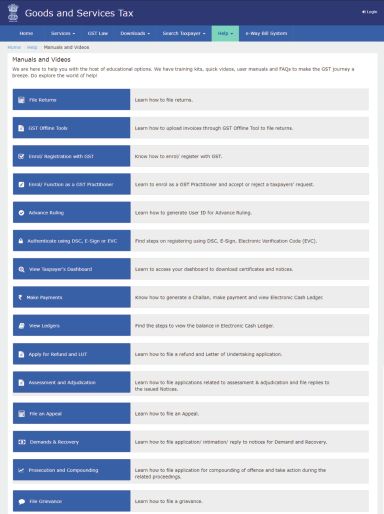
From the desk of the Member, CBIC & Principal Director General

          Continuing with the earlier practice, this newsletter captures the details
of the new functionalities that were introduced last month on the GST portal and
the CBIC-GST application. Further, complementing the earlier focus areas viz.
“Making Sense of the GST Data” and “Getting Access to the GST Data”, this
newsletter highlights the “Business Functionalities Available in GST IT Eco-
system”. It is expected that as you set your agenda to better administer GST and
further facilitate the taxpayers in the new FY 2019-20, this overview of all the
business functionalities available at the GST front-end and back-end shall help
you to effectively and efficiently manage human resources to achieve these
objectives.

         Presently, close to 4,800 officers of the CGST formations and
Directorates General are yet not mapped to access GST application data. It would
be appreciated that to this extent, available resources are not being deployed for
GST. The mapping of these officers thereby enabling them to access and manage
information in all the business functionalities is important for providing an
empathetic and responsive tax administration.

          These monthly newsletters were begun to enhance a two-way
communication between this Directorate General and the field officers regarding
the various IT developments for implementing GST. This is important as user
feedback is a sine qua non for the CBIC to have a world class IT infrastructure for
GST. There has definitely been some progress in this regard, but there is ample
scope for a more broad-based response from the field formations.

(Sandeep M. Bhatnagar)

                                                                                1 | Page
1. New GST functionalities during March 2019
a. Functionalities available on GST Common Portal:
Taxpayers can file Annual Return by normal taxpayers in Form GSTR 9,
for Financial Year 2017-18.
Taxpayers can file Annual Return by composition taxpayers in Form
GSTR 9A, for Financial Year 2017-18.
OIDAR /TDS /TCS/NRTP Taxpayers can apply for revocation of suo-
moto cancellation of registration.
Refund Processing Officer can now adjust amount of refund claimed
and to be sanctioned (refund amount due after inadmissible amount
is decided) against any outstanding demand (only demand which is
appearing as un-stayed) of the taxpayer, as appearing in Electronic
Liability Register Part I and Part II.
Normal taxpayers can view and download a report on tax liability as
declared in their Form GSTR- 1 and as declared & paid in their return
filed in Form GSTR 3B.
Normal taxpayer can opt-in for composition scheme, with effect from
the first day of the next financial year 2019, in Form GST CMP -02.
Appellate Authority/Revision Authority can now issue Rectification
Order after an Appeal Order/Revision Order has been issued by the
authority.
b. Functionalities available in CBIC-GST Application:
Tax officers can block/unblock ITC credit in Credit ledger at GST
portal.
Tax officers can see annual return GSTR 9 return filed on GST portal.
Tax officers can see annual return GSTR 9A return filed on GST portal.
Tax officer can see GSTR 2X return, claiming TDS/TCS credit, on GST
portal.
Tax officers can see ITC 01 and 03 returns filed by new registrants for
ITC credit on inputs held in stock or semi-finished or finished goods.
2| Pagec. Presently available modules and forms:
Overall GST functionality position
As on 31.03.2019
FUNCTIONALITY NUMBER OF NUMBER OF FUNCTIONALITY NOT FUNCTIONALITY FUNCTIONALITY NOT
MODULE NEEDED FUNCTIONALITY FUNCTIONALITIES AVAILABLE ON GST AVAILABLE ON AVAILABLE ON
AS PER GST LAW NEEDED AVAILABLE ON GST COMMON PORTAL CBIC SYSTEM CBIC SYSTEM
COMMON PORTAL
Registration REG 01 to 30 30 30 0 - 29 1 REG-08
PCT 01 to 05 5 4 1 PCT 05 4 0 -
CMP 03 (Stock intimate),
CMP 05 (SCN to not avail
CMP 01 to 07 7 6 1 CMP 07 3 3 composition), CMP 06
(reply to SCN)
Payment PMT 04 (discrepency in ledger),
PMT 01 to 07 7 7 0 - 5 2
PMT 07 (Discrepency in payment)
Return GSTR-1,1A,2,2A,2X,3,3A, 22 16 6 GSTR 1A, 3, 16 0
3B,4,4A,5,5A,6,6A,7, 7A, 3A, 4A, 6A,
8, 9, 9A, 9C, 10, 11(Annual 9C
return 9B not notified)
ITC 01 to 04 4 4 0 3 1 ITC 02 (declaration for transfer)
TRAN 1 to 3 3 3 0 3 0
EWB 01 to 04, INV 01 Handled by NIC and field
E-WAY bill 5 5 0 5 0
officers directly
Provisional ASMT 01 to 09 9 4 5 ASMT 02, 04, 06, 0 4 ASMT 01, 03, 05, 08
Assessment 07, 09
Assessment / ASMT 10, 12, 14,
ASMT 10 to 18 9 3 6 0 3 ASMT 11, 13, 17
Scrutiny of return 15, 16, 18
Refunds RFD 01A,01B, 01 to 11 13 4 9 RFD 01 to 09 13 0 RFD 01 to 09 ready at back end
Advance Ruling ARA 01 to 03 3 1 2 ARA 02, 03 0 1 ARA 01 will go to AAR
Dispute Resolution DRC 01 to 25, 07A, 08A 27 7 20 DRC 02, 08 to 19, 1 6 DRC 01, 03 TO 06, 20
(Adjudication 21 to 25
+ Recovery)
CPD 01 to 02 2 2 0 - 0 2 CPD 01 to 02
Appeal APL 01 to 08 8 4 4 APL 05 to 08 0 4 APL 01, 02, 03, 04
Audit ADT 01 to 04 4 0 4 ADT 01 to 04 0 0
Investigation INS 01 to 05 5 0 5 INS 01 to 05 0 0
Total 163 100 63 82 27
Fund settlement STL 01 to 12, + others 31 Handled by PrCCA and DoR
between Centre
& State
Grand Total 194 100
2. Prioritized Application Developments
• Sharing E-WAY bill data pulled from NIC
• Annual reconciliation statement GSTR 9C
• Show cause notice and adjudication DRC -01 to DRC -06
• Provisional Assessment ASMT 01 to 09
• Return scrutiny ASMT 13 to 18
• Investigation INS 01 to 05
• Zonal and Commissionerate Dashboards
• 3 new MIS reports including analytical reports
3| Page3. Understanding the IT Architecture of Business
The GST business information is divided in “Modules”, which are
accessible by specific tabs. So all the granular level registration
information is available in “Registration” module, accessible by clicking
“Registration” tab.
The GST taxpayer information is divided in seven major modules –
Registration, Payments, Returns, Refunds, Assessment, Audit and
Dispute Settlement & Resolution (DSR). Here each information for a
specific taxpayer and a tax period is available via a simple query. The
information to be acted upon by proper officer is covered under module
“Task lists”.
Additional modules are added as per new business information, like E-
WAY bills, Advance Ruling etc.
The aggregate information for administrative oversight is available
under “Reports” module.
4| Page4. Business Functionalities Available in GST IT Eco-system
Functionalities
4.1 List of all the business functionalities available in CBIC-GST
application:
a) Registration:
All the registration forms filed by taxpayers for all 6 type of
registrations (migrated (existing), new, TDS/TCS, casual/Non-
resident, OIDAR and UIN bodies) are available, including extension
of registration for casual/non-resident taxpayers. The officers can
seek information, accept or reject applications and assign
approved registrations for physical verification. 10 points risk
parameters are provided by the system to choose the assignment.
The data is segregated for “Active registrants” and “Inactive
registrants”, where registration of inactive is where registration
has been cancelled.
Besides the taxpayer’s choice of composition opt-in and opt-out is
available. The option to deny composition opt-in isn’t available
due to unavailability of APIs.
The amendment applications to registration are also available for
all registrants, other than UN bodies.
Tax officers can also handle registration cancellation applications,
initiated by taxpayers or initiated by officers (suo-moto), for all
types of taxpayers other than TDS/TCS. The applications for
revocation of cancellation also available.
The registration form for registration as GST Practitioner, including
seeking information, acceptance or rejection is available. This is
covered separately as “GST Practitioner”.
So overall, all registration forms, REG 01 to 30 (except REG 08), PCT
01 to 04, and CMP 01, 02 & 04 are available.
5| Pageb) Payments:
All the challans (CIN-wise) for cash payments made by the GST
taxpayer on GST portal (excluding made on Customs ICEGATE
portal) are available, under “Payment details”.
The three accounting ledgers – cash ledger, credit ledger, and
liability ledger – for each taxpayer are available, giving details of
GST paid in cash or credit and the liabilities recorded by taxpayer
(in part 1 of liability ledger) or by tax-officer (in part 2 of liability
ledger). This facility is available under “view ledgers”.
Facility of re-credit of GST cash/credit ledger on rejection of a
refund claim is available to tax-officers.
Facility to record confirmed liability through DRC-07 form is
available with tax officers.
Facility to block/unblock ITC credit in the electronic credit ledger is
available to tax officers.
Facility to see discrepancy in payment or ledger by taxpayer is not
available.
Overall, all payment forms and ledgers, PMT 01 to 03 and 05 are
available.
c) Returns:
All the 16 types of returns filed by taxpayers registered as normal,
composition, TDS, TCS, casual/Non-resident, ISD, OIDAR and UIN
bodies are available, under “view returns”. This includes returns
filed monthly, quarterly or annually.
Tax officers can see list of non-filers of GSTR 3B return under “non-
filers”.
6| PageAll the transitional credit returns filed by erstwhile Central Excise,
Service Tax and Value Added Tax taxpayers are available under
“Transitional provision”.
The returns filed by new registrants for ITC credit on inputs held in
stock or semi-finished or finished goods are available under “ITC”.
The return filed by taxpayer for inputs and capital goods sent to
job-worker are available under “ITC”.
The draft returns available on GST portal for the available credit
based on invoices in system like GST 2A, 7A and 2X are available.
Overall, all returns, GSTR 1 TO 11 (except GSTR 1A, 3, 3A, 4A, 6A
and 9C) including GSTR 2A, 7A and 2X, transitional credit returns
TRAN 01 to 03, and details of goods sent for job-work ITC 01 to 04
(except ITC 02) are available.
d) Refunds:
All the online refund applications relating to CBIC administered
taxpayers in form RFD-01A for all 12 grounds of refund claims (as
per form RFD-01) are available to tax officers under “view RFD-
01A”. Post this, refund process is manual, however tax officer can
upload final refund order in form RFD-01B to be communicated to
taxpayer and also re-credit taxpayer cash/credit ledger via PMT-03
form in case of rejection of refund application.
The complete online refund process is ready and forms shall be
available to tax officers once these are filed on GST portal.
The application of UIN bodies and special groups in RFD-10 are
available under “view RFD-10”. These are handled by specific
teams, as notified by DG GST.
7| PageThe applications for bond or Legal Undertaking for export of
good/services are available under “view RFD-11”, which tax
officers can enable or disable.
So overall refund applications RFD 01A, REF-01B, PMT-03 and RFD-
10, 11 are available, with complete online refund (RFD 01 to 09)
awaiting roll out at GST portal.
e) Dispute Settlement and Resolution (DSR):
Tax officers can create a confirmed demand and post it in liability
ledger of any taxpayer. This facility is available under “DRC07”.
Facility to create and confirm liability through DRC-07 form is
available with tax officers.
4.2 List of all the business functionalities available at GST portal:
Taxpayers have access to business functionalities mentioned
above (para 4.1) through GST portal. Taxpayers also have access to
additional functionalities available at GST portal, as given below:
Intimating discrepancy in challan/ledger (via PMT 04 and 04),
intimating stock on opting composition scheme (CMP 03) and
replying to notice of denial of composition scheme (CMP 06 and
06).
Taxpayer can file declaration on transfer of assets (ITC 02), apply
for provisional assessment and furnishing security (ASMT 01, 03,
05 & 08), reply to scrutiny of return (ASMT 11), file application for
advance ruling (ARA 01), make voluntary payment against SCN
(DRC 03), reply to show cause notice (DRC 06), make application
for deferred payment or in installments (DRC 20), file appeal to
appellate authority (APL 01) and apply for compounding of offence
(CPD 01).
8| PageThe functionalities available at GST portal can be seen at
https://www.gst.gov.in/help/helpmodules/
4.3 Advisories including user manuals issued by DGS on all the
business functionalities available at CBIC-GST application are given
below:
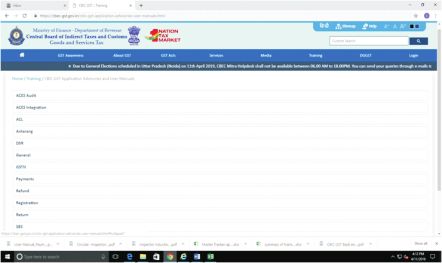
These Advisories and User Manuals are available at https://cbec-
gst.gov.in/cbic-gst-application-advisories-user-manuals.html .
9| PageMaster list of these is given below:
Advisories and User Manuals
Release
S. No. Module Subject Date
Advisory on Functionalities available in CBEC-GST 01/12/17
Application-I
Advisory on Functionalities available in GST 09/01/18
Application-II
User Manual for GST Self Service Portal 29/01/18
1. General
User Manual for Saving a File in local drive 11/03/18
User Manual on 'functionality enabling tax payer to 14/02/19
'Resend Welcome Message' to access his/her
account on GST Common Portal'
Advisory on Antarang Communities For File Sharing 05/04/19
Advisory on Mapping of Taxpayers in Correct 14/02/19
Jurisdiction with Correct Status
2. Access Control
Advisory on New Approach To Taxpayer Migration 03/04/19
(ACL)
User Manual for Offline Approval Document 03/04/19
Process In Migration of Taxpayers
Advisory on Deemed Approval and Delegation 01/12/17
Advisory on Detailed Reassignment 01/12/17
3. Registration Advisory on Registration Central Processing Cell 05/02/18
Superintendent 'Approval' and 'Query'
Advisory on Registration 'Assign Jurisdiction' 05/02/18
10| PageUser Manual for Redesignate Authorized Signatory 16/02/18
Advisory on Registration Certificate (REG-6) 05/02/18
Advisory on Registration Core Amendment 05/02/18
(REG 14-15)
User Manual for Updating Mobile Number and 22/03/18
Email Of Authorized Signatory
Advisory on Updating Mobile Number and Email 22/03/18
of Authorized Signatory
Advisory on Core Amendment 22/03/18
Advisory on GST Practitioner (GST PCT 1-5) 22/03/18
Advisory on Process of Cancellation of Registration 18/07/18
by Tax Payer(REG 16-19)
Advisory on Suomoto Cancellation 18/07/18
Advisory on Physical Verification including risk 18/07/18
profiling on ten parameters (REG-30)
User Manual for Revocation Of Cancelled 24/12/18
Registration Form REG-21 To Form REG-24
Advisory on Step By Step Guide on Revocation of 19/03/19
Cancelled Registration (REG 21-24)
. Advisory on Approach For Selection of Registrations 18/03/19
For Issuance Of Provisional Ids
User Manual for Ledger Sync Functionality 13/11/18
Advisory on Payments-Ledgers-"Sync With GSTN" 13/11/18
4. Functionality
Payment
User Manual for Payments-Ledgers-"Sync With 13/11/18
GSTN" Functionality
Advisory on Challans and Ledgers (PMT 1,2,3,5,6) 12/02/19
Advisory on CGST Transitional Credit Pt-1 (TRAN 1-3) 04/02/18
Advisory on CGST Transitional Credit Pt-2 (TRAN 1-3) 18/03/18
Advisory on GSTR2A 04/04/19
Advisory on GSTR2X 04/04/19
User Manual for Deployment Of GSTR 2A Returns 04/04/19
In Production
User Manual For GSTR 2A 04/04/19
5. Return Advisory on GSTR ITC 04 Returns 19/03/19
User Manual for GSTR ITC 04 Returns 19/03/19
Advisory on GSTR 9 18/03/19
User Manual for GSTR 9 18/03/19
Advisory on GSTR 9A 18/03/19
User Manual for GSTR 9A 18/03/19
Advisory on GSTR 10 19/03/19
User Manual for GSTR 10 19/03/19
11| PageUser Manual for Refund Process (RFD-10, RFD-11) 28/09/18
6. Refund User Manual for RFD-01A 13/11/18
Advisory on RFD-01A 30/10/18
7.
Advisory on DRC-07 26/11/18
Dispute
Settlement &
Recovery(DSR)-
Investigation,
Show Cause
Notice,
Adjudication,
Appeal,
Recovery
User Manual for DRC-07 26/11/18
8. E-Way Bill
9. Audit &
Assessment
10. Advance Ruling
11. Scheme of User Manual for Scheme for Area Based Budgetary 07/12/17
Budgetary Support
Support (SABS)
User Manual for Registration Report on Reason- 05/12/18
Wise Cancellation
Advisory on Registration Cancellation Reason- 05/12/18
12. Reports
Wise Report
Advisory on Nil Return Filers 05/12/18
Advisory on Payment MIS Reports 12/02/19
Advisory on Audit Offline Utility for DG Audit & 01/07/17
Audit Committees
13. ACES
Integration in
Advisory on Online Validation of PAN of Assesses 11/03/19
GST
User Manual for Online Validation of PAN 11/03/19
of Assesses
5. Collaboration Tools to Understand Available Business
Functionalities
Officers need to constantly share data and knowledge with their
colleagues in their formations.
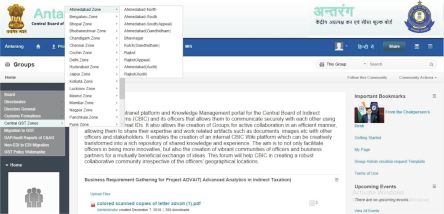
DGs has created Commissionerate-wise and Division-wise communities,
12| Pageon Antarang portal, for all CGST Commissionerates, all Directorates and
all Customs formations to increase collaboration between officers by
starting a discussion forum thread, seeking comments on a topic or a file,
sharing blogs, bookmarks, Wiki, etc. This also allows officers to also
share large sized data files.
The ACL Admin of a Commissionerate or a Division can become the
Administrator for their respective community on Antarang by sending
the duly filled template to antarang.webmaster@icegate.gov.in.
6. Feedback and Suggestions
DGs is striving to make the CBIC-GST Application user friendly and
responsive to cater to expectations of the users. In this direction DG
Systems is continually involving field formations in both the
development of the application and the UAT (User Acceptance Testing)
of new functionalities before their deployment. Likewise, inputs are
always taken from the field formations and Directorates for new MIS
reports and improvements in existing MIS reports.
DGS looks forward to receiving your feedback and suggestions, which
may please be sent to dg.sys@icegate.gov.in.
13| PageAll newsletters are available on: CBIC website www.cbic.gov.in> GST > GST Background Materials for reference purpose. CBIC website cbec-gst.gov.in> Media > CBEC GST Application Newsletter
You can also read


