CMP2019M Human-Computer Interaction - Week 1 - Introduction - Paul E. Baxter
←
→
Page content transcription
If your browser does not render page correctly, please read the page content below

CMP2019M
Human-Computer Interaction
       Week 1 – Introduction
Today
• Part I: About This Module
   – Staff
   – Lectures & Workshops
   – Assessment

• Part II: About HCI
   – What is HCI?
   – Interacting with computers – a history
   – Studying HCI – a history
Part I:
About this module
Staff: Dr. Khaled Bachour
                         (module coordinator)

• MSc in Computer Science
• PhD in Human-Computer Interaction

• Research Interests: Games as a
  research methodology

• Contact info:
   – Email: kbachour@lincoln.ac.uk
   – Office: INB 2215
   – Surgery hours: Thursdays 15:00 – 17:00
      • Or by appointment (just email me)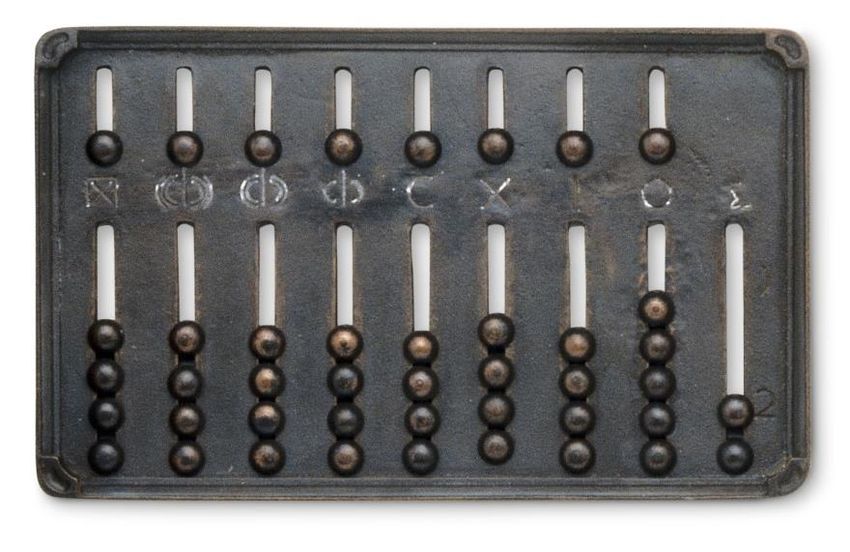
Staff: Dr. Jussi Holopainen
• PhD in Game Development

• Research Interests: game design research,
  pervasive games, public play, digital
  cultural heritage

• Contact info:
   – Email: jholopainen@lincoln.ac.uk
   – Office: INB 2221
   – Surgery hours: Tuesdays 12:30 – 14:30 or by
     appointment.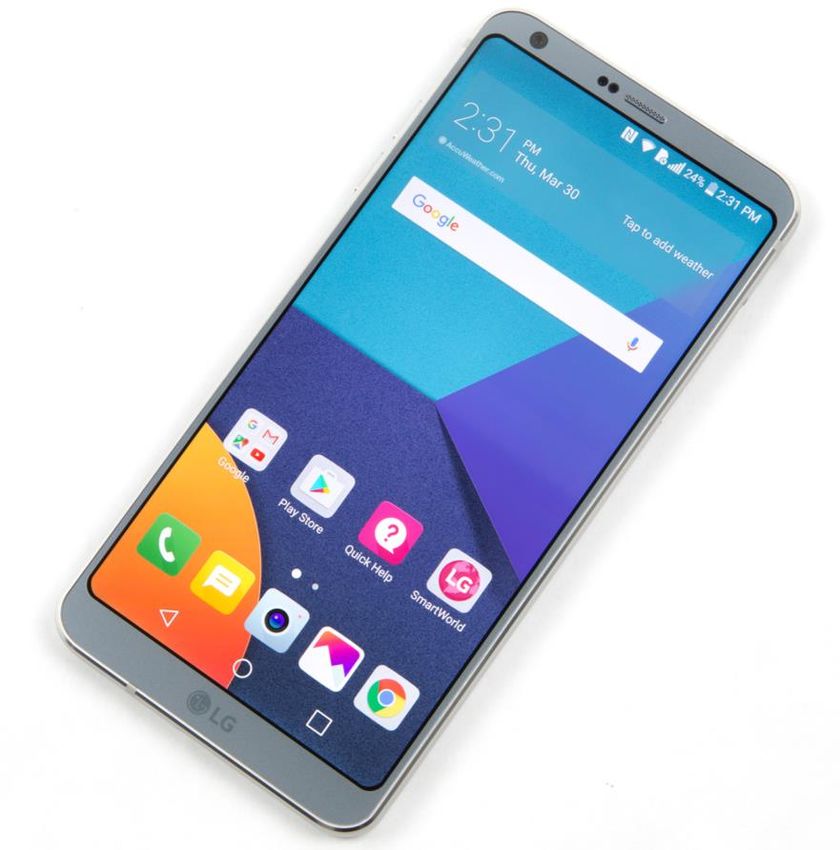
Staff: Dr. Elisa Rubegni
• PhD in Computer Science

• Research Interests: User experience
  research, Interaction design,
  Children-computer Interaction,
  Technology in education

• Contact info:
   – Email: erubegni@lincoln.ac.uk
   – Office: INB3112
   – Surgery hours: Tuesday 15.30-17.30
Staff: Dr. Paul Baxter
• MEng in Electronic Engineering
• PhD in Cognitive Robotics

• Research Interests: social robots,
  human-robot interaction, user
  evaluations, cognitive modelling

• Contact info:
   – Email: pbaxter@lincoln.ac.uk
   – Office: INB 2219
   – Surgery hours: Mondays 11:00-13:00
      • If I have to rearrange, will put details on: http://paul-baxter.github.io/teaching.html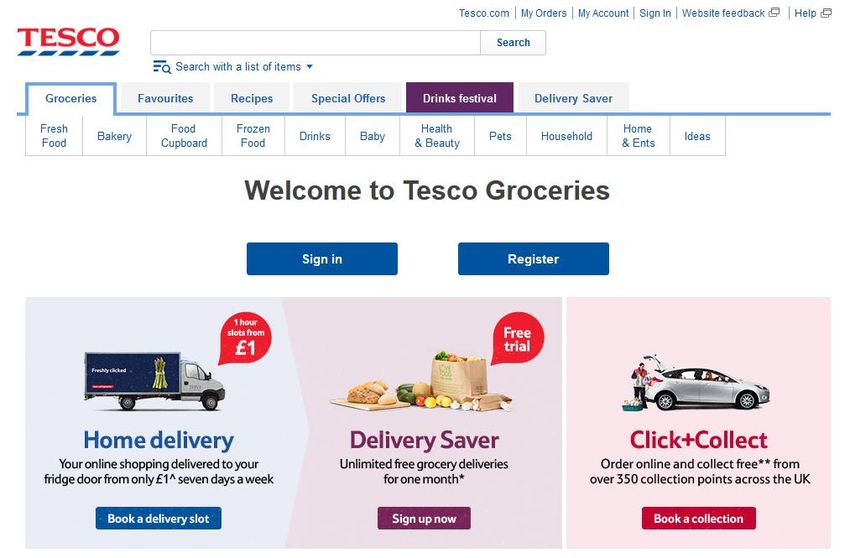
Demonstrators
   Grace                     Jake                           Jaycee Lock              Liam Mason                         Godwin
  Ataguba                  Harrington                                                                                  Ogbuabor

  PhD student               4th year MComp                    PhD student              4th year MComp                   PhD student

 gataguba@lincoln.ac.uk   13455926@students.lincoln.ac.uk      jlock@lincoln.ac.uk   11358736@students.lincoln.ac.uk   gogbuabor@lincoln.ac.uk

Monday, Tuesday,
                               Tuesday (x2)                 Monday, Thursday         Monday, Thursday                   Tuesday (x2)
   Thursday
About This Module
• 1 x 2 hour lecture
• 1 x 2 hour workshop

• You need to show up for the workshop you’re timetabled for (and
  only that workshop) – no swapping!
   – If conflicts, etc, speak to SoCS Admins

• You are expected to attend everything!

• You will be given reading to do between lectures/workshops on
  occasion – this should be part of your self-study

• Workshops start next week
Talking of Reading…
• A place to start…

https://www.interaction-design.org/literature/book/the-
encyclopedia-of-human-computer-interaction-2nd-
ed/human-computer-interaction-brief-intro
Topics
• You will learn about
   – Human abilities and how they influence our
     interaction with technology
   – How to consider these abilities in your design
   – How to evaluate and analyse whether your solution
     meets the needs of users

• You will not learn about
   – Graphics design / interaction design
   – These in other modules
Topics
Week Starting Area Topic Workshop (run by the lecturer of the previous Lecturer
week)
1 Sept. Introduction none PB
25
2 Oct. 2 Core Cognition Introduction JH
Concepts
3 Oct. 9 Usability Cognition ER
4 Oct. 16 Accessibility Usability KB
5 Oct. 23 Design Requirements Analysis & UCD Accessibility JH
6 Oct. 30 Prototyping Requirements Analysis & UCD JH
7 Nov. 6 Guest Lecturers: Games Research Prototyping Guest / JH
Network
8 Nov. 13 Evaluation Intro to Evaluation & Quantitative HCI and Games ER
Analysis
9 Nov. 20 HCI Ethics Intro to Evaluation & Quantitative KB
Analysis
10 Nov. 27 Data Analysis 1 Ethics PB
11 Dec. 4 Data Analysis 2 Data analysis 1 PB
12 Dec. 11 Qualitative Data analysis 2 ER
13 Dec. 18 none Review and Mock Exam No LectureWorkshops
• Each week you will be asked to carry out a
theoretical and a practical task in the workshop
– Keep a log of what you have done, don’t just delete
results once you’ve completed your work
– Useful preparation for your exams!
• We expect you to attend all your allocated
workshops
– This is your time to ask your questions, get in some
assessment prep time, and get support from lecturer
and demonstratorsWorkshops
• You must attend your assigned group!
• All in INB1102
– Group A: Monday 15:00 – 17:00
– Group B: Tuesday 10:00 – 12:00
– Group C: Tuesday 15:00 – 17:00
– Group D: Thursday 13:00 – 15:00
Bring Paper and Pen to all workshops!Workshops
• Part I
– On theory
– Refer to lecture notes, any reading given, your own research, etc
– Demonstrators to help you work through/consider the questions
• Part II
– More practically-oriented
– Treat as mini-experiments: note down observations and relation to the
theory
– Demonstrators to help with running the tasks, and to help you figure
things out for yourselves!
Keep your notes – important for exam preparation!Assessment • 100% exam-based at the end of the module • Workshop tasks reflect exam tasks & prep you for it – this is why you need to attend workshops! • Part theory, part practical tasks – again, reflected in workshop design • Check Blackboard for exam date
Reading List
• Access reading list through Blackboard
   – Link will take you to the library website
   – Can also access directly through the library page if
     Blackboard isn’t working…

• Many items on the reading list (27 in total!)
   – There are copies of each in the library (physical
     and/or digital)
   – You do not have to read all of the books! They are
     listed as reference points to further your exploration
     and understanding
Reading • Core Concepts in HCI: • Interaction Design: Beyond Human-Computer Interaction, by Sharp, Rogers, & Preece
Reading
• The philosophy and practice of
  user centered design

• Experience-Centered Design:
  Designers, Users, and
  Communities in Dialogue,
  by McCarthy & Wright
Reading
• Evaluation in HCI

• Experimental Human-Computer
  Interaction: A Practical Guide
  with Visual Examples, by
  Helen Purchase

• Available as online resource!
Part II:
About Human-Computer
   Interaction (HCI)
What is HCI?

• What is HCI the study of?
   – Humans?
   – Computers?
   – Interaction?

• Why would we need to do this?
• How do we do it?
What is HCI?
• Basic definition: “The study, planning, and design
  of the interaction between people and
  computers.”

• Inherently multidisciplinary - involving computing,
  software engineering, psychology and cognitive
  science, social sciences…..
What is HCI?
“ HCI is not fundamentally about the laws of nature.
Rather, it manages innovation to ensure that human
values and human priorities are advanced, and not
diminished through new technology. This is what
created HCI; this is what led HCI off the desktop; it will
continue to lead HCI to new regions of technology-
mediated human possibility. This is why usability is an
open-ended concept, and can never be reduced to a
fixed checklist. ”
                         From: https://www.interaction-design.org/literature/book/the-encyclopedia-of-human-
                         computer-interaction-2nd-ed/human-computer-interaction-brief-intro
Conceptual Framework
• Based on Norman (1998):
Designer’s User’s
Model
Model of how the system should work
? Model
How the user understands the system
System Image
How the system actually works as
portrayed through interface, manuals,
etcHCI - A (brief) History • We’re going to look at a number of eras of computing technology • Number of questions for each of these: – What is this used for? – Who is the expected user? – What level of training / expertise is expected?
– The Abacus
   – What is this used for?
   – Who is the expected user?
   – What level of training / expertise is expected?
– Babbage’s Analytical Engine
   – What is this used for?
   – Who is the expected user?
   – What level of training / expertise is expected?
https://www.theatlantic.com/technology/archive/2013/10/computing-power-used-to-be-measured-in-kilo-girls/280633/
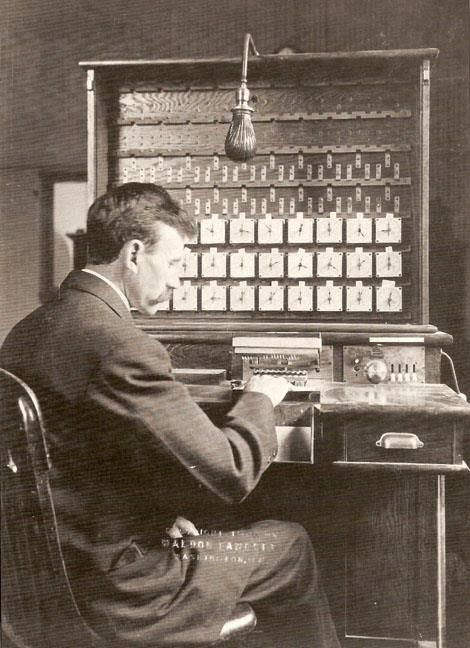
– IBM Punch Card Tabulating Machine (1900s)
   – What is this used for?
   – Who is the expected user?
   – What level of training / expertise is expected?
– The “Bombe”
   – What is this used for?
   – Who is the expected user?
   – What level of training / expertise is expected?
– ‘Valve’ Computers
    – What is this used for?
    – Who is the expected user?
    – What level of training / expertise is expected?
– Transistor Computers – What is this used for? – Who is the expected user? – What level of training / expertise is expected?
– Integrated Circuits / Microprocessors / Programming
  languages
    – What is this used for?
    – Who is the expected user?
    – What level of training / expertise is expected?
– Desktop Computers – What is this used for? – Who is the expected user? – What level of training / expertise is expected?
– Gaming Consoles
   – What is this used for?
   – Who is the expected user?
   – What level of training / expertise is expected?
– Mobile Computing
   – What is this used for?
   – Who is the expected user?
   – What level of training / expertise is expected?
– Ubiquitous / Pervasive Computing
   – What is this used for?
   – Who is the expected user?
   – What level of training / expertise is expected?
– Wearables
   – What is this used for?
   – Who is the expected user?
   – What level of training / expertise is expected?
– Social Media
   – What is this used for?
   – Who is the expected user?
   – What level of training / expertise is expected?
– Online Shopping
   – What is this used for?
   – Who is the expected user?
   – What level of training / expertise is expected?
HCI - A History (summary)
• Moving from expert systems to widely available
  technology
   – A closing of the gap between designer and user?
• Pervasive in daily lives, necessary to participate in
  society

• What are the emerging challenges?
• In terms of:
   – Who needs to use it?
   – What consequences if they can’t?
– Air traffic control
   – Who needs to be able to use this?
   – What are consequences if you can’t interact?
– Government services
   – Who needs to be able to use this?
   – What are consequences if you can’t interact?
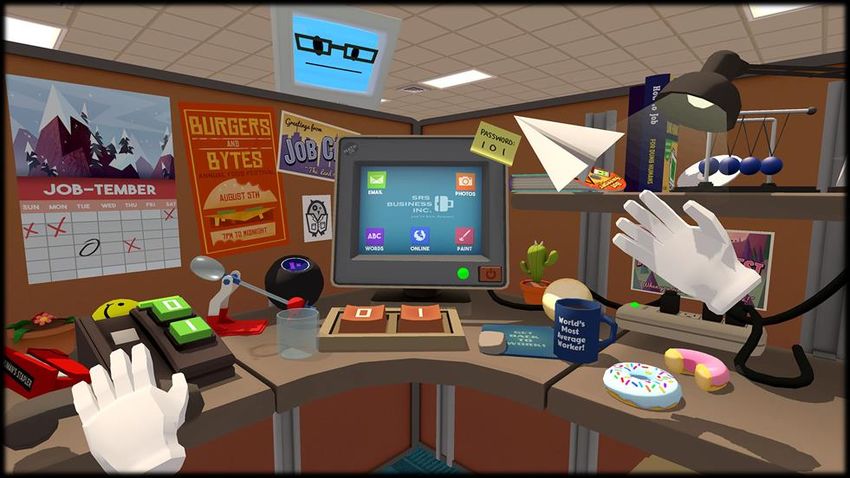
– VR gaming
   – Who needs to be able to use this?
   – What are consequences if you can’t interact?
– Blackboard
   – Who needs to be able to use this?
   – What are consequences if you can’t interact?
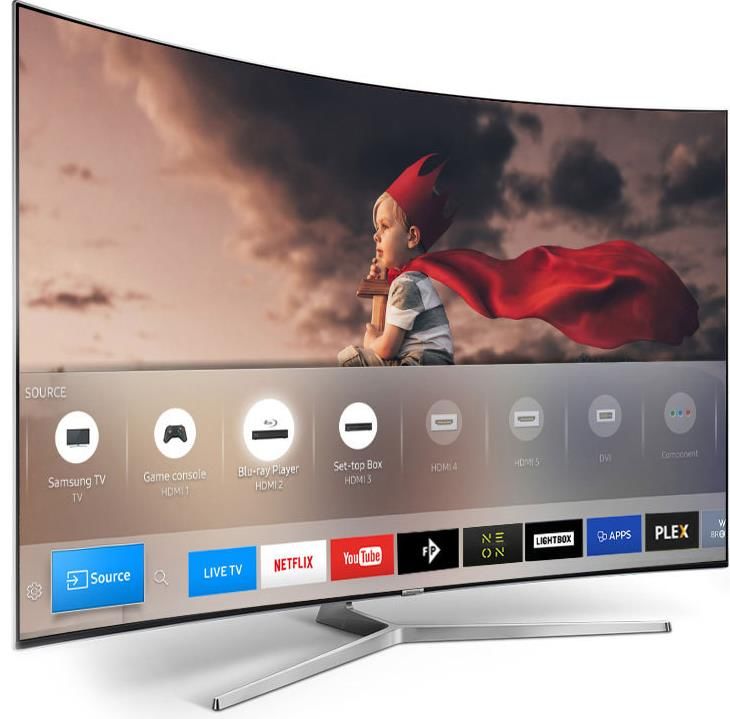
• Each of these assume access to computers capable
  of running the GUI/software

• Questions of accessibility, as well as usability…
   – Lecture 4!
Why study HCI?
• Regardless of how complex or useful a device is,
  you need to design it so that a user can use it to
  fulfill the functions it is supposed to fulfill

• HCI is interested in aspects related to hardware,
  software, and different user groups
Looking Back (again…)
• Rise of personal computing from the ‘70s
• Concurrently:
   – “cognitive engineering” in cognitive science
   – Human Factors in engineering
• Related developments:
   – Increasingly sophisticated documentation, taking into
     account human theories and user testing
   – Software engineering (non-functional requirements)
   – Developments in computer graphics (enabling GUI’s
     etc)
Human Factors & Ergonomics
• Understanding the human element in design of
technology
– Designing equipment and devices that fit the human
body and its cognitive abilities
• NASA and IBM pioneered this work
• A lot of the concepts and methods in HCI are
borrowed from engineeringCognitive Ergonomics
• Related to Human Factors…
• Specifically the study of cognition in the HCI context:
– Optimise human well-being and performance
– Taking into account the human’s cognitive limitations
• E.g. attention, memory, workload, etc.
– User strategies, etcUsability & Accessibility
• Started with the era of desktop computing, suddenly
“usability” becomes a billion dollar industry
– The design of interfaces that allow people to do their
work without becoming frustrated
– Based on cognitive psychology – understanding what
people are capable of and comfortable with in terms
of perception, memory, and cognition
• Accessibility addresses the need to make systems
available to people regardless of disability,
circumstance, background, etcUser Experience
• Putting the user at the centre of everything
– Requirements, design, prototyping, dev & evaluation
– Cognitive abilities,
subjective experience,
narratives, cultural impact
• Dialogue is the key –
constant, constructive
dialogue between
designers, users and
communities User Experience Professionals AssociationTopics
Week Starting Area Topic Workshop (run by the lecturer of the previous Lecturer
week)
1 Sept. Introduction none PB
25
2 Oct. 2 Core Cognition Introduction JH
Concepts
3 Oct. 9 Usability Cognition ER
4 Oct. 16 Accessibility Usability KB
5 Oct. 23 Design Requirements Analysis & UCD Accessibility JH
6 Oct. 30 Prototyping Requirements Analysis & UCD JH
7 Nov. 6 Guest Lecturers: Games Research Prototyping Guest / JH
Network
8 Nov. 13 Evaluation Intro to Evaluation & Quantitative HCI and Games ER
Analysis
9 Nov. 20 HCI Ethics Intro to Evaluation & Quantitative KB
Analysis
10 Nov. 27 Data Analysis 1 Ethics PB
11 Dec. 4 Data Analysis 2 Data analysis 1 PB
12 Dec. 11 Qualitative Data analysis 2 ER
13 Dec. 18 none Review and Mock Exam No LectureDate Picker Example
• A simple interface: pick a date…
1 January 2000
• What could go wrong?
• What steps could be taken to resolve?SatNav Example • Following instructions to your destination • What could go wrong? • What steps could be taken to resolve?
VR Example
• An immersive experience: e.g. Oculus Rift, HTC
  Vive, etc

• What could go wrong?

• What steps could be taken to resolve?
(even more!)
reasons to care about HCI…
Your
Final
Year
Project
Job Market
Next week:
Core Concepts - Cognition

    See the Reading Material on Blackboard in
               preparation for this

  In “Week A2” folder – under Workshop materials
Workshop
• Starts next Monday!
• Focus on foundations:
– Exploring theoretical concepts from today
– Exploring some old software in terms of user
experience
– It would help to do some background reading to
prepare…Blackboard
• Due to Blackboard’s unfortunate circumstance,
course material for this week can be found on:
http://paul-baxter.github.io/teaching-resources.html
– This includes the lecture notes, workshop tasks for
next week, and the reading mentioned earlier
– They will be there after this lecture (later today)
– Also on BlackboardRemember: Please bring pen & paper to lectures and workshops!
You can also read


