Dell Keyboards and Mice - Dell Technologies
←
→
Page content transcription
If your browser does not render page correctly, please read the page content below

Dell Keyboards and Mice

From keeping your desks clutter-free, to enabling you to gain access to your PCs faster and
 more seamlessly — Dell designs keyboards and mice to make your life easier. Built to work
perfectly with your Dell PCs, these input devices offer the convenience and comfort to keep
      you efficient and productive whether you are working remotely or at the office.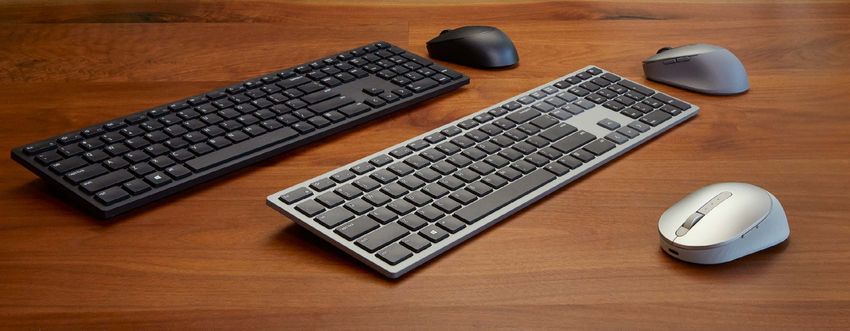
Dell Keyboards and Mice

  Designed to offer
  the reliability and
convenience you need
 so that you can stay
productive longer and
 work at full speed on
    your Dell PCs.

                         Dell’s wide range of wireless and wired devices are built to last. Tested and
                         certified to work seamlessly with Dell systems, these keyboards and mice are
                         designed to go the distance with up to 36 months battery life. Dell offers up
                         to 3 years Advanced Exchange Service and ships you a replacement unit the
  SIMPLY RELIABLE        next business day, minimizing downtime.

                         From responsive, hassle-free dual mode connectivity to Multi-OS compatibility,
                         these keyboards and mice are made to just work, so that you can enjoy working
 CONVENIENT AND          on your tasks quickly and easily.

   EASY TO USE

                         Thoughtfully designed features on your input devices like shortcut keys/
                         buttons to tilted elevations improve your productivity, helping you work smarter
                         and faster. The keyboards and mice also come with Dell Peripheral Manager —
                         your one-stop software center that allows you to customize and manage your
     ENHANCED
                         keyboards and mice efficiently.
    PRODUCTIVITY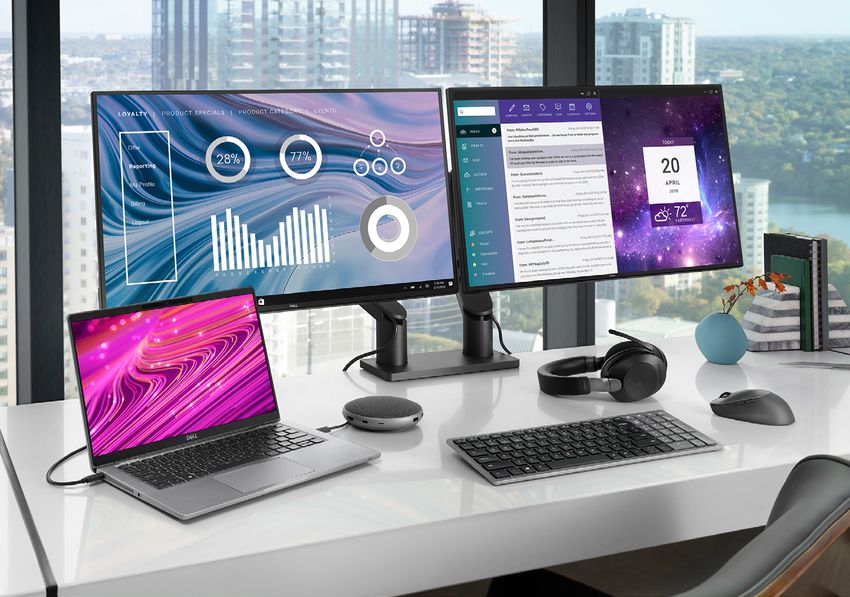
Dell Peripheral Manager1

     Dell’s new range of mice
    and keyboards comes with
   the Dell Peripheral Manager
     (DPM) — your one-stop
   software that enables you to
efficiently customize and manage
     your keyboards and mice.

Pair devices                                  Adjust DPI                                      Customize shortcuts
Pairing has never been easier with a          Adjust your mouse to your preferred             Program shortcuts for your keyboard
software that guides you step by step.        sensitivity for precise navigation              and mouse for quick navigation to
Swiftly connect your mouse or keyboard        across monitors of varying resolutions.         your preferred applications. Flexibly
via 2.4 GHz RF wireless or Bluetooth.         Choose from four preset DPIs at                 set your primary mouse button to suit
                                              1000, 1600, 2400 and 4000.                      your needs.

             Check connectivity                                                Get latest firmware
             and battery status                                                updates
             Quickly view your device’s battery                                Keep your devices up to date with
             life and be informed of how it’s been                             the latest firmware, so your devices
             paired with your PC.                                              work efficiently.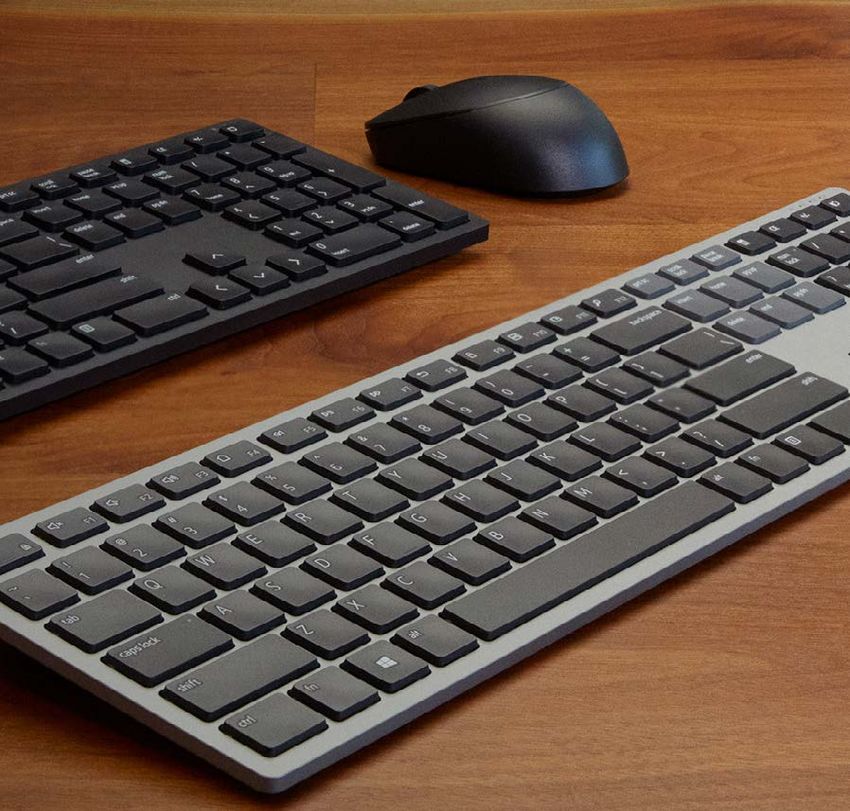
Dell Wireless Keyboards
                            and Mice Combos

    Built to last, these combos offer up
    to 36 months battery life reducing
    the hassle of frequent battery
    changes. Conveniently switch
    using your keyboard and mouse
    across 3 devices using RF 2.4 GHz
    and Bluetooth connectivity and
    customize the keys and buttons to
    your preferred shortcuts.

                                                         Dell Universal Pairing Icon

                                                                     Dell Premier Multi-Device Wireless Keyboard and
                                                              Mouse – KM7321W
                                                                         Pantone across
                                                              Multi-task seamlessly 299C 3 devices with this premium combo
                                                              • 2.4 GHz RF wireless or Bluetooth 5.0
                                                              • Quiet full-sized keyboard with tilt legs
                                                              • Sculpted high dpi 1600 mouse (1000, 2400, 4000 dpi via DPM)
                                                              • Programmable shortcut keys and buttons
                                                              • Dell Peripheral Manager
                                                              • Multi-OS compatibility
                                                                                    2

                                                              • 128-bit AES encryption (keyboard)
                                                              • 2 x AAA, up to 36 months keyboard battery life
                                                                                            3

                                                              • 1 x AA, up to 36 months mouse battery life
                                                                                        3

                                                              • 3 years Advanced Exchange Service
                                                         Dell Universal Pairing Icon

                                                                   Dell Multi-Device Wireless Keyboard and
                                                              Mouse – KM7120W
                                                                        Pantone 299C
                                                              Compact, space-saving combo for working across 3 devices
                                                              • 2.4 GHz RF wireless or Bluetooth 5.0
                                                              • Compact and slimline 2-section keyboard with tilt legs
                                                              • Sculpted high dpi 1600 mouse (1000, 2400, 4000 dpi via DPM)
                                                              • Programmable shortcut keys and buttons
                                                              • Dell Peripheral Manager
                                                              • Multi-OS compatibility
                                                                                    2

                                                              • 128-bit AES encryption (keyboard)
                                                              • 2 x AA, up to 36 months keyboard battery life
                                                                                        4

                                                              • 1 x AA, up to 36 months mouse battery life
                                                                                        4

                                                              • 3 years Advanced Exchange Service

#
 Product availability varies by country. Contact your Dell representative or visit Dell.com to learn more.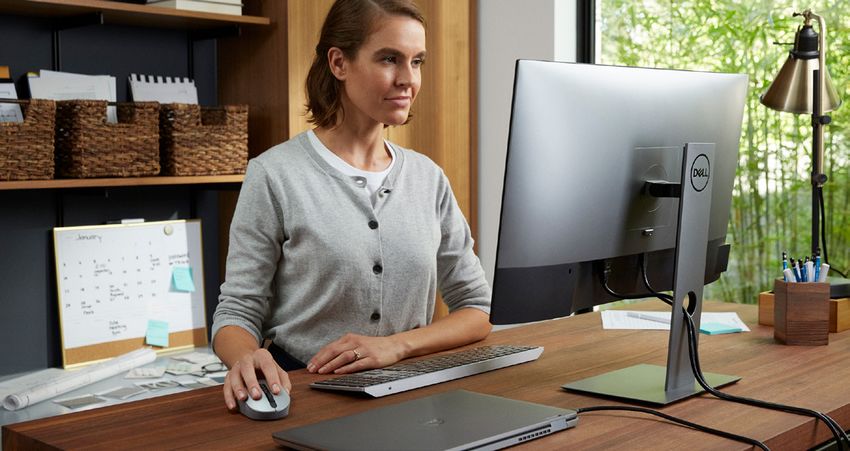
Dell Wireless Keyboards
                              and Mice Combos

                                                                   Looking for a clutter-free desktop and a seamless
                                                                   transition from meetings to your desk? These wireless
                                                                   combos work perfectly with Dell PCs, offering the
                                                                   reliability and convenience you need to get your work
                                                                   done comfortably and efficiently.

                                                         Dell Universal Pairing Icon

                                                                  Dell Pro Wireless Keyboard and Mouse – KM5221W
                                                              Quiet full-sized keyboard and mouse combo that offers industry leading
                                                              battery life Pantone 299C
                                                              • 2.4 GHz RF wireless
                                                              • Full-sized keyboard with tilt legs
                                                              • Ambidextrous high dpi 1600 mouse (1000, 2400, 4000 dpi via DPM)
                                                              • Programmable shortcut keys and button
                                                              • Dell Peripheral Manager
                                                              • Multi-OS compatibility2
                                                              • 128-bit AES encryption (keyboard)
                                                              • 2 x AAA, up to 36 months3 keyboard battery life
                                                              • 1 x AA, up to 36 months3 mouse battery life
                                                         Dell •Universal     Pairing
                                                                3 years Advanced      Icon Service
                                                                                   Exchange

                                                                  Dell Wireless Keyboard and Mouse – KM636#
                                                              Elevated, spacious chiclet keys and multimedia shortcuts
                                                                         Pantone
                                                              • 2.4 GHz RF  wireless299C
                                                              • Optional palm rest (black)
            Available in
                                                              • 128-bit AES encryption
                                                              • 2 x AAA, up to 12 months2 keyboard battery life
                                                              • 2 x AA, up to 6 months2 mouse battery life
                                                              • 1 year Advanced Exchange Service

                                                              Dell Wireless Combo – KM117#
                                                              Compact and sleek with low battery life indicators on keyboard
                                                              and mouse
                                                              • 2.4 GHz RF wireless
                                                              • Scissor chiclet keys with multimedia shortcuts
                                                              • Low battery life indicators on keyboard and mouse
                                                              • 128-bit AES encryption (keyboard)
                                                              • 2 x AAA, up to 12 months4 keyboard battery life
                                                              • 1 x AA, up to 12 months4 mouse battery life
                                                              • 1 year Advanced Exchange Service

#
 Product availability varies by country. Contact your Dell representative or visit Dell.com to learn more.
Dell Wireless Mice

                                                 Work without interruptions with Dell’s new range of wireless mice with a battery
                                                 life of up to 36 months2. 3 years Advanced Exchange Service gives you added
                                                 peace of mind, allowing you to get on with your tasks smoothly without having to
                                                 be concerned with battery replacements. Pair and connect to almost any PC and
                                                 switch seamlessly across devices.†

Dell Universal Pairing Icon                                                Dell Universal Pairing Icon

           Dell Premier Rechargeable Wireless Mouse –                                Dell Multi-Device Wireless Mouse – MS5320W
    MS7421W                                                                    Sculpted mouse lets you work seamlessly across 3 PCs
    Long lastingPantone  299C
                 rechargeable mouse with a battery life of up to               • 2.4 GHz RFPantone
                                                                                              wireless299C
                                                                                                      or
    6 months5 on a full charge                                                   Bluetooth 5.0
    • 2.4 GHz RF wireless or Bluetooth 5.0                                     • Switch across 3 devices
    • Switch across three devices                                              • Programmable shortcut buttons
    • 2 minute recharge lasts an entire workday5                               • Optical LED sensor, 1600 dpi (1000, 2400, 4000 via DPM)
    • Programmable shortcut buttons                                            • 7 buttons
    • Optical LED sensor, 1600 dpi (1000, 2400, 4000 via DPM)                  • Multi-OS compatibility2
    • 7 buttons                                                                • Dell Peripheral Manager
    • Multi-OS compatibility2                                                  • 1 x AA, up to 36 months6 battery life
    • Dell Peripheral Manager                                                  • 3 years Advanced Exchange Service
    • 3 years Advanced Exchange Service

  Dell Universal Pairing Icon                                                Dell Universal Pairing Icon
                       Available in                                                              Available in

              Dell Mobile Pro Wireless Mouse – MS5120W                                  Dell Mobile Wireless Mouse – MS3320W
        Connect conveniently and customize your shortcut buttons to your          Connect seamlessly with any PC
        most used Pantone
                    functions 299C                                                • 2.4 GHz RFPantone
                                                                                                 wireless299C
                                                                                                         or Bluetooth 5.0
        • 2.4 GHz RF wireless or Bluetooth 5.0                                    • Optical LED sensor, 1600 dpi (1000, 2400, 4000 via DPM)
        • Programmable shortcut buttons                                           • 3 buttons
        • Optical LED sensor, 1600 dpi (1000, 2400, 4000 via DPM)                 • Multi-OS compatibility2
        • 7 buttons                                                               • Dell Peripheral Manager
        • Multi-OS compatibility2                                                 • 1 x AA, up to 36 months6 battery life
        • Dell Peripheral Manager                                                 • 3 years Advanced Exchange Service
        • 1 x AA, up to 36 months6 battery life
        • 3 years Advanced Exchange Service
    #
     Product availability varies by country. Contact your Dell representative or visit Dell.com to learn more.
Dell Wireless Mice

       Dell wireless mice offer
        you the freedom and
    convenience to move away
     from your desk whenever
     you wish, without having
    to unplug a cable. Choose
      from a range of wireless
     technologies, scroll types
        and designs available.

                                            Dell Universal Pairing Icon

     Dell Bluetooth® Mouse – WM615                   Dell Wireless Mouse – WM126               Dell Wireless Mouse – WM118#
Unique twisting design easily fits in pockets     Nicely contoured mouse that feels great in   Easy plug and play
and bags                                          either handPantone 299C                      • 2.4 GHz RF wireless
• Touch strip for precise scrolling               • 2.4 GHz RF wireless                        • Optical LED sensor, 1000 dpi
• Bluetooth 4.0                                   • Optical LED sensor, 1000 dpi               • 3 buttons
• Dongle-free so does not take up additional      • 3 buttons                                  • 1 x AA, up to 12 months4 battery life
  port on PC                                      • 1 x AA, up to 12 months4 battery life      • 1 year Advanced Exchange Service
• Optical LED sensor, 1000 dpi                    • 1 year Advanced Exchange Service
• 2 x AAA, up to 6 months4 battery life
• 1 year Advanced Exchange Service Dell         Universal Pairing Icon

                                                   DELL UNIVERSAL PAIRING
                                                         Pantone 299C

                                   Dell Universal Pairing feature allows you to connect up to
                                   6 compatible devices with a single Universal Pairing receiver.
                                   Conveniently leave your combo set at home and another
                                   mouse in the office. Now you can connect to different input
                                   devices without having to carry them around. Available in
                                   DPM for select models.

#
 Product availability varies by country. Contact your Dell representative or visit Dell.com to learn more.
Dell Wired Mice

Dell wired mice offer a stable, responsive and hassle-free connectivity. Simply plug into an available USB port on your
PC and work. Choose from our range of wired mice available — from different color options to programmable dpi to
secure fingerprint login and on-line access.

                                                    Available in                             Available in

Dell Wired Mouse with Fingerprint            Dell Laser Wired Mouse – MS3220               Dell Optical Mouse – MS116#
Reader – MS819                               Precise laser mouse tracks easily on high     Easy and comfortable to use
Instant fingerprint access and login         resolution 4K displays with up to 3200 dpi    • Optical LED sensor, 1000 dpi
without complex passwords                    and comes with 4 adjustable preset options    • 3 buttons
• Access PC securely with                    • 4 adjustable preset DPIs @ 400, 800,
  Windows Hello                                1600, 3200
• Enterprise grade 256-bit AES encryption    • Programmable shortcut buttons
• FIDO7 ready for secure online payment      • Dell Peripheral Manager
• GS mark certified                          • 3 years Advanced Exchange Service
• Easy plug and play to enable
  fingerprint recognition8
• Optical LED sensor, 1000 dpi

#
 Product availability varies by country. Contact your Dell representative or visit Dell.com to learn more.
Dell Wired Keyboards

                                                                                          From multimedia to other quick shortcut keys, Dell Wired
                                                                                          Keyboards offer you the convenience that you need to do
                                                                                          your work quickly and easily. The Dell Smartcard Keyboard
                                                                                          offers you the ability to access secured PCs or networks
                                                                                          directly with secure identity authentication feature. An
                                                                                          optional palm rest lets you work comfortably, allowing you
                                                                                          to stay efficient and productive for longer hours.

                                                                                      Dell Smartcard Keyboard – KB813
                                                                                      Integrated smart card reader on keyboard offers convenient
                                                                                      user authentication
                                                                                      • Access secured PCs or networks directly from your keyboard
                                                                                      • Full size keyboard with low profile keys
                                                                                      • Durable and spill resistant
                                                                                      • Ideal for banking transactions, identification systems, secure web
                                                                                        applications, and secure logon
                                                                                      • Palm rest included
                                                                                      Dell Business Multimedia Keyboard – KB522
                                                                                      Quick shortcut and dedicated multimedia keys for everyday business use
                                                                                      • 7 hot keys and 7 multimedia keys for quick commands
                                                                                      • Two USB 2.0 ports offer expanded connectivity to a mouse or flash drive
                                                                                      • Volume roller
                                                                                      • Palm rest included
                                                                                      Dell Multimedia Keyboard – KB216#
                                                                                      Compact and comfortable with multimedia shortcuts
                                                                                      • Multimedia keys for quick actions and commands
                                                                                      • Full size design with quiet chiclet plunger keys
                                                                                      • Durable and spill resistant
                                                                                      • Optional palm rest (black)
                                                                                      • KB216 gray version# includes a gray palm rest
                  Available in
                                                                                      #
                                                                                       Product availability varies by country. Contact your
                                                                                      Dell representative or visit Dell.com to learn more.

† Select models only.
1 Dell Peripheral Manager functionality varies across keyboards and mice.
2 2.4 GHz - Windows 7, Windows 8.1 and 10; Mac; Linux (Red Hat Enterprise 8.0 /Ubuntu 18.4); Chrome; Android OS. Bluetooth (not applicable to KM5221W) - Windows 8.1 and 10;
  Mac; Linux (Red Hat Enterprise 8.0 /Ubuntu 18.4); Chrome; and Android OS. Dell Peripheral Manager - Windows 10 or later.
3 Based on Dell analysis of battery life usage model calculations, Nov. 2020. Results vary depending on use, operating conditions and other factors.
4 Battery life may vary based on usage and computing conditions.
5 Based on Dell analysis of battery life usage model calculations assuming non-continuous use during an 8-hour workday, Dec. 2020. Results vary depending on use, operating conditions
  and other factors.
6 Based on Dell internal analysis of battery life usage model calculations, Nov. 2019. Results vary depending on usage and computing conditions.
7 The world’s largest ecosystem for standards-based, interoperable authentication for e-payment security.
8 First time driver installation is automatically activated upon plug in to PC. Fingerprint recognition set up is required for biometric login via Windows Hello. FIDO authentication
  requires SGX enabled BIOS PCs and a one-time installation of Intel Online Connect (IOC) Software. Additional Intel PSW (Platform Software for Windows) is required for Windows 10
  RS2 and below.
ID#G19000454, ID#G20000416, ID#G20000419, ID#G21000007

©2021 Dell Corporation Limited. Dell and the Dell logo are registered trademarks or trademarks of Dell Inc. Other trademarks and trade names may be used in this document to refer to
either the entities claiming the marks and names or their products. Dell disclaims proprietary interest in the marks and names of others.
You can also read


