Completing your NHS Bursary application - A step by step guide to the Bursary Online Support System (BOSS)
←
→
Page content transcription
If your browser does not render page correctly, please read the page content below

Student Services
 provided by…          Business Services Authority

Completing your
NHS Bursary
application
A step by step guide
to the Bursary
Online Support
System (BOSS)

                                              (V3) 05/2015
Contents
Guidance notes..................................................................................................4

Creating a BOSS account..................................................................................5

Filling in the form.............................................................................................5

  Do’s and don’ts...............................................................................................6

  Student Details – Account details..................................................................7

  Student Details – Personal details.................................................................8

  Student Details – Course details....................................................................9

  Student Details – Details of sponsorship or secondment...........................11

  Student Details – Personal eligibility...........................................................12

  Student Details – Personal eligibility: immigration status.........................14

  Student Details – Personal eligibility: temporary absence.........................15

  Student Details – Dependants Allowance...................................................16

  Student Details – Dependants Allowance:

  details of dependent children.....................................................................17

  Student Details – Dependants Allowance:

  Details of spouse, partner or civil partner..................................................18

  Student Details – Childcare Allowance.......................................................20

  Student Details – Childcare: childcare provider..........................................21

  Student Details – Student award status......................................................23

  Student Details – Student’s income and expenses.....................................24

  Student Details – Bank details.....................................................................27

  Student Details – Equality and diversity monitoring.................................28

                                                                                                                    2
                                                    Back to top
Student Details – Student declaration........................................................29

  Student Details – Dependants Allowance:

  details of spouse, civil partner, partner’s income and expenses................30

  Student Details – Dependants Allowance: declaration..............................33

  Student Details – Person 1 means tested contribution..............................34

  Student Details – Person 1 means tested contribution:

  income and expenses...................................................................................36

  Student Details – Person 1 means tested contribution:

  Other dependent children...........................................................................38

  Student Details – Person 1 declaration.......................................................39

  Student Details – Person 2 means tested contribution..............................40

  Student Details – Person 2 means tested contribution:

  income and expenses...................................................................................42

  Student Details – Person 2 declaration.......................................................44

  Student Details – What happens next?.......................................................45

Submitting your supporting evidence...........................................................46

Submitting another person’s supporting evidence.......................................46

Timescales for assessing your bursary entitlement.......................................47

Receiving your bursary payments..................................................................48

                                                                                                             3
                                                Back to top
Guidance notes
This guide is intended to take you on a step by step journey to making an NHS Bursary
application on the Bursary Online Support System (BOSS).

Before you make an application please check:

   •   that you are eligible to apply for a bursary
   •   what your student status will be (independent or dependent)
   •   what your award estimate could be

All of this can be done using our three online calculators at:
http://www.nhsbsa.nhs.uk/3941.aspx

For queries about the NHS Bursary:

 Ask Us                       click here
 Website                      http://www.nhsbsa.nhs.uk/Students.aspx
 Email                        nhsbsa.sbaccount@nhsbsa.nhs.uk
 Telephone                    0300 330 1345

   •   The application form should take 30 – 45 minutes to complete on average.

   •   You do not have to complete the application in one session. You can save the progress
       of a partially completed application form by clicking save (at the bottom of each page
       at every stage of the application).

   •   The system is not available between 2am and 6am GMT each day for scheduled
       maintenance. Any unsaved applications and updates that are in progress during this
       period may be lost.

   •   BOSS is best viewed on Internet Explorer 7+, Firefox 16+, Chrome 20+ or Safari 5+ with
       a minimum resolution of 1280 * 800 pixels.

                                                                                                4
                                           Back to top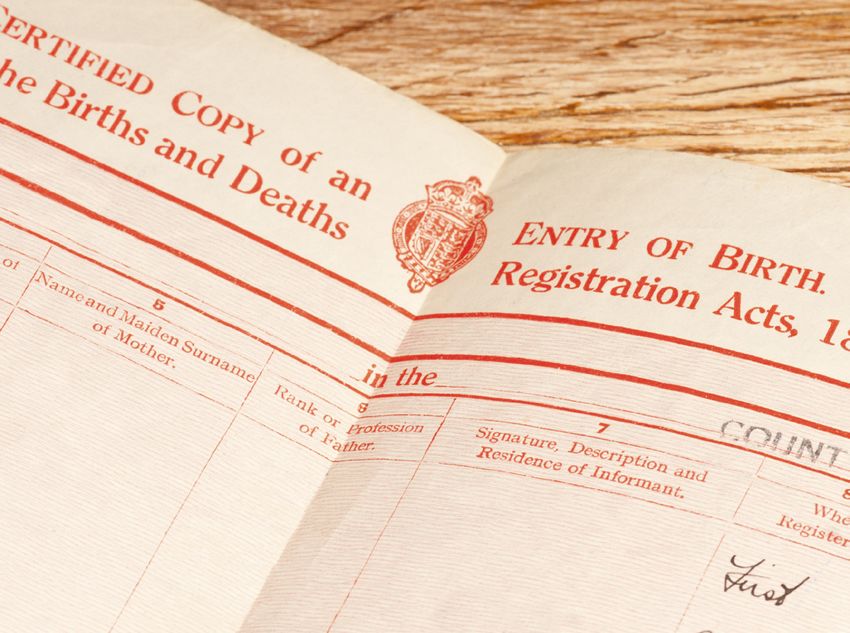
Creating a BOSS account
You will only need to create a BOSS account once. Please follow the five steps below.

   1. Create a BOSS account by visiting
      https://myaccount.nhsbsa.nhs.uk/
      Pages/Login.aspx and clicking the
      ‘Register’ button.
   2. Fill out your personal details and
      create your own user name and
      password.
   3. Provide answers to the security
      questions.
   4. Press the ‘Register’ button and wait
      for an activation email to arrive. Don’t
      forget to check your junk/spam folder.
   5. Once you receive this email, you must
      activate your account within 72 hours
      or it will expire and you will have to
      create a new account using a different
      email address.

Once you have created this account, you should never create another. Each academic year
you should reapply through the same account, using your existing log in details.

Filling in the form
There are frequently asked questions answered on our website to help you fill out each
section of the BOSS application. These can be found at: http://www.nhsbsa.nhs.uk/3946.aspx

If you are unsure about any aspect of the application in BOSS there is hint text available to
assist you (hover your cursor over the symbol).

Remember it is your responsibility to ensure that your application form is complete, accurate
and that you have all of the necessary documents to support it.

An application for an NHS Bursary, including all your supporting evidence, must be received
within six months of the first day of your academic year. Late applications will not be
assessed and no bursary or additional allowances will be paid.

                                                                                                5
                                         Back to top
Do’s and don’ts
Do use our bursary calculators before beginning your application. This will give you an
indication of what you may be entitled to and prevent you from applying for elements
of the bursary you would not be entitled to.

Do ensure the data you enter is correct before submitting as small errors (e.g. Surname
and Forename fields entered the wrong way round) will result in manual intervention
before the application can be assessed, potentially resulting in a delay to payments.

Do take extra care when selecting your university and course and ensure you pick the
correct start month and qualification. Incorrect selection will delay your assessment.

Do submit an application for an NHS Bursary, including all your supporting evidence,
within six months of the first day of your academic year or it will not be valid.

Do ensure you reapply for your bursary each academic year – bursaries do not
automatically continue into the next academic year.

Do visit our ‘Ask Us’ page, available from the home page of our website, for guidance
on what to do if you make a mistake on your application.

Don’t think that submitting the BOSS forms is enough – this is only an expression of
interest. Following submission you will receive an email detailing the evidence required
to support your application. Your application is not considered complete until we
receive all of your supporting evidence.

Don’t miss out on the non means tested grant of £1000 (for students whose course
commenced on or after 1 September 2012 only). You must make a bursary application
in order to receive this (paid pro rata for part-time students).

Don’t create a new BOSS account when you reapply each academic year. Use your
current log in details and click on the ‘apply/reapply’ link, selecting the appropriate
academic year you wish to apply for.

Don’t forget your parent/s or your spouse, partner or civil partner should answer ‘no’
when asked if they want to declare their income if they either believe it will be over
the threshold for you to receive a bursary or they simply do not want to disclose it. This
means you are applying for a ‘fees only’ bursary where we pay the standard course
tuition fee contribution but you will not be entitled to apply for any means tested
bursary elements e.g. Dependants/Childcare Allowance.

Don’t apply for Dependants or Childcare Allowance if after checking the bursary
calculators your spouse, partner or civil partner’s income is too high for us to award any
additional allowances to you.

Don’t apply for Dependants or Childcare Allowance for unborn children. You can
make an application for these once your child is born by submitting a change of
circumstances through your BOSS account with an effective date of the day the child
was born.

                                                                                             6
                                  Back to top
Student Details – Account details
Your preferred name will be blank if you have not provided one when registering your BOSS
account. The rest of the fields will be automatically populated with the details you provided.

Please click on the link ‘apply/reapply for an NHS student bursary’ under the ‘What Do You
Want To Do?’ section to begin your application.

Read the Guidance Notes (which are outlined in this booklet on page 4)
and then click   Continue

Read the important information contained on the next page carefully. Click 		     Next

to indicate that you agree with the information provided.

                                                                                                 7
                                        Back to top
Student Details – Personal details
Some of this section will be automatically populated from the information you have already
provided.

When applying for an NHS Bursary for the first time you will need to provide two pieces
of evidence to confirm your identity, at least one of which must include a photograph of
you. This would normally be a birth certificate and a valid passport. We cannot assess your
application without two forms of identification. Please search Ask Us for what ID evidence
we will accept.

                              You must check that the title you have provided is correct. If
Title                         your title is not listed, please select ‘Other’ and enter your title
                              in the text box that appears below.
                              You must ensure your forename/s and surname are entered
Forename
                              the correct way round.
                               You must ensure your surname and forename/s are entered
Surname
                               the correct way round.
                              Please enter any previous names you have held. For example,
                              any maiden names. If you need to provide more than one,
Previous names
                              please separate the names with commas. If you do not have
                              any previous names, please leave this field blank.
                              You must select one of the options provided. If you select
Marital status                Single, Widowed, Divorced or Separated then a further
                              question will appear (see below).
Are you living with a         This question will only appear if you answer that you are
partner as if married or as   Single, Widowed, Divorced or Separated (see question above).
if in a civil partnership?    Please select ‘yes’ or ‘no’.
House number/name             You must enter the number or name of your house.
                              You must enter the first line of your address. This should be
Address line 1                the address where you would like all correspondence about
                              your bursary sent to.
Address line 2                Please enter the second line of your address (if you have one).
Town/city                     You must enter which town or city this address is in.
                              You must select the country this address is in from the drop
Country
                              down box.
Postal/zip code               You must enter your postcode.
                              You must provide a mobile number as we may contact you via
Mobile telephone number
                              SMS.
Alternative contact
                              Please provide an alternative contact number if you have one.
number
 If you have received an
 NHS Bursary during or
 prior to academic year
 2010/11, please provide      Please provide any previous reference numbers you have from
 any previous reference       NHS Student Bursaries.
 numbers you have from
 NHS Student Bursaries (if
 known).
At the end of this page, you have four options.
If you would like to continue with your bursary application, please click  Next
                                                                                                     8
                                         Back to top
Student Details – Course details
This section requires you to complete details of the university and course you intend to study
at. If you have applied to more than one university, please give details of your first choice
only. This information will be used to assess your bursary entitlement.

If you have chosen to attend a different course or university when we receive confirmation
of your enrolment from the university, your bursary entitlement will be automatically
reassessed and this may result in a revised entitlement.

Bursaries are only available to students who have been offered NHS commissioned places.
If your intended combination of university and course is not listed, please check with your
university that the place you have been offered is NHS funded.

                              If you are a new student, you must select the university you
                              will be attending or are most likely to attend.
                              If you are a continuing student, you must select the university
University
                              you are currently attending.
                              If you are a continuing student changing universities, please
                              select your new university.

                              FT = Full-time attendance
                              PT = Part-time attendance
                              Please select the course you are attending. Ensure you select
                              the month in which the date your course year commences falls
Course
                              within.
                              If you select a medical/dental course, further questions will
                              appear. Please read the explanations carefully before selecting
                              your answers.
                              Please choose the year that is relevant to the application
                              you are making now. If this application is for the first year
                              of your course then you should select the year your course
                              begins. However, if the application you are making is for a
In which year does this
                              second or further year of study, ensure you select the year that
application period start?
                              academic year will commence, rather than when your first
                              year commenced. For example, if the academic year you are
                              applying for starts between 1 January 2015 and 31 December
                              2015 please select ‘2015’.

                              Please select ‘yes’ or ‘no’. The answer you provide here will
                              affect the bursary rate you are awarded.
Will you be living with
your parents during term
                              Please tell us where you will be living whilst attending your
time?
                              course at university during the academic year you are applying
                              for and not where you will live whilst on clinical placement.

Have you received any
                              This question will only appear if you have selected a medical/
student finance during
                              dental course.
your course from another
funding body e.g. Student
                              Please select ‘yes’ or ‘no’.
Finance England?

                                                                                                 9
                                         Back to top
This question will only appear if you have selected a medical/
                              dental course.

                              Please choose the study year you will be entering in the
                              academic year you are applying for, including any repeat
Study year
                              years, intercalation years and foundation years.

                              For example if you are applying for a repeat of course year
                              5, you will be entering your sixth year of study and should
                              therefore select ‘Year 6’.
Please select the course
year relevant to this         Please choose the course year you will be entering.
application.

Are you either:
Commencing your first
                              This question will only appear if you have selected a course
NHS funded year of an
                              year other than Year 1.
APEL programme? OR
Commencing your first
                              Please select ‘yes’ or ‘no’.
NHS funded year of a
medical/dental course?

                              The number of fields that will appear in this section depends
                              on what study year you have said you are entering e.g. if you
                              have selected ‘Year 6’ then five fields will appear in which you
                              must enter your course history.
Previous years
                              For example, in Year 1, you should select which course year
                              you studied during your first year of study.

                              The course year and study year are most likely to differ when
                              you have repeated a course year or had an intercalation year.

Which option describes
when Year 1 of your           Please select the statement that describes the period of when
course began or will          the first year of your course commenced or will commence.
begin?

                                                                              Next
At the end of this page, you have four options.

If you would like to continue with your bursary application, please click

                                                                                                 10
                                         Back to top
Student Details – Details of sponsorship or
secondment
We need to know if you will receive sponsorship from an employer during the academic year
you are applying for or attend the course on secondment terms i.e. continue to receive a
salary from an NHS employer for a period for which you have leave of absence. In most cases
where students are sponsored or seconded, no bursary is payable.
Please select ‘yes’ or ‘no’.
Will you attend the course
If you answer ‘yes’ to this question you will not be able to
on secondment terms?
proceed any further with your application as you are not
eligible for NHS Bursary funding.
Please select ‘yes’ or ‘no’.
Will you receive
sponsorship from your
If you answer ‘yes’ two further questions will appear (see
employer?
below).
Tell us the amount of
money you expect to
receive via sponsorship in Please enter the amount in £.
the forthcoming academic
year
Name and address of
the employer providing Please enter the full name and address (including postcode).
sponsorship
At the end of this page, you have four options.
If you would like to continue with your bursary application, please click Next
11
Back to topStudent Details – Personal eligibility
Please complete this section so that we can determine if you are eligible for an NHS Bursary.
Please select your nationality.
Nationality If you answer anything other than ‘UK National’, after you
have completed this page you will be asked about your right
of residence in the UK.
Please select ‘yes’ or ‘no’.
If you select ‘no’ and you are a UK National, after you have
Have you been ordinarily completed the rest of this page, you will be asked some
resident in the United further questions regarding your absence from the UK.
Kingdom, Channel Islands
or Isle of Man throughout If all of these three years of residence were in the Channel
the three years preceding Islands or the Isle of Man you will not be entitled to receive
the prescribed date (the NHS funded support. Please do not continue with the BOSS
first day of the first application if this is the case.
academic year)?
However, you are entitled to occupy an NHS commissioned
training place and should seek funding advice from your own
education funding body.
Will you be ordinarily
Please select ‘yes’ or ‘no’.
resident in the United
Kingdom (excluding
‘Ordinary residence’ is defined as habitual and normal
Channel Islands, Isle of
residence from choice and for a settled purpose throughout
Man) on the prescribed
the prescribed period, apart from temporary or occasional
date (the first day of the
absences.
first academic year)?
Please give details of where you have lived for the whole
of the three years preceding the first academic year of your
course.
Specify the Country, Reason, Start Date and End Date for
each period of residence for the three years preceding the
prescribed date (the first day of the first academic year).
Country of residence For example:
England - Since Birth - 22/06/1983 – 12/09/2012
If you have only one row of details to enter, your End Date
should show the start date of your course. If you have multiple
rows to enter, the End Date should show when that period
ended (apart from the most recent row which should show
the start date of your course).
12
Back to topPlease give details of any further or higher education courses
you have attended in the UK.
Specify the College, Course, Start Date and End Date for any
further or higher education courses you have attended in the
UK.
Further/Higher Education
history For example:
Belfast Metropolitan College - Maths (A-Level) - 10/09/2005 -
12/06/2006
If you are still in attendance on a course, please indicate the
date that course is due to finish in the End Date.
Please give details of your employment history.
If you have been employed in the three years preceding the
prescribed date, please give details.
For example:
Employment history
Bromley Tea House - 14 High Street, Bromley - Full Time -
10/09/2003 - 21/04/2007
This should include any full and part time employment you
have had for at least the last 3 years.
At the end of this page, you have four options.
Next
If you would like to continue with your bursary application, please click
13
Back to topStudent Details – Personal eligibility: immigration
status
This section will only be displayed to students who have indicated in the previous section
that they are a non-UK national.
Please either select the correct day and month from the drop
Date of your first arrival
down lists (and enter the year in the format YYYY) or use the
in the United Kingdom
calendar function provided to select the correct date.
Reason for coming to the Please provide a full explanation for the reason you came to
United Kingdom the United Kingdom on the date you indicated above.
Please select one of the two options provided to indicate
whether your immigration status is in your own name or you
Is your status in the are you named on another person’s documentation.
United Kingdom
If you select ‘Linked to another person’s immigration status’,
you will need to answer a further three questions (see below).
Please provide the name
Please enter their full name.
of the person
Relationship to the person Please enter their relationship to you e.g. mother
Please select the person’s current immigration status from the
drop down list.
What is the person’s Please note that if their immigration status is ‘Asylum Seeker’,
immigration status? ‘Student Visa’, ‘Granted indefinite leave’ or ‘Granted limited
leave’ (not including refugees) then you will not be eligible
for an NHS Bursary. Please do not complete any more of the
BOSS application.
You will only be asked about your immigration status if you
answered that it is ‘In your own right’.
Please select your current immigration status from the drop
What is your immigration down list.
status?
Please note that if your immigration status is ‘Asylum Seeker’,
‘Student Visa’ or ‘Granted limited leave’ (not including
refugees) then you will not be eligible for an NHS Bursary.
Please do not complete any more of the BOSS application.
At the end of this page, you have four options.
Next
If you would like to continue with your bursary application, please click
14
Back to topStudent Details – Personal eligibility: temporary
absence
This section will only appear if you answer ‘No’ to the question, ‘Have you been ordinarily
resident in the United Kingdom, Channel Islands or Isle of Man throughout the three years
preceding the prescribed date (the first day of the first academic year)?’.
Please provide a full
explanation for the reason
for your absence from Please enter the reason for your absence. For example, if you
the UK during the 3 years were temporarily employed or if you were travelling on a gap
preceding the prescribed year etc.
date (the first day of the
first academic year)?
If the reason for absence
was due to employment Please enter the nature of the employment contract. For
abroad of yourself, a example if it was permanent or temporary, whether it was
parent, a spouse or a civil liable for UK income tax or if it was due to service in the
partner, please state the Armed Forces etc.
nature of the contract.
Please specify the details of each period of absence.
Specify the Country, Start Date and End Date for each period
of absence.
Absence details
For example:
Cambodia 12/12/2008 - 14/01/2009
Please select ‘yes’ or ‘no’.
Have you maintained a
home in the UK? Answer ‘yes’ if you were financially obliged to maintain a
home in the UK whilst absent e.g. mortgage/rent payments.
Please specify the details of any time spent in the UK during
the period abroad.
Specify the Reason, Start Date and End Date for each period
Time spent in the UK spent in the UK during the absence.
For example:
Family Reunions 12/02/2008 - 14/03/2009
At the end of this page, you have four options.
Next
If you would like to continue with your bursary application, please click
15
Back to topStudent Details – Dependants Allowance
Please select ‘yes’ or ‘no’.
Do you have a spouse/ Please note that in order to apply for the Dependants
civil partner/partner who Allowance for a spouse, partner or civil partner you must
will be wholly or mainly select that they will be wholly or mainly financially dependent
financially dependent on on you.
you during your training?
If you intend to apply for Childcare Allowance, you must apply
for Dependants Allowance first.
This question will only appear if you answer ‘yes’ to the
Do you wish to claim
question above.
Dependants Allowance for
your spouse/civil partner/
If you wish to apply for Dependants Allowance you should
partner?
always select ‘yes’ to this question.
This question will only appear if you indicate that you have a
spouse/partner that you wish to claim Dependants Allowance
for.
Do you have a child/
Please select ‘yes’ or ‘no’.
children who will
be wholly or mainly
Please note that in order to apply for the Dependants
financially dependent on
Allowance for a child/children you must select that they will
you during your training?
be wholly or mainly financially dependent on you.
If you intend to apply for Childcare Allowance, you must firstly
apply for Dependants Allowance.
This question will only appear if you answer ‘yes’ to being
a lone parent or ‘yes’ to the question ‘Do you have a child/
Do you wish to claim children who will be wholly or mainly financially dependent
Dependants Allowance for on you during your training?’
your child/children?
If you wish to apply for Dependants Allowance you should
always select ‘yes’ to this question.
You only need to answer this question if you have answered
‘no’ to having a spouse/partner who is financially dependent
on you.
Are you a lone parent? Please select ‘yes’ or ‘no’.
If you answer ‘no’ you will not be considered for Dependants
Allowance or have the option to apply for Childcare
Allowance.
If you tick the box you are confirming that you are a lone
parent who will not be living with a spouse, or any person as
Lone parent declaration
a spouse. If your circumstances change during this period it is
your responsibility to inform us immediately.
At the end of this page, you have four options.
Next
If you would like to continue with your bursary application, please click
16
Back to topStudent Details – Dependants Allowance: details of
dependent children
Please enter below the details of all the children that are financially dependent on you. If
you list details of a child that has left school or will not be living with you during term-time
please give details under ‘Additional Information’. If your child or children are or will be
enrolled on a course in further or higher education, please provide supporting documentary
evidence which relates to the academic year you are applying for.
When informing us of a dependent child for the first time you will need to provide evidence
to confirm their identity (this doesn’t need to be sent in subsequent years, even if the
evidence email requests it). This identification would normally be a birth certificate or
a valid passport. We cannot assess your Dependants Allowance application without this
identification.
Please enter the child’s last name/surname as it appears on
Surname
their identification.
Please enter the child’s first name/forename as it appears on
Forename
their identification.
Please either select the correct day and month using the drop
Date of birth down (and enter the year in the format YYYY) or use the
calendar function provided to select the correct date.
Please enter the nature of your relationship to the child e.g.
Relationship to you
daughter, nephew, grandchild etc.
Please select from the drop down list.
Who the child lives with
If custody of the child is shared between you and a third party,
please select ‘Shared Living Arrangement’.
Please enter the amount of income the child is expected to
receive during the academic year you are applying for e.g.
from employment.
Estimated net income
Please do not include the amount of Child Benefit or Tax
Credits when stating the estimated net income of the child.
Please click this button if you want to apply for Dependants
Allowance for additional children. You can add as many
Add Additional Child additional children as you require.
The fields to complete will be the same as outlined above.
Please use this section to provide us with any further details
Additional information about the child/children that you believe to be relevant to this
application.
At the end of this page, you have four options.
Next
If you would like to continue with your bursary application, please click
17
Back to topStudent Details – Dependants Allowance: details of
spouse, partner or civil partner
Please enter below the details of the spouse, partner or civil partner who is financially
dependent on you.
When informing us of a dependent spouse, partner or civil partner for the first time you
will need to provide evidence to confirm their identity (this doesn’t need to be sent in
subsequent years, even if the evidence email requests it). This identification would normally
be a birth certificate or a valid passport. We cannot assess your Dependants Allowance
application without this identification.
Please enter your spouse, partner or civil partner’s last name/
Surname
surname as it appears on their identification.
Please enter your spouse, partner or civil partner’s first name/
Forename
forename as it appears on their identification.
Only answer this question if your spouse, partner or civil
Other names partner has any other names you wish to tell us about e.g. a
maiden name or a previous legal name.
Please either select the correct day and month using the drop
Date of birth down (and enter the year in the format YYYY) or use the
calendar function provided to select the correct date.
Nationality Please select their nationality from the three options.
Will your spouse, civil
partner or partner be
Please select where they will be living from the three options.
living with you during
term-time?
Relationship to you Please select one of the three drop down options.
Please tick the boxes that Please select all of the options that apply to your spouse,
apply to this person partner or civil partner.
Will your spouse, civil
Please select ‘yes’ or ‘no’.
partner or partner be
undertaking a course
If you choose ‘no’ you will be taken to the next section.
in further or higher
education in the
If you choose ‘yes’ you will be asked three further questions
forthcoming academic
(see below).
year?
Please enter the name of the further or higher education
Name of college or
institution your spouse, partner or civil partner will be
university
attending.
Please enter the name of the course your spouse, partner or
Name of course
civil partner will be studying.
18
Back to topPlease select ‘yes’ or ‘no’.
Please note the funding we need to know about includes
Will this person receive student loans, grants, finance and scholarships etc.
any funding whilst in
training? If you choose ‘no’ you will be taken to the next section.
If you choose ‘yes’ you will be asked one further question (see
below).
Please give specific details regarding your spouse, partner or
Details of any funding civil partner’s funding arrangements. For example, let us know
whilst in training where the funding comes from e.g. Student Loan Company or
Student Finance England, NHS Student Bursaries etc.
At the end of this page, you have four options.
Next
If you would like to continue with your bursary application, please click
19
Back to topStudent Details – Childcare Allowance
Further details about the Childcare Allowance and the rates payable can be found in our
booklet ‘Help with childcare costs for NHS Bursary students’.
Please select ‘yes’ or ‘no’.
Registered childcare can include Ofsted registered
Will your child/children
childminders, nurseries, playgroups, breakfast/after school
be receiving registered or
clubs and holiday play schemes.
approved childcare?
If you select ‘no’, you will not be able to apply for Childcare
Allowance.
Please select ‘yes’ or ‘no’.
Will you, your spouse, civil
partner or partner claim If you select ‘yes’ you will be asked a further question about
Working Tax Credit during this.
the forthcoming academic
year? If you select ‘no’ you will be asked if you would like to claim
Childcare Allowance (see below).
You will only be asked this question if you select ‘yes’ to the
question above.
Please select ‘yes’ or ‘no’.
Will you, your spouse, civil
partner or partner claim
Please note that this does not refer to Child Tax Credits.
the childcare element of
Working Tax Credit during
If you select ‘yes’, you will not be entitled to claim Childcare
the forthcoming academic
Allowance as you are already claiming from another
year?
organisation.
If you select ‘no’ you will be asked if you would like to claim
Childcare Allowance (see below).
Do you wish to claim
Please select ‘yes’ or ‘no’.
Childcare Allowance? *
At the end of this page, you have four options.
Next
If you would like to continue with your bursary application, please click
20
Back to topStudent Details – Childcare: childcare provider
This section will only appear if your answers in the previous section have indicated that you
are eligible to apply for Childcare Allowance and you answered ‘yes’ when asked if you
would like to apply for it.
Please provide details of each registered childcare provider. Wherever possible, an Ofsted
registration number or equivalent must be provided. If not provided, this will delay
assessment of your Childcare Allowance entitlement.
After you have submitted your online form, you will then need to download and complete
a Childcare Allowance application form from our website to give us more details about
your childcare costs etc. This form is a paper application that must be printed off from our
‘Student Forms’ web page, completed and then signed by you and your childcare provider/s.
When completing the paper Childcare Allowance application form, please be aware that
when declaring your costs, the 52 row table relates to a 52 week period in which the first
row is the week that your course commences. Please fill in each week with the estimated
costs and if there are any weeks with no charge enter £0.00 for these weeks.
If you are awarded Childcare Allowance, please remember to keep all of your original
receipts from your childcare provider/s as these will be requested by us at regular points
during the year.
Ofsted registration Please enter the registration number of your childcare
number or equivalent provider (if you have more than one provider, enter one of
reference number the numbers here and the rest later, as instructed).
Please either select the correct day and month from the drop
Date of registration down lists (and enter the year in the format YYYY) or use the
calendar function provided to select the correct date.
Please either select the correct day and month from the drop
Date of registration expiry
down lists (and enter the year in the format YYYY) or use the
(if known)
calendar function provided to select the correct date.
Please enter the registration body of this provider e.g. Ofsted,
Registration body (if
SureStart, Care and Social Services Inspectorate Wales (CSSIW)
known)
etc.
Please enter the name of the childcare provider. This could be
Name of childcare
a company name or an individual’s name but it must relate to
provider
the registration number declared.
You must enter the childcare provider’s house name or
House number/name
number here.
You must enter the first line of the childcare provider’s address
Address line 1
here.
Please enter a second line of the childcare provider’s address,
Address line 2
if applicable.
You must enter the town in which the childcare provider is
Town/city
located.
Postcode You must enter the childcare provider’s postcode.
Please make sure you provide a contact telephone for this
Telephone number
childcare provider.
21
Back to topPlease select the
child(ren) being cared for
by this provider in the
forthcoming academic Please select the children from the list that will be in
year. Please note that you attendance at this provider during the academic year you are
may only claim Childcare applying for.
Allowance if you have
applied for Dependants
Allowance for that child.
Please click this button if you want to add additional childcare
providers to this application for Childcare Allowance. You can
Add Additional Childcare
add as many additional childcare providers as necessary.
Provider
The fields to complete will be the same as outlined above.
At the end of this page, you have four options.
Next
If you would like to continue with your bursary application, please click
22
Back to topStudent Details – Student award status
In order to determine whether your award will be assessed on your parents’, spouse, civil
partner or partner’s income, please complete the following section.
You only need to prove your independent status once by providing the required evidence.
This doesn’t need to be sent in subsequent years, even if the evidence email requests it.
Please answer ‘yes’ or ‘no’ to the questions in this section.
You will be presented with five questions. These will appear
one at a time and you will only be shown the next question if
you answer ‘no’ to the preceding one.
At the first day of the If you answer ‘yes’ to any of the questions in this section
forthcoming academic you will be classed as an ‘independent student’ (as long as
year, will... you can provide evidence to support this) and your bursary
entitlement will be assessed on the income of your spouse,
partner or civil partner (if you have one).
If you answer ‘no’ to all the questions in this section you
will be classed as a ‘dependent student’, and your bursary
entitlement will be assessed on the income of your parent/s.
...you be married, in a civil
If you answer ‘yes’ you will need to provide evidence of this
partnership, separated,
e.g. marriage certificate, Decree Nisi, death certificate etc.
divorced or widowed?
A person will generally be regarded as irreconcilably
estranged from their parents if they have had no
communication with either parent for a period of at least one
year before the beginning of the academic year.
...you be irreconcilably
estranged from your
If you answer ‘yes’ to this question please ensure that you
parents?
can provide us with a letter from an unrelated third party in
a professional capacity, who is aware of the circumstances
surrounding the estrangement. Relevant third parties may
include civil servants, police officers, social workers or GPs etc.
...both of your parents be If you answer ‘yes’ you will need to provide evidence of this
deceased? i.e. death certificate.
If you answer ‘yes’ you will need to provide evidence of
this. We will need to be sent evidence of the child/children’s
...you have care of a child
identity e.g. birth certificate or passport. We will also require
or children?
evidence that you are responsible for them e.g. Child Benefit
letter or a Child Tax Credit letter.
If you answer ‘yes’, you must complete the table to provide us
...you have supported with details of 36 months of self-support.
yourself out of your own
earnings (including any Please note that the 36 months do not have to be concurrent
benefits) before the first i.e. there could be a gap in the 36 months as long as the self-
academic year of your support totals 36 months.
course for a total of 36
months? The evidence we would need to support this is P60s, payslips,
proof of unemployment benefits etc.
At the end of this page, you have four options.
Next
If you would like to continue with your bursary application, please click
23
Back to topStudent Details – Student’s income and expenses
Please complete this section to show your expected income and expenses for the
forthcoming academic year.
If you are a full-time student, you should exclude earnings for work done in the evenings,
at weekends or during holidays whilst you are attending your course. Only declare these
earnings if you are a part-time student.
If you are not declaring any income in this section, please do not declare any expenses e.g.
your rent. This is because we do not take into account your expenses when you have no
income to offset against them. This will also save you time, as we will not need you to send
us evidence of this e.g. a rent agreement. The only exception to this rule is if you are a
continuing student who is changing over from living in their parental home to lodgings – we
then do need you to input your rent/mortgage amount and send us evidence of this.
All expenses that we do take into account are clearly defined in this section (mortgage, rent,
life assurance premiums etc). We do not take into account any expenses that are not clearly
defined in this section, including household bills for council tax, utility bills, TV licence and
car insurance etc.
All income should be declared in Pounds Sterling/GBP.
When declaring income, please ensure that the figures you declare match what is shown
in the supporting evidence you will supply. This will help to ensure that your application is
assessed as quickly as possible.
Estimated income for the forthcoming academic year
Sponsorship/scholarship/ Please enter any sponsorship arrangement with your
cadetship (£) employer/funding body.
Please enter any estimated income you will receive from
employment (salary/wages etc).
Any income from your
employer (before tax) (£)
Please note that if you are attending a full-time course you do
not need to declare this income.
Please enter any estimated income you will receive from self-
Any income from your self employment (including Foster Carers Allowance).
employment (before tax)
(£) Please note that if you are attending a full-time course you do
not need to declare this income.
Please enter any estimated income you will receive from
Pension (before tax) (£) pensions (state pension, private pension, employee pension
etc).
Bank/building society Please enter any estimated income you will receive from bank
interest (£) or building society interest inclusive of tax.
Profit from lettings or Please enter any estimated income you will receive from
lodgings (£) lettings or lodgings profit inclusive of tax.
Other unearned income Please enter any estimated other unearned income you will
(£) receive inclusive of tax (dividends, shares etc).
24
Back to topPlease enter any estimated income you will receive from
taxable benefits (Jobseekers Allowance, Incapacity Benefit
etc).
Taxable benefits (£)
Please note that Child Benefit and Working Tax Credits are
not taxable (a full list of taxable and non taxable benefits is
available on the HMRC website).
Please enter any estimated income you will receive from
maintenance.
Maintenance received
(before tax) (£) We class maintenance as a payment you receive from another
person as agreed by a court order, by the Child Support
Agency or through a voluntary agreement.
Trust fund income (before Please enter any estimated income you will receive from a
tax) trust fund.
Estimated Expenses for the forthcoming academic year
Income tax from
Please enter any estimated expenses you will be paying for
employment and/or
income tax.
pensions (£)
National Insurance Please enter any estimated expenses you will be paying for
contributions (£) National Insurance contributions.
Employee pension Please enter any estimated expenses you will be paying for
contributions (£) employee pension contributions.
Please enter any estimated expenses you will be paying for
Personal pension/
personal pension contributions.
retirement annuity
payments (£)
These must attract tax relief or you should not enter them.
Please enter any estimated expenses you will be paying for life
assurance premiums.
Life assurance premiums
If this is a joint policy with your spouse, partner or civil partner
(£)
who you will be applying for Dependants Allowance for,
please enter half of the expense here and the other half in
their section.
Please enter any estimated expenses you will be paying for
mortgage payments.
Mortgage payments (£) If this is a joint expense with your spouse, partner or civil
partner who you will be applying for Dependants Allowance
for, please enter the full amount of the expense here and the
same full amount in their section.
Please enter any estimated expenses you will be paying for
rent payments.
Rent (£) If this is a joint expense with your spouse, partner or civil
partner who you will be applying for Dependants Allowance
for, please enter the full amount of the expense here and the
same full amount in their section.
25
Back to topWages for Domestic Help
Please always enter £0.00 in this section. Wages for domestic
(assistance resulting from
help are no longer taken into account and this question is due
the care of a member of
to be removed from BOSS.
the household with a
disability or illness) (£)
Please enter any estimated expenses you will be paying for
maintenance.
Maintenance payments (£)
We class maintenance as a payment you make to another
person as agreed by a court order, by the Child Support
Agency or through a voluntary agreement.
At the end of this page, you have four options.
Next
If you would like to continue with your bursary application, please click
26
Back to topStudent Details – Bank details
Please give details of the bank or building society that you want your bursary paid into.
It is your responsibility to ensure that your bank or building society is able to accept Bank
Automated Credit Payments (BACS).
If you do not yet have details of the account into which you want your bursary to be paid,
please save the application form at this point as you will not be able to continue without
them. When your details are known, please log back in and complete this section.
Please ensure that the details you enter are valid and correct. Failure to provide valid and/or
correct details will delay payment.
Name of bank or building Please enter the name of your bank or building society e.g.
society Barclays.
Address of bank or Please enter the address of your bank or building society
building society including the postcode.
Please enter your name as it is shown on your bank statement/
Name of account holder
bank card.
Please enter your answer in numerals without the dashes e.g.
Sort code
112233.
Confirm sort code Please re-enter your sort code to confirm.
Please enter your answer in numerals e.g. 1234567 or
Account number
12345678.
Confirm account number Please re-enter your account number to confirm.
Please select ‘yes’ or ‘no’.
If you answer ‘no’ this is the end of the questions in this
Are these details for a
section.
building society?
If you answer ‘yes’, you will be asked two further questions
(see below).
Building society number/ Please enter your building society number/roll number as
roll number shown on your statement.
Confirm building society Please re-enter your building society number/roll number to
number/roll number confirm.
At the end of this page, you have four options.
Next
If you would like to continue with your bursary application, please click
27
Back to topStudent Details – Equality and diversity monitoring
The equality and diversity information is collected for monitoring purposes only and will not
be used as part of the assessment process. All of the questions provide you with the option
to tell us you would prefer not to answer.
Sex Please select your answer from the drop down list.
Ethnic Origin Please select your answer from the drop down list.
Sexual Orientation Please select your answer from the drop down list.
Religion/Belief Please select your answer from the drop down list.
Do you consider yourself
Please select your answer from the drop down list.
to be disabled?
Please either tick the box ‘Prefer not to say’ or type in your
occupation and click ‘Find Occupation’. Once you have done
What is your occupation?
this, a drop down list will appear. Please select the most
appropriate occupation from this list.
At the end of this page, you have four options.
Next
If you would like to continue with your bursary application, please click
28
Back to topStudent Details – Student declaration
This declaration is to indicate that all of the information you have provided so far is correct
to the best of your knowledge.
Please take the opportunity at this point to review all information you have provided in the
online section and carefully read the guidance contained on this declaration page before
accepting it.
If you choose not to accept it, we will be unable to process your application for an NHS
Bursary.
If you have applied as an independent student who does not have a spouse, partner or
civil partner, this is the end of your bursary application. For all other students, there will
be further sections to be completed by either your parent/s or your spouse, partner or civil
partner.
Accept Declaration Please tick the box to indicate you agree with the declaration.
Date of Declaration Please click on the calendar icon and select today’s date.
At the end of this page, you have four options.
Next
If you would like to continue with your bursary application, please click
29
Back to topStudent Details – Dependants Allowance: spouse,
partner or civil partner’s income and expenses
Please ask your spouse, civil partner or partner to complete details of their income and
expenses for the most recent financial year.
Once this section of the form has been completed and your NHS Bursary application has been
submitted, everything entered by your spouse, partner or civil partner is not visible to anyone
other than our authorised staff.
Before your application is submitted, all sections of the form can be viewed by anyone
logged into your BOSS account. If your spouse, partner or civil partner wishes to keep the
information they enter private, you should complete and check all of your sections of the
form first, including the ‘Student declaration’, before asking them to complete this section.
Your spouse, partner or civil partner should then click ‘Submit’ at the end of the application.
No amends can be made to your application once they have clicked ‘Submit’ so please ensure
you are happy with the information you have entered first.
Any subsequent supporting evidence that your spouse, partner or civil partner provides, such
as P60s, is scanned to the ‘private’ section of your BOSS account and cannot be viewed by
anyone other than our authorised staff.
In accordance with the NHS Bursary Scheme Rules the financial year is defined as a UK tax
year which begins on 6 April and runs for a 12 month period.
Please see the table below to find out which financial year income your spouse, civil partner
or partner should declare:
Which financial year period is my parent,
When does my next academic
spouse or partner required to provide
year start?
evidence for?
Financial Year April 2013 – April 2014 (the
P60 they received in April 2014)
6 April 2014 to 5 April 2015
OR
March 2014 payslip (week 52/month 12)
Financial Year April 2014 – April 2015 (the
P60 they received in April 2015)
6 April 2015 to 5 April 2016
OR
March 2015 payslip (week 52/month 12)
If we have given the student a deadline to apply for their NHS Bursary which is prior to the end of the specified
financial year (in table above), we may be able to accept your income and expenses from the previous financial
year.
When declaring income, please ensure that the figures you declare match what is shown
in the supporting evidence you will supply. This will help to ensure that your application is
assessed as quickly as possible.
30
Back to topGross taxable income for the previous financial year
Please enter your most recent financial year’s income from any
employment (salary/wages etc).
Salary or wages
This figure can be found on your P60 or March payslip.
Please enter your most recent financial year’s income from
taxable allowances.
Taxable allowances
This information can be found on your P2 or P11D.
Any income from self
Please enter your most recent financial year’s income from self
employment (before tax)
employment.
(£)
Please enter the amount of income you received from
maintenance in the most recent financial year. We class
Maintenance received (£) maintenance as a payment you received from another person
as agreed by a Court Order, by the Child Support Agency or
through a voluntary agreement.
Please enter your most recent financial year’s income from
Pension (before tax) (£) pensions (state pension, private pension, employee pension
etc).
Bank/building society Please enter your most recent financial year’s income from
interest (£) bank or building society interest inclusive of tax.
Please enter your most recent financial year’s income from
taxable benefits (Jobseekers Allowance, Incapacity Benefit
etc).
Taxable benefits (£)
Child Benefit and Working Tax Credits are not taxable (a full
list of taxable and non taxable benefits is available on the
HMRC website).
Profit from lettings or Please enter your most recent financial year’s income from
lodgings lettings or lodgings profit inclusive of tax.
Please enter any other unearned income you received from
Other unearned income
the most recent financial year, inclusive of tax (dividends,
(£)
shares etc).
If you have entered
£0.00 in all of the boxes
above, which indicates
that you have no taxable
income, you must provide
an explanation here.
For example, you are in
receipt of non taxable
Please enter your explanation in this box.
benefits, you are self
employed but have not
made a profit in the
financial year or you
have been reliant on your
spouse, partner or civil
partner’s income.
31
Back to topGross expenses for the previous financial year
Income Tax from
Please enter your Income Tax expenses from the most recent
employment and/or
financial year.
pensions (£)
National Insurance Please enter your National Insurance contributions from the
contributions (£) most recent financial year.
Employee pension Please enter your employee pension contributions from the
contributions (£) most recent financial year.
Please enter your most recent financial year’s expenses from
Personal pension/
personal pension payments.
retirement annuity
payments (£)
These must attract tax relief or you should not include them.
Please enter the amount paid for life assurance premiums in
the most recent financial year.
Life assurance premiums If this is a joint policy with the student (and only if the student
(£) has declared some of their own income in their section of
the application), please enter half of the expense here and
the other half in their section. If they haven’t declared any
income, please enter the whole expense here.
Please enter the total mortgage payments you have made in
the most recent financial year.
Even if this is a joint expense with the student, please still
Mortgage payments (£) enter the full amount of the expense here.
If the student has declared some of their own income in their
section of the application then they also need to enter the
same full amount in that section.
Please enter the total amount of rent you have paid in the
most recent financial year.
Rent (£)
Even if this is a joint expense with the student, please still
enter the full amount of the expense here.
Wages for Domestic Help
(assistance resulting from Please always enter £0.00 in this section. Wages for domestic
the care of a member of help are no longer taken into account and this question is due
the household with a to be removed from BOSS.
disability or illness) (£)
Please enter the expenses you have paid in maintenance for
the most recent financial year. We class maintenance as a
Maintenance payments (£) payment you make to another person as agreed by a Court
Order, by the Child Support Agency or through a voluntary
agreement.
At the end of this page, you have four options.
If you would like to continue with your bursary application, please click Next
32
Back to topYou can also read


