Mechanical engineering learner guide - Competenz
←
→
Page content transcription
If your browser does not render page correctly, please read the page content below

Mechanical engineering learner guide

World class
                     Welcome.......................................................................... 2
                     Who are Competenz ..................................................... 3
                     What you can expect as an apprentice ....................... 4

skills for
                     Getting qualified............................................................. 5
                     Apprenticeships are a three-way partnership............ 6
                         Roles and obligations ................................................ 7

New Zealand
                     The apprenticeship ....................................................... 8
                     Graduate outcomes .................................................... 10
                     Time management and study skills ........................... 11

industry
                     The training plan.......................................................... 12
                         Roadmap overview.................................................. 12
                         Block course pre-requisites...................................... 13
                     Support and contacts ................................................. 16
                         Learner support model ............................................ 16

          Contents       Training advisor quarterly visits................................. 17
                         Canvas.................................................................... 18
                         eAssessors ............................................................. 18
                         Study groups........................................................... 19
                         Block courses.......................................................... 19
                         Language, literacy and numeracy support ............... 20
                         Financial literacy support .......................................... 20
                         Digital literacy support .............................................. 20
                         Phone support ........................................................ 22
                         Key contacts – where to go for help ........................ 22
                     Supporing resources .................................................. 23
                         Assessment guides ................................................. 23
                         Textbooks ............................................................... 23
                     Assessments ............................................................... 24
                         Workplace assessor vs verifier.................................. 25
                         The eAssessor ........................................................ 25
                         Online learning and assessment fundamentals ........ 26
                         Evidence collection.................................................. 27
                         Submitting an online assessment ............................ 28
                         Assessor feedback and re-submission .................... 28
                         Uploading files for marking ...................................... 30
                     Learning pathway ........................................................ 32
                     Assessment resources ............................................... 33
Welcome                                          Who are Competenz

Congratulations on
starting your training
with Competenz

With your apprenticeship,                        Competenz is one of New Zealand’s industry training
you’re kick-starting a career                    organisations (ITOs). Each year, we work with more than
in an exciting industry.                         3,500 companies and 20,000 learners in 37 industries
Things are changing – there                      around New Zealand to build skills, careers and
are new technologies and                         businesses. Most learning takes place on-the-job.
new ways to do engineering
                                                 We partner with employers, apprentices, schools,
work coming. Your skills
                                                 training providers and assessors across the country.
and ideas will shape how
we operate in the future.                        Mechanical engineering and fabrication contribute
                                                 $2.4 billion to the New Zealand economy per year, and
Your training programme
                                                 the sector employs more than 43,000 people nationwide.
gives you access to
all the assistance you
need to complete your

                                                                             3,500                         + Companies
apprenticeship.
This guide provides tips
on how and where to find
the right information to                                                     Competenz works with more than
help you complete your                                                       3,500 companies throughout New Zealand
qualification. Please read
it carefully before you
begin completing your
assessments.
Welcome on board.
We wish you well in your
                                                                             20,000
                                                                             Competenz works with more than
                                                                                                             + Learners
studies and encourage                                                        20,000 learners throughout New Zealand
you to make the most of
your opportunities. Our job
is to help you learn and
succeed.

From the team
at Competenz

Competenz Mechanical Engineering Learner Guide                                                                        competenz.org.nz

2                                                                                                                                   3
What you can expect as an apprentice                                                                          Getting qualified

Most of the learning is
done on-the-job, so you
will learn from the people
you work with.

                                                 Here are three main ways you will learn during               Your training plan is the roadmap for your apprenticeship.
                                                 your apprenticeship. You will:                               It is put together by you, your Competenz training advisor
                                                                                                              and employer. It should include a variety of learning
                                                 1. L
                                                     earn in your workplace from the skilled                 resources and assessment methods to keep things
                                                    tradespeople you work with                                interesting for you.
                                                 2. C
                                                     omplete theory learning through Canvas
                                                                                                              Your training plan is broken up into a series of steps.
                                                    eLearning
                                                                                                              The steps are made up of a group of unit standards –
                                                 3. D
                                                     evelop your practical skills at a block course          each with an assessment you need to pass.
                                                    with experienced tutors.
                                                                                                              We want to make sure that you learn the right things at
                                                                                                              the right time. You’ll need to understand the basics well
                                                 Every day at work, you will learn by doing work tasks.       before attempting the more advanced assessments.
                                                                                                              This way you will also have the relevant health and safety
                                                 Throughout the year, you will need to set aside regular      knowledge before completing the practical units.
                                                 times to complete online unit standards on the Canvas
                                                 eLearning system. If you need to ask any questions there’s   Your Competenz training advisor has put everything
                                                 plenty of help available via phone support, study groups,    in the right order for you: just follow your roadmap to
                                                 your employer or your Competenz training advisor.            ensure you stay on track. If you’re ever unsure about what
                                                                                                              assessments you need to complete and by when, please
                                                 Each year you will go on a two-week block course             check with your training advisor.
                                                 at a polytech, or similar, to complete projects and gain
                                                 new skills.
                                                 You will have your own Competenz training advisor.
                                                 They will visit you four times a year. They will:
                                                 » Help to structure your training into manageable chunks                                   Follow your roadmap
                                                 » Set deadlines for you to complete assessments                                             to ensure you stay
                                                 » Mark assessments
                                                 » S
                                                    upport you to successfully complete your
                                                                                                                                             on track
                                                   apprenticeship.

Competenz Mechanical Engineering Learner Guide                                                                                                                             competenz.org.nz

4                                                                                                                                                                                        5
Apprenticeships are a
    three-way partnership                                                                         Roles and
                                                                                                  obligations
                                                                                                  The apprentice
                                                                                                  »   This is your apprenticeship

                                                              Employer
                                                                                                  »   You do the work
                                                                                     Apprentice   »   You do the learning
                                                                                                  »   You get the qualification
                                                                                                  Your role is to stay up to date with your learning material
                                                                                                  and assessments, ensuring you complete what’s
                                                                                                  required.

                                                                                                  The employer

“
                                                     Apprentice      Competenz                     our employer will support you with completing and
                                                                                                  Y
                                                                                     Employer     verifying on-the-job assessments in your workplace.
                                                                                                   our manager will be familiar with your training
                                                                                                  Y
                                                                                                  programme and targets and provide you with
                                                                                                  opportunities to develop and practice the required skills
                                                                                                  for your apprenticeship.

    Apprenticeships are a three-way
    partnership between an employer,
    an apprentice and the training advisor
                                                                                 “   Competenz
                                                                                                  The training advisor
                                                                                                  Your training advisor will guide you through your
                                                                                                  training, monitoring your progress and completion of
                                                                                                  on-the-job assessments.
                                                                                                  Your training advisor will:
                                                                                                  »
                                                                                                  »
                                                                                                  »
                                                                                                  »
                                                                                                      isit you in your workplace four times a year
                                                                                                     V
                                                                                                     Mark on-the-job assessments
                                                                                                      Set deadlines to complete your assessments
                                                                                                       Co-ordinate access to Canvas eLearning and
                                                                                                        delivery of additional training material
                                                                                                  » Assist you to finish your training programme
                                                                                                        successfully.

    Competenz Mechanical Engineering Learner Guide                                                                                                 competenz.org.nz

    6                                                                                                                                                            7
The apprenticeship

An apprenticeship is a
pathway to a lifelong
career. You learn
on-the-job, get paid and
get qualified as a tradie
                                                 Most of your learning will come from the practical work
                                                 you complete on-the-job. You will also complete eLearning
                                                 using the Canvas online learning platform, and attend
                                                 block courses for two weeks each year.
                                                 The average time to complete an apprenticeship is
                                                 between three to four years (a minimum of 6,000 hours).
                                                 But that depends on how quickly you can learn on your
                                                 job with your employer and your overall commitment.

                                                 On-the-job, off-the-job and eLearning
                                                 On-the-job learning happens when your employer teaches
                                                 you to carry out your normal duties at work. Please note
                                                 your learning may differ from other apprentices at your
                                                 workplace: if you’re ever unsure, please check with your
                                                 training advisor.
                                                 Off-the-job learning happens when you go to block
                                                 courses. Your block course is run by a polytech with
                                                 the machinery and equipment required to complete your
                                                 apprenticeship. Block courses are two weeks long and are
                                                 based around building a project. They are called off-the-
                                                 job learning (because you are not at work).
                                                 You’ll do eLearning using the Canvas platform.
                                                 Most eLearning is theory-based.

Competenz Mechanical Engineering Learner Guide                                                               competenz.org.nz

8                                                                                                                          9
Graduate outcomes                                                                                Time management and study skills

                                                                                                 Planning is the key
The New Zealand Certificate in                         Graduates of the General                  to success in your
Mechanical Engineering (Trade)                         Engineering strand will also              apprenticeship
with strands in Fitting and Machining,                 be able to:
General Engineering, Machining,                        Build, maintain and repair a broad
Maintenance Engineering and                            range of machinery and equipment                                To finish your qualification on time, aim to complete
Toolmaking, Level 4                                    using fitting, machining, fabrication,
                                                                                                                       approximately seven credits per month. To make this
                                                       hydraulics, pneumatics and welding
This qualification has been developed by leading       skills and knowledge.
                                                                                                                       possible, commit to regular weekly study times and
New Zealand mechanical engineers to equip                                                                              designate a ‘study zone’ – somewhere where you won’t
graduates with the skills and knowledge to work                                                                        be disturbed or distracted.
productively and safely.
                                                       Graduates of the Machining
                                                       strand will also be able to:                                    When focusing on your eLearning, close all other tabs in
With technology and automation rapidly driving
                                                       Plan, sequence and machine                                      your internet browser and work on one subject. Be sure
advancements in the engineering sector, this
qualification is designed with the future in mind      complex engineering components                                  to take your time, write notes, ask questions and carry
so you can respond and adapt to change.                to a high degree of tolerance and                               out research to fill in any knowledge gaps.
                                                       finish, using current and relevant
                                                       machining technologies and
Graduates of this qualification will be                techniques.
able to:

» U
   nderstand relevant health and safety legislation   Graduates of the Fitting and                                                    7 credits      7 credits       7 credits
  and workplace safety culture                         Machining strand will also
» Interpret drawings and specifications and use
                                                       be able to:
   the appropriate materials, processes, tools and     Build and install complex machines
   equipment for the task                              where precision fitting and
                                                       machining skills are required.                                    7 credits     7 credits      7 credits       7 credits
» A
   pply knowledge of relevant engineering
  principles and practices, and problem-solving
  skills, to perform engineering tasks to industry     Graduates of the
  standards                                            Maintenance Engineering
» U
   se effective and efficient processes, principles   strand will also be able to:
                                                                                                                         7 credits     7 credits      7 credits
  and quality systems to produce components            Apply knowledge of maintenance
  and provide services in a commercial                 engineering strategies and
  mechanical engineering environment                   practices to monitor, inspect,
» C
   ommunicate effectively within a team and the       maintain and repair facilities or plant
  wider workplace                                      and equipment.

» R
   ecognise the limits of their own ability and
  the importance of working with integrity             Graduates of the Toolmaking                                     When you follow your
  and maintaining currency in the mechanical
  engineering field.
                                                       strand will also be able to:
                                                       Apply knowledge of tool design and
                                                                                                                       roadmap, you will achieve
                                                       function to manufacture tooling for
                                                       relevant industrial processes, using
                                                                                                                       the right amount of
                                                       current and relevant manufacturing
                                                       technologies and techniques.
                                                                                                                       credits per year

Competenz Mechanical Engineering Learner Guide                                                                                                                          competenz.org.nz

10                                                                                                                                                                                  11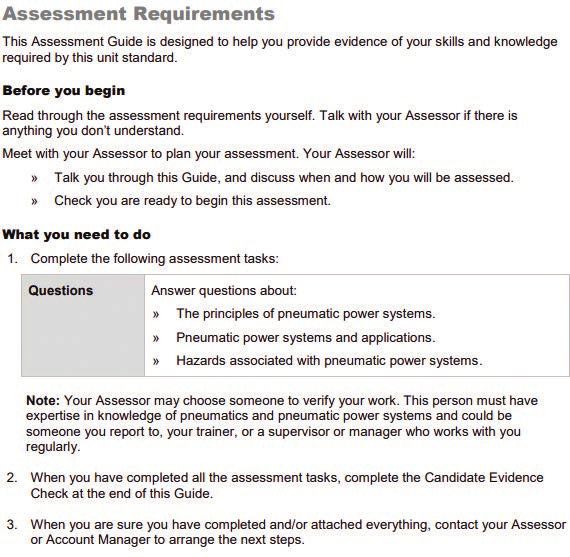
The training plan
Roadmap overview Block course pre-requisites
The roadmap shows you the steps
New Zealand Certificate in Fabrication – Level 4
My apprenticeship roadmap
from the beginning to the end of your When you look at a block course component
YEAR 1 YEAR 2 YEAR 3 YEAR 4
�
apprenticeship. It is the plan for how you in Canvas, you will find:
Pre
enrolment Welcome Step 1 Step 2 Step 3 Step 4 Step 5 Step 6 Step 7 Graduate
eLearning units Required for eLearning units Recommended for On-the-job unit Recommended for On-the-job units
Block course 1 Block course 2 Block course 3
29651 eLearning units 29549 eLearning units 30665 eLearning units 30274
will complete your qualification. Each step
On-the-job units 29397 29550 29398 Electives 29399 30440
21911 29654 29560 29655 29653 25699
» Theory/learning material
21912 29675 29650 25704 30472 25710
29670 On-the-job units 29551 25705 30272
is made up of a group of unit standards.
Recommended for 29674 29561 25712 Electives
Block course 1
29652 29562
On-the-job units On-the-job units
29672
4433 2401
» Pre-requisite units
2395 30279 or
(Please see larger example on page 16).
30280
2396
Sometimes, you’ll need to finish all the » Quizzes to validate what you’ve learnt
Block course 1 Block course 2 Block course 3
4435 22906 30473
4436 22907 9184
Heavy fabrication strand 2020
21907 25707 25709
units in a step before you can progress to » A theory assessment
21913 25783
Useful information Theory
30263 assessment
Training advisor name Theory
Theory assessment
Training advisor mobile Practical
assessment assessment
the next step. This means you will have the
Practical
Training advisor email
assessment
BA_October 2020
Practical
0800 526 1800 assessment
» P
roject and practical assessments for your
eLearning helpline
Canvas email canvas.lms@competenz.org.nz
skills and knowledge you need to be well
block course.
prepared for what comes next. Apprenticeship roadmap example –
(please see page 16)
Your Competenz training advisor will Before you can attend a block course, you need to
release units to your Canvas dashboard complete the block course theory assessment in Canvas.
when it’s time for you to complete them. This shows that you’re ready and prepared for your
They’ll also allocate units to you and set block course.
goals at their quarterly visit. It will always
be easy for you to know what to do next.
Your training Once the theory assessment is achieved, and all
If you look at the roadmap diagram, you’ll advisor will pre-requisite units completed, you’re ready for your block
course! Your company will be emailed, inviting you to the
see that the unit standards have been
categorised into three areas; eLearning,
allocate units block course.
on-the-job and off-the-job. to you in the You will achieve all the unit standards for the block
course when you have successfully completed the theory
Your eLearning units will be completed
online via Canvas, on-the-job units in your
required order learning, the online assessment and the practical block
course assessment.
workplace and off-the-job units at your
block course. When it is nearly time for you
to go to a block course, you need to show
you are ready by completing the pre-block
Your company will be
course step on your roadmap. emailed, inviting you to
required block courses
Competenz Mechanical Engineering Learner Guide competenz.org.nz
12 13
New Zealand Certificate in Mechanical Engineering – Level 4
My apprenticeship roadmap
Pre
enrolment Welcome Step 1
YEAR 1
Step 2 Step 3 Step 4
YEAR 2
Step 5
YEAR 3
Step 6
YEAR 4
Step 7
�
Graduate
eLearning units Required for eLearning units Required for On-the-job units eLearning units On-the-job units
Block course 1 Block course 2
29651 eLearning units 29560 eLearning units 2397 4440 2408
On-the-job units 29670 29549 29398 27203 20611 19874
21911 29671 29550 29655 30284 20612 Electives
21912 29397 29650 4438 Electives
22901
29654 On-the-job units 19873 29399
29675 29674 22899 29653
29676 29561 30472
Recommended for
Block course 1
29652 29551 29552
On-the-job units
11661 29562
2395 Recommended for
Block course 2
On-the-job units
2396 On-the-job units
4433 30438
2401
30665
30279 or
30280 Electives
General engineering strand 2020
Useful information
Block course 1 Block course 2
Training advisor name
4435 21913 22898 30263
Training advisor mobile
4436 29673 22907 30281
Training advisor email 21907 29730
BA_October 2020
Theory Practical
eLearning helpline 0800 526 1800 assessment assessment
Theory Practical
Canvas email canvas.lms@competenz.org.nz assessment assessment
Competenz Mechanical Engineering Learner Guide competenz.org.nz
14 15
Support and contacts

Learner support model                            Competenz training
Everyone learns differently, and there is        advisor quarterly visits
no right or wrong way. You’re only starting,     Your training advisor will guide you
so you’re not expected to know everything!       through your training. They will
What is important, however, is that you          monitor your progress and make
know where to go for help when you               sure you complete your on-the-job
need it.                                         assessments.
Competenz has a range of support options
in place to help you.                            At your quarterly visit,
                                                 your training advisor will:
Look at the diagram below to see the
different ways you can get support.              » R
                                                    eview your goals and
                                                   achievements since the last visit
                                                 » Set new goals for the next quarter
                                                 » Answer any questions you have
                                                 » P
                                                    rovide any necessary information
                                                   or updates – e.g. block course
                                                   details.

                                                 Your training advisor will visit you
                                                 four times a year, and they’re always
                                                 available via phone or email to answer
                                                 any questions or provide guidance.
                                                 Feel free to get in touch with them!

Competenz Mechanical Engineering Learner Guide                                            competenz.org.nz

16                                                                                                    17
Support and contacts
Canvas Study groups
Access to all assessments is via our Competenz runs study groups online.
eLearning platform, Canvas. Units from Most study groups run fortnightly for
your training plans are grouped into ‘steps’. two hours, during the week.
As you progress through your qualification,
When you attend a study group you can
each step will be released on your Canvas
receive support from experienced tutors
dashboard. Once you’ve achieved a unit,
and meet other engineering apprentices.
it will be archived. This means it’s still there
You can take along any questions you have
when you need it, but it won’t get in the
about your assessments.
way of your outstanding units.
Talk to your Competenz training advisor
If you have any questions
to find out about study groups and how
relating to Canvas, please Example of Canvas dashboard
to enrol.
email support@competenz.org.nz
or call our Customer Services Team
on 0800 526 1800.
Block course
This is a training course run by a local
eAssessors polytech that has the machinery and
equipment you’re required to operate to
Competenz has a team of eAssessors who
complete your apprenticeship. At a block
are responsible for marking your eLearning
course, you’ll work on projects and learn how
assessments in Canvas.
to do things safely. As you work through the
They will leave helpful feedback on your projects and complete the assessment tasks,
assessment attempts. You can also the tutor will mark you off. The tutors are
contact them for help via the Competenz experienced engineers and are there to help
phone support system. you. Be sure to check-in with them regularly
to ensure you’re on-track and they’ve seen
you do everything that is required.
Competenz Mechanical Engineering Learner Guide competenz.org.nz
18 19Support and contacts
Language, literacy and Digital literacy
numeracy support support
» A
re you new to the workforce and finding Digital skills are essential
it hard to keep up with your peers? to participate fully in 21st
century life – whether it be
» D
o you struggle with reading and writing,
in the community, at work
or have learning challenges such as
or in personal life.
dyslexia?
There are useful resources
» D
o you find counting and basic
and short courses available
mathematics difficult?
that can help bring you up
If you have trouble with any of the above to speed. Check them
at home, work or in your on-the-job out below:
training, we can help. There is also a » T
he Open Polytech –
range of online tools and support available. Digital study skills
Talk to your training advisor to find (free online course)
out more. openpolytechnic.ac.nz
» S
tepping Up NZ –
free community based
Financial literacy support digital literacy classes
Financial capability is about feeling steppingup.nz
confident to make wise judgements about
how to use and manage money in ways
that benefit you now and in the future.
It enables you to reach your goals, provide
for your family and, ultimately reach
retirement in good financial shape.
» T
he Commission for Financial Capability
provides access to online tools and
resources to support this.
cffc.govt.nz
Talk to your training
advisor if you need help
in any of these areas
Competenz Mechanical Engineering Learner Guide competenz.org.nz
20 21Support and contacts Supporting resources
Phone support Assessment guides
and learning content
0800 526 1800 All assessment guides are available
(Press 4 for learner support) on Canvas. Each assessment guide
between 5-8pm provides you with the information you
on Tuesdays, Wednesdays and Thursdays need to complete the assessment,
so you must read it carefully. Your
Our dedicated team can help you to log in to Canvas to training advisor will let you know which
complete your eLearning. If you have a question about assessments you need to complete
the learning content, we’ll put you through to a Canvas and by when.
assessor who will be able to answer your questions and
get you on the right track. The on-the-job assessments are
downloaded, printed and completed
If the line is busy, please don’t hang up! Leave us a by you. When you carry out the tasks
voicemail message, and we’ll call you back before you will be observed by your on-the-
9pm the same day. job supervisor. Your supervisor will
complete a form to verify that they
have seen you doing the work.
Once you’ve completed an
Key contacts – on-the-job assessment, your training
An example of an assessment requirement found
on Canvas
advisor will carry out the marking
where you can go for help and assessment.
» Your manager / supervisor
» Your Competenz training advisor
» C
ompetenz online learning support –
canvas.lms@competenz.org.nz Textbooks
» C
ompetenz phone support – 0800 526 1800 Two textbooks have been introduced
(choose option 4 for learner support) to programmes that we offer for the
New Zealand Certificate in Mechanical
Engineering, Mechanical Building
Services and Engineering Fabrication,
to support on-the-job theory and
practical components.
Competenz Mechanical Engineering Learner Guide competenz.org.nz
22 23Assessments
Some assessments check your knowledge Workplace assessor vs verifier
through a series of questions, much like a quiz.
Others require you to complete or be observed The workplace assessor makes the call on whether
doing a task. Sometimes they’re a combination of a learner meets the competency requirements of the
all three. To find out what you need to do, read your on-the-job unit standards.
assessment instructions and questions carefully.
The verifier attests the learner’s evidence is authentic and
If you have to complete a task or be observed doing meets the performance requirements of the workplace.
practical work, your work will need to be checked by a
verifier. A verifier is someone in your workplace who has
the authority to confirm you’ve finished the tasks correctly.
These types of assessments have clear instructions about
what you need to do and the evidence that must be The eAssessor
recorded to prove you have passed successfully.
The eAssessor marks completed work against the unit
There is a form that the verifier must sign.
standard requirements and will provide an assessment
If the learning is theory-based, your assessment will be of ‘competent’ or ‘not yet competent’. They will;
online. Once you’ve submitted your assessment, it is
» Provide feedback on any incorrect questions
sent to an eAssessor for marking. If you don’t get it right
the first time, they’ll provide guidance about the extra » P
rovide guidance if you find a question difficult
information required or redirect you to the learning material to understand.
to review the key points again.
eAssessors are also available after-hours to assist if
you are having difficulty understanding a question.
See phone support to find out how to access this service.
eAssessors mark your
work, as well as provide
feedback and guidance
if you have any difficulties
Competenz Mechanical Engineering Learner Guide competenz.org.nz
24 25Assessments
Online learning and assessment Evidence collection
fundamentals You will be asked to provide photos as supporting
evidence for some assessments. You’ll need to read the
Your eLearning assessments are all open book. Lots of
assessment requirements carefully to find out exactly what
the information required to complete these assessments
is expected and what photos to take.
is available in the learning material: however, extra
research is also needed. We see lost phones and lost evidence all too regularly.
It’s important to be disciplined with evidence collection
In Canvas, you’ll find that there are two types of online
from day one. If you’re storing photos on your phone,
assessments. These are machine-marked (multi-choice
remember to download them regularly.
questions), and assessor marked. Machine marked
questions give you instant feedback with a score.
Before you attempt an assessment, ensure you have
Read assessment
thoroughly read and understood all the learning material
and opened the links. The links will direct you to videos
and more information to help with your assessment.
requirements carefully to
find out exactly what photo
Make sure you read all questions carefully before
answering and follow the instructions. Pay attention to
how many examples you are required to give and look
for how many decimal places you need to round to. evidence is expected
Read the question carefully…
Best advice: always read
the question carefully
Competenz Mechanical Engineering Learner Guide competenz.org.nz
26 27Assessments
Submitting an online assessment Scenario Submission Feedback
Before you submit an assessment, make sure you’ve Evident the learning You will be requested to read your
attempted to answer all the questions. If you’re unsure of material has not learning material
an answer, make an attempt as this allows the assessor to been read
provide you with feedback.
You are given three attempts to answer machine-marked Answer is incorrect 1st submission You will be asked to refer to your
questions correctly. Don’t panic if it’s still incorrect, as you learning material
will be given an additional three attempts. If you use up
your extra attempts and are again locked out, you will be 2nd submission You will receive specific direction
told to contact an eAssessor for further assistance.
Where a unit standard is made up of both machine 3rd submission You will be asked to ring the learning
and assessor marked questions you will receive your support line
computer-scored responses first. You will need to wait
until the assessor has marked the remaining questions. Part of an answer 1st submission You will receive clear direction as to
Please do not re-submit the assessment until the assessor is correct and part which part of the answer is correct and
has completed their marking. Assessments will be marked is incorrect which is incorrect
within ten working days.
2nd submission You will be asked to ring the learning
All questions must be answered correctly before you are support line
marked ‘competent’ and therefore pass that unit standard.
Compound 1st submission You will receive clear direction as to
questions (math which part of the answer is correct and
question when which is incorrect
Assessor feedback and you get one thing
incorrect and it 2nd submission You will be asked to ring the learning
re-submission flows through) support line
The assessor will clearly state which questions were not
answered correctly, will provide feedback and guidance Only answered ALL It will be stated which questions need
and direct you about where to go for more information. ‘some’ of the to be re-answered
Please read all feedback carefully and only resubmit those questions
questions indicated by the assessor. You DO NOT NEED
to re-answer the entire assessment.
Competenz Mechanical Engineering Learner Guide competenz.org.nz
28 29Assessments Uploading files for marking Please note you can only upload one file per question – i.e. one task sheet per question. If you need to upload multiple files, you can do so in the comments section. Make sure all photos are clear and easy to read (especially if it’s a drawing) before uploading. You can scan documents into a single file or combine files. Competenz Mechanical Engineering Learner Guide competenz.org.nz 30 31
Learning pathway

General engineering                                                                      Fitting and machining
Entry level jobs                             Advancing jobs           Senior jobs        Entry level jobs                 Advancing jobs           Senior jobs

Apprenticeship                               Higher learning          Higher learning    Apprenticeship                   Higher learning          Higher learning
General engineer                             Specialist engineer      Foreman            Fitting and machining engineer   Specialist engineer      Foreman
                                             Engineering supervisor   Site supervisor    Fitter and turner                Workshop supervisor      Business owner
                                             Leading hand             Business manager   CNC programmer/operator          Welding supervisor       Business manager
                                             Workshop supervisor      Business owner     Manufacturing engineer           Engineering supervisor   Site supervisor
                                             Welding supervisor                                                           Leading hand

Machining                                                                                Maintenance engineering
Entry level jobs                             Advancing jobs           Senior jobs        Entry level jobs                 Advancing jobs           Senior jobs

Apprenticeship                               Higher learning          Higher learning    Apprenticeship                   Higher learning          Higher learning

Machining engineer                           Specialist engineer      Foreman            Maintenance engineer             Specialist fabricator    Foreman
Fitting and assembly work                    Engineering supervisor   Site supervisor    Machine building and             Supervisor               Business owner
                                                                                         installation engineer
Machine shop                                 Leading hand             Business manager                                    Welding supervisor       Business manager
                                                                                         Fluid power technician
Fitter and turner                            Workshop supervisor      Business owner                                      Workshop supervisor      Site supervisor
CNC programmer/operator                      Welding supervisor                                                           Leading hand
Manufacturing engineer

                                                                                         Toolmaking
                                                                                         Entry level jobs                 Advancing jobs           Senior jobs

                                                                                         Apprenticeship                   Higher learning          Higher learning

                                                                                         Toolmaker                        Specialist toolmaker     Foreman
                                                                                         Machine shop                     Supervisor               Business owner
                                                                                         CNC programmer/operator                                   Business manager
                                                                                         Research and development                                  Site supervisor
                                                                                         manufacturing

Competenz Mechanical Engineering Learner Guide                                                                                                                        competenz.org.nz

32                                                                                                                                                                                33
Assessment resources Year 1
On-the-job assessment resource toolbox Unit
Other resources
(add to this list
standard Assessment title/subject Textbook resources as you go)
On the next pages you will find a list of resources that 4433 Select, use, and care for simple measuring Culley (ed) 167 - 171
you can use to help you prepare for the on-the-job devices used in engineering
Timings 162 - 165
assessments. The list includes pages to read in the
2395 Demonstrate and apply knowledge of the Culley (ed) 125 - 141
recommended textbooks, and other resources you
selection, use, and care of engineering hand
should find in your workplace. tools
Timings 214 - 224
2396 Demonstrate and apply knowledge of the Culley (ed)
selection, use, and care of portable hand held 607 - 611
engineering power tools
Timings 249 - 253
29672 Assemble fabricated components using Timings 386 - 427
mechanical connections
29674 Demonstrate knowledge of mechanical Culley (ed)
fasteners used in mechanical engineering 114 - 124
Timings 386 - 418
11661 Perform engineering drilling operations using a Culley (ed)
pedestal type drilling machine 224 - 227
Timings 226 - 237
29676 Demonstrate and apply knowledge of good work Company
practices when servicing simple components Instructions
under supervision and Operating
Procedures
Manufacturer’s
Technical and
Service Manuals
Competenz Mechanical Engineering Learner Guide competenz.org.nz
34 35Year 2 Year 3 and 4
Other resources Other resources
Unit (add to this list (add to this list
standard Assessment title/subject Textbook resources as you go) Unit standard Assessment title/subject Textbook resources as you go)
30279 Cut steel using the manual gas cutting process Culley (ed) 553 - 554 2407 Monitor the condition of mechanical machinery Manufacturer’s
Year 3 Technical and
30280 Cut metals using the manual plasma cutting Company Service Manuals
process Instructions
and Operating 22905 Perform planned maintenance work on Culley (ed) 613 - 619 Manufacturer’s
Procedures Year 3 mechanical equipment Technical and
Manufacturer’s Service Manuals
Operator Manuals
30285 Demonstrate knowledge of, and replace and Culley (ed) 489 - 491 Manufacturer’s
2397 Carry out routine servicing of engineering Culley (ed) 613 - 614 Company Year 3 test dynamic seals in machinery Technical and
machinery Instructions Service Manuals
and Operating
Procedures 4441 Calibrate engineering measuring devices and Culley (ed) 175 - 179 Manufacturer’s
Year 3 equipment Technical and
Manufacturer’s Service Manuals
Technical and
Service Manuals 18544 Select and use advanced material cutting tools Manufacturer’s
Year 3 in engineering machining Operator Manuals
30284 Demonstrate and apply knowledge of the Culley (ed) 489 - 493 Manufacturer’s
construction, function and application of seals in Technical and 29676 Demonstrate and apply knowledge of good Company
mechanical engineering Service Manuals Year 3 work practices when servicing simple Instructions
components under supervision and Operating
30666 Demonstrate and apply knowledge of keys and pins Culley (ed) 499 - 501 Procedures
30273 Set up and operate a CNC engineering lathe or Culley (ed) 597 - 606 Company Manufacturer’s
machining centre Instructions Technical and
and Operating Service Manuals
Procedures
30274 Cut fabrication materials using hand held Culley (ed) 607 - 611 Manufacturer’s
Manufacturer’s Year 3 and 4 power tools Technical and
Operator Manuals Timings 249 - 253
Service Manuals
30665 Demonstrate and apply knowledge of workplace Timings 58 - 65 30440 Mark out fabrication components using Timings 172 - 206
Year 2 & 3 communication in mechanical engineering trades Year 3 and 4 geometrical methods
30438 Dismantle, inspect and assemble component parts Culley (ed) 482 - 536 Manufacturer’s 25699 Form heavy fabrication materials Timings 278 - 344
Year 2 & 3 within assemblies Technical and Year 3 and 4
Service Manuals
25698 Form light fabrication materials Timings 278 - 344
2714 Produce components by performing engineering Culley (ed) 228 - 308 Manufacturer’s Year 3 and 4
Year 2 & 3 turning operations Operator Manuals
25700 Assemble and join light fabrication materials Timings 386 - 465
2715 Produce components by performing engineering Culley (ed) 328 - 374 Manufacturer’s Year 3 and 4
Year 2 to 4 milling operations Operator Manuals
22910 Produce a part program for a CNC engineering Culley (ed) 597 - 606 Manufacturer’s
Year 2 & 3 lathe or machining centre Operator Manuals
Competenz Fabrication Learner Guide competenz.org.nz
36 37Year 3 and 4 Notes
Other resources
(add to this list
Unit standard Assessment title/subject Textbook resources as you go)
19874 Service and replace bearings in mechanical Culley (ed) 502 - 527 Manufacturer’s
Year 3 machinery Operator Manuals
and 4
Manufacturer’s
Technical and
Service Manuals
30439 Assessable, fit and test precision Culley (ed) 482 - 536 Manufacturer’s
Year 3 components Operator Manuals
and 4
Manufacturer’s
Technical and
Service Manuals
30272 Cut fabrication materials using machines Timings 225 - 276 Manufacturer’s
Year 3 Operator Manuals
and 4
2408 Align mechanical machinery Culley (ed) 494 - 497 Manufacturer’s
Year 4 Operator Manuals
30286 Demonstrate knowledge of, and replace and Culley 489 - 494 Manufacturer’s
Year 4 test static seals in machinery Technical and
Service Manuals
18616 Program a 3-axis CNC machining centre Culley (ed) 596 -606 Manufacturer’s
Year 4 Operator Manuals
18617 Program a 2-axis CNC turning centre Culley (ed) 596 -606 Manufacturer’s
Year 4 Operator Manuals
2702 Set and operate a CNC machining centre Culley (ed) 596 -606 Manufacturer’s
Year 4 Operator Manuals
2703 Set and operate a CNC lathe Culley (ed) 596 -606 Manufacturer’s
Year 4 Operator Manuals
18543 Manufacture multi-stage tooling for industry Manufacturer’s
Year 4 Operator Manuals
Competenz Fabrication Learner Guide competenz.org.nz
38 39Remember to maintain
a work / life balance!
Competenz Grow Your Business Guide competenz.org.nz
40 4120053_February 2021 Talk to us 0800 526 1800 info@competenz.org.nz competenz.org.nz
You can also read


