EAD Client Training Programme - GroupEAD
←
→
Page content transcription
If your browser does not render page correctly, please read the page content below

EAD Client Training Programme
                      2019
Contents
Welcome to General Information on EAD Training
Training Centre Frankfurt and Madrid ........................................................................................ 4
Training with GroupEAD!
Prerequisites for Undergoing Training ........................................................................................ 4
Course Enrolment ............................................................................................................................... 4
Training Fees ......................................................................................................................................... 4
Substitutions and Cancellation ...................................................................................................... 5
Course Start Date ................................................................................................................................ 5
Training Material ................................................................................................................................ 5
Welcome to another year of training opportunities with EAD. The EAD Training. Remote OJT Training for EAD Clients ........................................................................................... 5
Department is pleased to offer you the latest update of training courses for
2019, regardless if your organization is newly migrated or using the EAD and EAD Training Schedule 2019 .................................................................................................. 6
require training for new staff or a refresher! If you do not find the required Course Recommendations ........................................................................................................ 8
information, do not hesitate to contact us for a custom training solution EAD General and Common Services
Course-No.
A little about us
EAD-GE EAD General Service Overview and Common Services.......................................................... 10
GroupEAD Europe S.L. was founded in 2001 and contracted by EUROCONTROL EAD-XS EAD General and Basic Common Services................................................................................... 11
in 2003 to provide the Data Operations and Training services of the European Data User Training
AIS Database (EAD, owned and funded by EUROCONTROL), which has greatly EAD-DU Data User Training ............................................................................................................................... 12
contributed to the safe and efficient provision of aeronautical information
Static Data Operation
services of the EAD. The corporate structure selected for GroupEAD Europe S.L.
has been regarded as a pilot case for a multinational service provision in SDO-DP SDO Data Provider................................................................................................................................ 14
European Countries. SDO-GV Graphical Validation Tool................................................................................................................... 15
SDO-SG SDO Data Provider - SIGMA Course................................................................................................ 16
GroupEAD’s highly qualified instructors are from many countries with experience SDO-PT ARINC 424 Path and Terminator coding....................................................................................... 17
in EAD operations and backgrounds from numerous ANSPs. Our strengths lie in International NOTAM Operation
providing instruction based on a sound EAD operation background and current
INO-DP INO Data Provider.................................................................................................................................. 18
knowledge. GroupEAD’s instructors maintain the operational knowledge by
INO-DU INO Data User........................................................................................................................................ 19
actively working on shift as Administrators for EAD. You may have already talked
to your trainer via the EAD Service Desk! Briefing Facilities for ARO
INO-BF Briefing Facility....................................................................................................................................... 20
GroupEAD Europe S.L. offers different training courses including: Published AIP Management System
-- Standard training courses designed to serve all clients on a generic level;
PAM-DP PAMS Data Provider ............................................................................................................................ 21
-- Refresher training courses designed to serve already working clients;
-- Tailored training courses which will fit to the special needs of a single client. Workflow Management Training
WFM-DU Workflow Management User Training ......................................................................................... 22
In close cooperation we will try to develop courses that fit your needs.. WFM-DA Workflow Management User Admin Training........................................................................... 23
Aeronautical Information Publication
AIP-FA FrameMaker® Authoring..................................................................................................................... 24
AIP-FM FrameMaker® Advanced..................................................................................................................... 25
For further information please contact us:
AIP-FE FrameAPS® AIP Editoral....................................................................................................................... 26
AIP-FF FrameAPS® Administrator.................................................................................................................. 27
AIP-eFA FrameMaker® Structured Authoring.............................................................................................. 28
Jeanette Schroder AIP-eFM FrameMaker® Structured Advanced.............................................................................................. 29
Phone: +49 69 78072 893 AIP-eFE apsXML® eAIP Editorial........................................................................................................................ 30
e-mail: training@groupead.com AIP-eFF apsXML® eAIP Administrator............................................................................................................. 31
Homepage: http://www.groupead.com AIP-eRF apsXML® eAIP Refresher..................................................................................................................... 32
Jeanette Schroder Chart Production
Training Expert
CHA-MS Computer Aided Design Basic 2D................................................................................................. 33
CHA-SG smartGlobe ® Designer....................................................................................................................... 34
CHA-SA smartGlobe ® Application Manager............................................................................................... 35
Other Courses
EAD-RF Refresher Course................................................................................................................................... 36
OTH-CL Client Tailor Made Course................................................................................................................. 36
Arrival Information
Enrolment Form .................................................................................................................................. 37
Heinz-Michael Kraft Oscar Centeno Judith Kouronfli Directions ............................................................................................................................................... 38
CEO GroupEAD Europe S.L. Deputy Officer Training Training Assistant
EAD Client Training Programme 2019 EAD Client Training Programme 2019
Version 1.0 / Date of Issue: 31-AUG-2018
-2- -3- Version 1.0 / Date of Issue: 31-AUG-2018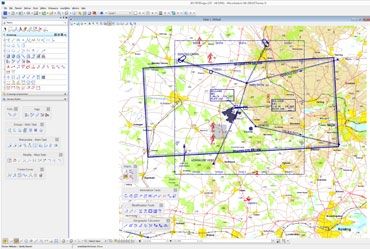
General Information
O N E A D C l i e n t Tr a i n i n g P r o g r a m m e

Training Centre in Frankfurt and Madrid                           Course Enrolment                                                   Substitution and Cancellation by Client                           Training Material

The EAD Training Centre is located in Frankfurt am Main,          Please kindly provide the completed enrolment form                 Up to 30 days prior to the training, a cancellation fee will      The required training workbooks will be provided by
Germany and we have a Training classroom at our Madrid            attached to an email to the EAD Training Department (find          not be charged. Upon cancellation within 30 days prior to         GroupEAD Europe S.L. respective trainer for the course.
Operations Centre in Spain. All training courses will be          contact details on page 5). Enrolment forms are available on       the training, the training costs will be invoiced for payment.    Ownership of all copyright and other intellectual property
conducted at one of these locations, except for AIP course,       GroupEAD’s website, and also at the end of this programme          Booked participants may be substituted right up, until the        rights of the course material, including all documentation,
which takes place in Edinburgh (Scotland) and Chart               (page 37). The completed form must be received minimum             training course will commence if the replacement trainee          data, technical information and know‐how provided as
Production located in Vianen (The Netherlands) . EAD              35 days prior to the course start. Please note that, your          fulfils the necessary conditions for the training course in       part of the training, remains vested in the provider of the
courses are provided on a dedicated stand‐alone system to         enrolment will be confirmed within 5 business days. If you         question. Substitution of trainees is free.                       training, unless otherwise specified in the material.
facilitate specific scenarios to support the learning process     have not received this confirmation, please kindly con-
                                                                                                                                                                                                       All such information shall be held in confidence and may
and cover the range of functionality. The classrooms are set      firm that your enrolment was successfully sent/received            Booked participants may be postponed from one course              not be disclosed to third parties without the permission of
up with ECIT‐s (EADPro) to create a realistic environment for     by contacting the EAD Training Expert via email or tele-           set to another until 14 days prior the training. This postpo-     EUROCONTROL or GroupEAD Europe S.L.
participants to access and use the EAD services.                  phone. GroupEAD will try to accommodate all enrolments if          nement will be for free, as long as the total participation for
                                                                  possible.                                                          the course does not go below the minimum number of par-
Training at your location                                                                                                                                                                              Remote OJT Training for EAD Clients
                                                                  If booking at short notice (latest 30 days prior to the start of   ticipants. In the case of a shortfall of the minimum number
GroupEAD is also pleased to provide training at your loca‐        the respective training course), please contact us by phone        of participants, the full price must be paid by the respective    In addition to the above‐mentioned guided remote training
tion upon request. For the training at your location, it is       or e‐mail to inquire about available places. GroupEAD Eu-          client.                                                           on a client’s site, it is also possible for EAD clients to connect
necessary to provide the classroom, computers (minimum            rope S.L. reserves the right to cancel a training course if the                                                                      dedicated ECIT‐s (EAD Pro) to the EAD Training centre for
                                                                                                                                     No refunds will be made for non‐attendance regardless of
one per 2 participants) and prior‐coordination with us to set     minimum number of participants for that course is not met.                                                                           on‐the‐job training e.g. internal procedures after the basic
                                                                                                                                     the reason.
up the connection to the training system in advance. Con-         In case of course cancellation from GroupEAD side the                                                                                EAD training has been performed.
tact us for more information if this is your preferred option.    clients will receive written information (e‐mail) no later         The EAD Training Expert is the point of contact for the Clients
                                                                  than 20 days prior to the training.                                regarding all the above‐mentioned issues.                         If you are interested in this additional benefit of the EAD
Prerequisites                                                                                                                                                                                          Training System please contact GroupEAD Europe S.L. to get
                                                                  For the promotion of Training, GroupEAD may use the logo           Course Start Date                                                 detailed information and an offer.
The training language is English. All trainees shall have a       and the name of the client organisation attending EAD Trai-
sufficient command of English, enabling them to follow the        ning, as a reference customer. If you do not want us to use        Unless otherwise stipulated, all training courses will com-       For further information please
training. GroupEAD is happy to offer training in additional       your logo, please kindly let us know when booking.                 mence on the date specified in the booking confirmation.          contact us:
languages based on our multilingual instructors. Please                                                                              GroupEAD Europe S.L. will give reasonable notice of any
contact us to inquire if the training in your home language       Training Fees                                                      changes. Attendees have to ensure that they arrive at the         GroupEAD Europe S.L.
can be conducted.                                                                                                                    training centre in good time, before the start of the course.     Jeanette Schroder
                                                                  Prices quoted in this brochure cover the costs of the                                                                                Training Expert
Please be aware that all training material is only available in   training including all documentation. All training fees are        On the first day all course modules will start at 09:00 local
                                                                                                                                                                                                       Stützeläckerweg 12-14
English.                                                          quoted in EUR (excluding VAT). The training fees stated            time (08:00 UTC Winter, 07:00 UTC Summer) except the
                                                                                                                                                                                                       60489 Frankfurt am Main
                                                                  apply to each participant and are specified in the respec-         EAD‐XS.
As the EAD courses are application based courses, the
basic knowledge of AIS and working in AIS is expected as a        tive course description. Payments shall be made in EUR                                                                               Phone: +49.69.78072.893
prerequisite. If you or your staff needs basic EAD knowledge      to the GroupEAD Europe S.L. bank account mentioned in                                                                                e-mail: training@groupead.com
or refresher training, prior the specific EAD training, please    the invoice. Training fees must be paid in full no later than                                                                        URL: www.groupead.com
contact us and we would be happy to help.                         30 days after the reception of the invoice.

EAD Client Training Programme 2019                                                                                                                                                                                                      EAD Client Training Programme 2019
Version 1.0 / Date of Issue: 31-AUG-2018
                                                             -4-                                                                                                                                     -5-                             Version 1.0 / Date of Issue: 31-AUG-2018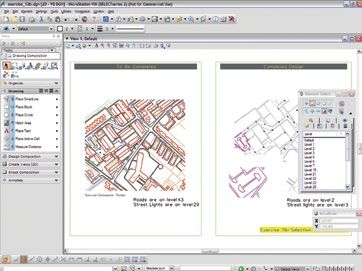
EAD Training Schedule 2019

 Courses             Course Code Length                        Scheduled Dates      City          Price per Person   Courses                Course Code Length              Scheduled Dates    City                Price per Person
 General EAD Courses                                                                                                 Aeronautical Information Publication

 EAD General Service Overview and          EAD-GE   1 day      22 Apr 2019          Madrid                200,00 €   FrameMaker* Authoring             AIP-FA    2 days     10-11 Jun 2019     Edinburgh (UK)                976,00 €
 Common Services                                               07 Oct 2019          Frankfurt                                                                               14-15 Oct 2019     Edinburgh (UK)
 EAD General and Basic Common              EAD-XS   2 hours    08 Apr 2019          Madrid                 50,00 €   FrameMaker* Advanced              AIP-FM    3 days     12-14 Jun 2019     Edinburgh (UK)              1.400,00 €
 Services (with SDO-DP)                                        16 Sep 2019          Frankfurt                                                                               16-18 Oct 2019     Edinburgh (UK)
                                                               12 Nov 2019          Madrid
                                                                                                                     FrameAPS* AIP Editorial           AIP-FE    3 days     17-19 Jun 2019     Edinburgh (UK)              2.424,00 €
                                                                                                                                                                            21-23 Oct 2019     Edinburgh (UK)
 Data User Courses (DU)                                                                                              FrameAPS* Administrator           AIP-FF    2 days     20-21 Jun 2019     Edinburgh (UK)              1.612,00 €
                                                                                                                                                                            24-25 Oct 2019     Edinburgh (UK)
 Data User Training                        EAD-DU   2 days     01-02 Apr 2019       Madrid                400,00 €
                                                               09-10 Sep 2019       Frankfurt                        FrameMaker* Structured Authoring AIP-eFA    2 days     04-05 Feb 2019     Edinburgh (UK)                976,00 €
                                                                                                                                                                            09-10 Sep 2019     Edinburgh (UK)
 Data Provider Courses (DP)
                                                                                                                     FrameMaker* Structured Advanced AIP-eFM     3 days     06-08 Feb 2019     Edinburgh (UK)              1.400,00 €
 SDO Data Provider                         SDO-DP   5 days     08-12 Apr 2019       Madrid              1.000,00 €                                                          11-13 Sep 2019     Edinburgh (UK)
                                                               16-20 Sep 2019       Frankfurt
                                                                                                                     apsXML* eAIP Editorial            AIP-eFE   3 days     11-13 Feb 2019     Edinburgh (UK)              2.424,00 €
                                                               11-15 Nov 2019       Madrid
                                                                                                                                                                            16-17 Sep 2019     Edinburgh (UK)
 Graphical Validation Tool                 SDO-GV   2 days     23-24 Apr 2019       Madrid                400,00 €
                                                                                                                     apsXML* eAIP Administrator        AIP-eFF   2 days     14-15 Feb 2019     Edinburgh (UK)              1.612,00 €
                                                               08-09 Oct 2019       Frankfurt
                                                                                                                                                                            19-20 Sep 2019     Edinburgh (UK)
 SDO Data Provider - SIGMA Course          SDO-SG   1 day      25 Apr 2019          Madrid                200,00 €
                                                                                                                     apsXML* eAIP Refresher            AIP-eRF   3 days     Upon Request       Edinburgh (UK)              2.425,00 €
                                                               10 Oct 2019          Frankfurt
 ARINC 424 Path and Terminator             SDO-PT   4 days     29 Apr-02 May 2019   Vianen (NL)         4.155,00 €   Chart Production
 Coding                                                        28-31 Oct 2019       Vianen (NL)
 INO Data Provider                         INO-DP   2 days     04-05 Mar 2019       Madrid                400,00 €   Computer Aided Design Basic 2D    CHA-MS    3 days     25-27 Mar 2019     Vianen (NL)                 1.443,00 €
                                                               13-14 May 2019       Frankfurt                                                                               07-09 Oct 2019     Vianen (NL)
                                                               14-15 Oct 2019       Frankfurt                        smartGlobe*Designer               CHA-SG    2 days     28-29 Mar 2019     Vianen (NL)                 3.888,00 €
 INO Data User                             INO-DU   1 day      06 Mar 2019          Madrid                200,00 €                                                          10-11 Oct 2019     Vianen (NL)
                                                               15 May 2019          Frankfurt                        smartGlobe* Application Manager   CHA-SA    3 days     01-03 Apr 2019     Vianen (NL)                 2.592,00 €
                                                               16 Oct 2019          Frankfurt                                                                               14-16 Oct 2019     Vianen (NL)
 Briefing Facility                         INO-BF   2 days     07-08 Mar 2019       Madrid                400,00 €   Other Courses
                                                               16-17 May 2019       Frankfurt
                                                               17-18 Oct 2019       Frankfurt                        Refresher Course                  EAD-RF               Upon Request
 PAMS Data Provider                        PAM-DP   1 day      26 Apr 2019          Madrid                200,00 €   Client Tailor Made Course         OTH-CL               Upon Request
                                                               11 Oct 2019          Frankfurt

 Workflow Management Training

 Workflow Management User                  WFM-DU   2 days     15-16 Apr 2019       Madrid                400,00 €
 Training                                                      23-24 Sep 2019       Madrid
 Workflow Management User Ad-              WFM-DA   1 day      17 Apr 2019          Madrid                200,00 €
 min Training                                                  25 Sep 2019          Madrid

EAD Client Training Programme 2019                                                                                                                                                               EAD Client Training Programme 2019
Version 1.0 / Date of Issue: 31-AUG-2018
                                                              -6-                                                                                                         -7-                 Version 1.0 / Date of Issue: 31-AUG-2018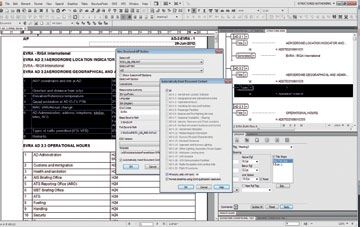
Course Recommendation
How to Choose Courses

Intended Participants                                                                                                              Level of Difficulty

The EAD provides functionality and software for both Data               The green icon highlights the courses intended for         As the functionality and level of available tools in the EAD
Providers (DP) and Data Users (DU). To assist in knowing the            those participants working with the International          has grown, some courses have a basic suggested atten-
intention of the course, an icon is available on each page              NOTAM Operations (INO) of the EAD. There are two           dance flow for optimum training. The level of difficulty
that will highlight the intended participants of the course.            main areas, NOTAM creation or Briefing Facility. De-       for the courses is to assist in choosing the courses in the
Specifically, Data Users also have a combined course that               pending on the workload, you may find one or both          optimum order to build on each of the skills for a secure
will provide the participants with all the functionality nee-                                                                      foundation.
                                                                        of these areas of interest as they can overlap.
ded to navigate each of the softwares specific to retrieving
data from the system. These courses are still available indi-           The orange section of the programme feature the Pu-               These courses are the ground level courses that offer
vidually upon request.                                                  blished AIP Management (PAMS) course. This course                 the participants the basic understanding of how to
                                                                        provides the skills needed for participants working               work with the software directly. These classes will not
Intention of the Course                                                 with the PAMS software in the EAD.                                have any EAD prerequisites, although the recommen-
                                                                                                                                          ded level of AIS knowledge is still needed.
The major subsections of the EAD have been outlined                     The pink section has been created to cover the Work-
based on Icon and colour to assist you in finding them                  flow Management Tool. These new courses provide                   The level 2 and 3 courses are intended to be taken
easily in the programme and knowing which courses are                   with the necessary knowledge to use the new Tool of               after the equivalent level 1 course, and may have a
related to the same areas of the EAD.                                   Workflow Management. Two new courses are sche-                    prerequisite specific to a course as detailed in the
                                                                        duled: User Training and User Admin Training.                     footer of the course description. These courses are
        The icon with the letters DP features courses                                                                                     intended to provide a deeper knowledge of the
        intended for Data Providers (e.g. AIS officers of CAA,          The Aeronautical Information Publication (AIP)
                                                                                                                                          software and/or recommended practices on using
        ANSP etc.)                                                      courses are shown in the yellow portions of the
                                                                                                                                          the EAD software.
                                                                        programme. These courses are intended for partici-
        The icon with the letters DU features courses inten-            pants that are working directly with the production        In Summary
        ded for Data Users (e.g. EAD Service Provider staff,            of the AIP and are scheduled in sequence in the
                                                                        programme for a single stay in Edinburgh. Each set         GroupEAD is ready to assist Clients in choosing any of the
        INO & Static Data Provider staff, Operational Data
                                                                                                                                   courses in this programme. The EAD Training Department
        Users like airliners etc.)                                      is a series of 4 courses that follow either the Structu-
                                                                                                                                   is available by telephone and email (for contact details,
                                                                        red (for eAIP) or Unstructured (for AIP) development
        This icon reflects the general courses available to                                                                        see page 2) and can provide suggestions and any further
                                                                        of the AIP.                                                information Clients may need to achieve the best training
        partici-pants to provide background that addresses
                                                                        Charting is featured in the red section of the pro-        experience within the EAD.
        the entire EAD and how it fits together with all the
                                                                        gramme and provides all the courses focused specifi-
        subsystems.
                                                                        cally onworking and designing the charts available
        The blue section features the courses available for             with the charting EAD software.
        the Static Data Operation (SDO) in the EAD. The main
                                                                         Refresher or tailor made courses are also available.
        course for SDO is SDO Data Provider. Additional cour-
                                                                         See the individual course descriptions for more
        ses are recommended to follow the SDO-DP course
                                                                         information.
        and are usually grouped in the schedule to allow
                                                                 Many of the courses offered by the EAD are specific to cer-
        participants to take the courses in sequence with a
                                                                 tain functions and go hand-in-hand with other complimen-
        single stay in Frankfurt or Madrid.
                                                                 tary or even prerequisite courses. This guide is intended to
                                                                 assist you in choosing the courses you need based on the
                                                                 job function or goals when using the EAD.

EAD Client Training Programme 2019                                                                                                                                                                         EAD Client Training Programme 2016 2019
Version 1.0 / Date of Issue: 31-AUG-2018
                                                               -8-                                                                                                                                -9-   Version 1.0 / Date of Issue: 31-AUG-2018
                                                                                                                                                                                                                                        Version 1.0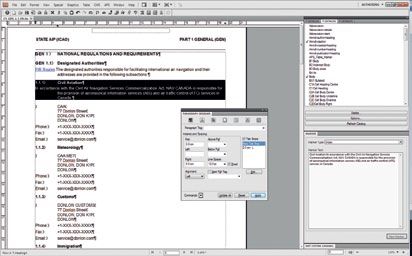
General EAD Courses

                                                                                                                                                                                                                                     General EAD Courses
                             EAD General Services Overview                                                           EAD General and
                             and Common Services                                                                     Basic Common Services
                            Course Details                                                                           COURSE DETAILS
                            Duration: 1 Day                                                                          Duration: 2 Hours
EAD-GE                      Teaching methods: Classroom, PC                                                          Teaching methods: Classroom, PC                                                                        EAD-XS
                            Participants: min 4, max 12                                                              Participants: min 4, max 12
                            Price per participant: 200 EUR                                                           Price per participant: 50 EUR

                             Course Description                       Course Content                                 Course Description                    Course Content

                             This one day course will offer an in-    --Operational concept and procedures of EAD;   This course offers a quick 2 hour      --Operational concept of EAD;
                             troduction to the EAD covering the       --EAD System architecture (subsystems,         familiarization of the EAD and it’s    --EAD System architecture (subsystems,
                             history, the need for EAD and the                                                       systems.
                                                                        contingency etc);                                                                      contingency etc);
                             interaction between related systems
                                                                      --EAD Service structure (Service                                                      --EAD Service structure (Service Provider,
                             and the usage.
                                                                        Provider, IT Provider, etc);                                                           IT Provider etc);
                                                                      --Security principles of EAD;                                                         --How to use the EAD Service Desk;
                                                                      --How to use the EAD Service Desk;                                                    --EAD Explorer and Single Sign-On
                                                                      --Introduction to User Management;
                                                                      --EAD Explorer and Single Sign-On;
                                                                      --Legal Recording Investigation

       EAD Client Training Programme 2019                                                                                                                                                    EAD Client Training Programme 2019
       Version 1.0 / Date of Issue: 31-AUG-2018
                                                                 - 10 -                                                                                    - 11 -                         Version 1.0 / Date of Issue: 31-AUG-2018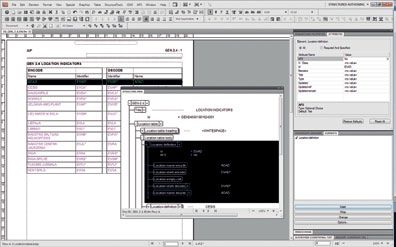
Data User Training
  Other Courses

                                                                                                                                                                                                                                             Other Courses
                            COURSE DETAILS
                                                                                                                      INO Data User
                            Duration: 2 Days
EAD-DU                      Teaching methods: Classroom, PC, Practice Exercise                                        --Structure and detailed description of functionalities
                            Participants: min 4, max 12                                                               --INO Data User relation to Static Data
                            Price per participant: 400 EUR                                                            --AD, Area, Route, Narrow Route and Admin PIB
                                                                                                                      --List of Valid NOTAM
                                                                                                                      --Single NOTAM Retrieval
                            Course Description                         EAD General Concepts                           --Finding aerodromes and FIR(s) within the application
                            This two day course offers a com-          --Operational concept and procedures of EAD;   --Automatic delivery of PIB(s) (e-mail and printer)
                            plete view of all of the software          --EAD System architecture                      --Profile and Schedule Management
                            available to data users. Modules                                                          --Route Management for Narrow Route PIB (creation, editing, checks)
                                                                         (subsystems, contingency etc);
                            include an introduction to the EAD,                                                       --Graphical Retrieval of PIB
                                                                       --EAD Service structure (Service
                            and a coverage of each software of
                                                                         Provider, IT Provider etc);                  --NOTAM Ticker (real-time display of all incoming NOTAM in EAD)
                            interest for EAD users.
                                                                       --How to use the EAD Service Desk;
                                                                                                                      Graphical Reporting
                                                                       --Introduction to User Management;
                                                                       --EAD Explorer and Single Sign-On              Purpose and scope of SDO Graphical Reporting Tool
                                                                                                                      --Functionalities specific to the tool
                                                                       SDO Data User                                  --User Preferences to personalize the tool by operator or organisation
                                                                       --SDO as the core service within               --Definition of Queries to the database and how to save them
                                                                         the EAD framework                            --Predefined Queries pre-programmed into the tool for commonly queried data
                                                                       --Structure and detailed description           --Redlining to draw text or shapes on the display
                                                                         of functionalities                           --Geometry Tree showing the specific points and data that make up the selected element
                                                                       --Data structure (AIXM), data hierarchy
                                                                                                                      Purpose and scope of INO Graphical Reporting Tool
                                                                         and versioning concept
                                                                                                                      --Functionalities specific to the Tool
                                                                       --Generating SDO reports
                                                                                                                      --Retrieving and displaying PIB
                                                                       --Defining SDO Reports
                                                                                                                      --Graphical display of NOTAM

                                                                                                                      PAMS Data User

                                                                                                                      --Principles of Document Management System
                                                                                                                      --Document types within PAMS
                                                                                                                      --Concept of versioning
                                                                                                                      --Structure and detailed description of functionalities
                                                                                                                      --Search, download, viewing and printing functionalities
                                                                                                                        --Shopping Cart
                                                                                                                        --Metadata
                                                                                                                        --Concept of access rights
                                                                                                                        --Access to electronic AIP
                                                                                                                      --Parallel working

      EAD Client Training Programme 2019                                                                                                                                                             EAD Client Training Programme 2019
      Version 1.0 / Date of Issue: 31-AUG-2018
                                                                  - 12 -                                                                                              - 13 -                      Version 1.0 / Date of Issue: 31-AUG-2018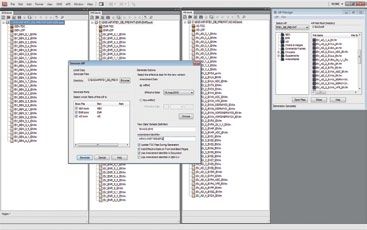
Static Data Operation

                                                                                                                                                                                                                                                             Static Data Operation
                              SDO Data Provider                                                                                   Graphical Validation Tool

                               COURSE DETAILS                                                                                     COURSE DETAILS

                               Duration: 5 Days                                                                                   Duration: 2 Days
SDO-DP                         Teaching methods: Classroom, PC, Practice                                                          Teaching methods: Classroom, PC, Practice, Exercise                                                               SDO-GV
                               Participants: min 4, max 12                                                                        Participants: min 4, max 12
                               Price per participant: 1.000 EUR                                                                   Price per participant: 400 EUR
                                                                                                                                  Recommended prerequisite – SDO DP

                              Course Description                        Course Content                                            Course Description                       Course Content

                              This course provides participants         --SDO as the core service within the EAD framework        This course is the natural follow up     Purpose and scope of SDO Graphical Validation (GVT) Tool
                              with the ability to input data and        --Overview of the SDO Data Provider functions             to SDO-DP as it graphically displays
                                                                                                                                                                            --Functionalities specific to the tool
                              manage data in the SDO database                                                                     pending and committed SDO data
                                                                        --Structure and detailed description of functionalities                                             --Explanation of User Preferences to streamline and
                              based on entities and attributes.                                                                   in the database. Specifically, the
                                                                        --Data structure (AIXM), data hierarchy                                                               manage specific to your organization or operation
                                                                                                                                  participant will be able to graphi-
                                                                          and versioning concept                                  cally compare and edit pending            --Querying the SDO database to graphically
                                                                        --Maintenance - search, insert, update                    SDO data from previously com-               display the data in various options or areas.
                                                                          and withdraw static data                                mitted data already existing in the       --Predefined Queries pre-programmed
                                                                        --Maintenance - aerodrome, heliports, navaids,            system.
                                                                                                                                                                              for common data display requests
                                                                          points, airspaces, obstacles, organisations, routes                                               --Redlining, the ability to draw or mark
                                                                        --Private Slot management - create, query,                                                            the result via text, shapes etc.
                                                                          edit, delete, check, reopen and transfer                                                          --Editing SDO pending data via the
                                                                        --Public Slot management – purpose                                                                    Geometry Tree and manual changes.
                                                                          and reports (explaining purpose)                                                                  --How to make an excel report based
                                                                        --SDO upload and download management                                                                  on your graphical query
                                                                        --Typical workflows                                                                                 --Saving queries and work performed for continued
                                                                        --Practical exercises                                                                                 use another session or by another colleague

        EAD Client Training Programme 2019                                                                                                                                                                           EAD Client Training Programme 2019
        Version 1.0 / Date of Issue: 31-AUG-2018
                                                                   - 14 -                                                                                                        - 15 -                           Version 1.0 / Date of Issue: 31-AUG-2018
Static Data Operation

                                                                                                                                                                                                                                                           Static Data Operation
                              SDO Data Provider -                                                                                    ARINC 424 Path and
                              SIGMA Course                                                                                           Terminator coding
                              COURSE DETAILS                                                                                         COURSE DETAILS

                              Duration: 1 Day                                                                                        Duration: 4 Days
SDO-SG                        Teaching methods: Classroom, PC, Practice, Exercise                                                    Teaching methods: Classroom, Practice                                                                         SDO-PT
                              Participants: min 4, max 12                                                                            Participants: min 4, max 8
                              Price per participant: 200 EUR                                                                         Price per participant: 4.155 EUR

                              Course Description                           Course Content                                            Course Description                       Course Content

                              This course augments the SDO                 --Introduction to the SIGMA tool                          The ARINC 424 Path & Terminator          --Procedure coding methodology based on the
                              Data Provider course, specifically in        --Structure and detailed description of functionalities   coding course has been designed as         ARINC 424 Path & Terminator concept
                              EUROCONTROL’s recommendations                                                                          an introduction to database coding
                                                                           --Types of data available in the tool                                                              --History and background of the Path & Terminator concept
                              for data harmonization. The SIG-                                                                       of Instrument Flight procedures.
                                                                           --Data harmonization concepts                                                                      --Overview of Documentation and Discussion
                              MA tool is explained in detail and                                                                     The training course combines both
                              the course focuses on providing              --How to find data in the AIP and                         theory and practical exercises requi-      of individual Path Terminators
                              guidance on data harmonization.                other relevant information                              ring students to complete hands-on       --Allowed Leg Combinations, Waypoint Description
                                                                           --Understanding SDO Rules with                            coding exercises in order to provide       codes and mandatory attributes
                                                                             information on the applied rule                         the instructor feedback on the attai-    --Application of PT concept to SID procedures,
                                                                           --Applicable for both ECIT and ESI clients                ned skill level of the students. The       examples and commonly used PT combinations in
                                                                                                                                     course is based on a presentation of
                                                                                                                                                                                SID procedure, Special SID coding consideration
                                                                                                                                     the subject theory, illustrated with
                                                                                                                                                                              --Application of PT concept to STAR procedures,
                                                                                                                                     ‘realistic’ data and files from actual
                                                                                                                                     AIP’s that closely reflect the opera-      examples and commonly used PT combinations in
                                                                                                                                     ting environment of the students.          STAR procedure(s), Special STAR coding consideration
                                                                                                                                     The theory as well as the exercises      --Application of PT concept to IAP procedures,
                                                                                                                                     are illustrated with static database       examples and commonly used PT combinations in
                                                                                                                                     examples using the smartGlobe              IAP procedure, Special IAP coding consideration
                                                                                                                                     aeronautical charting system.
                                                                                                                                                                              --Practical exercises.

        EAD Client Training Programme 2019                                                                                                                                                                         EAD Client Training Programme 2019
        Version 1.0 / Date of Issue: 31-AUG-2018
                                                                      - 16 -                                                                                                      - 17 -                        Version 1.0 / Date of Issue: 31-AUG-2018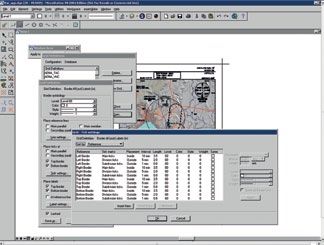
INO Data Provider                                                                            INO Data User
N OTA M O p e r a t i o n

                                                                                                                                                                                                                                                         N OTA M O p e r a t i o n
International

                                                                                                                                                                                                                                                         International
                                      COURSE DETAILS                                                                               COURSE DETAILS

                                      Duration: 2 Days                                                                             Duration: 1 Day
  INO-DP                              Teaching methods: Classroom, PC, Practice                                                    Teaching methods: Classroom, PC, Practice                                                                         INO-DU
                                      Participants: min 4, max 12                                                                  Participants: min 4, max 12
                                      Price per participant: 400 EUR                                                               Price per participant: 200 EUR

                                      Course Description                         Course Content                                    Course Description                      Course Content

                                      After taking this course, the par-          --Structure and detailed description              After completing this course, the          --Structure and detailed description of functionalities
                                      ticipant will be able to create and           of functionalities                             participants will be able to use the        --INO Data User relation to Static Data
                                      manage NOTAM in the system,                                                                  full functionality of the INO Data
                                                                                  --Creating NOTAM, NOTAM Checklists, Trigger                                                  --AD, Area, Route and Narrow Route PIB
                                      including all additional functiona-                                                          User software by creating and mana-
                                                                                    NOTAM and SNOWTAM and ASHTAM                                                               --List of Valid NOTAM
                                      lities associated with NOTAM and                                                             ging PIB.
                                      linkages to static data.                    --Creation of NOTAM based on selection                                                       --Admin PIB
                                                                                    (NOTAMR, NOTAMC and also NOTAMN)                                                           --Single NOTAM Retrieval
                                                                                  --Rules and Cross Checks for the creation                                                    --Finding aerodromes and FIR(s) within the application
                                                                                  --Creating and using NOTAM Templates                                                         --Automatic delivery of PIB(s) (e-mail and printer)
                                                                                  --Managing and working with                                                                  --Profile and Schedule Management
                                                                                    Distribution Address Lists                                                                 --Route Management for Narrow Route
                                                                                  --List of NOTAM with Estimated validity                                                        PIB (creation, editing, checks)
                                                                                  --Managing and working with NOTAM Proposals                                                  --Graphical Retrieval of PIB
                                                                                  --NOTAM Grouping functionality                                                               --NOTAM Ticker (real-time display of
                                                                                  --NOTAM Linkage functionality (to Static Data)                                                 all incoming NOTAM in EAD)
                                                                                  --AFTN Subscription Service
                                                                                  --Description and usage of INO Basic Data
                                                                                  --Description and usage of NOTAM History
                                                                                  --Practical exercises

                EAD Client Training Programme 2019                                                                                                                                                                    EAD Client Training Programme 2019
                Version 1.0 / Date of Issue: 31-AUG-2018
                                                                            - 18 -                                                                                                  - 19 -                         Version 1.0 / Date of Issue: 31-AUG-2018
Management System
Briefing Facility PAMS Data Provider
N OTA M O p e r a t i o n
Published AIP
International
COURSE DETAILS COURSE DETAILS
Duration: 2 Days Duration: 1 Day
INO-BF Teaching methods: Classroom, PC, Practice Teaching methods: Classroom, PC, Practice PAM-DP
Participants: min 4, max 12 Participants: min 4, max 12
Price per participant: 400 EUR Price per participant: 200 EUR
Course Content Course Description Course Content
--Structure and detailed description of functionalities This course explains the software --Structure and detailed description
--Creating, validating and distributing flight plans used in EAD to display PDF versions of functionalities
of AIP from participating States. The
--Managing repetitive flight plans --Maintenance of AIP, supplements,
participants will be able to add/re-
--Managing the client information and AFTN addresses amendments, charts, AIC, and RAD in PAMS
move AIP documents and maintain
--Monitoring real traffic situation under your responsibility existing documents in the PAMS --Creating new documents
--Identify the different statuses of flight plans you manage software, including eAIP. Additional --Updating version data
--Manage your incoming/outgoing messages functionality that links PAMS to SDO --Creating another version
--Receiving a FPL from IFPS and INO is also covered, such as --Removing and cancelling documents
--Receiving a slot from ETFMS Trigger NOTAM proposals. --Duplicate check
--Using template management --NOTAM Proposal
--Using the Briefing Facility Box Contingency Application --Electronic AIS
--Practical exercises --Parallel working
EAD Client Training Programme 2019 EAD Client Training Programme 2018 2019
Version 1.0 / Date of Issue: 31-AUG-2018
- 20 - - 21 - Version
Version 1.0
1.0 /
/ Date
Date of
of Issue:
Issue: 31-AUG-2018
31-AUG-2017Wo r k f l ow M a n a g e m e nt
Wo r k f l ow M a n a g e m e nt
Workflow Management Workflow Management User
User Training Admin Training
COURSE DETAILS COURSE DETAILS
Duration: 2 Days Duration: 1 Day
WFM-DU Teaching methods: Classroom, PC, Practice Teaching methods: Classroom, PC, Practice WFM-DA
Participants: min 4, max 12 Participants: min 4, max 12
Price per participant: 400 EUR Price per participant: 200 EUR
Course Description Course Content Course Description Course Content
This course is designed to provide --Introduction to the WFM concept. This course is designed to provide --Introduction to the WFM concept.
detailed instructions for the use of --General functionalities of the EAD WFM tool. a deep knowledge of the EAD WFM --General functionalities of the EAD WFM tool.
the EAD Workflow Management tool functionalities for the tasks
--In deep coverage of standard --WFM tool Administration
Tool (WFM). The intention is to related to the creation and mainte-
EAD WFM processes. --Creation and maintenance of Organisations
provide better understanding and nance of Organisation, users, rights
knowledge of the different proces- --Data Originator and roles. This training is especially --Creation and maintenance of Users
ses of the EAD Workflow Manage- --SDO Update focused on the tasks to be perfor- --User roles Management
ment Tool. --Chart Update med by the CSO of an organisation.
--AIP Update
--Publication
--NOTAM Proposal
--How to “Workflow”.
--In deep coverage of the EAD WFM
tool Operational instructions
EAD Client Training Programme 2019 EAD Client Training Programme 2019
Version 1.0 / Date of Issue: 31-AUG-2018
- 22 - - 23 - Version 1.0 / Date of Issue: 31-AUG-2018Information Publication
Information Publication
FrameMaker® Authoring FrameMaker® Advanced
Aeronautical
Aeronautical
COURSE DETAILS COURSE DETAILS
Duration: 2 Days Duration: 3 Days
AIP-FA Teaching methods: Classroom, PC, Practice Teaching methods: Classroom, PC, Practice AIP-FM
Participants: min 4, max 12 Participants: min 4, max 12
Price per participant: 976 EUR Price per participant: 1.400 EUR
Course Description Course Content Course Description Course Content
This course offers participants the --Overview of FrameMaker® Interface This course offers participants the --All functionalities of FrameMaker®
opportunity to learn how to edit and --Updating the AIP Text and Document Properties opportunity to learn how to crea- --Creating and modifying
author unstructured text content te, edit and manage unstructured
--Creating diagrams and working FrameMaker® templates
using FrameMaker 10. FrameMa- documents using FrameMaker 10.
with graphics in the AIP --Creating new book files and sections
ker is a trusted, professional level, FrameMaker is a trusted, professio-
document management software --Maintaining AIP Tabulator Information nal level, document management --Formatting and complex page numbering
suite that has been used for many --Creating output files and printouts software suite that has been used --Managing referenced files and
years by aviation agencies around from FrameMaker Documents for many years by aviation agencies defining system variables
the world to deliver High-Quality, --Developing skills to follow the around the world to deliver High- --Generating tables of contents, lists and indices
mission-critical documentation to FrameAPS® AIP Editor Module Quality, mission-critical documenta- --Working with the AIP, Supplement and AIC
clients. tion to clients.
--Practical exercises templates, paragraph tags and page layouts
--Additional AIP desktop publishing tutorials
--Practical exercises
EAD Client Training Programme 2019 EAD Client Training Programme 2019
Version 1.0 / Date of Issue: 31-AUG-2018
- 24 - - 25 - Version 1.0 / Date of Issue: 31-AUG-2018Information Publication
Information Publication
FrameAPS® AIP Editorial FrameAPS® Administrator
Aeronautical
Aeronautical
COURSE DETAILS COURSE DETAILS
Duration: 3 Days Duration: 2 Days
AIP-FE Teaching methods: Classroom, PC, Practice Teaching methods: Classroom, PC, Practice AIP-FF
Participants: min 4, max 12 Participants: min 4, max 12
Price per participant: 2.424 EUR Price per participant: 1.612 EUR
Course Description Course Content Course Description Course Content
This course offers participants the --Functionalities of FrameAPS® This course offers participants the --FrameAPS® Administration Tools
opportunity to learn how to edit --Navigating the FrameAPS® File menus, dialog opportunity to learn how to create, --Generation, verification and issue of AIP
and author AIP textual, tabular and manage and publish AIP and other
boxes, context-sensitive menus and icons to Amendments, Supplements and Circulars
datalinked content using FrameAPS aviation manuals using FrameAPS in
allow full access to the AIP application menu --Rollback of AIP Amendments, Supplements
in an unstructured mode. FrameAPS an unstructured mode. FrameAPS is
is a specialised, professional level, --Performing all tasks involved in the a specialised, professional level, Avi- and Circulars after generation
Aviation Publishing Software Suite creation and editing of the AIP and ation Publishing Software Suite that --Compiling coversheets and checklists for AIP
that has been used for over a deca- their component parts and files using has been used for over a decade by Amendments, Supplements and Circulars
de by the EAD and other aviation the AIP File Management tool the EAD and other aviation agencies --Using the printing functions of
agencies around the world to de- --Navigating the data link static around the world to deliver High- FrameAPS® to create the PDF-files
liver High-Quality, mission-critical Quality, mission-critical AIP and
data placement tool required for paper distribution
AIP and aviation documentation to aviation documentation to clients.
--Using automatic AIP table generation tools --Using the publish functions of FrameAPS® to
clients.
--Creating amendments, previewing transfer the required information to PAMS
changes and analyzing report files --Performing troubleshooting procedures and
--Printing AIP Files and Books high-level file manipulation and recovery
--Practical exercises --Practical exercises
EAD Client Training Programme 2019 EAD Client Training Programme 2019
Version 1.0 / Date of Issue: 31-AUG-2018
- 26 - - 27 - Version 1.0 / Date of Issue: 31-AUG-2018Information Publication
Information Publication
FrameMaker® FrameMaker®
Aeronautical
Aeronautical
Structured Authoring Structured Advanced
COURSE DETAILS COURSE DETAILS
Duration: 2 Days Duration: 3 Days
AIP-eFA Teaching methods: Classroom, PC, Practice Teaching methods: Classroom, PC, Practice AIP-eFM
Participants: min 4, max 12 Participants: min 4, max 12
Price per participant: 976 EUR Price per participant: 1.400 EUR
Course Description Course Content Course Description Course Content
This course offers participants the --Basic functionalities of Structured FrameMaker® This course offers participants the --All functionalities of Structured FrameMaker®
opportunity to learn how to edit --Working with structured Templates opportunity to learn how to crea- --The Design Structured Process
and author structured text content te, edit and manage structured
--The document environment --The Design Workshop (Designing the initial
such as an eAIP using FrameMaker documents such as the eAIP using
--Container elements-editing the structure page layout & setting document properties)
10. FrameMaker is a trusted, FrameMaker 10. FrameMaker is a
professional level, document --Working with Element Attributes trusted, professional level, --Designing paragraph styles-basic
management software suite that --Editing text document management software and default font properties
has been used for many years by --Adding graphics suite that has been used for many --Refining paragraph styles-numbering properties
aviation agencies around the world --Layout and Books years by aviation agencies around --Refining paragraph styles-pagination
to deliver High-Quality, mission- --Developing skills for the apsXML® the world to deliver High-Quality, and advanced properties
critical documentation to clients. mission-critical documentation to
eAIP Editor Module --Designing character styles
clients.
--Practical exercises --Preparing for graphics
--Designing table styles
--Designing cross-reference formats
--Designing page layout
--Book Building
--Indexes
--Practical exercises
EAD Client Training Programme 2019 EAD Client Training Programme 2019
Version 1.0 / Date of Issue: 31-AUG-2018
- 28 - - 29 - Version 1.0 / Date of Issue: 31-AUG-2018Information Publication
Information Publication
apsXML® eAIP Editorial apsXML® eAIP Administrator
Aeronautical
Aeronautical
COURSE DETAILS COURSE DETAILS
Duration: 3 Days Duration: 2 Days
AIP-eFE Teaching methods: Classroom, PC, Practice Teaching methods: Classroom, PC, Practice AIP-eFF
Participants: min 4, max 12 Participants: min 4, max 12
Price per participant: 2.424 EUR Price per participant: 1.612 EUR
Course Description Course Content Course Description Course Content
This course offers participants the --Creation and editing of eAIP (components and This course offers participants the --apsXML® Administration Tools
opportunity to learn how to edit files) using eAIP File Management tools opportunity to learn how to create, --Printing and publishing to PAMS
and author XML eAIP structured edit and manage XML eAIP structu-
--Placing links to the SDO static data via the --Validating the new eAIP (system messages,
textual, tabular and datalinked con- red textual, tabular and datalinked
APS data link placement tools and by using interpreting validation reports)
tent using apsXML to create xml, content using apsXML to create xml,
HTML and PDF output. apsXML is a automatic table generation tools HTML and PDF output. apsXML is a --Generating AIP Parts
specialised, professional level, --Getting started with apsXML® specialised, professional level, Avia- --eAIP Preparation
Aviation Publishing Software Suite --Creating new structured eAIP files: tion Publishing Software Suite that --eAIP Printing
that has been used for many years --Creating an eAIP in the docment management database: has been used for many years by --Issuing the eAIP
by the EAD and other aviation --Validating the new eAIP: the EAD and other aviation groups --eAIP PAMS Publishing
around the world to deliver High- around the world groups to deliver
--Managing eAIP production --eSupplements
Quality, mission-critical eAIP and High-Quality, mission-critical eAIP
--eAIP file Library functions --eCirculars
other structured aviation documen- and other structured aviation docu-
tation to clients. --eAIP file Metadata and eAIP amendment order mentation to clients. --Troubleshooting and high-level
--Making amendments file manipulation and
--Generating eAIP tables --Recovery procedures
--Previewing changes --Practical exercises
--Practical exercises
EAD Client Training Programme 2019 EAD Client Training Programme 2019
Version 1.0 / Date of Issue: 31-AUG-2018
- 30 - - 31 - Version 1.0 / Date of Issue: 31-AUG-2018Information Publication
apsXML® eAIP Refresher Computer Aided Design
Chart Production
Aeronautical
Basic 2D
COURSE DETAILS COURSE DETAILS
Duration: 3 Days Duration: 3 Days
AIP-eRF Teaching methods: Classroom, PC, Practice Teaching methods: Classroom, PC, Practice CHA-MS
Participants: min 4, max 12 Participants: min 4, max 8
Price per participant: 2.425 EUR Price per participant: 1.443 EUR
Course Description Course Content Course Description Course Content
This course offers participants the --Providing a refresher for those already The CAD training is aimed at aero- --Concepts and functionalities of MicroStation®
opportunity to update their skills on trained and working with the eAIP tool nautical charting specialists with --Efficient creation and maintenance of charts
the apsXML software. The software little or no prior computer aided
--Revisiting the eAIP amendment --MicroStation® basic elements
changes frequently and new fea- drafting experience. At the end of
and production cycle and manipulations
tures are introduced to help clients the course the students will have
keep up with regulatory changes. --eAIP ENR 3 Route table construction and editing sufficient knowledge of Bentley --MicroStation® complex
This training helps people update --eAIP footnotes and linking MicroStation to be able to use the elements and operations
their skills and get to grips with the --Setting up aerodrome charts in the eAIP relevant functionality of the applica- --MicroStation® preferences and settings
software updates introduced since --Creating circulars and supplements tion to effectively create 2D designs. --MicroStation® Hatching & Patterning
their initial training --Ensuring an eAIP validates --MicroStation® Import/export
--Creating and optimizing HTML output --Plotting
--Covering the significant new features --Practical exercises
and workflows in the tool
-- Working with Unicode in apsXML
-- Managing AIP charts
-- Configuring section numbering
-- Other new features from the latest EAD release
EAD Client Training Programme 2019 EAD Client Training Programme 2018 2019
Version 1.0 / Date of Issue: 31-AUG-2018
- 32 - - 33 - Version
Version 1.0
1.0 /
/ Date
Date of
of Issue:
Issue: 31-AUG-2018
31-AUG-2017smartGlobe® Designer smartGlobe®
Chart Production
Chart Production
Application Manager
COURSE DETAILS COURSE DETAILS
Duration: 2 Days Duration: 3 Days
CHA-SG Teaching methods: Classroom, PC, Practice Teaching methods: Classroom, PC, Practice CHA-SA
Participants: min 4, max 8 Participants: min 4, max 8
Price per participant: 3.888 EUR Price per participant: 2.592 EUR
Prerequisite – CHA-MS Prerequisite - CHA-MA and CHA-SG
Course Description Course Content Course Description Course Content
The smartGlobe Designer training is --Concepts and functionalities of smartGlobe® This course is aimed at the Appli- --Overview the smartGlobe® settings
aimed at the aeronautical cartogra- --Setting up a chart cation and Configuration Manager. --Creating and maintaining chart types
pher, who will configure, set up and It describes how to configure the
--Geographic calculator --Creating and maintaining symbols and labels
maintain aeronautical charts. The smartGlobe application, such as
--Adding elements to a chart --Creating and modifying grid types
course combines both theory and the definition of chart types and
practical exercises requiring stu- --Clean-up chart grid types and the configuration of --Creating and modifying projection parameters
dents to complete hands-on chart --Synchronize and update projection parameters. --Practical exercises.
creation and amendment exercises’ --Update chart (new effective date)
using ‘realistic’ data from actual --Chart management The MicroStation Basic 2D and
AIP’s that closely reflect the opera- --SmartGlobe® advanced features smartGlobe Designer training are a
ting environment of the students. prerequisite for this course.
--Practical exercises.
The CAD Basic 2D course is a prere-
quisite for this course.
EAD Client Training Programme 2019 EAD Client Training Programme 2019
Version 1.0 / Date of Issue: 31-AUG-2018
- 34 - - 35 - Version 1.0 / Date of Issue: 31-AUG-2018Enrolment for EAD Course
EAD Refresher Course Please send:
Other Courses
Postal address: E-Mail:
GroupEAD Europe S.L. training@groupead.com
Stützeläckerweg 12-14
COURSE DETAILS 60489 Frankfurt am Main, Germany
Duration: On request
Applicant (Please print all information clearly):
Level: On request
Teaching methods: Classroom, Practice Gender: Position:
EAD-RF Participants: min 4, max 8
Price per participant: based on duration
Surname: Phone:
Course Description
First name: Fax:
--Providing Refresher for people already trained and working with EAD Tools
--SDO, PAMS, INO, Graphical Tools – refresh your skills
--Shorter and customized version of the original EAD courses Company e-mail:
--We can detail the content based on your input (improvement and problem areas)
--Detailing the most critical functionalities of the tools
--Detailing most significant changes introduced to the tools Superior:
--Providing operational hints for handling the tools Surname: Firstname:
--Discussing problem areas and questions based on the practical experience
Superior e-mail:
Invoice address for Company:
OTH-CL Client Taylor Made Course
VAT number of the Company:
COURSE DETAILS
Duration: to be agreed
Enrolment in the following course(s):
Teaching methods: to be agreed
Participants: to be agreed No: Course Code Date Request Alternative Date Request
Price per participant: to be agreed 1
2
Course Content
3
--Need more practical support with EAD applications?
--Need to discuss and clarify operational procedures (EAD, OPADD, Releases etc)? 4
--Our operationally experienced and highly motivated staff is available.
--Let us know your needs.
Signatures
--Operational know-how, practical support or Basic knowledge - we will support you.
Date Applicant Superior
--Contact us for defining the Training according to your specific requirements.
This course is available On Request!
GroupEAD Europe S.L. is committed to protecting and respecting your privacy and we are in compliance with the
EU General Data Protection Regulation (GDPR). Further details can be found on our website under Privacy Note.
EAD Client Training Programme 2019
Version 1.0 / Date of Issue: 31-AUG-2018
- 36 - - 37 -Directions
to Group EAD Europe S.L. to Group EAD Europe S.L.
Frankfurt Madrid
Arriving by car
From Avenida de Amèrica
GroupEAD Europe S.L.
Head east on A-2. Take exit 17A for M-115 towards M-50/
Business Premises Germany M45/R-2/Ajalvir, and at the fork keep right towards Parque
Stuetzelaeckerweg 12 - 14 Empresarial Zona Industrial. Then slight right onto Av. de
60489 Frankfurt am Main Castilla and the Business Park is on your right hand side.
GERMANY
From Adolfo Suarez Madrid Barajas Airport – Terminal 1
Arriving by car
Arriving by train and bus (via Vía de Servicio)
From the east, west or south
From Frankfurt Airport GroupEAD Europe S.L. From Terminal 1, head North to take M-14, Exit 1, Vía de
Take motorway A5 at „Frankfurter Kreuz“ to the north up to Servicio and E-90/A-2 to Av. de Castilla. At the roundabout,
exit „Nordwestkreuz Frankfurt“. After exiting stay in the right Take the commuter train S8 or S9 to Frankfurt central stati- Business Premises Madrid take the 1st exit. Keep left at the fork; follow signs for M-14/
lane until you reach the traffic light where you pick the left on. Travel time: appr. 15 min Parque Empresarial San Fernando Madrid Centro ciudad/Avda. América/A-2/M-40/A-3/A-4/A-5
lane. Turn left at the traffic lights, following the road under Avenida de Castilla 2 , and merge onto M-14. Use the right 2 lanes to take exit 1 for
the bridge where you should get into the left lane in order Edificio Francia, Escalera A - Piso 2 E-90/A-2 to Zaragoza Via de Servicio. Continue onto Coslada
to turn to the left at the next traffic lights. The road follows From Frankfurt central station 28830 San Fernando de Henares, Madrid / San Fernando - Via De Servicio and stay in Via De Servicio.
a long left curve in the upward direction to the next traffic SPAIN Use the left lane to merge onto E-90/A-2 via the ramp to
lights. Turn left again and then turn right at the first inter- Take S3 (in the direction of Bad Soden)
Zaragoza/Barcelona. Take exit 17A for M-115 towards M-50/
section into Eschborner Landstraße. The first access road S4 (in the direction of Kronberg) or
M45/R-2/Ajalvir, and at the fork keep right towards Parque
to the right is Stützeläckerweg (right behind the „Hotel S5 (in the direction of Friedrichsdorf )
Empresarial Zona Industrial. Slight right onto Av. de Castilla
Rödelheimer Hof - Am Wasserturm“) Exit at Frankfurt-Rödelheim station. Travel time: appr. 10 min. and the San Fernando Business Park is on your right hand
from Rödelheim station (exit West), take bus no. 55 or no. side.
From the north 60 (in the direction of Heddernheim). Leave the bus at the
From Avenida de Amèrica
Take motorway A5 to the south until you reach „Westkreuz second stop „Wolf-Heidenheim-Straße“. Walk appr. 10 min
Frankfurt“, from there follow Wiesbadener Straße (A648) in straight ahead from there to reach Stützeläckerweg. Head east on A-2. Take exit 17A for M-115 towards M-50/
the direction of Eschborn to the exit „Frankfurt-Rödelheim“. M45/R-2/Ajalvir, and at the fork keep right towards Parque
This exit leads you right into Westerbachstraße. After Empresarial Zona Industrial. Then slight right onto Av. de
crossing motorway A5, turn left into Gaugrafenstaße and Castilla and the Business Park is on your right hand side.
then into Am Seedamm road (after appr. 50 metres). When
you reach the first intersection with traffic lights, turn into Arriving by train and bus
Eschborner Landstraße. The first access road to the right is
From Atocha Railway station
Stützeläckerweg (right behind the „Hotel Rödelheimer Hof -
Am Wasserturm“) Hotel recommendation Take line C7 (red) direction Alcalá de Henares or line C2
(green) direction Guadalajara. There is a free shuttle service,
Hotel recommendation Hotel Axor Fería which connects Torrejón de Ardoz Railway Train Station (Ren-
Calle Campezo, 4, fe) with our premises in San Fernando Business Park. In Torre-
Hotel Rödelheimer Hof am Wasserturm 28022 Madrid
Eschborner Landstraße 146 jón de Ardoz, the shuttle stop is located in Alicante Street, 2.
Telephone +34 913 12 23 79
60489 Frankfurt am Main en.axorhoteles.com/feria/ From Madrid (Avenida de América)
Telephone +49 69 153947100
www.roedelheimer-hof.de Hotel Axor Barajas Take the bus 1 Pol. Industrial (in the directions to C.C. San
Calle Campezo, 4, Fernando)
Best Western Plus iO Hotel 28022 Madrid
Graf-Zeppelin-Straße 2 211 (in the directions to Guadalajara)
Telephone +34 913 12 19 60
65824 Schwalbach am Taunus 223 (in the direction to Alcalá de Henares)
en.axorhoteles.com/suites-barajas/
Telephone: +49 6196 999590 224 (in the directions to Torrejón de Ardoz)
www.bestwestern.de/hotels/Schwalbach/BEST-WESTERN-PLUS-iO-Hotel 224 A (in the directions to Torrejón de Ardoz, La Mancha
Amarilla)
EAD Client Training Programme 2019 EAD Client Training Programme 2019
Version 1.0 / Date of Issue: 31-AUG-2018
- 38 - - 39 - Version 1.0 / Date of Issue: 31-AUG-2018You can also read


