Laparoscope Video Imaging - Matthew Butler PGY 4 General Surgery Clifford B. Sample Clinical Assistant Professor University of Alberta
←
→
Page content transcription
If your browser does not render page correctly, please read the page content below
Laparoscope Video Imaging
                Matthew Butler
         PGY 4 General Surgery

                Clifford B. Sample
      Clinical Assistant Professor
              University of Alberta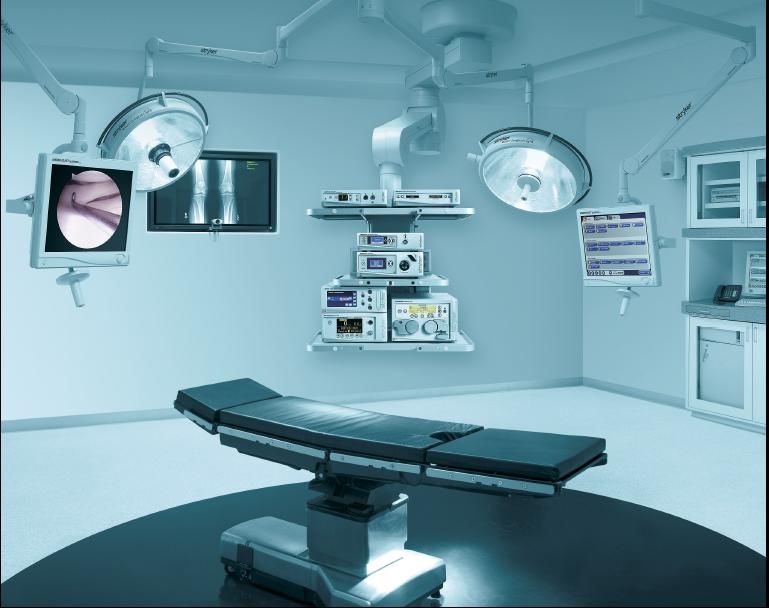
Objectives
 • Laparoscopic Video Imaging
    •   Light Source/Cable
    •   Endoscope
    •   Camera
    •   Video Processor
    •   Display
 • Troubleshooting and Practical aspects
 • Integrated OR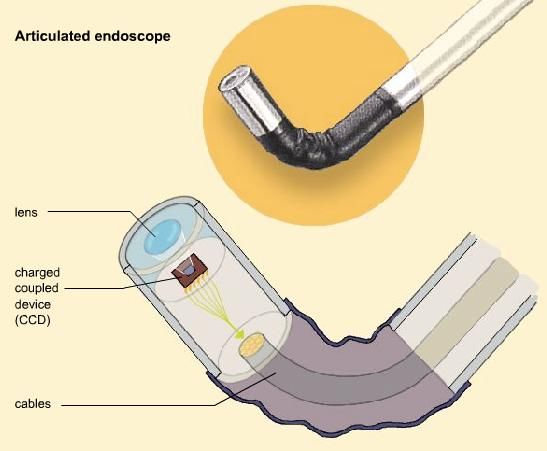
Light Source
• A good light source is
  necessary for safe
  laparoscopic surgery
• Image quality depends on
  light
   • Quality
   • Quantity
• Consists of
   •   Lamp/bulb
   •   heat filter
   •   condensing lens
   •   Manual or automatic
       intensity control circuit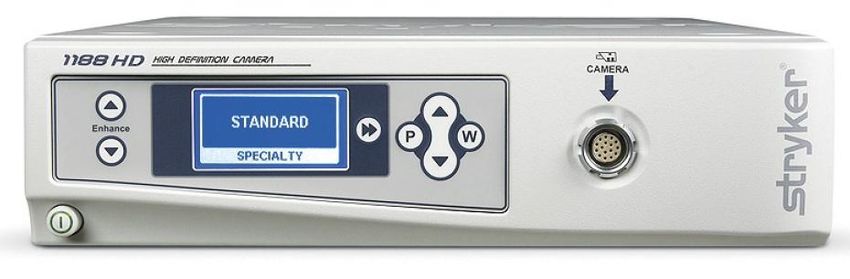
Light Source
• Xenon and Halogen are most
  common type of bulbs used
  today
   • High intensity
   • Closest to pure white light
• Still need white balance every
  time as spectrum changes
  over time
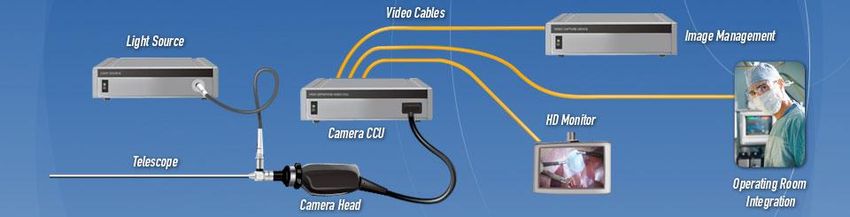
Light Cables
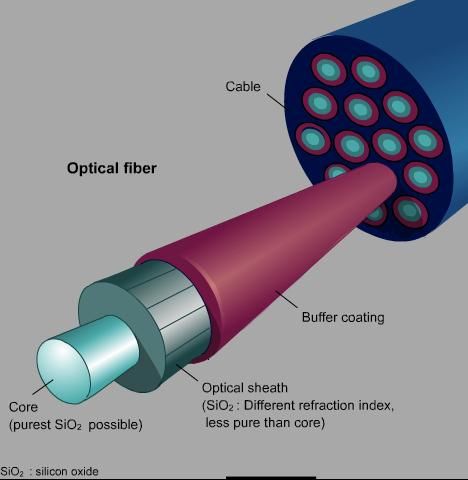
• Fiber optics invented in 1954
• Based on principle of total internal reflection
• Allows for transmission of light from source to
  destination where no straight path exists.
• Up to 90% light loss from cable
Light Cables
• Main problem with fiber optic cables is their fragility and
  susceptibility to damage with excessive manipulation
    • Direct impact
    • Major twisting (being rolled too tightly)
    • Crushing

• To prevent
    • Handle carefully
    • Don’t wind tighter than
      radius of 15cm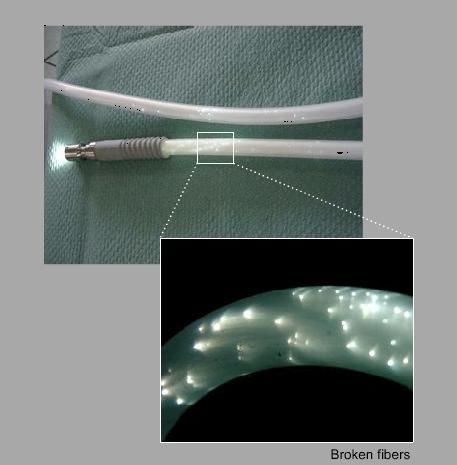
Troubleshooting – Light and Cable
• First check all connections
• Blurry Image
   • Can be due to insufficient light as cameras sharpness
     degraded with less light
• Too Close
   • Surgeon will compensate for an insufficient light source
     by moving the camera closer. This interferes with
     operative maneuvers and makes things difficult
• Blood!!!
   • HgB absorbes light
   • If not enough light to overcome this things begin to look
     dark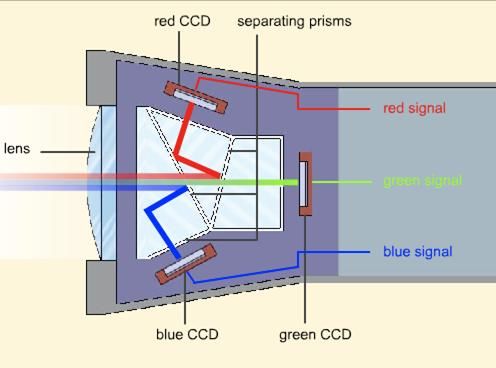
Camera
 Consists of
     •   Photo CCD (charged coupled device)
     •   Lens and focusing ring
     •   Coupling mechanism
     •   Water resistant casing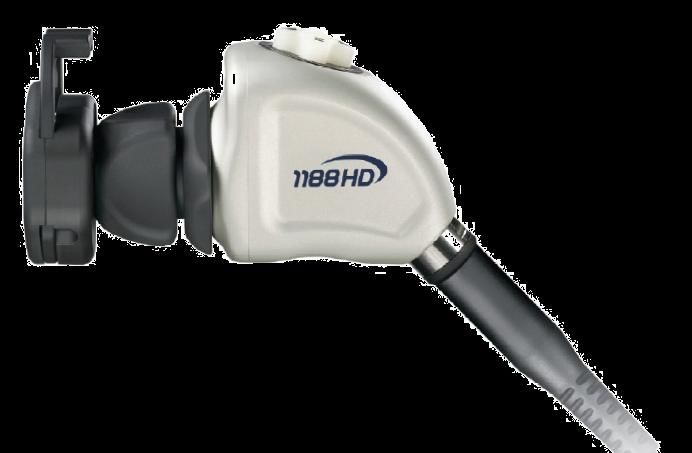
CCD (Image Sensor)
• Fancy device that converts a visual image to electrical
  signals
• Same technology in consumer digital cameras
• Quality of image depends on
    • Resolution of CCD (how many pixels it captures)
        • Newest are HD (1920×1080, or 2,073,600pixels)
    • Type of CCD
        • 3 chip system is far superior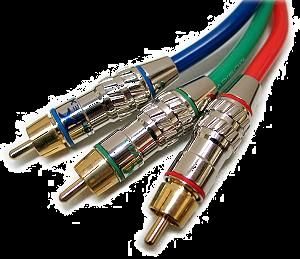
Lens and focus ring
 • Lens is placed between the endoscope and the CCD
 • Focus ring allows change in the distance between the
   lens and the CCD
    • Optical focus
Camera Control Unit • Once the image signal has been created, it is sent to the camera control unit where it is processed, amplified and sent to a video output
Video Output
 Composite Video

 S-Video
     • Older technology, better than composite

 Component Video
     • Separate cable for RGB
     • Supports high resolution but still analogue

 Digital (DVI)
     • Digital signal transmission
     • No distortion of signal loss
     • Supports highest resolutions
Troubleshooting - Camera
No image
• Camera not plugged in or switched on, connections
loose, defective cabes, light source not attached, monitor
not connected
Color problems
• Usually a cable problem, connection or faulty cable
• Faulty white balance
Image too dark
• Defective endoscope
• Cable problem (light or video)
• BleedingTroubleshooting - Camera
Graininess/noise
• Gain enhancement
• Electrical interference
Image not centered
• Coupling ring
Blurry Image
• Focus, clean scopeEndoscope
Ideal characteristics
• Brightness
• Minimal Distortion
• Adequate Depth of field
• DurabilityEndoscope - Structure
Rigid tube containing 2 channels
• Light channel
• Image channel
• Multiple lenses separated by spacers, each inverts the
image
• Inverting Real Image Lens System (IRILS)
• Eyepiece lens magnifies the image and directs it back to the
endoscopeEndoscope
Focal length
• Focal length depends on the aperture at the end of the
laparoscope
• Image appears normal size at the focal length and is
magnified as you get closer to the image
Depth of field
• The distance between near and far objects which appear
in focus
• Narrower scopes have a greater depth of fieldEndoscope
Brightness
• Depends on the amount of light that can be sent to and
received from the object - affected by scope size
• Scopes range in size from 2.5mm to 15mm
• The bigger the brighterMonocular Endoscopes Angle of view Available in 0-120 degrees (0-45 most common) Size Ranges from 3-12 mm Smaller scope, generally less light
Flexible Scopes
  •   Flexible tip laparoscopes have been developed
  •   Allows deflection in any direction
  •   CCD is placed in the tip of the scope
  •   Currently lower resolution, but requires less light
Troubleshooting - Endoscope
 Fogginess/loss of image
     • Endoscope too cold
     • Blood or fat dripping from trocar
     • Cold C02 blowing on scope

 Image blurry, low clarity, focusing problems
     • Check lenses at each end
     • Look through scope without camera
     • Ensure proper coupling

 Poor illumination
     Check light source connection, cables, settings
     Check for damage to light source attachment on scope
     Look for dirt or damage to scope
Monitors • Need a monitor with a resolution at least as great as the camera • Ideally ceiling mounted and mobile
Digital ORs
  •   Integrate equipment with a central device control, including
      potential voice activation
  •   Allow control of routes of video, including use of several
      different inputs
       •   laparoscope
       •   fluroscope
       •   endoscope
       •   PACS
       •   distant site
       •   office chart
  •   Allow control of which sources are displayed where and in
      what manner (PIP)
  •   Allows archive of images and video in digital format
  •   Allow connection between sites within hospital, region, and at
      a distance
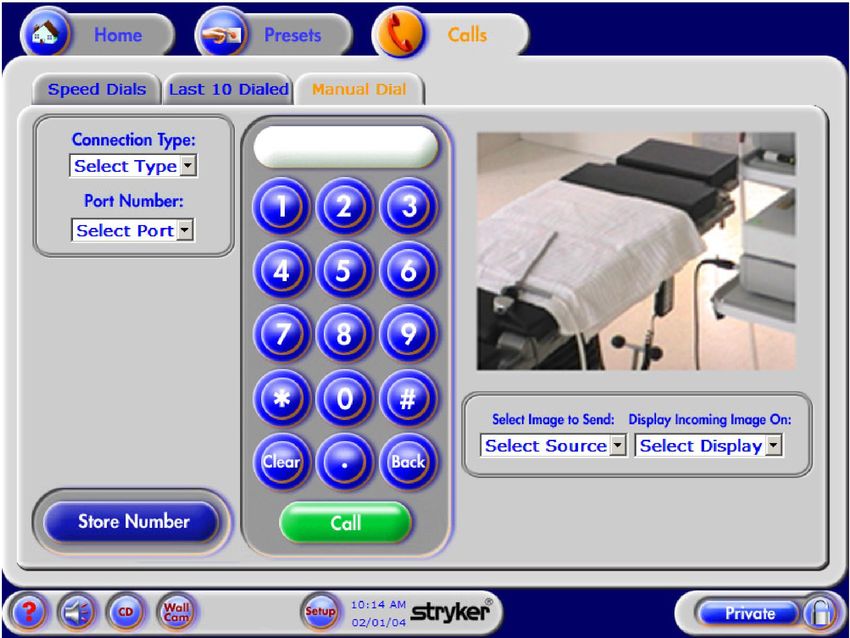
i-Suites
Phone a Friend
Summary
 • Technology has allowed the development of
   laparoscopic surgery and imaging is likely the most
   important aspect of that development
 • Understanding the basic technology behind this tool
   allows a surgeon greater understanding of it’s uses and
   facilitates utilization of the advantages of the
   technology
 • It is important as a surgeon to understand the function
   of, and be able to troubleshoot all equipment that you
   use in the OR
 • Practice with the technology will increase your
   understanding
You can also read


