STRUCTURES SPATIAL DATA STANDARD - Oregon/Washington Bureau of Land Management - Culvert construction in western Oregon - Bureau of Land ...
←
→
Page content transcription
If your browser does not render page correctly, please read the page content below
Oregon/Washington Bureau of Land Management

                             STRUCTURES
                          SPATIAL DATA STANDARD

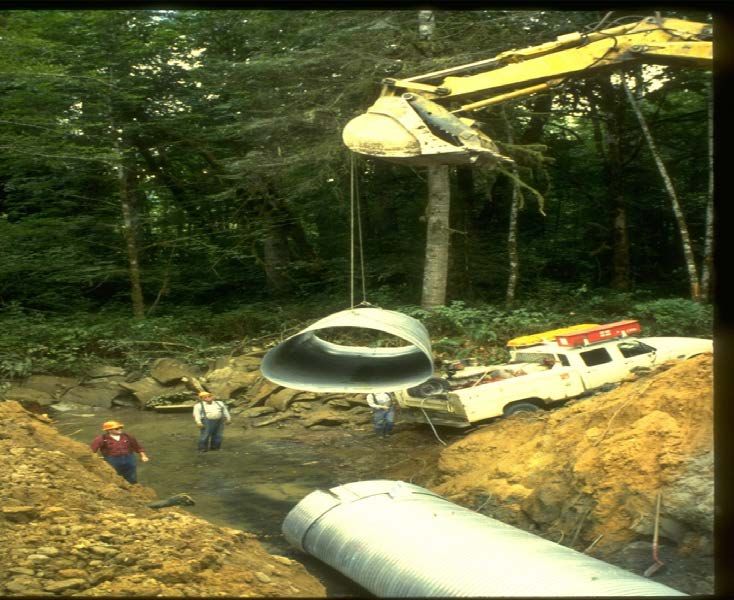
            Culvert construction in western Oregon.

Version 2                                             July 2020
Bureau of Land Management OR/WA State Data Standards
Document Revisions
Revision Date Author Description Affected Pages
1.0 4/26/2010 Stanley Frazier, 1st released version. All
Pamela Keller
1.0 2/13/2013 Stanley Frazier, Revised version All
Pamela Keller
1.1 6/4/2013 Pamela Keller Added attribute ALTERNATIVE to Sections: 4.2 ,4.4,
feature classes STRCT_P_POINTS and 7.2. 7.3, 7.7, 7.11,
STRCT_P_ARC. 7.21, 7.28, 7.41
Wording added to show UNKNOWN as
an allowable entry.
1.1 11/15/2016 Eric Hiebenthal Added Document Revisions Section Revision History
1.2 03/10/17 Kyler Diershaw Updated Data Administrator/Document Section 1.1, 2.5,
Administrator 2.6, 4.0, Appendix
A
1.3 03/17/2017 Kyler Diershaw Added automatic TOC TOC
Updated BLM_ORG_CD A.1
Update Records Retention Schedule text 1.3
1.4 05/04/2017 Micah Babinski Updated Layer Files (Publication Views) 9
section text
Updated dom_COORD_SRC domain A.3
Updated dom_INITIATIVE domain A.5
Updated dom_REASON domain A.8
Updated dom_STATUS_P domain A.9
Updated dom_WORKAGENT domain A.14
1.5 02/20/2019 Al Thompson Reformat and edit All
1.6 03/06/2020 Al Thompson Insert comments, edit, and reformat All
1.7 6/9/2020 Dana Baker-Allum Updated Structure Type domains as per A.11-A.14
change request
2.0 7/10/2020 Dana Baker-Allum Merge proposed and current features into Many
one set of features.
Merged domains Proposed and Completed
Structure Type Domains.
Added new fields: Comments, Filepath.
Updated publication section. Updated
editing guidelines. Updated collection
section to add instructions for mobile.
2.0 8/25/2020 Dana Baker-Allum Added Mineral Activity to A.9
dom_REASON
2.0 10/7/2020 Dana Baker-Allum Corrected values in structure type
domains.
October 20, 2020 Structures 2Bureau of Land Management OR/WA State Data Standards
Navigation
This document uses hyperlinks to display additional information on topics. External links are
displayed with an underline. Internal links are blue text, not underlined.
After clicking on an internal link, press the Alt +left arrow keys to return
to the original location from the target location.
Table of Contents
1. General Information ..................................................................................................................................... 6
1.1 Roles and Responsibilities .............................................................................................................. 6
1.2 FOIA CATEGORY ........................................................................................................................ 7
1.3 Records Retention Schedules ......................................................................................................... 7
1.4 Security/Access/Sensitivity ............................................................................................................. 7
1.5 Keywords ......................................................................................................................................... 7
2 Dataset Overview .......................................................................................................................................... 8
2.1 Usage ................................................................................................................................................ 8
2.2 Sponsor/Affected Parties ................................................................................................................ 8
2.3 Relationship to Other Datasets ...................................................................................................... 8
2.4 Data Category/Architecture Link ................................................................................................ 10
2.5 Relationship to DOI Enterprise Architecture Data Resource Model ....................................... 13
3 Data Management Protocols ...................................................................................................................... 14
3.1 Accuracy Requirements ............................................................................................................... 14
3.2 Collection, Input, and Maintenance Protocols ........................................................................... 14
3.3 Update Frequency and Archival Protocols ................................................................................. 15
3.4 Statewide Monitoring ................................................................................................................... 15
4 Structures Geodatabase Schema (Simplified)........................................................................................... 16
4.1 STRCT_PT (Structure Points) .................................................................................................... 16
4.2 STRCT_ARC (Structure Lines) .................................................................................................. 17
5 Projection and Spatial Extent .................................................................................................................... 19
6 Spatial Entity Characteristics .................................................................................................................... 19
7 Attribute Characteristics and Definitions ................................................................................................. 20
7.1 ACCURACY_FT .......................................................................................................................... 20
7.2 ALTERNATIVE ........................................................................................................................... 20
7.3 ARCH_CLEAR ............................................................................................................................. 21
7.4 BLM_ORG_CD ............................................................................................................................ 21
7.5 BOT_CLEAR ................................................................................................................................ 22
7.6 BUDGET_CD ................................................................................................................................ 22
7.7 CARTO .......................................................................................................................................... 22
7.8 CLASSIFIER ................................................................................................................................ 23
7.9 COMMENTS ................................................................................................................................ 23
October 20, 2020 Structures 3Bureau of Land Management OR/WA State Data Standards
7.10 CONDITION ................................................................................................................................. 23
7.11 COORD_SRC................................................................................................................................ 24
7.12 CURRENT_CD ............................................................................................................................. 24
7.13 ELEVATION_FT ......................................................................................................................... 24
7.14 FAC_ADMIN ................................................................................................................................ 25
7.15 FAMSKEY .................................................................................................................................... 25
7.16 FILEPATH .................................................................................................................................... 25
7.17 GIS_MILES ................................................................................................................................... 26
7.18 INITIATIVE.................................................................................................................................. 26
7.19 INITIATIVE2................................................................................................................................ 26
7.20 LOCAL_LINK .............................................................................................................................. 27
7.21 MAINT_DT ................................................................................................................................... 27
7.22 NHD_REACHCODE .................................................................................................................... 27
7.23 PLANID ......................................................................................................................................... 28
7.24 PROJ_NAME ................................................................................................................................ 28
7.25 RADMETER ................................................................................................................................. 28
7.26 REASON ........................................................................................................................................ 29
7.27 REASON2 ...................................................................................................................................... 29
7.28 RIPSKEY ....................................................................................................................................... 29
7.29 SIDEMETER ................................................................................................................................ 30
7.30 STRCT_ARC_TYPE .................................................................................................................... 30
7.31 STRCT_DT.................................................................................................................................... 30
7.32 STRCT_GUID ............................................................................................................................... 31
7.33 STRCT_ID ..................................................................................................................................... 31
7.34 STRCT_MAT ................................................................................................................................ 31
7.35 STRCT_NAME ............................................................................................................................. 32
7.36 STRCT_PT_TYPE ....................................................................................................................... 32
7.37 STRCT_STATUS.......................................................................................................................... 33
7.38 SYM_ROTATE ............................................................................................................................. 33
7.39 TRTLINK ...................................................................................................................................... 33
7.40 VERSION_NAME ........................................................................................................................ 34
7.41 WILD_CLEAR ............................................................................................................................. 34
7.42 WORKAGENT ............................................................................................................................. 34
8 Layer Files (Publication Views) ................................................................................................................. 36
9 Editing Procedures ...................................................................................................................................... 37
9.1 Managing Overlap (General Guidance)...................................................................................... 37
9.1.1 Overlapping Points ......................................................................................................... 37
9.2 Editing Quality Control ................................................................................................................ 37
9.3 Theme Specific Guidance ............................................................................................................. 38
10 Abbreviations and Acronyms ..................................................................................................................... 39
October 20, 2020 Structures 4Bureau of Land Management OR/WA State Data Standards
A Domains (Valid Values) .............................................................................................................................. 40
A.1 dom_BLM_ORG_CD ................................................................................................................... 40
A.2 dom_CONDITION ....................................................................................................................... 40
A.3 dom_COORD_SRC ...................................................................................................................... 40
A.4 dom_CURRENT_CD ................................................................................................................... 41
A.5 dom_Degree0to359........................................................................................................................ 41
A.6 dom_INITIATIVE ........................................................................................................................ 41
A.7 dom_JURIS_CODE ...................................................................................................................... 42
A.8 dom_PLANID................................................................................................................................ 43
A.9 dom_REASON .............................................................................................................................. 43
A.10 dom_STATUS ............................................................................................................................... 45
A.11 dom_STRCT_ARC_TYPE .......................................................................................................... 46
A.12 dom_STRCT_PT_TYPE .............................................................................................................. 47
A.13 dom_WORKAGENT .................................................................................................................... 50
October 20, 2020 Structures 5Bureau of Land Management OR/WA State Data Standards
1. General Information
This dataset represents constructed features called structures. Structures are discrete, physically existing things
that support treatment, recreation, or other management activities. Structures have a construction focus including
materials, condition, and maintenance. Structures are line or point features used as building blocks. A fixed
buffer width, added as an attribute to the point or line, is enough for determining acres as needed.
• Dataset (Theme) Name: Structures
• Dataset (Feature Class): STRCT_PT, STRCT_ARC
Structures might be associated with one or more of the following databases:
• Range Improvement Project System (RIPS)
• Facility Assets Management System (FAMS)
• Ground Transportation (GTRN)
• Recreation Management Information System (RMIS)
• Watershed Enhancement Tracking System (WETS)
• Interagency National Hydrography Dataset (NHD)
• United States Geological Survey (USGS)
• Geographic Names Information System (GNIS)
• State of Oregon databases
1.1 Roles and Responsibilities
Table 1 provides a list of the roles and describes the responsibilities for each role. Current personnel assigned
these Roles, can be found at the following link: https://www.blm.gov/about/data/oregon-data-management
Table 1 Roles and Responsibilities (Continued)
Roles Responsibilities
State Data Steward The State Data Steward responsibilities include approving data standards and
business rules, developing Quality Assurance/Quality Control procedures,
identifying potential Privacy issues, and managing that data as a corporate
resource. The State Data Steward coordinates with field office data stewards,
the State Data Administrator, Geographic Information System (GIS)
coordinators, and national data stewards. The State Data Steward reviews
geospatial metadata for completeness and quality.
GIS Technical Lead The GIS Technical Lead works with data stewards to convert business needs
into GIS applications and derive data requirements and participates in the
development of data standards. The GIS technical lead coordinates with system
administrators and GIS coordinators to manage the GIS databases. The GIS
technical lead works with data editors to ensure the consistency and accordance
with the established data standards of data input into the enterprise Spatial
Database Engine (SDE) geodatabase. The GIS technical lead provides technical
assistance and advice on GIS analysis, query, and display of the dataset.
State Data Administrator The State Data Administrator provides information management leadership, data
modeling expertise, and custodianship of the state data models. The State Data
Administrator ensures compliance with defined processes for development of
data standards and metadata, and process consistency and completeness. The
State Data Administrator is responsible for making data standards and metadata
accessible to all users. The State Data Administrator coordinates with data
stewards and GIS coordinators to respond to national spatial data requests.
October 20, 2020 Structures 6Bureau of Land Management OR/WA State Data Standards
Table 1 Roles and Responsibilities (Continued)
Roles Responsibilities
State Records Administrator The State Records Administrator assists the state data steward to identify any
privacy issues related to spatial data. The state records administrator also
provides direction and guidance on data release and fees. The state records
administrator classifies data under the proper records retention schedule and
determines the appropriate Freedom of Information Act category.
1.2 FOIA CATEGORY
Public
1.3 Records Retention Schedules
The DRS/GRS/BLM Combined Records Schedule under Schedule 20/52a3 (Electronic Records/Geographic
Information Systems) lists Structures as one of the system-centric themes that are significant for BLM’s mission
that must be permanently retained.
PERMANENT. Cutoff at the end of each Fiscal Year (FY), or, when significant changes and additions have
been made, before and after the change. Use BLM 20/52a. Transfer to the National Archives every three years
after cutoff. Under the instruction in 36 CFR 1235.44-50, or whichever guidance is in place at the time of the
transfer. Submissions are full datasets and are in addition to, not replacements, of earlier submissions.
According to the DRS/GRS/BLM Records Schedules, Schedule 20 Item 52a3, the NOC is responsible for
transfer to NARA.
Oregon/Washington (OR/WA) Bureau of Land Management (BLM) Guidebook for Management of Geospatial
Data (v1) Section 15.2 - Corporate Data Online Archives prescribes:
Vector annual archives are retained online for 12 years. Each year, data that has reached 12 years old is copied
off-line, to be retained until no longer needed (determined by data stewards and program leads), with format and
readability maintained in a five-year tech refresh update cycle.
1.4 Security/Access/Sensitivity
The structures set of themes does not require any additional security other than that provided by the General
Support System (the hardware/software infrastructure of the Oregon/Washington (OR/WA) BLM).
This data is not sensitive, and there are no restrictions on access to this data from either within the BLM or
external to the BLM.
1.5 Keywords
Keywords used to locate this dataset include:
• BLM Thesaurus: Facility, Energy, Range, Recreation, Disturbance, Geospatial.
• Additional keywords: structures, construction, improvements, range improvements, and resource
improvements.
• ISO Thesaurus Keywords: biota, economy, environment, location, farming, and structure.
October 20, 2020 Structures 7Bureau of Land Management OR/WA State Data Standards
1.6 Subject Function Codes
BLM Subject Function codes used to describe this dataset include:
• 1283 - Data Administration
• 9175 - Land Treatment
2 Dataset Overview
2.1 Usage
This dataset depicts structures on maps and provides information useful to the maintenance of structures on the
ground, and for reporting on construction activity. The BLM, as a public land management agency, is required
to identify land-altering actions including construction. Proposed structures must undergo planning at some
level. The National Environmental Protection Act cumulative effects analysis requires accounting for both
completed and proposed structures. Structure reporting usually counts rather than measures the structures, with
linear structures tallied by mile. Structures are often combined (spatial overlay) with polygon feature classes for
a variety of analytical purposes. For example, miles of fence in a watershed or the number of erosion control
devices in a Resource Area.
Non-BLM structures (structures under the control of another agency or private party) can be included in this data
set when necessary for cartographic or analytical purposes. Take care to identify clearly non-BLM features
when shown.
2.2 Sponsor/Affected Parties
The sponsor for this dataset is the Deputy State Director, Resource Planning, Use and Protection. This dataset
represents BLM structures, and matching interagency data across the landscape is not necessary.
2.3 Relationship to Other Datasets
Structures, defined as constructed features, may have links to the FAMS application database. In addition,
structures often have meaning outside of being constructed things. Structures built to support rangeland
management (fences, water developments) need links to RIPS. They might be infrastructure for a recreation site.
The structure itself is not a recreation site but may be associated with a recreation site feature (RECSITE). Link
structures built to support a land area treatment to that treatment with TRTLINK. It is important to consider the
relationships between structures and associated areas treated or potentially treated because it may not be
immediately obvious. Capture these treated area polygons on one of the treatment feature classes (BURN,
REVEG, HARV, MECH, CHEM, BIO, and PROT). Some structures function as treatments all by themselves;
so, the core attributes for PLANID, REASON, REASON2, INITIATIVE, and INITIATIVE2 are included.
There should be a large amount of coincidence between STRCT_ARC and the polylines (arc) of Grazing
Allotments and Pastures (GRA) and/or polylines of PROT (protection feature class from treatments). If GRA
arcs have DEF_FEATURE = “FENCE,” there should be a corresponding arc on STRCT_ARC with TYPE =
“Fence.” However, it is important to note that fences on STRCT_ARC might be slightly different (longer or
shorter extent) than the polylines of GRA or PROT. There will be more fences in STRCT_ARC than are found
in GRA or PROT. The STRCT_ARC represents the true physical location of a fence; GRA and PROT represent
areas that may include boundary segments other than fences.
Link structures related to water to the relevant physical water feature in the NHD. Fill in the
NHD_REACHCODE linking field for the appropriate structures. The NHD does not include the attribute
information needed for BLM water structure management, use, and planning purposes. You will find structures
dataset attributes and additional detail in Section 3.2 Collection, Input, and Maintenance Protocols on page 14.
Another existing database application is the WETS database. Even though WETS allows for the creation of GIS
October 20, 2020 Structures 8Bureau of Land Management OR/WA State Data Standards
spatial features within the application, it is not the master location for spatial features. Features from NHD,
structures, treatments, GTRN or other GIS master datasets, can be copied into the WETS and attributes attached.
Select spatial features with a riparian or water restoration benefit from structures using the REASON or
REASON2 attributes.
Even though roads, railroads, and trails are constructed features, the OR/WA corporate GTRN dataset will
continue to serve as master data for these spatial features. Point features, like gates and cattleguards, however,
are found in STRCT_PT. Road closure devices are indicated by REASON = “Road Access Restriction” with a
STRCT_PT_TYPE of Gate, Road Barrier, or Sign. The STRCT_MAT provides the physical material of the road
closure or blockage.
Power, communication (phone, optic, cable), and gas lines are generally not BLM owned or managed entities.
BLM acquires utility lines are from other agencies, but OR/WA BLM often needs to make modifications to
reduce the complexity of lines, as well as customize attributes. As such, these data fall into the OR/WA
corporate data category of external source (value-added) and are stored in a separate feature class. Structures
allow inclusion of these entity types for when OR/WA BLM is the appropriate creator and maintainer of the data.
There is considerable duplication between STRCT_PT, NHD, RECSITE and the USGS point layer GNIS. The
GNIS is simply points for cartographic display and includes all kinds of locations. The GNIS contains point
locations for recreation sites (RECSITE) like parks and campgrounds, as well as, constructed features such as
offices, towers, wells, dams, bridges and many more. These are not completed nor intended to be. They are map
label locations and, more importantly, the official names of natural features. The GNIS also contains
cartographic locations for landform labels (peaks, valleys, flats, etc.). To avoid duplication with other OR/WA
BLM corporate data, consider GNIS the master spatial data location only for the landform label points. There
should be regular synchronization of point locations from the other themes to GNIS and, conversely, GNIS
provides the official name for relevant spatial features (notably water features). There is often an additional
“local” name necessary for data differentiation and linkage to other databases.
All the above are examples of “one-to-many” relationships where there may be many structures related to one
treatment polygon, one recreation site polygon or recreation site point, one range improvement project, or one
“facility” in FAMS. It may also be necessary to go from one structure to many smaller structures. For example,
one pipeline might have many valves, one wind tower might have details about support points, and one
campground might have many water spigots and toilets. Keep these details, if necessary, in separate tables
linked to structures with STRCT_ID and/or to recreation sites or other facilities with FAMSKEY and/or to
treatments with TRTLINK. These tables can have simple XY coordinates for mapping. You can keep examples
of such small structure locations in a separate XY table:
• Small Signs (Boundary/Information/Fire Prevention/Fee)
• Power Pole/Box, Communication Pole/Box
• Water Spigot/Valve/Vent/Pump/Drain
• Sewage Sump, Propane Tank
• Traffic Counter Road/Trail
• Fire Ring, Picnic Table
• Fence Gate/Stile/Jack
• Fence Pull Pile
• Claim Marker
Consider a recreation Site, a Structure, and a Small Structure associated item by following the FAMS logic for a
Site, an Asset, and an Optional Asset. All structures should create an entity on STRCT_PT or STRCT_ARC
(with possible association to treatment feature classes or to Recreation Sites). The small structures stored in a
separate table, if they may have only minimal additional information or a great deal of detailed information.
Define the relationship to Sampling Points (described in the SAMPLE_PT data standard) by intent or purpose of
the entity. Define structures by their construction characteristics. Define sampling Points by their purpose,
which is resource measurement, and monitoring at a specific point and time (often repeatedly). Think of things
like mineral drill holes, geothermal test wells, and seismic test stations as small structures, but they are inherently
October 20, 2020 Structures 9Bureau of Land Management OR/WA State Data Standards
Sampling Points.
The most important related applications are Micro*Storms, National Fire Plan Operations and Reporting System,
NHD, FAMS and RIPS. The linking field is understood for these applications. Other applications which may
need to upload spatial features from the structures feature classes are Timber Sale Information System,
Stewardship Contracting Information Database, and IRDA. Linkage to these systems is not yet determined.
Information about small structures that can always be represented as points is kept in separate tables that can be
linked to STRCT_PT or STRCT_ARC with STRCT_ID.
Structures are also related to the ODF Fish Passage Barrier and Culvert datasets. Fish Passage Barriers and
Culverts datasets relate to the Structure Points.
2.4 Data Category/Architecture Link
This data theme is a portion of the Oregon Data Framework (ODF) shown in Figure 1, Oregon Data Framework
(ODF) Overview, a simplified schematic of the entire ODF showing the overall organization and entity
inheritance. The ODF utilizes the concept of inheritance to define specific instances of data. The ODF divides
all OR/WA resource-related data into three general categories:
• Activities
• Resources
• Boundaries
These general categories are broken into sub-categories that inherit spatial characteristics and attributes from
their parent category. These sub-categories may be further broken into more specific groups until the basic data
set cannot be further sub-divided. Those basic data sets inherit all characteristics of all groups/categories above
them. The basic data sets are where physical data gets populated. Those groups/categories above them do not
contain actual data but set parameters which all data of that type must follow.
October 20, 2020 Structures 10Bureau of Land Management OR/WA State Data Standards
Figure 1 Oregon Data Framework Overview
October 20, 2020 Structures 11Bureau of Land Management OR/WA State Data Standards
Physical data populates the basic data sets. Those groups/categories above them do not contain actual data but
set parameters that all data of that type must follow. See Figure 2, Structures Data Organization Structure for a
simplified schematic of the entire ODF showing the overall organization and entity inheritance. The Structure
entities are highlighted. For additional information about the ODF, contact the. State Data Administrator.
For each feature class of the structures group, the categories/groups it is part of are:
ODF
Activities
Facilities
Structures
STRCT_PT
STRCT_ARC
Figure 2 Data Organization Structure
October 20, 2020 Structures 12Bureau of Land Management OR/WA State Data Standards
2.5 Relationship to DOI Enterprise Architecture Data Resource Model
The Department of the Interior’s (DOI) Enterprise Architecture contains a component called the Data Resource
Model. This model addresses the concepts of data sharing, data description, and data context. This data standard
provides information needed to address each of those areas. Complete documentation and simple data structures
that make sharing easier address data sharing. The Attribute Characteristics and Definitions section addresses
data description. The data organization and structure portions of this document addresses data context. In
addition, the DOI Data Resource Model categorizes data by use of standardized data subject areas and
information classes. For this dataset, these are as follows:
• Data Subject Area: Geospatial
• Information Class: Location
For a complete list of all DOI Data Subject Areas and Information Classes, contact the State Data Administrator.
October 20, 2020 Structures 13Bureau of Land Management OR/WA State Data Standards
3 Data Management Protocols
3.1 Accuracy Requirements
Since structures have a physical existence on the ground, it is possible to map their locations with a high degree
of accuracy. Accuracy is, however, variable because of a wide variety of sources. The claimed +/- range is
captured in the attribute ACCURACY_FT. Entering structure locations using the Global Positioning System
(GPS) or by careful mapping improves the accuracy.
3.2 Collection, Input, and Maintenance Protocols
Input structures from one of the following sources:
• From GPS coordinates
• Using Digital Orthophoto Quad backdrops for heads-up digitizing
• Copied from existing digital data
• Digitized from paper maps
Capture the source of the coordinates in the attribute COORD_SRC. It is possible, and likely, that there will be
multiple structure points in the same location, so it is important to check for unintentional duplicates. Structures
that are associated with a treatment should have the TRT_ID from the relevant treatment feature class and
REASON filled in.
To collect mobile data, a staff member must first obtain the appropriate mobile editor user account within the
BLM ArcGIS Online (AGOL) organization. Then, administrators will add Structures mobile editors to the
designated group in AGOL which allows them to access the editable feature service. Specific decisions about
how to manage AGOL users can be made at the District or Field Office level.
Once added to the correct group, users can log in to the S1 Mobile for Android Application and download an
editable replica of the Structures dataset to their device for offline use in the field. This application allows users
to create Structures features.
When the user returns to the office and re-establishes wireless internet connectivity on the device, they will then
choose the option to sync and submit their data from the mobile application. This will add the created, updated,
and/or deleted features/records to a BLM SDE Version queue. Authorized editors will then import this mobile
version into ArcGIS Desktop, where they will review the data, perform any needed corrections or updates, and
submit the version for automated Quality Assurance/Quality Control (QAQC), reconcile, and posting. The
automated QAQC process performed during version submission will check the version for missing values in
required fields, values outside of applied range and/or coded value domains, and other data rules.
Structures associated with a physical water feature found in NHD should have a matching NHD_REACHCODE
with the appropriate reach unique identifier. You can use the same reach code on more than one structure. Fill
in the NHD and NHD_REACHCODE physical water feature as soon as possible.
There are three kinds of proposed structures:
1. New construction
2. Reconstruction
3. Removal
1. The final constructed shape and location might be different from the proposed. Adjust the shape, fill in the
appropriate linking fields (especially NHD_REACHCODE and RIPSKEY), change the STRCT_STATUS to
Completed and adjust other attributes as needed.
2. Delete the relevant proposed features when a proposal is no longer valid.
October 20, 2020 Structures 14Bureau of Land Management OR/WA State Data Standards
3.3 Update Frequency and Archival Protocols
Updates are potentially frequent but usually involve only a few structures. District resource specialists should
check the themes frequently for spatial and attribute accuracy within their districts and inform the GIS editor
when features are ready to move from Proposed to Completed.
3.4 Statewide Monitoring
The State Data Stewards are responsible for checking consistency and completeness across districts for the
theme(s) that is relevant to their programs.
Each year, the Resource Science Data team of the BLM Division of Resources, Lands, Minerals and Fire meets
with each state data steward for every corporate geospatial theme to conduct an annual review of the data.
During the annual review, geospatial staff present the state data stewards with a report detailing Quality
Assurance/Quality Control (QAQC) results performed on the data. The QAQC does the following:
• Checks that all attribute values conform to the range or coded-value domains to which they are applied.
• Checks that all attributes marked as required in the data standard have values.
• Checks for duplicate features which have the same geometry and attributes.
• Checks for overlapping features if forbidden by the data standard.
• Checks for invalid geometry.
• Other checks as necessary (can be customized according to the data standard).
In addition to this report, geospatial staff conduct a qualitative needs assessment with the steward to identify any
unmet needs or problems with the status of the data. At the conclusion of the review, the team records the
steward’s approvals of the datasets reviewed. These approvals are then added to the corporate metadata.
October 20, 2020 Structures 15Bureau of Land Management OR/WA State Data Standards
4 Structures Geodatabase Schema (Simplified)
The following tables list attributes in the order they appear in the geodatabase feature class. The order is an
indication of the importance of the attribute for theme definition and use. The tables list the core required
attributes first, but non-core attributes may be listed adjacent to related attributes to avoid confusion in the GIS
tables. There are no aliases unless specifically noted. Appendix A, Domains (Valid Values) lists the domains
used in this data standard at the time this data standard was approved. Domains can be changed without a re-
issue of the data standard so those shown in the Appendix may not be current. You can find current domains on
the internal OR/WA SharePoint data management page. Some of the domains used in this data standard are also
available at the following public web site: https://www.blm.gov/site-page/oregon-data-management. For domains
not listed at that site contact the State Data Administrator.
4.1 STRCT_PT (Structure Points)
Attribute Name Data Type Length Default Value Required Domain
STRCT_ID Integer Long Yes
STRCT_NAME String 40 Yes
STRCT_PT_TYPE String 30 Yes dom_STRCT_PT_TYPE
STRCT_STATUS String 20 Yes dom_STATUS
PROJ_NAME String 100 No
STRCT_DT String 8 Yes
MAINT_DT String 8 No
CONDITION String 20 No dom_CONDITION
STRCT_MAT String 30 No
REASON String 30 Yes dom_REASON
REASON2 String 30 No dom_REASON
BLM_ORG_CD String 5 Yes dom_BLM_ORG_CD
FAC_ADMIN String 3 UN Yes dom_JURIS_CODE
CLASSIFIER String 30 No
PLANID String 100 No dom_PLANID
INITIATIVE String 20 No dom_INITIATIVE
INITIATIVE2 String 20 No dom_INITIATIVE
BUDGET_CD String 50 No
WORKAGENT String 40 No dom_WORKAGENT
TRTLINK Integer Long No
FAMSKEY String 8 No
RIPSKEY String 6 No
NHD_REACHCODE String 14 No
CURRENT_CD String 1 C Yes dom_CURRENT_CD
CARTO String 20 No
ELEVATION_FT Integer Short No
ALTERNATIVE String 10 No
October 20, 2020 Structures 16Bureau of Land Management OR/WA State Data Standards
Attribute Name Data Type Length Default Value Required Domain
ARCH_CLEAR String 8 No
BOT_CLEAR String 8 No
WILD_CLEAR String 8 No
SIDEMETER Double 16,2 No
RADMETER Double 16,2 No
SYM_ROTATE Integer Short No dom_Degree0to359
LOCAL_LINK String 30 No
COORD_SRC String 7 No dom_COORD_SRC
ACCURACY_FT Integer Short No
FILEPATH String 150 No
STRCT_GUID GUID Yes *
COMMENTS String 255 No
VERSION_NAME String 50 InitialLoad Yes *
* Values automatically generated
4.2 STRCT_ARC (Structure Lines)
Attribute Name Data Length Default Value Required Domain
Type
STRCT_ID Integer Long Yes
STRCT_NAME String 40 Yes
STRCT_ARC_TYPE String 30 Yes dom_STRCT_ARC_TYPE
STRCT_STATUS String 20 Yes dom_STATUS
PROJ_NAME String 100 No
STRCT_DT String 8 Yes
CONDITION String 20 No dom_CONDITION
MAINT_DT String 8 No
STRCT_MAT String 30 No
REASON String 30 Yes dom_REASON
REASON2 String 30 No dom_REASON
BLM_ORG_CD String 5 Yes dom_BLM_ORG_CD
FAC_ADMIN String 3 UN Yes dom_JURIS_CODE
CLASSIFIER String 30 No
PLANID String 100 No dom_PLANID
BUDGET_CD String 50 No
INITIATIVE String 20 No dom_INITIATIVE
INITIATIVE2 String 20 No dom_INITIATIVE
WORKAGENT String 40 No dom_WORKAGENT
October 20, 2020 Structures 17Bureau of Land Management OR/WA State Data Standards
Attribute Name Data Length Default Value Required Domain
Type
TRTLINK Integer Long No
FAMSKEY String 8 No
RIPSKEY String 6 No
CURRENT_CD String 1 C Yes dom_CURRENT_CD
CARTO String 20 No
GIS_MILES Decimal 12,6 Yes
ALTERNATIVE String 10 No
ARCH_CLEAR String 8 No
BOT_CLEAR String 8 No
WILD_CLEAR String 8 No
RADMETER Double 16,2 No
LOCAL_LINK String 30 No
COORD_SRC String 7 No dom_COORD_SRC
ACCURACY_FT Integer Short No
FILEPATH String 150 No
STRCT_GUID GUID Yes *
COMMENTS String 255 No
VERSION_NAME String 50 InitialLoad Yes *
* Values automatically generated
October 20, 2020 Structures 18Bureau of Land Management OR/WA State Data Standards
5 Projection and Spatial Extent
All feature classes and feature datasets are in Geographic, North American Datum 83. Units are decimal
degrees. Spatial extent (area of coverage) includes all lands managed by the BLM in OR/WA, but it is not “wall-
to-wall” and may cover only a small percentage of the total. Total coverage will not increase greatly over time.
See the metadata for this dataset for more precise description of the extent.
6 Spatial Entity Characteristics
• STRCT_PT
o Description: Instance of Structures Existing group.
o Geometry: Simple point features.
o Topology: No topology rules enforced.
o Integration Requirements: None.
• STRCT_ARC
o Description: Instance of Structures Existing group.
o Geometry: Simple line features.
o Topology: No topology rules enforced.
o Integration Requirements: None.
October 20, 2020 Structures 19Bureau of Land Management OR/WA State Data Standards
7 Attribute Characteristics and Definitions
In alphabetical order.
7.1 ACCURACY_FT
Geodatabase Name ACCURACY_FT
BLM Structured Name Accuracy_Feet_Measure
Inheritance Inherited from entity STRUCTURE
Alias Name None
Feature Class Use/Entity Table All feature classes
Definition How close, in feet, the spatial GIS depiction is to the actual location on the
ground. There are several factors to consider in GIS error: scale and accuracy
of map-based sources, accuracy of GPS equipment, and the skill level of the
data manipulators. A value of “0” indicates no entry. This is the correct value
when the COORD_SRC is another GIS theme (Digital Line Graphs, Cadastral
National Spatial Data Infrastructure and Digital Elevation Model) because that
theme determines the accuracy. However, if COORD_SRC is MAP (digitized
from a paper map) or GPS, a value of “0” indicates a missing value filled in
either with a non-zero number or “-1.” A value of “-1” indicates that the
accuracy is unknown, and no reliable estimate can be made.
Required/Optional Optional
Domain (Valid Values) No domain. Examples: 3 (for high accuracy GPS), 40 (best possible for
USGS 24K topo map), 200
Data Type Short Integer
7.2 ALTERNATIVE
Geodatabase Name ALTERNATIVE
BLM Structured Name Alternative_Text
Inheritance Inherited from entity PROPOSED FACILITY
Alias Name None
Feature Class Use/Entity Table All feature classes
Definition Identifier for the alternative during the planning process (e.g., A, B, C, D, E).
Free choice values for different plans, can be concatenated when same polygon
applies to multiple alternatives (BCD, ACD, etc.)
This field should not be used for records with a status of completed.
Required/Optional Optional
Domain (Valid Values) No domain. Examples: A, 1, B3, B3A1C
Data Type String (10)
October 20, 2020 Structures 20Bureau of Land Management OR/WA State Data Standards
7.3 ARCH_CLEAR
Geodatabase Name ARCH_CLEAR
BLM Structured Name Archaeological_Clearance_Date
Inheritance Inherited from entity STRUCTURE
Alias Name None
Feature Class Use/Entity Table All feature classes
Definition Date the proposed structure area received archaeological clearance.
Use YYYYMMDD or YYYYMM or YYYY format. UNKNOWN is an
allowable entry.
Required/Optional Optional
Domain (Valid Values) No domain. Examples: 20091022, 200109, 1999, UNKNOWN
Data Type String (8)
7.4 BLM_ORG_CD
Geodatabase Name BLM_ORG_CD
BLM Structured Name Administrative_Unit_Organization_Code
Inheritance Inherited from entity STRUCTURE
Alias Name None
Feature Class Use/Entity Table All feature classes
Definition A combination of the BLM administrative state and field office that has
administrative responsibility for the spatial entity. This includes determining
the office to cover the entity for planning purposes and the office that is the
lead for GIS edits. Another agency or individual may have the physical
management responsibility for the on-the-ground entity. This field applies
particularly when a spatial entity crosses resource area or district boundaries
and the administrative responsibility is assigned to one or the other rather than
splitting the spatial unit. Similarly, OR/WA BLM may have administrative
responsibility over some area that is physically located in Nevada, Idaho, and
California and vice versa. When appropriate, identify the office to the district
or even the state level rather than to the resource area level.
Required/Optional Required
Domain (Valid Values) dom_BLM_ORG_CD
Data Type String (5)
October 20, 2020 Structures 21Bureau of Land Management OR/WA State Data Standards
7.5 BOT_CLEAR
Geodatabase Name BOT_CLEAR
BLM Structured Name Botanical_Clearance_Date
Inheritance Inherited from entity PROPOSED STRUCTURE
Alias Name None
Feature Class Use/Entity Table All feature classes
Definition Date the proposed structure area received botanical clearance. Use
YYYYMMDD, YYYYMM, or YYYY format. UNKNOWN is an allowable
entry.
Required/Optional Optional
Domain (Valid Values) No domain. Examples: 20091022, 200109, 1999, UNKNOWN
Data Type String (8)
7.6 BUDGET_CD
Geodatabase Name BUDGET_CD
BLM Structured Name Funding_Program_Code
Inheritance Inherited from entity ACTIVITIES
Alias Name None
Feature Class Use/Entity Table All feature classes
Definition Primary funding program activity for a structure.
Required/Optional Optional
Domain (Valid Values) No domain. Examples: 1020, 1040, 1220, 1060MX
Data Type String (50)
7.7 CARTO
Geodatabase Name CARTO
BLM Structured Name Cartographic_Text
Inheritance Inherited from entity ACTIVITIES
Alias Name None
Feature Class Use/Entity Table All feature classes
Definition Free text field for each office to use as desired for cartographic (selection and
display) purposes. Blanks and special characters not advised.
Required/Optional Optional
Domain (Valid Values) No domain. Examples: Major, Minor, 1, 2, 3, Show, NoShow, and Private
Data Type String (20)
October 20, 2020 Structures 22Bureau of Land Management OR/WA State Data Standards
7.8 CLASSIFIER
Geodatabase Name CLASSIFIER
BLM Structured Name Classifier_Name
Inheritance Inherited from entity ACTIVITIES
Alias Name None
Feature Class Use/Entity Table All feature classes
Definition Name (mixed case, first and last) of the subject matter specialist most
knowledgeable about the construction project (contact). Simple name of a
person has been determined not to be a privacy issue, so these attribute values
are published with the web-based downloadable data.
Required/Optional Optional
Domain (Valid Values) No domain. Examples: Mary Smith, John Doe
Data Type String (30)
7.9 COMMENTS
Geodatabase Name COMMENTS
BLM Structured Name Comments_Text
Inheritance Not Inherited
Alias Name None
Feature Class Use/Entity Table All feature classes
Definition Free text for comments about the structure.
Required/Optional Optional
Domain (Valid Values) No domain.
Data Type String (255)
7.10 CONDITION
Geodatabase Name CONDITION
BLM Structured Name Physical_Condition_Code
Inheritance Inherited from entity COMPLETED STRUCTURE
Alias Name None
Feature Class Use/Entity Table All feature classes
Definition General physical condition of a structure.
Required/Optional Optional
Domain (Valid Values) dom_CONDITION
Data Type String (20)
October 20, 2020 Structures 23Bureau of Land Management OR/WA State Data Standards
7.11 COORD_SRC
Geodatabase Name COORD_SRC
BLM Structured Name Coordinate_Source_Code
Inheritance Inherited from entity STRUCTURE
Alias Name None
Feature Class Use/Entity Table All feature classes
Definition The actual source of the GIS coordinates for the polylines. If the line is
copied from another theme, and already has COORD_SRC, it should be
reviewed and may need to be changed for use in this dataset.
Required/Optional Optional
Domain (Valid Values) dom_COORD_SRC
Data Type String (7)
7.12 CURRENT_CD
Geodatabase Name CURRENT_CD
BLM Structured Name Feature_Current_Code
Inheritance Inherited from entity COMPLETED STRUCTURE
Alias Name None
Feature Class Use/Entity Table All feature classes
Definition Whether the structure is currently existing or historic. Only meaningful for
existing structure feature classes, not applicable to proposed structure.
Whether an entity is considered historic depends on the type of structure.
Date/age does not determine this but whether the entity is now removed,
obsolete, replaced, or erased in some sense.
Required/Optional Required (default value “C”)
Domain (Valid Values) dom_CURRENT_CD
Data Type String (1)
7.13 ELEVATION_FT
Geodatabase Name ELEVATION_FT
BLM Structured Name Elevation_Feet_Measure
Inheritance Not Inherited
Alias Name None
Feature Class Use/Entity Table All feature classes
Definition Height of the ground above mean sea level.
Required/Optional Optional
Domain (Valid Values) No Domain. Examples: 3200, 425, 10067
Data Type Short Integer
October 20, 2020 Structures 24Bureau of Land Management OR/WA State Data Standards
7.14 FAC_ADMIN
Geodatabase Name FAC_ADMIN
BLM Structured Name Facility_Administration_Code
Inheritance Inherited from entity STRUCTURE
Alias Name None
Feature Class Use/Entity Table All feature classes
Definition Broad governmental or private organization with administrative responsibility
for the structure.
Required/Optional Required
Domain (Valid Values) dom_JURIS_CODE
Data Type String (5)
7.15 FAMSKEY
Geodatabase Name FAMSKEY
BLM Structured Name FAMS_Identifier
Inheritance Inherited from entity STRUCTURE
Alias Name None
Feature Class Use/Entity Table All feature classes
Definition The FAMS equipment or asset number.
Required/Optional Optional
Domain (Valid Values) No domain. Examples: L1512888, L1513406
Data Type String (8)
7.16 FILEPATH
Geodatabase Name FILEPATH
BLM Structured Name Filename_Path_Text
Inheritance Not Inherited
Alias Name None
Feature Class Use/Entity Table All feature classes
Definition Computer storage location for a photo file (e.g., jpg), Word document,
spreadsheet or other associated document. The value in this field serves as a
hyperlink to that location and the file it opens. Could also be a directory or
dataset that opens for further browsing (where multiple files are being
referenced).
Required/Optional Optional
Domain (Valid Values) No domain
Data Type String (150)
October 20, 2020 Structures 25Bureau of Land Management OR/WA State Data Standards
7.17 GIS_MILES
Geodatabase Name GIS_MILES
BLM Structured Name GIS_Miles_Measure
Inheritance Not Inherited
Alias Name None
Feature Class Use/Entity Table All feature classes
Definition Length of a linear feature in miles. Must be recalculated with every edit
submission. The miles will be automatically calculated when the feature
classes are published. The BLM_ORG_CD will be used to determine the
appropriate projection.
Required/Optional Required (automatically generated)
Domain (Valid Values) No domain
Data Type Decimal (12,6)
7.18 INITIATIVE
Geodatabase Name INITIATIVE
BLM Structured Name Structure_Initiative_Name
Inheritance Inherited from entity STRUCTURE
Alias Name None
Feature Class Use/Entity Table All feature classes
Definition The initiative, priorities, or plan objective the structure falls under.
Required/Optional Optional
Domain (Valid Values) dom_INITIATIVE
Data Type String (20)
7.19 INITIATIVE2
Geodatabase Name INITIATIVE2
BLM Structured Name Structure_Initiative_Two_Name
Inheritance Inherited from entity STRUCTURE
Alias Name None
Feature Class Use/Entity Table All feature classes
Definition The secondary initiative, priorities, or plan objective the structure falls under.
Required/Optional Optional
Domain (Valid Values) dom_INITIATIVE
Data Type String (20)
October 20, 2020 Structures 26Bureau of Land Management OR/WA State Data Standards
7.20 LOCAL_LINK
Geodatabase Name LOCAL_LINK
BLM Structured Name Local_Database_Identifier
Inheritance Inherited from entity ACTIVITIES
Alias Name None
Feature Class Use/Entity Table All feature classes
Definition District or other agency legacy identifier or database link for a structure (other
than RIPS and FAMS).
Required/Optional Optional
Domain (Valid Values) No domain. Examples: 127UB, 35-1, 4102
Data Type String (30)
7.21 MAINT_DT
Geodatabase Name MAINT_DT
BLM Structured Name Structure_Last_Maintenance_Date
Inheritance Inherited from entity EXISTING STRUCTURE
Alias Name None
Feature Class Use/Entity Table All feature classes
Definition The last date maintenance or inspection was performed on the structure. Use
YYYYMMDD, YYYYMM, or YYYY format. UNKNOWN is an allowable
entry.
Required/Optional Optional
Domain (Valid Values) No domain. Examples: 20091022, 200109, 1999, UNKNOWN
Data Type String (8)
7.22 NHD_REACHCODE
Geodatabase Name NHD_REACHCODE
BLM Structured Name National_Hydrography_Reach_Code
Inheritance Inherited from EXISTING STRUCTURE
Alias Name None
Feature Class Use/Entity Table STRCT_PT
Definition The 14-digit unique reach identifier assigned in the NHD. It is the linking
field to the related physical water feature stored in the NHD.
Required/Optional Optional
Domain (Valid Values) No domain but must match the NHD reach code exactly. Examples:
17100309003866, 18010206003913
Data Type String (14)
October 20, 2020 Structures 27Bureau of Land Management OR/WA State Data Standards
7.23 PLANID
Geodatabase Name PLANID
BLM Structured Name Plan_Name_Text
Inheritance Inherited from entity STRUCTURE
Alias Name None
Feature Class Use/Entity Table All feature classes
Definition The official name/identifier for the plan or project authorizing the action.
Provides link to project or planning area boundary polygon.
Required/Optional Optional
Domain (Valid Values) dom_PLANID
Data Type String (100)
7.24 PROJ_NAME
Geodatabase Name PROJ_NAME
BLM Structured Name Project_Name_Text
Inheritance Inherited from entity STRUCTURE
Alias Name None
Feature Class Use/Entity Table All feature classes
Definition District-assigned name for a project that encompasses several structure types
and/or structure features. It is not the same as the plan or project authorizing
the action (PLANID,) and there may be many PROJ_NAME for one
PLANID.
Required/Optional Optional
Domain (Valid Values) No domain. Examples: Diamond Pipeline, Silvies Wildlife Habitat
Data Type String (100)
7.25 RADMETER
Geodatabase Name RADMETER
BLM Structured Name Buffer_Radius_Measure
Inheritance Inherited from entity STRUCTURE
Alias Name None
Feature Class Use/Entity Table All feature classes
Definition Buffer radius, if applicable, for creating an area from the structure point or
line.
Required/Optional Optional
Domain (Valid Values) No domain
Data Type Decimal (16,2)
October 20, 2020 Structures 28You can also read


